9 Best Automated Issue Tracking Systems for Product Teams in 2026
Modern automated issue tracking systems eliminate manual ticket creation and routing by using AI and rule-based workflows to detect, log, and assign issues before they escalate. This guide evaluates nine platforms that help product teams move from reactive to proactive issue management, comparing AI-native solutions that autonomously create bug reports with established trackers offering sophisticated automation engines to prevent bugs from slipping through the cracks.
 Grant CooperFounder11 min read
When support tickets pile up and bugs slip through the cracks, your product suffers—and so does customer trust. The difference between reactive and proactive issue management often comes down to automation: systems that detect problems before they escalate, route tickets without human intervention, and surface patterns buried in thousands of conversations.
Traditional issue trackers require manual ticket creation, tagging, and assignment. Modern automated systems eliminate this overhead entirely. Some use rule-based workflows to accelerate routing. Others employ AI to identify and log issues autonomously from support interactions, capturing context that would otherwise require engineers to ask clarifying questions.
We evaluated platforms across the automation spectrum—from AI-native systems that create bug reports without human input to established trackers with sophisticated workflow engines. Each tool below excels at different aspects of automated issue management, serving distinct team needs and technical environments.
1. Halo AI
Best for: Product teams wanting AI to detect and document bugs automatically from support conversations
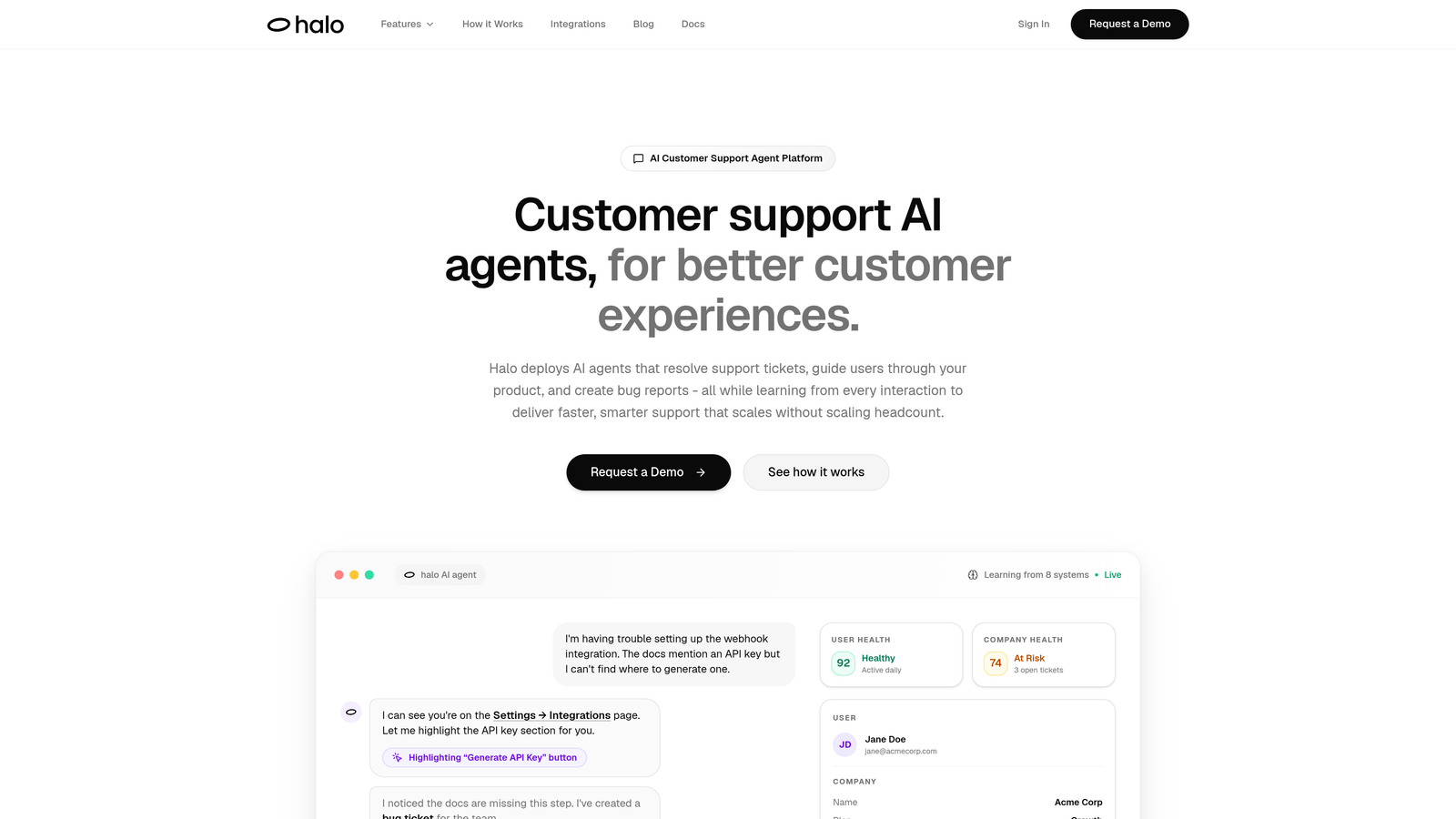
Halo AI takes a fundamentally different approach to issue tracking by eliminating manual ticket creation entirely.
Where This Tool Shines
Instead of requiring support agents to manually create bug reports, Halo's AI agents detect issues during customer conversations and automatically generate detailed tickets with full context. The system captures exactly what the user was viewing when the problem occurred, including page state, user environment, and conversation history.
This page-aware intelligence means engineering teams receive actionable bug reports without the usual back-and-forth to gather reproduction steps. The platform learns continuously from every interaction, improving its ability to distinguish between user confusion and actual product defects.
Key Features
Auto Bug Ticket Creation: AI detects issues in support conversations and creates tickets autonomously without agent intervention.
Page-Aware Context: Captures visual UI state, user actions, and environment details automatically when issues surface.
Direct Linear Integration: Seamlessly hands off engineering tickets with complete context for immediate investigation.
Continuous Learning: Improves issue detection accuracy over time by learning from resolution patterns and outcomes.
Business Intelligence: Surfaces customer health signals, revenue patterns, and anomaly detection beyond basic support metrics.
Best For
B2B product teams using helpdesk systems like Zendesk, Freshdesk, or Intercom who want to reduce manual triage work. Particularly valuable for companies where support volume makes it impossible to manually escalate every potential bug, or where engineering teams spend excessive time gathering reproduction details.
Pricing
Contact for pricing. The platform integrates with existing helpdesk systems and business tools including Linear, Slack, HubSpot, Stripe, and Zoom.
2. Linear
Best for: Engineering-first teams prioritizing speed, keyboard shortcuts, and minimal interface friction
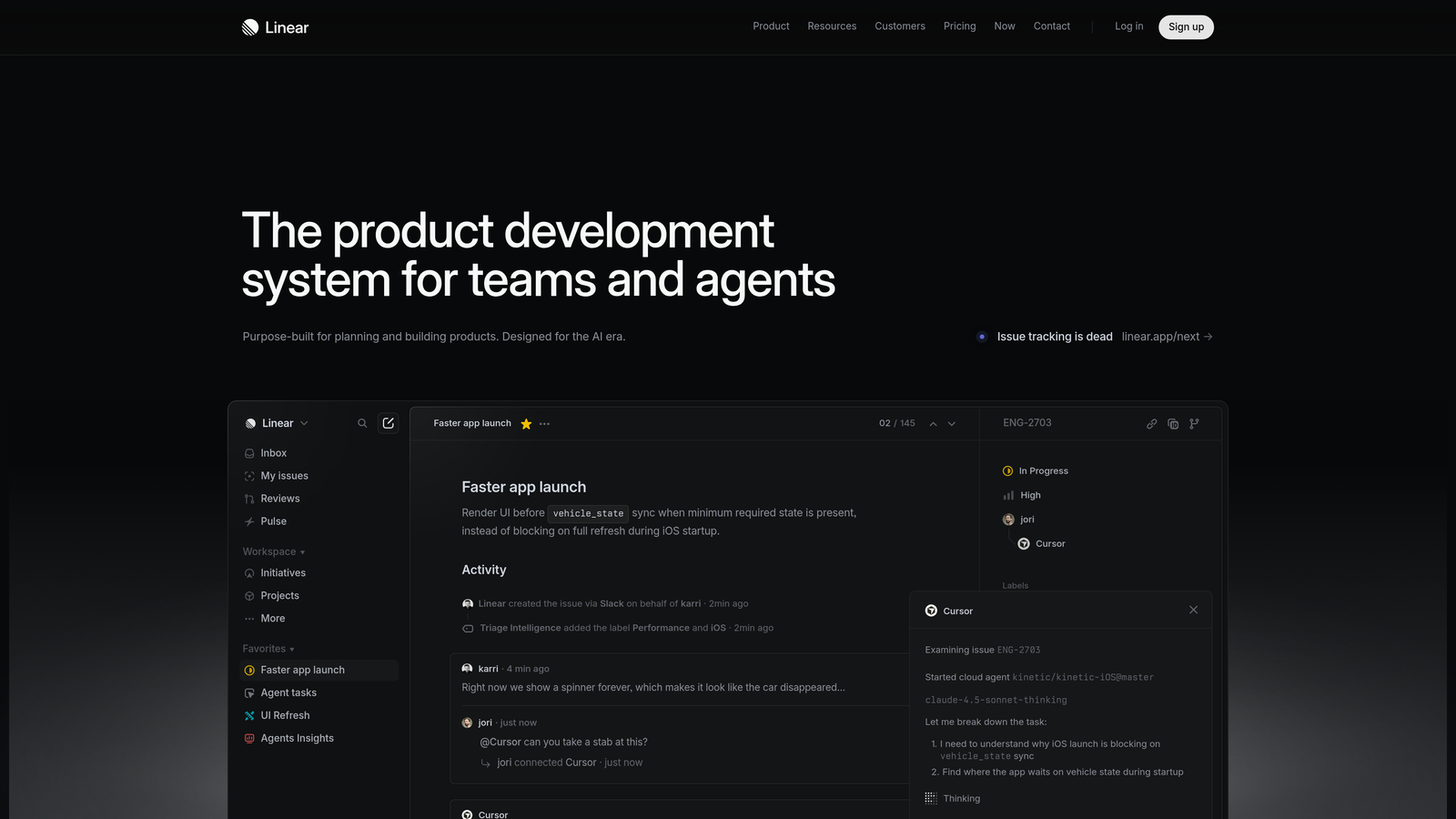
Linear reimagines issue tracking with an obsessive focus on speed and developer experience.
Where This Tool Shines
Linear's automation centers on reducing cognitive overhead for engineering teams. The cycles feature automatically rolls over incomplete issues and tracks progress without manual status updates. The triage queue implements inbox-zero methodology for issue management, ensuring nothing falls through organizational cracks.
The platform's API-first architecture enables custom automation workflows that extend far beyond built-in features. Teams build integrations that automatically create issues from monitoring alerts, customer feedback, or deployment failures.
Key Features
Cycles with Auto Rollover: Automatically moves incomplete issues to the next cycle and tracks velocity trends.
Triage Queue: Centralizes new issues for rapid categorization and assignment without switching contexts.
Slack and GitHub Integration: Automatically posts updates to relevant channels and syncs issue status with pull requests.
SLA Tracking: Escalates priority automatically when issues approach deadline thresholds.
API-First Architecture: Enables sophisticated custom automations through comprehensive GraphQL API.
Best For
Software engineering teams that value keyboard-driven workflows and minimal UI chrome. Works exceptionally well for startups and mid-size companies where most team members have technical backgrounds and appreciate developer-centric tools.
Pricing
Free for small teams with basic features. Standard plan at $8 per user per month adds unlimited issues, project milestones, and advanced integrations.
3. Jira
Best for: Enterprise organizations requiring extensive governance, compliance controls, and cross-team coordination
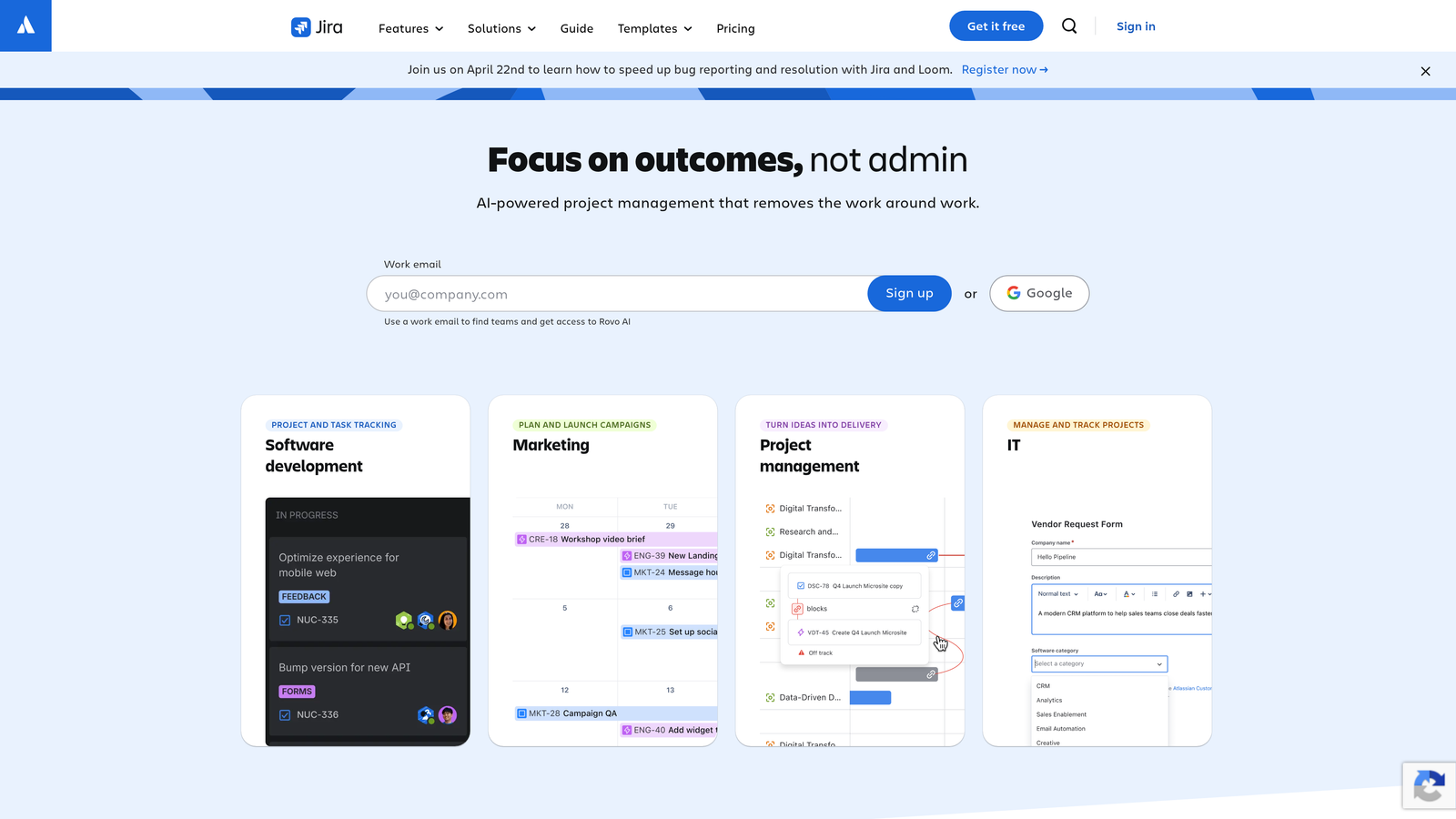
Jira dominates enterprise issue tracking with unmatched customization depth and automation complexity.
Where This Tool Shines
Jira's automation engine supports over 100 triggers and conditions, enabling sophisticated workflows that handle complex organizational processes. Teams create rules that automatically transition issues based on code deployments, reassign tickets when SLAs approach expiration, or escalate critical bugs to executive dashboards.
The Atlassian marketplace extends automation capabilities dramatically. Thousands of add-ons provide specialized automation for compliance reporting, resource management, and cross-system synchronization that would require custom development in other platforms.
Key Features
Automation Rules Engine: Create multi-step automations with conditional logic, scheduled triggers, and cross-project actions.
Custom Workflows: Design state machines with automatic transitions based on field values, user roles, or external events.
Advanced Roadmaps: Automatically calculate timelines and dependencies across multiple teams and projects.
Marketplace Ecosystem: Access thousands of automation-focused add-ons for specialized use cases and integrations.
Audit Logs: Track every automated action with compliance-grade logging and rollback capabilities.
Best For
Large organizations with complex approval processes, regulatory requirements, or multiple product lines requiring centralized issue management. The learning curve justifies itself when coordination across dozens of teams becomes necessary.
Pricing
Free for up to 10 users with basic automation. Standard plan at $7.75 per user per month unlocks advanced automation, 250GB storage, and user roles.
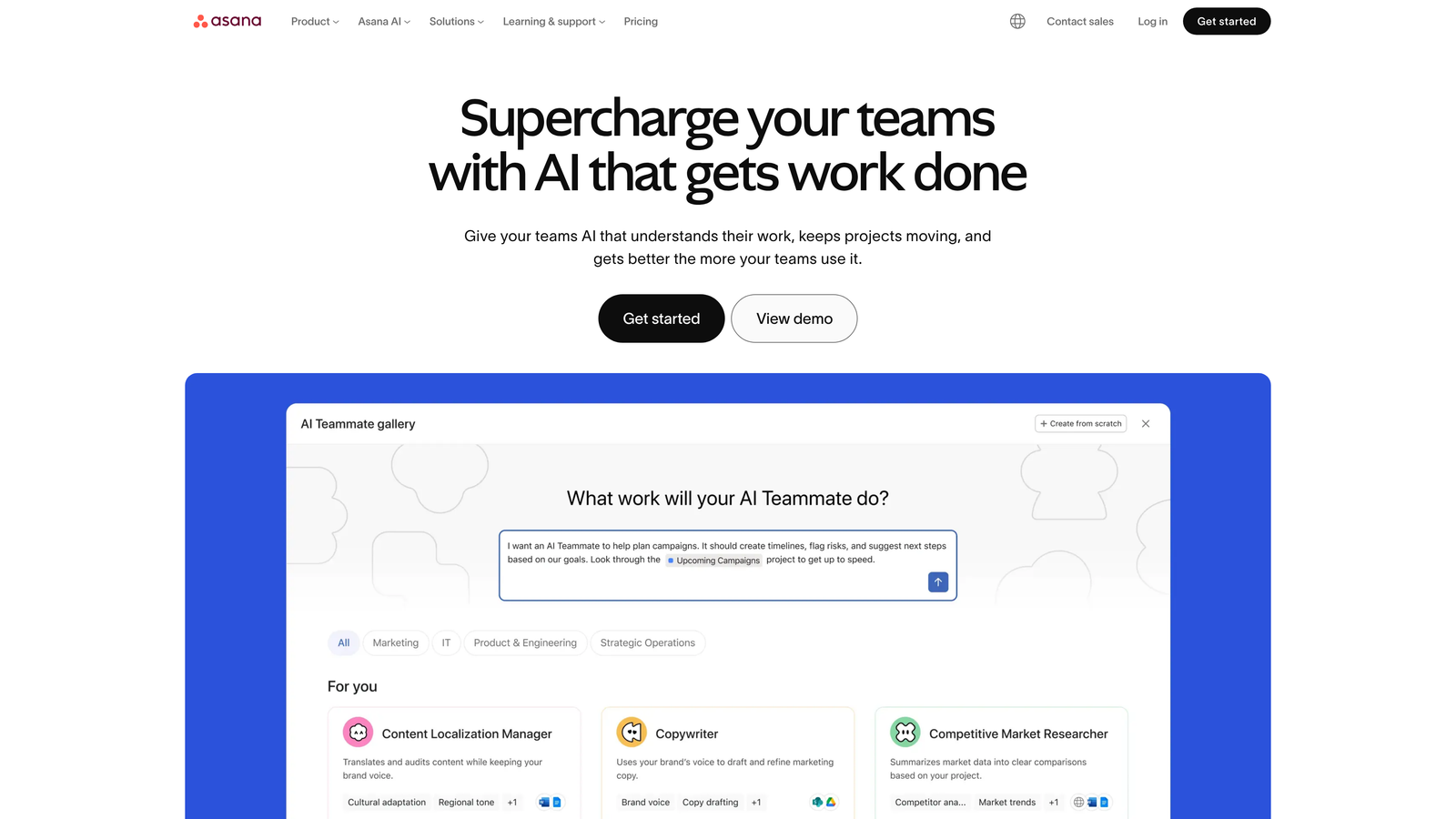
4. Asana
Best for: Cross-functional teams blending project management with issue tracking in a unified workspace
Asana bridges traditional project management and issue tracking through its rules engine and forms automation.
Where This Tool Shines
Asana's automation strength lies in its rules engine, which executes multi-step sequences when conditions are met. Create rules that automatically assign issues based on custom field values, adjust due dates when dependencies shift, or notify stakeholders when high-priority bugs are logged.
The forms feature transforms issue intake by automatically creating and routing tickets based on submission data. Marketing teams report bugs through branded forms that auto-populate engineering boards with properly tagged, prioritized issues requiring no manual intervention.
Key Features
Rules Engine: Build automation sequences with multiple actions triggered by single events or field changes.
Forms Automation: Create custom intake forms that automatically route and categorize issues based on responses.
Workload View: Automatically balance issue assignments based on team capacity and existing commitments.
Goals Tracking: Link issue completion to company objectives with automatic progress calculation.
Automation Bundles: Deploy pre-built automation templates for common workflows like bug triage or sprint planning.
Best For
Product teams where non-technical stakeholders regularly submit issues and need visibility into resolution progress. Particularly effective when issue tracking must coexist with broader project management workflows.
Pricing
Free basic plan with limited automation. Premium at $10.99 per user per month adds unlimited automation rules, forms, and advanced reporting.
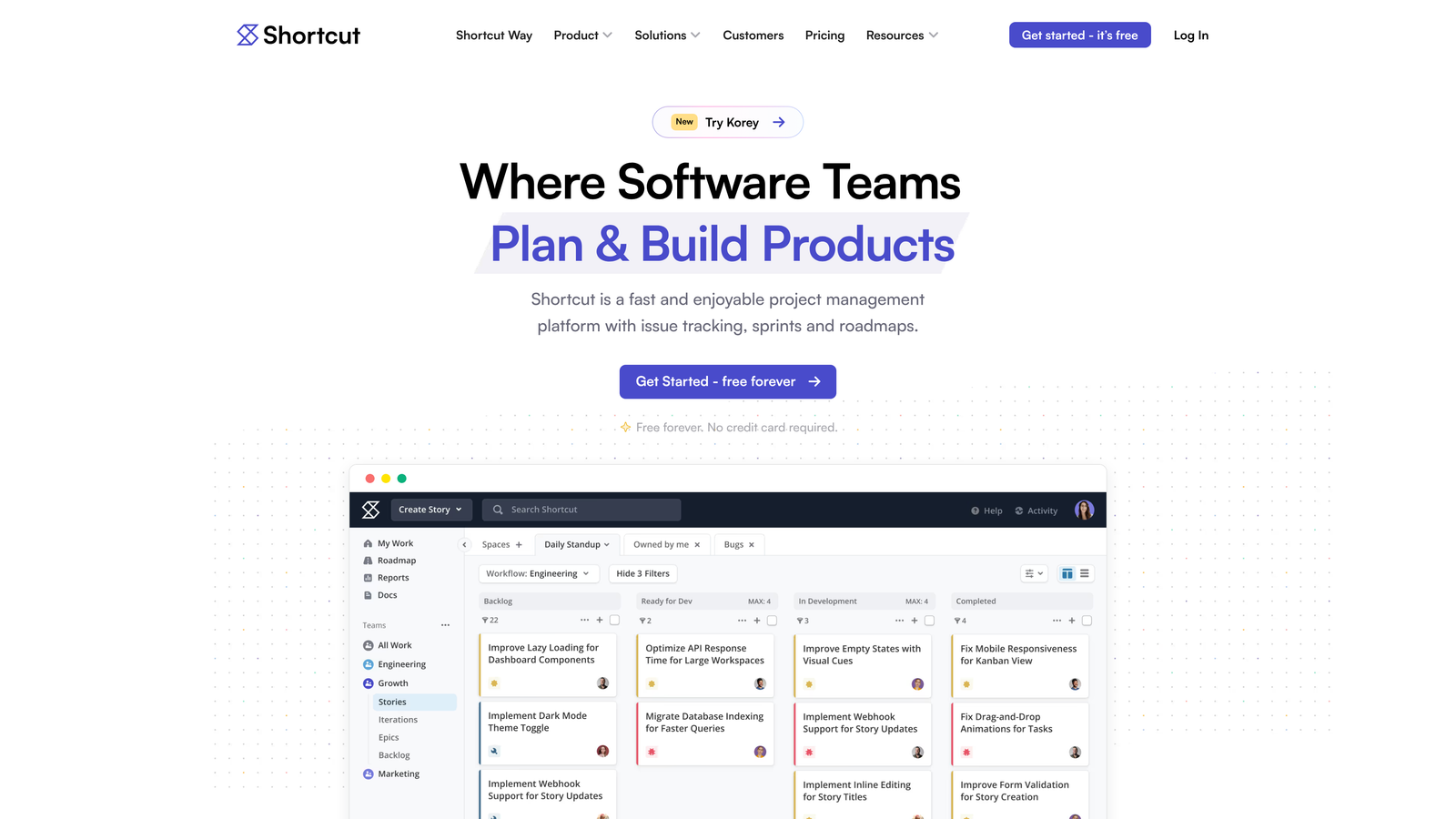
5. Shortcut
Best for: Product development teams wanting iteration planning with automatic story synchronization
Shortcut balances simplicity with powerful automation for product development workflows.
Where This Tool Shines
Shortcut's iteration management automatically handles story rollover when sprints complete, eliminating manual cleanup work. The platform maintains automatic status synchronization between stories and their parent epics, ensuring roadmap views reflect current reality without manual updates.
The objectives feature links epics to company goals with automatic progress tracking. When stories complete, parent epic progress updates automatically, and objective completion percentages recalculate without touching a spreadsheet.
Key Features
Automatic Story Rollover: Moves incomplete stories to the next iteration and tracks velocity trends across sprints.
Objectives Linking: Connects epics to company goals with automatic progress calculation based on story completion.
Status Synchronization: Automatically updates epic status when all child stories reach completion.
Slack Commands: Create issues instantly from Slack without context switching or manual form filling.
Write API: Build custom automation workflows that extend beyond built-in capabilities.
Best For
Small to mid-size product teams that want powerful iteration planning without Jira's complexity. Works well for teams practicing two-week sprints with clear epic-to-story hierarchies.
Pricing
Free for up to 10 users with unlimited stories. Team plan at $8.50 per user per month adds advanced search, custom fields, and priority support.
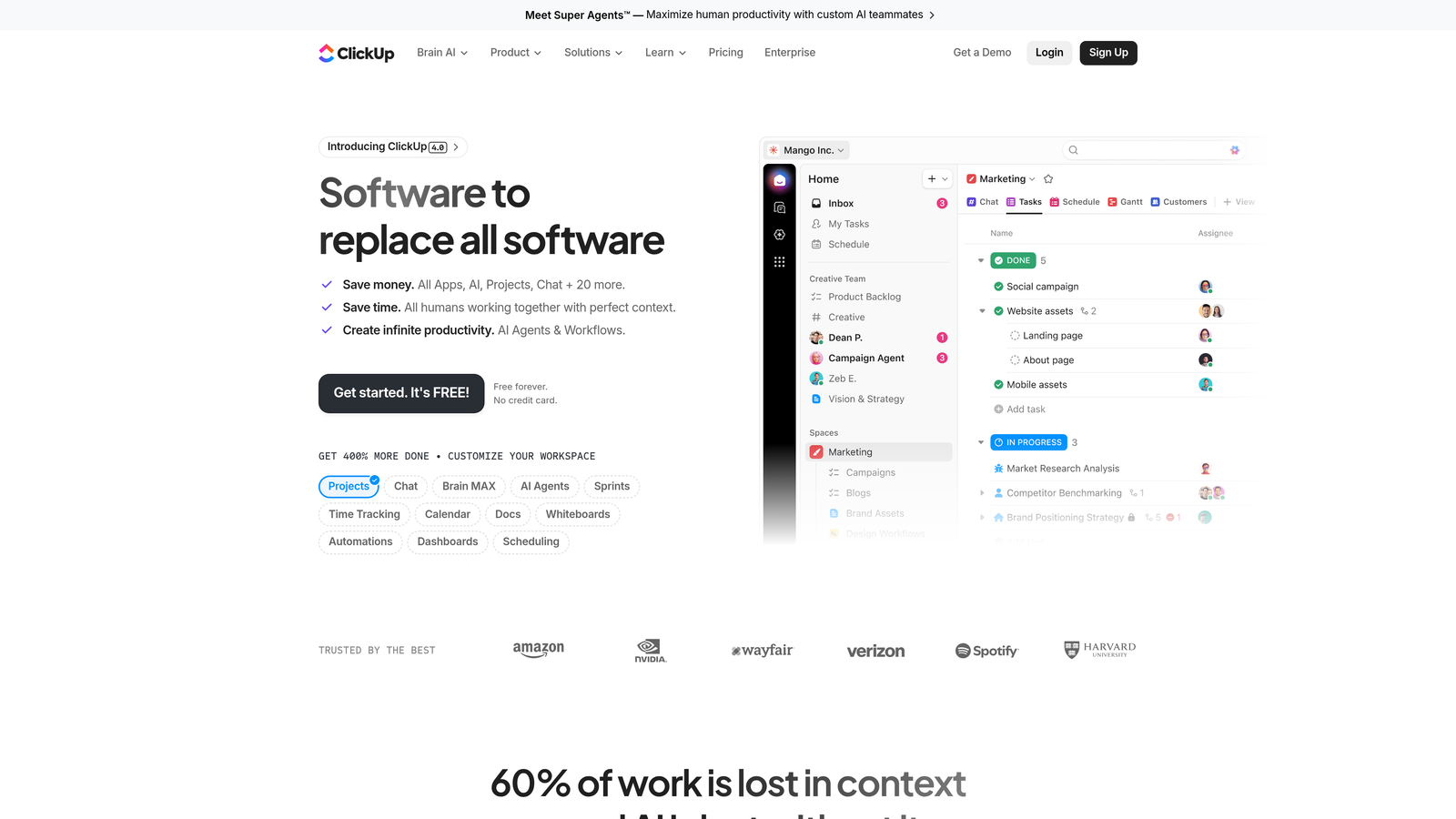
6. ClickUp
Best for: Teams consolidating multiple tools into one platform with extensive automation templates
ClickUp positions itself as an all-in-one workspace with issue tracking as one component among docs, whiteboards, and time tracking.
Where This Tool Shines
ClickUp provides over 100 pre-built automation templates covering common workflows from bug triage to sprint planning. Teams implement sophisticated automations without writing code or understanding complex logic. The template library includes automations for automatic priority escalation, assignee rotation, and status synchronization across workspaces.
The email-to-task automation parses incoming emails and creates issues with automatic field population based on content. Support teams forward bug reports that become properly tagged, assigned engineering tickets without manual data entry.
Key Features
100+ Automation Templates: Deploy pre-built workflows for common scenarios with one-click activation.
Custom Field Calculations: Automatically compute values like effort estimates or priority scores based on other field values.
Email Parsing Automation: Convert emails to tasks with automatic field population based on parsing rules.
Dependency Rescheduling: Automatically adjust due dates when blocking issues shift timelines.
Real-Time Dashboards: Display automation metrics and workflow health without manual report generation.
Best For
Teams wanting to consolidate multiple productivity tools into a single platform. Most valuable when issue tracking needs to integrate tightly with documentation, time tracking, and project planning in one interface.
Pricing
Free forever plan with basic features. Unlimited plan at $7 per user per month adds unlimited automation, integrations, and storage.
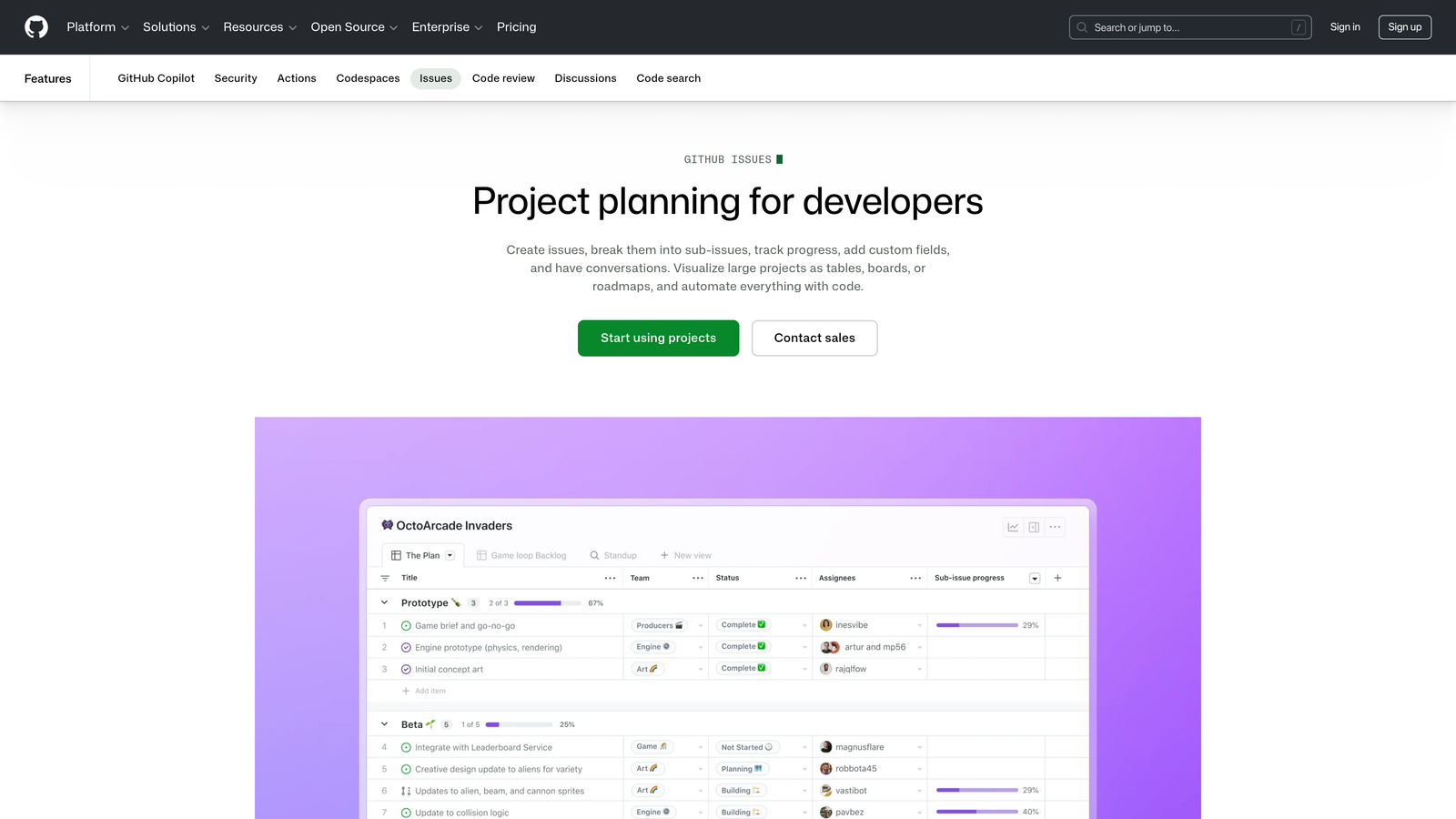
7. GitHub Issues
Best for: Development teams already using GitHub who want issue tracking directly integrated with repositories
GitHub Issues provides native issue tracking that lives alongside code, pull requests, and deployment workflows.
Where This Tool Shines
GitHub Actions enables automated workflows triggered by issue events. Teams build automations that automatically label issues based on content analysis, assign reviewers when pull requests reference specific issues, or close issues automatically when fixes deploy to production.
The Projects feature synchronizes issue status automatically with pull request state. When a PR merges that references an issue, the issue moves to "Done" without manual intervention. This tight integration eliminates the context switching that plagues teams using separate issue trackers.
Key Features
GitHub Actions Integration: Trigger automated workflows based on issue creation, labeling, assignment, or status changes.
Automatic Status Sync: Update issue status automatically when referenced pull requests merge or deploy.
Smart Labeling: Apply labels automatically based on issue content, file paths, or repository activity patterns.
Issue Forms: Create structured templates that guide reporters through providing necessary context.
Tasklists: Break complex issues into sub-tasks with automatic parent issue completion tracking.
Best For
Engineering teams where most work involves code changes and every issue ultimately results in a pull request. The value proposition increases dramatically for open-source projects or teams already committed to the GitHub ecosystem.
Pricing
Free for public repositories with unlimited issues and automation. Team plan at $4 per user per month adds private repositories and advanced security features.
8. Monday Dev
Best for: Visual thinkers wanting no-code automation with customizable board layouts
Monday Dev adapts the visual project management approach of Monday.com specifically for development workflows.
Where This Tool Shines
Monday Dev's automation recipe library contains over 200 pre-built workflows that teams activate without coding. The recipes handle common scenarios like automatic sprint planning, bug severity escalation, and cross-board status synchronization. Visual workflow builders make complex automations accessible to non-technical team members.
The sprint planning automation tracks velocity automatically and suggests realistic capacity for upcoming iterations. When sprints complete, the system rolls over incomplete issues and recalculates team velocity based on actual completion rates.
Key Features
200+ Automation Recipes: Deploy sophisticated workflows from template library with visual configuration.
Automatic Velocity Tracking: Calculate sprint capacity and predict completion dates based on historical performance.
Custom Bug Boards: Design issue tracking views with custom statuses, fields, and automation rules.
Integration Hub: Sync data automatically between Monday Dev and tools like Slack, Jira, GitHub, and Zendesk.
Connected Workdocs: Link documentation directly to issues with automatic updates when specifications change.
Best For
Product teams that prefer visual board interfaces and want powerful automation without learning complex rule syntax. Works well for organizations where project managers and product owners need to configure workflows independently.
Pricing
Basic plan at $9 per seat per month includes core features. Standard at $12 per seat per month adds timeline views, automation, and integrations.
9. Zendesk Suite
Best for: Support-to-engineering workflows where customer service teams escalate issues to product development
Zendesk Suite bridges customer support and issue tracking through triggers, automations, and engineering collaboration features.
Where This Tool Shines
Zendesk's trigger system automatically routes tickets based on content, customer attributes, or conversation context. Support teams configure rules that escalate high-value customer issues to engineering queues, assign tickets by product area, or create Jira issues automatically when specific keywords appear.
The side conversations feature enables support agents to collaborate with engineering teams without exposing internal discussion to customers. When bugs surface, agents create side threads that automatically notify relevant developers and track resolution separately from customer-facing updates.
Key Features
Automatic Ticket Routing: Route incoming issues to appropriate teams based on content analysis and business rules.
Time-Based Automations: Execute actions automatically when tickets remain unresolved past SLA thresholds.
Side Conversations: Create internal collaboration threads that sync with engineering tools without customer visibility.
Jira Integration: Automatically create engineering tickets from support conversations with bidirectional status sync.
Macro Automation: Deploy standardized responses and actions for common issue types with one click.
Best For
Organizations where customer support serves as the primary bug intake channel and engineering teams need visibility into customer-reported issues. Most valuable when support volume makes manual triage impossible.
Pricing
Suite Team at $55 per agent per month includes basic automation and integrations. Suite Growth at $89 per agent per month adds advanced automation, custom roles, and light agent seats.
Choosing Your Automated Issue Tracking System
The right platform depends on where automation delivers the most value for your team. If manual bug report creation consumes hours weekly, AI-native systems like Halo AI eliminate that overhead entirely by detecting and documenting issues autonomously. Engineering-first teams prioritizing speed gravitate toward Linear or GitHub Issues for their minimal interfaces and keyboard-driven workflows.
Enterprise organizations with complex governance requirements typically choose Jira for its extensive rule engine and compliance controls. Teams consolidating multiple tools often select ClickUp or Asana to unify issue tracking with broader project management. Support-heavy organizations benefit from Zendesk's customer service integration, while visual thinkers prefer Monday Dev's no-code automation recipes.
The most sophisticated automation happens before tickets reach your tracking system. When AI agents identify issues during support conversations and create detailed bug reports automatically—complete with page context and reproduction steps—engineering teams spend less time gathering information and more time shipping fixes.
Your support team shouldn't scale linearly with your customer base. Let AI agents handle routine tickets, guide users through your product, and surface business intelligence while your team focuses on complex issues that need a human touch. See Halo in action and discover how continuous learning transforms every interaction into smarter, faster support.