Customer Support Anomaly Detection: How AI Identifies Problems Before They Escalate
Customer support anomaly detection uses AI to monitor support data in real-time and identify unusual patterns before they become major issues. Instead of discovering problems after hundreds of frustrated customers have already contacted you, this technology acts as an early warning system that spots the first signs of trouble—like a sudden spike in tickets about a specific feature—allowing your team to address issues proactively and prevent escalation.
 Matt PattoliFounder15 min read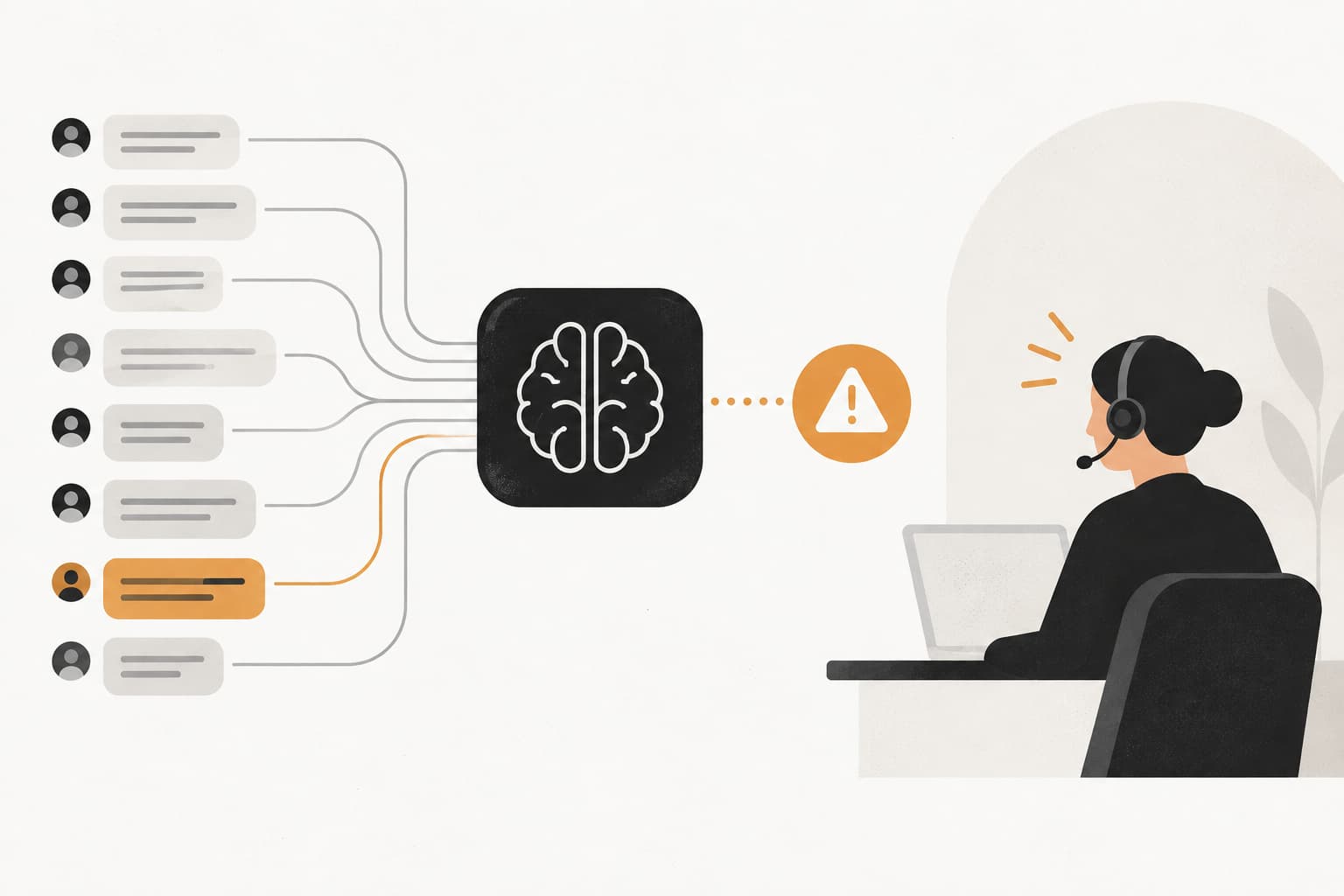
Picture this: It's 10 AM on a Tuesday, and your support queue looks normal. Tickets are coming in at the usual pace, agents are working through them efficiently, and everything seems fine. But by 2 PM, you're drowning. Three hundred tickets have flooded in about a checkout flow that was working perfectly yesterday. Customers are frustrated, your team is overwhelmed, and you're scrambling to understand what went wrong.
Here's the thing: those first unusual tickets started appearing at 8:47 AM. By 9:15, the pattern was clear. But nobody noticed until the flood became impossible to ignore.
This is where customer support anomaly detection changes everything. Think of it as your support operation's early warning system—AI that continuously monitors your support data, identifies unusual patterns in real-time, and alerts you to problems before they escalate into full-blown crises. Instead of reacting to hundreds of angry customers, you catch the first whispers of trouble and respond proactively.
For companies serious about customer experience, anomaly detection has evolved from a nice-to-have to essential intelligence. It's the difference between firefighting and fire prevention, between damage control and seamless operations.
The Hidden Patterns in Your Support Queue
Customer support anomaly detection is fundamentally about identifying unusual patterns in your support data that deviate from established baselines. But what does "unusual" actually mean in this context?
Let's break it down. Anomaly detection monitors several key dimensions of your support operation: ticket volume, customer sentiment, topic clusters, resolution times, and individual customer behavior patterns. Each of these dimensions has its own normal rhythm—its baseline. When something deviates significantly from that baseline in a way that matters, that's your anomaly.
The critical skill here is distinguishing between noise and signals. Noise is the normal fluctuation that happens in any system. Maybe you get 10% more tickets on Mondays because customers encounter issues over the weekend. Maybe resolution times dip slightly during lunch hours. These variations are expected, predictable, and don't require action.
Signals are different. They're meaningful deviations that indicate something has changed in a way that demands attention.
Think about the types of anomalies your support data can reveal. Volume spikes are the most obvious—a sudden surge in tickets that exceeds normal patterns. But volume alone doesn't tell the whole story. A 50% increase in tickets might be perfectly normal during a product launch, but alarming on a random Tuesday.
Sentiment shifts often matter more than volume. If your average ticket sentiment suddenly drops from neutral to negative, even if volume stays the same, something's wrong. Customers aren't just reaching out—they're frustrated or angry about something specific. Understanding these shifts requires automated customer sentiment analysis that can process every interaction in real-time.
New topic clusters emerge when customers start asking about things they've never asked about before, or when existing topics suddenly dominate the conversation. When fifteen customers in two hours all mention "payment error" when that phrase appeared maybe twice last week, you've got a signal.
Resolution time changes reveal operational issues. If tickets that normally take twenty minutes to resolve are suddenly taking two hours, either the problem has become more complex or your team is struggling with something new.
Individual customer behavior patterns matter too, especially for high-value accounts. When a customer who typically contacts support once a quarter suddenly submits three tickets in a week, that's a churn risk signal hiding in plain sight.
The power of anomaly detection lies in catching these patterns early, when you can still do something about them. By the time a human manually spots a trend, you're already in reactive mode.
Why Traditional Monitoring Falls Short
Most support teams rely on manual review and static dashboards to monitor their operations. Someone checks the queue periodically, looks at yesterday's metrics, maybe runs a weekly report. This approach has fundamental limitations that leave teams flying blind.
The human brain is remarkable, but it's terrible at processing large volumes of real-time data. Your support manager might review fifty tickets and notice that several mention a specific feature. But when hundreds of tickets flow through daily, spotting subtle patterns becomes nearly impossible. By the time the trend is obvious enough for manual detection, you're already dealing with consequences rather than preventing them.
Let's say you receive 500 support tickets daily. Even if someone could read every single one—which they can't—they're processing yesterday's information at best. The checkout issue that started at 8:47 AM won't appear in any report until tomorrow, when it's already impacted hundreds of customers. This is why automated support trend analysis has become essential for modern teams.
Static threshold alerts create their own problems. Many teams set up basic rules: "Alert me if ticket volume exceeds 100 per hour" or "Notify when resolution time goes above 30 minutes." These rigid thresholds either trigger too often, creating alert fatigue where teams start ignoring notifications, or they're set too high and miss contextual anomalies entirely.
Here's why context matters so much. A 20% spike in ticket volume might be completely normal on Monday morning when customers return from the weekend. That same 20% spike on Thursday afternoon? That's unusual and worth investigating. Static rules can't distinguish between these scenarios—they just count numbers and trigger when thresholds are crossed.
The problem gets worse when data lives in silos. Your support tickets are in one system, product analytics in another, customer health scores in a third. Someone notices increased support volume, but nobody connects it to the feature release that shipped yesterday or the segment of customers affected. Without these connections, you're solving symptoms without understanding root causes.
Traditional monitoring also struggles with the signal-to-noise ratio. Support operations generate enormous amounts of data, most of it routine and expected. Finding the meaningful patterns in that haystack requires more than human pattern recognition—it demands computational power and statistical analysis that can process everything in real-time.
How AI-Powered Anomaly Detection Actually Works
AI-powered anomaly detection transforms support monitoring from a manual, reactive process into an intelligent, proactive system. But how does it actually work behind the scenes?
The foundation is baseline establishment. AI doesn't start with arbitrary thresholds set by humans. Instead, it learns what "normal" looks like for your specific operation by analyzing historical data across multiple dimensions and time periods.
This learning process is more sophisticated than simple averaging. The AI understands that normal varies by day of week, time of day, season, product release cycles, and customer segments. It knows that your SaaS product gets more support tickets at month-end when customers are closing their books. It recognizes that resolution times naturally increase during onboarding season when new customers ask foundational questions.
These baselines aren't static snapshots—they're dynamic models that continuously update as your business evolves. When you launch a new feature, the AI adjusts its understanding of normal ticket topics. When you expand into a new market, it learns the support patterns of that customer segment.
Real-time pattern analysis is where the magic happens. As each support ticket arrives, the AI compares it against those dynamic baselines across multiple dimensions simultaneously. It's not just asking "Is volume high?" but rather "Is volume high for this time, this day, this customer segment, given recent product changes and historical patterns?" Modern AI support platform features make this level of analysis possible at scale.
The AI employs several analytical approaches depending on what it's monitoring. For volume patterns, it uses time-series analysis to detect statistically significant deviations from expected trends. For sentiment, it applies natural language processing to understand not just whether customers are frustrated, but whether frustration levels have changed meaningfully from baseline.
Topic clustering algorithms identify when customers start talking about new issues or when existing topics suddenly dominate the conversation. This is particularly powerful because it catches emerging problems before they're obvious. When five customers mention "loading timeout" within an hour—a phrase that appeared only twice last month—the AI flags it as an anomaly worth investigating.
Contextual intelligence separates sophisticated anomaly detection from basic threshold alerts. The AI understands that not all anomalies carry equal weight. A volume spike from free-tier users might be worth noting, but a sentiment drop among enterprise customers demands immediate attention.
This contextual understanding extends to business intelligence. Modern anomaly detection systems connect support patterns to customer value, product usage, subscription status, and revenue data. They don't just tell you something unusual is happening—they tell you why it matters and who it affects.
The system also learns from false positives. When an alert fires and your team investigates but finds nothing actionable, the AI adjusts its sensitivity for that type of pattern. Over time, it gets better at distinguishing between anomalies that require human attention and variations that, while unusual, don't warrant interruption.
Five Critical Anomalies Your Support Data Can Reveal
Understanding how anomaly detection works is one thing. Knowing what to look for—and why it matters—is where the real value emerges. Let's explore five critical anomaly types that can transform how you operate.
Product Issues Before They Become Crises: This is the most immediate and obvious application. When a bug ships or a feature breaks, customers notice quickly. But they don't all report it simultaneously. The first few tickets trickle in, mentioning similar symptoms or error messages. Traditional monitoring might miss these early signals, but anomaly detection spots the emerging cluster immediately.
Picture a scenario where your payment processing integration has a subtle issue affecting only customers in certain regions. Individual support agents might handle these tickets without recognizing the pattern. But when the AI detects that "payment failed" tickets from European customers have increased 300% in the past hour—compared to near-zero yesterday—you get an alert with enough context to investigate before it becomes a full-scale incident.
The business impact here is enormous. Finding and fixing issues in the first hour versus the first day can be the difference between affecting dozens versus thousands of customers. It's also the difference between a quick fix and an all-hands crisis response.
Customer Health Signals: Support patterns reveal customer health in ways that traditional metrics miss. When a previously satisfied customer suddenly increases their support frequency, or when their ticket sentiment shifts from neutral to frustrated, you're seeing early churn indicators. Implementing automated customer interaction tracking helps you capture these signals across every touchpoint.
Anomaly detection can flag these individual customer behavior changes, especially for high-value accounts. If your largest enterprise customer typically submits two tickets per month and suddenly files eight in two weeks, that's a relationship at risk. The AI doesn't just count tickets—it recognizes the deviation from that customer's established pattern and alerts your customer success team before the renewal conversation becomes difficult.
This extends beyond individual accounts to segment-level patterns. When customers in a specific industry or using a particular feature start showing elevated support needs, you're seeing either a product-market fit issue or an opportunity to improve documentation and onboarding for that segment.
Operational Bottlenecks: Sometimes the anomaly isn't about what customers are asking, but how efficiently your team can respond. Resolution time spikes often indicate operational issues that affect customer experience even when the underlying product works fine.
If tickets assigned to a specific category or handled by certain team members suddenly take twice as long to resolve, something's changed. Maybe a complex new issue type requires expertise your team hasn't developed yet. Maybe a workflow integration broke and agents are manually doing work that should be automated. Maybe your documentation for a common issue is outdated or unclear. Tracking these patterns through automated support performance metrics reveals bottlenecks before they impact customer satisfaction.
These operational anomalies often fly under the radar because they don't trigger customer complaints directly—the ticket still gets resolved. But slower resolution means frustrated customers, reduced team capacity, and higher operational costs.
Emerging Trends: New question patterns reveal gaps in your product experience before they become widespread problems. When customers start asking about something they've never asked about before, it's usually because something in your product, documentation, or user experience has created confusion.
Let's say you updated your UI and moved a commonly-used feature to a new location. Functionally, nothing changed—the feature works exactly as before. But suddenly you're getting tickets asking "Where did X go?" or "How do I access Y now?" These questions represent friction in your user experience that might not be severe enough for customers to churn, but definitely impacts their satisfaction and efficiency.
Anomaly detection catches these emerging trends when they're still small enough to address proactively. You can create targeted help documentation, add in-app tooltips, or even roll back problematic UI changes before they affect your entire user base.
Revenue Intelligence: The most sophisticated application of support anomaly detection connects support patterns to revenue outcomes. Certain support behaviors correlate strongly with expansion opportunities or churn risk, and AI can surface these patterns.
When customers start asking questions about features in your higher-tier plans, that's an upsell signal. When usage-related support tickets from a growing account increase, they might be hitting plan limits and ready for expansion. Conversely, when support frequency drops to zero from previously active customers, that's often a leading indicator of disengagement and eventual churn.
By connecting support data to subscription status, usage metrics, and customer value, anomaly detection provides revenue intelligence that goes far beyond traditional support metrics. Your support operation becomes a source of business insight, not just a cost center.
Building an Effective Anomaly Detection Strategy
Understanding anomaly detection's potential is the first step. Actually implementing it effectively requires strategic thinking about what matters most to your business and how to act on the intelligence you receive.
Start by defining what matters. Not all anomalies carry equal weight, and trying to monitor everything creates noise rather than insight. Focus on anomaly types based on business impact across three dimensions: revenue, customer experience, and operational efficiency.
For revenue impact, prioritize anomalies affecting high-value customers or indicating churn risk. A sentiment drop among enterprise accounts demands immediate attention. A volume spike from free-tier users might be worth monitoring but doesn't require the same urgency. Understanding the customer support AI benefits and ROI helps you prioritize which anomalies deserve the most attention.
Customer experience anomalies include anything that indicates widespread product issues or emerging friction points. These affect satisfaction and word-of-mouth, with long-term business implications even if immediate revenue impact isn't obvious.
Operational efficiency anomalies help you optimize your support operation itself. Resolution time spikes, agent workload imbalances, and repetitive question clusters all represent opportunities to improve processes, documentation, or automation.
Once you've prioritized what to monitor, establish clear response protocols. An anomaly alert without a defined action plan creates confusion rather than resolution. Who gets notified when specific anomaly types are detected? What's the escalation path? What actions should be taken?
For product issues, the protocol might involve immediately notifying your engineering team, creating an incident ticket, and preparing customer communication. For customer health signals, alerts might route to your customer success team with context about the account and recent interactions. For operational bottlenecks, your support operations manager needs visibility to investigate and address the root cause. A well-designed automated support escalation workflow ensures the right people get notified at the right time.
Create playbooks for different anomaly scenarios. When a volume spike is detected, here's how to triage: check for known issues, review recent product changes, examine ticket content for common themes, and determine if it's localized to specific customer segments or widespread. This structured approach prevents panic and ensures consistent, effective responses.
Integration with existing workflows is critical. Anomaly alerts that arrive in yet another dashboard nobody checks regularly provide zero value. Connect anomaly detection to tools your team already lives in.
Send alerts to Slack channels where relevant teams monitor issues. Create tickets automatically in your project management system when product anomalies are detected. Update customer health scores in your CRM when support pattern anomalies indicate risk. The goal is making anomaly intelligence actionable within existing processes, not adding new tools to check.
Putting Anomaly Intelligence Into Action
The path from understanding anomaly detection to actually benefiting from it doesn't require a massive transformation. Start with high-impact, low-effort wins that deliver immediate value while building toward more sophisticated capabilities.
Volume monitoring and sentiment tracking form the foundation. These anomaly types are straightforward to implement and immediately useful. When ticket volume spikes unexpectedly, you need to know. When customer sentiment shifts negative, you need visibility. These basics catch the most obvious and impactful issues.
From there, layer in topic clustering to identify emerging issues before they become widespread. This adds another dimension of intelligence without requiring complex integration or process changes. You're still monitoring your support queue, just with more sophisticated pattern recognition. Automated customer feedback analysis takes this further by extracting actionable insights from every customer interaction.
As your team develops confidence with basic anomaly detection, evolve toward predictive capabilities. Historical anomaly data becomes incredibly valuable for anticipating future issues. If you notice that volume spikes consistently follow certain types of product releases, you can staff accordingly and prepare proactive communications.
If sentiment drops predictably during specific times of year or in response to particular triggers, you can address root causes before the pattern repeats. The AI learns not just what's happening now, but what's likely to happen next based on similar historical patterns.
This predictive evolution transforms support from reactive to proactive. Instead of responding to problems, you're preventing them. Instead of being surprised by patterns, you're anticipating them.
Measure success with metrics that matter. The traditional support metrics—CSAT, resolution time, ticket volume—are still important, but anomaly detection enables new measurements that better capture value.
Track mean time to detection (MTTD) for customer-impacting issues. How quickly are you identifying problems after they start? Reducing MTTD from hours to minutes has direct customer experience and business impact.
Measure customer impact reduction. How many customers were affected by issues caught early versus those discovered late? This quantifies the value of proactive detection.
Monitor operational efficiency gains. Are you resolving issues faster because you catch them early? Are you preventing escalations by addressing problems before they compound? These efficiency improvements translate directly to cost savings and team capacity.
The Future of Proactive Support
Customer support anomaly detection fundamentally transforms how support teams operate. Instead of waiting for problems to become obvious, you catch them in their earliest stages. Instead of reacting to customer frustration, you prevent it. Instead of fighting fires, you're installing smoke detectors and sprinkler systems.
The competitive advantage here extends beyond just faster issue resolution. Companies that implement effective anomaly detection deliver consistently better customer experiences because problems get addressed before most customers even encounter them. That's the difference between a support team that responds well to issues and one that prevents issues from becoming widespread in the first place.
As AI capabilities continue advancing, the intelligence you can extract from support data will only deepen. The systems that learn from every interaction, understand context across your entire business stack, and surface insights that connect support patterns to revenue outcomes—these aren't future possibilities. They're available now for teams ready to move beyond reactive support.
The question isn't whether AI-powered support intelligence will become standard. For companies serious about customer experience, it already is. The question is whether you'll lead this transition or play catch-up while competitors deliver faster, smarter support that scales without scaling headcount.
Your support team shouldn't scale linearly with your customer base. Let AI agents handle routine tickets, guide users through your product, and surface business intelligence while your team focuses on complex issues that need a human touch. See Halo in action and discover how continuous learning transforms every interaction into smarter, faster support.
How Halo helps
Halo turns support conversations into business intelligence: Ask AI answers questions across your tickets, calls, CRM, and billing data in plain English, so revenue and product teams can act on what customers are actually saying. Learn more about Ask AI, Halo's business intelligence chat.