IT Automation Software: Unlock Efficiency
Maximize efficiency with IT automation software. Learn its benefits, choose the right solution, and explore use cases, ROI, & autonomous AI's future.
 Grant CooperFounder14 min read
Monday starts with a familiar pattern. An alert fires before standup, support queues spike, a manager asks why onboarding still needs manual account setup, and senior engineers get pulled into work that should never have reached them. By noon, the team has touched five tools, copied data between three systems, and still doesn't have a clean picture of what happened.
That operating model doesn't just slow IT down. It slows revenue, product delivery, customer support, and every function that depends on stable systems. it automation software matters because it removes manual coordination from work that should already be codified, observable, and repeatable.
Why IT Automation Is No Longer Optional
Teams typically don't reach for automation because it's fashionable. They reach for it after too many weeks of reactive work. Password resets, failed jobs, ticket triage, access requests, environment checks, and repetitive escalations all look manageable in isolation. Together, they create a constant tax on expensive technical talent.

That pressure is showing up in market demand. The global IT Process Automation Software market was valued at USD 1.86 billion in 2026 and is forecast to reach USD 3.97 billion by 2035, with a CAGR of 8.8%, according to Global Growth Insights on the IT process automation software market. The reason is straightforward. Organizations need to optimize processes, reduce costs, and free teams for strategic work.
A lot of leaders still frame automation too narrowly. They ask whether a tool can save labor on repetitive tasks. That's a fair starting point, but it's not where the true value lies. Good automation reduces response lag, standardizes execution, preserves institutional knowledge, and makes the business less dependent on who happens to be online.
If your team is still mapping approvals, handoffs, and recurring support work in ad hoc ways, it helps to start with a clear workflow model. This primer on how to streamline repetitive tasks is useful because it breaks down where automation fits before teams jump into tooling decisions. For support-heavy organizations, the next adjacent problem is often the handoff between operational work and the helpdesk, which is why many teams also rethink their IT support ticketing software choices.
Practical rule: If senior technical staff spend a large share of their week on repeatable coordination, the business already has an automation problem.
Leaders usually see the pain first in three places:
- Service reliability: Recurring incidents keep reopening because diagnosis and remediation aren't codified.
- Support throughput: Tickets move, but the context required to resolve them stays trapped in Slack threads, docs, and tribal knowledge.
- Change velocity: Engineers can ship code faster than operations can safely validate, route, approve, and support it.
The shift in mindset is important. Automation isn't a side project for the IT team. It's operating infrastructure.
Understanding the Automation Spectrum
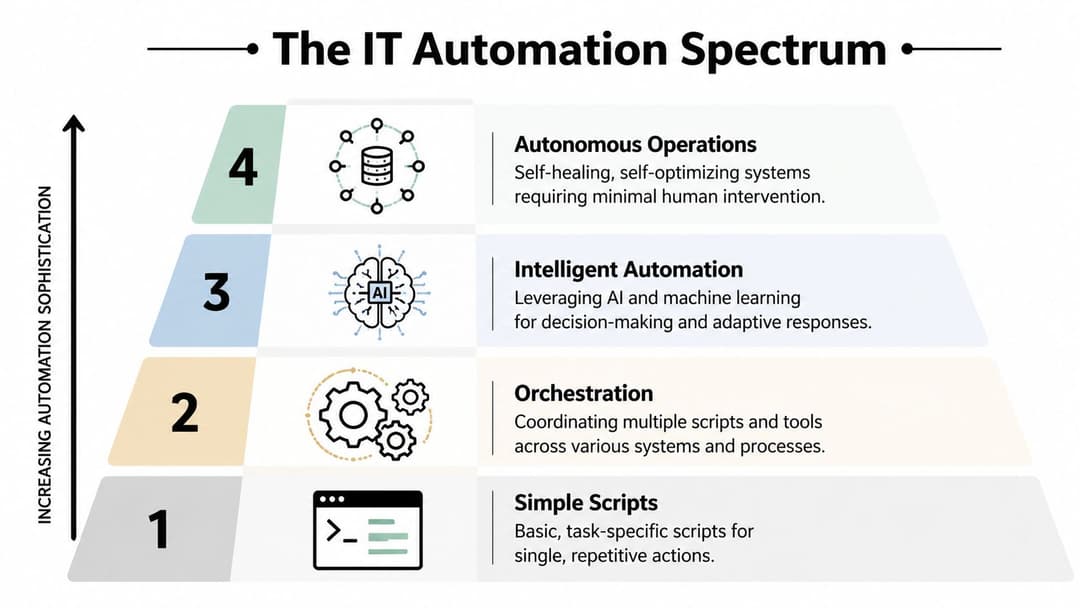
Automation gets discussed as if it's one category. It isn't. There's a large difference between a Bash script that restarts a service, an RPA bot that clicks through a UI, and a platform that orchestrates actions across observability, identity, cloud, ticketing, and business systems.
Scripts solve tasks, platforms solve systems
A simple script is useful when one person knows the task, owns the environment, and can tolerate some fragility. That's often enough for one-off maintenance or a narrow internal routine. The problem starts when the business treats a pile of scripts as an automation strategy.
RPA sits a step above that. It mimics human interaction at the interface layer. That can help when systems don't expose clean APIs or when a team needs to automate a rigid back-office flow quickly. But UI-driven automation is often brittle. A changed button label, workflow step, or page layout can break the process.
IT process automation works differently. It orchestrates workflows across systems, APIs, schedules, events, approvals, and logs. The useful mental model is an operations conductor. It doesn't just play one instrument. It coordinates the whole environment so work runs in the right order, with the right dependencies, and with enough visibility to recover when something fails.
For teams formalizing this discipline, the difference between runbooks and orchestration logic matters. A guide on achieving operational excellence with playbooks is helpful because it shows how repeatable operational knowledge becomes executable process. In cloud-heavy environments, this gets even more important as applications, integrations, and support systems spread across vendors and teams, which is why cloud leaders increasingly focus on cloud application automation patterns.
What maturity actually looks like
Most organizations move through the spectrum in stages:
Task automation
A script or scheduled job handles one recurring action. Useful, but narrow.Workflow orchestration
The team links multiple actions across systems. Triggers, approvals, retries, and notifications become standardized.Intelligent automation
The platform starts using context, rules, and model-driven decision support to route or adapt work.Autonomous operations
The system detects, decides, executes, and documents with limited human intervention. Humans govern exceptions rather than drive every step.
Teams don't fail because they automate too little code. They fail because they automate isolated tasks while leaving the surrounding process manual.
A mature environment isn't one where humans disappear. It's one where humans stop acting as middleware between tools.
Core Capabilities of Modern Automation Platforms
The strongest automation platforms don't win because they have the most templates. They win because they combine orchestration, visibility, event response, and integration depth into one operating layer.
Event-driven workflows change the operating model
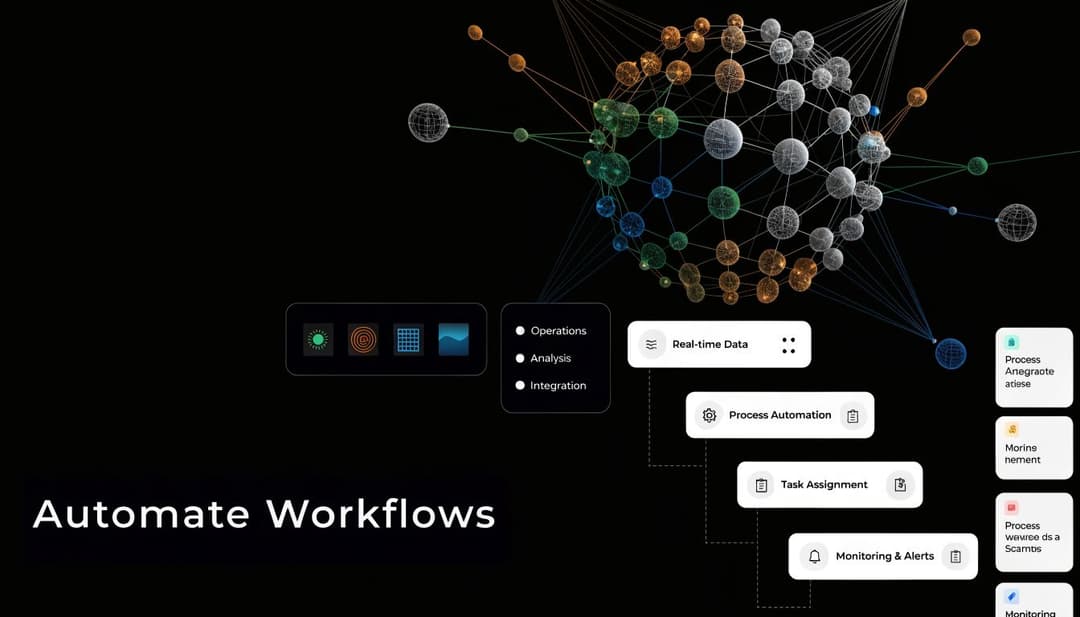
The most important capability is event-based automation. In modern IT Process Automation, workflows can trigger in response to business or IT events such as a server failure. That enables auto-remediation with real-time monitoring and analytics, and some platforms report up to a 90% reduction in troubleshooting time, as described in this analysis of process automation tools and event-based automation.
That matters because scheduled automation only helps when the problem follows a clock. Real operations don't. CPU thresholds spike unexpectedly. A sync fails after a vendor change. A support queue surges after a release. A business-critical integration starts returning malformed data. In those moments, the platform needs to react to state, not to time.
A practical event-driven flow often looks like this:
- Detection: Monitoring tools identify a failure, threshold breach, or business condition.
- Enrichment: The workflow gathers logs, metadata, recent changes, or related ticket data.
- Decisioning: Rules determine whether to restart, provision, route, notify, or escalate.
- Execution: Scripts, APIs, and service actions run in sequence.
- Documentation: Every step is logged for auditability and review.
That model is what turns automation from “scheduled task runner” into operational control.
The platform features that matter in practice
Leaders evaluating it automation software should focus less on feature volume and more on interaction quality between core capabilities.
| Capability | Why it matters | What weak implementation looks like |
|---|---|---|
| Workflow orchestration | Coordinates multi-step processes across systems | A collection of isolated automations with no dependency handling |
| Integration framework | Connects APIs, SaaS tools, and infrastructure | Heavy manual setup for each tool or shallow connector support |
| Intelligent scheduling | Balances time-based jobs with business constraints | Static cron-style execution without awareness of dependencies |
| Monitoring and logging | Provides traceability and recovery context | Failures require manual reconstruction after the fact |
| Governance controls | Supports approvals, policies, and audit history | Fast automation that creates compliance and change risk |
Later-stage teams also care about whether the platform can support AI-native workflows across support and operations. That's where categories start to blur between automation and intelligent action systems, especially with newer AI agent platforms for enterprise workflows.
For a visual walkthrough of how workflow orchestration is evolving in practice, this explainer is useful:
The trade-off is familiar. The more dynamic and cross-functional the process, the less likely simple scripts or narrow bots will hold up over time.
Common Use Cases for IT Automation Software
The easiest way to judge automation value is to walk through work your team already does every day. The pattern to look for is repeated human coordination across tools.
Incident response without the swivel-chair work
A monitoring tool detects an application failure. In a manual process, someone gets paged, opens dashboards, checks recent deploys, pulls logs, tests a restart, updates a ticket, and notifies stakeholders. None of those steps is unusual. The waste comes from doing them from scratch every time.
With automation, the alert can trigger diagnostics immediately, attach relevant logs, check known failure signatures, attempt a controlled remediation, and create a ticket with the evidence already attached. A human enters the loop only if the issue persists or falls outside policy.
The difference is clearer in a side-by-side view.
| Stage | Manual Process | Automated Process |
|---|---|---|
| Detection | Engineer notices or receives alert | Monitoring event triggers workflow immediately |
| Diagnosis | Engineer opens tools and gathers context | System collects logs, metadata, and recent-change context |
| First action | Engineer decides on restart or rollback | Workflow executes approved remediation steps |
| Ticketing | Engineer writes summary after investigation | Ticket is enriched during the process |
| Escalation | Context is reconstructed for handoff | Full execution history is attached automatically |
Support operations with richer context
Support queues are full of work that isn't hard, but is fragmented. The issue isn't only routing a ticket. It's collecting the customer context, product context, billing context, and system context needed to resolve it.
Agentic process automation changes the model. Advanced APA uses retrieval-augmented generation with live enterprise data to automate complex workflows, and benchmark tests cited in this overview of automation software and APA report workflow completion time reductions of 70-80%. The practical difference is that the system doesn't rely on a static prompt. It pulls current data from operational systems before acting.
A support operation can use that pattern to:
- Enrich intake: Pull CRM details, account status, and recent product activity into the ticket.
- Route accurately: Send issues to billing, product, or technical support based on actual context, not keyword guessing.
- Handle multi-step work: Move from triage to bug filing or customer follow-up without forcing an agent to re-enter the same information.
- Preserve auditability: Keep the action chain visible for review and governance.
Teams exploring this area usually also revisit their service desk automation approach, because static rules alone don't hold up when requests become more contextual.
Provisioning and resource actions that don't wait on humans
User onboarding is another high-friction example. New hires need accounts, permissions, app access, and sometimes environment-specific configuration. If one admin has to coordinate each step manually, the process becomes slow and error-prone.
The same goes for infrastructure actions. During a surge, teams often know what should happen. Add resources, reroute work, notify the right team, and document the event. The bottleneck is execution consistency. Automation removes that lag.
Good automation doesn't just move work faster. It moves context with the work so the next action is obvious.
Measuring the Business Benefits and ROI
The weakest automation business cases focus only on labor savings. That misses the larger value. Leaders approve automation when they can see how it improves reliability, throughput, governance, and the quality of technical work.
Measure operational drag before you measure savings
Start with friction, not with software. Look at the workflows where time disappears into triage, rework, approvals, handoffs, and duplicated investigation. Those are the places where automation changes economics.
A practical measurement baseline usually includes:
- Resolution speed: How long incidents and requests stay open before meaningful action begins.
- Escalation quality: Whether downstream teams receive complete context or have to restart diagnosis.
- Change consistency: Whether standard operating actions are executed the same way every time.
- Human interruption load: How often experienced staff are pulled into routine work.
If your teams already track operational metrics, use them. If they don't, start with workflow timestamps, ticket histories, and post-incident review notes. ROI becomes credible when you can show the before-and-after process, not just claim that a tool “saves time.”
The ROI categories leadership actually cares about
The strongest business cases usually land in four areas.
First, service continuity. Faster issue handling protects customer experience and reduces the business impact of degraded systems.
Second, compliance and control. Automated execution creates a more reliable record than work carried out from memory in chat threads and personal checklists.
Third, capacity recovery. Engineers and operations staff can spend more time on architecture, resilience, and product support improvements when repetitive work stops dominating the queue.
Fourth, decision quality. When automation captures the data around recurring issues, teams can see patterns they couldn't see when every fix happened manually and disappeared into inboxes.
Leadership rarely objects to automation because the logic is weak. They object when the proposal treats automation as tooling instead of an operating model change.
One caution matters here. ROI isn't just about what gets automated. It's also about what becomes visible and governable once workflows stop living in people's heads.
How to Evaluate and Implement Automation
Many automation programs fail before the platform is even deployed. The team buys for surface functionality, launches too broadly, and then discovers the workflows, governance rules, and ownership model were never defined.
What to evaluate before you buy
Integration depth should sit near the top of the list. If the platform can't interact cleanly with your ticketing tools, identity systems, observability stack, internal documentation, and core SaaS systems, you'll end up with fragmented automations that increase complexity rather than reduce it.
Scalability matters too, but not only in the technical sense. You need process scalability. Can one team create value without forcing every automation through a central bottleneck? Can workflows be reused, versioned, reviewed, and audited?
Then there is the AI question. A lot of vendors now attach AI to automation, but the important distinction is whether the system can act with enterprise context or only generate suggestions. That difference becomes material when work crosses multiple systems and needs reliable handoffs.
How to implement without creating another brittle stack
A disciplined rollout usually works better than a broad one.
- Pick one operationally painful workflow with clear owners. Incident triage, access provisioning, or support enrichment are common starting points.
- Codify the current-state process before automating it. If no one agrees on the correct workflow, the tool won't solve the disagreement.
- Define success using operational outcomes. Use fewer handoffs, cleaner escalations, stronger consistency, or faster remediation.
- Add governance early. Approval logic, audit history, exception handling, and rollback paths should not be afterthoughts.
One of the biggest blind spots is under-automating the delivery and governance layers. A 2025 survey found that 60% of development teams use AI for code generation, yet continuous delivery and governance remain immature, creating a barrier to faster delivery because tool sprawl and the lack of full-stack automation erode efficiency, as reported by Computer Weekly on software engineering and automation maturity.
That finding matches what many teams experience firsthand. They automate content creation, ticket summaries, or code generation, then leave approvals, deployment verification, and policy checks scattered across separate tools and manual steps. The result is speed in one layer and drag in another.
A practical implementation guide like this support automation implementation checklist is useful because it forces teams to define ownership, workflow boundaries, and operational guardrails before rollout.
The Future Is Autonomous With Halo AI
The next phase of automation isn't another layer of scripted workflows. It's autonomous systems that can understand context across the stack and resolve work, not just route it.
Why seat-based support software is exposed
This matters most in customer support and adjacent operations. A 2026 analysis by Attainment Labs argues that customer support ticketing software without a proprietary data moat is highly exposed to AI-agent disruption, because buyers are prioritizing outcomes over features and AI-first platforms that resolve issues autonomously are making generic workflow tools obsolete, according to Attainment Labs on how AI is reshaping software categories.
That tracks with what many operators are already seeing. Legacy ticketing systems organize work. They queue it, assign it, and report on it. But as AI agents become better at using live enterprise context, buyers will care less about managing seats in a workflow system and more about whether the issue gets solved.
What autonomous systems do differently
Autonomous support systems work from a broader operating model. They connect to documentation, CRM records, internal notes, billing systems, messaging tools, and product context. That changes the unit of value from “ticket handled” to “issue resolved with full context.”
The practical shift looks like this:
- From routing to resolution: The system doesn't stop at classification. It takes action.
- From static knowledge to live context: Decisions reflect current customer, product, and operational state.
- From generic chat to interface guidance: The user gets help in the actual environment where the issue occurs.
- From isolated support data to business intelligence: Support interactions become signals about churn risk, product friction, and expansion opportunities.
For technology leaders thinking through what AI automation means at the operating model level, these AI automation insights for CTOs add useful context on where autonomous systems fit beyond narrow task automation.
The strategic implication is hard to ignore. When the software can see more of the business stack than a single support rep can access in the moment, and can act across that stack in real time, support stops being a queue-management function. It becomes an intelligence layer for the business.
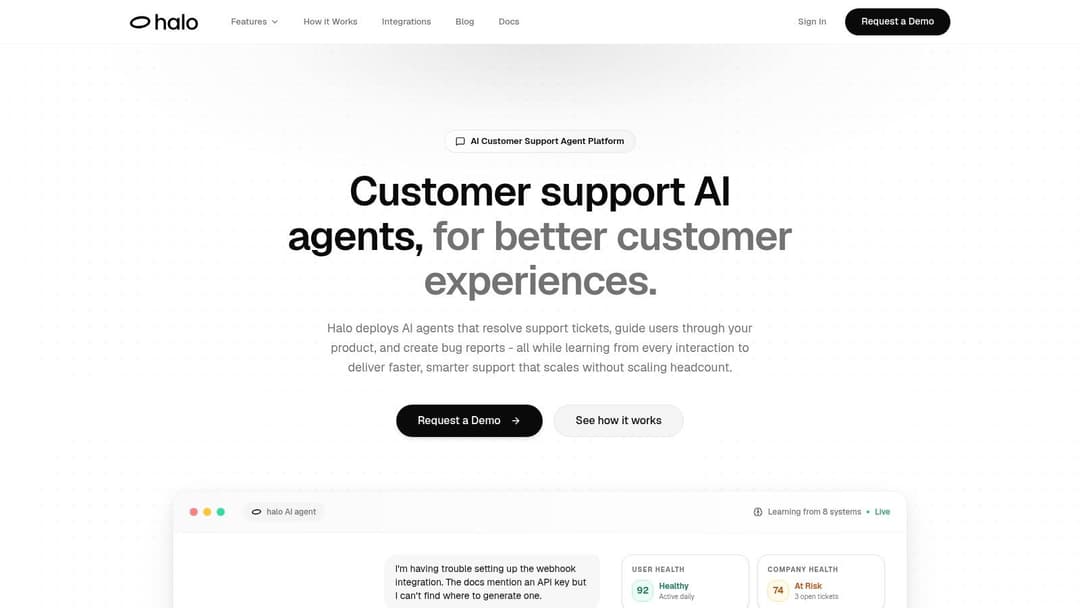
If you're evaluating what autonomous support looks like in practice, Halo AI is built for that model. It deploys AI-first agents that resolve tickets, guide users inside the product, create detailed bug reports, and learn from every interaction by pulling live context from documentation, CRM data, internal notes, and connected systems.