Customer Success Metrics: The 2026 Guide
Master the essential customer success metrics for 2026. This guide covers formulas, benchmarks, and how to use AI to predict churn and boost retention.
 Grant CooperFounder15 min read
Most advice about customer success metrics is backwards. Teams still obsess over surveys, quarterly scorecards, and red-yellow-green spreadsheets, then act surprised when churn shows up before the dashboard does.
The problem isn't that those metrics are useless. It's that many of them are lagging indicators. They tell you what already happened. Modern customer success needs something better: signals that show whether customers are getting value now, where risk is building, and which accounts are ready for expansion before renewal season forces the conversation.
That shift matters even more in B2B SaaS environments where support, product adoption, onboarding, and revenue outcomes are tightly linked. The strongest operating model I've seen doesn't treat customer success metrics as a reporting exercise. It treats them as an early warning system. The job is no longer to collect numbers manually. The job is to combine product data, service signals, and commercial context into decisions your team can act on fast.
Beyond NPS The Shift to Outcome-Driven Metrics
NPS has been the default answer for years. Ask a leadership team how they measure customer health, and someone will mention promoters, detractors, and a survey cadence. That's still useful, but it isn't enough.
What customers say and what customers do are not the same thing. A customer can give a favorable survey response and still fail to adopt the product adequately to renew. Another customer might complain loudly during onboarding, then become a long-term expansion account once the workflow clicks. If your system overweights sentiment, you'll miss both patterns.
TSIA's 2025 benchmarking data shows adoption framework telemetry increased by 6% in 2024, signaling stronger interest in measuring actual engagement rather than relying only on sentiment-based measures like NPS (TSIA benchmarking on the state of customer success). That change tracks with what serious CS teams already know. Product usage, adoption depth, and renewal behavior usually tell you more about future account health than a survey by itself.
What outcome-driven measurement changes
A more reliable customer success metrics model shifts attention toward behaviors such as:
- Adoption patterns: Are users reaching the parts of the product that create stickiness?
- Engagement consistency: Is usage broad across the account or concentrated in one champion?
- Renewal readiness: Is value visible enough that procurement won't have to guess at contract time?
- Effort in the journey: Are customers getting to value smoothly or hitting friction early?
For teams rethinking retention economics, Samskit's net dollar retention tips are a useful companion read because they connect retention measurement to the financial side of customer growth.
Practical rule: If a metric can't change the next action a CSM, support lead, or onboarding manager takes, it belongs in a report, not at the center of your operating model.
A strong program still keeps NPS. It just stops pretending NPS is the whole story. The better move is to treat sentiment as one input among several and pair it with adoption, renewal, and support signals. Teams building that kind of measurement stack usually also need sharper KPI definitions across service and support, which is why a practical framework like customer care KPIs for service teams helps tighten the operating language across functions.
The Two Tiers of Essential Customer Success Metrics
Customer success teams get into trouble when they treat every metric the same. A renewal outcome and an early adoption signal do not serve the same job, and they should not carry the same weight in reviews, forecasts, or account plans.
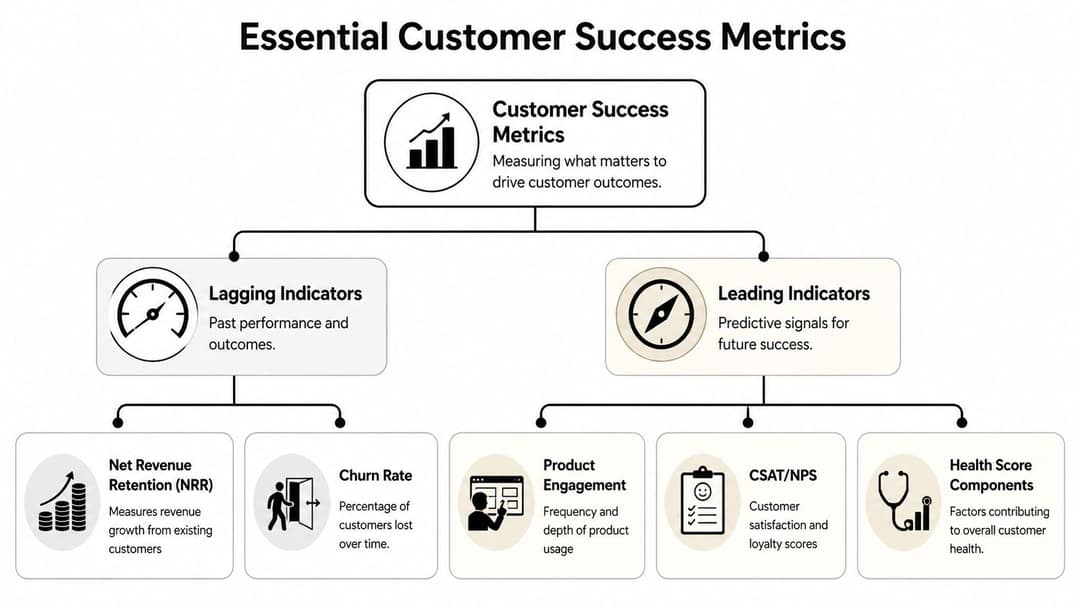
The clean split is simple. Tier one metrics confirm what the business already retained, lost, or expanded. Tier two metrics help teams intervene before those outcomes show up in a renewal report. Strong CS organizations track both, but they operate differently against each tier.
Tier 1. Lagging indicators confirm commercial outcomes
Lagging indicators matter because finance, the board, and revenue leadership use them to judge the quality of the installed base.
Net Revenue Retention (NRR) sits at the center. It measures how existing customer revenue changes over time after churn, contraction, and expansion. If an account base starts at $100 and ends at $102, NRR is 102%. That is why NRR shows up in every serious retention conversation. It compresses a lot of account behavior into one number management can trust.
Gross Revenue Retention (GRR) answers a different question. How much recurring revenue stayed before expansion entered the picture? I watch GRR as the retention floor. High NRR can look good while weak GRR hides a preventable churn problem, especially in product lines where a few large expansions cover a long tail of unhealthy accounts.
Churn belongs in this tier too, whether the team tracks logo churn, revenue churn, or both. It is useful for accountability and planning. It does very little to help a CSM save an account in time.
These are business outcome metrics. They belong in executive reporting and forecasting. They should not be the only signals a CS team uses day to day.
Tier 2. Leading indicators point to future risk and growth
Leading indicators are where customer success gets practical. They help teams spot friction early enough to change the result.
Time to Value (TTV) is one of the first metrics I would standardize. It measures how long it takes a customer to reach the first outcome that matters to them, not just complete setup. A fast onboarding process means little if the customer still has not hit a usable workflow, shared a report, launched a campaign, or trained a team. TTV forces that distinction.
Product engagement also belongs in this tier, but only if you define it with more discipline than "monthly active users." For B2B SaaS, I usually break it into three parts:
- Frequency: How often do users return?
- Breadth: How many teams, roles, or locations are active?
- Depth: Are they using the workflows tied to renewal and expansion, or staying in low-value features?
Sentiment metrics such as CSAT and NPS still matter here, but as supporting evidence. A strong survey score with weak breadth of adoption is not a healthy account. Low sentiment with strong usage can mean the product is sticky but the service model is creating risk. The point is to read signals together, not one by one.
For leaders in commerce or self-serve environments, MetricMosaic's guide for Shopify founders is useful because it shows how retention thinking changes when you have many accounts and limited human touch.
The operating mistake I see most often is manual scorekeeping. Teams review TTV in one dashboard, usage in another, support issues in a third, and then ask CSMs to make a judgment call from memory. That approach does not scale. A better model is to combine these leading signals into an automated customer health scoring system that updates as customer behavior changes and flags risk before the renewal cycle starts.
Use lagging metrics to measure the business. Use leading metrics to change the outcome.
A practical reference table
| Metric | Tier | How to use it | What it actually tells you |
|---|---|---|---|
| NRR | Lagging | Review at segment and portfolio level | Whether existing revenue is shrinking, holding, or expanding |
| GRR | Lagging | Track as a retention floor, separate from expansion | How much revenue stayed before upsell masks churn or contraction |
| Churn Rate | Lagging | Measure by logo and by revenue where possible | Which losses already happened, and where accountability sits |
| TTV | Leading | Define the first meaningful customer outcome by segment | Whether onboarding is creating momentum or early drag |
| Product Engagement | Leading | Measure frequency, breadth, and depth by account | Whether usage patterns support renewal and expansion |
| CSAT or NPS | Leading | Read alongside adoption, support, and stakeholder activity | Whether customer sentiment reinforces or contradicts behavioral signals |
The trade-off is straightforward. Lagging metrics are clean and credible, but late. Leading metrics are messier, but useful. The teams that outperform do not choose between them. They let lagging indicators validate the model, then use AI to synthesize leading indicators into a health signal the team can act on every day.
Building a Predictive Customer Health Score
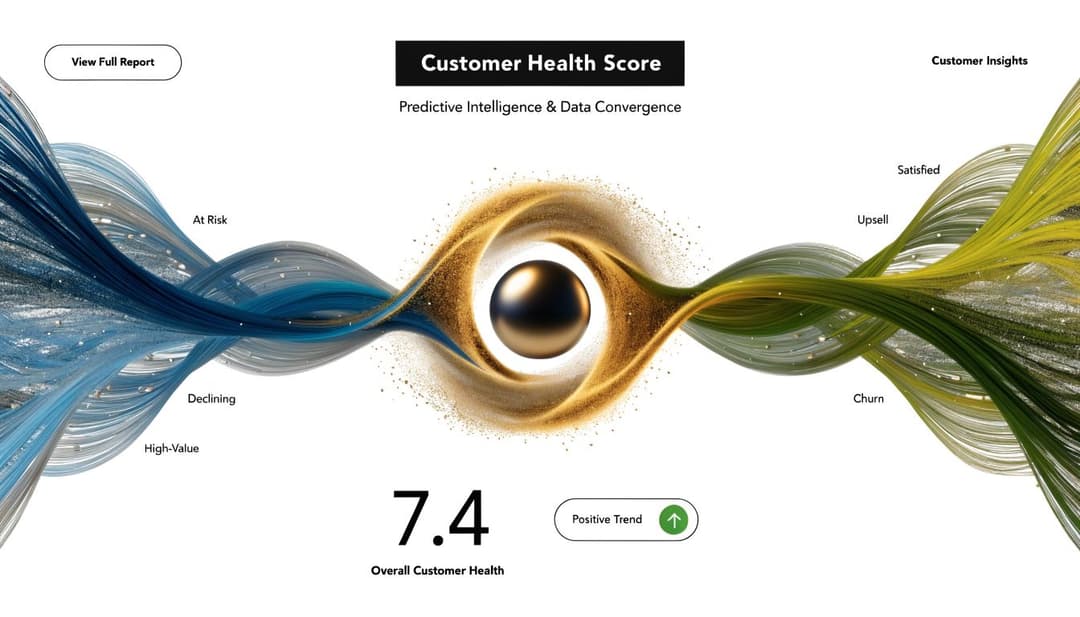
A single metric rarely explains an account. High usage can hide frustration. Strong survey responses can hide weak adoption. Clean renewal notes can hide a champion who has already disengaged. That's why mature teams build a Customer Health Score, or CHS, instead of betting on one KPI.
Why single metrics fail
A health model works when it combines behavioral data with relationship data. The account isn't healthy because one number looks good. It's healthy because the pattern holds together.
Gainsight describes CHS as a composite metric that can predict retention with 80-90% accuracy in mature SaaS models and recommends a weighted approach such as CHS = Σ (KHI_score_i * weight_i), where key health indicators can include product engagement at 40% and NPS at 30% (Gainsight on customer success metrics to track in 2026). The article also notes Zendesk data showing this model can reduce churn by 15-25% when CHS is above 75.
That matters because CHS changes the operating motion. Instead of asking, "How did this account feel last quarter?" you ask, "What is this account signaling right now?"
A workable CHS model
The mechanics don't need to be exotic. They need to be consistent.
A practical health score usually includes inputs like these:
- Usage behavior: login consistency, session frequency, and feature adoption breadth
- Support history: ticket volume, recurring issue themes, and severity patterns
- Sentiment layer: CSAT, NPS, and interaction tone
- Commercial context: renewal timing, expansion signals, and account changes
- Lifecycle progress: onboarding completion and time to first meaningful value
If you're building this in-house, normalize the inputs to a common scale, assign weights, and revisit the model when customer behavior changes. If your product has multiple user roles, score by role first and then roll up to the account. Otherwise one active admin can make a weak deployment look healthy.
A useful health score doesn't summarize the past. It prioritizes who needs attention next.
One more discipline matters: keep the score explainable. CSMs should be able to open an account, see the score, and understand which inputs moved it. Black-box scoring creates mistrust fast. Teams trying to operationalize this well can borrow ideas from automated customer health scoring systems, especially around turning raw indicators into workflows instead of static reports.
Common Measurement Pitfalls and How to Avoid Them
Most customer success metrics fail in practice for simple reasons. Teams either track too many numbers with no hierarchy, or they force one measurement model onto every customer segment. Both mistakes produce clean-looking dashboards and bad decisions.
One dashboard for every segment is a mistake
Enterprise customers and long-tail SMB accounts don't behave the same way. They shouldn't be measured as if they do.
TSIA research shows only a 2-point NPS difference between low-touch segments with a 1000:1 customer-to-CSM ratio and high-touch segments with a 15:1 ratio, while 42% of companies monetize low-touch segments (TSIA findings on low-touch customer success for SMBs). That should end the old assumption that digital-first segments can't sustain satisfaction or revenue. They can. But they need different instrumentation.
If you're managing SMB or self-serve customers, stop importing enterprise habits blindly. QBR attendance, executive sponsor coverage, and manually curated account plans aren't realistic at scale. What matters more is whether onboarding completes, whether adoption is broad enough, whether support effort is low, and whether the account shows stable product usage.
Manual reporting hides the real problem
Another common failure is overvaluing lagging metrics because they're easier to report. Renewals and churn are clean. Product friction, low adoption breadth, and unresolved issue patterns are messier. So teams default to the easier numbers.
That creates blind spots:
- Segment blindness: one blended NRR number can hide a weak SMB base or an overconcentrated enterprise book
- Survey bias: vocal customers shape the picture while silent accounts drift
- Human bottlenecks: CSMs spend time collecting evidence instead of acting on it
- Support disconnects: service issues stay in another system and never influence health
The fix isn't more reporting discipline alone. It's better segmentation, shared definitions, and stronger links between support and CS operations. Teams looking at support workflows through that lens often benefit from a more practical view of how to measure support efficiency, because effort and resolution quality often explain account risk earlier than renewal notes do.
Watch for this anti-pattern: a dashboard that looks executive-friendly but gives frontline teams no clue what to do today.
Designing an Actionable Customer Success Dashboard
Most customer success dashboards fail for a simple reason. They report the business. They do not direct the work.

A usable dashboard answers three questions in seconds. Which accounts need attention now. What changed. What action the owner should take next. If a CSM still has to open five systems and interpret the story by hand, the dashboard is decoration.
The design principle is simple. Organize metrics around decisions, not departments.
For retention, show upcoming renewals next to health trend, adoption change, unresolved support issues, and any recent drop in executive engagement. For expansion, surface depth of usage, new stakeholder activation, feature discovery, and signs that another team or region is ready to onboard. For onboarding, track milestone completion, time to first value, implementation blockers, and support effort during the first 30 to 60 days.
That last point matters. Time to first value belongs on the main screen because it changes behavior early, while teams still have time to fix the experience. If onboarding slows, the dashboard should make the cause obvious. Missing admin setup, low training attendance, too many support handoffs, or stalled integrations require different interventions.
Static snapshots are rarely enough. Trend lines, week-over-week movement, and reason codes are what make a dashboard operational. A low survey score can be noise. A steady decline in usage, paired with longer ticket resolution times and fewer active users, is a risk pattern.
Role-based views keep the dashboard useful instead of overloaded:
- Executive view: portfolio health distribution, renewal exposure, gross and net retention trend, segment-level risk, and concentration risk across large accounts
- Manager view: biggest negative health movements, onboarding exceptions, inactive books, support bottlenecks, and where coverage needs to shift
- CSM view: today's priority accounts, why each account moved, open blockers, recommended next step, and the owner of that step
In many CS orgs, Slack is where these decisions happen. Alerts, escalations, handoffs, and renewal risk discussions all show up there first. Teams that rely heavily on that workflow may want to review Contesimal for better Slack engagement to understand where internal response patterns are helping or slowing customer follow-through.
The best dashboards do one more thing. They reduce interpretation. I want a manager to open the dashboard and know, in under a minute, which accounts need intervention, which team needs to be involved, and whether the signal is strong enough to act on.
That is also where AI changes the design. Instead of showing ten disconnected metrics and asking the team to decide what they mean, a stronger dashboard synthesizes product usage, support friction, sentiment, onboarding progress, and commercial context into a predictive health score with explainable drivers. The score is not the point. The point is getting from signal to action faster and with less manual judgment.
If the dashboard does not change account behavior, keep it in BI. If it is meant to run the book of business, build it for execution. Teams working through that distinction usually benefit from examples of a customer support analytics dashboard that ties operational signals to frontline decisions.
Automating Your Metrics and Insights with Halo AI
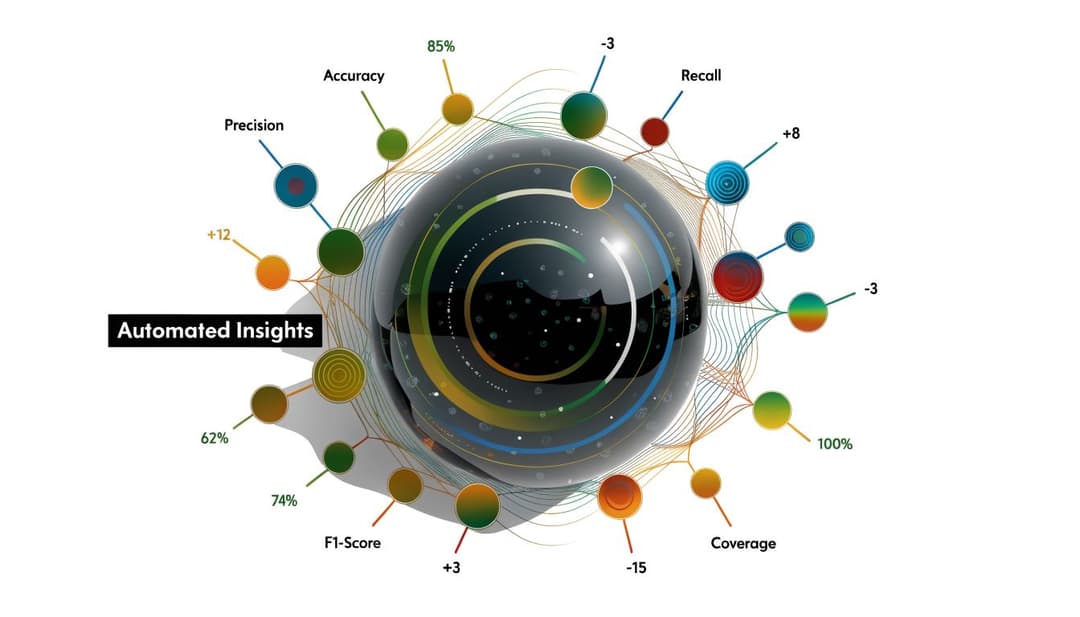
Manual customer success reporting breaks once data lives in too many places. Product usage sits in one system. Tickets live somewhere else. Call notes, CRM context, Slack escalations, and billing signals all have different owners. A CSM can assemble that picture by hand, but not consistently and not at scale.
From disconnected systems to one operating layer
AI changes the model. Instead of asking humans to gather customer signals, an AI-first system ingests the operational exhaust directly. That includes support emails, documentation, CRM records, call recordings, internal notes, billing context, and product interactions. Once those inputs are unified, the system can calculate the metrics continuously instead of waiting for a weekly review.
In practice, that changes the rhythm of customer success work. Teams no longer need to debate whether an account is at risk based on one anecdote from a call. They can combine issue history, adoption movement, onboarding friction, and sentiment patterns into a live view.
The difference isn't just automation. It's compounding context. When the platform understands the customer's product behavior and service history together, it can surface anomalies that a spreadsheet won't catch.
Turning metrics into plain-English decisions
The next step is making those insights usable. Teams often don't need more charts. They need answers.
A strong AI workflow lets leaders ask direct questions in plain English:
- Which enterprise accounts show declining adoption and unresolved support friction?
- Which onboarding cohorts are taking too long to reach first value?
- Which customers are using more of the product and may be ready for expansion?
- Which recurring issue themes are dragging down health in a specific segment?
That matters because queryable intelligence shortens the path from signal to action. Instead of opening six tools, exporting data, and debating definitions, the team can move straight to prioritization.
A short product walkthrough helps make that shift concrete:
The practical value is simple. AI can watch the indicators continuously, spot changes across systems, and bring them back to the team as decisions. That removes a lot of clerical work from customer success. It also creates a better partnership with support, product, and leadership because everyone is working from the same signals.
For teams moving in that direction, a deeper look at AI for customer success operations is useful because the operational challenge isn't only scoring accounts. It's making those scores explainable, queryable, and actionable across the whole revenue team.
From Reactive Tracking to Predictive Success
The old model of customer success metrics was mostly retrospective. Teams looked at churn, renewals, and survey scores, then explained what went wrong after the fact. That approach still has a place, but it isn't enough for a modern SaaS business.
The better system combines leading indicators, revenue outcomes, and a predictive health model. It treats TTV, adoption, support friction, and sentiment as connected signals. Then it uses automation to unify those signals across the stack so teams can act before a renewal is at risk.
That's the shift. Customer success is moving from manual reporting to continuous intelligence. The teams that win won't be the ones with the prettiest scorecards. They'll be the ones that can detect risk early, understand why it exists, and trigger the right action fast.
If you want to turn customer success metrics into a live operating system instead of a spreadsheet exercise, Halo AI is built for that shift. It connects your support, CRM, product, and internal knowledge sources, then helps teams surface churn risks, adoption signals, and account insights in plain English so they can spend less time gathering data and more time driving retention and growth.
How Halo helps
Halo gives customer success teams one AI brain across tickets, calls, CRM, and product usage — so churn signals surface before renewal conversations, not after. Learn more about Halo for customer success teams.