9 Best AI Support Analytics Dashboards for B2B Teams in 2026
This guide evaluates nine leading AI support analytics dashboard solutions for B2B teams in 2026, ranging from AI-native platforms to analytics layers that integrate with existing helpdesks like Zendesk and Intercom. Each tool is assessed on its ability to surface actionable patterns, predict churn risk, and deliver insights beyond basic ticket metrics—helping support teams address root causes rather than just managing volume.
 Matt PattoliFounder12 min read
If your support team is resolving tickets without understanding why they keep coming in, you're managing symptoms rather than causes. An AI support analytics dashboard changes that equation. The best ones don't just count tickets and average response times: they surface patterns, flag anomalies before they become crises, predict churn risk, and connect support data to the rest of your business stack.
This list covers tools worth evaluating in 2026, from AI-native platforms built around intelligence from the ground up to analytics layers that plug into your existing helpdesk. Whether you're running a lean support team at a Series A SaaS company or managing a scaled operation on Zendesk or Intercom, there's a fit here.
Selection criteria: AI-native analytics capability, depth of insight beyond vanity metrics, integration breadth, usability for non-data teams, and value for B2B SaaS use cases.
1. Halo AI
Best for: B2B SaaS teams wanting AI agents and business intelligence analytics in one platform
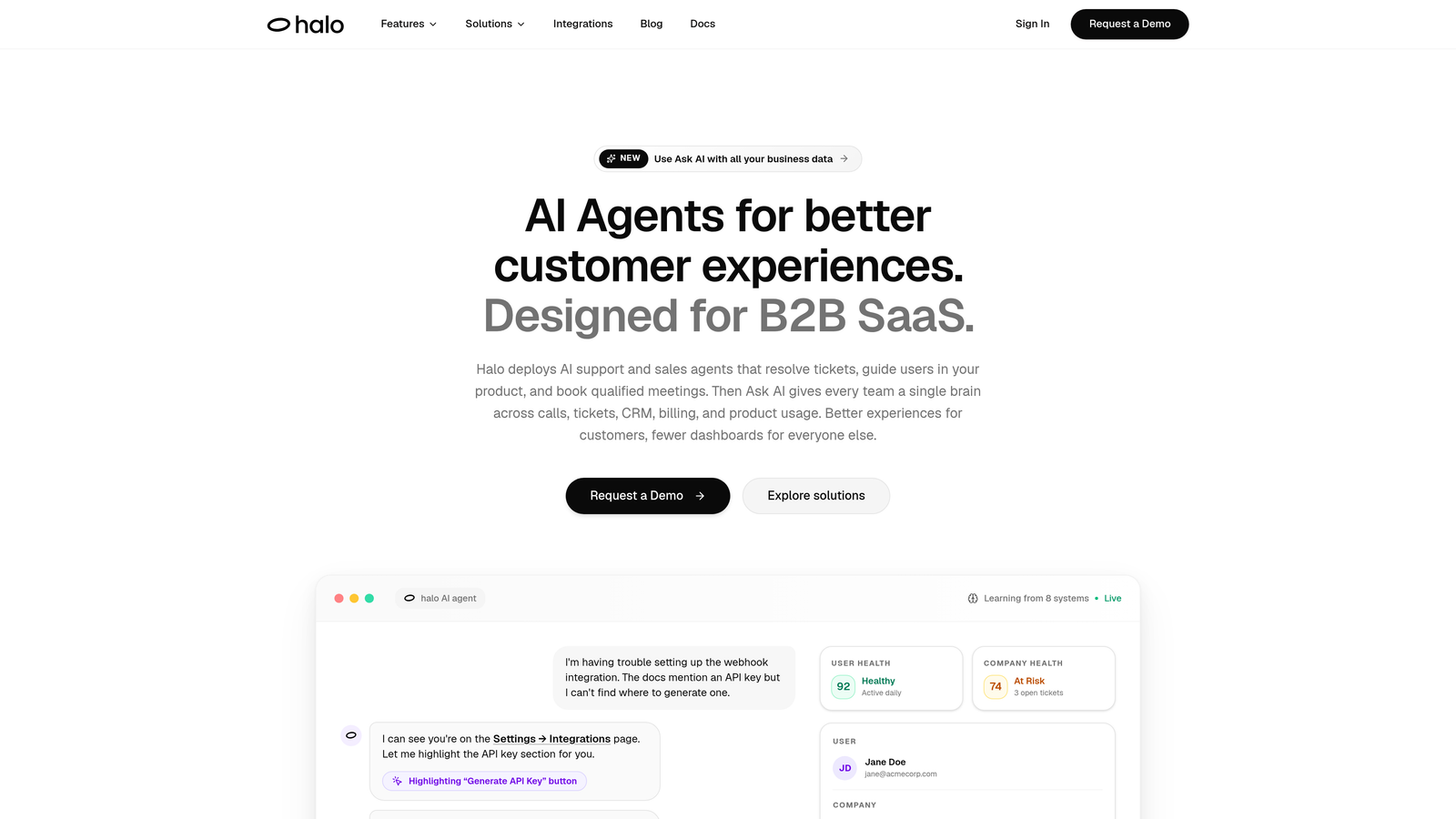
Halo AI is an AI-native customer support platform with a Smart Inbox that surfaces business intelligence alongside standard support analytics.
Where This Tool Shines
Most analytics tools tell you what happened in your support queue. Halo AI tells you what it means for your business. Its Smart Inbox goes beyond ticket counts to surface customer health signals, revenue anomalies, and product bug patterns, connecting support data to outcomes that matter to your entire organization.
The page-aware context is a standout capability. Halo can correlate support issues with specific product pages and user flows, so when a cluster of tickets appears, you're not just seeing volume: you're seeing exactly where in your product users are struggling. Combined with AI agents that learn from every interaction, the analytics get sharper over time rather than staying static.
Key Features
Smart Inbox with Business Intelligence: Surfaces customer health signals, revenue anomalies, and anomaly detection alongside standard support metrics.
Page-Aware Context: Correlates support issues with specific product pages and user flows for precise root cause identification.
Auto Bug Ticket Creation: Connects support patterns to engineering workflows via Linear integration, so recurring product issues automatically generate bug reports.
Broad Integration Stack: Connects to HubSpot, Intercom, Stripe, Slack, Zoom, PandaDoc, and Fathom, giving analytics unusually wide data context.
Continuous Learning AI Agents: AI agents improve analytics accuracy over time by learning from every resolved interaction.
Best For
B2B SaaS teams that want AI agents and analytics in a single system rather than stitching together separate tools. Particularly valuable for companies where support data should inform product, revenue, and customer success decisions, not just the support queue.
Pricing
Contact for pricing. See haloagents.ai for current plans and a demo.
2. Zendesk Explore
Best for: Large support teams already on Zendesk needing deep native reporting
Zendesk Explore is the native reporting and analytics suite for Zendesk customers, covering ticket volume, agent performance, SLA compliance, and CSAT.
Where This Tool Shines
If your team lives in Zendesk, Explore is the natural starting point for analytics. It offers a mature, highly customizable reporting environment with pre-built dashboards that cover the most common support KPIs without requiring setup from scratch.
Where Explore earns its reputation is in SLA tracking and agent performance visibility. Teams managing complex support contracts and strict response time commitments will find the breach tracking and real-time alerts genuinely useful for staying ahead of compliance issues.
Key Features
Pre-Built Dashboards: Ready-to-use views for ticket volume, resolution rates, agent workload, and customer satisfaction.
Custom Report Builder: Drag-and-drop interface for creating tailored reports without writing queries.
SLA Breach Tracking: Real-time alerts when tickets approach or breach service level thresholds.
Agent Performance Views: Workload distribution and individual performance metrics across teams.
CSAT Trend Analysis: Survey response tracking and satisfaction trends over time.
Best For
Support operations teams on Zendesk Suite Professional or above, particularly those with dedicated support ops roles who need customizable reporting. Can feel heavy for smaller teams without someone to maintain dashboards.
Pricing
Included in Zendesk Suite Professional and above. Suite Team starts around $55 per agent per month; Explore features scale with plan tier.
3. Intercom Reports
Best for: Teams using Intercom who want support analytics connected to customer lifecycle data
Intercom Reports is the conversation analytics layer built into Intercom, linking support performance to customer lifecycle, product usage, and engagement data.
Where This Tool Shines
Intercom's strength is that its analytics aren't siloed from customer data. You can segment support metrics by customer tier, lifecycle stage, or product plan, which means you're not just seeing aggregate performance: you're seeing how support experience differs across your most valuable customer segments.
For teams using Fin, Intercom's AI agent, the AI resolution rate tracking is particularly useful. Understanding what Fin resolves versus escalates, broken down by topic, helps teams continuously refine automation and identify gaps in their knowledge base.
Key Features
Conversation Volume and Resolution Tracking: Core metrics for team performance and capacity planning.
Customer Segmentation: Filter analytics by customer tier, lifecycle stage, or product plan for nuanced insights.
AI Resolution Rate Tracking: Monitors Fin AI agent performance including deflection and escalation patterns.
Response Time and CSAT Analytics: Standard SLA and satisfaction metrics with trend views.
Team Workload Reports: Assignment distribution and coverage analytics across support teams.
Best For
Teams already on Intercom who want to connect support performance to customer health data. Less suited for teams not using Intercom as their primary support channel, since the analytics are tightly coupled to the platform.
Pricing
Included with Intercom plans. Essential plan starts around $39 per seat per month; reporting depth increases on higher tiers.
4. Freshdesk Analytics (Freddy AI)
Best for: Growing SMB and mid-market teams wanting AI-assisted analytics without enterprise complexity
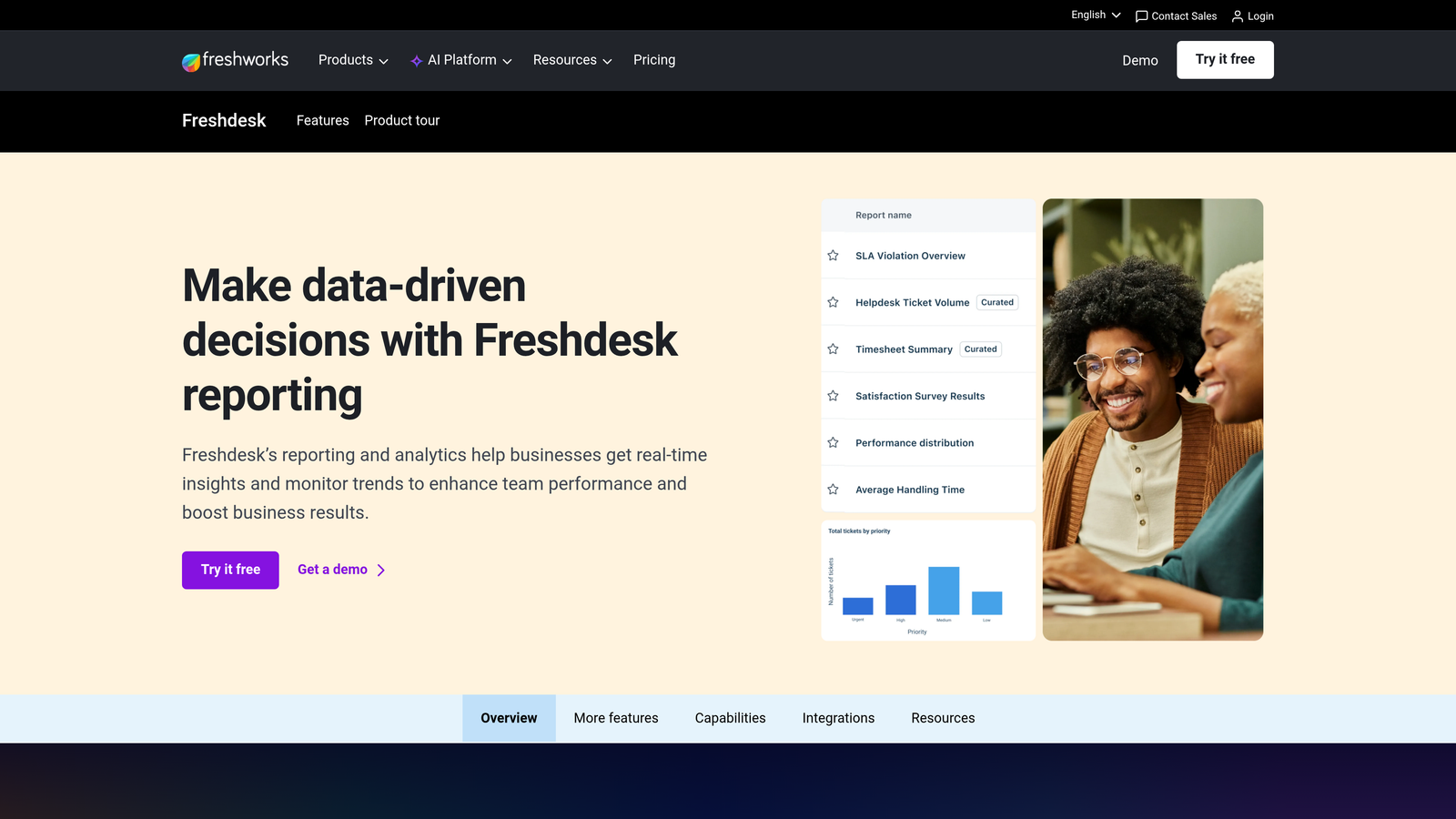
Freshdesk Analytics is Freshdesk's reporting suite powered by Freddy AI, offering predictive CSAT, ticket trend analysis, and AI-generated insights.
Where This Tool Shines
Freddy AI adds a predictive dimension that most native helpdesk analytics lack at this price point. Predictive CSAT scoring flags tickets likely to result in poor satisfaction before they close, giving agents a chance to intervene. That kind of proactive signal is typically found in more expensive enterprise tools.
The analytics interface has matured significantly in recent years. Scheduled exports, custom report builders, and anomaly alerts for unusual ticket volume spikes make it genuinely capable for teams that don't have dedicated support ops resources but still need reliable data.
Key Features
Freddy AI Predictive CSAT: Scores tickets by predicted satisfaction outcome before resolution, enabling proactive intervention.
Custom Report Builder: Flexible reporting with scheduled export capabilities for regular stakeholder updates.
Ticket Lifecycle Analytics: Resolution trend analysis and ticket flow visualization.
Agent and Team Dashboards: Individual and team performance metrics with workload views.
Anomaly Alerts: Automated alerts when ticket volume spikes outside normal patterns.
Best For
SMB and mid-market teams on Freshdesk looking for AI-assisted analytics without the cost or complexity of enterprise BI tools. Advanced features require Pro or Enterprise tiers.
Pricing
Analytics features available on the Growth plan at approximately $18 per agent per month. Advanced analytics capabilities unlock on Pro and Enterprise tiers.
5. Gorgias
Best for: Teams where support interactions directly influence revenue and customer retention
Gorgias is a support platform with revenue-attributed analytics that connects ticket resolution outcomes to order value and customer purchase behavior.

Where This Tool Shines
Gorgias is best known in e-commerce, but its revenue-attributed analytics have genuine relevance for any business where support interactions directly influence purchasing decisions or contract renewals. The ability to see the revenue impact of support conversations, not just their resolution time, reframes how teams think about support ROI.
Automation performance tracking is another strength. Teams running rules, macros, and AI workflows can see exactly how much volume each automation is deflecting and where human intervention is still required, making it easier to optimize automation coverage over time.
Key Features
Revenue Statistics: Links support interactions to order impact and customer purchase behavior.
Resolution Time Dashboards: First response and full resolution time tracking across channels.
Automation Performance Tracking: Measures deflection and effectiveness of rules, macros, and AI workflows.
Channel Breakdown Analytics: Performance data segmented by email, chat, and social channels.
CSAT and Tagging Reports: Satisfaction trends and ticket categorization analytics.
Best For
Companies where support directly influences revenue outcomes. Most powerful for teams with transactional data to connect to support interactions. Less differentiated for pure SaaS teams without order-level data.
Pricing
Starts at $10 per month for 50 tickets; pricing scales by ticket volume rather than seat count.
6. Tidio Lyro Analytics
Best for: Smaller teams wanting clear visibility into AI conversation performance and deflection rates
Tidio Lyro Analytics is the analytics layer within Tidio focused specifically on AI conversation performance, tracking what Lyro resolves, where it hands off, and which topics drive the most volume.
Where This Tool Shines
Many teams deploying AI chatbots operate with limited visibility into what the AI is actually doing. Lyro Analytics addresses that directly. The handoff trigger analysis, which shows why conversations escalate to human agents, is particularly useful for teams trying to expand AI coverage without sacrificing quality.
Topic clustering surfaces recurring support themes automatically, helping teams identify gaps in their knowledge base or product documentation. It's a simpler approach than enterprise alternatives, but for teams at the right scale, that simplicity is a feature rather than a limitation.
Key Features
AI Deflection Rate Tracking: Measures what Lyro resolves by topic and conversation type.
Handoff Trigger Analysis: Identifies why conversations escalate to human agents.
Topic Clustering: Automatically surfaces recurring support themes from conversation data.
Resolution and Abandonment Rates: Tracks conversation outcomes including where users drop off.
Operator Performance Metrics: Human agent performance data alongside AI metrics.
Best For
Smaller teams and growing startups that want clear transparency into AI agent behavior without enterprise-level complexity. Conversation limits apply, so high-volume teams should evaluate whether plan tiers fit their needs.
Pricing
Lyro available on Tidio+ plan starting around $29 per month; conversation limits apply at each tier.
7. Kustomer IQ
Best for: Teams where support is a primary retention lever and CRM data should inform analytics
Kustomer IQ is a CRM-integrated support analytics platform that merges ticket history with customer lifetime value data, enabling teams to understand the business impact of support interactions.
Where This Tool Shines
Kustomer's core differentiator is the fusion of CRM and support data in a single analytics environment. Rather than viewing support metrics in isolation, teams can see how ticket history, sentiment, and resolution quality correlate with customer lifetime value and retention outcomes. That context changes how support leaders prioritize and report upward.
The AI-powered intent detection for ticket categorization reduces manual tagging overhead and improves the consistency of analytics over time. Sentiment analysis across conversations adds another dimension for teams tracking customer experience quality beyond CSAT scores.
Key Features
Customer Journey Analytics: Combines CRM data and support history for a unified customer view.
Sentiment Analysis: Automated sentiment tracking across conversations at scale.
AI Intent Detection: Automatic ticket categorization reducing manual tagging requirements.
Agent Performance Reporting: Individual and team metrics with flexible filtering.
Custom KPI Dashboards: Flexible data modeling for organization-specific metrics.
Best For
Mid-market and enterprise teams where support directly drives retention and customer success outcomes. Worth noting that Kustomer has had an unusual ownership history (acquired by Meta, then re-acquired), which enterprise procurement teams may want to factor into vendor evaluation.
Pricing
Enterprise pricing; contact Kustomer directly for current rates and tier details.
8. Assembled
Best for: Ops-focused teams managing hybrid AI and human agent workflows at scale
Assembled is a workforce management platform with support analytics focused on forecasting, staffing optimization, and capacity planning.
Where This Tool Shines
As support teams increasingly run hybrid workflows with both AI agents and human staff, the question of how to staff and schedule becomes more complex. Assembled is built specifically for this challenge. Its forecasting models use historical trend data to predict ticket volume, so teams can make staffing decisions based on data rather than intuition.
The AI versus human resolution split tracking is increasingly relevant as more teams deploy AI agents. Understanding what percentage of volume AI is absorbing, and where human coverage gaps exist, enables smarter capacity planning and helps teams justify headcount decisions with data.
Key Features
Ticket Volume Forecasting: Historical trend modeling to predict future support demand.
Staffing Optimization: Scheduling recommendations based on forecasted volume and team capacity.
Real-Time Adherence Alerts: Coverage gap detection and real-time schedule adherence monitoring.
Multi-Platform Integration: Connects to Zendesk, Intercom, Salesforce, and other major platforms.
AI vs. Human Split Tracking: Monitors resolution distribution between AI agents and human staff.
Best For
Mid-market to enterprise support operations teams managing significant headcount alongside AI workflows. Less focused on content or topic analytics; this is a capacity planning and workforce management tool first.
Pricing
Contact for pricing. Assembled typically positions for mid-market and enterprise teams; pricing reflects that scope.
9. Tableau (with Support Data Connectors)
Best for: Enterprise teams with a BI function needing fully custom dashboards blending support, finance, and product data
Tableau is an enterprise BI platform that, when connected to support data sources, enables fully custom analytics dashboards blending support metrics with finance, product, and CRM data.
Where This Tool Shines
Tableau isn't a support tool, but mature support organizations often outgrow what native helpdesk analytics can offer. When you need to blend Zendesk data with Salesforce revenue data, product analytics, and finance metrics in a single view, Tableau is where many enterprise teams land. The flexibility is unmatched.
The tradeoff is setup investment. Getting meaningful support dashboards in Tableau requires data engineering resources and ongoing maintenance. For teams with that capability already in place, the payoff is dashboards that no native support tool can replicate. For teams without it, the other options on this list will deliver value faster.
Key Features
Native Support Data Connectors: Direct connections to Zendesk, Salesforce, and major databases.
Unlimited Dashboard Customization: Full control over data blending, visualization, and layout.
Predictive Analytics: Built-in statistical modeling for trend forecasting and anomaly detection.
Shareable Embedded Dashboards: Cross-functional distribution for finance, product, and executive stakeholders.
Real-Time Data Refresh: Live data connections for up-to-date reporting.
Best For
Enterprise organizations with dedicated BI or data engineering teams that need support analytics integrated into a broader business intelligence environment. Not recommended for teams without technical resources to build and maintain data pipelines.
Pricing
Tableau Creator starts at $75 per user per month. Viewer licenses are available at lower cost for stakeholders who consume but don't build dashboards.
Which Tool Is Right for Your Team?
The right AI support analytics dashboard depends less on features and more on where your team is today and what decisions you actually need to make.
If you're already on Zendesk or Freshdesk and primarily need better visibility into what's happening inside your existing helpdesk, start with Zendesk Explore or Freshdesk's Freddy AI analytics. They're already included in your plan, they're deeply integrated with your data, and they'll cover most standard reporting needs without additional tooling.
If you want AI agents and analytics in a single system, with intelligence that connects support data to customer health, revenue signals, and product issues, Halo AI is worth a close look. The Smart Inbox approach means you're not just reporting on support: you're surfacing business intelligence that your product, revenue, and customer success teams can act on. That's a different value proposition than any native helpdesk analytics tool offers.
If your team has a BI function and you need support data blended with finance, product, and CRM data in a fully custom environment, Tableau gives you maximum flexibility. Budget for the data engineering time required to make it sing.
For ops-focused teams managing the complexity of hybrid AI and human workflows, Assembled's forecasting and capacity planning capabilities address a real gap that most support analytics tools don't touch.
The common thread across the best tools on this list: they move beyond counting tickets toward understanding what support data means for your business. That shift, from reactive reporting to proactive intelligence, is where the real value lives.
Your support team shouldn't scale linearly with your customer base. Let AI agents handle routine tickets, guide users through your product, and surface business intelligence while your team focuses on complex issues that need a human touch. See Halo in action and discover how continuous learning transforms every interaction into smarter, faster support.