How to Set Up Automated Support Ticket Triage: A Step-by-Step Guide
This step-by-step guide shows support teams how to implement automated support ticket triage to eliminate manual sorting and route incoming requests instantly based on intent and urgency. By following the outlined process—from auditing ticket patterns to configuring intelligent routing rules—teams can achieve faster response times, better agent utilization, and a more responsive customer support experience across platforms like Zendesk, Freshdesk, and Intercom.
 Matt PattoliFounder13 min read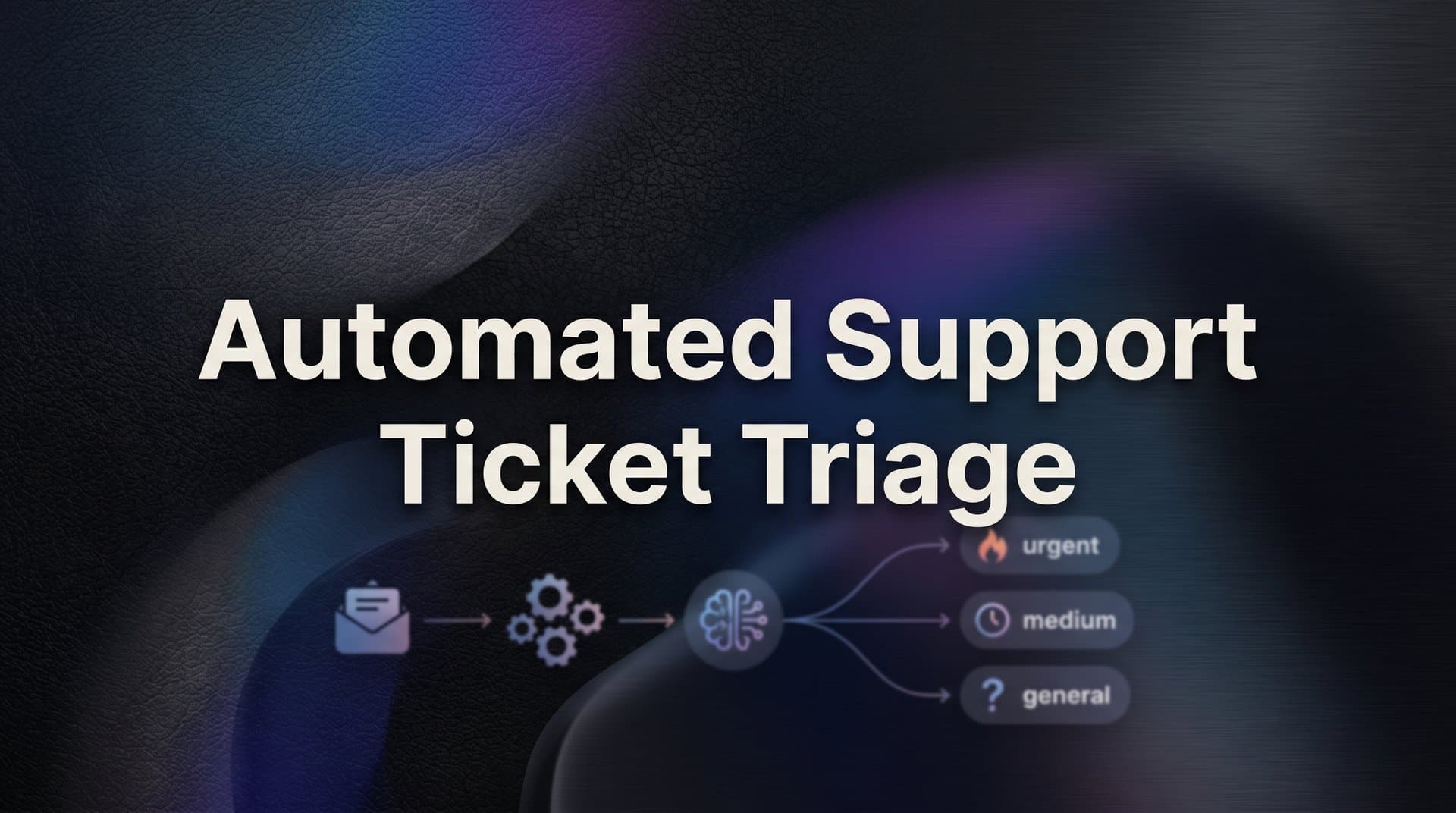
For support teams managing high ticket volumes, the difference between a smooth operation and a chaotic inbox often comes down to one thing: triage. When every incoming ticket lands in the same undifferentiated queue, agents waste time manually sorting, categorizing, and routing requests before they can even begin solving them.
Automated support ticket triage changes that equation entirely. Instead of humans doing the sorting work, an intelligent system reads each incoming ticket, understands its intent and urgency, and routes it to the right place instantly. The result is faster first response times, better agent utilization, and a support experience that feels responsive rather than reactive.
This guide walks you through exactly how to implement automated triage from scratch. Whether you're running support on Zendesk, Freshdesk, Intercom, or a similar helpdesk platform, the same core principles apply. You'll learn how to audit your current ticket patterns, define the triage logic that fits your team, configure your automation rules, integrate AI to handle nuanced classification, and measure whether it's actually working.
By the end, you'll have a functioning automated triage system that routes tickets accurately without requiring manual intervention, freeing your agents to focus on the work that actually requires human judgment.
Step 1: Audit Your Existing Ticket Patterns
Before you configure a single automation rule, you need to understand what you're actually working with. Triage logic built on assumptions rather than real data tends to reflect how your team thinks tickets arrive, not how they actually do. Those two pictures are often surprisingly different.
Start by pulling 30 to 90 days of historical ticket data from your helpdesk. Most platforms make this straightforward through their reporting or export functions. You want enough volume to identify genuine patterns, but not so much history that seasonal anomalies distort your view of typical behavior.
With that data in hand, work through the following:
Categorize by topic and volume: Group tickets into natural categories based on what customers are actually asking about. Billing questions, login issues, onboarding help, bug reports, feature requests, and account changes are common buckets for SaaS products. Note which categories dominate your volume. These are your highest-leverage targets for automation.
Identify resolution time outliers: Which ticket types take longest to close? Long resolution times often indicate misrouting, unclear ownership, or tickets that require multiple handoffs. These are pain points your triage system can directly address.
Map your current manual process: Even if your team has never formally documented it, someone is making routing decisions right now. Talk to your agents and team leads. Who decides what goes where? Is it based on subject line keywords, the submitting customer's account tier, gut instinct? Document it, even if it's informal. This becomes the baseline you're systematizing.
Flag escalation and reassignment patterns: Look at tickets that were reassigned after initial routing or escalated to senior agents. These are the cracks in your current system. Understanding why they happened reveals where your triage logic needs to be most precise.
The goal of this step isn't to build anything yet. It's to develop a clear, data-backed map of your ticket landscape before you start designing rules. Skipping this step is the single most common reason triage configurations underperform.
Success indicator: You have a documented picture of your top ticket categories by volume, which types cause the most routing friction, and how routing decisions are currently being made.
Step 2: Define Your Triage Categories and Routing Rules
Now that you know what your tickets actually look like, it's time to translate that knowledge into a structured routing framework. This is the design work that determines how well everything downstream performs.
The most important principle here: aim for 5 to 10 well-defined triage categories, not 30 overlapping ones. It's tempting to get granular, but highly specific categories create more edge cases, more ambiguity, and more opportunities for misrouting. Simpler taxonomies are more robust.
For each category you define, document three things:
1. Destination: Which team or agent group should receive this ticket? Be specific. "Technical support" is less useful than "Tier 1 technical support" or "backend engineering escalation."
2. Priority level: What default priority should tickets in this category receive? Billing disputes and outage reports warrant different urgency than general how-to questions.
3. SLA target: What's the expected first response time for this category? Defining this now ensures your routing rules can trigger SLA alerts appropriately.
Beyond the standard categories, you need to design your edge case logic. What happens when a ticket could legitimately fit two categories? The most practical approach is to define a primary classification hierarchy: if a ticket matches both a billing signal and a bug signal, which takes precedence? Decide this in advance rather than leaving it to chance.
Define your escalation triggers separately. These are conditions that should override normal routing and send a ticket directly to senior agents or management. Common escalation signals include high-severity keywords like "legal," "churn," or "outage," VIP or enterprise account flags, repeated contact on the same unresolved issue, and strongly negative sentiment language.
Do all of this in plain language before touching any configuration interface. Write it out as a routing matrix: a simple document that lists each category, its destination, its default priority, its SLA, and its escalation conditions. This document becomes your source of truth throughout the configuration and refinement process.
Keep categories mutually exclusive wherever possible. Ambiguous category boundaries are the leading cause of triage failures in automated routing. The cleaner your categories, the more accurately your system will route.
Success indicator: You have a written routing matrix that any team member could read, understand, and use to make consistent routing decisions.
Step 3: Configure Your Helpdesk Automation Rules
With your routing matrix documented, you're ready to start building. This step focuses on your helpdesk platform's native automation capabilities, which are the right tool for handling structured, predictable ticket types before you introduce AI classification.
Most major helpdesk platforms include built-in automation engines. Zendesk has Triggers and Automations, Freshdesk has Automation rules, and Intercom has Workflows. The specific interface differs, but the underlying logic is the same: when a ticket meets certain conditions, apply certain actions.
Start with your highest-volume, most predictable categories. These are your quick wins. If billing questions consistently include words like "invoice," "charge," "refund," or "billing," a simple keyword-based trigger can tag and route those tickets automatically with high accuracy. You don't need AI to handle well-structured, consistent language patterns.
Here's a practical configuration sequence:
1. Set up tag-based routing: Create triggers that assign specific tags based on subject line or body keywords, then create routing rules that act on those tags. Separating tagging from routing makes your rule set easier to maintain and debug later. For a deeper look at how tagging improves classification, see this guide on intelligent support ticket tagging.
2. Layer in metadata-based rules: If your CRM is connected to your helpdesk, use account tier data to assign priority automatically. Enterprise customers submitting tickets might warrant automatic high-priority assignment regardless of topic. This is simple to configure and meaningful for customer experience.
3. Build your fallback rule last: Any ticket that doesn't match a specific rule should land in a clearly designated general queue for human review. Not in a default queue that nobody monitors, and not in limbo. This fallback is your safety net, and it should be explicit and visible.
The most common mistake at this stage is over-engineering. Teams try to handle every possible ticket variation with native automation, creating dozens of overlapping rules that interact in unpredictable ways. Native helpdesk automation is well-suited for structured, predictable inputs. When customers describe their problems in unexpected ways or use varied phrasing, keyword rules break down. That's exactly what the AI layer in the next step is designed to handle.
For now, aim to get your top three to five ticket categories routing automatically and reliably. That alone represents a meaningful reduction in manual sorting work.
Success indicator: Your highest-volume ticket categories are routing to the correct queues automatically, with no manual intervention required on those ticket types.
Step 4: Layer in AI for Intent Recognition and Smart Classification
Here's where automated support ticket triage moves from good to genuinely intelligent. Native helpdesk rules work well when customers use predictable language. But customers don't always do that. "I can't get in," "login is broken," "the portal won't load," and "access denied error" all describe the same problem. A keyword rule built around "login" misses three of those four.
AI classification handles language variation by understanding intent semantically, not just syntactically. Instead of matching character strings, it interprets what the customer is actually trying to communicate and classifies accordingly. This is the core value of a well-configured AI support ticket classification system.
When deploying an AI layer for ticket triage, configure it to classify along three dimensions simultaneously:
Intent: What is the customer trying to accomplish or resolve? This maps to your triage categories from Step 2.
Sentiment: How does the customer feel about their situation? Frustrated, neutral, or urgent language should influence priority assignment even when the topic is routine.
Urgency: Are there signals that this issue is time-sensitive? Phrases indicating business impact, data loss, or service unavailability should trigger elevated handling regardless of category.
One capability worth specifically configuring is page-aware context. If your support widget is embedded in your product, the AI can know which page or feature area a customer was on when they submitted their ticket. A ticket submitted from your billing settings page carries different classification context than the same message submitted from your dashboard. This contextual signal meaningfully improves classification accuracy for product-related tickets.
Set confidence thresholds deliberately. This is one of the most important configuration decisions in your AI triage setup. When the AI's classification confidence is high, route automatically. When confidence falls below your threshold, flag the ticket for human review rather than forcing a potentially incorrect automatic routing. The exact threshold depends on your volume and your tolerance for misrouting versus manual review, but having one is non-negotiable.
Connect your AI layer to your broader business stack wherever possible. When the AI can see CRM data, subscription status, and recent account activity alongside the ticket content, classification accuracy improves. A ticket from a customer who has opened three similar tickets in the past two weeks and is on a trial plan carries different context than the same message from a long-tenured enterprise customer.
AI triage also enables a workflow that's easy to overlook: automatic bug ticket creation. When the AI identifies language patterns consistent with a product bug, it can create a structured bug report and route it to your engineering queue without any agent involvement. This removes a manual step that typically requires an agent to read, interpret, and reformat the customer's description into a technical report.
Success indicator: Ticket misrouting rate drops noticeably compared to your keyword-only baseline. Agents report fewer reassignments from incorrect initial routing.
Step 5: Set Up Human Escalation Pathways
Automated triage is not about removing humans from support. It's about ensuring humans receive the right tickets at the right time, with the right context. Escalation pathways are not a fallback for when automation fails. They're a designed, intentional part of your system architecture.
Start by defining your escalation triggers clearly. These are conditions that should override standard routing and send a ticket directly to a senior agent, team lead, or specific escalation queue. Common triggers include:
High-severity keywords: Terms like "legal," "lawyer," "churn," "cancel," "outage," or "data loss" signal situations that need experienced handling quickly.
Account tier flags: VIP or enterprise customers may warrant automatic escalation for certain ticket types, regardless of the content.
Repeated contact patterns: A customer submitting their third ticket on the same unresolved issue is a signal that standard routing has already failed them. Escalation should be automatic at that point.
Negative sentiment scores: When AI sentiment analysis detects strongly frustrated or distressed language, that signal should influence routing even if the topic would normally be handled at Tier 1.
When a ticket escalates, context must transfer cleanly. The agent receiving an escalated ticket should see the full conversation history, the AI's classification reasoning, any prior ticket history from that customer, and the specific trigger that caused escalation. Handing a ticket to a senior agent without that context wastes time and frustrates the customer who then has to re-explain their situation.
Set escalation SLAs separately from your standard response SLAs. How quickly must a human respond to an escalated ticket? Build alerts that fire when those windows are at risk of being breached.
Finally, build a feedback loop into your escalation process. When agents override an AI classification or manually reroute a ticket, that action should be logged. Review those overrides weekly. They're your clearest signal about where your triage logic needs adjustment. A well-designed automated support escalation workflow makes this feedback loop systematic rather than ad hoc.
Building escalation as an afterthought is one of the most common and costly mistakes in triage implementation. If customers can't reach a human when they genuinely need one, automated triage erodes trust rather than building it.
Success indicator: Escalation rate is predictable and stable. No tickets are falling through without human visibility, and agents receiving escalated tickets have the context they need to act immediately.
Step 6: Test, Measure, and Refine Your Triage System
A triage system isn't something you configure once and leave running. The first version you deploy is a hypothesis. Testing and measurement are how you turn that hypothesis into a reliable, improving system.
For the first one to two weeks after launch, run your automated triage in parallel with manual review. Have agents continue making routing decisions as they normally would, while your automated system makes its own decisions independently. Compare the two. Where they agree, you have validation. Where they diverge, you have learning opportunities.
Track these four core metrics from day one:
Triage accuracy rate: What percentage of tickets are routed to the correct queue on the first pass? This is your primary performance indicator.
First response time by category: Is automated routing actually getting tickets to agents faster? Break this down by ticket type to identify categories where routing is still creating delays.
Misrouting rate: How often are tickets being reassigned after initial routing? A declining misrouting rate is your clearest signal that the system is improving.
Escalation rate: What percentage of AI-handled tickets require human intervention? This should be predictable and manageable, not volatile. Tracking these alongside broader automated support performance metrics gives you a complete picture of system health.
Beyond metrics, talk to your agents systematically. They're your best source of qualitative signal. Which ticket types are still landing in the wrong queue? Where does the AI's classification feel off to them? Agent feedback, combined with your quantitative data, gives you the full picture.
When you identify misclassification patterns, look for the smallest change that fixes the most errors. Often a small category definition adjustment or a confidence threshold change resolves a disproportionate number of misrouting incidents. Resist the urge to add complexity when precision adjustments will do.
Schedule quarterly triage reviews as a standing calendar item. Your product evolves, your customer base grows, and the language customers use to describe problems shifts over time. Triage logic built for today's ticket patterns needs updating as your product changes. A quarterly review ensures your system stays calibrated to your current reality rather than drifting out of alignment with it.
Success indicator: Triage accuracy is stable and improving over time. First response times are trending down across categories, and agents are spending less time on routing and more time on resolution.
Your Implementation Checklist and Next Steps
Automated support ticket triage is one of the highest-leverage improvements a support team can make. When tickets reach the right agent with the right context from the moment they arrive, everything downstream improves: resolution times, customer satisfaction, and agent experience all move in the right direction together.
Here's a quick checklist to keep your implementation on track:
1. Audit your current ticket patterns using 30 to 90 days of historical data
2. Define clear triage categories and document your routing rules in plain language before touching any configuration
3. Configure native helpdesk automations for your highest-volume, most predictable ticket types
4. Layer in AI for semantic classification, intent recognition, and sentiment-aware routing
5. Build reliable human escalation pathways with clean context transfer
6. Measure performance continuously and schedule quarterly reviews
The most important thing to remember: start simple. Get your highest-volume ticket categories routing correctly before expanding. A triage system that handles the majority of tickets accurately and improves each week is far more valuable than an over-engineered system that breaks under edge cases.
When evaluating AI platforms to power this workflow, look for solutions that combine intelligent ticket classification with page-aware context, native integrations with your existing stack, and clean human handoff capabilities. Those three capabilities together are what separate genuinely useful AI triage from keyword matching with extra steps.
Your support team shouldn't scale linearly with your customer base. Let AI agents handle routine tickets, guide users through your product, and surface business intelligence while your team focuses on complex issues that need a human touch. See Halo in action and discover how continuous learning transforms every interaction into smarter, faster support.