9 Best AI Ticketing Systems for B2B Teams in 2026
Discover the best AI ticketing systems for B2B support teams in 2026, with this comprehensive guide evaluating nine platforms on autonomous resolution capability, integration depth, and scalability. Whether you're managing a small support operation or thousands of monthly tickets, this breakdown helps you choose the right AI-first solution—not just a legacy helpdesk with AI bolted on.
 Grant CooperFounder14 min read
Support teams are drowning in tickets while customers expect instant resolutions. AI ticketing systems have moved well beyond simple auto-routing: today's platforms can resolve issues autonomously, detect patterns across your customer base, and escalate intelligently when humans are needed.
But not all AI ticketing tools are built the same. Some bolt AI onto legacy helpdesk infrastructure; others are built AI-first from the ground up. The distinction matters more than most buyers realize, because the underlying architecture shapes what the AI can actually do with your data and workflows.
This guide covers the top AI ticketing systems available in 2026, evaluated on autonomous resolution capability, integration depth, analytics quality, and scalability for B2B teams. Whether you're running a lean support operation or managing thousands of tickets monthly, here's everything you need to make a confident decision without a lengthy trial-and-error process.
1. Halo AI
Best for: B2B SaaS teams that want AI-first autonomous ticket resolution with business intelligence built in.
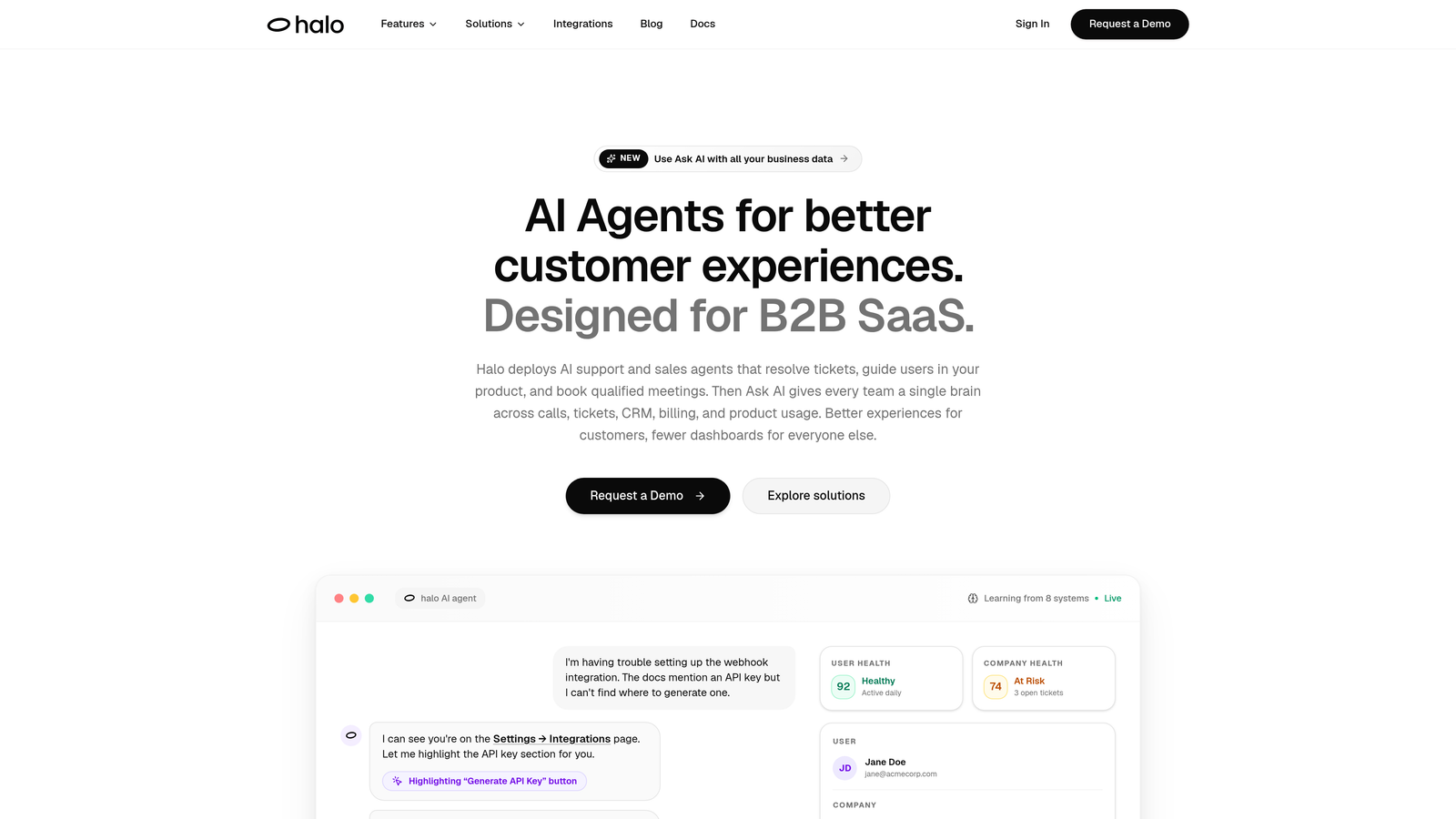
Halo AI is an AI-native customer support platform built specifically for B2B SaaS teams that need more than a chatbot with a routing engine.
Where This Tool Shines
What separates Halo from most tools on this list is its architecture. Rather than layering AI features onto a traditional helpdesk, Halo is built around autonomous AI agents from the ground up. These agents don't just suggest responses: they resolve tickets, guide users through your product with page-aware context, and auto-create bug reports routed directly to engineering tools.
The smart inbox goes beyond standard analytics. Halo surfaces customer health signals, revenue intelligence, and anomaly detection, turning your support queue into a source of business intelligence. Every interaction feeds back into the system, so resolution quality improves continuously without manual retraining.
Key Features
Autonomous AI Agents: Resolve support tickets without human intervention, handling routine issues end-to-end at scale.
Page-Aware Chat Widget: The AI sees what the user sees, enabling contextual guidance that's specific to the exact page or workflow they're on.
Smart Inbox with Business Intelligence: Surfaces customer health signals, revenue intelligence, and anomaly detection directly from support data.
Auto Bug Ticket Creation: Automatically generates and routes bug reports to engineering tools like Linear, reducing the manual handoff between support and product teams.
Live Agent Handoff: Complex issues escalate to human agents with full conversation context preserved, so nothing gets repeated.
Deep Integrations: Connects to Linear, Slack, HubSpot, Intercom, Stripe, Zoom, PandaDoc, and Fathom, covering the full B2B SaaS stack.
Best For
B2B SaaS companies that want AI to handle a meaningful share of tickets autonomously, not just assist agents. Particularly strong for product-led growth teams where support and product experience are tightly connected, and for ops leaders who want support data to inform broader business decisions.
Pricing
Contact Halo AI directly for pricing. The platform is designed for B2B SaaS teams and pricing is tailored to team size and resolution volume. Visit haloagents.ai for details.
2. Zendesk
Best for: Enterprise teams that need a proven, highly customizable helpdesk with broad AI augmentation across the support workflow.
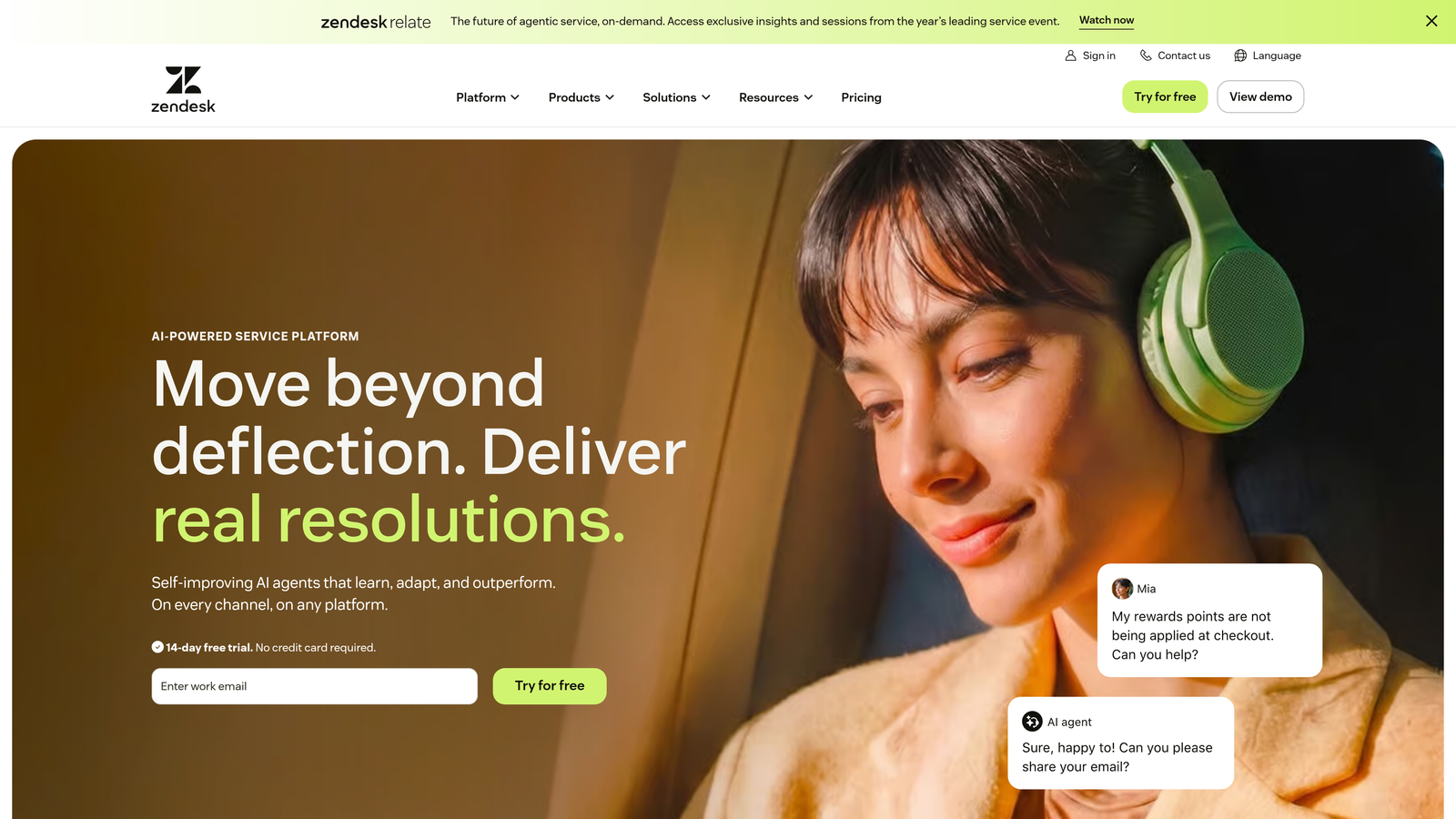
Zendesk is one of the most widely deployed helpdesk platforms globally, with AI capabilities layered across ticket triage, agent assistance, and automated workflows.
Where This Tool Shines
Zendesk's strength is its maturity. The platform has a massive marketplace of integrations, deep customization options, and enterprise-grade reporting that few competitors match. Its AI features, powered by an OpenAI partnership, include intelligent triage, agent copilot with suggested responses, and automated macro recommendations.
The trade-off is complexity. Zendesk can be powerful, but configuring it to work the way your team needs often requires significant setup time and, at larger scales, dedicated admin resources. For teams that have those resources, it's a reliable enterprise workhorse.
Key Features
Zendesk AI Triage: Intelligently routes and classifies incoming tickets based on intent, sentiment, and urgency.
Agent Copilot: Suggests responses and next actions to agents in real time, reducing handle time on complex tickets.
Automated Macros and Triggers: Pre-built and custom workflow automations that handle repetitive ticket patterns without agent involvement.
Integration Marketplace: Hundreds of pre-built integrations covering CRM, billing, project management, and communication tools.
Advanced Reporting: Detailed analytics dashboards covering team performance, ticket volume trends, and SLA compliance.
Best For
Mid-market and enterprise teams with dedicated support operations, existing Zendesk investment, or requirements for deep workflow customization. Less suited to lean teams that want fast time-to-value without heavy configuration.
Pricing
Suite plans start around $55/agent/month. Enterprise tiers scale significantly higher. Always verify current pricing at zendesk.com before budgeting.
3. Freshdesk
Best for: Growing teams that want omnichannel support with AI assistance at an accessible price point.
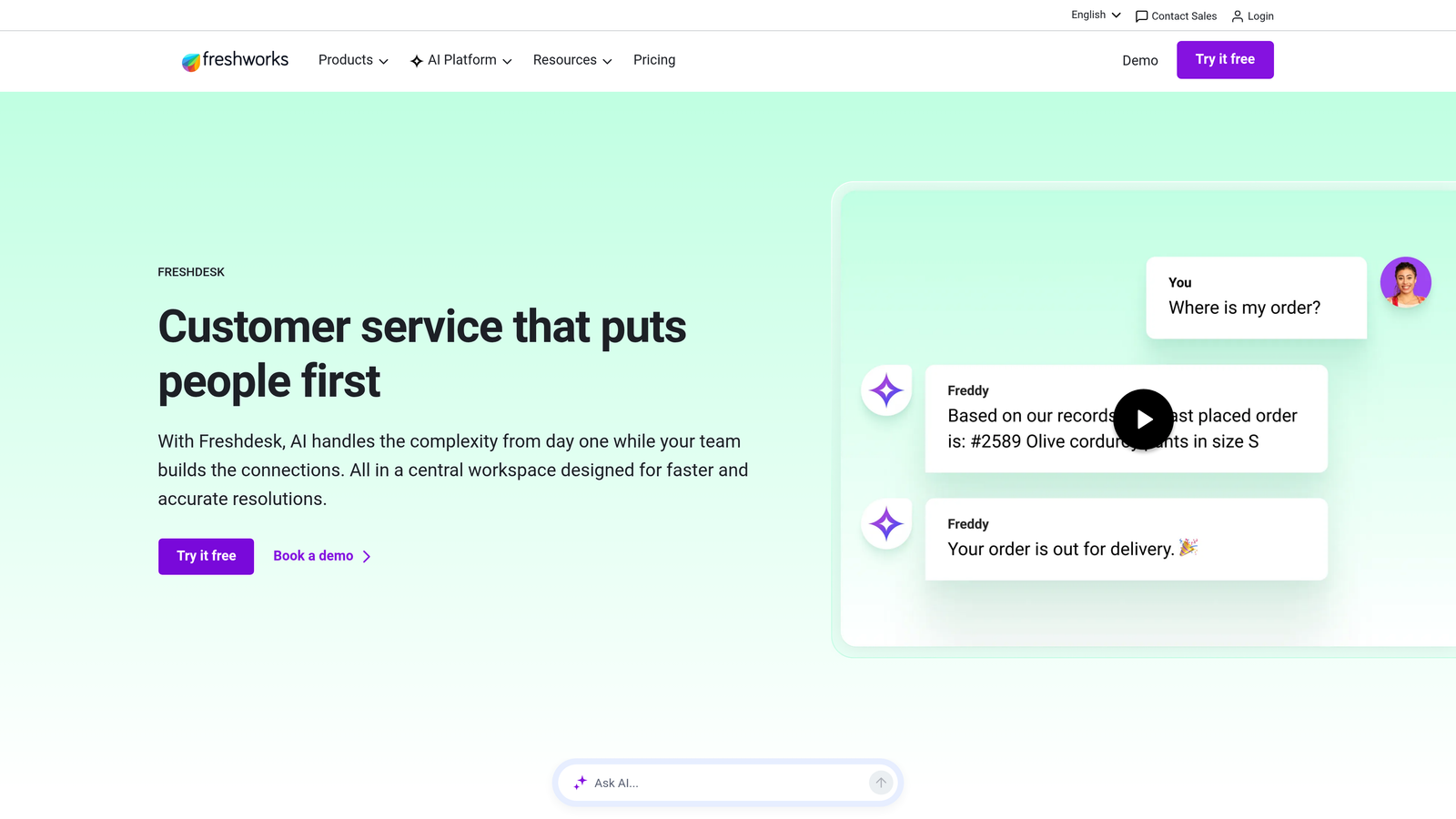
Freshdesk is Freshworks' helpdesk solution with Freddy AI built in for ticket classification, suggested responses, and self-service automation across email, chat, and phone channels.
Where This Tool Shines
Freshdesk hits a competitive price-to-feature ratio that makes it popular with teams scaling beyond basic email support. Freddy AI handles ticket classification and response suggestions well, and Freddy Self Service can deflect a meaningful share of common questions before they reach an agent.
The omnichannel coverage is solid: email, chat, phone, and social media all flow into a unified inbox. For teams that don't need the enterprise complexity of Zendesk or Salesforce, Freshdesk offers a capable middle ground with a gentler learning curve.
Key Features
Freddy AI Copilot: Provides auto-triage, ticket classification, and suggested responses to speed up agent workflows.
Freddy Self Service: Autonomous customer-facing resolution for common queries, reducing inbound ticket volume.
Omnichannel Inbox: Unifies email, chat, phone, and social media support into a single agent workspace.
Canned Responses and Scenario Automations: Pre-built and custom automations for repetitive ticket patterns.
Competitive Pricing Tiers: Includes a free tier for small teams and affordable growth plans that scale incrementally.
Best For
Growing SMB and mid-market teams that need omnichannel coverage and AI-assisted workflows without the complexity or cost of enterprise platforms. Also a good fit for teams already using other Freshworks products like Freshsales or Freshchat.
Pricing
Free tier available. Growth plan approximately $15/agent/month; Pro approximately $49/agent/month. Verify current pricing at freshdesk.com.
4. Intercom
Best for: SaaS companies with high chat volume that want autonomous AI resolution through conversational interfaces.
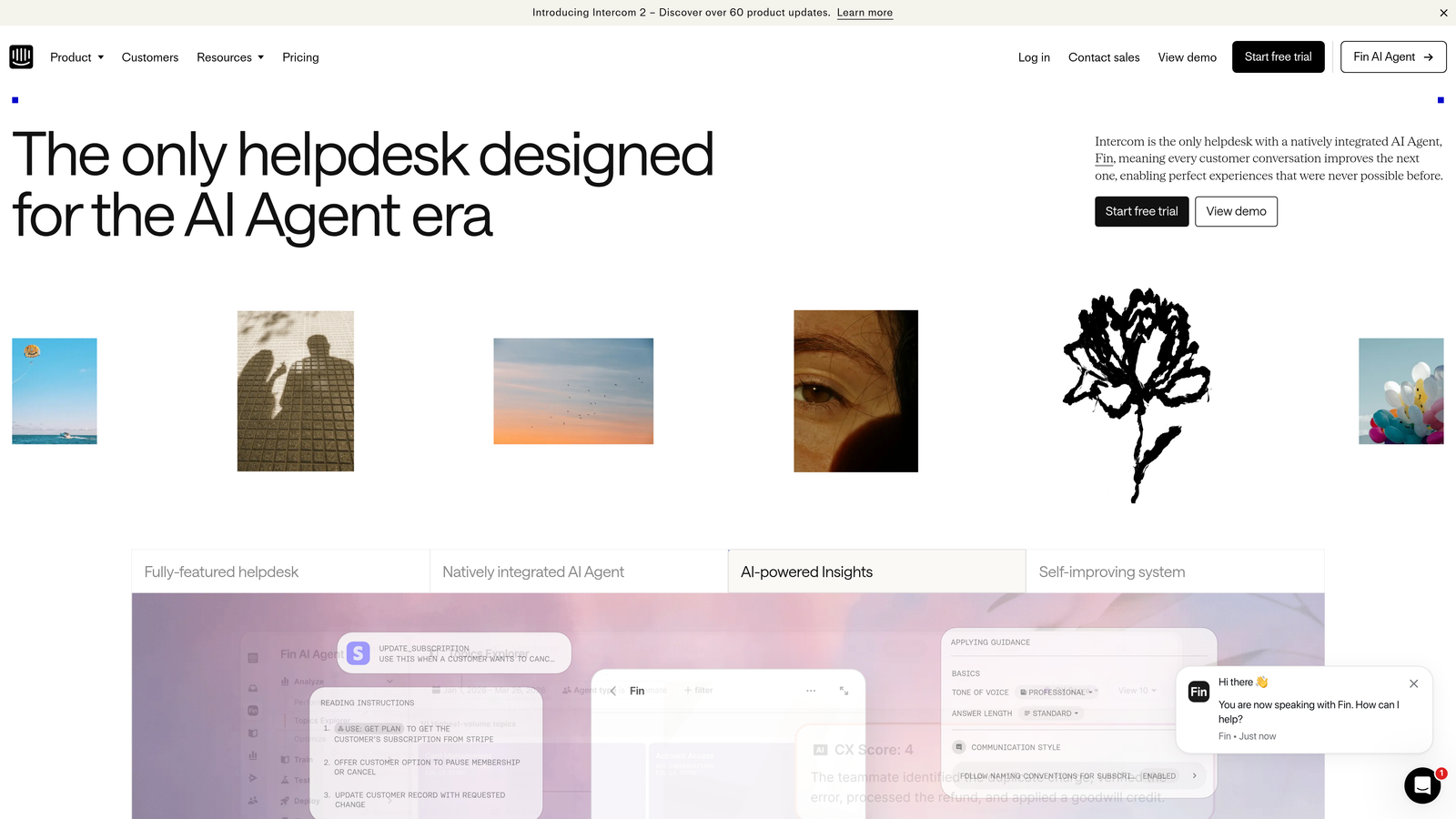
Intercom has repositioned from a messaging platform to a full AI-first customer service solution, with Fin AI Agent handling end-to-end ticket resolution through conversational interfaces.
Where This Tool Shines
Fin AI Agent is genuinely capable at autonomous conversation resolution, particularly for SaaS products where support questions map well to knowledge base content and documented workflows. Intercom's proactive messaging and product tour features also make it useful beyond reactive support, helping teams reduce ticket volume by guiding users before they get stuck.
The shift to resolution-based pricing is worth noting: you pay based on how many conversations Fin successfully resolves. This aligns incentives well in theory, but can make cost forecasting less predictable at scale, especially as resolution volume grows.
Key Features
Fin AI Agent: Handles end-to-end conversation resolution autonomously, drawing on your knowledge base and product documentation.
Proactive Messaging and Product Tours: In-app engagement tools that reduce inbound support by guiding users through common workflows.
AI-Assisted Shared Inbox: Agents get AI-drafted reply suggestions and conversation summaries to speed up handling time.
Resolution-Based Pricing: Costs scale with successful AI resolutions rather than seat count, which can benefit smaller teams.
SaaS Integrations: Strong connectivity with common SaaS tools across CRM, billing, and communication categories.
Best For
SaaS teams with high chat and in-app support volume that want strong autonomous resolution and proactive user engagement in a single platform. Less suited to teams with complex, multi-step B2B support workflows that require deep context from external systems.
Pricing
Starter plans from approximately $39/month; scales with resolution volume. Verify current pricing at intercom.com as the resolution-based model changes total cost significantly with usage.
5. Salesforce Service Cloud
Best for: Enterprise organizations already invested in the Salesforce ecosystem that need AI-powered case management with full CRM context.
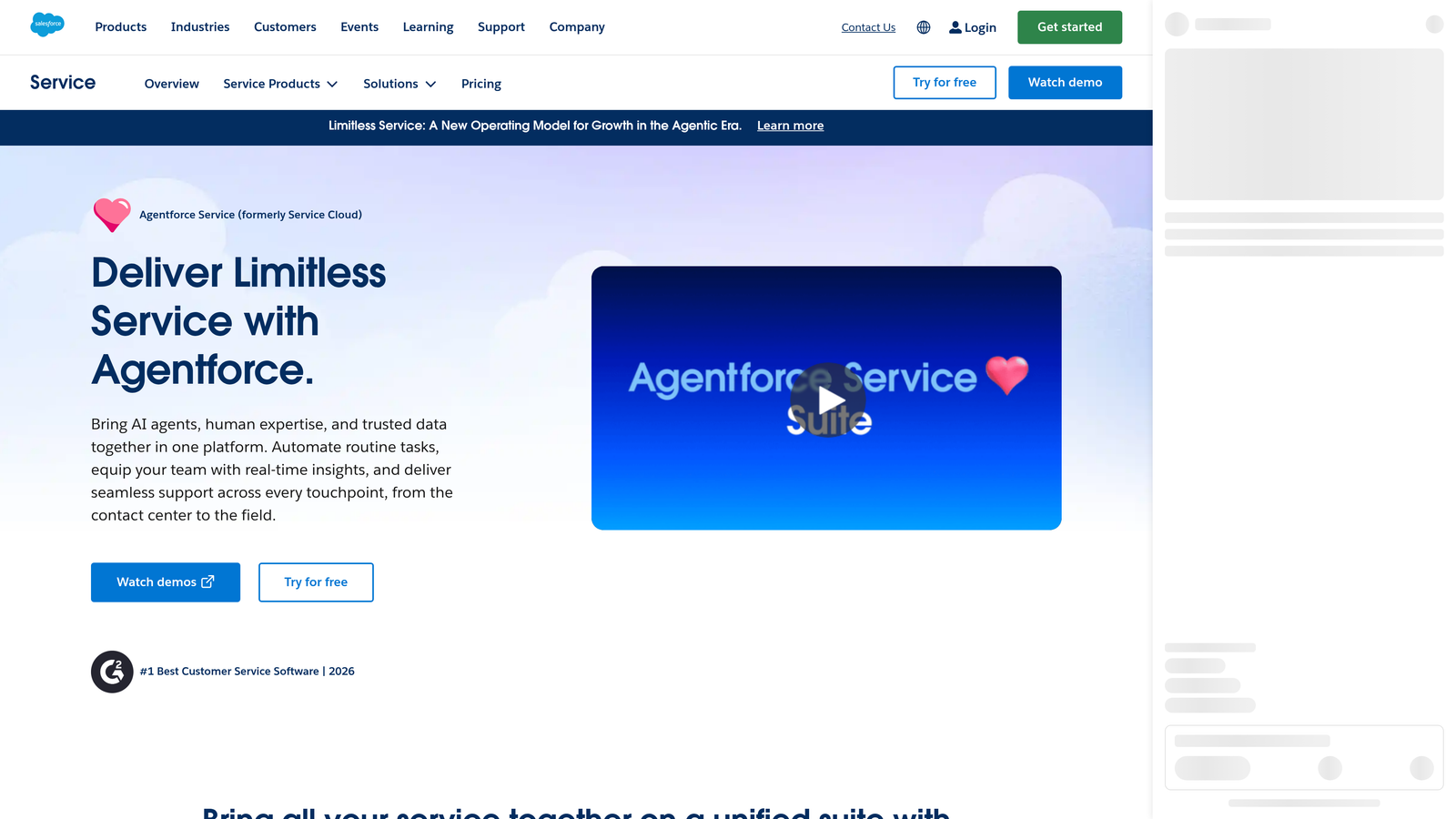
Salesforce Service Cloud is an enterprise-grade customer service platform with Einstein AI deeply integrated into case management, powered by full CRM context from the broader Salesforce ecosystem.
Where This Tool Shines
The core value proposition of Service Cloud is CRM depth. When an agent opens a case, they see the customer's full history: account data, purchase history, prior interactions, open opportunities, everything. Einstein AI uses that context to recommend next best actions, suggest knowledge articles, and classify cases more accurately than tools working with support data alone.
The honest caveat: Service Cloud is complex and expensive to implement well. Teams without existing Salesforce infrastructure or dedicated admin resources will find the setup investment significant. For organizations already running on Salesforce, though, the integration depth is hard to match.
Key Features
Einstein AI Case Management: Classifies, routes, and recommends next best actions based on full CRM context, not just ticket data.
Omni-Channel Routing: Distributes cases across email, chat, phone, and social based on agent capacity and skill.
Knowledge Base with AI Recommendations: Surfaces relevant articles to agents and customers based on case content and customer history.
Einstein Conversation Mining: Analyzes support interactions at scale to identify trends, gaps in documentation, and process improvement opportunities.
Full Salesforce Ecosystem Integration: Native connectivity with Sales Cloud, Marketing Cloud, and the broader Salesforce platform.
Best For
Enterprise teams already running on Salesforce that want support and CRM data unified in a single platform. Not recommended for teams without existing Salesforce investment or dedicated implementation resources.
Pricing
Starter approximately $25/user/month; Enterprise approximately $165/user/month. Implementation costs are a significant additional consideration. Verify at salesforce.com.
6. HubSpot Service Hub
Best for: Teams already on HubSpot CRM that want support and customer data unified without adding a separate platform.
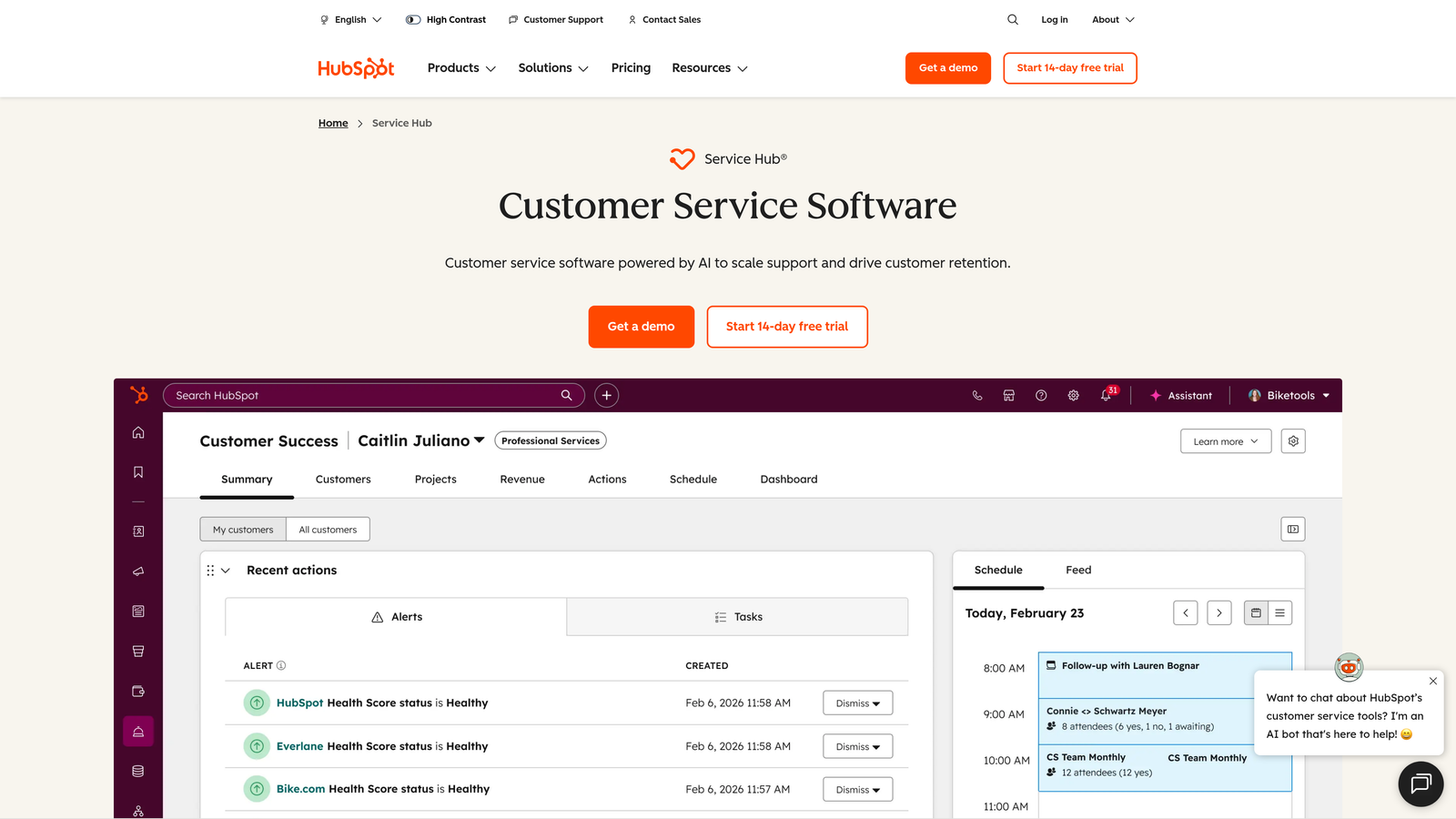
HubSpot Service Hub is HubSpot's customer service product, tightly connected to their CRM, with AI features for ticket summarization, reply suggestions, and a no-code chatbot builder.
Where This Tool Shines
The primary advantage of Service Hub is native CRM integration. Every support ticket opens with full contact and company history visible, including deal stage, prior conversations, and lifecycle status. This gives agents meaningful context without switching tools, and it makes support data immediately useful for sales and success teams working in the same HubSpot environment.
The AI features are practical rather than cutting-edge: ticket summarization, reply drafts, and a no-code chatbot builder cover the core use cases well. Teams looking for advanced autonomous resolution will find the AI capabilities more assistive than autonomous, but for HubSpot-centric organizations, the ecosystem value outweighs that limitation.
Key Features
Native CRM Context: Every ticket surfaces full HubSpot CRM data, giving agents complete customer history without leaving the support view.
AI Ticket Summarization and Reply Drafts: Reduces time-to-response by generating context summaries and suggested replies from conversation history.
No-Code Chatbot Builder: Build self-service deflection flows without engineering involvement, using a visual drag-and-drop interface.
Customer Feedback and NPS Tracking: Built-in survey tools that connect customer satisfaction data directly to support and CRM records.
Shared Inbox and SLA Management: Team inbox with SLA tracking, assignment rules, and conversation routing.
Best For
SMB and mid-market teams already using HubSpot for CRM and marketing who want a connected support layer without the complexity of adding a separate helpdesk platform. The value compounds significantly with HubSpot ecosystem depth.
Pricing
Free tier available. Starter approximately $15/seat/month; Professional approximately $90/seat/month. Verify current pricing at hubspot.com.
7. Tidio
Best for: Smaller teams and e-commerce businesses that want fast AI chatbot setup with live chat at an affordable price.
Tidio is a live chat and AI chatbot platform with ticketing capabilities, designed for teams that prioritize quick deployment and low technical overhead over enterprise-grade complexity.
Where This Tool Shines
Tidio's standout quality is its speed to value. Setup is genuinely fast, the interface is clean, and Lyro AI can handle conversational self-service for common queries without requiring extensive configuration. For small teams that need a customer-facing AI presence without a lengthy implementation project, Tidio delivers quickly.
The platform's e-commerce integrations, particularly with Shopify and WooCommerce, make it a natural fit for online retail support. For complex B2B workflows, though, the analytics depth and integration breadth are more limited than the enterprise-focused tools on this list.
Key Features
Lyro AI Chatbot: Handles conversational self-service for common support queries, reducing agent workload on repetitive questions.
Live Chat with Agent Takeover: Agents can step into AI conversations seamlessly when a query needs a human touch.
Pre-Built Automation Flows: Ready-to-use automation templates for common support scenarios that reduce setup time.
E-Commerce Integrations: Native connections to Shopify and WooCommerce for order status, returns, and product queries.
Low Technical Overhead: Minimal setup complexity makes it accessible for teams without dedicated IT or support operations resources.
Best For
Small teams, startups, and e-commerce businesses that want AI-assisted live chat without the cost or complexity of enterprise helpdesk platforms. Less suited to B2B teams with complex support workflows, multi-system integration requirements, or high-volume ticket operations.
Pricing
Free tier available. Lyro AI plans from approximately $29/month. Verify current pricing at tidio.com.
8. Zoho Desk
Best for: SMB teams that want capable AI-assisted ticketing within the Zoho ecosystem at an accessible price point.
Zoho Desk brings Zia AI to ticket management with sentiment analysis, anomaly detection, and smart tagging, at a price point that makes it one of the most accessible options for smaller and mid-sized teams.
Where This Tool Shines
Zia AI covers more ground than many buyers expect at this price tier. Sentiment analysis on incoming tickets helps prioritize urgent or frustrated customers before they escalate. Anomaly detection flags unusual spikes in ticket volume or specific issue types, giving support managers an early warning system without manual monitoring.
For teams already using Zoho CRM, the native integration creates a connected workflow where support data and customer records stay in sync automatically. The Blueprint workflow automation feature also stands out for teams that need structured, multi-step ticket processes with defined approval stages.
Key Features
Zia AI Sentiment Analysis: Analyzes incoming tickets for customer sentiment, helping teams prioritize high-urgency or frustrated customers.
Anomaly Detection: Flags unusual patterns in ticket volume or issue types, providing early warning of emerging problems.
AI Response Suggestions: Recommends relevant replies and knowledge articles to agents based on ticket content.
Native Zoho Ecosystem Integration: Connects directly with Zoho CRM, Zoho Analytics, and the broader Zoho product suite.
Blueprint Workflow Automation: Structured ticket process automation with defined stages, conditions, and approval steps for complex workflows.
Best For
SMB and mid-market teams, particularly those already using Zoho CRM, that want solid AI-assisted ticketing with omnichannel coverage without enterprise pricing. Also a good fit for teams that need structured workflow automation for compliance-sensitive support processes.
Pricing
Free tier available for up to 3 agents. Standard approximately $14/agent/month; Professional approximately $23/agent/month. Verify current pricing at zoho.com/desk.
9. Help Scout
Best for: Teams where relationship quality is the priority and AI should augment agents rather than replace them.
Help Scout is a customer support platform built around a human-first philosophy, where AI tools like AI Summarize and AI Drafts speed up agents without removing the human from the conversation.
Where This Tool Shines
Help Scout is deliberately not trying to maximize autonomous resolution rates. The product philosophy centers on quality human interactions, with AI playing a supporting role: surfacing context quickly, drafting responses for agents to review and send, and helping teams move faster without sacrificing the personal touch that some customer relationships require.
The UX is consistently praised for its cleanliness and simplicity. Agents spend less time navigating the tool and more time actually helping customers. For teams where customer relationships are a competitive advantage, this philosophy translates to real retention value.
Key Features
AI Summarize: Generates quick conversation summaries so agents can get up to speed on a ticket's history without reading every message.
AI Drafts and AI Assist: Creates draft replies for agents to review, edit, and send, reducing typing time while keeping the human in control of the response.
Beacon Widget: Embedded in-product support widget that surfaces relevant knowledge base articles before customers open a ticket.
Docs Knowledge Base: Built-in knowledge base with AI-powered search that helps customers self-serve and reduces inbound volume.
Clean, Minimal UX: Designed for agent experience first, with a low learning curve and minimal interface complexity.
Best For
Teams where human relationship quality drives retention, such as professional services, high-touch B2B accounts, or any support team where personalization is a deliberate differentiator. Not the right fit for high-volume operations looking to maximize autonomous resolution rates.
Pricing
Plus approximately $20/user/month; Pro approximately $65/user/month. Verify current pricing at helpscout.com.
Which Tool Is Right for Your Team?
The right AI ticketing system depends less on feature lists and more on your architectural priorities. Here's how to think through the decision quickly.
If you want AI-first autonomous resolution: Halo AI and Intercom's Fin are the clearest options. Halo is purpose-built for B2B SaaS with deep integrations and business intelligence baked in. Intercom excels for high-volume chat-based support in product-led SaaS environments.
If you need enterprise-grade helpdesk with AI augmentation: Zendesk is the proven choice for complex, high-volume operations. Salesforce Service Cloud is the right call if you're already running on Salesforce and need CRM-depth in every support interaction.
If ecosystem fit is your primary driver: HubSpot Service Hub for HubSpot-centric teams, Zoho Desk for Zoho ecosystem users. Both offer solid AI assistance at accessible price points without requiring a platform migration.
If you're a smaller team or e-commerce business: Freshdesk and Tidio both offer free tiers and low-friction setup. Freshdesk scales better into mid-market; Tidio is faster to deploy for simple chat and chatbot use cases.
If relationship quality is your differentiator: Help Scout's human-first approach makes it the right fit for teams where personalization matters more than deflection rates.
Your support team shouldn't scale linearly with your customer base. Let AI agents handle routine tickets, guide users through your product, and surface business intelligence while your team focuses on complex issues that need a human touch. See Halo in action and discover how continuous learning transforms every interaction into smarter, faster support.