9 Best Customer Support AI Software to Buy in 2026
Choosing the right platform when you buy customer support AI software can dramatically reduce ticket resolution times and scale your support operations without adding headcount. This guide evaluates the 9 best options available in 2026 across automation depth, integration capabilities, deployment speed, and genuine resolution quality—helping B2B SaaS teams, product teams, and operations leaders make a confident, informed investment decision.
 Grant CooperFounder14 min read
Shopping for customer support AI software is no small decision. The right platform can transform how your team handles tickets, reduce resolution times, and scale support without proportionally scaling headcount. The wrong one leaves you with an expensive chatbot that frustrates customers and collects dust.
Buyers in 2026 are no longer debating whether AI can handle support. The real questions are more nuanced: Does it actually resolve tickets or just deflect them? How deeply does it integrate with your existing stack? How long until it's genuinely useful? And does it get smarter over time, or stay static?
This guide covers the top customer support AI platforms available today, evaluated on automation depth, integration ecosystem, ease of deployment, and real resolution quality. Whether you're a B2B SaaS team outgrowing Zendesk's native automation, a product team looking to reduce tier-1 ticket volume, or an operations leader evaluating your first AI support investment, here's a clear picture of what each platform does best and who it's really built for.
1. Halo AI
Best for: B2B SaaS and product-led growth teams that want AI-native support with business intelligence baked in.
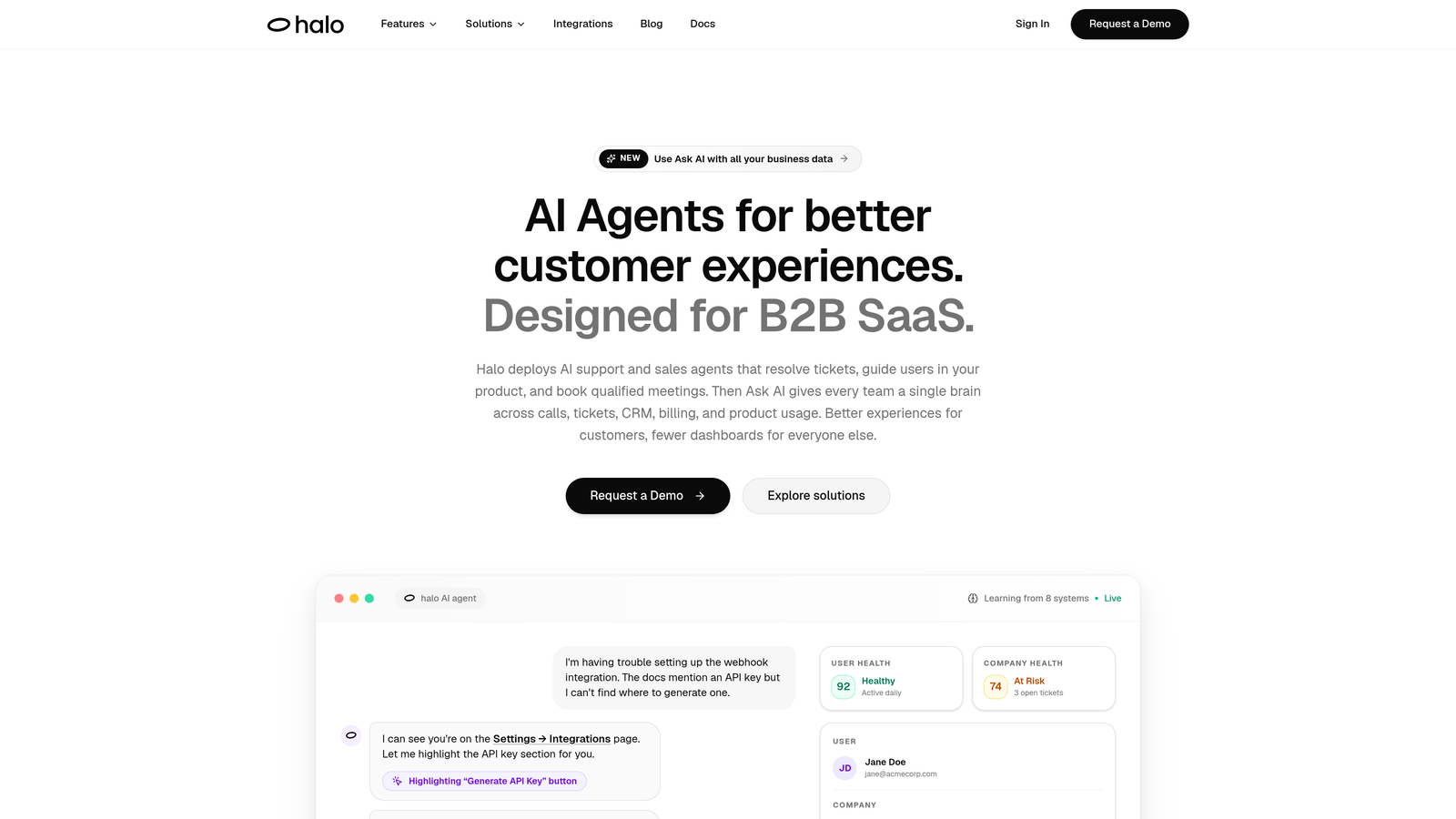
Halo AI is an AI-first customer support platform built specifically for B2B SaaS teams who want more than ticket deflection.
Where This Tool Shines
Most AI support tools are bolt-ons: a layer of automation sitting on top of a legacy helpdesk. Halo is built differently. Its architecture is AI-first from the ground up, which means the intelligence isn't an afterthought. The platform deploys agents that genuinely resolve tickets, guide users through your product in context, and feed business intelligence back to your team.
The page-aware chat widget is a standout capability. Rather than responding to text alone, Halo's AI sees what the user sees on screen, enabling it to provide step-by-step UI guidance specific to where the user actually is. That contextual awareness dramatically improves resolution quality for product-related questions.
Key Features
Page-Aware Chat Widget: The AI sees the user's current screen context and delivers guidance specific to that exact product state, not generic documentation links.
Continuous Learning: Every resolved ticket makes the system smarter, with no manual retraining required between updates.
Auto Bug Ticket Creation: Support signals are automatically converted into Linear or Jira tasks, closing the loop between customer pain and engineering action.
Smart Inbox with Business Intelligence: The inbox surfaces customer health scores, revenue signals, and anomaly detection, turning support data into operational intelligence.
Deep Integration Ecosystem: Connects natively with Linear, Slack, HubSpot, Intercom, Stripe, Zoom, PandaDoc, and Fathom.
Live Agent Handoff: Complex issues escalate to human agents with full conversation context passed along, so nothing gets repeated.
Best For
Halo is purpose-built for B2B SaaS companies and product-led growth teams. If you need your support layer to also surface churn signals, revenue intelligence, and product bugs, it offers capabilities that pure helpdesk tools simply don't provide. Teams that have outgrown Zendesk's native automation or want an AI-native alternative to patchwork helpdesk setups will find it particularly compelling.
Pricing
Contact for pricing. Halo is designed for B2B SaaS teams and pricing is scoped to team size and use case. Worth requesting a demo to assess fit before comparing costs.
2. Intercom Fin
Best for: Teams already on Intercom who want AI resolution without switching platforms.
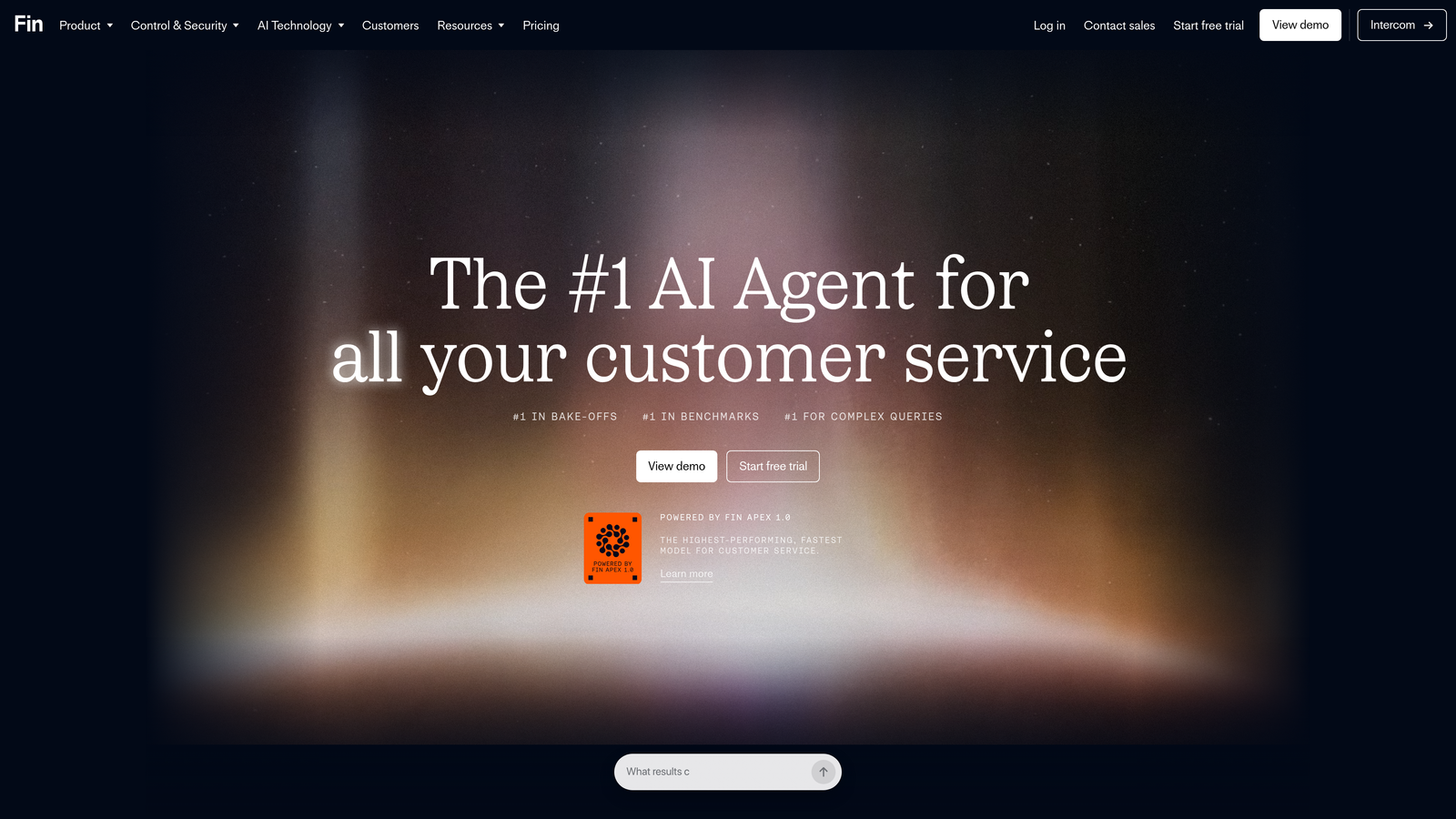
Intercom Fin is Intercom's native LLM-powered AI agent that resolves customer conversations directly from your knowledge base within the Intercom Messenger.
Where This Tool Shines
If your team is already running support through Intercom, Fin is the path of least resistance to AI-powered resolution. It sits natively inside the Messenger, meaning there's no separate deployment, no new interface for agents to learn, and no integration work to stitch things together. It reads your existing knowledge base and answers questions without manual rule-building.
The handoff to human agents is seamless within the Intercom inbox. For teams that value workflow continuity, that native experience is a genuine advantage over third-party AI layers that require configuration to play nicely with your existing setup.
Key Features
LLM-Powered Resolution: Fin uses large language models to understand nuanced questions and generate accurate answers from knowledge base content.
No Rule-Building Required: Unlike older chatbot builders, Fin reads your existing documentation and responds without manual flow configuration.
Native Messenger Integration: Operates within Intercom's existing chat interface, preserving the experience your customers already know.
Seamless Human Handoff: Unresolved conversations route directly to Intercom's human inbox with full context intact.
Multi-Channel Coverage: Works across Intercom's full channel suite including email, chat, and messaging.
Best For
Teams already invested in the Intercom ecosystem will get the most from Fin. It's less compelling as a standalone purchase if you're not on Intercom, since the value is tightly tied to the native integration. The consumption-based pricing model works well at moderate volume but deserves scrutiny at scale.
Pricing
Charged per resolution on top of an active Intercom subscription. Costs can scale quickly at high volume, so model your expected resolution rate before committing.
3. Zendesk AI
Best for: Enterprise support operations with complex multi-channel needs and large agent teams.
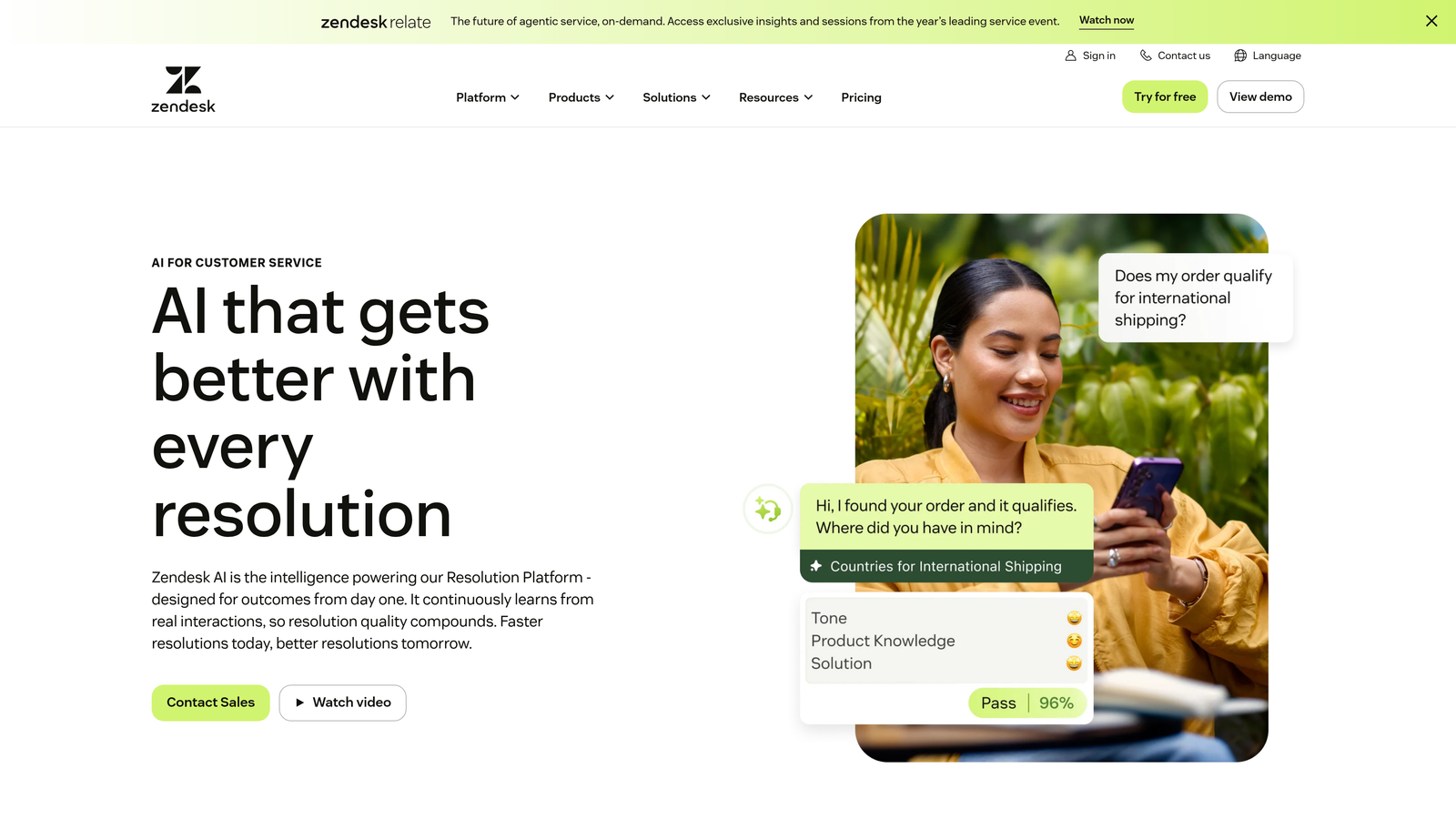
Zendesk AI is the native AI layer spanning intelligent triage, agent copilot, automated resolutions, and smart routing, built into the Zendesk Suite for enterprise-scale support.
Where This Tool Shines
Zendesk's AI story is about depth of coverage across an established enterprise platform. Intelligent triage automatically categorizes, prioritizes, and routes incoming tickets before a human ever touches them. Agent Copilot surfaces relevant knowledge articles and suggests responses in real time, reducing handle time without removing the human from the loop.
The breadth of channel coverage is hard to match: email, chat, voice, social, and messaging all feed into a unified AI-assisted workflow. For enterprise teams managing high ticket volumes across multiple channels, that unified layer is operationally significant.
Key Features
Intelligent Triage: Auto-categorizes, prioritizes, and routes tickets based on intent and content before agents see them.
Agent Copilot: Surfaces relevant knowledge and suggests responses in real time during active conversations.
Automated Resolutions: Handles common, repetitive inquiries without agent involvement.
Multi-Channel Coverage: Unified AI assistance across email, chat, voice, social, and messaging channels.
Zendesk Marketplace: Broad ecosystem of third-party integrations extending the platform's capabilities.
Best For
Enterprise support teams already on Zendesk Suite Professional or Enterprise who want to add AI without switching platforms. Less ideal for teams looking to move away from Zendesk or for smaller organizations where the platform's complexity and cost outweigh the benefits.
Pricing
AI features are included in Suite Professional and Enterprise plans, starting at approximately $115 per agent per month. Verify current pricing directly with Zendesk, as plan structures evolve.
4. Freshdesk Freddy AI
Best for: SMBs and mid-market teams on the Freshworks ecosystem looking for affordable, layered AI.
Freshdesk Freddy AI is a three-layer AI system covering self-service bots, agent assistance, and support analytics, designed for teams that want accessible AI without enterprise pricing.
Where This Tool Shines
Freddy AI's three-layer architecture gives teams flexibility in how much AI they deploy. Freddy Self Service handles customer-facing deflection through a bot layer. Freddy Copilot assists agents in real time with suggested replies and conversation summaries. Freddy Insights surfaces support trends and anomalies through AI-powered analytics. Teams can layer these capabilities based on their maturity and budget.
For teams already using Freshworks CRM or other Freshworks products, the native data sharing between products is a practical advantage. Support agents get customer context from the CRM without manual lookups.
Key Features
Freddy Self Service: Customer-facing AI bot that handles deflection for common questions without agent involvement.
Freddy Copilot: Real-time agent assist with suggested replies, summarization, and next-best-action guidance.
Freddy Insights: AI-powered analytics that surface support trends, volume anomalies, and performance patterns.
Freshworks Ecosystem Integration: Native data sharing with Freshworks CRM for unified customer context.
Accessible Pricing: More affordable entry points compared to enterprise-tier alternatives.
Best For
SMBs and mid-market teams already in the Freshworks ecosystem, or teams that want a cost-effective path to layered AI without committing to enterprise-tier pricing. Less compelling for teams outside the Freshworks stack.
Pricing
Freddy AI add-ons start at approximately $29 per agent per month; base Freshdesk plans start at around $15 per agent per month. Confirm current pricing with Freshworks directly.
5. Tidio Lyro
Best for: Small businesses and e-commerce teams that need fast deployment and immediate ticket deflection.
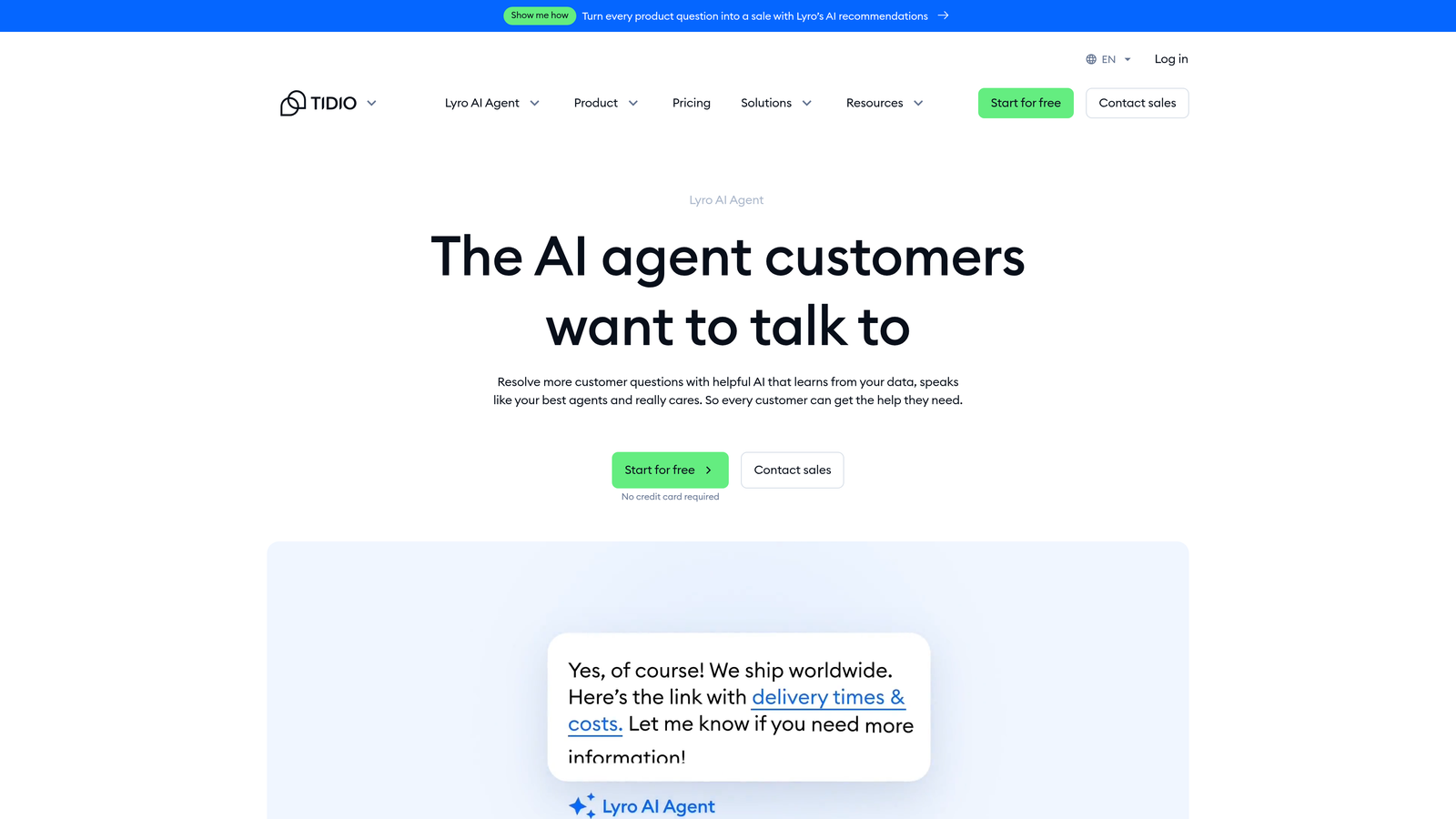
Tidio Lyro is a conversational AI agent built on Claude, designed for quick setup and high deflection rates, particularly popular with smaller teams and online retailers.
Where This Tool Shines
Lyro's primary advantage is speed to value. Many AI support tools require weeks of configuration, knowledge base preparation, and integration work before handling real conversations. Lyro is built for teams that want to be live quickly. The Claude foundation means the conversational quality is strong out of the box, without extensive prompt engineering.
For e-commerce teams specifically, Lyro handles the high-frequency, low-complexity inquiries that dominate support queues: order status, return policies, shipping questions, and FAQs. That deflection frees human agents for issues that actually need them.
Key Features
Claude-Powered Conversations: Built on Anthropic's Claude model for natural, accurate responses to customer questions.
Fast Deployment: Designed to be live and handling conversations quickly with minimal setup overhead.
Live Chat Foundation: Tidio's established live chat infrastructure with AI layered on top for a seamless transition.
FAQ and Order Handling: Automatically manages common inquiries including order status, returns, and product questions.
Simple Pricing: Accessible pricing structure designed for smaller teams without enterprise budgets.
Best For
Small businesses, e-commerce teams, and early-stage companies that need immediate deflection without a long implementation runway. Less suited for complex B2B support environments where nuanced product knowledge and deep integrations are required.
Pricing
Lyro AI starts at approximately $29 per month; a free tier is available for Tidio's core live chat product. Pricing scales with conversation volume.
6. Drift (by Salesloft)
Best for: B2B teams where support and sales conversations overlap and revenue context matters.
Drift is a conversational AI platform, now part of Salesloft, that blends support and sales engagement by routing conversations intelligently across the buyer journey.
Where This Tool Shines
Drift occupies a distinct position in this list: it's not a pure support tool. It's designed for B2B teams where a conversation might start as a support inquiry and reveal an expansion opportunity, or where a prospect's question and a customer's question land in the same queue. The AI handles routing, qualification, and meeting scheduling alongside support resolution.
For revenue-focused operations teams, the integration with Salesloft's platform and CRMs like Salesforce and HubSpot means conversations carry commercial context. That's valuable when your support team and sales team are working the same accounts.
Key Features
AI Conversation Routing: Intelligently routes conversations across support and sales touchpoints based on intent and visitor context.
Buyer Qualification: Qualifies prospects and schedules meetings directly within chat flows.
Playbook Automation: Automates common conversation paths with pre-built and customizable playbooks.
Revenue Platform Integration: Connects with Salesforce, HubSpot, and Salesloft's broader revenue intelligence platform.
B2B Journey Coverage: Designed for organizations where support and sales conversations share the same channel.
Best For
B2B teams where the line between support and sales is intentionally blurred. Less appropriate as a standalone support tool for teams that need deep helpdesk functionality or complex ticket management workflows.
Pricing
Custom pricing through Salesloft. Contact the Salesloft team directly for current Drift package options, as pricing is not publicly listed.
7. Forethought AI
Best for: Teams that want to add AI intelligence on top of an existing helpdesk without replacing it.
Forethought AI is an AI layer that sits on top of existing helpdesks, adding intelligent triage, predictive routing, and knowledge surfacing without displacing your current platform.
Where This Tool Shines
Forethought's value proposition is augmentation, not replacement. If your team has invested significantly in Zendesk, Salesforce Service Cloud, or ServiceNow and isn't ready to migrate, Forethought adds AI capabilities on top of what you already have. Predictive routing uses intent, sentiment, and historical patterns to direct tickets to the right agent or queue before manual triage is needed.
The knowledge surfacing capability is particularly useful for agent productivity. During live interactions, Forethought surfaces relevant articles and prior resolutions, reducing the time agents spend searching and improving consistency across the team.
Key Features
Predictive Ticket Routing: Routes tickets based on intent, sentiment analysis, and historical resolution patterns.
Knowledge Surfacing: Surfaces relevant documentation and prior resolutions for agents during live interactions.
Helpdesk Compatibility: Works natively with Zendesk, Salesforce Service Cloud, and ServiceNow without replacing them.
Tier-1 Automation: Handles common resolutions automatically while preserving existing helpdesk workflows.
Conversation Analytics: Reporting on conversation patterns, resolution rates, and AI performance over time.
Best For
Enterprise teams with significant helpdesk investments who want AI capabilities without a platform migration. Particularly strong for Zendesk, Salesforce, or ServiceNow shops that need smarter triage and routing without rebuilding their support infrastructure.
Pricing
Custom pricing; contact Forethought directly for a demo and quote. Pricing is scoped to team size and helpdesk environment.
8. Kustomer
Best for: High-volume consumer support teams where full customer history drives resolution quality.
Kustomer is a CRM-native customer service platform where AI operates with full visibility into each customer's purchase history, prior interactions, and relationship context.
Where This Tool Shines
Kustomer's differentiation is context depth. Most support tools see a conversation. Kustomer's AI sees the entire customer relationship: every prior interaction, purchase, return, billing event, and support history, all in a unified timeline. That context changes what the AI can do. Instead of asking a customer to repeat their order number, the AI already knows it. Instead of routing blindly, it routes based on relationship history.
Owned by Meta since 2022, Kustomer benefits from infrastructure-scale investment. For consumer brands managing millions of interactions, that operational foundation matters.
Key Features
Unified Customer Timeline: AI has full access to purchase history, prior support interactions, billing events, and relationship context before responding.
Context-Driven Automation: Automation decisions are informed by customer history, not just the current conversation.
Omnichannel Coverage: Handles email, chat, SMS, social, and voice within a single unified platform.
Meta Infrastructure: Backed by Meta's infrastructure investment for reliability at high consumer volume.
D2C and Consumer App Focus: Designed for brands where customer lifetime value and relationship history are central to support quality.
Best For
D2C brands, consumer apps, and high-volume retail operations where customer relationship context is essential to resolution quality. Less suited for B2B SaaS teams or organizations where product-specific technical support is the primary ticket type.
Pricing
Enterprise and Ultimate plans available; pricing is provided on request. Contact Kustomer directly for current package details.
9. Ada
Best for: Enterprise teams that need highly customizable, multilingual AI automation without engineering overhead.
Ada is a no-code AI agent builder designed for enterprise teams that need scalable, customizable automation across multiple languages and channels without requiring engineering resources to maintain it.
Where This Tool Shines
Ada's no-code builder gives non-technical teams genuine control over how their AI agents behave. Drag-and-drop workflow customization means support operations leaders can build, test, and iterate on automation without opening a ticket to engineering. For enterprise teams where IT resources are constrained, that autonomy has real operational value.
The multilingual capability is a standout for global operations. Ada supports dozens of languages, making it practical for enterprises serving customers across regions without building separate bots for each market. Governance and compliance controls make it viable for regulated industries where audit trails and access controls matter.
Key Features
No-Code Agent Builder: Drag-and-drop workflow customization that non-technical teams can manage independently.
Multilingual Support: Handles conversations in dozens of languages for global enterprise deployments.
Omnichannel Deployment: Operates across web, mobile, SMS, and social messaging channels from a single configuration.
Governance and Compliance Controls: Built-in controls for regulated industries including audit trails and access management.
Platform Integrations: Connects with major CRM, helpdesk, and commerce platforms for data-informed responses.
Best For
Large enterprises with global customer bases, regulated industry requirements, or multilingual support needs. Ada's no-code approach is particularly valuable for organizations where technical resources are limited but customization requirements are high.
Pricing
Custom enterprise pricing; contact Ada directly for a quote. Pricing is scoped to deployment complexity, channel coverage, and conversation volume.
Which Platform Is Right for Your Team?
The right customer support AI platform depends less on feature lists and more on your specific context: your existing stack, your ticket type distribution, your team's technical capacity, and whether you need AI to augment an existing helpdesk or replace it entirely.
Here's a quick way to think through the decision:
B2B SaaS teams wanting AI-native support with business intelligence: Halo AI is purpose-built for this profile. The page-aware context, continuous learning, and business intelligence layer go well beyond what helpdesk add-ons provide.
Teams already on Intercom: Fin is the natural starting point. The native integration removes deployment friction, and the per-resolution pricing model is easy to evaluate against your current ticket volume.
Enterprise teams on Zendesk: Zendesk AI extends what you already have across a mature, multi-channel infrastructure. The investment is justified if you're running Suite Professional or Enterprise already.
SMBs on a budget: Freshdesk Freddy AI offers the most accessible entry point with meaningful AI capability. Tidio Lyro is worth considering for e-commerce teams that want to be live quickly.
Teams not ready to migrate their helpdesk: Forethought AI is designed specifically for this scenario. It adds intelligence on top of Zendesk, Salesforce, or ServiceNow without displacing existing workflows.
High-volume consumer brands: Kustomer's CRM-native approach gives AI the full relationship context that consumer support quality depends on.
Global enterprises with multilingual needs: Ada's no-code builder and multilingual coverage make it the strongest fit for complex, multi-region deployments.
One buying principle worth keeping in mind: ask every vendor for their resolution rate, not just their deflection rate. Deflection means the AI bounced the ticket. Resolution means it actually solved the problem. That distinction matters more than almost any feature comparison.
Your support team shouldn't scale linearly with your customer base. Let AI agents handle routine tickets, guide users through your product, and surface business intelligence while your team focuses on complex issues that need a human touch. See Halo in action and discover how continuous learning transforms every interaction into smarter, faster support.