Customer Support AI Implementation Timeline: A Step-by-Step Guide
A structured customer support AI implementation timeline helps B2B product teams avoid common deployment pitfalls—like rushed knowledge bases and misconfigured escalation rules—by breaking the rollout into clear, sequenced phases. This guide walks you through each stage with realistic milestones and success criteria, whether you're migrating from an existing helpdesk or building from scratch.
 Grant CooperFounder15 min read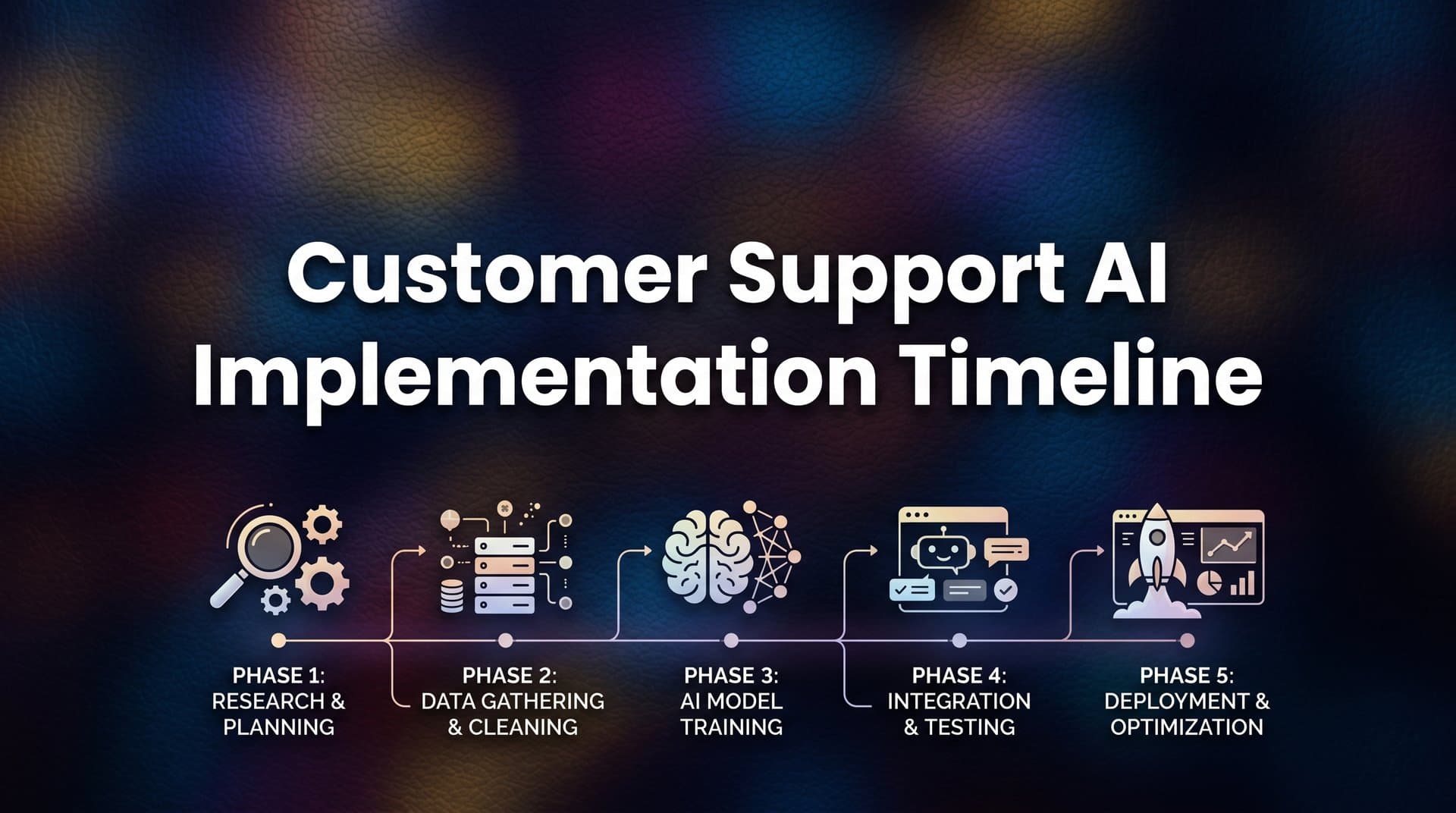
Deploying AI for customer support is one of the highest-leverage investments a B2B product team can make. But the difference between a smooth rollout and a costly stall almost always comes down to sequencing. Most teams underestimate the preparation required before go-live and overestimate how long optimization takes once the system is running.
The result? Rushed knowledge bases, misconfigured escalation rules, and broad launches that expose customers to an AI that isn't ready. The good news is that these failures are entirely preventable when you follow a structured implementation timeline.
This guide gives you a realistic, phase-by-phase customer support AI implementation timeline so you know exactly what to do, when to do it, and what success looks like at each stage. Whether you're migrating from a legacy helpdesk like Zendesk or Freshdesk, layering AI on top of Intercom, or starting fresh with a purpose-built platform, the core steps are largely the same.
The variables are your data readiness, team size, and how deeply you want to integrate AI into your support stack on day one. We'll cover everything from the pre-implementation audit through continuous optimization, with inline tips for avoiding the most common pitfalls that cause delays.
By the end, you'll have a clear picture of a realistic 6-to-10-week timeline and what your team needs to own at each checkpoint. Let's get into it.
Step 1: Audit Your Support Stack and Set a Baseline (Week 1)
Before you evaluate a single vendor or write a single line of documentation, you need to understand what you're working with. Skipping this step is the single most common reason AI support implementations stall, and it's entirely avoidable.
Start by pulling data from your current helpdesk. Document ticket volume by category, average resolution time, escalation rate, and CSAT scores. These numbers become your baseline metrics, and without them, you cannot measure ROI or prioritize training content. You'll need them in Week 9 when leadership asks whether the investment was worth it.
Next, identify your top 10 to 15 ticket categories by volume. These are your first automation candidates and will drive your AI training priorities in Step 4. Think of this as your opportunity map: high-volume, low-complexity categories are where automated customer support for SaaS delivers the fastest, most measurable impact.
Map your integrations: List every tool your support team touches today, including your CRM, billing platform, project management tools, and any internal systems agents reference during resolution. This map tells you which connections your AI agent will need on day one versus which can wait for phase two. Knowing this upfront prevents scope creep during configuration.
Flag your knowledge gaps: This is where most teams get uncomfortable. Missing documentation, outdated FAQs, and undocumented tribal knowledge living in agents' heads all need to surface now. If your best support agent is the only person who knows how to resolve your third most common ticket type, that's a problem you need to solve before AI training begins, not after.
The common pitfall here is jumping straight to vendor selection without completing this audit. Teams that do this end up configuring AI around assumptions rather than data. They set arbitrary targets, train on incomplete content, and then wonder why their containment rate is lower than expected at launch.
Success indicator: A one-page support audit document with ticket categories ranked by volume, a list of integration dependencies with priority tiers, and a knowledge gap inventory with named owners responsible for filling each gap.
Step 2: Define Scope, Success Metrics, and Go-Live Criteria (Week 1–2)
Here's where most implementation plans go wrong: teams start configuring before they've agreed on what "done" actually looks like. Defining your success criteria before you touch any tooling is non-negotiable.
Set specific targets for the metrics that matter. What AI containment rate are you aiming for at the end of the pilot? By how much do you want to reduce first-response time? How many agent hours per week should the AI free up? These numbers don't need to be perfect, but they need to exist and be agreed upon by your stakeholders before anyone starts building.
Decide on your deployment model. There are three common configurations: full autonomous resolution where the AI handles tickets end-to-end, assisted agent mode where the AI surfaces suggested responses for agents to approve, and a hybrid model where AI handles Tier 1 volume and escalates Tier 2 and above to humans. Each has different implications for your knowledge base requirements, escalation design, and success metrics.
Design your escalation rules now: What triggers a live agent handoff? Sentiment signals like frustration or urgency, billing or account cancellation topics, and account health flags are common triggers. Getting specific about these thresholds protects customer experience during rollout and gives you a clear framework to calibrate against in Week 7.
Align your stakeholders: Your support lead, product team, and engineering should all sign off on scope before vendor selection begins. Misalignment here creates expensive rework later. If engineering doesn't know they're responsible for the CRM integration until Week 5, your timeline slips.
One of the most important decisions at this stage is scope restraint. The instinct is to automate everything at once. Resist it. Pick two or three high-volume, low-complexity ticket categories for your pilot. This narrow focus lets you calibrate your thresholds with limited blast radius if something needs adjustment, and it gives you a clean proof-of-concept to expand from.
Success indicator: A written scope document with defined metrics, escalation triggers, deployment model, and a named owner for each workstream. If this document doesn't exist, you're not ready to move to Step 3.
Step 3: Select Your AI Platform and Plan Integrations (Week 2–3)
With your audit complete and your scope defined, you're now ready to evaluate vendors against actual requirements rather than marketing claims. This sequencing matters: teams that evaluate platforms before completing Steps 1 and 2 end up selecting based on demos rather than fit.
Use your integration list from Step 1 as your primary filter. Native connectors to your helpdesk, CRM, and billing tools reduce implementation time significantly compared to custom webhook setups. Ask each vendor to walk you through exactly how their platform connects to your specific stack, not a generic integration diagram. Reviewing a breakdown of AI customer support integration tools can help you benchmark what native connectivity should look like before those vendor conversations.
The most important architectural question to ask is this: is this AI a bolt-on layer sitting on top of your existing helpdesk, or is it an AI-first platform that treats your helpdesk as one data source among many? The distinction matters for your implementation timeline and your long-term capability ceiling. AI-first architectures tend to have native learning loops, escalation logic, and integration depth that bolt-on solutions require significant custom configuration to replicate.
Probe page-aware context capabilities: An AI agent that can detect which page or feature a user is on when they initiate a conversation can resolve a much wider range of UI and workflow questions without escalation. This is a meaningful differentiator, especially for SaaS products with complex interfaces. Ask vendors to demonstrate this specifically, not just describe it.
Understand the learning model: Does the system improve from every resolved ticket automatically, or does it require manual retraining cycles? Continuous learning from interactions is what compresses your optimization timeline in Weeks 9 and 10. A system that requires manual retraining puts the improvement burden back on your team.
Review handoff quality: When the AI escalates to a live agent, what context does the agent receive? At minimum, agents should see the full conversation history, detected intent, the page the user was on, and any relevant account signals. An agent who has to ask "can you describe your issue again?" after an AI handoff signals a broken escalation experience.
Request a sandbox environment or pilot with your own sample tickets before signing. Generic demos surface generic capabilities. Your edge cases only appear when you test with your actual content.
Success indicator: A signed vendor agreement and a documented integration plan with specific owners and deadlines for each connection, prioritized by dependency order.
Step 4: Build and Structure Your Knowledge Base (Week 3–5)
This is the most time-intensive step in the entire implementation, and it's the one most teams underestimate. If your documentation is fragmented or outdated, plan for two full weeks here. Rushing this step to hit an arbitrary go-live date is the fastest way to undermine your launch-day performance.
The quality of your training content is the primary determinant of AI resolution accuracy at launch. This is not a technical problem. It's a content and documentation problem. And it's entirely within your team's control.
Start with your top ticket categories from Step 1. Convert each category into structured Q&A pairs rather than long-form articles. AI agents resolve more accurately when trained on question-and-answer format because it mirrors the conversational structure of actual support interactions. A 2,000-word help article is useful for a human browsing your help center, but a set of 20 specific Q&A pairs trained into your AI agent will produce better resolution accuracy.
Audit existing content for accuracy: Outdated documentation trained into an AI agent produces a specific kind of damage: confident wrong answers. The AI will resolve tickets with authority based on information that's no longer true. Before any content goes into training, a subject matter expert needs to verify it reflects your current product behavior.
Capture tribal knowledge: Have your top support agents document their resolution paths for the 15 most complex common tickets. This is the undocumented institutional knowledge that lives in people's heads and never makes it into the help center. It's often the difference between an AI that handles 60% of Tier 1 tickets and one that handles 85%. Teams that invest here consistently outperform those that rely solely on existing self-service support documentation.
Organize by user intent, not product area: Group content by what the user is trying to accomplish, not how your internal team categorizes features. Users don't search for "billing module settings"; they search for "how do I update my payment method." This intent-based organization makes your training content more directly mappable to actual ticket language.
A practical tip: assign specific ticket categories to specific team members for documentation. Diffuse ownership means nothing gets done. Clear ownership with a deadline means your knowledge base is ready when you need it.
Success indicator: Structured documentation covering at least 80% of your top ticket categories, reviewed for accuracy by a subject matter expert, organized by user intent, and formatted as Q&A pairs wherever possible.
Step 5: Configure, Integrate, and Run Pre-Launch Testing (Week 5–7)
You have your platform selected, your integrations mapped, and your knowledge base built. Now it's time to connect everything and verify it actually works before a single customer sees it.
Connect your integrations in dependency order: helpdesk first, then CRM, then billing and project management tools like Linear or Slack. Starting with the helpdesk connection establishes the data pipeline everything else depends on. Trying to configure downstream integrations before the core connection is stable creates debugging confusion that wastes days.
Test your escalation rules explicitly: Don't assume they work because you configured them correctly. Run specific scenarios designed to trigger each escalation threshold and verify the AI identifies them as expected. Test for sentiment escalation, billing topic detection, and account health flags separately. Each one is a distinct signal that needs its own verification.
Configure your chat widget with context in mind: The widget should reflect your brand, appear on the pages where users are most likely to need support, and avoid interrupting users at moments where they're actively engaged with a task. Page-aware context lets you control this precisely. A widget that appears on your pricing page should behave differently than one on your onboarding flow. This is where context-aware customer support AI delivers a measurable advantage over generic chatbot deployments.
Run shadow testing for 5 to 7 days: Deploy the AI in observation mode alongside your human agents. The AI suggests responses; agents handle the actual conversations. Compare AI-suggested responses to actual agent responses and flag categories where they diverge frequently. These divergences reveal either knowledge base gaps or edge cases your training content didn't cover.
Involve two or three of your best support agents in this testing phase. They will catch edge cases that QA checklists miss because they know from experience which tickets are deceptively complex. Their input during shadow testing is some of the most valuable signal you'll collect before launch.
Flag every category where AI alignment with agent responses falls below your threshold. These categories need knowledge base reinforcement before go-live, not after.
Success indicator: Shadow testing shows AI alignment with agent responses on at least 75% of Tier 1 tickets in your pilot categories. Escalation rules verified across all defined trigger scenarios. Widget deployed correctly on target pages.
Step 6: Pilot Launch and Live Agent Handoff Calibration (Week 7–8)
You're ready to go live. But "live" doesn't mean your entire customer base on day one. A narrow pilot launch is the professional standard for good reason: it gives you real-world data to calibrate against with a limited blast radius if thresholds need adjustment.
Launch to a defined segment first. This could be a single product line, a specific user cohort like trial users or a particular pricing tier, or a geographic region. The segment should be large enough to generate meaningful signal but small enough that your team can monitor it closely in the first week.
Monitor your containment rate daily in the first week. This is the percentage of conversations resolved by AI without human escalation. You're looking for a trend, not a fixed number. A containment rate that starts lower and trends upward as the system learns from real interactions is healthy. A rate that starts low and stays flat signals a knowledge base or configuration problem that needs immediate attention.
Watch for false confidence: This is a subtler signal that many teams miss. If a customer re-opens a ticket within 48 hours of an AI resolution, that's not a routing problem. That's a resolution quality problem. The AI closed the ticket, but the customer's issue wasn't actually solved. Track re-open rates as closely as you track containment rates during the pilot.
Calibrate your handoff triggers: The thresholds you set in Step 2 were based on assumptions. Real escalation data will almost certainly reveal that some thresholds are too sensitive and others not sensitive enough. Adjusting them during the pilot is expected and healthy. Understanding the right balance between AI customer support vs human agents helps set realistic expectations for where automation ends and human judgment begins.
Brief your support agents before launch on what to expect. They should understand that AI handles Tier 1 volume so they can focus on complex, high-value interactions. Framing this correctly matters for team morale and for getting agents to engage constructively with the calibration process rather than viewing it as a threat.
Success indicator: Containment rate trending upward by the end of Week 8, re-open rate stable or declining, and agent escalation queue remaining manageable without triage backlogs.
Step 7: Optimize, Expand, and Extract Business Intelligence (Week 9–10 and Ongoing)
Here's where the compounding value of AI support starts to become visible, and where many teams are pleasantly surprised by what the data reveals beyond ticket deflection.
Use your conversation data to identify the next wave of automation candidates. Patterns in escalated tickets reveal two distinct things: knowledge base gaps where your training content needs to be strengthened, and product friction points where users are struggling with your product itself. Both are actionable. One informs your support operations; the other informs your product roadmap.
Review your smart inbox analytics weekly: Which ticket categories are growing? Which have declined since a recent product change? This data is business intelligence, not just support operations data. Product teams that treat their support conversation analytics as a signal layer for roadmap prioritization consistently surface friction points that user research alone would miss.
The most valuable insight AI support generates is often not efficiency-related. It's the aggregated signal about where customers are confused, where they're churning, and where a feature isn't working the way users expect it to. That signal has product value that extends well beyond your support team's KPIs. Teams focused on improving customer support efficiency long-term will find this intelligence layer becomes one of the most cited reasons to expand AI scope.
Expand integrations in phase two: Now that your core stack is connected and calibrated, layer in deeper integrations. Connect revenue data to detect churn signals in support conversations. Link your bug tracking system for automatic issue creation when the AI identifies a recurring technical problem. These connections transform your support platform from a ticket resolver into an intelligence layer across your entire business stack.
Establish a monthly knowledge base review cadence: Your product will change. New features ship, workflows change, pricing tiers update. Your AI training content must evolve with it. A monthly review with a named owner is the minimum viable process for keeping your resolution accuracy high as your product matures.
Return to the baseline metrics you documented in Step 1 and track your defined success metrics from Step 2 against them. This is how you demonstrate ROI to leadership, justify further investment, and build the case for expanding AI scope to additional ticket categories or product lines.
Success indicator: A monthly review rhythm in place, all metrics from Step 2 trending toward targets, at least one product insight surfaced from support conversation data and shared with the product team.
Your Implementation Checklist and Next Steps
Let's bring the full timeline together. The seven steps follow a logical progression: audit your stack, define your scope, select your platform, build your knowledge base, test before launch, run a narrow pilot, then optimize and expand. Each step builds on the one before it, and skipping any one of them creates compounding problems downstream.
The three most common failure modes are worth repeating because they account for the majority of stalled implementations. First, skipping the audit and jumping to vendor selection. Second, rushing the knowledge base to hit an arbitrary go-live date. Third, launching to your entire customer base before the pilot has given you calibration data. Avoid these three and your implementation has a strong foundation.
Here's a quick-reference checklist of the success indicators from each step:
Step 1: Support audit doc with ticket categories ranked by volume, integration dependency list, and knowledge gap inventory.
Step 2: Written scope document with defined metrics, escalation triggers, and named workstream owners.
Step 3: Signed vendor agreement and documented integration plan with owners and deadlines.
Step 4: Structured documentation covering 80% of top ticket categories, reviewed for accuracy, formatted as Q&A pairs.
Step 5: Shadow testing showing 75%+ AI alignment on Tier 1 pilot tickets, escalation rules verified.
Step 6: Containment rate trending upward, re-open rate stable or declining, agent queue manageable.
Step 7: Monthly review rhythm in place, metrics trending toward targets, product insights surfaced from conversation data.
One final note on platform selection: teams that choose AI-first architectures rather than bolt-on layers consistently compress this timeline. When integrations to tools like Linear, Slack, HubSpot, Stripe, and Intercom are native to the platform, and when learning loops and escalation logic are built into the architecture rather than configured from scratch, the implementation burden is significantly lower. That's time you get back in every step from Week 2 onward.
Your support team shouldn't scale linearly with your customer base. AI agents can handle routine tickets, guide users through your product, and surface business intelligence while your team focuses on the complex issues that genuinely need a human touch. See Halo in action and discover how continuous learning transforms every interaction into smarter, faster support.