9 Best Customer Support Tools for Growing Companies in 2026
Growing companies need customer support solutions that scale without breaking the bank or requiring constant overhauls. This guide evaluates the nine best customer support tools for growing companies in 2026, focusing on platforms that offer enterprise-grade capabilities, intelligent automation, and seamless scalability—helping you maintain responsive, personalized support as your customer base expands from hundreds to thousands.
 Matt PattoliFounder11 min read
When your company starts scaling, customer support becomes a make-or-break function. What worked with 50 customers falls apart at 500, and completely breaks at 5,000. Growing companies face a unique challenge: they need enterprise-grade support capabilities without enterprise-level budgets or headcount.
The right tools can help you maintain personal, responsive support while your customer base multiplies. We've evaluated dozens of platforms to find the best customer support solutions specifically designed for companies in growth mode—tools that scale with you, automate intelligently, and won't require a complete overhaul when you hit your next milestone.
1. Halo AI
Best for: Companies wanting AI agents that autonomously resolve tickets while continuously learning from interactions
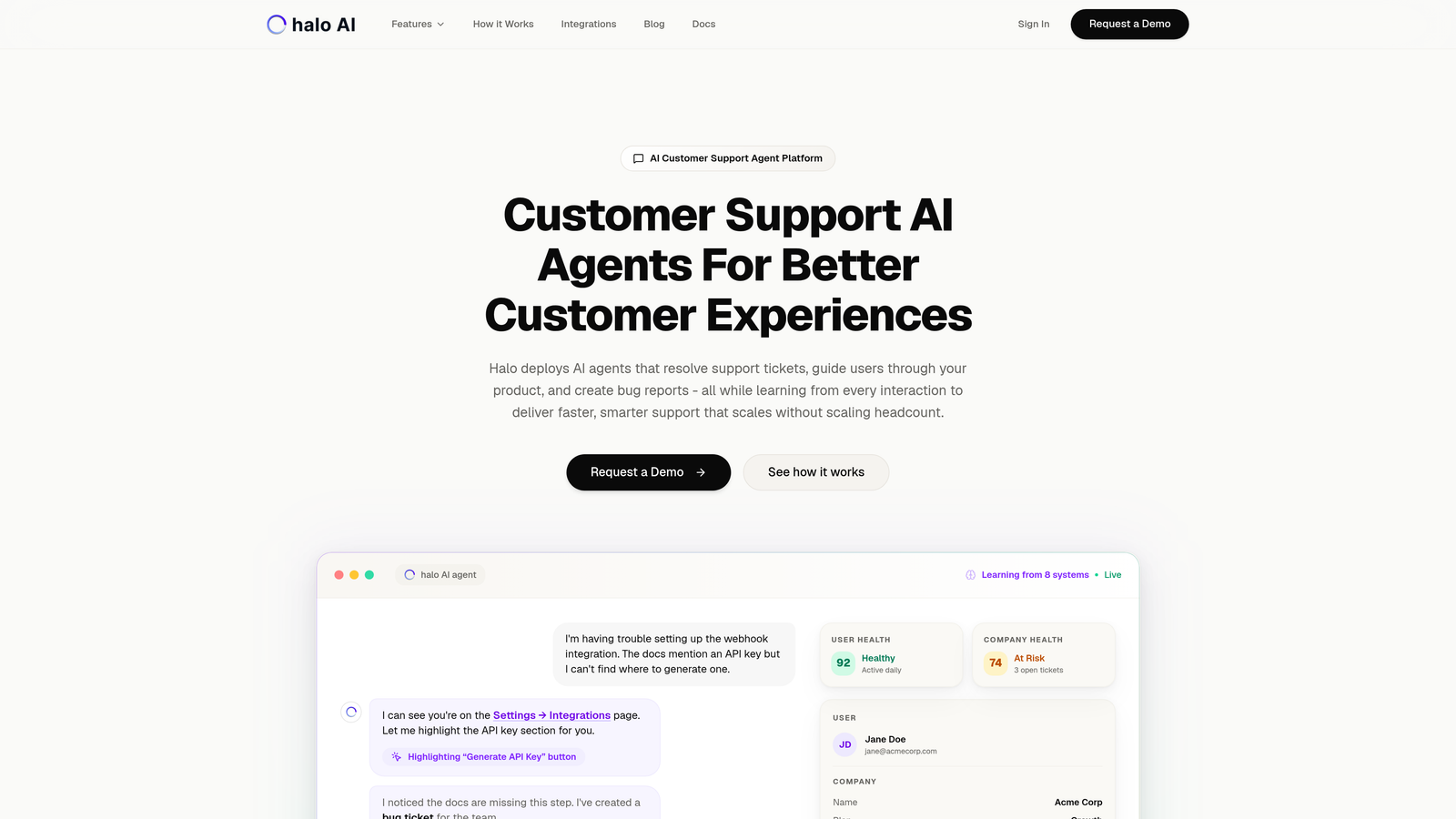
Halo AI takes a fundamentally different approach to customer support by deploying AI agents that don't just assist your team—they actively resolve tickets, guide users through your product, and create actionable bug reports.
Where This Tool Shines
Unlike traditional helpdesks with AI bolted on, Halo is built AI-first. Every interaction feeds its learning engine, making responses smarter over time without manual training. The page-aware chat widget sees what users see, providing visual guidance that actually helps people navigate your product rather than generic text responses.
What sets Halo apart is how it connects support to your entire business stack. It doesn't just answer questions—it surfaces customer health signals, detects anomalies, and provides revenue intelligence that traditional support tools miss completely.
Key Features
Autonomous AI Agents: Resolve support tickets end-to-end without human intervention, escalating only when complexity requires it.
Page-Aware Context: Chat widget understands what users are looking at, providing visual UI guidance instead of blind instructions.
Smart Inbox Analytics: Goes beyond support metrics to deliver business intelligence including customer health and revenue signals.
Auto Bug Creation: Automatically generates detailed bug tickets in Linear when issues are detected, complete with context and reproduction steps.
Multi-System Integration: Connects to your entire tech stack including Slack, HubSpot, Intercom, Stripe, Zoom, and PandaDoc for unified intelligence.
Best For
B2B SaaS companies and product teams that want support to scale without scaling headcount. Particularly valuable if you're currently using Zendesk, Freshdesk, or Intercom but finding that traditional helpdesk approaches can't keep pace with growth.
Pricing
Contact for pricing based on your support volume and integration needs.
2. Intercom
Best for: Modern companies wanting conversational support combined with product tours and proactive messaging
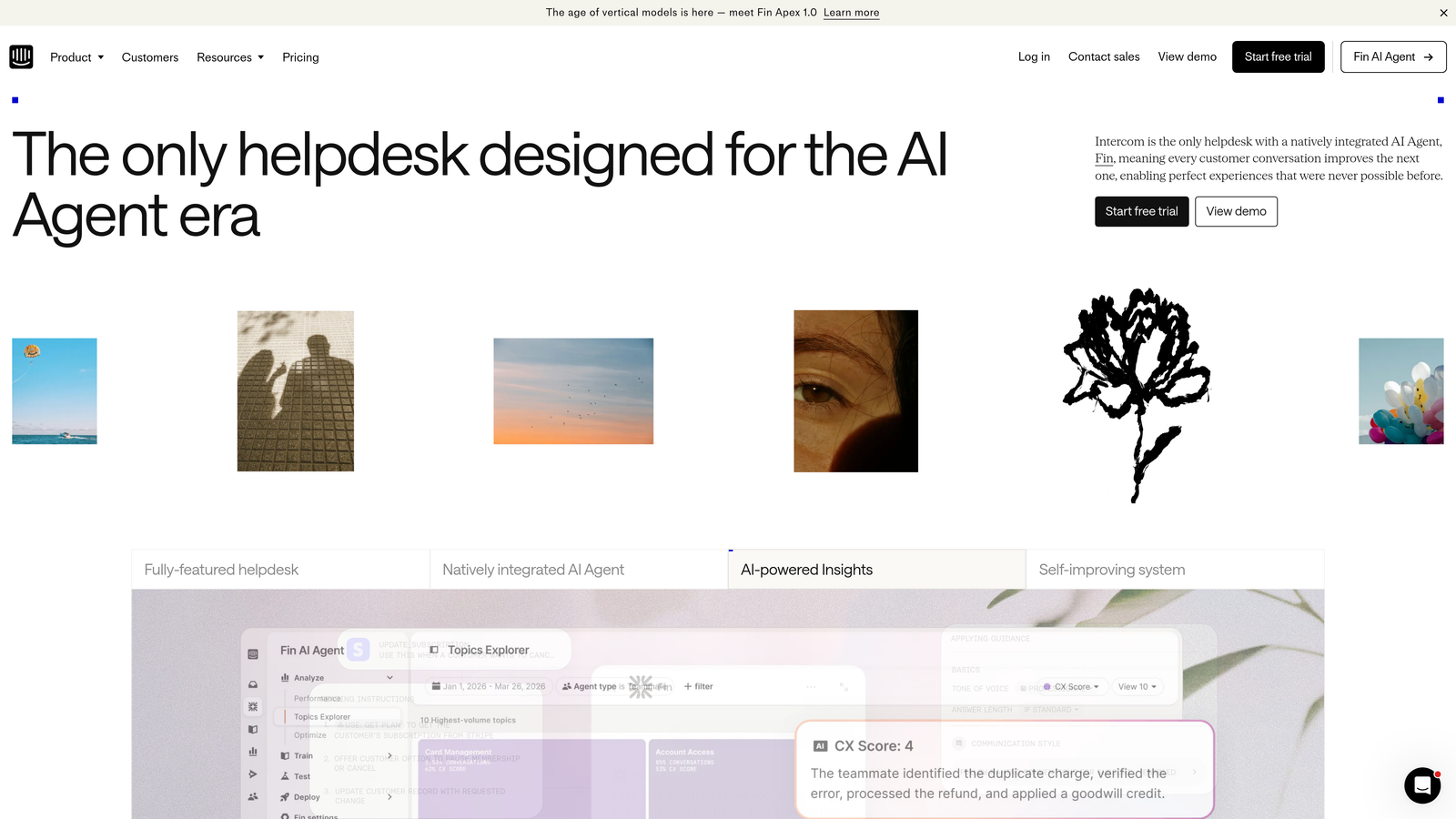
Intercom pioneered the conversational support movement and remains a strong choice for companies that view support as part of the broader customer engagement strategy.
Where This Tool Shines
Intercom excels at blending reactive support with proactive engagement. You're not just answering questions—you're onboarding users with product tours, sending targeted messages based on behavior, and building automated workflows that feel conversational rather than robotic.
The Fin AI assistant has matured significantly, handling routine queries with surprising accuracy. For growing companies, the ability to automate without losing that personal touch makes Intercom particularly appealing.
Key Features
Unified Inbox: Consolidates conversations from chat, email, and social channels into a single workspace with full context.
Product Tours: Build interactive onboarding flows that guide users through features without requiring support intervention.
Fin AI Assistant: Automated responses that pull from your knowledge base and learn from resolution patterns.
Custom Bots: Visual workflow builder for creating conversation paths that handle common scenarios automatically.
Targeted Messaging: Proactively reach users based on behavior, lifecycle stage, or custom attributes to prevent issues before they arise.
Best For
Product-led growth companies that want to reduce support volume through better onboarding and proactive engagement. Works especially well for SaaS businesses with complex products that benefit from guided tours.
Pricing
Starts at $39 per seat per month, with costs increasing based on feature access and conversation volume.
3. Zendesk
Best for: Companies needing enterprise-grade customization and an extensive app marketplace ecosystem
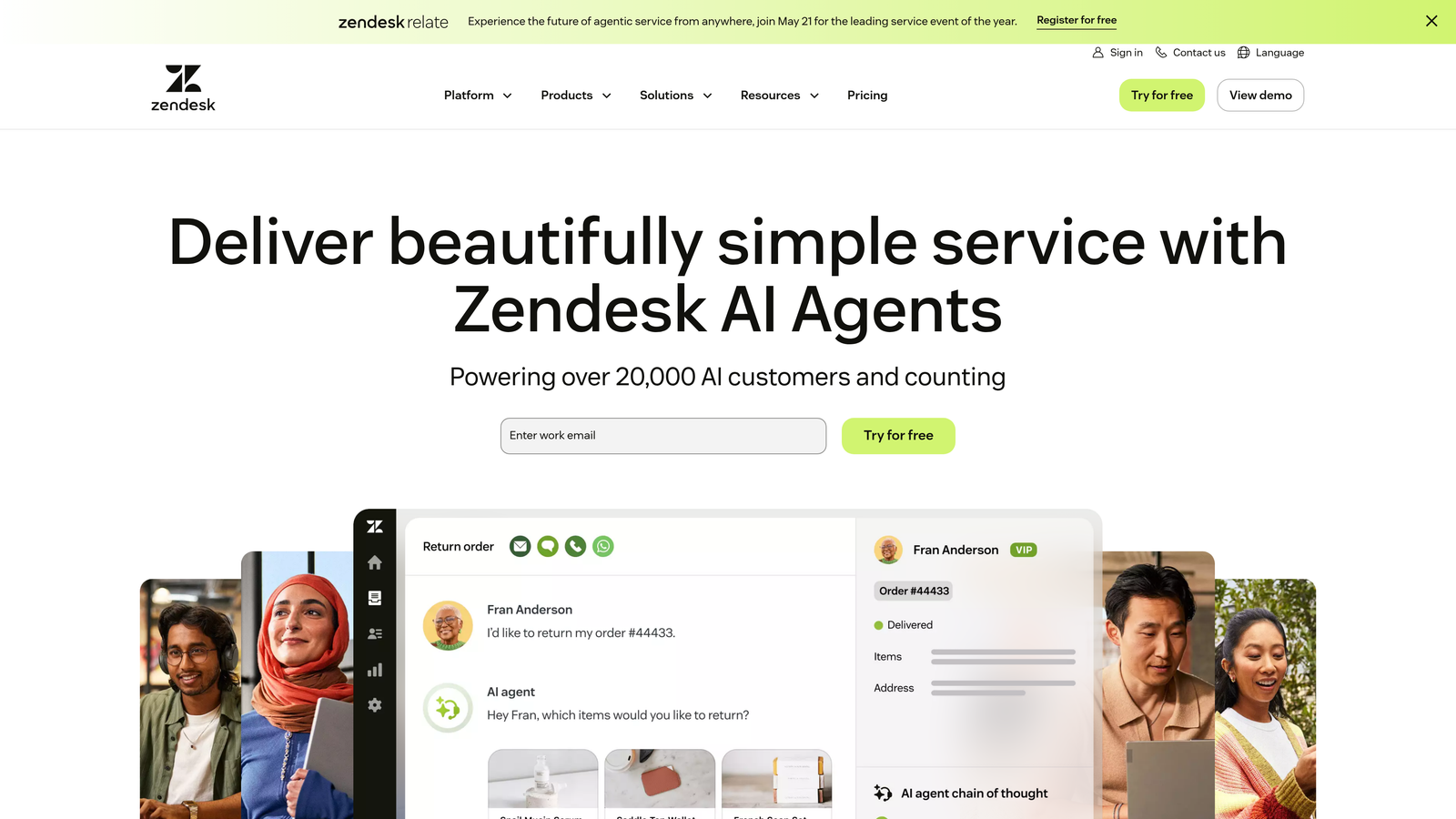
Zendesk remains the 800-pound gorilla in customer support software, offering depth and flexibility that few competitors can match.
Where This Tool Shines
If you need to build complex, custom workflows or integrate with obscure systems, Zendesk probably has an app for it. The marketplace contains thousands of integrations, and the customization options let you mold the platform to your exact processes rather than adapting your processes to the tool.
For companies that know they'll eventually need enterprise features—advanced routing, sophisticated SLA management, multi-brand support—Zendesk provides a clear upgrade path without platform migration.
Key Features
Omnichannel Ticketing: Unified system handling email, chat, phone, social media, and messaging apps with consistent routing and SLAs.
App Marketplace: Thousands of pre-built integrations and extensions covering virtually every business system imaginable.
Advanced Analytics: Comprehensive reporting with custom dashboards, conversation intelligence, and performance tracking across teams.
Workflow Automation: Powerful triggers, automations, and macros that can handle complex conditional logic and multi-step processes.
Multi-Brand Support: Manage support for multiple products or brands from a single instance with separate branding and routing.
Best For
Growing companies that anticipate complex support needs or operate multiple brands. Also ideal if you have unique workflow requirements that demand extensive customization.
Pricing
Starts at $55 per agent per month for the Suite Team plan, with higher tiers unlocking advanced features.
4. Freshdesk
Best for: Teams wanting solid helpdesk functionality at accessible price points with a generous free tier
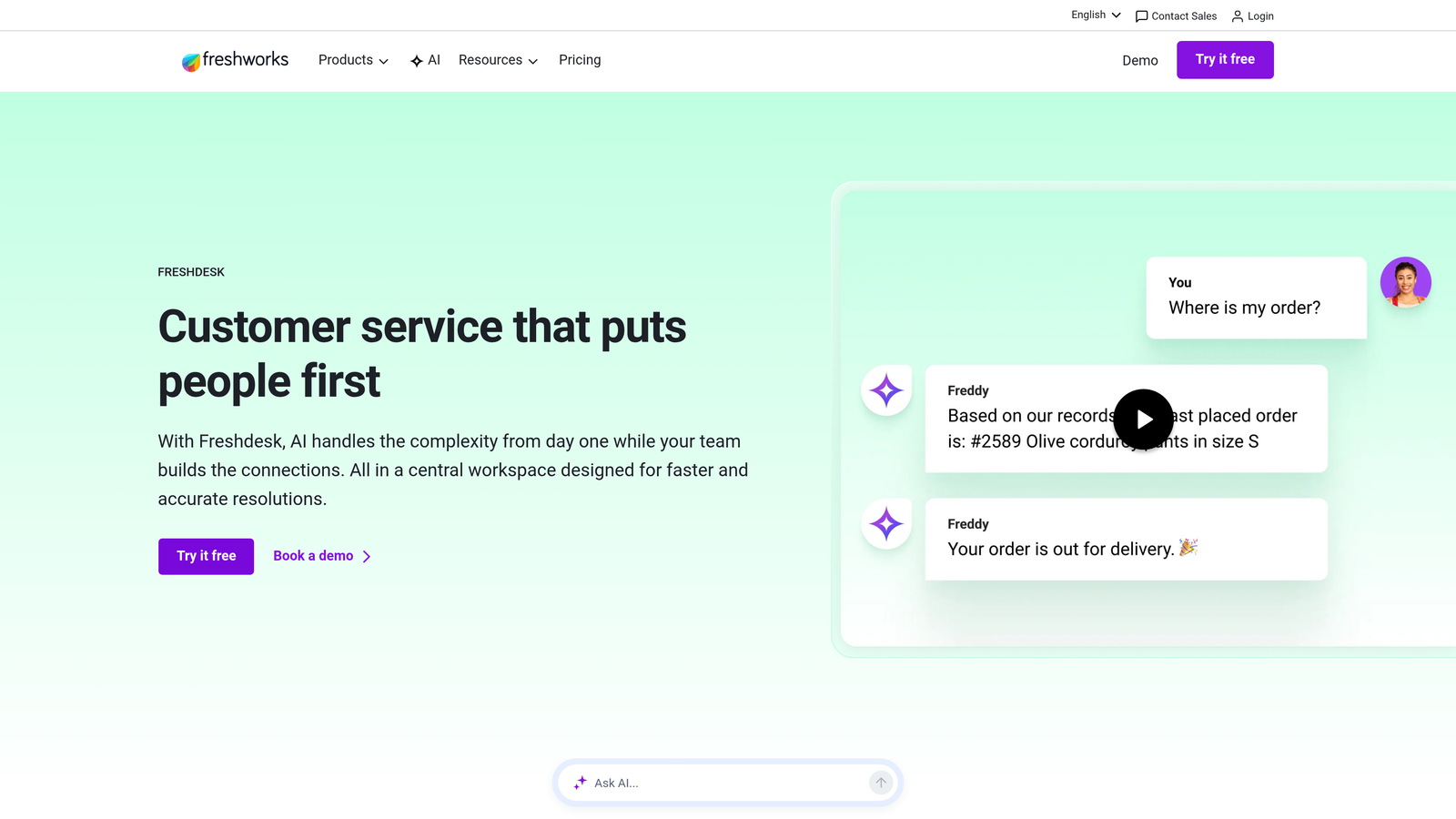
Freshdesk offers an intuitive interface and practical features that cover the essentials without overwhelming new users or budgets.
Where This Tool Shines
Freshdesk hits a sweet spot for companies transitioning from email chaos to structured support. The learning curve is gentle, setup is straightforward, and the free tier is genuinely usable—not a teaser with crippling limitations.
Freddy AI has evolved into a capable automation engine that handles ticket categorization, suggested responses, and basic deflection. For the price, you get surprising sophistication without enterprise complexity.
Key Features
Ticket Dispatch: Intelligent routing based on skills, workload, and round-robin distribution with configurable SLA policies.
Team Collaboration: Internal notes, ticket ownership, and parent-child ticket relationships for managing complex issues across teams.
Freddy AI: Automated ticket assignment, response suggestions, and sentiment analysis that improves with usage.
Free Tier: Unlimited agents with basic ticketing, knowledge base, and reporting—rare among serious helpdesk platforms.
Canned Responses: Template library with variables and conditional logic for consistent, personalized responses.
Best For
Startups and early-stage companies that need real helpdesk capabilities without significant upfront investment. The free tier works well for teams under 10 agents.
Pricing
Free tier available with core features. Paid plans start at $15 per agent per month, scaling up to $49 for advanced automation and analytics.
5. Help Scout
Best for: Teams prioritizing personal, human support experiences that don't feel like ticket numbers
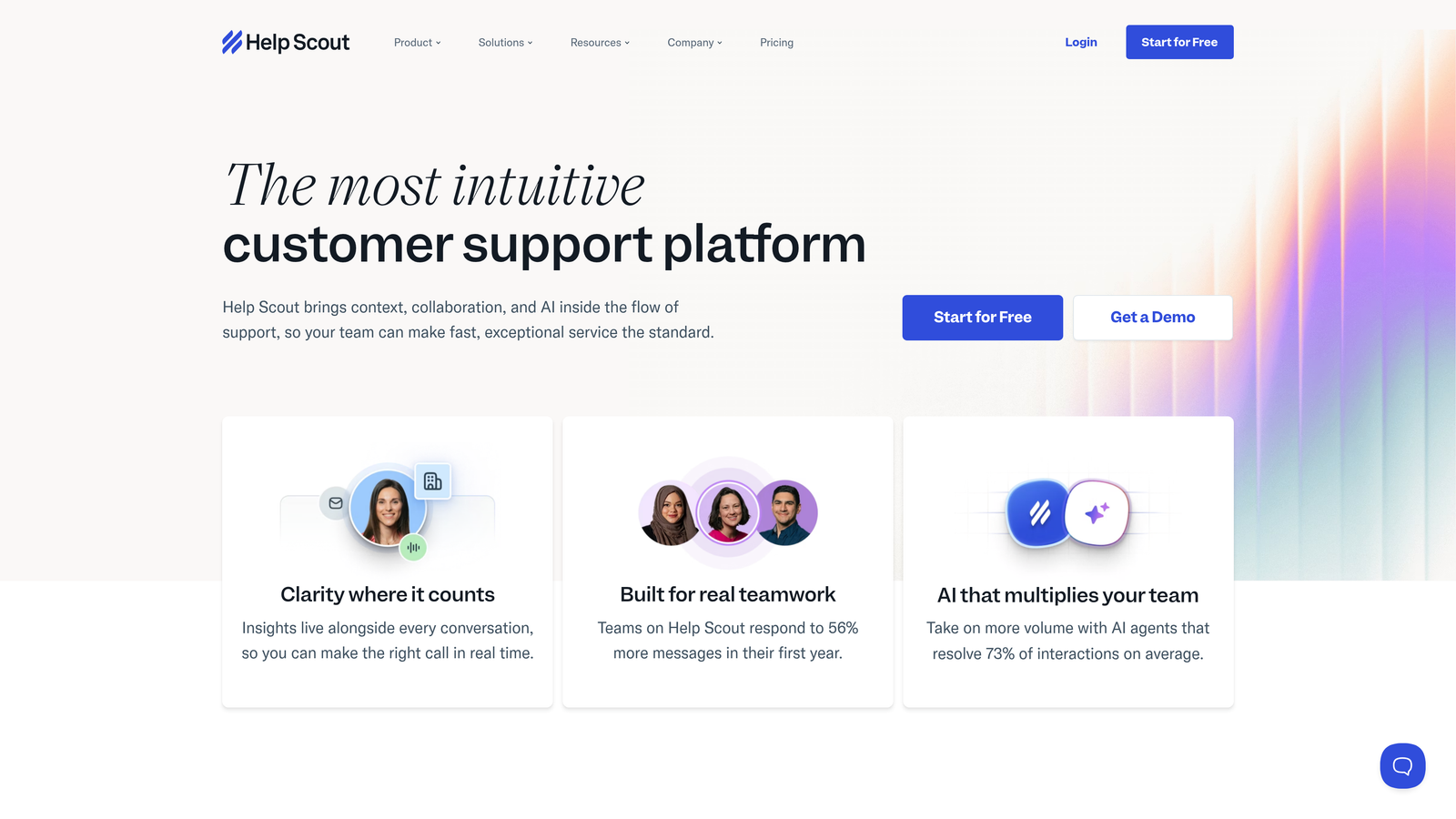
Help Scout built its reputation on maintaining the warmth of email-based support while adding structure and collaboration capabilities.
Where This Tool Shines
Help Scout intentionally avoids "tickety" language and interfaces. Conversations look like emails, not case numbers. This philosophy resonates with companies that view support as relationship-building rather than issue-closing.
The collision detection prevents the embarrassing duplicate responses that plague shared inboxes. Customer profiles provide full history without requiring agents to dig through systems, and the Beacon widget integrates help content directly into your product.
Key Features
Shared Inbox: Email-like interface with collision detection, assignment, and saved replies that maintain conversational tone.
Docs Knowledge Base: Clean, searchable help center that integrates with the Beacon widget for contextual self-service.
Beacon Widget: In-app support that shows relevant articles before users contact support, reducing ticket volume organically.
Customer Profiles: Consolidated view of conversation history, custom fields, and CRM data without leaving the inbox.
Workflows: Automated actions triggered by conversation properties, customer attributes, or time-based conditions.
Best For
Companies with strong customer-centric cultures that refuse to sacrifice personal touch for efficiency. Particularly popular with B2B SaaS companies serving SMBs.
Pricing
Starts at $20 per user per month with all core features included. No free tier, but pricing is transparent and predictable.
6. Front
Best for: Teams transitioning from shared email to structured support workflows without losing email familiarity
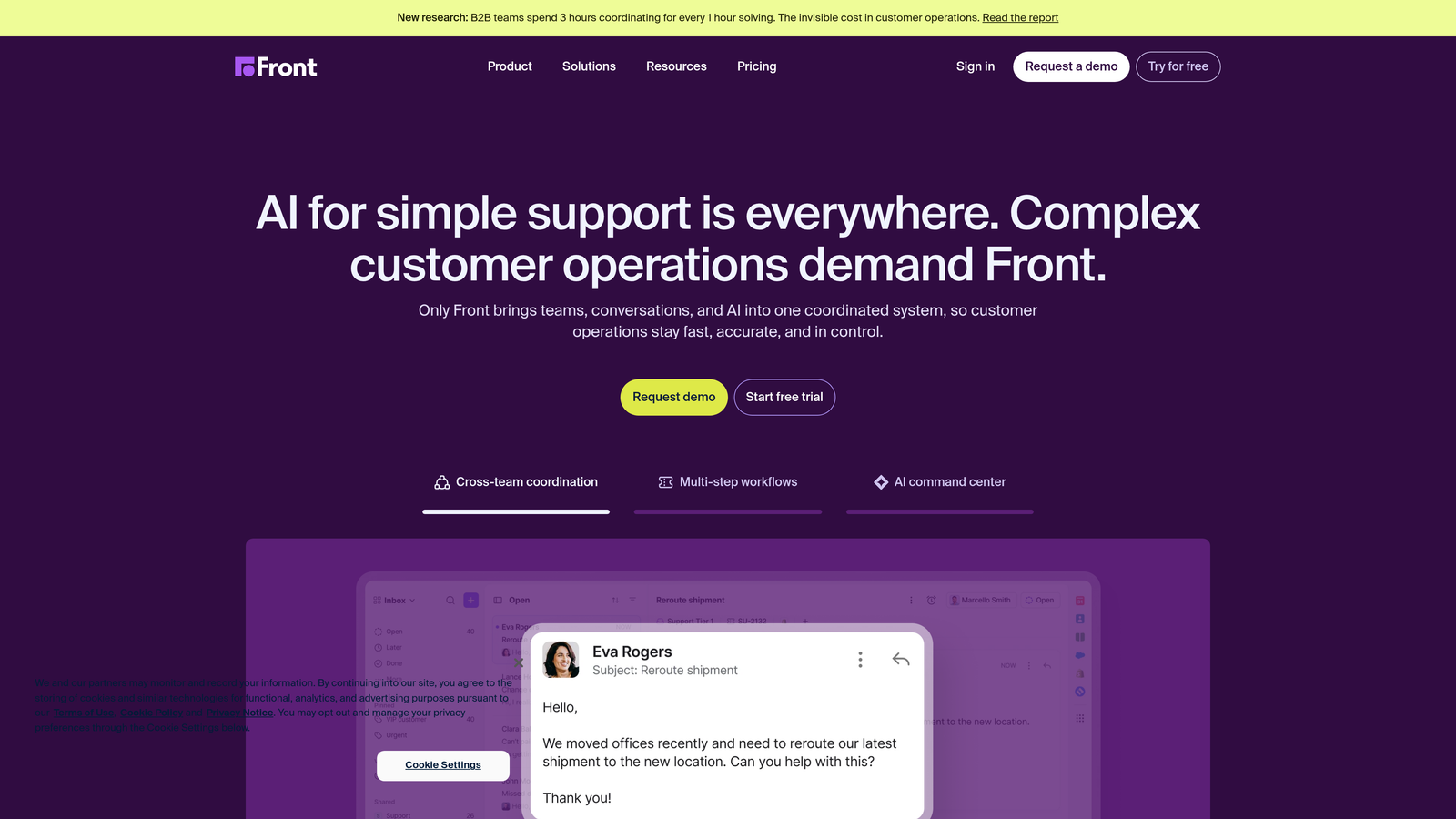
Front bridges the gap between email and helpdesk, ideal for companies that aren't ready to abandon email but need better collaboration.
Where This Tool Shines
Front lets every team member keep their individual email address while sharing inboxes collaboratively. This seemingly simple feature solves the "we're not ready for a ticketing system" objection that stalls many helpdesk implementations.
Internal comments and shared drafts enable real-time collaboration on complex responses. The analytics show who's handling what without forcing artificial assignment workflows, and CRM integrations surface context without tab-switching.
Key Features
Individual Email Addresses: Team members send from their own addresses while collaborating in shared spaces—no generic support@ required.
Internal Comments: Discuss responses privately within conversations, tag colleagues, and share context without forwarding emails.
Shared Drafts: Multiple people can contribute to responses before sending, perfect for complex or sensitive situations.
CRM Integrations: Pull customer data from Salesforce, HubSpot, or other systems directly into conversation views.
Analytics Dashboard: Track response times, conversation volume, and team performance with SLA monitoring and custom reports.
Best For
Growing companies currently drowning in shared Gmail or Outlook inboxes who need structure without abandoning email workflows. Works well for sales teams doubling as support.
Pricing
Starts at $19 per seat per month for the Growth plan, with higher tiers adding automation and advanced analytics.
7. Gorgias
Best for: E-commerce businesses needing deep Shopify integration and revenue-focused support automation
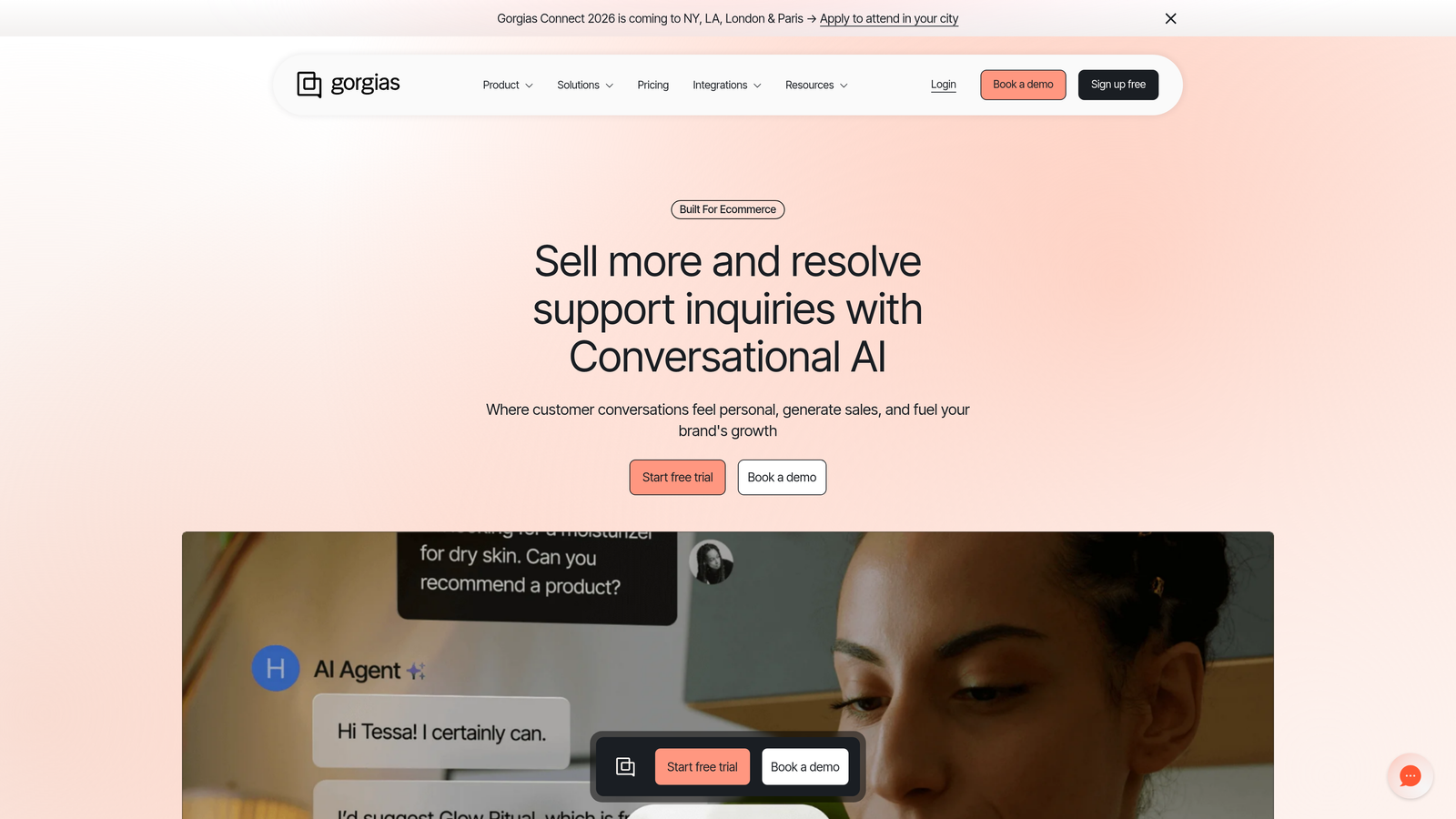
Gorgias was purpose-built for e-commerce, and that focus shows in every feature—this isn't a generic helpdesk with e-commerce add-ons.
Where This Tool Shines
Gorgias pulls order data, customer history, and revenue metrics directly into tickets. Agents can process refunds, edit orders, and check shipping status without leaving the support interface—critical when customers want instant resolution.
The macro system uses dynamic variables that pull real-time data, so "Your order #12345 shipped today via UPS" happens automatically. Revenue statistics connect support actions to business outcomes, showing which agents drive retention and which interactions generate sales.
Key Features
E-commerce Integrations: Deep connections to Shopify, BigCommerce, Magento, and WooCommerce with order management capabilities built-in.
Order Actions: Process refunds, cancel orders, edit shipments, and update customer information directly from tickets.
Revenue Tracking: See which support interactions lead to purchases, calculate customer lifetime value, and measure support's impact on revenue.
Dynamic Macros: Templates with variables that automatically populate customer names, order numbers, tracking links, and product details.
Self-Service Flows: Automated order tracking, return initiation, and FAQ responses that handle routine e-commerce queries.
Best For
Direct-to-consumer brands and e-commerce businesses where support directly impacts revenue. Essential if you're processing significant order modifications or returns through support.
Pricing
Starts at $10 per month for 50 tickets, then scales based on ticket volume with unlimited agents—unusual pricing model that works well for seasonal businesses.
8. HubSpot Service Hub
Best for: Companies already using HubSpot CRM wanting unified customer intelligence across marketing, sales, and support
HubSpot Service Hub integrates customer service into the broader HubSpot ecosystem, creating a single source of truth for customer interactions.
Where This Tool Shines
If you're already in the HubSpot universe, Service Hub eliminates the integration headaches that plague multi-vendor stacks. Support tickets automatically connect to deal history, marketing engagement, and sales conversations—context that transforms how agents handle issues.
The customer portal enables self-service without building separate systems. Customers can check ticket status, browse knowledge base articles, and submit requests through a branded interface that maintains consistency with your marketing site.
Key Features
Unified CRM: Support tickets automatically link to contact records with full history of marketing touches, sales conversations, and previous support interactions.
Knowledge Base: SEO-optimized help center that integrates with HubSpot's content management system for consistent branding and analytics.
Customer Feedback: Built-in NPS and CSAT surveys that feed into customer health scores and reporting dashboards.
Customer Portal: Self-service interface where customers manage tickets, access knowledge base, and view account information.
Automation Workflows: Trigger actions across marketing, sales, and support based on ticket properties or customer behavior.
Best For
Companies committed to the HubSpot ecosystem who want seamless data flow between departments. The integration value increases dramatically if you're using HubSpot Marketing and Sales hubs.
Pricing
Free tier includes basic ticketing and conversations. Paid Service Hub starts at $45 per month for two users, with per-seat costs for additional agents.
9. Crisp
Best for: Startups wanting all-in-one customer messaging with live chat, knowledge base, and chatbots at affordable pricing
Crisp packages live chat, shared inbox, knowledge base, and chatbot capabilities into a unified platform that doesn't require stitching together multiple tools.
Where This Tool Shines
Crisp's co-browsing feature lets agents see exactly what customers see, then guide them through processes in real-time—invaluable for complex products or onboarding flows. The video call capability built into chat conversations eliminates the "let's jump on Zoom" friction that slows resolution.
For the price, you get surprising depth. The chatbot builder uses visual flows rather than code, the knowledge base is clean and searchable, and the shared inbox handles email alongside chat without feeling bolted-together.
Key Features
Live Chat with Co-browsing: Real-time chat where agents can see customer screens and guide them through your product visually.
Shared Inbox: Unified workspace for chat, email, and messaging apps with conversation assignment and internal notes.
Knowledge Base: Searchable help center with article categorization, SEO optimization, and analytics on content performance.
Chatbot Builder: Visual workflow creator for building automated conversation paths that handle common questions.
Video Calls: Initiate video conversations directly from chat without switching to external conferencing tools.
Best For
Early-stage startups and small teams that need comprehensive support capabilities without enterprise budgets. The generous free tier works well for companies under 2 agents.
Pricing
Free tier available for basic chat and shared inbox. Pro plan at $25 per month per workspace (not per user) includes all features—unusual pricing that scales well.
Finding Your Perfect Support Match
Choosing the right customer support tool depends on where you are in your growth journey and what matters most to your team. For companies wanting AI-first automation that learns and improves continuously, Halo AI offers autonomous resolution without sacrificing quality. If you're already embedded in the HubSpot ecosystem, Service Hub provides seamless integration. E-commerce businesses will find Gorgias purpose-built for their workflows.
Teams prioritizing that personal, human feel should consider Help Scout, while those transitioning from email chaos might find Front's familiar interface less disruptive. Intercom excels when you view support as part of broader customer engagement, and Zendesk delivers if you need enterprise-grade customization. Freshdesk and Crisp offer compelling value for budget-conscious teams that still need real functionality.
Whatever you choose, the best time to implement scalable support infrastructure is before you desperately need it—not when tickets are already piling up. The transition from scrappy email support to structured systems takes time, and rushing it under pressure leads to poor adoption and frustrated teams.
Your support team shouldn't scale linearly with your customer base. See Halo in action and discover how AI agents handle routine tickets, guide users through your product, and surface business intelligence while your team focuses on complex issues that need a human touch. Let continuous learning transform every interaction into smarter, faster support that scales without scaling headcount.