9 Best Customer Support Insights Software Tools in 2026
Discover the nine best customer support insights software tools for 2026, carefully selected to help B2B SaaS teams automatically surface actionable intelligence from helpdesk data. From AI-native platforms to analytics add-ons, this guide covers solutions that reduce churn, improve product decisions, and give support leaders real-time visibility across ticket trends, agent performance, and recurring customer friction points.
 Matt PattoliFounder13 min read
Most support teams are sitting on a goldmine of data they never actually use. Ticket volume trends, recurring friction points, customer health signals, agent performance gaps — it's all there, buried in your helpdesk. The right customer support insights software surfaces that intelligence automatically, turning raw support data into decisions that improve your product, reduce churn, and scale your team more efficiently.
This list covers nine tools that genuinely move the needle, from AI-native platforms that learn from every interaction to dedicated analytics layers you can bolt onto your existing helpdesk. Whether you're a lean product team trying to close the loop between support and engineering, or a scaling SaaS company that needs real-time visibility across thousands of tickets, there's a fit here. Tools are selected based on depth of analytics, ease of integration, AI capabilities, and suitability for B2B SaaS environments.
1. Halo AI
Best for: B2B SaaS teams that want business intelligence baked into their support platform
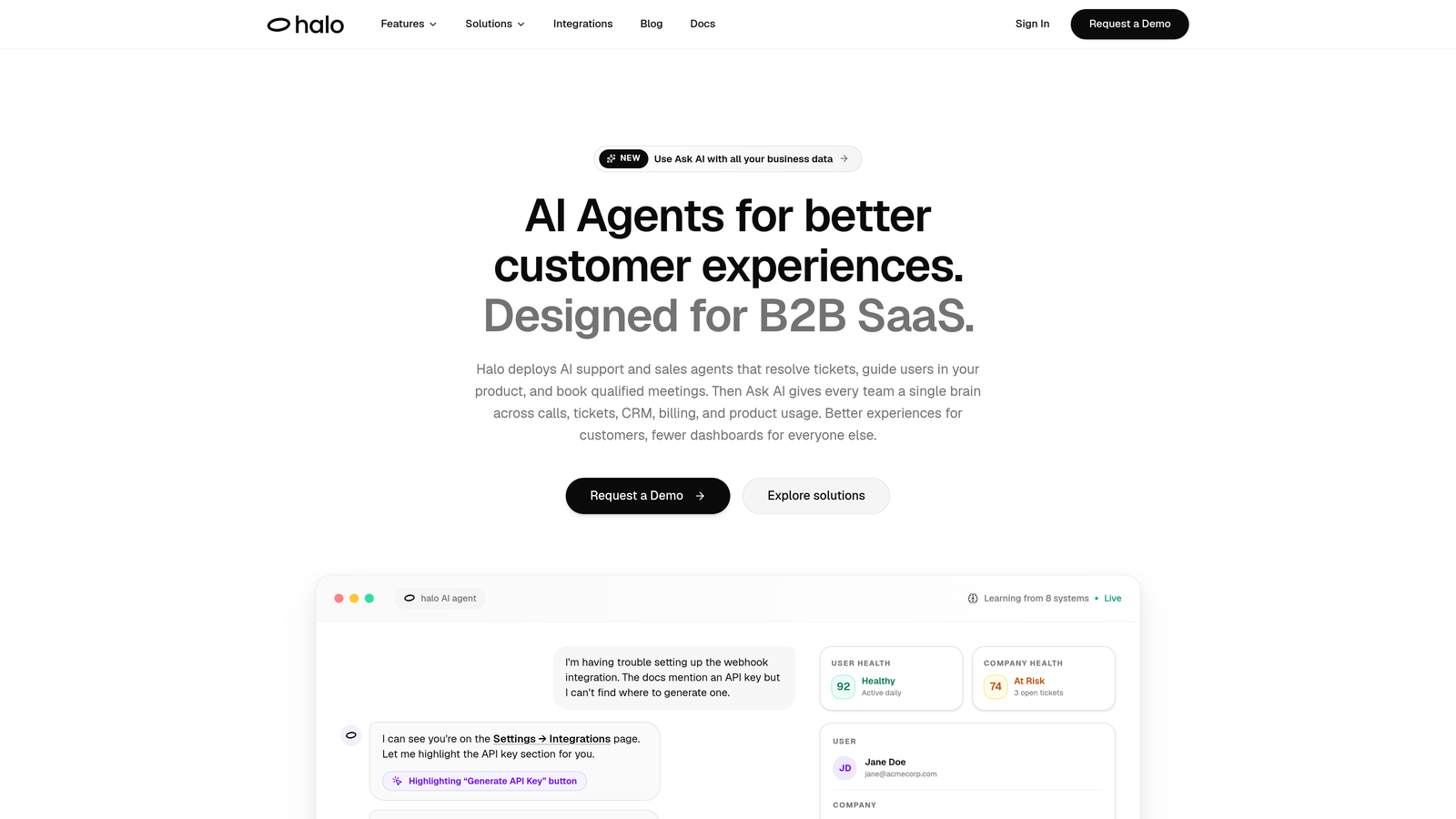
Halo AI is an AI-native customer support platform with a Smart Inbox that surfaces customer health signals, revenue anomalies, and product friction patterns in real time.
Where This Tool Shines
Most support tools report on what happened. Halo is built to tell you what it means. The Smart Inbox doesn't just organize incoming tickets — it continuously analyzes patterns across conversations to surface signals that typically get missed: which customers are showing early churn indicators, which product areas are generating disproportionate friction, and where support volume spikes are connected to underlying product issues.
What separates Halo from analytics add-ons is that insights are part of the core architecture, not a dashboard bolted on afterward. The page-aware chat widget sees what users are actually looking at when they reach out, which means context is richer from the first message. Every resolved ticket feeds back into the system, so accuracy and resolution quality improve continuously over time.
Key Features
Smart Inbox with Business Intelligence: Automatically surfaces trends, anomalies, and customer health signals across your support queue without manual configuration.
Page-Aware Chat Widget: Sees what users see at the moment they reach out, enabling context-rich support interactions and more accurate insight capture at the source.
Auto Bug Ticket Creation: Connects support patterns directly to engineering workflows via Linear integration, so recurring issues don't stay trapped in the helpdesk.
Continuous Learning: Every resolved ticket improves both resolution quality and the accuracy of insights generated over time — the system gets smarter with use.
Full Business Stack Integrations: Connects to Slack, HubSpot, Intercom, Stripe, Zoom, PandaDoc, and Fathom, so support intelligence flows across the tools your team already uses.
Best For
B2B SaaS companies and product teams that want their support platform to do more than track tickets. Particularly well-suited to teams that need to close the loop between support, product, and engineering without adding headcount or stitching together multiple analytics tools.
Pricing
Contact Halo AI directly for pricing details at haloagents.ai. Designed for teams ready to move from reactive reporting to proactive business intelligence.
2. Zendesk Explore
Best for: Teams already running on Zendesk who need robust native reporting
Zendesk Explore is the native analytics and reporting layer built into the Zendesk Suite, offering pre-built and customizable dashboards across tickets, agents, channels, and SLAs.
Where This Tool Shines
If your team lives in Zendesk, Explore is the natural first stop for support analytics. It covers the fundamentals well: ticket volume trends, resolution time, SLA compliance, and CSAT — all without requiring a third-party integration. The pre-built dashboards get you reporting quickly, and the custom report builder gives analysts enough flexibility to go deeper.
The multi-channel analytics are a genuine strength for teams managing support across email, chat, voice, and social. Scheduled report delivery and shareable dashboards also make it easy to keep stakeholders outside the support team informed without manual exports.
Key Features
Pre-Built Dashboards: Ready-to-use views covering ticket volume, resolution time, SLA compliance, and CSAT scores out of the box.
Custom Report Builder: Drag-and-drop interface for building tailored reports without requiring SQL or BI expertise.
Multi-Channel Analytics: Unified reporting across email, chat, voice, and social support channels.
Scheduled Delivery and Sharing: Automate report distribution and share live dashboards with stakeholders across the organization.
Best For
Support teams already invested in the Zendesk ecosystem who want solid native reporting without adding another vendor. Less compelling as a standalone choice for teams not using Zendesk as their primary helpdesk.
Pricing
Included in Zendesk Suite Professional and above. Verify current pricing tiers at zendesk.com.
3. Intercom Reports
Best for: Teams using Intercom as their primary support channel who want built-in conversation analytics
Intercom Reports is the built-in reporting suite for Intercom's conversation-based support model, covering bot performance, resolution rates, CSAT, and product usage context.
Where This Tool Shines
Intercom's reporting is built around its conversation-first model, which means the metrics it tracks align closely with how modern product-led support actually works. Bot and automation performance reporting is particularly useful for teams that have invested in Intercom's AI features and want to understand where automation is succeeding and where human handoff is still necessary.
The integration with product usage data is an evolving strength. For teams that want to connect support conversations to what users are actually doing in the product, this is a capability that's becoming increasingly relevant as Intercom expands its platform footprint.
Key Features
Conversation Analytics: Tracks volume, resolution time, and channel breakdown across all Intercom conversations.
Bot and Automation Reporting: Dedicated performance metrics for AI-driven responses and automated workflows.
CSAT Tracking: Built-in customer satisfaction collection with trend reporting over time.
Product Usage Integration: Connects support data with product behavior for a more complete view of the customer experience.
Best For
SaaS teams using Intercom as their core support and messaging platform who want analytics without adding a separate tool. Teams that rely heavily on automation and bots will get the most value from the reporting depth here.
Pricing
Included across Intercom plans; verify current tier details and feature availability at intercom.com.
4. Freshdesk Analytics
Best for: SMB support teams that need accessible, flexible reporting without a steep learning curve
Freshdesk Analytics is the reporting and analytics module within Freshdesk, offering flexible dashboards, scheduled reports, and real-time visibility into support operations.
Where This Tool Shines
Freshdesk Analytics earns its place on this list by making solid reporting genuinely accessible. The drag-and-drop report builder doesn't require a data analyst to operate, which matters for smaller teams where the support lead is also the one pulling metrics for the monthly review. Real-time dashboards give team leads live visibility into queue status without waiting for end-of-day exports.
It covers the core metrics well: agent performance, ticket resolution trends, and SLA tracking. Where it falls short is at the AI-driven insight layer — it reports on what's happening but doesn't proactively surface patterns or anomalies the way newer platforms do.
Key Features
Drag-and-Drop Report Builder: Accessible interface for building custom reports without technical expertise.
Real-Time Dashboards: Live monitoring of support queue status, agent activity, and ticket trends.
Scheduled Report Delivery: Automate report distribution via email on a recurring schedule.
Agent and Team Performance Breakdowns: Granular views into individual agent metrics alongside team-level summaries.
Best For
Growing SMB teams on the Freshdesk platform that need reliable, readable reporting without the complexity or cost of enterprise BI tools. A solid choice for teams that prioritize ease of use over advanced AI-driven analysis.
Pricing
Available on the Freshdesk Growth plan and above. Verify current pricing at freshworks.com.
5. Gorgias
Best for: E-commerce brands that want to connect support conversations directly to revenue outcomes
Gorgias is a support platform built specifically for e-commerce brands, with a standout feature set that links support conversations directly to purchase outcomes.
Where This Tool Shines
Gorgias occupies a very specific and well-executed niche: revenue-attributed support analytics for e-commerce. The ability to track whether a support interaction preceded a purchase is genuinely differentiated — it reframes the support team from a cost center to a revenue driver, with data to back it up. For Shopify-heavy brands in particular, the depth of integration is hard to match.
It's worth being direct about scope: Gorgias is built for e-commerce, and its analytics reflect that focus. If you're running a B2B SaaS product, the revenue attribution model and deep commerce integrations are less relevant to your workflow. For the audience it's designed for, though, it's one of the most purpose-fit tools in this category.
Key Features
Revenue-Per-Ticket Attribution: Connects individual support interactions to downstream sales conversions, quantifying support's impact on revenue.
Commerce Platform Integrations: Deep integrations with Shopify, Magento, and BigCommerce for full order and customer context within tickets.
Automation Performance Analytics: Tracks the effectiveness of macros and automated rules across the support workflow.
CSAT and Agent Performance Dashboards: Standard quality and satisfaction metrics alongside the commerce-specific reporting.
Best For
E-commerce and DTC brands running high-volume support operations on Shopify or similar platforms. Not the right fit for B2B SaaS teams whose support insights needs center on product feedback and customer health rather than purchase attribution.
Pricing
Starter plans available; pricing scales with ticket volume. Verify current tiers at gorgias.com.
6. Kustomer
Best for: Brands with complex, multi-channel customer relationships that need a unified lifecycle view
Kustomer is a CRM-native support platform that provides a unified customer timeline, with analytics that span the full customer lifecycle rather than individual ticket interactions.
Where This Tool Shines
The core insight Kustomer is built around is that a single ticket tells you very little — the full customer timeline tells you everything. By combining support history, purchase data, and engagement signals into a single view, Kustomer gives agents and analysts context that siloed helpdesks simply can't provide. The analytics that flow from this unified data model are correspondingly richer.
The AI-powered routing and sentiment analysis add another layer of operational intelligence, helping teams prioritize conversations based on customer value and emotional state rather than just queue order. This is particularly valuable for brands managing high-stakes customer relationships across multiple channels simultaneously.
Key Features
Unified Customer Timeline: Combines support, purchase, and engagement history into a single view for each customer.
Cross-Channel Analytics: Reporting across email, chat, SMS, social, and voice from a single platform.
AI-Powered Routing and Sentiment Analysis: Intelligent conversation prioritization based on customer signals and emotional context.
Custom Reporting with Flexible Data Modeling: Advanced report building for teams with complex analytics requirements.
Best For
Mid-market to enterprise brands managing complex, multi-channel customer relationships where a full lifecycle view is more valuable than ticket-level metrics alone. Pricing and implementation complexity reflect the enterprise positioning.
Pricing
Mid-to-enterprise pricing; contact Kustomer for a quote at kustomer.com.
7. Playvox
Best for: Support teams running formal QA programs that need structured agent performance analytics
Playvox is a workforce engagement management platform focused on agent quality assurance, performance analytics, and scheduling for support teams with formal QA processes.
Where This Tool Shines
Playvox is purpose-built for the operational side of support management. Where most tools in this list focus on customer-facing insights, Playvox turns the lens inward: how are agents performing, where are quality gaps, and how do you systematically close them? The QA scorecard builder and coaching workflows create a structured feedback loop that's difficult to replicate with general helpdesk reporting.
The workforce management features — scheduling, forecasting, and capacity planning — make Playvox particularly valuable for contact center environments where staffing efficiency directly affects both cost and customer experience. It's a specialist tool for a specific operational need, and it does that job well.
Key Features
QA Scorecard Builder: Customizable evaluation criteria for consistent, structured conversation review across the team.
Agent Coaching Workflows: Coaching actions tied directly to quality scores, creating a closed-loop improvement process.
Workforce Management: Scheduling and forecasting tools for optimizing team capacity and coverage.
Performance Dashboards: Team lead and QA manager views for tracking quality trends at individual and team levels.
Best For
Contact centers and larger support teams with dedicated QA managers and structured agent development programs. Less relevant for smaller teams or those whose primary need is customer-facing insight generation rather than internal performance management.
Pricing
Contact Playvox directly for pricing at playvox.com.
8. Klaus (by Zendesk)
Best for: Teams that want AI-powered quality scoring across 100% of conversations, not just a sampled subset
Klaus is an AI-powered conversation review platform that automatically scores every support conversation, eliminating the coverage gaps inherent in traditional manual QA sampling.
Where This Tool Shines
Traditional QA has a fundamental problem: you can only review a fraction of conversations manually, which means quality issues can persist undetected across the majority of interactions. Klaus solves this with AutoQA — AI scoring applied to every single conversation, not just the ones a reviewer happened to pull. The result is quality insight at a scale that manual processes simply can't match.
The customizable quality rubrics are a practical strength. Teams can define what "good" looks like according to their own standards rather than working within a generic framework. Now part of Zendesk's portfolio following its 2024 acquisition, Klaus continues to operate as a standalone QA layer with broad helpdesk compatibility.
Key Features
AutoQA: AI-powered automatic scoring applied to 100% of support conversations, not just manually sampled ones.
Customizable Quality Rubrics: Evaluation criteria tailored to team-specific quality standards and support philosophies.
Quality Trend Reporting: Agent-level and team-level quality trends tracked over time for coaching and accountability.
Broad Helpdesk Integration: Compatible with Zendesk, Intercom, Freshdesk, and other major platforms.
Best For
Support teams that take quality seriously and want visibility into every conversation rather than a statistical sample. Particularly valuable for teams scaling quickly, where manual QA coverage inevitably declines as volume increases.
Pricing
Contact Klaus or Zendesk for current pricing post-acquisition at klausapp.com.
9. Medallia Agent Connect
Best for: Enterprise teams that need real-time customer feedback routed directly to agents and managers
Medallia Agent Connect is an enterprise feedback platform that collects real-time CSAT and NPS data and routes it back to individual agents and managers, closing the loop between customer sentiment and agent development.
Where This Tool Shines
Most support tools collect CSAT data and surface it in a dashboard somewhere. Medallia Agent Connect takes a different approach: it routes feedback directly to the individual agent immediately after each interaction, making customer sentiment a real-time coaching input rather than a lagging metric reviewed in monthly reports. That immediacy changes how agents relate to feedback.
The enterprise feature set reflects Medallia's positioning. Data governance, multi-region support, and manager-level dashboards for team-wide sentiment tracking are built for organizations where compliance and scale are non-negotiable requirements. For smaller teams, the complexity and cost may outweigh the benefits — but for enterprise support operations, the closed-loop feedback model is genuinely compelling.
Key Features
Real-Time Feedback Delivery: Customer feedback routed to individual agents immediately after each interaction, not aggregated and reviewed later.
Manager Dashboards: Team-level sentiment and quality trend views for support leaders and QA managers.
Coaching Workflow Integration: Feedback scores connected to structured coaching actions and development plans.
Enterprise Data Governance: Multi-region support and enterprise-grade compliance features for global organizations.
Best For
Enterprise support organizations with large agent populations where closing the loop between customer feedback and individual agent development is a strategic priority. The pricing and implementation requirements make it better suited to organizations with dedicated CX and QA infrastructure.
Pricing
Enterprise pricing; contact Medallia for a quote at medallia.com.
Which Tool Is Right for Your Team?
The honest answer is that the best customer support insights software depends almost entirely on your current stack, team size, and what kind of intelligence you're actually trying to extract. Here's a quick reference to help you orient:
Halo AI: AI-native platform that goes beyond metrics to surface customer health signals, revenue anomalies, and product friction — best for B2B SaaS teams that want their support platform to generate business intelligence, not just reports.
Zendesk Explore: Solid native reporting for Zendesk users; limited value if you're not already in the Zendesk ecosystem.
Intercom Reports: Best for teams using Intercom as their primary channel who want conversation and bot analytics without adding another tool.
Freshdesk Analytics: Accessible, flexible reporting for SMB teams on Freshdesk who prioritize ease of use over advanced AI capabilities.
Gorgias: The clear choice for e-commerce brands that want revenue attribution tied to support interactions; less relevant for B2B SaaS.
Kustomer: Unified customer lifecycle analytics for brands managing complex, multi-channel relationships at mid-market to enterprise scale.
Playvox: Workforce engagement and QA management for contact centers running structured agent performance programs.
Klaus: AI-powered QA at 100% conversation coverage — the right call for teams that can't afford quality blind spots as they scale.
Medallia Agent Connect: Real-time, agent-level feedback routing for enterprise organizations where closed-loop coaching is a strategic priority.
A useful filter: if you're evaluating tools primarily because your helpdesk data isn't informing product decisions or surfacing churn risk early enough, the helpdesk-native analytics tools will likely leave you in the same place. That's a problem that requires AI-native architecture, not better dashboards.
Your support team shouldn't scale linearly with your customer base. Let AI agents handle routine tickets, guide users through your product, and surface business intelligence while your team focuses on complex issues that need a human touch. See Halo in action and discover how continuous learning transforms every interaction into smarter, faster support.