9 Best Tools to Fix Declining Customer Support Quality in 2026
When customer support quality starts slipping, adding headcount rarely solves the real problem. This guide covers nine tools built around genuine customer support quality declining solutions — targeting fragmented workflows, poor agent context, slow escalations, and missing analytics — so support teams can make measurable improvements without scaling blindly.
 Grant CooperFounder14 min read
When support quality starts slipping, the instinct is to hire more people. Response times creep up, resolution rates drop, agents burn out, and the answer seems obvious: add headcount. But scaling your team rarely fixes the underlying problems. Fragmented tools, reactive workflows, and zero visibility into what's actually going wrong will follow you no matter how many agents you bring on.
The real fix is smarter infrastructure. This list covers nine tools that directly address the most common causes of declining support quality: unresolved tickets piling up, poor agent context, slow escalations, and a lack of actionable analytics. Each tool was selected for its ability to make a measurable difference in how support teams operate, not just add another dashboard to ignore.
Whether you're running a lean team on Zendesk, Freshdesk, or Intercom, or building a fully AI-native support stack, there's something here for you. We've included Halo AI at number one because it's our product and it's directly relevant, but every other tool on this list earned its place on merit.
1. Halo AI
Best for: B2B SaaS teams that want to resolve tickets autonomously and surface business intelligence from support interactions.
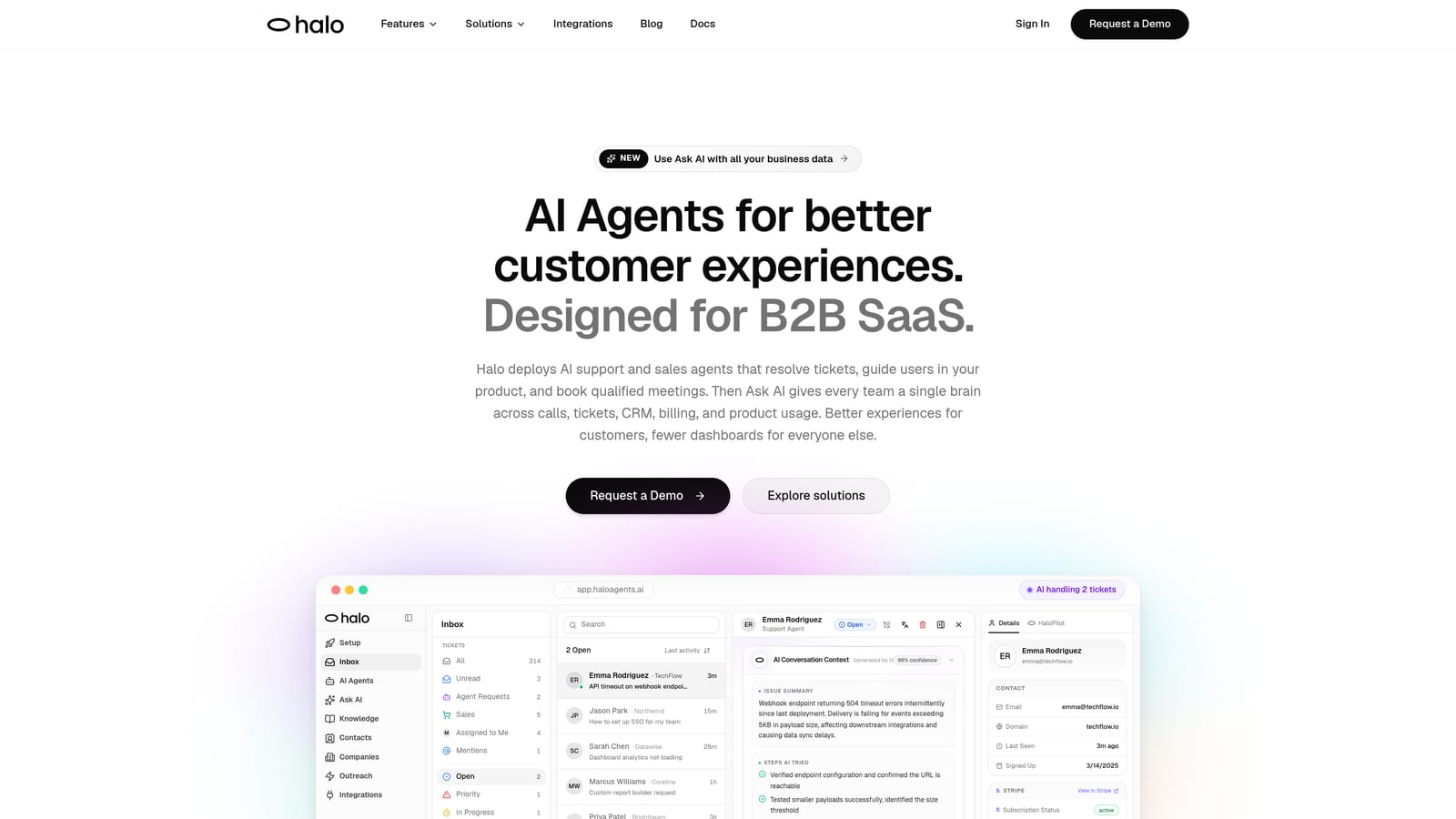
Halo AI is an AI-native customer support platform that deploys intelligent agents to resolve tickets end-to-end, guide users through your product with page-aware context, and surface business intelligence from every interaction.
Where This Tool Shines
Most AI support tools are helpdesks with AI bolted on. Halo is built from the ground up around autonomous resolution. That distinction matters because the architecture shapes everything: how the AI learns, how context is captured, and how much work actually gets off your agents' plates.
The page-aware chat widget is a standout capability. Instead of responding to what a user types, Halo's AI sees what the user sees, understanding which part of your product they're on and providing visual UI guidance in context. That's a meaningful step up from generic chatbot responses that force users to describe their own screen.
Key Features
Autonomous ticket resolution: AI agents handle tickets end-to-end without requiring human intervention, learning from every interaction to improve over time.
Page-aware chat widget: The AI understands which page or product state a user is on and delivers guidance specific to that context, including visual UI walkthroughs.
Smart inbox with business intelligence: Goes beyond ticket management to surface customer health signals, anomaly detection, and revenue intelligence from support data.
Auto bug ticket creation: Automatically identifies and routes bug reports directly to engineering tools like Linear, removing a manual step that often delays resolution.
Live agent handoff: Complex issues that require human judgment are escalated cleanly, with full context preserved so agents aren't starting from scratch.
Broad integrations: Connects with Linear, Slack, HubSpot, Intercom, Stripe, Zoom, PandaDoc, and Fathom, so it fits into your existing stack rather than replacing it.
Best For
B2B SaaS companies that need to scale support quality without scaling headcount. Particularly well-suited for product teams that want support interactions to feed back into product intelligence, and for teams currently using Zendesk, Freshdesk, or Intercom who want a more AI-native layer on top.
Pricing
Contact for pricing. You can book a demo and get details at haloagents.ai.
2. Intercom
Best for: SaaS companies with high chat volume that need AI-assisted resolution alongside robust conversation management.
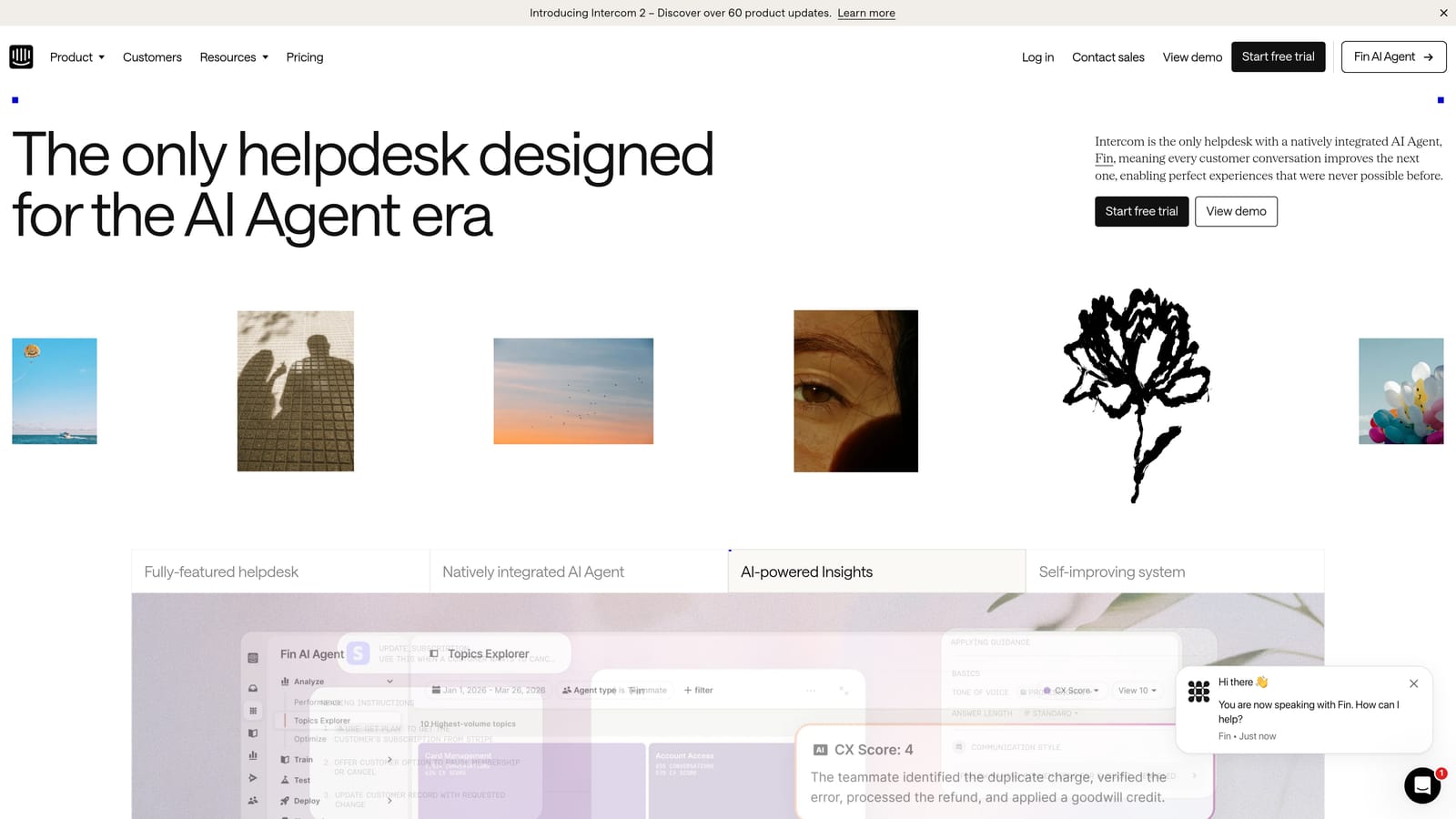
Intercom is a mature customer messaging platform with Fin, its AI agent, layered on top of robust conversation management, in-app messaging, and customer lifecycle tools.
Where This Tool Shines
Intercom has spent years building a platform that understands the full customer lifecycle, not just individual support tickets. That context makes Fin, their AI agent, more effective than a standalone chatbot. When the AI knows a customer's plan, usage history, and recent behavior, it can resolve issues with more relevance and less back-and-forth.
The unified inbox is genuinely useful for teams juggling chat, email, and in-app messages. Rather than context-switching between channels, agents work from a single view, which reduces the cognitive load that contributes to quality decline on busy days.
Key Features
Fin AI agent: Handles automated ticket resolution across chat and email, drawing on your help content and customer data to generate accurate responses.
Unified inbox: Combines chat, email, and in-app messages into a single workspace so agents maintain full context regardless of channel.
Customer data platform: Behavioral context from across the customer lifecycle informs every support interaction, making responses more relevant.
Proactive messaging and product tours: Deflects common issues before they become tickets by guiding users through key product moments.
Reporting and CSAT tracking: Built-in analytics and satisfaction scoring without requiring a separate QA tool for basic measurement.
Best For
SaaS companies that want a single platform for support, in-app messaging, and customer engagement. Strong fit for teams that already use Intercom for lifecycle messaging and want to extend it into AI-powered support resolution.
Pricing
Starts at approximately $74/month; Fin AI is priced per resolution. Verify current pricing at intercom.com.
3. Zendesk
Best for: Enterprise support teams that need robust SLA management, deep compliance controls, and a mature integration ecosystem.
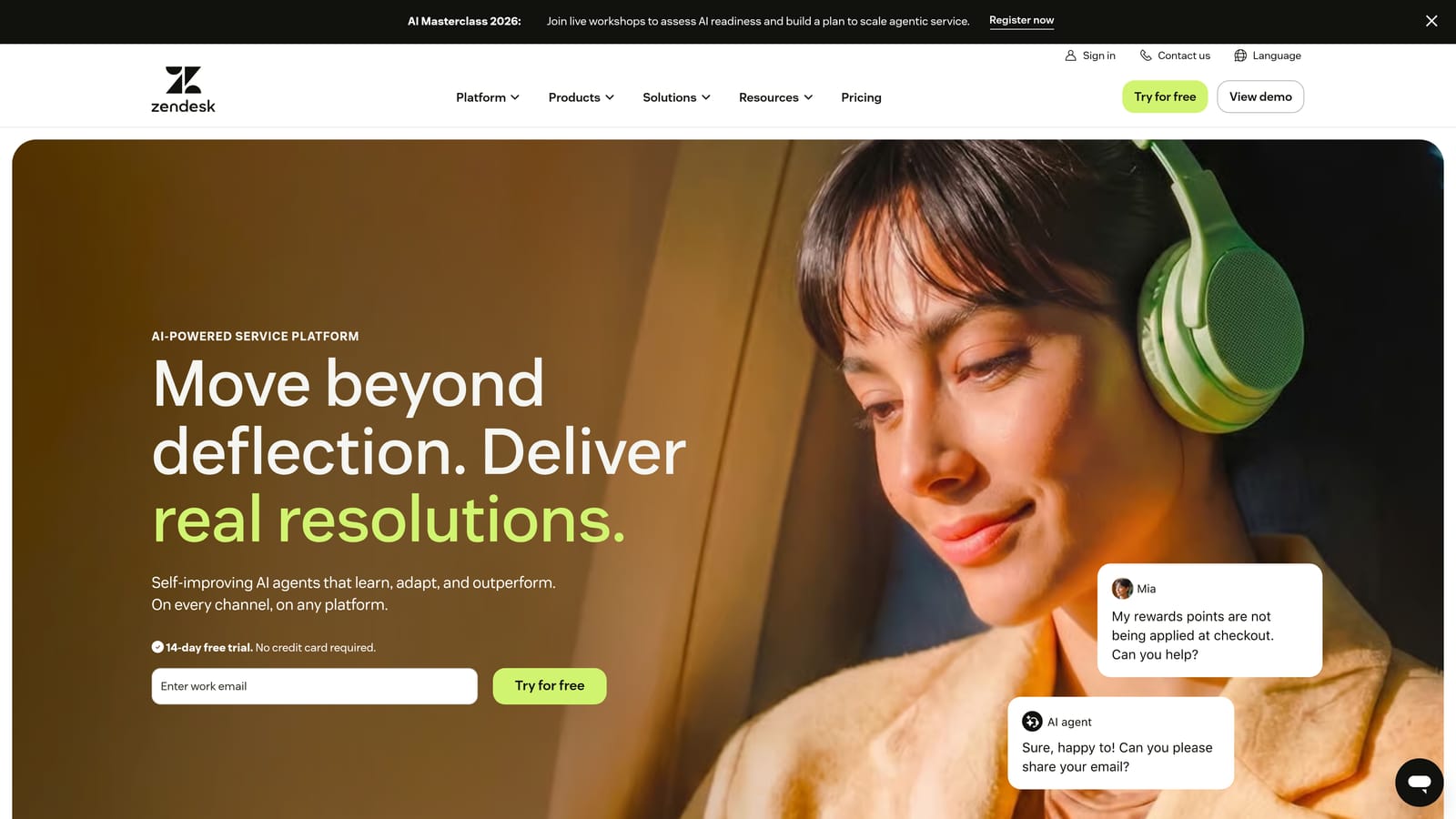
Zendesk is the enterprise-grade helpdesk standard, now with AI features across ticketing, self-service, and quality assurance, backed by a marketplace of over a thousand integrations.
Where This Tool Shines
Zendesk's strength is its depth. For teams managing complex escalation paths, strict SLA requirements, or compliance-sensitive environments, few platforms match its configurability. The acquisition of Klaus brought automated QA natively into the platform, which is significant: you can now score conversations and identify quality gaps without adding a separate tool.
The tradeoff is complexity. Zendesk can feel heavyweight for smaller teams, and its AI features are add-ons layered onto a platform built before the AI era rather than native to the architecture. For teams that need enterprise-grade infrastructure and are willing to configure it, it's a strong choice.
Key Features
Advanced ticket routing and SLA management: Sophisticated workflow rules, escalation paths, and SLA tracking that enterprise teams depend on.
Zendesk AI: Suggested replies, intent detection, and sentiment analysis built into the ticketing workflow to assist agents at scale.
Integrated QA via Klaus: Automated conversation scoring and coaching workflows, now part of the Zendesk suite after the Klaus acquisition.
Robust reporting and custom dashboards: Detailed analytics for support operations, including volume trends, agent performance, and resolution metrics.
Extensive integration marketplace: Over a thousand integrations covering CRM, engineering, communication, and commerce tools.
Best For
Mid-market to enterprise support teams with complex workflows, compliance requirements, or large agent populations. Less ideal for lean teams that need simplicity and fast setup.
Pricing
Suite plans start at approximately $55/agent/month. Verify current pricing at zendesk.com.
4. Freshdesk
Best for: SMBs and scaling startups that need AI-assisted ticketing without enterprise-level pricing or complexity.
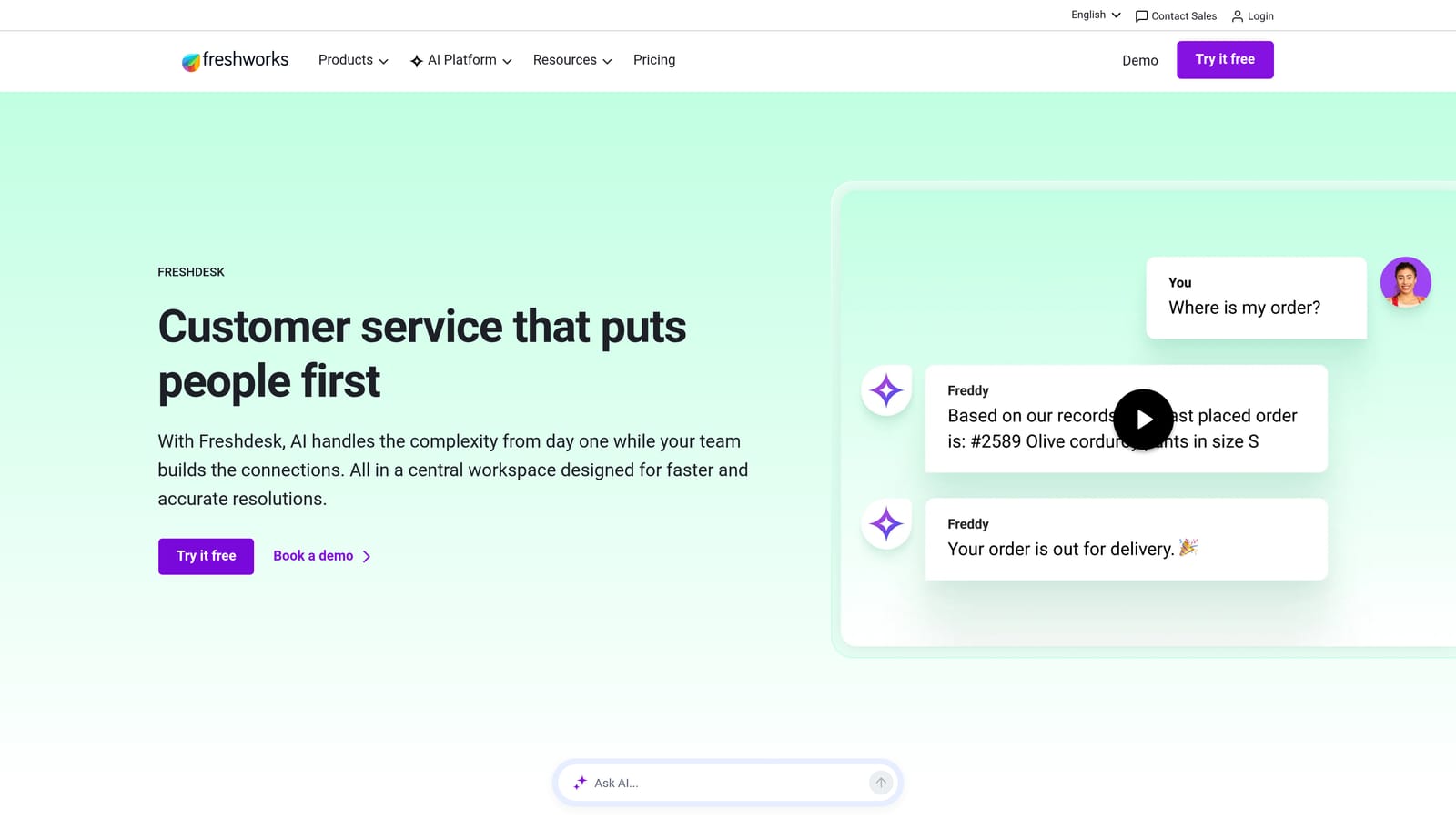
Freshdesk is Freshworks' helpdesk platform with Freddy AI embedded throughout ticketing, self-service, and analytics, positioned as a cost-effective alternative to enterprise incumbents.
Where This Tool Shines
Freshdesk hits a practical sweet spot for growing teams: enough AI capability to meaningfully reduce agent workload, at a price point that doesn't require a budget approval process. Freddy AI handles suggested responses, auto-triage, and ticket summarization without requiring significant configuration to get started.
The multi-channel coverage is solid. Email, chat, phone, and social all feed into the same ticketing system, which helps teams maintain quality across channels even when volume is uneven. For teams that are just starting to feel the strain of ticket volume, Freshdesk is a reasonable first step before committing to a more complex platform.
Key Features
Freddy AI: Embedded AI for suggested responses, auto-triage, and ticket summarization, reducing the manual work agents do on every interaction.
Multi-channel ticketing: Consolidates email, chat, phone, and social into a single ticketing workflow without requiring separate tools per channel.
Self-service portal: AI-powered article suggestions help users find answers before submitting tickets, reducing inbound volume.
Collaboration tools: Shared ticket ownership and internal notes for complex issues that require input from multiple agents or teams.
Analytics and CSAT reporting: Freddy Insights provides performance data and satisfaction tracking to identify quality trends over time.
Best For
SMBs, startups, and scaling teams that need a capable multi-channel helpdesk with embedded AI at an accessible price point. A solid choice for teams that find Zendesk too complex or too expensive for their current stage.
Pricing
Free plan available; paid plans start at approximately $15/agent/month. Verify current pricing at freshdesk.com.
5. Gorgias
Best for: E-commerce and DTC brands that need order and customer data surfaced directly inside every support interaction.
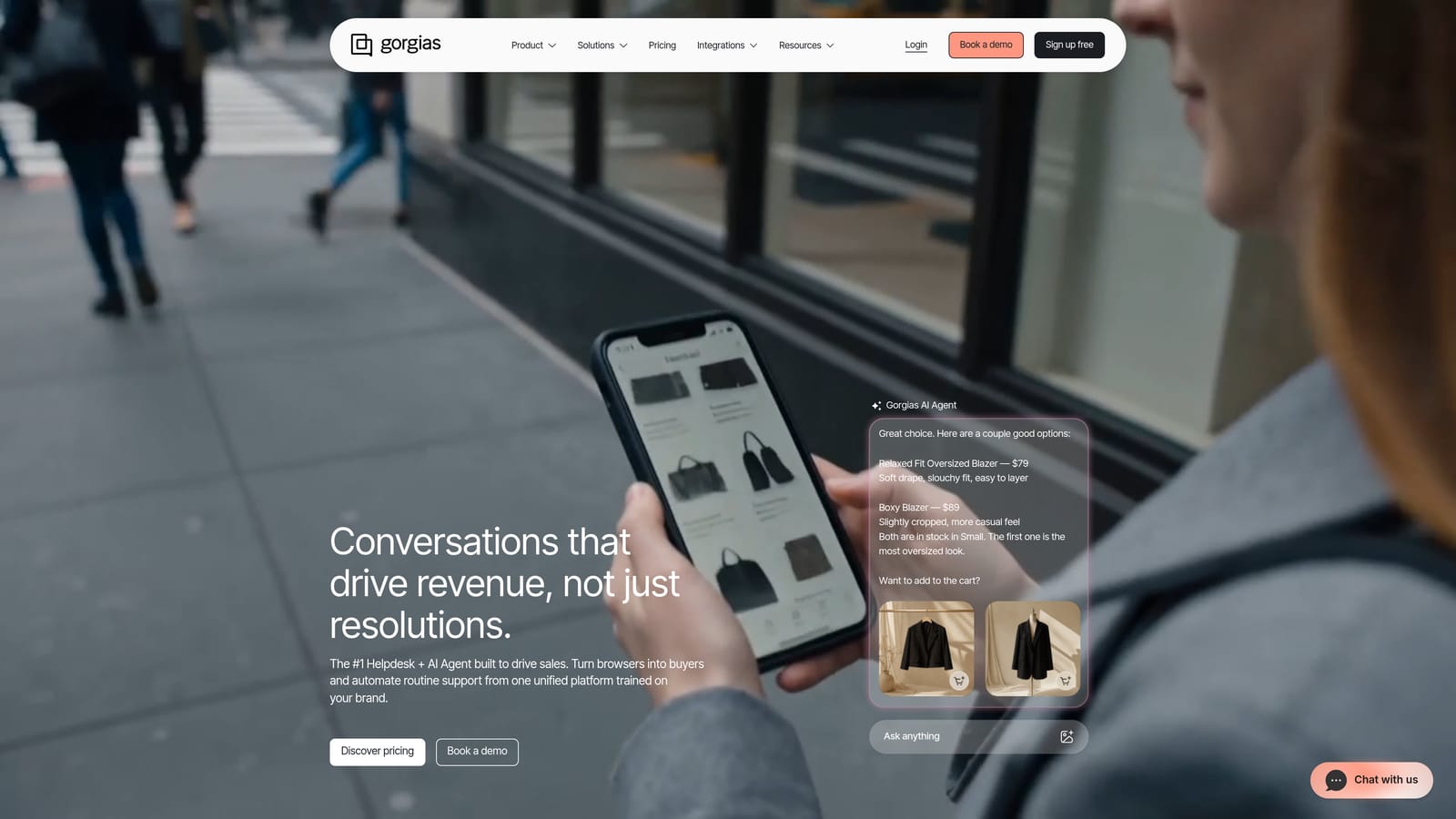
Gorgias is a helpdesk built specifically for e-commerce brands, with deep integrations that pull order, shipping, and customer data directly into every support interaction.
Where This Tool Shines
The core insight behind Gorgias is that e-commerce support quality declines when agents have to tab-switch between their helpdesk and their commerce platform to answer basic questions. By pulling Shopify, WooCommerce, and BigCommerce data directly into the ticket view, agents can see order status, shipping details, and purchase history without leaving the conversation.
The AI agent handles the most common e-commerce queries automatically: order status, returns, refunds, and tracking. For high-volume DTC brands where these questions represent a large share of inbound tickets, the deflection rate can be substantial.
Key Features
Native e-commerce integrations: Shopify, WooCommerce, and BigCommerce data appears directly in the ticket view, giving agents full order context without switching tools.
AI agent for common queries: Automates responses to order status, returns, and refund requests, which typically represent a high proportion of e-commerce support volume.
Revenue statistics tied to support: Tracks the revenue impact of support interactions, connecting support quality to business outcomes.
Macros and rules: Automates repetitive workflows for high-volume request types, reducing agent time on predictable interactions.
Multi-channel support: Handles email, chat, SMS, and social from a single inbox built for e-commerce workflows.
Best For
E-commerce and DTC brands running on Shopify, WooCommerce, or BigCommerce. Less relevant for pure B2B SaaS teams, but worth considering for companies with an e-commerce component or those evaluating tools across verticals.
Pricing
Starts at approximately $10/month for 50 tickets. Verify current pricing at gorgias.com.
6. Guru
Best for: Support teams whose quality problems stem from fragmented internal knowledge rather than ticket volume alone.
Guru is an AI-powered knowledge management platform that surfaces the right answers inside agents' existing tools, reducing time-to-resolution caused by fragmented internal documentation.

Where This Tool Shines
Not every quality problem is a capacity problem. Sometimes agents are slow to resolve tickets because they genuinely don't know the answer and have to hunt through Confluence, Slack threads, or outdated Google Docs to find it. Guru attacks this specific root cause by making institutional knowledge instantly accessible wherever agents are already working.
The verification workflow is an underrated feature. Knowledge cards have owners and expiration dates, which means the information agents surface is actively maintained rather than quietly going stale. For products that change frequently, this matters more than most teams realize until they've sent a customer outdated instructions.
Key Features
AI-powered search: Surfaces relevant answers inside Slack, Chrome, and helpdesk tools without requiring agents to leave their current workflow.
Knowledge cards with verification workflows: Assigns ownership and expiration to knowledge assets, keeping information accurate as products evolve.
Browser extension: Provides in-context knowledge access without tab-switching, reducing the friction that causes agents to skip documentation lookup entirely.
Knowledge gap analytics: Shows which topics are most frequently searched without a good result, directly identifying where documentation needs to be created or improved.
Integrations with major helpdesks: Connects with Zendesk, Intercom, Salesforce, and Slack so it works inside the tools agents already use.
Best For
Support teams at companies with complex, evolving products where agents frequently encounter questions they can't confidently answer. Particularly valuable when onboarding new agents or when product changes outpace documentation updates.
Pricing
Free plan available; paid plans start at approximately $10/user/month. Verify current pricing at getguru.com.
7. Klaus (by Zendesk)
Best for: Support teams that need systematic, scalable quality assurance without manual conversation review.
Klaus is an AI-powered quality assurance platform that automatically reviews and scores support conversations, helping teams identify exactly where quality is breaking down.
Where This Tool Shines
Here's the uncomfortable truth about most support QA processes: they're not really processes. They're a manager spot-checking a handful of tickets when time allows. Klaus replaces that with AutoQA, which scores every conversation automatically. When you're reviewing a fraction of interactions, you're managing by anecdote. When you're reviewing all of them, you're managing by data.
The coaching workflow is where the quality improvement actually happens. Klaus doesn't just flag problems; it surfaces specific improvement opportunities for individual agents, making it easier for managers to have targeted conversations rather than generic feedback sessions.
Key Features
AutoQA: Automatically scores 100% of conversations without requiring manual review, giving teams full visibility into quality across all agents and channels.
Customizable scorecards: Quality criteria are configurable to reflect your team's specific standards rather than generic defaults.
Coaching workflows: Surfaces improvement opportunities at the agent level, making feedback specific and actionable rather than general.
Sentiment analysis and CSAT correlation: Connects conversation quality scores to customer satisfaction outcomes, identifying which quality factors actually drive CSAT.
Multi-helpdesk integrations: Works with Zendesk, Intercom, Freshdesk, and other major platforms, so it's not limited to Zendesk customers despite the acquisition.
Best For
Support teams of any size that want systematic QA without the manual overhead. Particularly valuable for teams that suspect quality is declining but can't pinpoint where or why, and for managers who want to coach on evidence rather than impressions.
Pricing
Contact Zendesk for current Klaus pricing. Verify at klausapp.com.
8. Assembled
Best for: Support operations teams dealing with quality decline caused by staffing gaps, volume spikes, or poor scheduling visibility.
Assembled is a workforce management platform built exclusively for support teams, addressing quality decline caused by staffing gaps, volume spikes, and poor scheduling.
Where This Tool Shines
Some quality problems aren't tool problems or knowledge problems. They're staffing problems. When volume spikes on a Tuesday afternoon and you have three agents scheduled instead of six, quality drops regardless of how good your helpdesk is. Assembled gives support operations the visibility to anticipate those moments before they happen rather than react after the fact.
The real-time adherence monitoring is particularly useful for distributed or hybrid teams. Knowing that coverage is slipping in real time, rather than discovering it in a post-mortem, gives managers the window to actually do something about it.
Key Features
Volume forecasting: Predicts demand based on historical patterns so teams can staff appropriately rather than react to volume spikes after quality has already declined.
Schedule building: Shift management and time-off tracking with visibility into coverage across the full support team.
Real-time adherence monitoring: Surfaces coverage gaps as they happen, giving managers the ability to intervene before quality suffers.
Vendor management: Supports teams that use outsourced support alongside in-house agents, with visibility across both.
Integrations with major helpdesks: Connects with Zendesk, Intercom, Salesforce, and Slack to pull volume data and push scheduling context into existing workflows.
Best For
Support operations leaders at companies with variable ticket volume, multiple shifts, or outsourced support components. Less relevant for very small teams where scheduling complexity is minimal, but increasingly valuable as team size grows.
Pricing
Contact for pricing. Verify at assembledhq.com.
9. Loom
Best for: Technical support teams that lose time and quality in lengthy text-based back-and-forth on complex issues.
Loom is an async video messaging tool that helps support teams resolve complex technical issues faster by replacing lengthy text threads with clear, recorded walkthroughs.
Where This Tool Shines
There's a category of support ticket where text responses consistently fail: nuanced technical issues where showing is faster than describing. A five-minute Loom walkthrough can close a ticket that would otherwise generate eight reply cycles over three days. For technical support teams, that's not a marginal improvement; it's a fundamentally different resolution path.
The AI-generated summaries and transcripts make Loom more than just a recording tool. Customers can scan a transcript rather than watching a full video, and support teams can search past recordings when similar issues come up again. It turns one-off recordings into reusable knowledge assets.
Key Features
Screen and camera recording: Captures both screen activity and agent narration for clear, visual explanations of complex issues or product walkthroughs.
AI-generated summaries and transcripts: Every recording is automatically summarized and transcribed, making content searchable and accessible without requiring full playback.
Viewer engagement analytics: Shows where users replay or drop off in a recording, helping teams identify which parts of an explanation are unclear.
In-video comments and reactions: Enables async collaboration on recordings, useful for internal escalations or team review of complex cases.
Integrations with support tools: Connects with Zendesk, Intercom, Slack, and Notion so recordings can be shared and referenced within existing workflows.
Best For
Technical support teams dealing with complex, hard-to-describe product issues. Also useful for teams onboarding new agents who benefit from recorded walkthroughs of common scenarios. Less impactful for high-volume, simple-query support where text responses are sufficient.
Pricing
Free plan available; paid plans start at approximately $12.50/creator/month. Verify current pricing at loom.com.
Which Tool Is Right for Your Team?
The right answer depends on where your quality is actually breaking down. Not every support problem needs the same fix, and buying a tool that solves the wrong problem won't move the needle.
If ticket volume is overwhelming your team: Start with AI resolution. Halo AI or Intercom's Fin are the strongest options here. Halo AI is the better fit if you want AI-native architecture and business intelligence from support data. Intercom is the better fit if you're already using it for customer messaging and want to extend it into autonomous resolution.
If agent performance and quality consistency are the issue: Klaus gives you the systematic QA process most teams are missing. Pair it with Guru to address the knowledge gaps that cause agents to give inconsistent or incorrect answers. These two tools together address both the measurement and the root cause.
If staffing gaps and volume spikes are driving quality down: Assembled is the most direct solution. No amount of AI tooling compensates for being structurally understaffed during peak periods, and Assembled gives you the forecasting and real-time visibility to fix that.
If complex technical issues are generating long resolution threads: Loom is a low-cost, high-impact addition. It doesn't replace your helpdesk, but it changes the resolution path for the ticket types that consume the most agent time.
The tools that appear across multiple root causes, and the ones worth evaluating first, are Halo AI for teams ready to go AI-native, and Klaus for teams that want to understand their quality problems before investing in solutions.
Your support team shouldn't scale linearly with your customer base. Let AI agents handle routine tickets, guide users through your product, and surface business intelligence while your team focuses on complex issues that need a human touch. See Halo in action and discover how continuous learning transforms every interaction into smarter, faster support.