How to Stop Customers from Repeating Information Multiple Times: A Step-by-Step Guide
Customers repeating information multiple times is one of the most damaging friction points in B2B support, signaling disconnected systems and poor context-sharing across agents and tools. This step-by-step guide shows support leaders how to unify customer context, fix broken handoff processes, and eliminate repeat-yourself frustration before it drives churn.
 Grant CooperFounder12 min read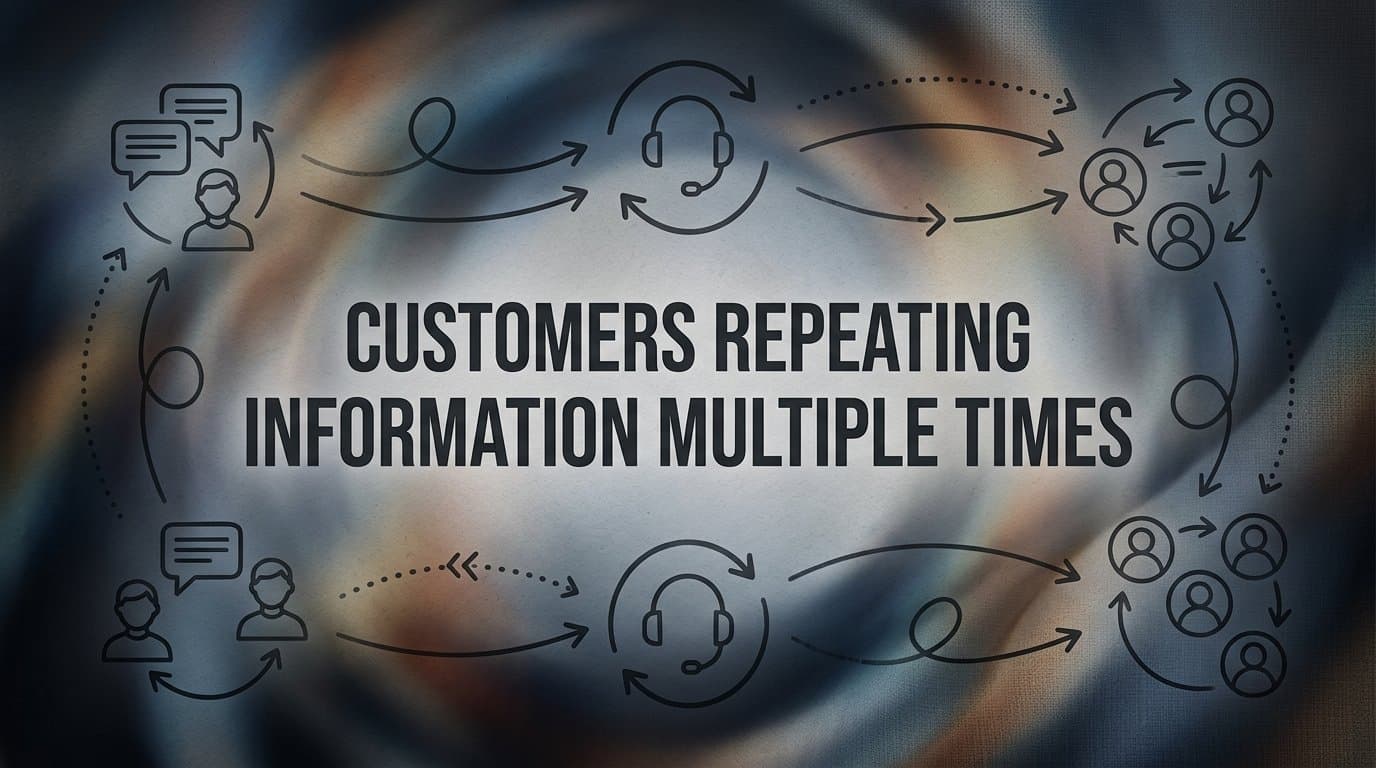
Every support team knows the scenario: a frustrated customer explains their problem to a chatbot, then repeats it to a first-tier agent, then repeats it again when escalated to a specialist. By the third retelling, they're not just frustrated with their original issue — they're frustrated with you.
Customers repeating information multiple times is one of the most common and damaging friction points in B2B support. It signals disconnected systems, poor context-sharing, and a support experience that doesn't respect the customer's time. For product teams and support leaders using platforms like Zendesk, Freshdesk, or Intercom, this problem typically stems from siloed tools that don't communicate, agents who lack full customer context before picking up a conversation, and handoff processes that drop critical details along the way.
The result is predictable: longer resolution times, lower satisfaction scores, and increased churn risk. Customers who feel like they're starting from zero every time they reach out are customers who quietly start evaluating alternatives.
The good news is that this is a solvable problem, and it doesn't require rebuilding your entire support stack. In this guide, you'll walk through five concrete steps to eliminate repetitive information-gathering from your customer support workflow. From auditing where context breaks down to deploying AI agents that carry full conversation history across every touchpoint, each step builds on the last to create a seamless, context-aware support experience.
Whether you're managing a lean support team or scaling a complex multi-channel operation, these steps will help you build a support system where customers say their name once, and only once.
Step 1: Audit Where Context Actually Breaks Down
Before you fix anything, you need to know exactly where the problem lives. Most teams assume the context loss happens at escalation, but the reality is often messier. Context can break down at the chatbot-to-agent handoff, during ticket reassignment within the same tier, when a customer switches channels mid-conversation, or even when a ticket gets merged. You can't solve what you haven't mapped.
Start by tracing every touchpoint in your current support journey. List them out: initial chatbot or self-service interaction, first-contact email or live chat, first-tier agent handling, escalation to a specialist, and any follow-up communications. For each touchpoint, ask a simple question: what customer information is available here, and what gets lost when the conversation moves forward?
Next, pull a sample of recent tickets, ideally across different issue categories and channels. Look for patterns. Which handoff points consistently trigger repeated questions from agents? Which channels fail to pass prior conversation data? Which escalation workflows rely on customers re-explaining their situation because the receiving agent opens a fresh view with no history visible?
Dig into the systemic gaps specifically. Common culprits include a CRM that isn't linked to your helpdesk, agents who open tickets without reviewing the conversation history first, and escalation templates that transfer the ticket but not the context. If your agents are routinely asking "Can you describe the issue you're experiencing?" to customers who already explained it twice, that's a workflow problem, not an agent problem.
Document your findings as a context gap map. This doesn't need to be a complex diagram. A simple table listing each touchpoint, what context is available, what gets dropped, and what triggers re-explanation is enough. This map becomes your diagnostic baseline for every subsequent step in this guide.
Common pitfall: Don't assume the problem is only at handoff. Many teams discover that context breaks down within a single channel when tickets are reassigned between agents on the same team, or when a conversation is merged with a related ticket and the history becomes fragmented. Your audit needs to cover internal handoffs, not just channel transitions.
Success indicator: You've completed this step when you can point to specific moments in your support flow and say with confidence: "This is where we lose context, and this is why."
Step 2: Unify Your Customer Data Into a Single Source of Truth
Here's where it gets interesting. Most support teams don't have a data problem in the sense that the data doesn't exist. They have a data architecture problem: the right information exists somewhere, but it's spread across four different tools, none of which talk to each other in real time.
The goal of this step is to connect your helpdesk, CRM, and product usage data so that every agent, human or AI, sees the same complete customer profile before they engage. Not after they ask a few questions. Before.
Start by prioritizing your core integration stack. Your support platform should be linked to your CRM so account history, relationship context, and prior interactions are immediately visible. It should connect to your billing system so agents can see subscription tier, recent invoices, and payment status without switching tools. And it should surface relevant internal communication threads so agents aren't flying blind on customer sentiment or prior commitments made by sales or account management.
When a ticket is opened, the agent view should automatically surface: the customer's account tier, their recent support interactions, any open or recently resolved issues, and relevant product activity signals. This information should appear without the agent having to manually search for it. If your agents are spending the first two minutes of every conversation looking up context in three different tabs, your integration layer isn't doing its job.
Establish a clear data ownership rule as part of this step. Customer context should live in one primary system and sync outward to the others, not be duplicated across multiple platforms where it can fall out of sync. When the same customer record exists independently in your helpdesk and your CRM with no real-time sync, you create the conditions for agents to work from stale or conflicting information.
For teams using platforms like HubSpot for account history, Stripe for billing context, and Slack for internal threads, the integration work here is largely a configuration exercise rather than a custom build. Many modern support platforms support these connections natively or through lightweight middleware.
Success indicator: An agent should be able to understand a customer's full situation in under 60 seconds without asking the customer a single question. If that's not possible with your current setup, your data unification work isn't done yet.
Step 3: Build Conversation Continuity Into Every Handoff
Unified data solves the background context problem. But there's a second layer of context that's equally important: the live conversation context. What did the customer say in this specific interaction? What solutions were already attempted? What did they express frustration about? This is the context that gets dropped most often during handoffs, and it's the context that customers feel most acutely when they have to repeat it.
The solution is a standardized handoff protocol that automatically packages conversation history, customer-provided context, and attempted resolutions into every escalation. The key word is "automatically." If your handoff process depends on agents remembering to summarize and paste notes, you've already introduced a failure point.
Configure your helpdesk to require a context summary field before any ticket transfer can be completed. This creates a structural forcing function: agents must document what they know before they can pass the conversation. Over time, this also improves the quality of your ticket data, which becomes useful for the monitoring step later in this guide.
For AI-to-human handoffs specifically, the standard needs to be higher. When an AI agent escalates to a live agent, the human should receive the full conversation transcript, any structured data the AI collected during the interaction (issue category, account details, troubleshooting steps already attempted), and a clean summary of the current state. This should arrive in real time, formatted for quick scanning, not as a raw chat log the agent has to parse under pressure.
Test your handoff flow before you consider it complete. Run escalation scenarios internally and measure a specific thing: how many follow-up questions does the receiving agent ask the customer, versus how many times they consult the ticket history to find the answer themselves? If agents are consistently asking customers to re-explain, the handoff packaging isn't working.
Pitfall to avoid: Don't rely on agents to manually copy-paste context from one system to another. This is where context most reliably breaks down. Human memory under workload pressure is inconsistent, and copy-paste workflows introduce formatting and completeness errors. Automate the packaging wherever possible, and treat manual context transfer as a process gap to close, not an acceptable baseline.
Success indicator: After a handoff, the receiving agent's first message to the customer should demonstrate awareness of the prior conversation, not request a re-explanation of it.
Step 4: Deploy an AI Agent That Retains and Uses Context Automatically
The first three steps address the structural and process foundations. This step is where you introduce a capability that fundamentally changes the customer experience: an AI support agent that maintains full conversation memory across sessions and uses that context to eliminate repetitive questioning from the first moment of engagement.
The distinction between an AI-first support agent and a bolt-on chatbot matters here. A traditional chatbot handles a scripted flow and then drops the conversation into a queue with no memory of what just happened. An AI-first agent maintains context across channels and time, accesses your integrated data stack in real time, and uses that information to shape every interaction from the opening message.
When configured well, an AI agent should open every interaction by presenting what it already knows. Instead of "Hi, how can I help you today?", the agent says something like: "I can see you're on the Pro plan and had a billing question last week. Is this related, or is there something new I can help with?" That single shift eliminates the customer's need to re-establish context, and it signals immediately that this support experience is different.
Page-aware context takes this a step further. AI agents that can see what page or feature a customer is currently viewing can pre-empt the "can you describe where you are in the product?" question entirely. If a customer opens a support chat while on the billing settings page, the agent already knows where they are. That's a meaningful reduction in friction, especially for complex SaaS products where navigating to the right context takes time.
During the AI interaction, configure structured data capture rather than relying on raw conversation logs. When the AI collects information, it should be tagged and categorized: issue type, severity, account context, steps already attempted. This structured summary is what gets passed to the human agent if escalation occurs, and it's far more useful than scrolling through an unformatted transcript under time pressure.
Platforms like Halo AI are built specifically around this architecture: AI agents that connect to your full integration stack, maintain context across interactions, use page-aware signals to reduce re-explanation, and pass structured handoff summaries to live agents when escalation is needed. If you're evaluating AI support tools, these capabilities should be non-negotiable requirements, not nice-to-have features.
Success indicator: Measure the number of clarifying questions asked per ticket before and after deployment. A well-configured AI agent should reduce this meaningfully within the first month. Track it as a formal metric, not just an anecdotal improvement.
Step 5: Measure, Monitor, and Close the Remaining Gaps
The previous four steps build the system. This step keeps it working. Support workflows degrade over time as your product evolves, your customer base changes, and new edge cases emerge that your original configuration didn't anticipate. Measurement isn't a one-time check. It's an ongoing practice.
Start by establishing metrics that specifically track context failure. Create a tagging convention in your helpdesk for tickets where an agent asked for information the customer had already provided. Track how frequently this tag appears, and break it down by channel, issue category, and handoff type. This gives you a precise, actionable signal rather than a vague sense that things could be better.
Correlate your CSAT scores with multi-handoff tickets. Many teams find that satisfaction drops significantly on tickets that involved more than one handoff, even when the issue was ultimately resolved. If you can isolate that correlation in your own data, you have a compelling internal case for continued investment in context continuity improvements.
Use your support inbox analytics to identify which ticket categories or channels still generate the most repeated-information complaints. These are your next optimization targets. The goal isn't to solve everything at once. It's to systematically close the gaps in order of impact.
Schedule a monthly review of escalation transcripts. This is where new context gaps most often surface. As your product adds features, customers encounter new types of issues. As your team grows, new agents develop different habits. A regular transcript review catches these emerging gaps before they become systemic.
Create a feedback loop between your support team and your product team. When customers repeatedly ask the same question about a specific feature or workflow, that's not just a support problem. It's a signal that the product itself may need UX improvement, better in-app guidance, or clearer documentation. Support data is product intelligence, and treating it that way creates compounding value over time.
Finally, revisit your integration stack quarterly. As your tools evolve, new data sources may become available that further enrich agent context. A billing platform update might expose new subscription signals. A product analytics tool might surface usage patterns that predict support needs before customers even reach out. Staying current with what your integrations can provide keeps your context layer improving continuously.
Success indicator: Your repeat-explanation tagging rate is trending down month over month, and your CSAT scores on multi-handoff tickets are converging toward your single-handoff baseline.
Putting It All Together
Eliminating repeated information requests isn't a single fix. It's a system you build layer by layer, and each layer reinforces the ones beneath it.
Start with your audit to understand exactly where context breaks down. Then unify your data so every agent starts with full visibility. Formalize your handoff protocols so live conversation context travels with the ticket. Deploy AI that carries context automatically and uses it from the first message. And keep measuring so the gaps you close today don't quietly reopen tomorrow.
Before you move forward, run through this quick checklist:
Context gap map: Have you traced every handoff point in your support journey and identified where information gets lost or re-requested?
Data unification: Are your helpdesk, CRM, and billing tools connected and syncing customer data so agents see a complete profile before engaging?
Handoff protocol: Does your escalation process automatically package conversation history, attempted resolutions, and structured context for the receiving agent?
AI configuration: Is your AI agent set up to surface what it already knows at the start of every interaction, rather than opening with a blank slate?
Ongoing measurement: Are you tracking repeat-explanation incidents as a formal metric, not just an anecdotal complaint?
When customers stop repeating themselves, something important happens beyond the obvious efficiency gain. They feel heard. That shift in experience has a direct impact on retention and trust, and it compounds over time as customers associate your brand with a support experience that respects their time.
Your support team shouldn't scale linearly with your customer base. Let AI agents handle routine tickets, guide users through your product, and surface business intelligence while your team focuses on complex issues that need a human touch. See Halo in action and discover how continuous learning transforms every interaction into smarter, faster support.