9 Best Help Desk Automation Platforms in 2026
Support teams in 2026 face a fragmented market of AI-native agents, legacy ticketing systems with AI bolt-ons, and CRM-native service platforms — and choosing the wrong one means paying for automation that still needs a human. This guide breaks down nine leading help desk automation platforms with honest assessments of what each resolves autonomously, who it's built for, and what it costs.
 Grant CooperFounder14 min read
Support teams are drowning in repetitive tickets while customers expect instant answers. The right help desk automation platform changes that equation: resolving common issues without human intervention, routing complex ones intelligently, and giving agents the context they need to work faster.
But "automation" means very different things across platforms. Some bolt AI onto legacy ticketing systems. Others are built AI-first from the ground up. A few go beyond support entirely, surfacing business intelligence from every customer interaction.
In 2026, the market has split into three distinct categories: AI-native platforms built around autonomous agents, traditional helpdesks with AI layers added on, and CRM-native service platforms where support lives inside a broader customer data model. The question buyers are asking has shifted too. It's no longer "can it automate workflows?" but "can it actually resolve tickets without a human?"
This list covers nine platforms worth evaluating, with honest breakdowns of what each does well, who it's built for, and what it costs. Whether you're replacing a clunky legacy system or layering automation onto an existing stack, there's a right fit here.
1. Halo AI
Best for: B2B SaaS teams that want AI-native support agents, not a retrofitted helpdesk.
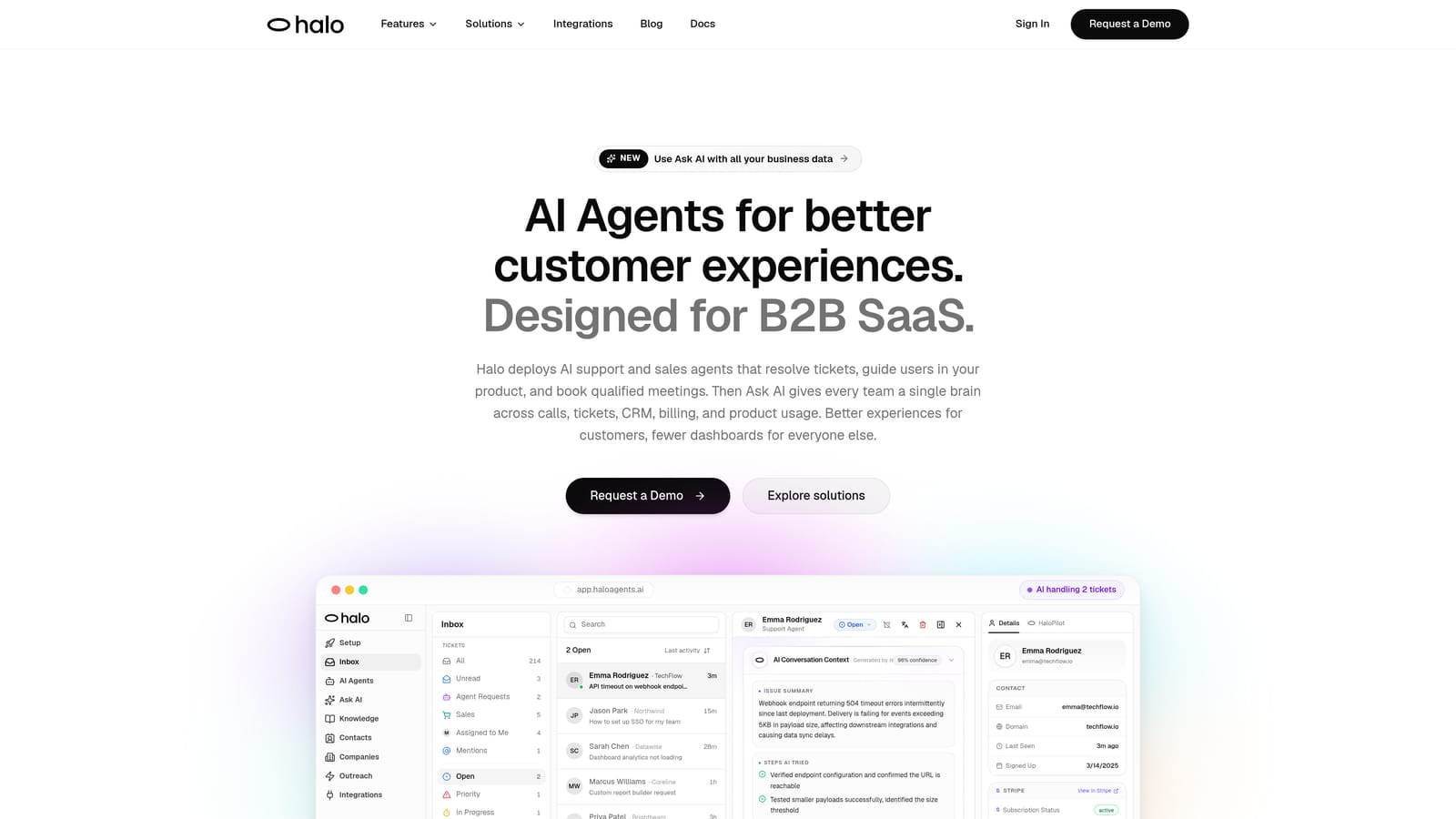
Halo AI is an AI-first customer support platform that deploys autonomous agents to resolve tickets, guide users through your product, and surface business intelligence from every interaction.
Where This Tool Shines
Most platforms started as ticketing systems and added AI later. Halo was built the other way around. The architecture assumes AI handles the majority of interactions, with humans stepping in for genuinely complex cases. That distinction matters: the product experience, the integrations, and the intelligence layer all reflect an AI-first design philosophy rather than an AI-adjacent one.
What makes Halo particularly distinctive is the combination of operational support automation and business intelligence in a single platform. While resolving tickets, Halo's smart inbox is also detecting customer health signals, flagging churn indicators, and surfacing revenue anomalies. Support stops being a cost center and starts generating signal that the rest of the business can act on.
Key Features
Intelligent AI Agents: Autonomous agents resolve support tickets end-to-end, learning from every interaction to improve over time without manual retraining.
Page-Aware Chat Widget: The in-app widget understands what the user is looking at in real time, enabling contextual guidance rather than generic responses.
Smart Inbox with Business Intelligence: Goes beyond ticket management to surface customer health signals, churn indicators, and revenue anomalies from support conversations.
Auto Bug Ticket Creation: Product issues flagged in support conversations are automatically converted into bug tickets routed directly to engineering, with no manual handoff required.
Live Agent Handoff: Complex escalations transfer seamlessly to human agents with full context preserved, so customers never have to repeat themselves.
Deep Integrations: Connects to Linear, Slack, HubSpot, Intercom, Stripe, Zoom, PandaDoc, and Fathom, threading support intelligence across your entire business stack.
Best For
Product-led B2B SaaS companies that want support automation built around AI from day one, not layered on top of a legacy system. Particularly strong for teams that want their support function to generate business intelligence alongside ticket resolution.
Pricing
Demo-first model. Contact Halo AI directly at haloagents.ai to discuss pricing based on your team's specific requirements.
2. Zendesk
Best for: Enterprise teams needing a mature, widely-integrated helpdesk with established AI triage.
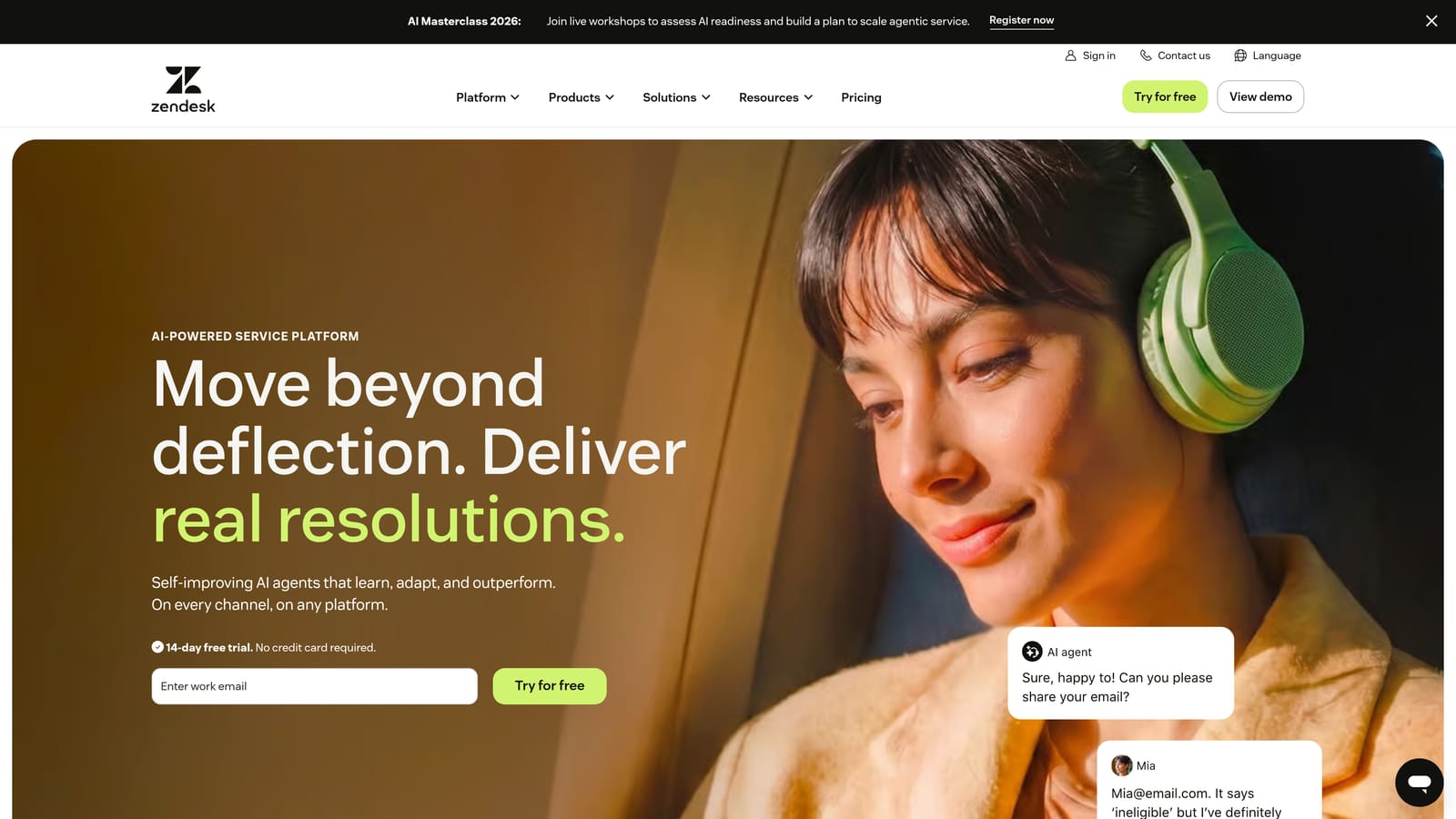
Zendesk is one of the most widely deployed helpdesk platforms globally, offering mature workflow automation, a large app ecosystem, and an AI layer for intent detection and triage.
Where This Tool Shines
Zendesk's depth comes from years of enterprise deployment. Its trigger- and macro-based automation is battle-tested, its app marketplace is extensive, and its reporting capabilities cover most of what a large support operation needs. If your team has complex routing requirements or needs to connect to dozens of third-party tools, Zendesk's ecosystem is hard to match.
The tradeoff is complexity. Zendesk can require significant admin overhead to configure and maintain at scale. Teams often need dedicated Zendesk administrators, and the AI layer, while capable, feels like an addition to an existing system rather than a core architectural decision.
Key Features
Trigger and Macro Automation: Rule-based workflow automation for routing, tagging, escalation, and SLA management across ticket types.
Zendesk AI: Intent detection, sentiment analysis, and intelligent triage that helps route tickets before an agent touches them.
Omnichannel Ticketing: Unified inbox across email, chat, phone, and social channels.
App Marketplace: Hundreds of pre-built integrations covering CRM, ecommerce, analytics, and communication tools.
Advanced Reporting: Customizable dashboards and analytics for tracking team performance and customer satisfaction.
Best For
Mid-market and enterprise support teams with complex routing needs, large agent headcounts, and existing investments in Zendesk's ecosystem. Less ideal for teams looking for lightweight setup or AI-first resolution.
Pricing
Suite plans available at multiple tiers. Check zendesk.com for current pricing, as rates vary by plan and agent count.
3. Intercom
Best for: Teams that prioritize conversational, in-product support with a capable AI agent for natural-language resolution.
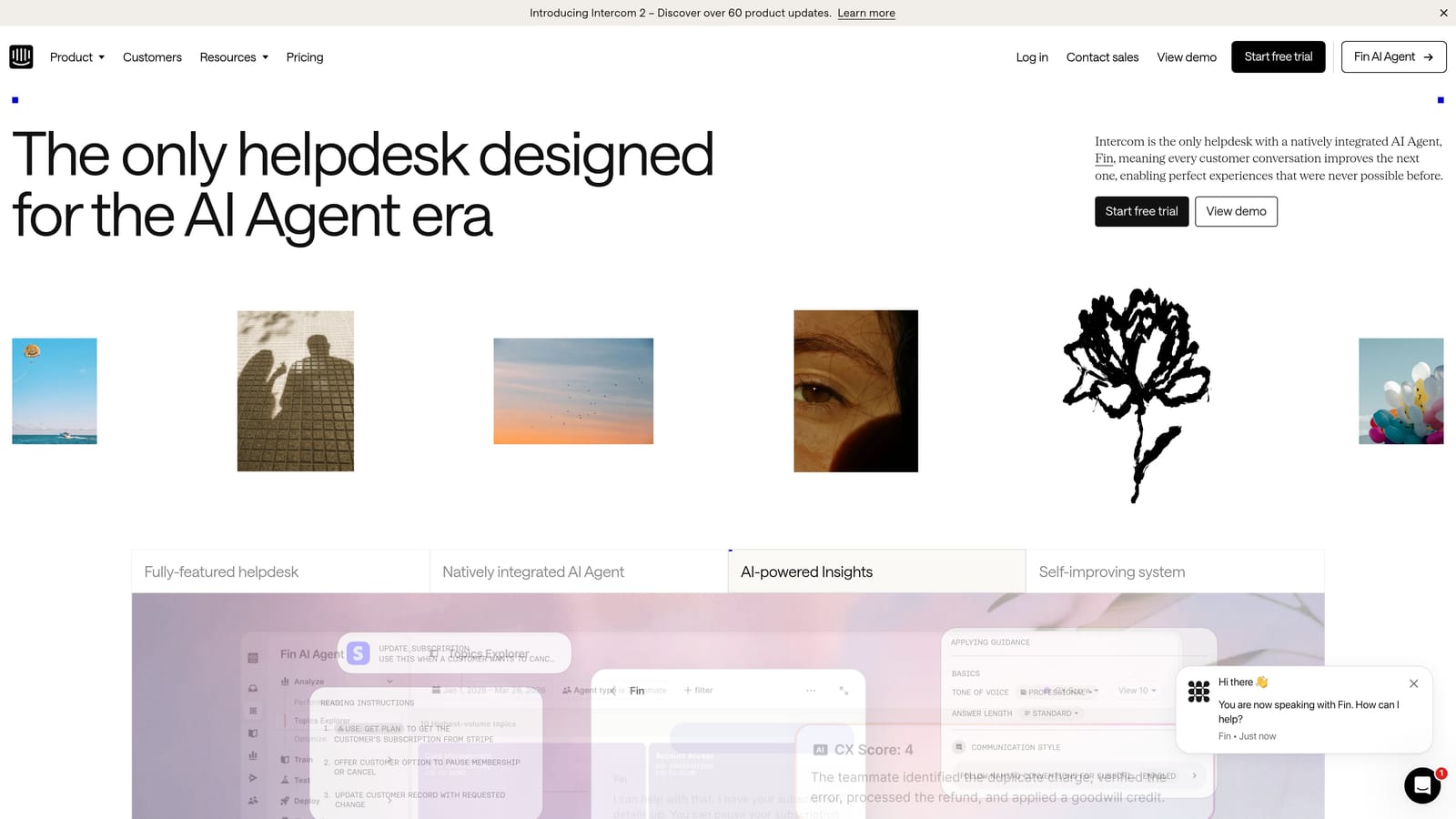
Intercom is a conversational support platform with a strong in-product messenger and Fin, its AI agent built on large language models for natural-language ticket resolution.
Where This Tool Shines
Intercom's in-product messenger is one of the most polished in the market, and Fin represents a genuine step forward in AI-driven resolution. Rather than relying on keyword matching or rigid decision trees, Fin uses large language models to understand customer intent and generate contextual responses from your knowledge base.
The platform has leaned heavily into its "AI-first customer service" positioning in recent years, and that shift is reflected in the product. Workflows builder allows teams to design automated support sequences with meaningful flexibility, and the customer data platform brings behavioral context into every conversation.
Key Features
Fin AI Agent: LLM-powered AI agent that resolves tickets autonomously using your existing knowledge base and documentation.
In-App Messenger: Proactive and reactive messaging directly within your product, with a clean conversational UX.
Workflows Builder: Visual automation builder for designing multi-step support sequences with conditional logic.
Customer Data Platform: Behavioral and usage data surfaces alongside every conversation, giving agents meaningful context.
AI-Assisted Replies: Suggested responses in the shared inbox help agents respond faster without starting from scratch.
Best For
SaaS companies with product-led growth motions that want strong in-app messaging alongside AI-driven resolution. Works well for teams that already have a solid knowledge base and want to maximize deflection through it.
Pricing
Tiered pricing based on seats and usage volume. Check intercom.com for current plan details.
4. Freshdesk
Best for: SMBs and growing teams that need solid omnichannel helpdesk functionality at a competitive price point.
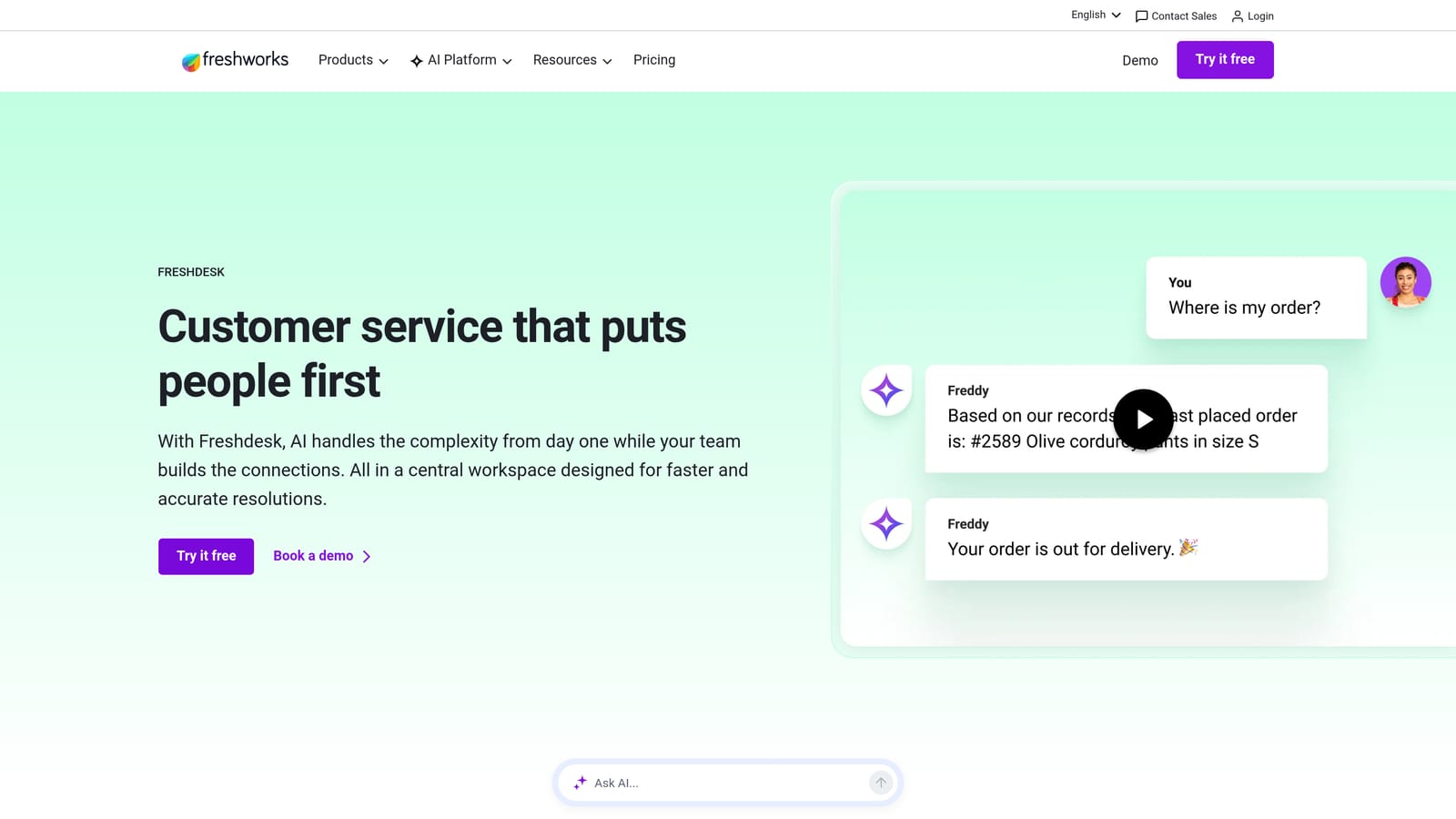
Freshdesk is a SMB-friendly helpdesk from Freshworks with omnichannel ticketing, Freddy AI for automation assistance, and a pricing structure that makes it accessible well before enterprise budgets kick in.
Where This Tool Shines
Freshdesk hits a practical sweet spot for teams that need real omnichannel coverage, including email, chat, phone, and social, without the administrative complexity or cost of enterprise alternatives. The free plan for small teams is a genuine starting point, not a stripped-down trial, which makes it easy to evaluate before committing.
Freddy AI adds meaningful automation assistance without requiring significant configuration. Auto-triage, suggested responses, and sentiment detection work out of the box, and for teams that aren't ready to invest in a fully autonomous AI agent, Freddy provides a useful middle ground.
Key Features
Freddy AI: Handles suggested responses, auto-triage, and sentiment detection to reduce manual effort for agents.
Omnichannel Inbox: Email, chat, phone, and social all managed in a single platform without switching between tools.
Automation Rules: Configurable routing, escalation, and tagging rules that handle repetitive workflow decisions automatically.
Free Plan: A functional starting point for small teams that want to test the platform before scaling up.
Freshworks Suite Integration: Native connections to Freshsales CRM and Freshservice ITSM for teams using the broader Freshworks ecosystem.
Best For
SMBs and early-stage teams that need solid omnichannel helpdesk coverage without enterprise pricing. Also a strong choice for teams already invested in the Freshworks ecosystem.
Pricing
Free plan available. Paid tiers at Growth, Pro, and Enterprise levels. Check freshdesk.com for current rates.
5. HubSpot Service Hub
Best for: Teams already using HubSpot CRM that want support natively integrated with their sales and marketing data.
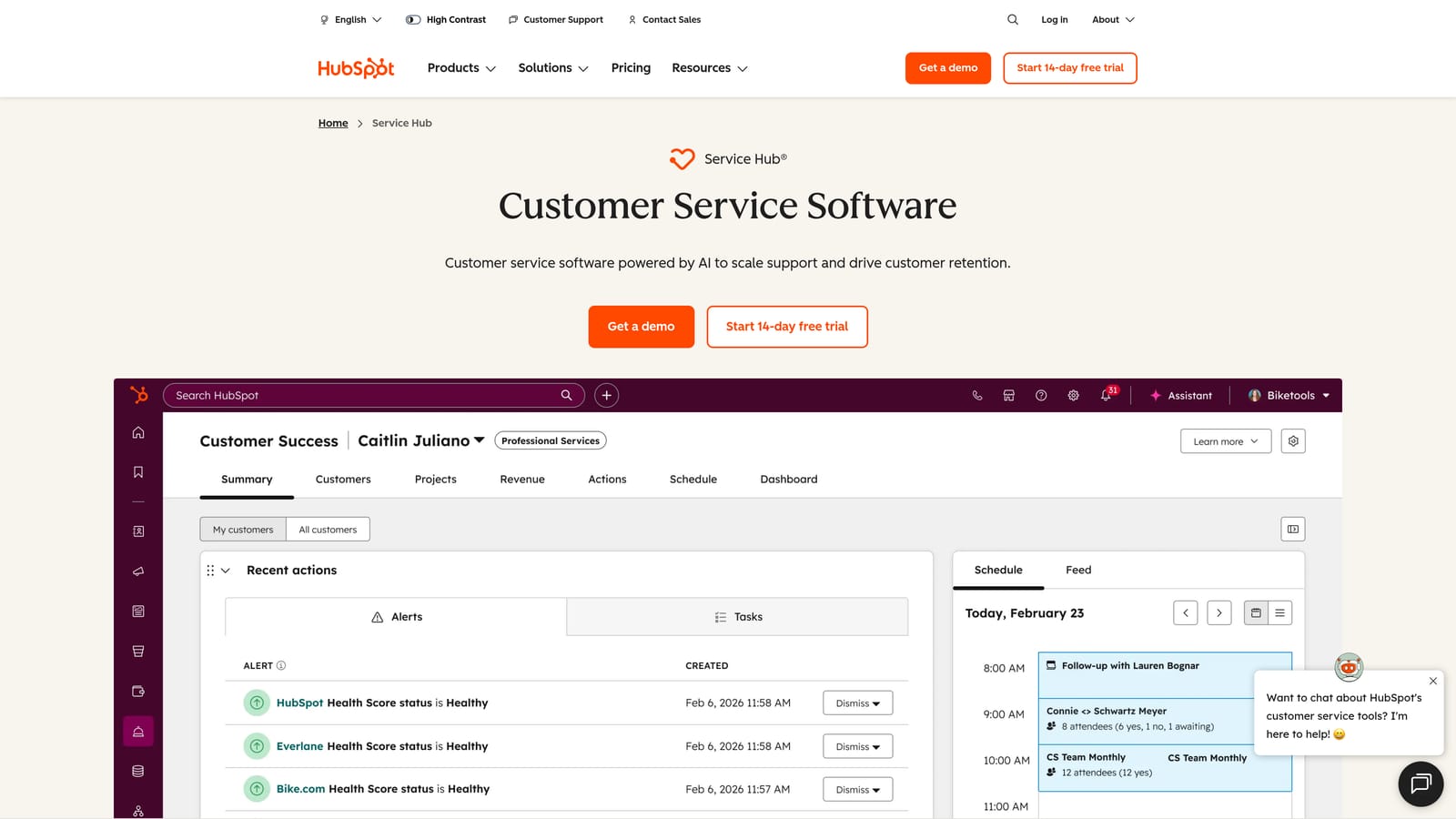
HubSpot Service Hub is a helpdesk built natively into the HubSpot CRM, giving support teams full contact and deal history on every ticket from the moment it arrives.
Where This Tool Shines
The core advantage here is context. When a customer submits a ticket, the agent sees their full CRM record: deal history, recent marketing touches, open opportunities, past conversations across sales and service. That context is available immediately, without any integration work, because Service Hub and the CRM are the same system.
For teams already paying for HubSpot's marketing or sales tools, Service Hub often represents strong additional value without significant incremental cost. The shared workflow engine across hubs means automation logic built for marketing sequences or sales pipelines can extend naturally into support.
Key Features
Native CRM Integration: Every ticket surfaces full contact, deal, and interaction history from HubSpot CRM without any configuration.
Shared Workflow Automation: Automation logic spans Marketing, Sales, and Service hubs, enabling cross-functional sequences.
AI Conversation Summaries: Automatic summaries and suggested replies reduce time spent on routine ticket responses.
Knowledge Base with Instant Answers: AI-powered deflection surfaces relevant articles before customers submit tickets.
Customer Feedback Surveys: NPS, CSAT, and CES surveys built directly into the platform, tied to contact records.
Best For
Teams already using HubSpot for CRM, marketing, or sales who want support integrated into the same data model. Less compelling as a standalone purchase if you're not already in the HubSpot ecosystem.
Pricing
Starter, Professional, and Enterprise tiers available. Check hubspot.com for current pricing.
6. Zoho Desk
Best for: Cost-conscious teams in the Zoho ecosystem that need solid automation depth without enterprise pricing.
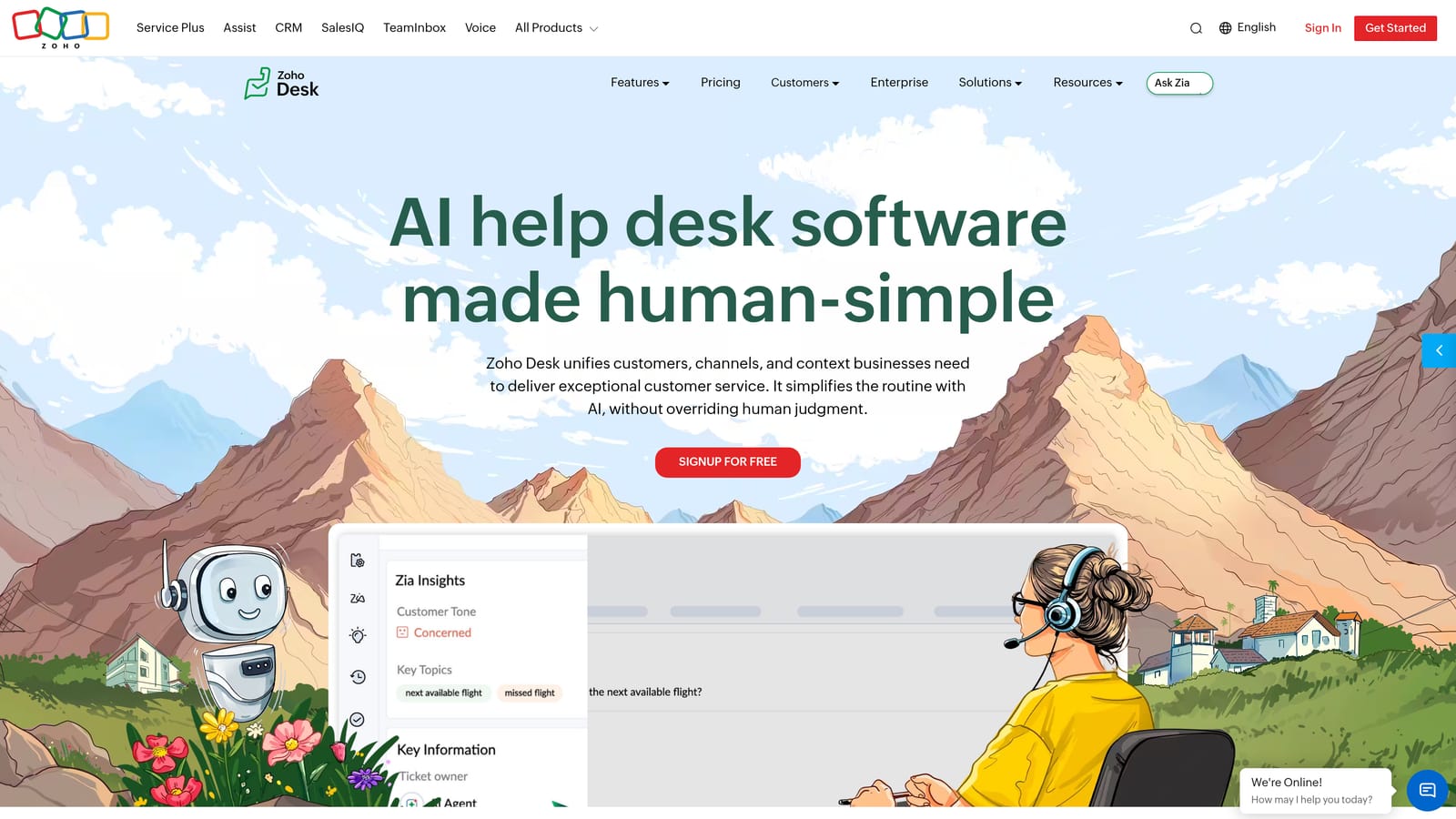
Zoho Desk is a cost-effective helpdesk with structured workflow automation, Zia AI assistance, and strong value for teams already using Zoho CRM or other Zoho products.
Where This Tool Shines
Zoho Desk's Blueprint feature is one of its most underrated capabilities. Blueprint allows teams to define structured, step-by-step workflows with required fields, mandatory actions, and approval gates at each stage. For support operations that need process consistency, not just routing rules, Blueprint provides a level of structure that many competitors don't match at this price point.
Zia, Zoho's AI assistant, handles ticket tagging, anomaly detection, and response suggestions. It won't replace a dedicated AI agent, but it meaningfully reduces manual effort for teams that aren't ready to invest in fully autonomous resolution.
Key Features
Zia AI: Ticket tagging, anomaly alerts, and response suggestions that surface relevant context for agents.
Blueprint Workflow Automation: Structured, stage-based workflows with required actions and approval logic for process consistency.
Omnichannel Ticketing: Email, chat, phone, and social channels with contextual awareness across interactions.
Zoho CRM Integration: Deep native integration with Zoho CRM, SalesIQ, and other Zoho products for teams in the ecosystem.
Competitive Pricing: Positioned as a cost-effective alternative to Zendesk and Freshdesk at comparable feature depth.
Best For
SMB and mid-market teams already using Zoho CRM or other Zoho tools, and teams that need structured process automation beyond simple routing rules.
Pricing
Multiple tiers available. Check zoho.com/desk for current pricing.
7. Salesforce Service Cloud
Best for: Large enterprises already on Salesforce that need deep CRM integration and complex omnichannel case management.
Salesforce Service Cloud is an enterprise-grade case management platform with full Salesforce CRM data access, Einstein AI, and sophisticated omnichannel routing built for large-scale support operations.
Where This Tool Shines
If your organization runs on Salesforce, Service Cloud is the logical home for support. Every case arrives with the complete Salesforce data model behind it: account history, opportunity pipeline, contract details, and every previous interaction across sales and service. That depth of context is genuinely difficult to replicate by integrating a standalone helpdesk with Salesforce after the fact.
Einstein AI adds case classification, next-best-action recommendations, and predictive routing. The platform also extends into field service and complex case management scenarios that most helpdesks don't address. The tradeoff is significant implementation complexity and enterprise-level cost.
Key Features
Einstein AI: Case classification, next-best-action recommendations, and predictive routing powered by Salesforce's AI layer.
Full Salesforce Data Model: Complete CRM context, including accounts, opportunities, and contracts, available on every support case.
Omnichannel Routing: Intelligent routing across email, chat, phone, and social based on agent capacity and skill.
Knowledge Base and Self-Service Portal: Customer-facing knowledge base integrated with case deflection workflows.
Field Service and Complex Case Management: Extends beyond standard support into field operations and multi-step case resolution.
Best For
Enterprise organizations already invested in Salesforce CRM that need support deeply integrated with their existing data model. High implementation cost and complexity make it less suitable for SMBs or teams not already on Salesforce.
Pricing
Enterprise-tier pricing. Check salesforce.com for current rates and edition details.
8. Help Scout
Best for: Small teams that prioritize a clean, human-feeling support experience over automation depth.
Help Scout is an intentionally simple shared inbox platform that prioritizes human-feeling support interactions, with lightweight AI features for drafting and summarization rather than autonomous resolution.
Where This Tool Shines
Help Scout's design philosophy is a deliberate counter-position to ticket-number-driven, robotic support UX. There are no ticket numbers visible to customers. Conversations feel like email exchanges, not support queue entries. For teams whose brand depends on feeling personal and responsive, that UX distinction matters.
The AI features, including AI Drafts and AI Summarize, help agents move faster without replacing the human touch. Instant Answers deflects common questions through the knowledge base before customers reach out. It's a well-considered set of capabilities for teams that want AI assistance without full automation.
Key Features
Clean Shared Inbox: No ticket numbers or robotic UX; conversations feel like email to customers and agents alike.
AI Drafts and AI Summarize: AI-assisted drafting and conversation summarization to speed up agent responses without replacing them.
Docs Knowledge Base with Instant Answers: Self-service knowledge base with AI-powered deflection before customers submit a request.
Simple Automation Rules: Lightweight routing and tagging rules for basic workflow management.
Beacon In-App Widget: Contextual help widget that surfaces relevant docs and allows customers to start a conversation without leaving your product.
Best For
Small teams and startups that want a clean, approachable support experience and don't need complex automation. Not the right fit for teams looking for autonomous AI resolution or heavy workflow customization.
Pricing
Multiple plans available. Check helpscout.com for current pricing.
9. Kustomer
Best for: High-volume B2C and D2C brands that need omnichannel support built on a CRM-native customer timeline.
Kustomer is a CRM-native helpdesk designed for high-volume omnichannel support, with a unified customer timeline view and AI-powered intent detection built for brands handling large contact volumes across many channels.
Where This Tool Shines
Kustomer's core differentiator is the customer timeline: a single, chronological view of every interaction a customer has had across every channel, from chat to email to social to SMS. For high-volume consumer brands, this eliminates the fragmentation problem where agents see only part of a customer's history depending on which channel they're looking at.
The CRM data model is built into every support interaction, not bolted on. That means agents work from a complete customer picture by default, not by opening a separate CRM tab. AI-powered intent detection and routing then layer on top to direct conversations to the right team efficiently.
Key Features
Unified Customer Timeline: All interactions across chat, email, social, and SMS aggregated into a single chronological view per customer.
AI-Powered Intent Detection: Automatically identifies customer intent and routes conversations to the appropriate team or workflow.
Omnichannel in One Thread: Email, chat, social, and SMS conversations unified rather than siloed by channel.
Workflow Automation with Conditional Logic: Flexible automation builder for routing, escalation, and process management.
CRM-Native Data Model: Customer data built into every support interaction, not integrated from an external system.
Best For
D2C and B2C brands handling high contact volumes across multiple channels, where a unified customer timeline and strong omnichannel routing are more important than deep AI-native resolution.
Pricing
Check kustomer.com for current pricing and plan details.
Which Platform Fits Your Team?
The right choice depends less on feature lists and more on where your team sits today and where you're trying to go. Here's a quick way to think through it.
If you want AI-native support from day one: Halo AI is the clearest option. It's built around autonomous resolution, not adapted toward it. The page-aware context, continuous learning, and business intelligence layer make it particularly strong for B2B SaaS teams that want support to generate signal across the business, not just close tickets.
If you're a large enterprise already on Salesforce: Service Cloud is the logical fit. The depth of CRM integration is difficult to replicate externally, and Einstein AI provides meaningful automation at scale.
If you're an SMB watching budget closely: Freshdesk and Zoho Desk both deliver solid omnichannel coverage and AI assistance at competitive price points. Freshdesk edges ahead on UX simplicity; Zoho Desk wins on structured workflow depth and ecosystem fit for Zoho users.
If you're already invested in HubSpot or Intercom: Service Hub and Intercom are natural extensions of what you're already paying for. The CRM context in Service Hub and Fin's LLM-driven resolution in Intercom are both genuinely strong within their respective ecosystems.
If your brand depends on feeling human and personal: Help Scout's deliberately simple UX is worth considering, especially for small teams where automation depth matters less than the quality of individual interactions.
Before switching platforms, audit your current stack honestly. What's actually broken: the tooling, the processes, or the underlying knowledge base? The best automation platform won't compensate for gaps in documentation or unclear escalation paths.
Your support team shouldn't scale linearly with your customer base. Let AI agents handle routine tickets, guide users through your product, and surface business intelligence while your team focuses on complex issues that need a human touch. See Halo in action and discover how continuous learning transforms every interaction into smarter, faster support.