9 Best Intelligent Support Analytics Dashboards in 2026
This guide evaluates the 9 best intelligent support analytics dashboard platforms in 2026, helping support teams move beyond basic ticket volume metrics to uncover actionable insights like churn signals, AI performance gaps, and revenue-impacting issues. Each platform is ranked by analytical depth, usability, and integration capabilities, giving support leaders the information needed to transform their function into a strategic business asset.
 Grant CooperFounder13 min read
Most support teams are drowning in ticket data but starving for insight. Volume metrics tell you how busy your team is, not why customers keep contacting you, which issues are costing you revenue, or where your AI is falling short. That's the gap intelligent support analytics dashboards are designed to close.
Unlike basic reporting tools, these platforms surface patterns, predict churn signals, flag anomalies, and connect support data to broader business outcomes. Whether you're managing a lean team scaling fast or an enterprise operation running thousands of tickets a day, the right dashboard transforms your support function from a cost center into a strategic asset.
This list covers nine platforms worth evaluating in 2026, ranked by depth of intelligence, ease of use, and how well they integrate with modern support stacks. Halo AI leads the list because its smart inbox goes well beyond standard reporting, but every tool here earns its place.
1. Halo AI
Best for: B2B SaaS teams that need support analytics connected to customer health and revenue signals.
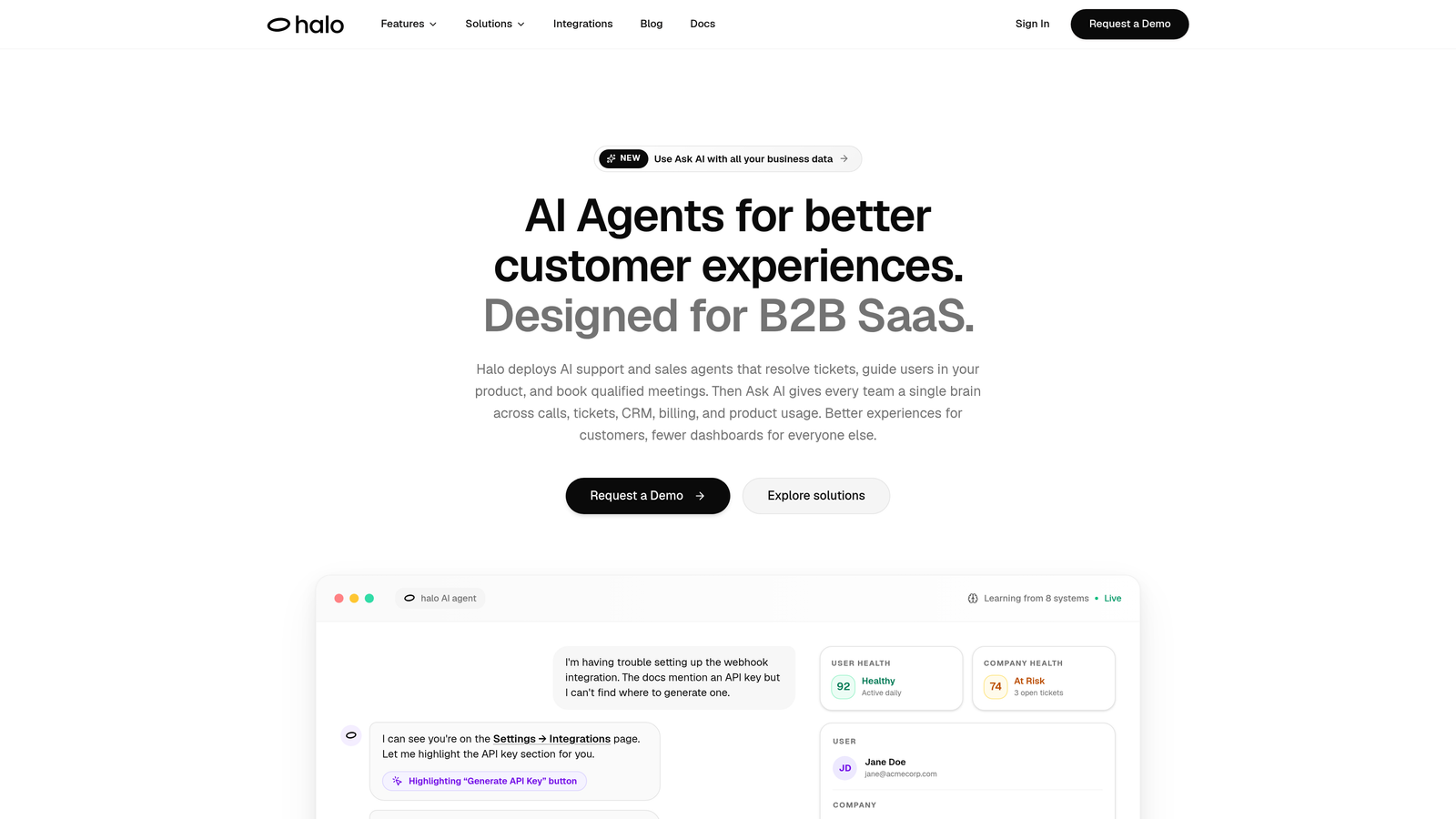
Halo AI is an AI-native customer support platform with a smart inbox that surfaces business intelligence directly inside the support workflow.
Where This Tool Shines
Most analytics tools live in a separate tab. Halo's smart inbox embeds intelligence into the place where your team already works, meaning insights surface in context rather than in a dashboard no one remembers to check. Customer health signals, revenue indicators, and anomaly detection aren't reports you generate after the fact. They're part of how the system processes every interaction.
The page-aware context is particularly distinctive. Because Halo's AI agents understand what a user was doing when they reached out, behavioral data gets folded into the analytics layer automatically. You're not just seeing ticket volume by category. You're seeing where in your product users are hitting friction, and what that friction is costing you.
Key Features
Smart Inbox with Business Intelligence: Goes beyond ticket metrics to surface customer health signals and revenue intelligence without requiring a separate BI tool.
Anomaly Detection: Flags unusual patterns in support volume, sentiment, or behavior before they escalate into larger issues.
Page-Aware Context: Captures what users were doing in your product when they contacted support, adding behavioral data to every interaction record.
Revenue Intelligence: Connects support interactions to downstream revenue signals, helping teams understand the business impact of support quality.
Deep Integrations: Connects natively with Linear, Slack, HubSpot, Intercom, Stripe, Zoom, PandaDoc, and Fathom, pulling context from across your business stack.
Best For
B2B SaaS companies that want support analytics to do more than count tickets. Particularly strong for product and customer success teams that need to connect support signals to retention and revenue outcomes without building a custom BI layer.
Pricing
Contact for pricing at haloagents.ai. Custom pricing reflects team size and integration requirements.
2. Zendesk Explore
Best for: Teams already on Zendesk who need robust native reporting without a separate BI tool.
Zendesk Explore is Zendesk's native analytics product offering pre-built and custom dashboards across tickets, agents, SLAs, and channels.
Where This Tool Shines
If your support operation runs on Zendesk, Explore is the natural first stop for analytics. The depth of pre-built dashboards covers most common use cases out of the box, and the BIME-based custom query builder gives more technically inclined users room to build tailored reports without leaving the Zendesk ecosystem.
Where Explore earns its keep is in SLA compliance tracking and multi-channel coverage. Teams managing email, chat, and voice in a single platform get unified visibility across all of them, which is harder to replicate with external tools that rely on API connections.
Key Features
Pre-Built Dashboards: Ready-to-use views for tickets, agent performance, and SLA compliance that require no setup.
Custom Query Builder: BIME-based reporting engine that supports tailored report creation for teams with specific measurement needs.
Multi-Channel Analytics: Unified reporting across email, chat, and voice channels within a single dashboard.
Scheduled Sharing: Automated dashboard delivery and PDF exports for stakeholder reporting.
Best For
Support operations already running on Zendesk Suite Professional or above. Less compelling as a standalone analytics investment if you're not already a Zendesk customer, given the platform dependency.
Pricing
Included in Suite Professional and above. Suite Team has limited access. Plans start at approximately $55 per agent per month.
3. Intercom Reports
Best for: Teams using Intercom holistically who want AI and human agent performance in one view.
Intercom Reports is built-in analytics covering conversation performance, AI resolution rates, CSAT, and team productivity.
Where This Tool Shines
As AI-assisted support becomes standard, one of the trickier measurement challenges is understanding how your AI is actually performing relative to human agents. Intercom's reporting integrates Fin AI metrics directly alongside human agent data, giving you a single view of resolution rates, handoff patterns, and customer satisfaction across both.
For teams using Intercom as their primary customer communication platform, the reporting layer feels genuinely integrated rather than bolted on. Conversation-level drill-downs make it easy to move from a trend in the aggregate data to the specific interactions driving it.
Key Features
Conversation Analytics: Volume, response time, and resolution data at the conversation level with drill-down capability.
Fin AI Performance Metrics: AI resolution rates and deflection data presented alongside human agent performance for direct comparison.
CSAT Tracking: Customer satisfaction scores and trends over time with response-level context.
Team Performance Breakdowns: Individual and team-level reporting across all key productivity metrics.
Best For
Companies already using Intercom as their primary support and messaging platform. The analytics value compounds significantly when Intercom is being used for the full customer lifecycle, not just ticketing.
Pricing
Included with Intercom plans. Full reporting features available on the Advanced plan, starting at approximately $85 per seat per month.
4. Freshdesk Analytics
Best for: Growing support teams that need accessible custom reporting without enterprise pricing.
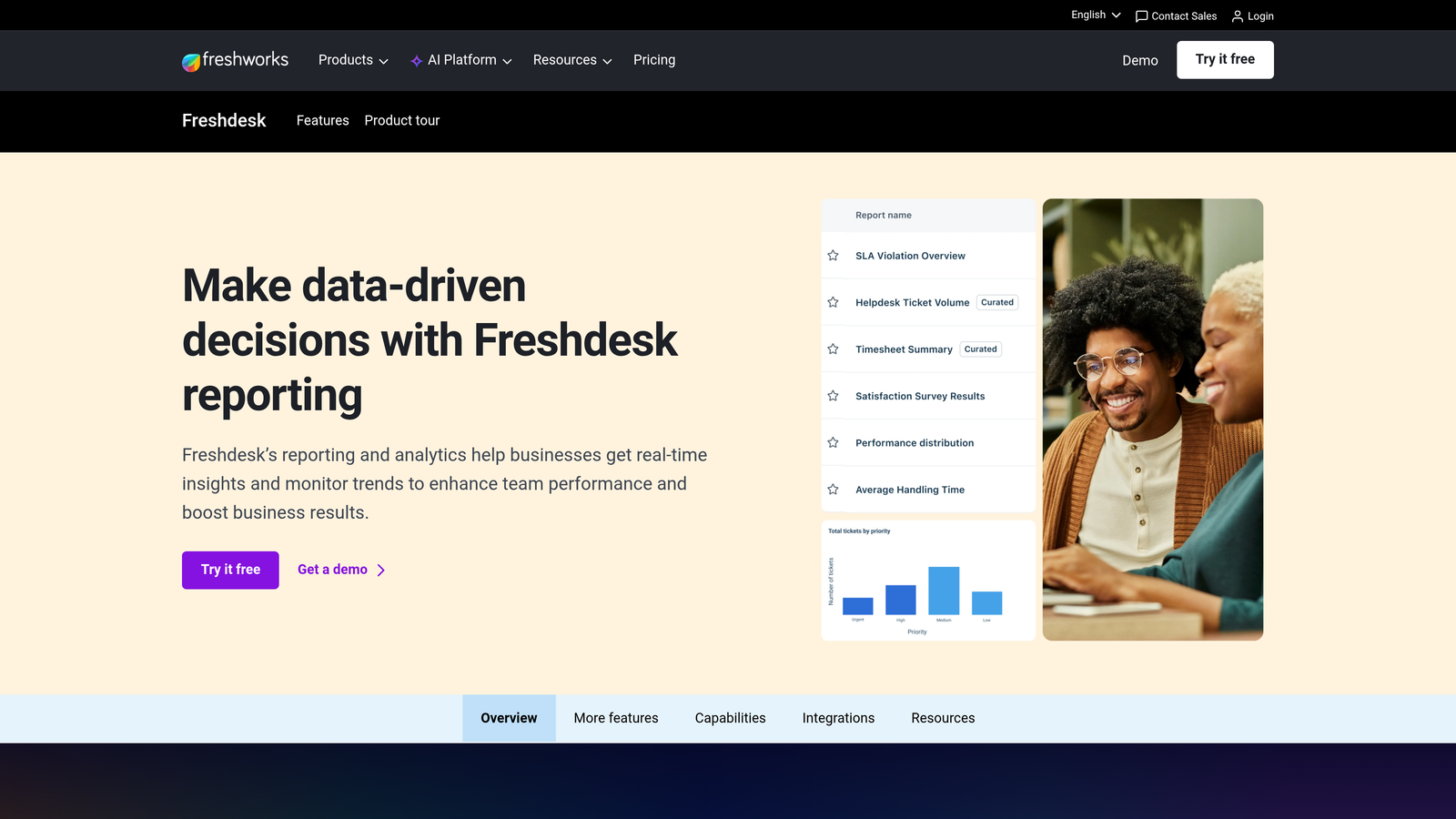
Freshdesk Analytics is Freshdesk's built-in reporting module offering canned reports, a custom report builder, and scheduled delivery.
Where This Tool Shines
Freshdesk Analytics hits a practical sweet spot for SMB and mid-market teams: enough depth to answer real operational questions, accessible enough that non-analysts can use it without training. The canned reports cover the most common support KPIs immediately, while the custom builder handles more specific measurement needs as teams mature.
Scheduled report delivery via email is a small feature that carries outsized practical value. Managers who aren't going to log into a dashboard daily still get the numbers they need, which keeps reporting habits consistent without requiring behavioral change from the team.
Key Features
Canned Reports: Pre-configured reports for common KPIs including ticket volume, resolution time, and agent productivity.
Custom Report Builder: Multi-dimensional filtering for building reports tailored to specific team or business needs.
Scheduled Delivery: Automated report distribution via email on user-defined schedules.
Drill-Down Capability: Ticket-level investigation from aggregate report views without switching tools.
Best For
SMB and mid-market support teams on Freshdesk looking for solid native analytics without the cost or complexity of an external BI platform. Good entry point for teams building their measurement practice.
Pricing
Analytics available on the Growth plan at approximately $15 per agent per month. Advanced features unlock on Pro and Enterprise tiers.
5. Gorgias Analytics
Best for: E-commerce and DTC brands that want support data tied directly to revenue.
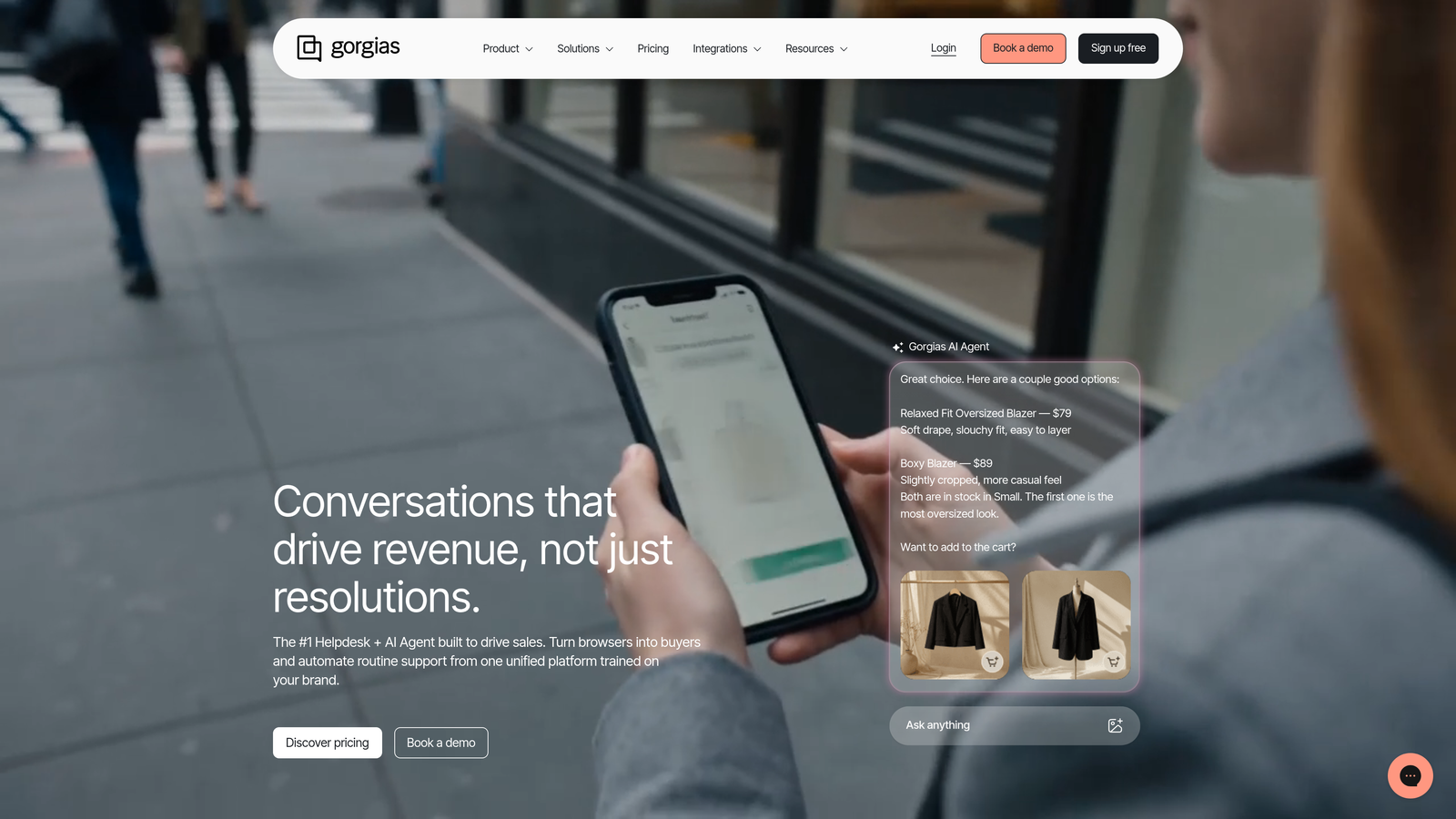
Gorgias is an e-commerce-focused support analytics platform that connects ticket data to revenue metrics through deep Shopify integration.
Where This Tool Shines
Revenue attribution is the feature that sets Gorgias apart from the rest of this list. Most support tools can tell you how fast tickets are resolved. Gorgias can tell you how much revenue each support conversation influenced, which agents are driving the most conversions, and which ticket categories are most correlated with purchase behavior. For DTC brands, that's a fundamentally different kind of insight.
The Shopify integration is tight enough that support agents can see order data directly inside the ticket view, and that same data feeds into the analytics layer. Teams stop thinking about support as pure cost and start seeing it as a revenue-influencing function with measurable outcomes.
Key Features
Revenue-Per-Ticket Attribution: Connects individual support interactions to revenue outcomes, showing the direct business impact of support activity.
Shopify Order Data Integration: Surfaces order history, cart value, and purchase status alongside support tickets in a unified view.
Agent Performance Tracking: Response time, resolution rate, and revenue attribution broken down by individual agent.
CSAT and Sentiment Reporting: Customer satisfaction trends with context from the full interaction history.
Best For
DTC e-commerce brands and Shopify-native businesses. Less applicable for B2B SaaS or service businesses where revenue attribution works differently and Shopify integration isn't relevant.
Pricing
Starter plan from approximately $10 per month for 50 tickets. Pro from approximately $60 per month. Pricing scales by ticket volume rather than seat count.
6. Kustomer IQ Analytics
Best for: Teams that want analytics organized around the customer record rather than the individual ticket.
Kustomer IQ Analytics is a customer-record-centric analytics platform that organizes support data around the full customer timeline across channels.
Where This Tool Shines
The fundamental difference with Kustomer is the unit of analysis. Most support analytics tools count tickets. Kustomer organizes everything around the customer, meaning you can see sentiment trends, contact frequency, and channel preferences across a customer's entire history rather than treating each ticket as an isolated event. That shift in perspective surfaces patterns that ticket-based analytics simply can't show.
AI-assisted conversation tagging and categorization reduces the manual work required to keep data clean enough for meaningful analysis. When categories are applied consistently at scale, the aggregate trends become more reliable and actionable.
Key Features
Customer-Record Analytics: Cross-channel data unified around individual customer timelines rather than individual tickets.
Sentiment Trend Tracking: Sentiment analysis across the full interaction history, not just the most recent ticket.
AI-Assisted Tagging: Automated conversation categorization that improves data consistency for aggregate analysis.
Team and Queue Reporting: Standard performance metrics at the team and queue level alongside the customer-centric view.
Best For
Mid-market and enterprise teams with complex, multi-channel customer relationships where understanding the full customer context is more valuable than per-ticket efficiency metrics.
Pricing
Enterprise pricing starting around $89 per agent per month. Contact Kustomer directly for current rates, as pricing varies by contract size and features.
7. Tableau (with Helpdesk Connectors)
Best for: Data teams building fully custom support dashboards that combine helpdesk, CRM, and revenue data.
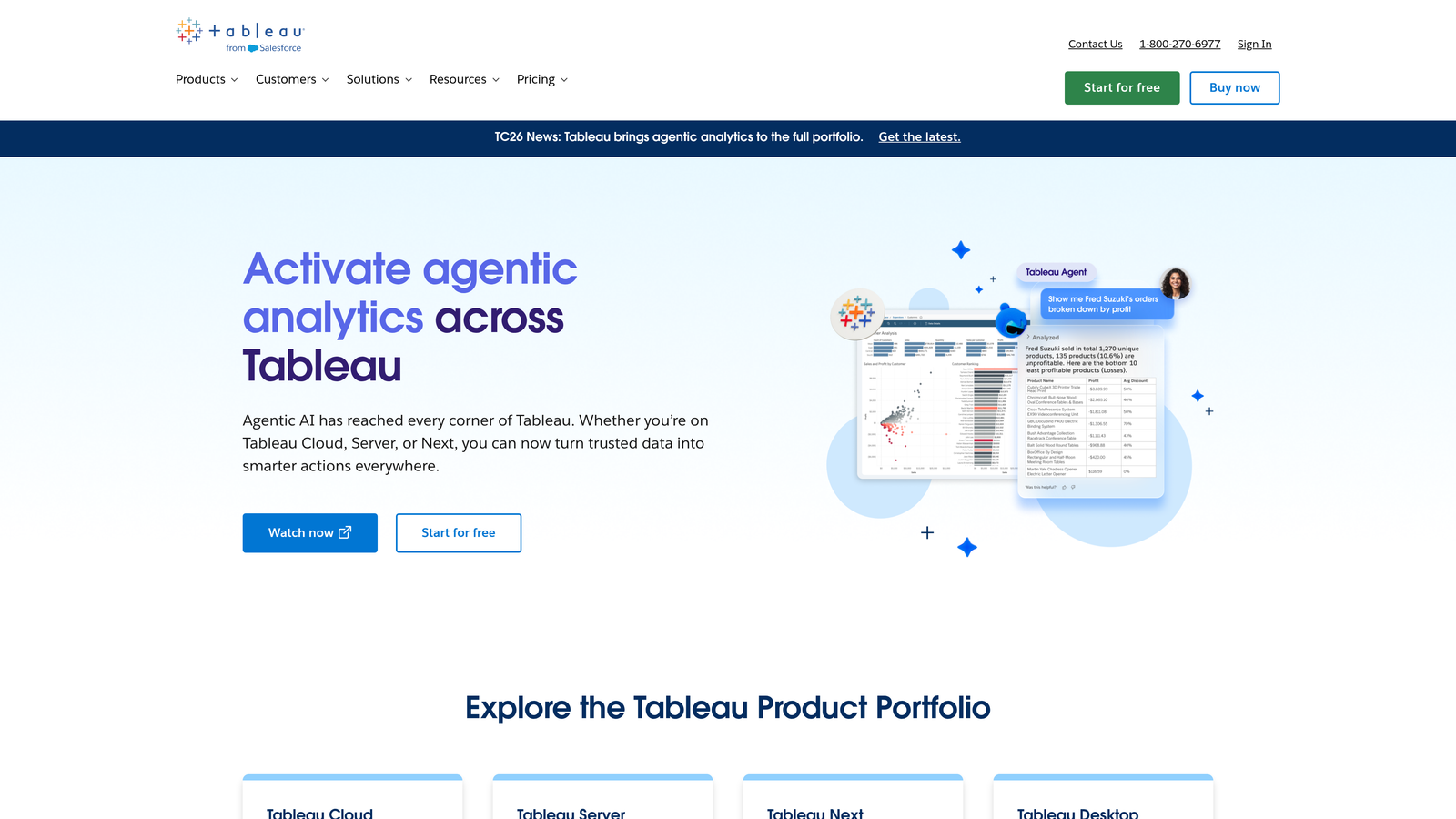
Tableau is an enterprise BI platform that enables custom support dashboards by pulling data from Zendesk, Salesforce, Freshdesk, and other sources.
Where This Tool Shines
Tableau isn't a support tool. It's a BI platform that happens to connect to support tools, and that distinction matters. If your support analytics needs have outgrown what native helpdesk reporting can offer, and you have a data team capable of building and maintaining dashboards, Tableau gives you more flexibility than any purpose-built support analytics product.
The Salesforce acquisition has deepened the native integration between CRM and support data, which is particularly useful for teams that want to correlate support ticket patterns with sales pipeline health or customer account status. That cross-functional view is difficult to replicate with support-native tools alone.
Key Features
Custom Dashboard Builder: Drag-and-drop interface for building visualizations without writing code, though complex use cases benefit from data team involvement.
Native Connectors: Pre-built connections to Zendesk, Salesforce, and major databases, with API access for other sources.
Advanced Visualization: Chart types and visualization options well beyond what standard helpdesk reporting provides.
Cross-Functional Reporting: Ability to combine support, CRM, and revenue data in a single dashboard for business-wide context.
Best For
Enterprise teams with dedicated data resources who need support analytics as part of a broader business intelligence practice. Not the right fit for teams that need quick setup or don't have data team support.
Pricing
Tableau Creator licenses start at approximately $75 per user per month. Viewer licenses are available at lower cost for stakeholders who consume but don't build dashboards.
8. Geckoboard
Best for: Support floor environments that need real-time operational visibility on shared screens.
Geckoboard is a real-time KPI dashboard tool designed for always-on support visibility, pulling live data from Zendesk, Freshdesk, and Intercom.
Where This Tool Shines
Geckoboard solves a specific and practical problem: keeping a support team aligned on live metrics without requiring anyone to open a reporting tool. TV dashboards broadcasting current queue depth, SLA status, and response times create shared situational awareness that changes team behavior in real time, not after the fact in a weekly review.
The setup is deliberately simple. Pre-built integrations with Zendesk, Freshdesk, and Intercom mean most teams are displaying live data within an hour. This isn't a deep analytics platform, but for operational visibility, that simplicity is a feature rather than a limitation.
Key Features
Live TV Dashboard Broadcasting: Always-on screen displays designed for support floor environments with real-time data refresh.
Pre-Built Integrations: Native connections to Zendesk, Freshdesk, and Intercom with minimal configuration required.
Real-Time Queue Visibility: Live queue depth and SLA status that updates continuously rather than on a reporting schedule.
Drag-and-Drop Builder: Simple dashboard construction that doesn't require technical skills to set up or modify.
Best For
Support teams that work in a shared physical environment or want to maintain real-time operational awareness across a distributed team. Best used alongside a deeper analytics tool rather than as a standalone reporting solution.
Pricing
Starts at approximately $49 per month for up to five dashboards. Team plans scale up from there based on dashboard count and user needs.
9. Plecto
Best for: Support teams where motivation, performance visibility, and gamification are management priorities.
Plecto is a real-time performance dashboard platform that combines support analytics with gamification features including leaderboards and agent goal tracking.
Where This Tool Shines
Plecto sits at an interesting intersection between analytics and team management. The real-time dashboards are solid, but the differentiating layer is gamification: leaderboards, contests, and goal-tracking features that turn performance data into active motivation tools. For support teams that are sales-adjacent, or where agent engagement and friendly competition are part of the culture, that combination has genuine practical value.
KPI threshold notifications add a proactive dimension that pure dashboard tools lack. Rather than waiting for a manager to notice a metric drifting off target, Plecto can trigger alerts when specific thresholds are crossed, keeping the team responsive without requiring constant dashboard monitoring.
Key Features
Real-Time Leaderboards: Live agent performance rankings that update continuously and display on shared screens or individual devices.
Goal Tracking and Gamification: Contest and achievement features that connect performance metrics to team motivation tools.
Helpdesk Integrations: Native connections to Zendesk, Freshdesk, and Salesforce for pulling live support data.
KPI Threshold Notifications: Automated alerts when performance metrics cross defined thresholds, enabling proactive management responses.
Best For
Support teams with a performance-driven culture where agent motivation and visibility are active management priorities. Particularly well-suited to teams with a sales component or high-volume environments where daily performance targets matter.
Pricing
Starts at approximately $200 per month for up to 10 users. Contact Plecto for larger team pricing.
Which Dashboard Is Right for Your Team?
The right choice here depends less on feature lists and more on what you actually need your analytics to do.
If you're already deep in Zendesk or Freshdesk, native analytics tools are the natural starting point. Zendesk Explore and Freshdesk Analytics both cover the operational fundamentals well, and the integration is seamless because the data never leaves the platform. For Intercom users, the built-in Reports module adds genuine value as AI and human agent performance increasingly need to be measured together.
For e-commerce and DTC brands, Gorgias stands apart from the rest of this list. Revenue-per-ticket attribution and Shopify order data in the same view creates a fundamentally different understanding of support's business impact. If that's your model, nothing else here replicates it.
For fully custom BI, Tableau gives you the most flexibility, but that flexibility comes with real setup cost and a dependency on data team resources. It's the right call for enterprise teams that need cross-functional dashboards combining support, CRM, and revenue data. It's overkill for most others.
Geckoboard and Plecto each solve narrower but legitimate problems. Real-time floor visibility and gamified performance tracking aren't the same as deep analytics, but for the teams that need them, they're genuinely useful.
But if you're a B2B SaaS team that wants support analytics to surface customer health signals, flag anomalies before they escalate, and connect to your broader business stack without building a custom BI layer, Halo AI's smart inbox is designed for exactly that. The analytics aren't a separate module you check. They're embedded in how the system processes every interaction, which means insight reaches your team in context rather than in a report no one opened.
The best dashboard isn't the one with the most charts. It's the one that tells you something you couldn't see before and helps you act on it. Start with the tools that integrate with your existing stack, evaluate the depth of AI-driven insight on offer, and prioritize platforms that connect support data to business outcomes beyond resolution times.
Your support team shouldn't scale linearly with your customer base. Let AI agents handle routine tickets, guide users through your product, and surface business intelligence while your team focuses on complex issues that need a human touch. See Halo in action and discover how continuous learning transforms every interaction into smarter, faster support.