9 Best Intelligent Support Chatbot Software Tools in 2026
This guide reviews nine intelligent support chatbot software tools — spanning AI-first platforms, helpdesk-native bots, and flexible conversation layers — to help B2B SaaS teams find the right fit based on AI resolution quality, integration depth, live-agent handoff, and continuous learning capabilities.
 Grant CooperFounder12 min read
Support conversations used to be simple to automate: match a keyword, trigger a response, repeat. But customers have gotten wise to hollow bots, and B2B SaaS teams are paying the price in churn, escalations, and frustrated users who just wanted a quick answer.
The shift happening now is from rule-based chatbots to genuinely intelligent support agents that resolve issues autonomously, learn from every interaction, and hand off to humans without losing context. If you're evaluating tools for your team, the criteria that matter most are AI resolution quality, integration depth, live-agent handoff, and whether the system actually improves over time. You can also explore how AI-powered customer support fits into your broader support strategy, or see how these tools compare in our breakdown of Zendesk vs. modern AI support platforms.
This list covers nine tools spanning AI-first platforms, helpdesk-native bots, and flexible conversation layers, so you can find the right fit regardless of where you're starting from.
1. Halo AI
Best for: B2B SaaS teams wanting an AI-first support platform that learns, routes, and surfaces business intelligence.
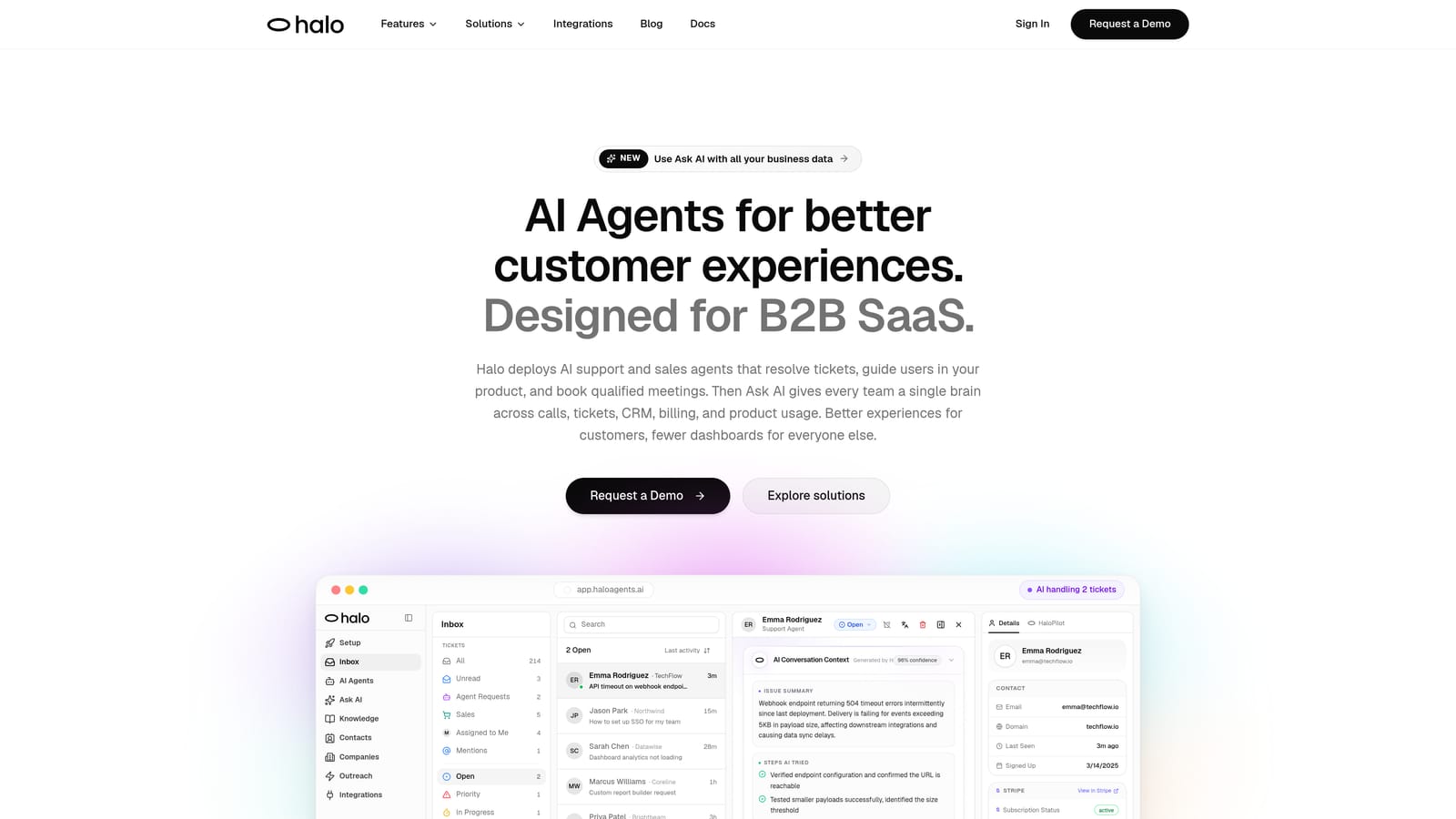
Halo AI is an AI-first customer support platform built to resolve tickets, guide users through your product, and surface intelligence signals, all without being bolted onto an existing helpdesk.
Where This Tool Shines
Most support tools treat AI as an add-on layer. Halo was built with AI at the core, which means the agent doesn't just deflect tickets, it resolves them with context. The page-aware chat widget is a standout capability: the AI sees exactly what the user sees on screen, enabling it to give step-by-step UI guidance rather than generic help article links.
Beyond support, Halo's smart inbox surfaces business intelligence signals like customer health trends, revenue anomalies, and product usage patterns. That means your support data stops being a cost center and starts informing decisions across your business.
Key Features
Page-Aware Chat Widget: The AI sees the user's current screen context, enabling precise, in-product guidance rather than generic answers.
Autonomous Ticket Resolution: AI agents resolve support requests end-to-end and continuously improve from every interaction they handle.
Auto Bug Ticket Creation: Automatically detects and routes bug reports to Linear or your engineering stack without manual triage.
Smart Inbox with Business Intelligence: Surfaces customer health signals, revenue intelligence, and anomaly detection from support conversation patterns.
Live Agent Handoff: Escalates complex issues to human agents with full conversation context preserved, so nothing gets repeated.
Integration Ecosystem: Connects natively with Linear, Slack, HubSpot, Intercom, Stripe, Zoom, PandaDoc, and Fathom.
Best For
B2B SaaS product teams and customer success organizations that want AI to handle routine resolution autonomously while generating intelligence beyond ticket deflection. Particularly strong for teams evaluating a move away from helpdesk-native AI toward a purpose-built agent.
Pricing
Contact for pricing. A demo is available at haloagents.ai/demo.
2. Intercom Fin
Best for: Teams already deeply invested in the Intercom platform wanting native LLM-powered resolution.
Intercom Fin is Intercom's native AI agent, powered by large language models, designed to resolve support conversations using your existing help content without leaving the Intercom thread.
Where This Tool Shines
Fin's biggest strength is how naturally it fits into the Intercom workflow. If your team already lives in Intercom, Fin requires minimal setup: point it at your help center content and it starts resolving conversations with source citations included in its answers. Handoffs to human agents happen within the same thread, preserving context.
The consumption-based pricing model is worth understanding before you scale. You pay per resolution, which keeps costs low at lower volumes but can become harder to predict as usage grows.
Key Features
LLM-Powered Resolution: Answers questions using your help content with source citations included in responses.
Seamless Human Handoff: Escalates to a live agent within the same Intercom conversation thread.
Multilingual Support: Handles conversations across multiple languages without additional configuration.
Consumption-Based Pricing: Charges per resolution, making costs directly tied to AI performance.
Best For
Mid-market SaaS teams standardized on Intercom who want AI resolution without introducing a new platform. Less suitable for teams considering migrating away from Intercom or wanting AI capabilities that extend beyond the Intercom ecosystem.
Pricing
Per-resolution pricing model; requires an active Intercom subscription. Contact Intercom for current rates.
3. Zendesk AI
Best for: Enterprise teams standardized on Zendesk Suite wanting AI layered across their existing workflows.
Zendesk AI is the AI layer built into the Zendesk Suite, offering intelligent triage, intent and sentiment detection, automated responses, and an agent copilot for human-assisted support.
Where This Tool Shines
Zendesk AI has evolved considerably from its earlier Answer Bot roots. The intelligent triage capabilities, including intent detection, sentiment analysis, and language identification, allow tickets to be routed and prioritized automatically before a human ever touches them. The agent copilot feature surfaces suggested responses and macros to human agents in real time.
The trade-off is ecosystem dependency. Zendesk AI is deeply integrated with Zendesk's ticketing system, routing rules, and macros, which is a strength if you're committed to the platform and a limitation if you're evaluating alternatives. See our comparison of Zendesk vs. AI-first support platforms for a deeper look.
Key Features
Intelligent Triage: Detects intent, sentiment, and language to automatically route and prioritize incoming tickets.
Agent Copilot: Provides real-time response suggestions and macro recommendations to human agents handling tickets.
Automated Routing: Applies routing rules and workflow triggers based on AI-detected ticket attributes.
Native Suite Integration: Works across all Zendesk Suite products without additional configuration.
Best For
Large support teams already standardized on Zendesk who want AI augmentation without platform disruption. Less compelling for teams considering a migration or wanting AI capabilities that operate independently of the Zendesk ecosystem.
Pricing
Included in Zendesk Suite plans; advanced AI features are available on higher-tier subscriptions. Contact Zendesk for current plan pricing.
4. Freshdesk Freddy AI
Best for: SMB and mid-market teams on Freshworks who want AI-augmented support without switching platforms.
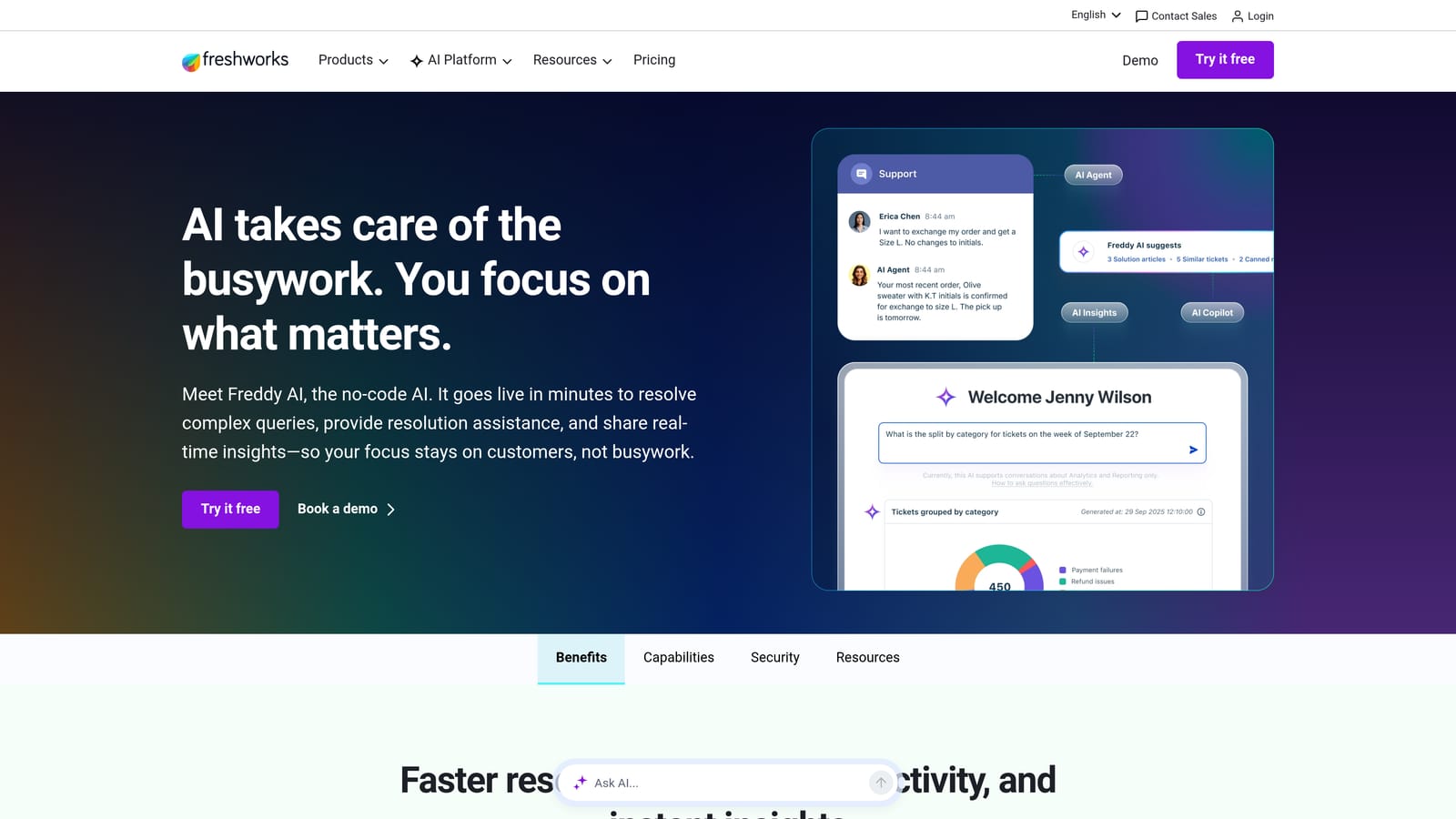
Freshdesk Freddy AI is Freshworks' AI layer combining a self-service chatbot with an agent assistance copilot, covering both customer-facing automation and human agent productivity.
Where This Tool Shines
Freddy is a two-part system. Freddy Self Service handles inbound queries using knowledge base content, resolving common questions before they reach an agent. Freddy Copilot then assists human agents with in-context response suggestions, ticket summaries, and sentiment analysis for conversations that do escalate.
The pricing is competitive for teams already on Freshworks, making it a practical choice for SMB and mid-market teams that want meaningful AI capability without the cost or complexity of a dedicated AI-first platform.
Key Features
Freddy Self Service: Automated query resolution using knowledge base content for customer-facing interactions.
Freddy Copilot: In-context response suggestions and next-action recommendations for human agents.
Sentiment Analysis: Detects customer sentiment to help agents and routing logic prioritize urgent conversations.
Ticket Summarization: Automatically summarizes long ticket threads so agents can get up to speed quickly.
Best For
Teams already operating on Freshworks who want AI capabilities added incrementally. Less suited to teams needing sophisticated autonomous resolution flows or AI that operates outside the Freshworks ecosystem.
Pricing
Freddy AI is available as an add-on on Growth plans and above; pricing varies by module. Contact Freshworks for current rates.
5. Drift (by Salesloft)
Best for: B2B revenue teams where support and sales conversations overlap and CRM context is essential.
Drift is a conversational AI platform now part of Salesloft, designed to blend support and sales qualification with intelligent account-based routing and deep CRM integration.
Where This Tool Shines
Drift's differentiation is account-based intelligence. When a known account visits your site or opens a chat, Drift recognizes them and routes the conversation based on their account status, deal stage, or customer tier. This makes it particularly valuable for B2B teams where a support conversation can surface a renewal risk or expansion opportunity.
The CRM sync with Salesforce and HubSpot is a core strength, keeping conversation data aligned with pipeline records automatically. That said, Drift is less focused on pure support ticket resolution and more oriented toward pipeline-adjacent conversations.
Key Features
Account-Based Routing: Recognizes known visitors and routes conversations intelligently based on account data.
Conversational AI for Sales and Support: Handles both support queries and sales qualification flows within a single interface.
Native CRM Sync: Bi-directional sync with Salesforce and HubSpot keeps conversation data aligned with pipeline records.
Meeting Booking: Allows prospects and customers to book meetings directly within the chat interface.
Best For
B2B SaaS teams where the line between support and revenue conversations is blurry, particularly those with strong Salesforce or HubSpot adoption. Less ideal for teams focused purely on support ticket resolution at scale.
Pricing
Enterprise pricing; contact Salesloft for current plan details.
6. Ada
Best for: Enterprise teams needing high-volume, brand-consistent automated support with multilingual capability.
Ada is an enterprise-grade AI customer service platform with a no-code bot builder, strong multilingual support, and API-based integrations designed for large-scale support automation.
Where This Tool Shines
Ada is built for scale and consistency. The no-code visual flow editor lets CX operations teams build and maintain automated support flows without engineering involvement, while brand customization controls ensure every interaction feels on-brand regardless of language or channel.
The integration layer via API connects Ada to major helpdesks and CRMs, giving it flexibility across enterprise tech stacks. The trade-off is setup investment: Ada rewards teams with dedicated CX operations resources who can build out flows properly.
Key Features
No-Code Bot Builder: Visual flow editor for building automated support experiences without engineering resources.
Multilingual Support: Handles customer conversations across many languages with consistent brand voice.
API-Based Integrations: Connects to major helpdesks, CRMs, and data systems via API.
Brand Customization: Tone controls and visual customization to keep automated interactions consistent with brand standards.
AI-Powered Escalation: Detects when conversations require human intervention and routes accordingly.
Best For
Enterprise organizations with high support volumes, multilingual customer bases, and dedicated CX operations teams. The setup investment is significant, so Ada is best suited to teams that can resource it properly.
Pricing
Enterprise pricing; contact Ada for a quote at ada.cx.
7. Tidio
Best for: Small businesses and e-commerce teams wanting affordable AI chat with quick setup.
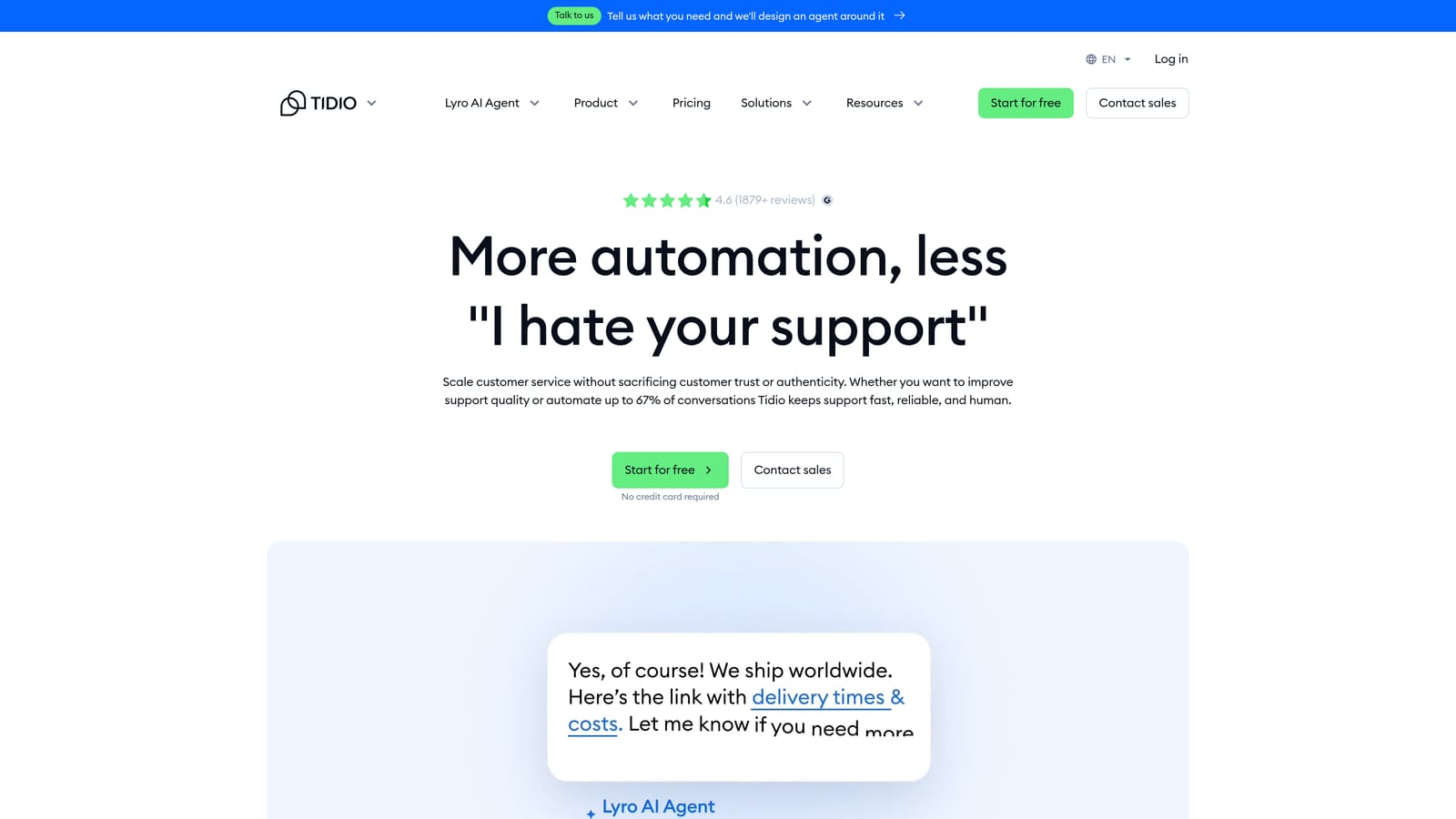
Tidio is an accessible AI chat platform featuring Lyro, an AI agent built for SMBs that handles common support queries with minimal configuration and strong e-commerce platform integrations.
Where This Tool Shines
Tidio's appeal is simplicity and accessibility. Lyro handles FAQ-level queries automatically, and the hybrid interface lets human agents step in alongside the AI within the same dashboard. For small teams that need chat automation without a lengthy implementation, Tidio gets you running quickly.
The e-commerce integrations with Shopify, WooCommerce, and WordPress make it a natural fit for online retail support. The free tier also makes it genuinely accessible for early-stage businesses testing the waters with AI chat.
Key Features
Lyro AI Agent: Automated resolution of common support queries with fast setup and low configuration overhead.
Hybrid Live Chat and AI: Human agents and AI work within a single shared interface.
E-Commerce Integrations: Native connections to Shopify, WooCommerce, and WordPress.
Visual Chatbot Builder: Drag-and-drop flow builder for custom conversation paths.
Free Tier: Entry-level access available without a paid subscription.
Best For
Small businesses, e-commerce operators, and early-stage teams that need affordable AI chat without the complexity of enterprise platforms. Resolution capability is suited to FAQ-level automation rather than complex multi-step support flows.
Pricing
Free plan available; Lyro AI starts at approximately $29/month. Paid plans scale with usage and conversation volume.
8. Kustomer
Best for: CRM-centric support teams that need deep customer context informing every AI and agent interaction.
Kustomer is a CRM-native customer service platform owned by Meta, with AI layered on top of a unified customer timeline that gives both bots and agents full context of every past interaction.
Where This Tool Shines
Where most support platforms treat customer history as a secondary feature, Kustomer puts it at the center. Every conversation, order, attribute, and past interaction is surfaced in a unified timeline, meaning the AI agent already knows who the customer is and what they've experienced before the first message is sent.
This context depth enables personalized, intelligent responses that feel less like scripted automation and more like a knowledgeable team member. It's particularly powerful for teams where customer history significantly shapes the support experience.
Key Features
Unified Customer Timeline: Full interaction history, order data, and customer attributes surfaced in a single view for AI and agents alike.
Context-Aware AI Chatbot: AI responses informed by complete customer history rather than just the current conversation.
Omnichannel Support: Handles conversations across chat, email, social, and voice from a single platform.
Intelligent Routing: Routes conversations based on customer data attributes and history, not just queue position.
CRM-Native Workflow Automation: Triggers automations based on customer data, events, and interaction patterns.
Best For
B2B teams with complex customer histories and D2C brands where personalization at scale is a competitive advantage. Pricing reflects the platform's depth, making it best suited to organizations where customer context is genuinely central to support quality.
Pricing
Enterprise pricing; base plans start at approximately $89 per user per month. Contact Kustomer for current enterprise rates.
9. Kommunicate
Best for: Technical teams building custom AI workflows who need a managed chat layer with routing and handoff.
Kommunicate is a conversation management platform that lets engineering teams integrate their own AI or NLP engines into a managed chat interface with routing, human handoff, and analytics built in.
Where This Tool Shines
Kommunicate occupies a unique position: it's not an AI engine itself, but rather the infrastructure layer that connects your AI model to a production-ready chat experience. If your team has already built or is building a custom AI using Dialogflow, GPT-based models, or Rasa, Kommunicate provides the chat UI, routing logic, and handoff mechanics so you don't have to build those from scratch.
The analytics dashboard gives visibility into bot performance, resolution rates, and handoff triggers, which is valuable when you're iterating on a custom AI model and need to measure what's working.
Key Features
Third-Party AI Integration: Connects Dialogflow, GPT-based models, Rasa, and other NLP engines to a managed chat interface.
Human Handoff: Routes conversations to human agents with full conversation context preserved.
Bot Performance Analytics: Dashboard tracking resolution rates, handoff triggers, and conversation patterns.
Customizable Chat Widget: Adaptable interface that can match your product's visual design.
Helpdesk Integrations: Connects to Zendesk and Freshdesk for ticket creation and management.
Best For
Engineering-led teams building proprietary AI support workflows who need a production-ready chat layer without building the interface and routing logic themselves. Requires more technical investment than out-of-the-box solutions and is less suited to teams without dedicated AI development resources.
Pricing
Starts at approximately $100/month; enterprise plans available. Contact Kommunicate for current pricing.
Choosing the Right Tool for Your Team
The right intelligent support chatbot depends less on feature checklists and more on where your team is starting from and where you want to go.
If you're building an AI-first support operation from the ground up, Halo AI is the strongest choice for B2B SaaS teams. The combination of page-aware context, continuous learning, auto bug ticket creation, and business intelligence signals goes well beyond ticket deflection. You can explore the customer support agent capabilities in detail to see how it fits your stack.
For teams locked into existing helpdesk ecosystems, the calculus is straightforward: Zendesk AI if you're standardized on Zendesk, Freshdesk Freddy AI if you're on Freshworks, and Intercom Fin if Intercom is your primary platform. These tools minimize disruption but also limit how far outside their ecosystems the AI can reach.
Ada is the right call for enterprise teams needing high-volume, multilingual automation with brand consistency at scale. Drift fits B2B teams where support and revenue conversations overlap and CRM context drives routing decisions. Kustomer is the strongest option when deep customer history is central to every interaction. Tidio serves small businesses and e-commerce teams that need accessible AI chat without complexity. And Kommunicate is built for technical teams who want to bring their own AI model and need a managed layer around it.
The most important filter across all of these: prioritize tools that improve over time. Static rule-based bots require constant manual maintenance and degrade as your product evolves. Genuinely intelligent agents learn from every resolved interaction, which means the system gets better the more it's used.
Your support team shouldn't scale linearly with your customer base. Let AI agents handle routine tickets, guide users through your product, and surface business intelligence while your team focuses on complex issues that need a human touch. See Halo in action and discover how continuous learning transforms every interaction into smarter, faster support.