9 Best Product Adoption Support Tools in 2026
Nine leading product adoption support tools are evaluated to help SaaS teams reduce churn and accelerate time-to-value by combining in-app guidance, AI-powered support automation, and behavioral analytics. From digital adoption platforms with step-by-step UI overlays to autonomous ticket resolution agents, this guide identifies the right solutions for startups and enterprises looking to scale user onboarding without scaling headcount.
 Matt PattoliFounder13 min read
When users struggle to adopt your product, they churn — and no amount of onboarding documentation fixes a confusing experience in real time. Product adoption support tools bridge the gap between "signed up" and "successful user" by combining in-app guidance, intelligent support automation, and behavioral analytics. The right stack helps your team proactively guide users through key workflows, resolve friction points before they escalate, and scale support without scaling headcount.
This list covers nine tools that genuinely move the needle on adoption — from AI-powered support agents that resolve tickets autonomously to digital adoption platforms that overlay step-by-step guidance directly in your UI. Whether you're a SaaS startup trying to reduce time-to-value or an enterprise team managing complex onboarding flows, there's a solution here for your use case. Each tool has been evaluated on depth of automation, ease of integration, and how well it supports the full adoption lifecycle, not just the first login.
1. Halo AI
Best for: SaaS teams that want AI-driven support automation with page-aware, contextual product guidance
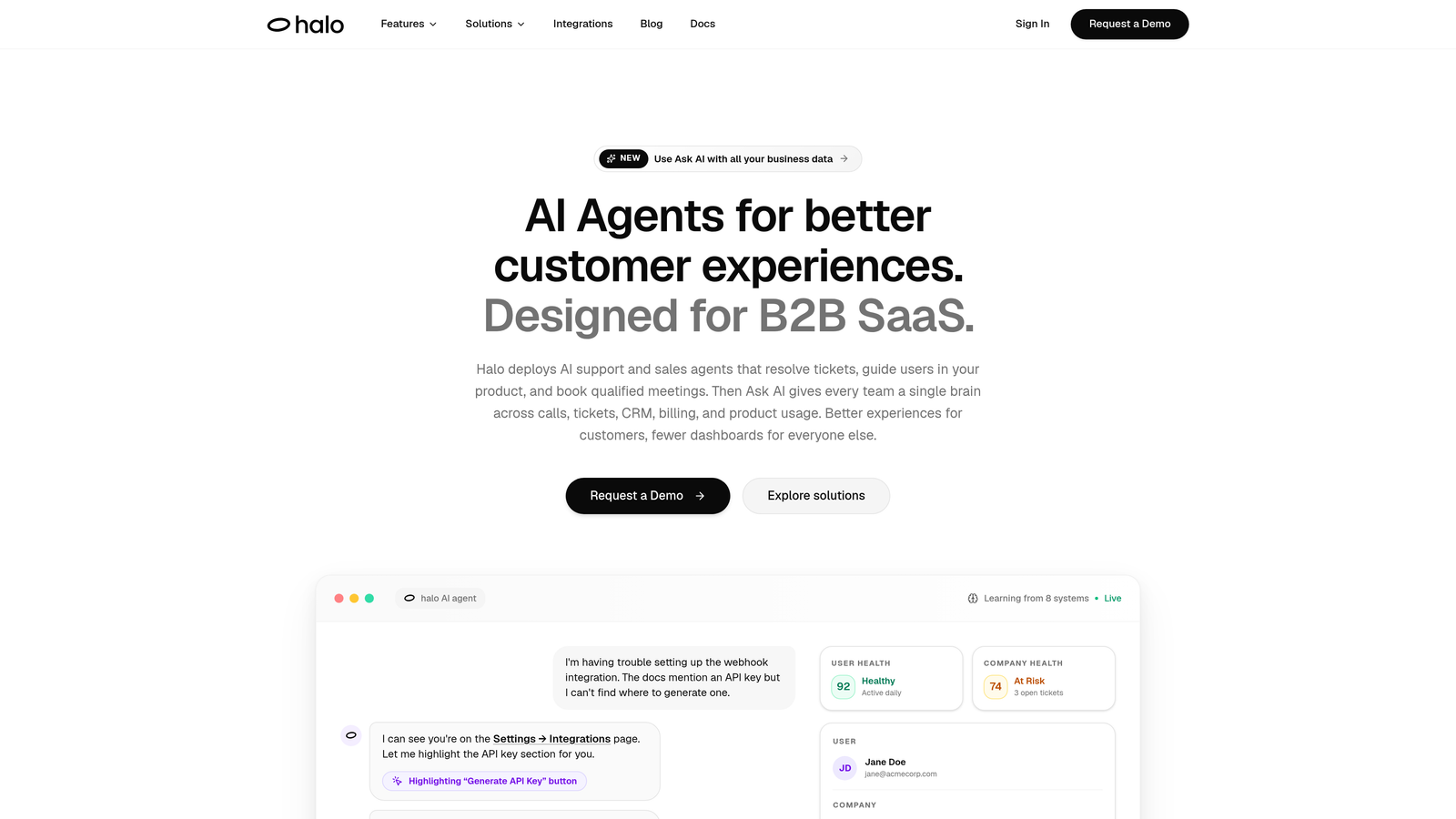
Halo AI is an AI-first customer support platform that deploys intelligent agents to resolve tickets, guide users through your product, and surface business intelligence signals — all while learning from every interaction.
Where This Tool Shines
What separates Halo from most support tools is its page-aware architecture. The AI agent doesn't just answer questions — it understands which feature or page the user is currently on and tailors its guidance accordingly. That's a meaningful distinction for adoption use cases, where "how do I set up a workflow?" means something completely different on the dashboard versus the settings panel.
Beyond reactive support, Halo's smart inbox surfaces business intelligence signals: customer health indicators, anomaly detection, and revenue-relevant patterns that help your team understand where adoption is breaking down before it becomes a churn event. It's support infrastructure that doubles as a product intelligence layer.
Key Features
Page-Aware Chat Widget: Understands the user's current context in the product and delivers targeted guidance specific to that page or feature.
Autonomous Ticket Resolution: AI agents resolve support tickets independently, with continuous learning from every interaction to improve over time.
Smart Inbox with Business Intelligence: Surfaces customer health signals, anomaly detection, and revenue intelligence beyond standard support metrics.
Auto Bug Ticket Creation: Automatically routes identified issues to engineering tools like Linear, reducing the friction between support and development.
Live Agent Handoff: Seamlessly escalates complex issues to human agents when the situation requires a personal touch.
Deep Integration Stack: Connects with Slack, HubSpot, Intercom, Stripe, Zoom, PandaDoc, and Fathom for a fully connected support and product ecosystem.
Best For
B2B SaaS teams that want support automation and in-product guidance working together in a single platform. Particularly well-suited for product-led growth companies where the support layer needs to understand product context, not just ticket content. Also a strong fit for teams that want their support data to feed directly into customer success and engineering workflows.
Pricing
Pricing is not publicly listed. Contact the Halo team directly at haloagents.ai for a demo and custom pricing details.
2. Pendo
Best for: Mid-market and enterprise teams that want behavioral analytics tied directly to in-app guidance
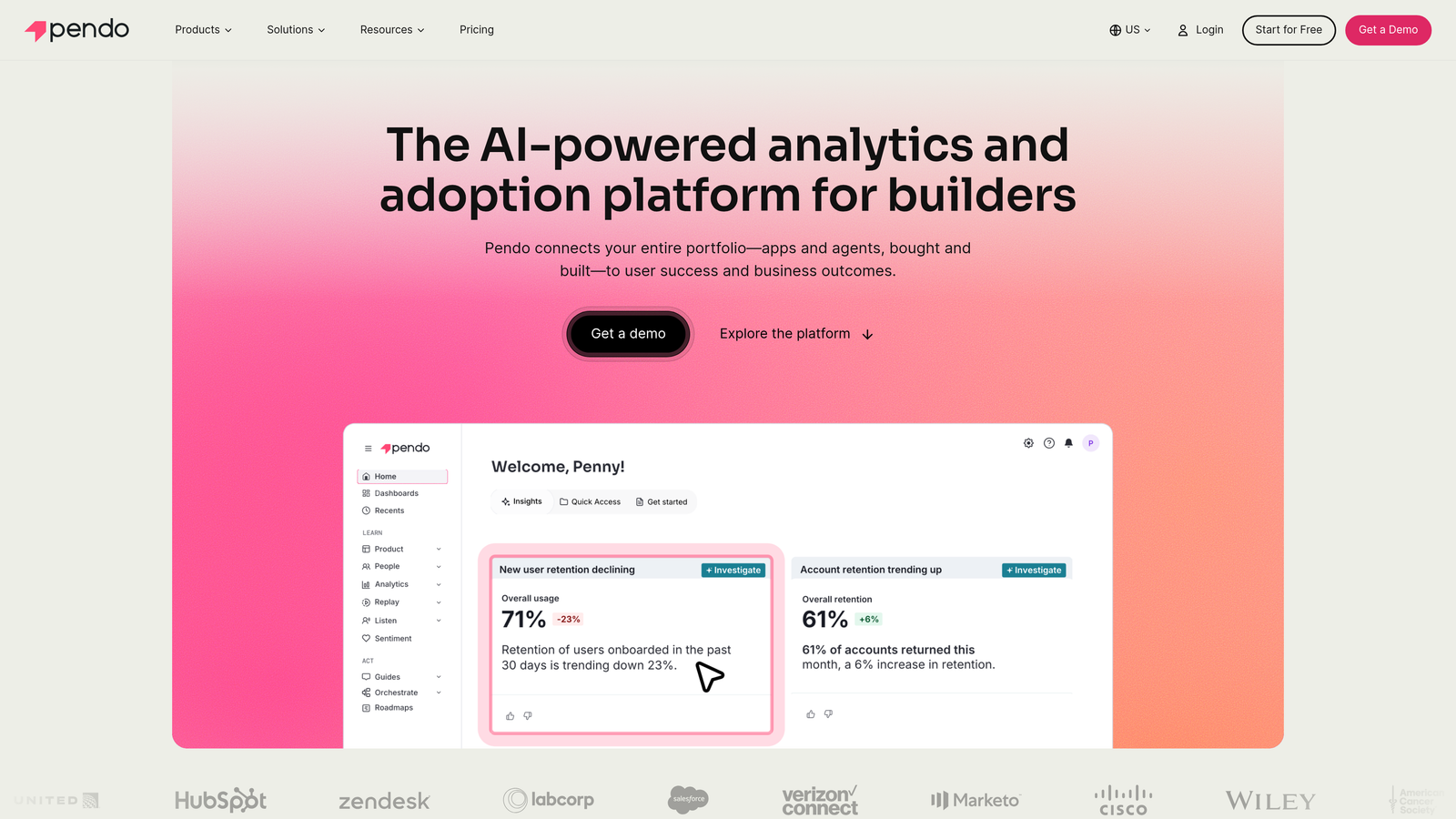
Pendo is a digital adoption platform that combines in-app guidance with deep product analytics, allowing teams to target users based on behavior and measure the impact of onboarding flows.
Where This Tool Shines
Pendo's core strength is the feedback loop between analytics and guidance. You can identify which features users aren't engaging with, then immediately create a targeted tooltip or walkthrough for that exact segment — without switching between tools. This closed loop between "what's happening" and "what we're doing about it" is what makes Pendo powerful for adoption teams.
The retroactive analytics capability is also worth highlighting. Pendo captures behavioral data without requiring upfront tagging, which means you can go back and analyze historical usage patterns even for features you didn't originally instrument. That's a significant operational advantage for fast-moving product teams.
Key Features
In-App Guides: Tooltips, lightboxes, and banners triggered by user behavior, segment, or lifecycle stage.
Product Analytics: Feature adoption tracking, funnel analysis, and path analysis to understand how users navigate the product.
NPS and In-App Surveys: Collect user feedback contextually within the product experience.
Retroactive Analytics: No tagging required for historical data — analyze past behavior without pre-instrumentation.
Roadmapping and Feedback Collection: Prioritize product decisions using aggregated user feedback and adoption data.
Best For
Product and customer success teams at mid-market and enterprise SaaS companies that need both guidance and analytics in one platform. Teams that want to connect "who is struggling with what feature" to targeted in-app messaging will find Pendo's integrated approach compelling.
Pricing
Pricing is not publicly listed. Pendo offers a free trial for smaller teams; enterprise pricing is available on request at pendo.io.
3. Appcues
Best for: Product teams that want to build and launch onboarding flows without engineering involvement
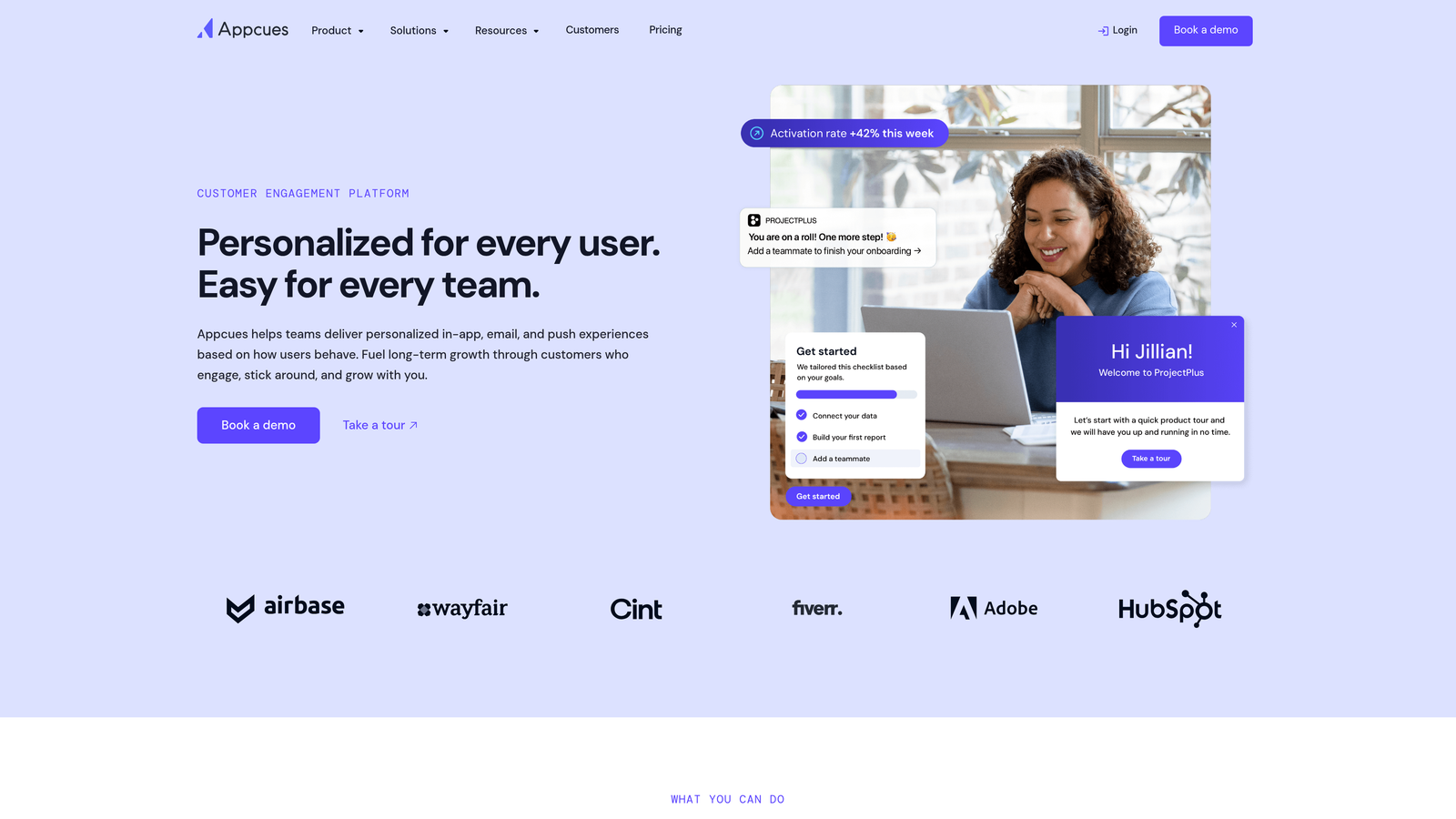
Appcues is a no-code onboarding platform that lets product teams build and launch in-app flows — checklists, modals, tooltips, and slideouts — without writing a line of code.
Where This Tool Shines
Appcues democratizes onboarding experimentation. Product managers and customer success teams can build, test, and iterate on adoption flows independently, without queuing up engineering tickets. For teams where developer bandwidth is the bottleneck, this independence is genuinely valuable.
The integration ecosystem is also well-suited to modern SaaS stacks. Connecting Appcues to Segment, HubSpot, or Mixpanel means your onboarding data flows into the tools your team already uses for user analytics and lifecycle marketing.
Key Features
No-Code Visual Builder: Create onboarding checklists, modals, tooltips, and slideouts through a visual interface with no engineering required.
User Segmentation: Target onboarding experiences based on user properties, plan type, or behavioral data.
Flow Analytics: Track completion rates and drop-off points for each onboarding flow to identify where users disengage.
A/B Testing: Run experiments on onboarding flows to optimize for activation and feature adoption.
CRM and Analytics Integrations: Connects with Segment, HubSpot, Salesforce, and Mixpanel.
Best For
Growth-stage SaaS teams that want product-led onboarding without heavy engineering investment. Also a good fit for customer success teams that need to move quickly on adoption experiments without waiting on development resources.
Pricing
Starts around $249/month. Verify current pricing at appcues.com as rates are subject to change.
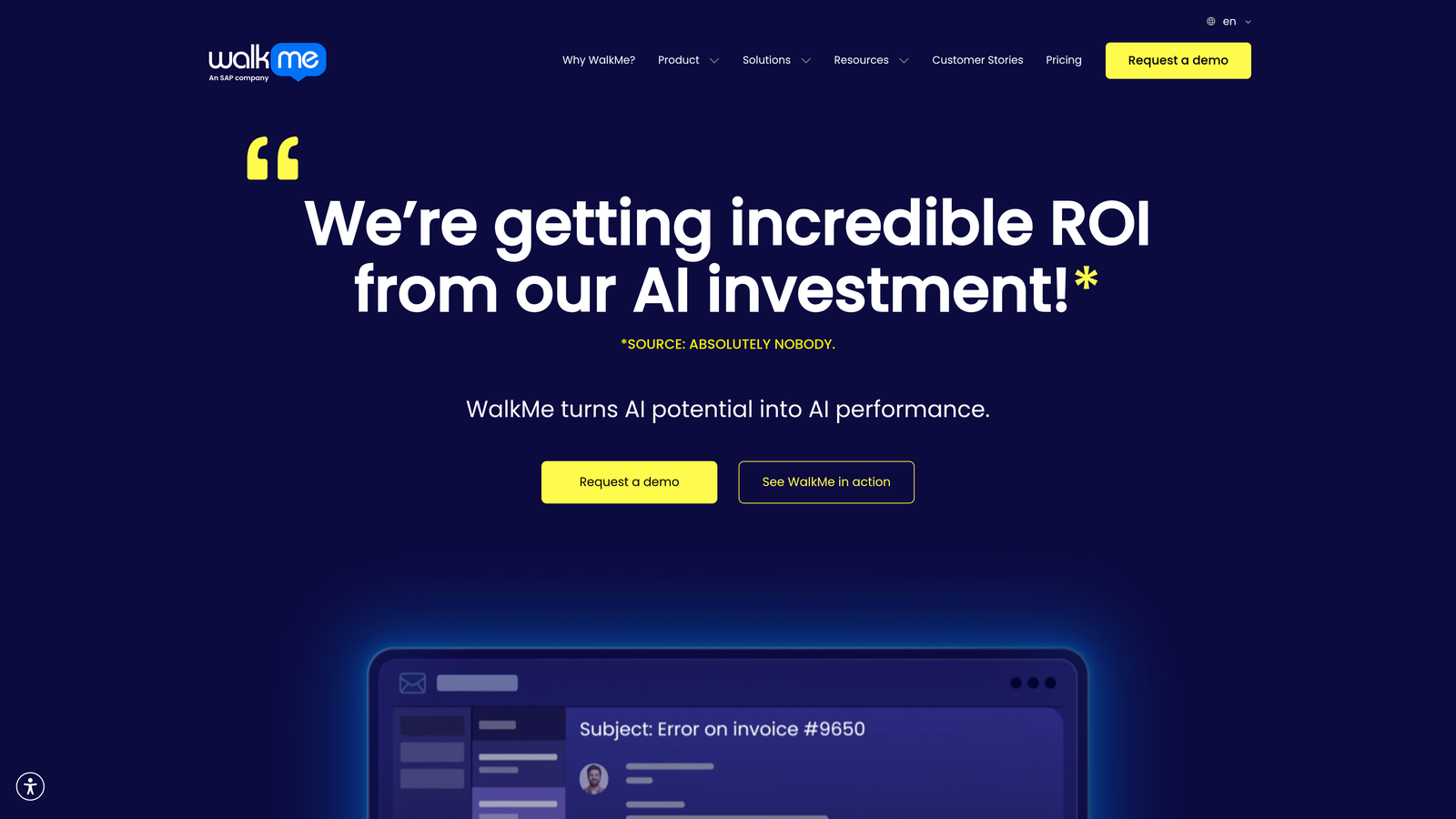
4. WalkMe
Best for: Enterprise organizations managing adoption across complex web, desktop, and third-party applications
WalkMe is an enterprise digital adoption platform that overlays step-by-step guidance on any web or desktop application, widely used for both customer-facing SaaS products and internal software rollouts.
Where This Tool Shines
WalkMe's breadth of application support is its defining characteristic. Where most DAPs focus on web-based SaaS products, WalkMe works across web apps, desktop applications, and third-party enterprise tools like Salesforce, SAP, and Workday. For large organizations managing adoption across a complex software landscape, that flexibility is difficult to replicate.
The automation layer is also worth noting. WalkMe can complete steps on behalf of users — not just guide them through a process, but actually execute actions within the application. For complex, multi-step enterprise workflows, this capability can meaningfully reduce friction.
Key Features
Smart Walk-Thrus: Real-time, step-by-step guidance that adapts to user actions within any application.
Cross-Platform Support: Works across web apps, desktop applications, and major enterprise platforms including Salesforce, SAP, and Workday.
Workflow Automation: Can complete process steps on behalf of users, reducing manual effort in complex workflows.
Task Analytics: Detailed reporting on task completion rates, guidance engagement, and workflow bottlenecks.
Enterprise Governance: Role-based access controls, security features, and compliance tools built for large organizations.
Best For
Large enterprises managing software adoption at scale, particularly organizations running complex internal rollouts of tools like Salesforce, SAP, or Workday. Note that WalkMe was acquired by SAP in 2023, which may be a relevant consideration for enterprise procurement decisions.
Pricing
Enterprise contracts with custom pricing. Contact WalkMe directly at walkme.com for a quote.
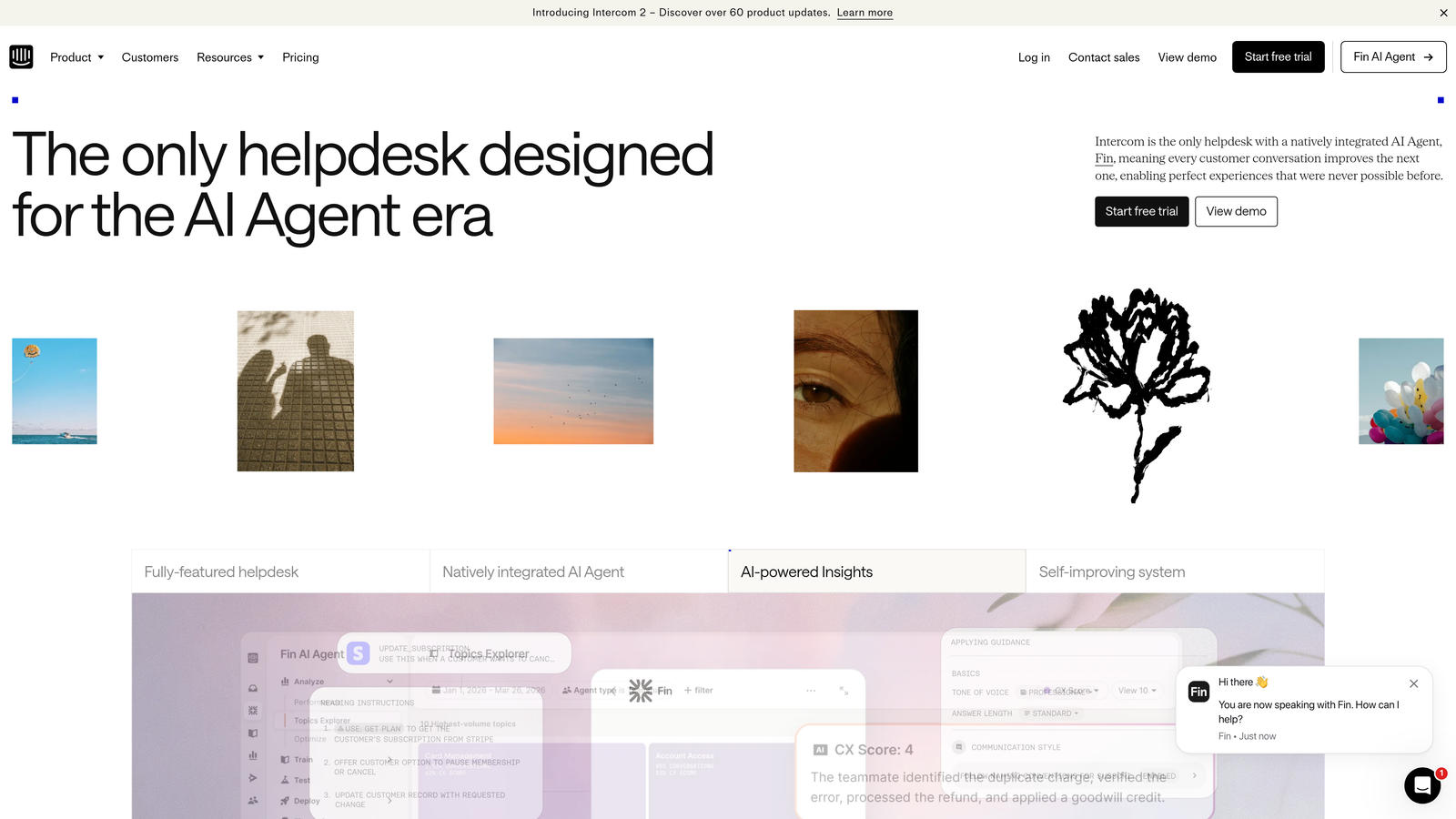
5. Intercom
Best for: SaaS teams that want messaging-led adoption with AI support and product tours in one platform
Intercom is a customer communications platform that combines AI-powered chat (Fin), product tours, and a help center — giving SaaS teams a messaging-led approach to both support and onboarding.
Where This Tool Shines
Intercom's strength is the combination of proactive and reactive in a single platform. You can trigger behavior-based messages to nudge users toward key activation milestones, while Fin AI handles inbound support queries autonomously. For teams that want fewer tools in their stack, this consolidation has real appeal.
The help center hosting is also a practical advantage. SEO-optimized articles, combined with in-app messaging that can surface relevant content at the right moment, creates a self-serve support experience that reduces ticket volume while supporting adoption.
Key Features
Fin AI Agent: Autonomous AI support resolution that handles common queries without human intervention.
Product Tours: Guided in-app walkthroughs for onboarding new users to key features.
Behavior-Triggered Messaging: Proactive outreach based on user actions, inactions, or lifecycle stage.
Unified Inbox: Manages live chat, email, and AI-handled conversations in a single view.
Help Center: SEO-optimized article hosting with in-app surfacing for self-serve support.
Best For
SaaS teams that want a messaging-first adoption approach and are comfortable with product tours that are less sophisticated than dedicated DAPs. Particularly well-suited for teams that already use Intercom for support and want to extend it into onboarding without adding another tool.
Pricing
Starts around $39/month for basic plans, scaling significantly with usage and feature tiers. Verify current pricing at intercom.com.
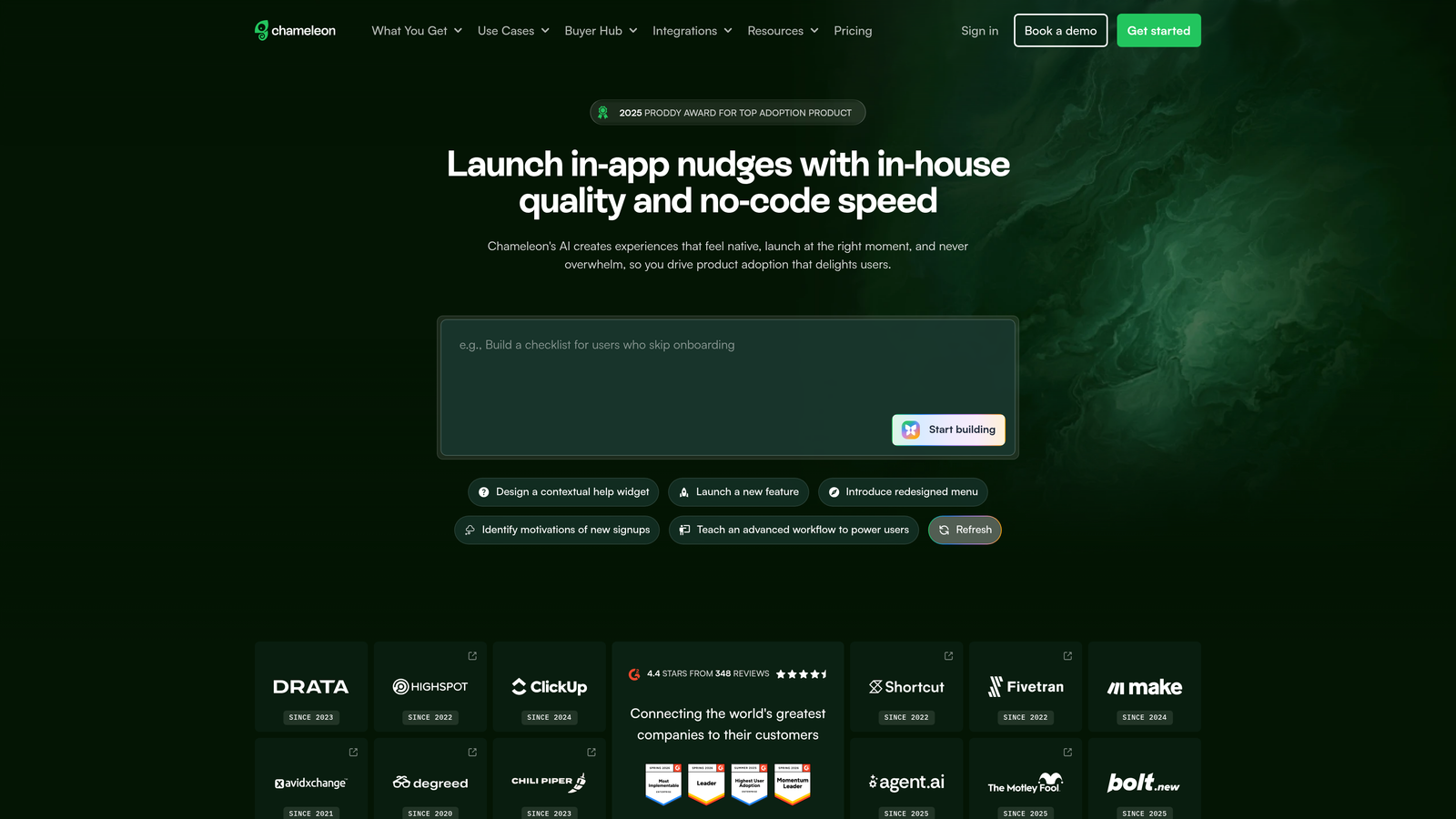
6. Chameleon
Best for: Product teams that iterate frequently on adoption flows and need strong A/B testing and targeting
Chameleon is an in-app experience platform focused on highly customizable tours, tooltips, surveys, and launchers — with strong A/B testing and targeting capabilities for teams that experiment often.
Where This Tool Shines
Chameleon is built for teams that treat onboarding as an ongoing experiment rather than a one-time setup. The A/B testing capabilities are genuinely robust, allowing you to test different onboarding flows against each other and optimize based on actual activation and adoption data. For product-led growth teams running frequent experiments, this is a significant advantage.
The targeting engine is also unusually granular. You can trigger experiences based on user properties, specific events, segments, and combinations of behavioral signals — giving you fine-grained control over who sees what and when.
Key Features
No-Code Experience Builder: Create tours, tooltips, modals, and launchers through a visual interface without engineering support.
Advanced Targeting: Trigger experiences based on user properties, behavioral events, and custom segments.
A/B Testing: Run controlled experiments on onboarding flows to optimize for adoption outcomes.
Microsurveys: Collect in-context user feedback within the product experience at key moments.
Best For
Growth-focused product teams at SaaS companies that run frequent onboarding experiments and need precise targeting. Also a good fit for teams that want to collect in-product feedback as part of their adoption optimization process.
Pricing
Starts around $279/month. Verify current pricing at chameleon.io as rates may have changed.
7. Whatfix
Best for: Organizations that need digital adoption tooling for both customer-facing products and internal enterprise software
Whatfix is a digital adoption platform that serves both customer-facing and employee-facing use cases, with a contextual self-help widget, smart tips, and detailed analytics on feature engagement.
Where This Tool Shines
Whatfix's dual-use positioning is its clearest differentiator. Most DAPs focus exclusively on customer-facing SaaS adoption. Whatfix handles that use case, but also covers internal employee adoption — making it a practical choice for organizations that need to roll out new software internally while also supporting external users on a customer product.
The multi-format content authoring is also notable. From a single authoring environment, teams can create walkthroughs, videos, and articles that are surfaced contextually within the product. That reduces the overhead of maintaining separate knowledge base and in-app guidance systems.
Key Features
In-App Self-Help Widget: A searchable, contextual resource center embedded directly in the product interface.
Smart Tips and Task Lists: Contextual guidance and structured onboarding checklists for new users.
Feature Adoption Analytics: Detailed reporting on feature usage, guidance engagement, and user behavior patterns.
Dual-Use Coverage: Supports both customer-facing SaaS products and internal enterprise software rollouts.
Multi-Format Content Authoring: Create walkthroughs, videos, and articles from a single authoring tool.
Best For
Mid-market and enterprise organizations that need adoption tooling across both their customer product and internal software ecosystem. Also well-suited for teams that want to consolidate knowledge base and in-app guidance into a single authoring workflow.
Pricing
Enterprise pricing, not publicly listed. Contact Whatfix directly at whatfix.com for a custom quote.
8. UserGuiding
Best for: Early-stage and SMB SaaS teams that need solid adoption tooling without enterprise-level costs
UserGuiding is a budget-friendly no-code onboarding platform offering checklists, tooltips, modals, resource centers, and NPS surveys — designed for teams that need effective adoption tooling without heavy investment.
Where This Tool Shines
UserGuiding's value proposition is straightforward: it delivers the core functionality of more expensive DAPs at a price point that makes sense for early-stage companies. Checklists, tooltips, modals, and a resource center cover the fundamentals of a solid onboarding experience, and the setup process is genuinely fast with minimal engineering overhead.
For startups validating their onboarding approach, UserGuiding provides enough capability to experiment and iterate without committing to an enterprise contract. Once you've established what works, you can evaluate whether more sophisticated tooling is warranted.
Key Features
No-Code Onboarding Builder: Create checklists, tooltips, and modals through a visual interface with minimal technical setup.
In-App Resource Center: A self-serve help hub embedded in the product for users who prefer to find answers independently.
NPS Surveys and Segmentation: Collect user sentiment data and apply basic segmentation to target experiences.
Guide Analytics: Track guide views, completion rates, and checklist progress to understand engagement.
Low Engineering Overhead: Simple installation and setup designed for teams without dedicated technical resources.
Best For
Early-stage SaaS startups and SMB teams that need functional onboarding tooling quickly and affordably. Teams that are still figuring out their adoption strategy will find UserGuiding's simplicity an asset rather than a limitation.
Pricing
Starts around $89/month. Verify current pricing at userguiding.com.
9. Zendesk
Best for: SaaS teams that need a proven, scalable helpdesk backbone with AI-assisted triage and a large integration ecosystem
Zendesk is an industry-standard helpdesk platform with AI-assisted ticket triage, automation, and a large integration ecosystem — commonly used as the support backbone in SaaS adoption stacks.
Where This Tool Shines
Zendesk isn't a digital adoption platform — it won't overlay tooltips on your product or guide users through a workflow. What it does exceptionally well is manage the reactive support side of the adoption equation: routing tickets intelligently, automating repetitive workflows, and giving support teams the operational infrastructure to resolve issues at scale.
The integration marketplace is one of Zendesk's most practical strengths. Connecting your helpdesk to your CRM, product analytics, and customer data platform means your support agents have context when a user reaches out — which directly improves resolution quality and speed during the critical adoption period.
Key Features
AI-Assisted Triage: Intelligent ticket routing and classification that directs issues to the right team or automation.
Macros and Workflow Automation: Automate repetitive support tasks and standardize responses for common adoption-related queries.
Integration Marketplace: A large ecosystem of integrations connecting Zendesk to CRM, product analytics, and customer data tools.
Help Center and Community Hosting: Self-serve knowledge base and community forum to reduce inbound ticket volume.
Support Analytics: Reporting on ticket volume, resolution time, and agent performance to identify support bottlenecks.
Best For
SaaS teams that need a reliable, scalable helpdesk and are building an adoption stack that combines reactive support with proactive DAP tooling. Zendesk works best as part of a broader adoption stack rather than as a standalone adoption solution.
Pricing
Starts around $19/agent/month for basic plans. Verify current pricing at zendesk.com.
Which Tool Is Right for Your Team?
The honest answer is that the best product adoption stack usually combines two layers: a digital adoption platform for proactive, in-app guidance, and an intelligent support tool for handling reactive queries efficiently. The tools on this list serve different parts of that equation.
If you're an early-stage startup with limited resources, UserGuiding gives you functional onboarding tooling at an accessible price point. As you scale, Appcues or Chameleon offer more sophisticated experimentation capabilities without requiring enterprise contracts.
For mid-market and enterprise teams that need deep product analytics connected to in-app guidance, Pendo is the most mature option in that category. If your organization manages adoption across both customer-facing products and internal enterprise software, Whatfix or WalkMe cover that dual-use requirement. Teams already invested in Intercom's messaging ecosystem can extend it into onboarding without adding a separate tool.
For the support automation layer — the piece that handles user questions in real time, learns from every interaction, and connects your support data to the rest of your business stack — Halo AI stands out for its page-aware architecture. Most support tools answer questions. Halo understands where the user is in your product and responds with context that's actually relevant to what they're trying to accomplish. That distinction matters more than it might seem when you're trying to move users from confused to activated.
Your support team shouldn't scale linearly with your customer base. Let AI agents handle routine tickets, guide users through your product, and surface business intelligence while your team focuses on complex issues that need a human touch. See Halo in action and discover how continuous learning transforms every interaction into smarter, faster support.