9 Best Self-Service Customer Support Solutions in 2026
Discover the 9 best self-service customer support solutions for 2026, evaluated on AI capability, integrations, and deployment ease to help B2B teams deflect repetitive tickets and scale support efficiently. Whether you're a lean SaaS startup or managing high-volume helpdesks, this guide identifies the right platform to empower users with instant answers while keeping human agents focused on complex, high-value work.
 Matt PattoliFounder13 min read
Modern B2B customers expect answers immediately, not a 24-hour wait for an email reply. Self-service customer support solutions let users resolve issues on their own terms, reducing ticket volume while improving satisfaction. For product teams and support leaders, the right platform can mean the difference between a support org that scales and one that constantly plays catch-up.
This list covers nine tools built for companies that want to deflect repetitive tickets, empower users with instant answers, and keep human agents focused on high-value work. We've evaluated each on AI capability, integration depth, ease of deployment, and how well it handles the full self-service journey. Whether you're running a lean support team at a growing SaaS company or managing a high-volume helpdesk, there's a solution here that fits.
1. Halo AI
Best for: AI-first SaaS teams that want autonomous ticket resolution with deep product context
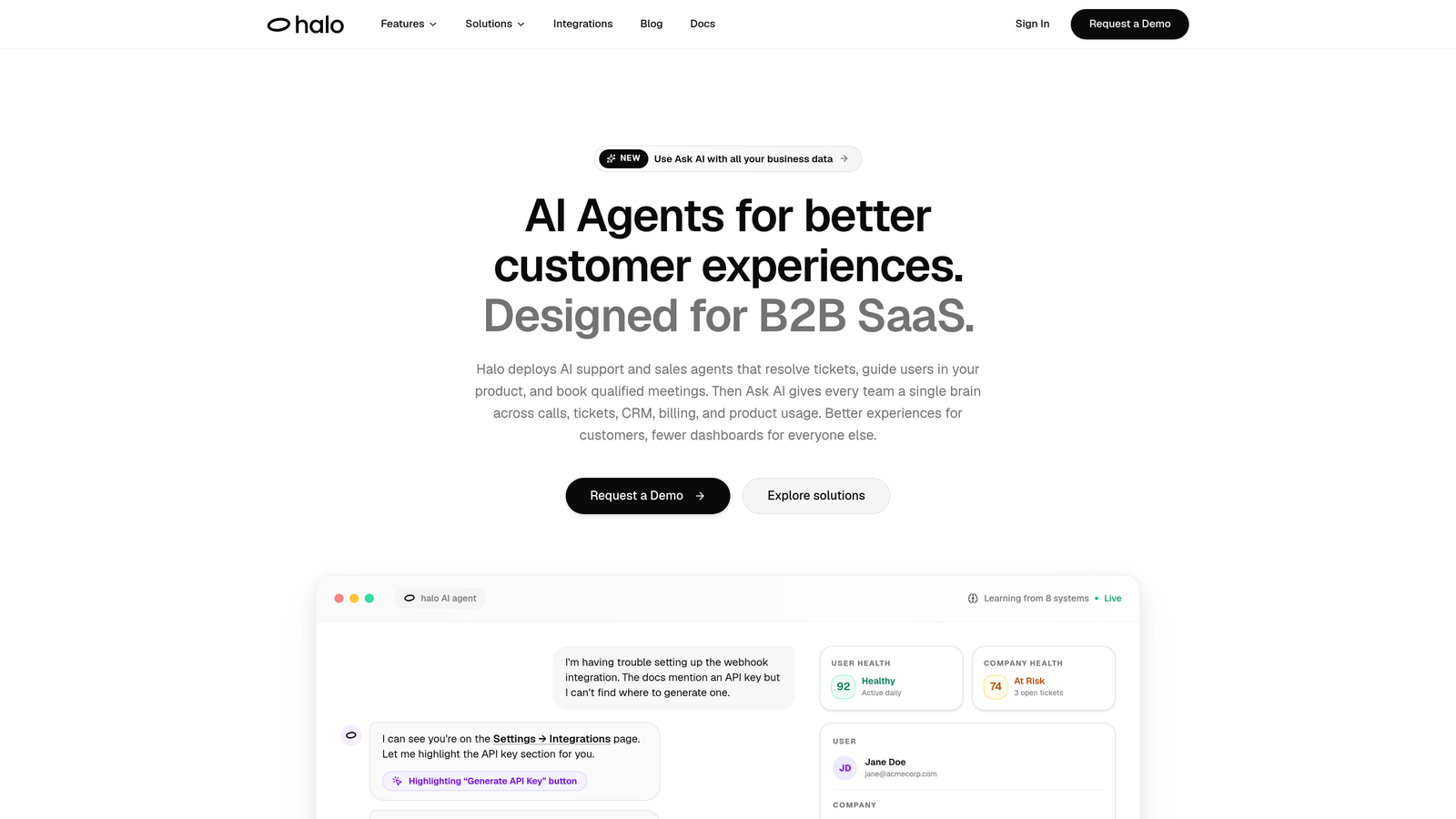
Halo AI is an AI-first customer support platform that deploys intelligent agents to resolve tickets, guide users through your product, and surface business intelligence — all while continuously learning from every interaction.
Where This Tool Shines
What sets Halo apart from every other tool on this list is page-aware context. The AI agent actually sees what the user is looking at inside your product, which means it can provide specific, step-by-step UI guidance rather than generic help article links. That's a meaningful difference when your users are stuck on a specific screen at 11pm with no human agent available.
Halo is also genuinely AI-first, not a bolt-on feature added to a legacy helpdesk. The architecture is built around continuous learning: every resolved ticket, every escalation, every user interaction feeds back into the system to make future responses smarter. Over time, the platform gets better at your product specifically, not just support conversations in general.
Key Features
Page-Aware Chat Widget: The AI sees exactly what the user is viewing in your product and delivers contextual, step-by-step guidance tailored to that specific screen.
Autonomous Ticket Resolution with Live Handoff: AI agents resolve support tickets independently and escalate complex issues to human agents with full conversation context preserved.
Auto Bug Ticket Creation: Reported issues are automatically converted into structured bug tickets, eliminating manual triage and connecting support directly to your engineering workflow.
Smart Inbox with Business Intelligence: The inbox surfaces customer health signals, revenue anomalies, and product usage patterns — turning support data into actionable intelligence beyond just ticket counts.
Deep Integration Stack: Connects natively with Linear, Slack, HubSpot, Intercom, Stripe, Zoom, PandaDoc, and Fathom, so it slots into your existing business stack rather than requiring you to rebuild around it.
Best For
SaaS product teams and support leaders who want AI to handle routine tickets autonomously while extracting business intelligence from support interactions. Particularly strong for companies with complex products where context-aware guidance matters more than generic FAQ answers.
Pricing
Contact for pricing. Visit haloagents.ai for current plans and to request a demo.
2. Intercom
Best for: Teams already in the Intercom ecosystem seeking AI-powered conversation resolution
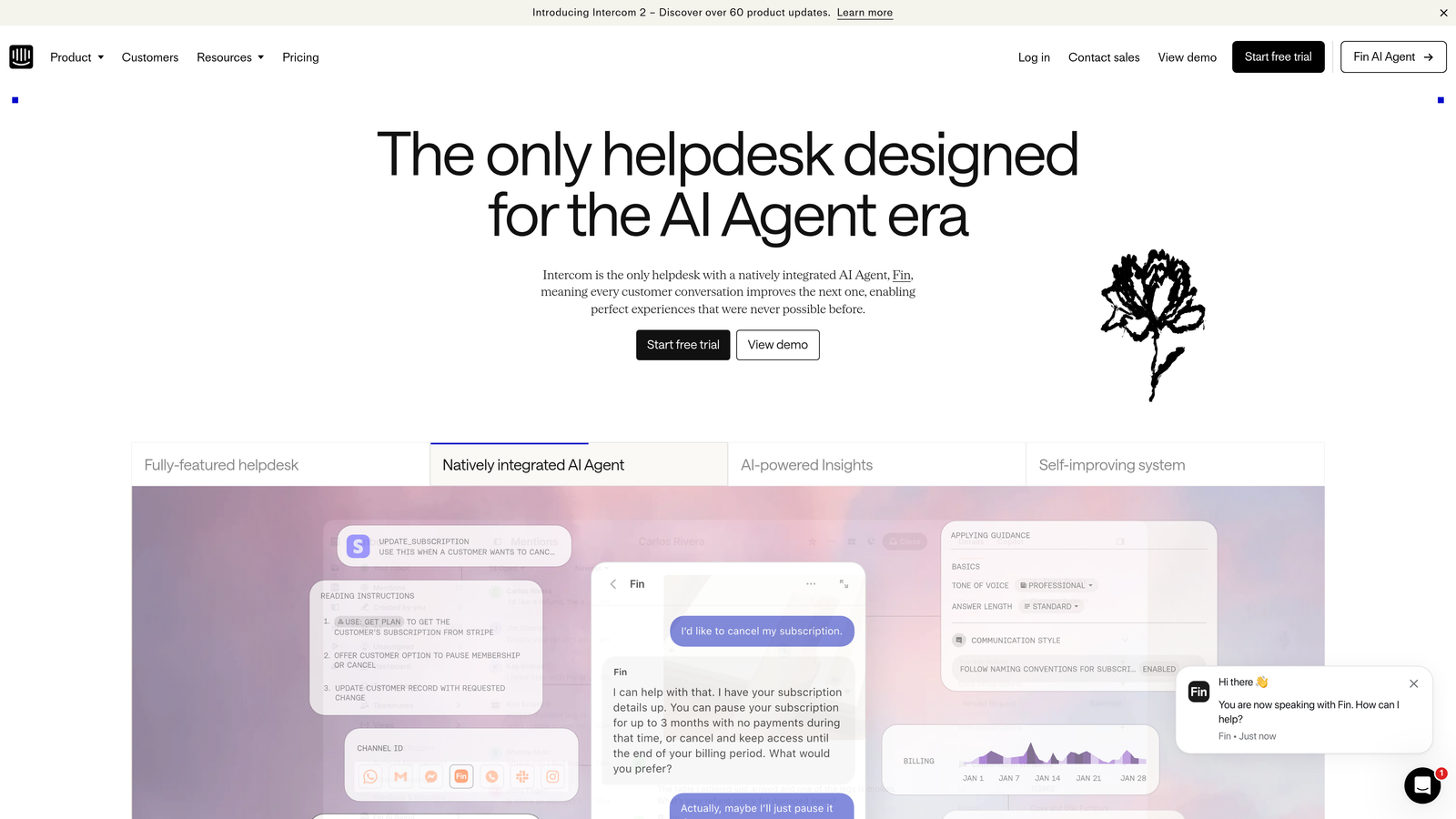
Intercom is a mature customer messaging platform featuring Fin, its AI agent, designed to resolve support queries using your help center content and manage handoffs to human agents seamlessly.
Where This Tool Shines
Fin is one of the more capable AI agents in the helpdesk market. It draws directly on your existing help center content to generate responses, which means teams with well-maintained documentation can deploy it without building a separate knowledge base from scratch. The handoff experience to live agents is also polished, with conversation context carried through cleanly.
Intercom's broader platform adds proactive messaging, product tours, and in-app support capabilities, making it more than just a reactive support tool. If you want to combine outbound product messaging with inbound support resolution in one platform, Intercom handles both.
Key Features
Fin AI Agent: Trained on your help center content to autonomously handle and resolve customer conversations without human involvement.
Conversation Routing and Inbox Management: Robust tools for managing live agent queues, routing rules, and team assignments at scale.
In-App Messaging and Product Tours: Proactive support and onboarding capabilities built into the same platform as reactive support.
Resolution Rate Reporting: Analytics on how often Fin resolves conversations without escalation, plus CSAT tracking for quality monitoring.
Best For
Companies already using Intercom for customer messaging who want to add AI resolution without switching platforms. Also well-suited for teams that want proactive and reactive support managed in one place.
Pricing
Starts at approximately $39/seat/month; Fin AI usage is billed per resolution. Pricing has increased in recent years, so verify current plans at intercom.com.
3. Zendesk
Best for: Enterprise teams needing a comprehensive, multi-channel helpdesk with self-service layers
Zendesk is the enterprise-grade helpdesk incumbent, offering a comprehensive self-service layer through Zendesk Guide and AI-powered ticket deflection and agent assist tools.

Where This Tool Shines
Zendesk's strength is breadth. It covers email, chat, voice, and social channels under one roof, with SLA management, advanced routing, and a large marketplace of integrations. For enterprise support orgs managing high volumes across multiple channels, that consolidation has real operational value.
Zendesk Guide provides a solid customer-facing knowledge base, and the AI layer surfaces relevant articles before customers even submit a ticket. It's not the most cutting-edge AI experience, but it's reliable and deeply integrated with the ticketing workflow most enterprise teams already rely on.
Key Features
Zendesk Guide: A full-featured knowledge base builder for creating, organizing, and managing customer-facing help content.
AI-Powered Ticket Deflection: Suggests relevant articles and answers before a ticket is submitted, reducing inbound volume automatically.
Multi-Channel Support: Unified inbox across email, live chat, voice, and social media with advanced routing and SLA management.
Extensive Integration Marketplace: Hundreds of pre-built integrations and a large partner ecosystem for implementation support.
Best For
Enterprise support organizations that need a proven, scalable platform with multi-channel coverage and compliance-grade reliability. Can feel heavyweight for smaller teams with simpler needs.
Pricing
Suite plans start at approximately $55/agent/month. Verify current pricing at zendesk.com.
4. Freshdesk
Best for: Growing SMB and mid-market teams wanting AI-assisted support at an accessible price
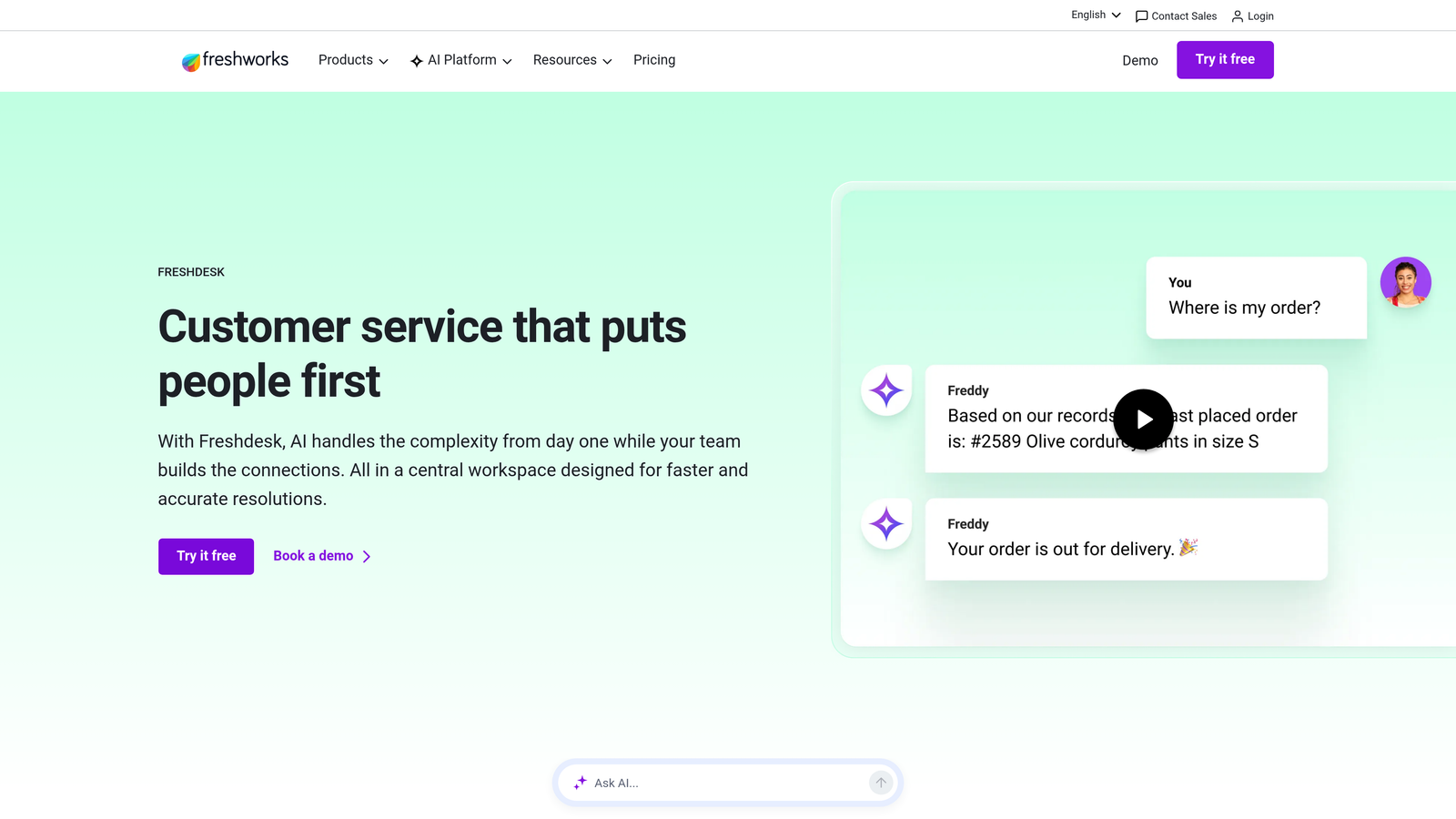
Freshdesk is a helpdesk platform with Freddy AI built in, offering ticket deflection, a self-service portal, and knowledge base tools at a price point accessible to growing teams.
Where This Tool Shines
Freshdesk hits a sweet spot for teams graduating from shared inbox tools like Gmail or Front. The platform covers the core helpdesk workflow well, and Freddy AI handles ticket deflection and suggested responses without requiring significant configuration. The self-service portal is clean and easy to maintain.
Freddy Copilot adds agent productivity features like suggested replies and summarization, while Freddy Insights gives managers a view into support performance trends. For teams that want AI assistance across the full support workflow without enterprise-level pricing, Freshdesk is a strong contender.
Key Features
Freddy AI: Handles ticket deflection with relevant knowledge base suggestions and provides suggested responses to help agents reply faster.
Self-Service Portal: Customizable knowledge base and customer portal for users to find answers without contacting support.
Omnichannel Support: Manages conversations across email, chat, phone, and social from a single inbox.
Freddy Copilot and Insights: Agent productivity tools and analytics that surface performance trends and improvement opportunities.
Best For
SMB and mid-market teams looking for a full-featured helpdesk with solid AI capabilities at a more accessible price than Zendesk. Good fit for teams making their first move into dedicated support tooling.
Pricing
Free plan available; paid plans start at approximately $15/agent/month. Verify current pricing at freshworks.com.
5. Guru
Best for: Teams prioritizing knowledge accuracy and internal-to-external content management
Guru is a knowledge management platform that uses AI-powered search and verification workflows to keep your team's knowledge accurate and surfaceable as self-service content.

Where This Tool Shines
Guru solves a problem that most support teams quietly struggle with: outdated knowledge. Its verification workflow flags articles when they haven't been reviewed in a set timeframe, prompting subject matter experts to confirm or update the content. For fast-moving product teams where documentation goes stale quickly, this is genuinely useful.
The browser extension is a standout feature for support agents. It surfaces relevant knowledge cards in context while agents are working in other tools, without requiring them to switch tabs or search a separate system. That in-context access meaningfully reduces the friction of using a knowledge base during live conversations.
Key Features
AI-Powered Knowledge Search: Surfaces the most relevant answer based on context, reducing time spent hunting through documentation.
Verification Workflows: Automatically flags outdated content for expert review, keeping your knowledge base accurate over time.
Browser Extension: Delivers in-context knowledge access while agents work in other tools, without requiring a separate tab or search.
Helpdesk Integrations: Connects with Slack, Zendesk, Salesforce, and other support tools to surface knowledge where work actually happens.
Best For
Teams that want to invest seriously in knowledge quality and use that knowledge both internally (for agents) and externally (for customers). Best used alongside a helpdesk rather than as a standalone support platform.
Pricing
Free plan for small teams; paid plans start at approximately $10/user/month. Verify current pricing at getguru.com.
6. Chatbase
Best for: Startups and small teams needing a fast, low-friction AI chatbot deployment
Chatbase is a lightweight AI chatbot builder that lets you train a GPT-powered assistant on your documentation, website, or knowledge base and deploy it in minutes.
Where This Tool Shines
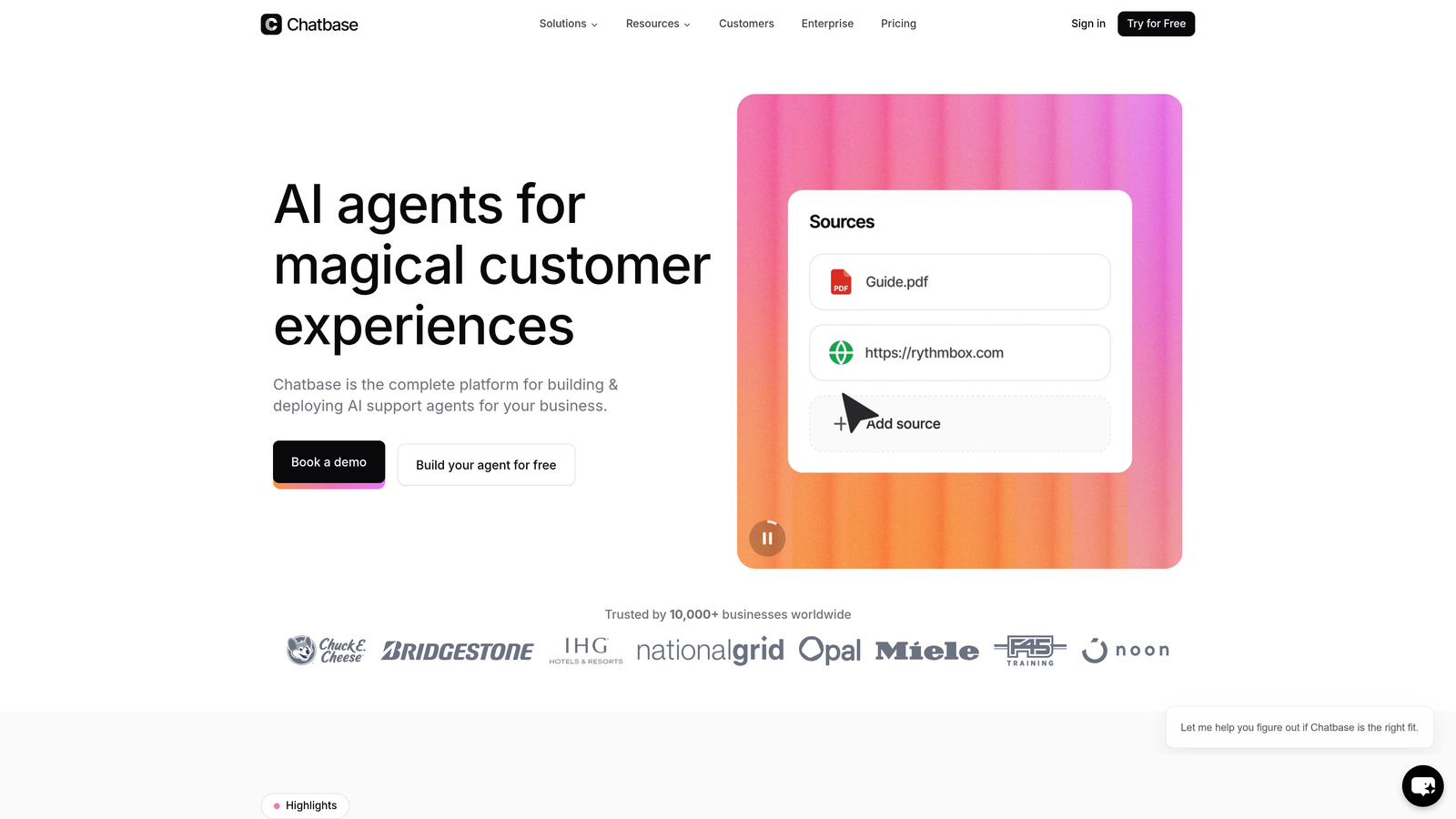
Chatbase's primary advantage is setup speed. You can upload PDFs, connect a URL, paste in text, or sync a Notion doc, and Chatbase trains a chatbot on that content without any coding required. For teams that need something live quickly and don't have the resources for a full helpdesk implementation, that low friction is a genuine differentiator.
It's worth being clear about what Chatbase is and isn't. It's excellent for answering common questions based on existing documentation. It's not designed for complex enterprise workflows, multi-channel support, or deep ticketing integration. Think of it as a smart FAQ layer rather than a full support platform.
Key Features
Flexible Training Sources: Train your chatbot on PDFs, website URLs, plain text, or Notion docs with minimal setup required.
Embeddable Chat Widget: Deploy the chatbot on your website or in your product with a simple embed code.
Conversation Analytics: Track what questions users are asking and where the chatbot succeeds or falls short.
API Access: Build custom integrations for teams that want to connect Chatbase to other tools in their stack.
Best For
Startups and small teams that need a working AI chatbot quickly, without the overhead of a full helpdesk platform. Also useful as a supplementary FAQ layer alongside a primary support tool.
Pricing
Free plan available; paid plans start at approximately $19/month. Verify current pricing at chatbase.co.
7. Help Scout
Best for: SaaS and e-commerce teams that want support to feel personal while reducing ticket volume
Help Scout is a customer support platform known for its clean, human-centered design, offering a Docs knowledge base, proactive article suggestions via the Beacon widget, and AI inbox tools.
Where This Tool Shines
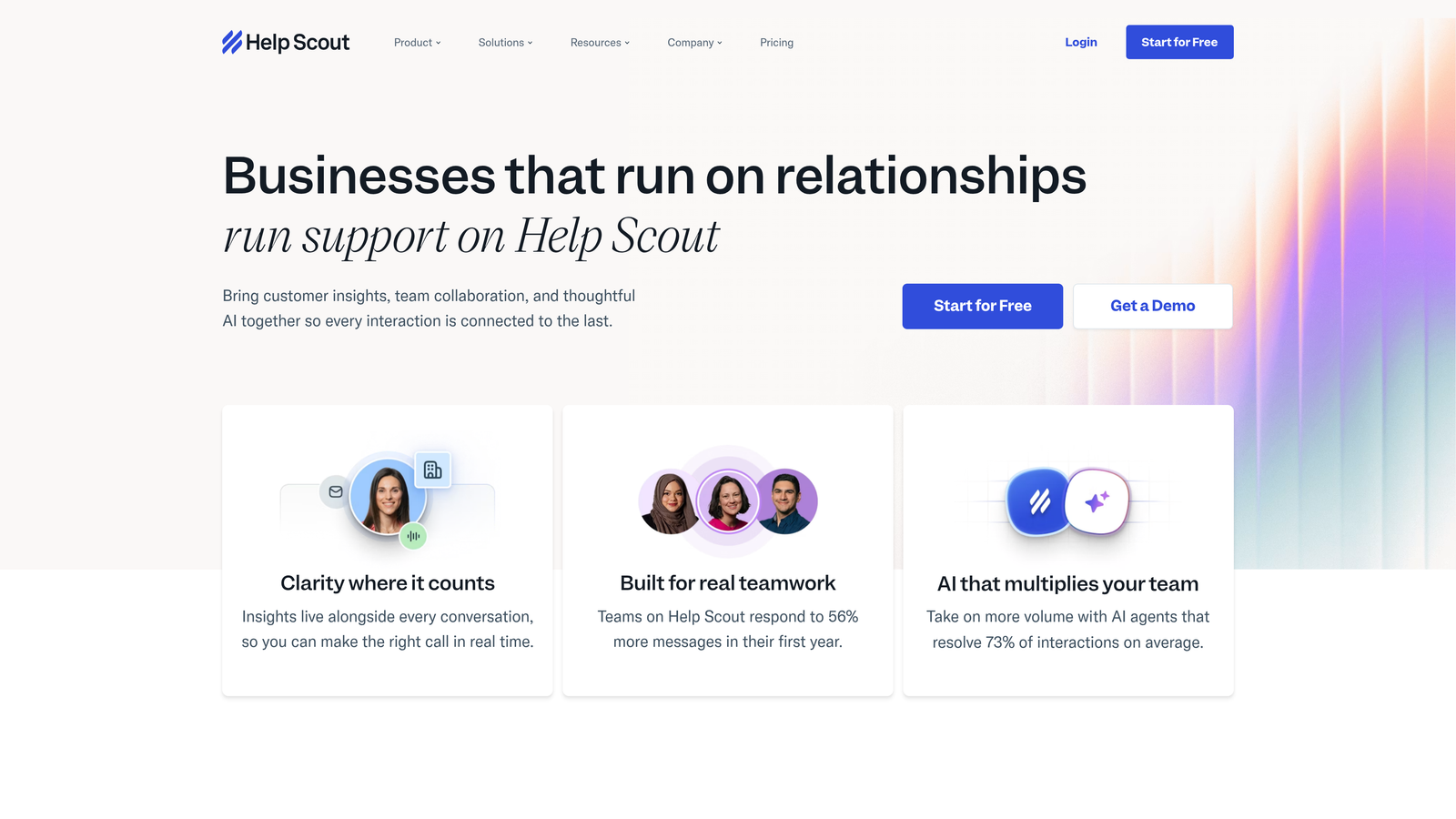
Help Scout's philosophy is that support should feel like a conversation with a helpful person, not a ticket number. The Docs product makes it easy to build a well-designed, searchable knowledge base, and the Beacon widget takes self-service a step further by proactively surfacing relevant articles before a customer even types their question. That proactive deflection is one of the more effective self-service mechanisms in this category.
The shared inbox is clean and well-organized, and AI Assist helps agents draft and refine responses faster. For teams that want meaningful self-service capabilities without sacrificing the warmth of human support, Help Scout finds a good balance.
Key Features
Docs Knowledge Base: A well-designed, searchable knowledge base builder that's easy for non-technical teams to maintain and update.
Beacon Widget: Proactively surfaces relevant help articles based on what the user is doing, reducing tickets before they're submitted.
AI Summarize and AI Assist: Helps agents summarize long conversations and draft responses more efficiently inside the shared inbox.
Straightforward Pricing: Per-user pricing without complex tier structures, making budgeting predictable for smaller teams.
Best For
SaaS companies and e-commerce brands that prioritize a warm, personal support experience alongside meaningful self-service deflection. Strong choice for teams that find Zendesk or Freshdesk overly complex for their needs.
Pricing
Starts at approximately $22/user/month. Verify current pricing at helpscout.com.
8. Tidio
Best for: Small businesses and e-commerce teams wanting live chat and AI automation in one affordable package
Tidio is an accessible live chat and AI automation platform featuring Lyro, its AI chatbot, designed to handle customer conversations autonomously for small and growing businesses.
Where This Tool Shines
Tidio combines live chat and AI automation in a single platform at a price point that makes sense for smaller teams. Lyro handles routine customer questions autonomously, and when it reaches the limits of what it can resolve, it hands off to a live agent cleanly. The visual chatbot flow builder lets teams create custom automation sequences without writing code.
The platform has particularly strong integrations with e-commerce tools like Shopify and WordPress, which makes it a natural fit for online retailers. For B2B SaaS teams with complex product workflows, it may feel limited, but for straightforward customer conversation automation, it delivers solid value at its price point.
Key Features
Lyro AI Chatbot: Handles customer conversations autonomously, answering questions and resolving common issues without human involvement.
Live Chat with Agent Handoff: Seamlessly transfers conversations to human agents when Lyro encounters questions outside its scope.
Visual Flow Builder: Create custom chatbot automation sequences using a drag-and-drop interface without coding.
E-Commerce Integrations: Native connections to Shopify, WordPress, and common CRM tools for retail-focused teams.
Best For
Small businesses and e-commerce brands that want AI-powered chat automation without enterprise pricing. Less suited for complex B2B SaaS workflows but excellent for teams with straightforward, high-volume customer conversations.
Pricing
Free plan available; Lyro AI plans start at approximately $29/month. Verify current pricing at tidio.com.
9. Confluence (Atlassian)
Best for: Engineering-led companies in the Atlassian ecosystem building a documentation foundation for self-service
Confluence is Atlassian's wiki and documentation platform, widely used by engineering-led companies to centralize knowledge that can serve as the foundation for customer-facing self-service content.
Where This Tool Shines
Confluence isn't a dedicated support tool, and it's worth being upfront about that. Its strength is in organizing and maintaining large bodies of documentation in a flexible, wiki-style structure. For companies already using Jira for engineering workflows, the integration between Confluence and Jira creates a direct connection between support knowledge and engineering issues — which is genuinely useful when support tickets frequently translate into product changes.
Atlassian Intelligence adds AI-powered search, summarization, and content creation capabilities that help teams find and maintain documentation more efficiently. For organizations where the bottleneck is creating and organizing quality content rather than deploying a chat widget, Confluence addresses the root problem.
Key Features
Flexible Wiki Structure: Organize product documentation, FAQs, and internal knowledge in a customizable, hierarchical format.
Jira Integration: Connect support knowledge directly to engineering workflows, making it easier to link documentation to active development work.
Atlassian Intelligence: AI-powered search, content summarization, and writing assistance built into the documentation workflow.
Permissions and Space Management: Separate internal and external content with granular access controls across teams and audiences.
Best For
Engineering-led companies already in the Atlassian ecosystem that want to build a strong documentation foundation. Best used as a knowledge layer alongside a dedicated support platform rather than as a standalone self-service solution.
Pricing
Free for up to 10 users; paid plans start at approximately $5.16/user/month. Verify current pricing at atlassian.com.
Which Self-Service Solution Is Right for You?
The right tool depends less on feature lists and more on where your team is right now and where you need to be in 12 months. Here's a practical way to think through the decision.
AI-first SaaS teams: If you want AI agents that genuinely resolve tickets, understand product context, and surface business intelligence beyond support, Halo AI is built for exactly that use case. The page-aware context and continuous learning architecture are difficult to replicate by adding AI features to a legacy helpdesk.
Enterprise helpdesk consolidation: Zendesk remains the most comprehensive option for large support organizations managing high volumes across multiple channels. The breadth of integrations and the maturity of the platform matter at scale.
Growing SMB teams: Freshdesk offers solid AI capabilities and a full helpdesk workflow at a price point that makes sense for teams still building their support infrastructure. Tidio is worth considering if live chat and simple automation are the primary needs.
Knowledge-first approach: If your biggest challenge is creating and maintaining accurate documentation, Guru's verification workflows solve a real problem that most support tools ignore. Confluence is the right foundation for engineering-led companies already in the Atlassian ecosystem.
Fast lightweight chatbot: Chatbase is hard to beat for speed of deployment. If you need something live in hours rather than weeks, it's the lowest-friction option on this list.
Your support team shouldn't scale linearly with your customer base. Let AI agents handle routine tickets, guide users through your product, and surface business intelligence while your team focuses on complex issues that need a human touch. See Halo in action and discover how continuous learning transforms every interaction into smarter, faster support.