9 Best Stripe Support Integration Tools in 2026
The right stripe support integration tools eliminate the need for agents to switch between platforms by bringing payment data directly into support conversations. This guide reviews nine solutions ranging from AI-powered automation platforms that handle billing queries autonomously to traditional helpdesk integrations that sync customer payment information, helping teams resolve subscription issues, failed payments, and billing questions faster without requiring customers to repeat themselves.
 Grant CooperFounder12 min read
When customers reach out about billing issues, failed payments, or subscription changes, your support team shouldn't have to juggle between Stripe and their helpdesk. The right integration tool brings payment context directly into support conversations—letting agents resolve issues faster without asking customers to repeat information they've already provided.
This list covers the top tools that connect Stripe with your support workflows, from AI-powered platforms that automate payment queries to traditional helpdesk integrations that surface billing data. Whether you need full automation or simple data sync, you'll find an option that fits your stack.
1. Halo AI
Best for: Teams wanting AI agents to autonomously resolve payment and billing queries with full Stripe context.
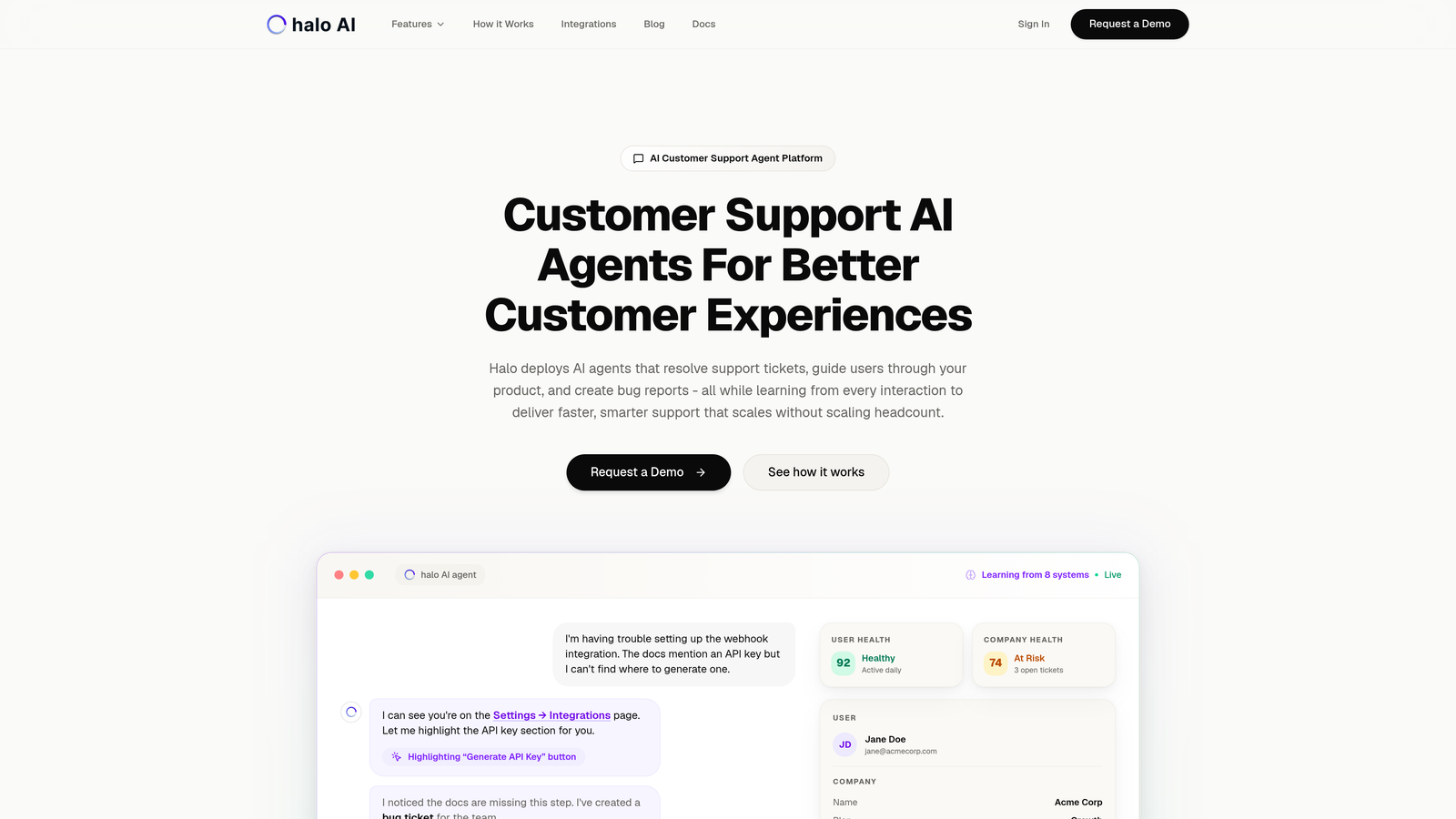
Halo AI is an AI-powered customer support platform that deploys intelligent agents to handle payment inquiries, subscription management, and billing questions without human intervention.
Where This Tool Shines
Halo's AI agents don't just surface Stripe data—they actively resolve payment issues by understanding what customers see in your billing interface. The page-aware context means agents know exactly which invoice or subscription screen the customer is viewing, eliminating the "can you send me a screenshot?" back-and-forth that slows down traditional support.
The platform learns continuously from every billing interaction, getting smarter about common payment failures, subscription change requests, and refund scenarios. When issues exceed AI capabilities, the system escalates seamlessly to human agents with full context already gathered.
Key Features
Autonomous Resolution: AI agents handle payment status checks, subscription modifications, and common billing questions end-to-end.
Page-Aware Context: Understands what users see in your billing UI, providing accurate answers based on visual context.
Direct Stripe Access: Real-time payment status, subscription details, and invoice history without manual lookups.
Intelligent Escalation: Complex disputes or unusual scenarios automatically route to human agents with complete interaction history.
Continuous Learning: Every resolved ticket improves the AI's ability to handle similar issues faster next time.
Best For
B2B SaaS companies and product teams looking to automate repetitive billing support while maintaining high-quality customer experiences. Particularly valuable for teams already using helpdesk systems like Zendesk, Freshdesk, or Intercom who want to layer AI automation on top of existing workflows.
Pricing
Contact for pricing. Halo offers demos and trial periods to evaluate fit before commitment.
2. Zendesk + Stripe Integration
Best for: Enterprise teams needing comprehensive billing data visibility within an established helpdesk workflow.
Zendesk is an enterprise helpdesk platform with a native Stripe sidebar app that displays customer billing data, payment history, and subscription details directly in support tickets.

Where This Tool Shines
Zendesk's Stripe integration excels at giving agents comprehensive billing context without leaving the ticket interface. The sidebar widget loads the full Stripe customer profile, showing payment methods, subscription status, and transaction history at a glance.
For teams already invested in Zendesk's ecosystem, this integration fits naturally into existing workflows. You can build custom automations that trigger based on Stripe events—like automatically tagging tickets when a payment fails or routing subscription cancellation requests to retention specialists.
Key Features
Sidebar Widget: Complete Stripe customer profile embedded in every ticket, no context switching required.
Payment History View: Chronological transaction list with amounts, dates, and status indicators for quick reference.
Automation Rules: Trigger workflows based on Stripe events like failed payments, subscription changes, or refund requests.
App Marketplace Integration: Works alongside Zendesk's broader ecosystem of support tools and integrations.
Customizable Fields: Surface specific Stripe data points that matter most to your support process.
Best For
Established support teams with complex workflows who need deep customization options and already use Zendesk as their primary helpdesk platform.
Pricing
Zendesk starts at $19 per agent per month. The Stripe integration app is free to install from the Zendesk marketplace.
3. Intercom + Stripe
Best for: Teams running conversational support who want billing context in real-time messenger conversations.
Intercom is a conversational support platform with real-time Stripe integration that brings billing data into messenger conversations and enables custom bots for subscription queries.

Where This Tool Shines
Intercom's strength lies in proactive, conversational support. The Stripe integration surfaces billing information in the conversation sidebar while customers are actively chatting, enabling agents to address payment questions without asking customers to wait while they look things up.
The platform's bot builder lets you create automated flows for common subscription scenarios—like pausing a subscription, updating payment methods, or checking renewal dates. These bots can pull live Stripe data and guide customers through self-service actions.
Key Features
Real-Time Sidebar Data: Billing information updates live as conversations happen, showing current subscription and payment status.
Custom Subscription Bots: Build automated flows that handle common billing questions using live Stripe data.
Event-Based Messaging: Send proactive messages triggered by Stripe events like payment failures or upcoming renewals.
Unified Inbox: Manage chat, email, and in-app conversations in one place with billing context for each channel.
Customer Timeline: See billing events alongside product usage and support history for complete context.
Best For
Product-led companies that prioritize in-app messaging and conversational support over traditional ticketing systems, especially those wanting to automate subscription management conversations.
Pricing
Intercom starts at $39 per seat per month. The Stripe integration is included with all plans.
4. Freshdesk + Stripe
Best for: Mid-market teams wanting clean billing visibility without enterprise complexity or pricing.
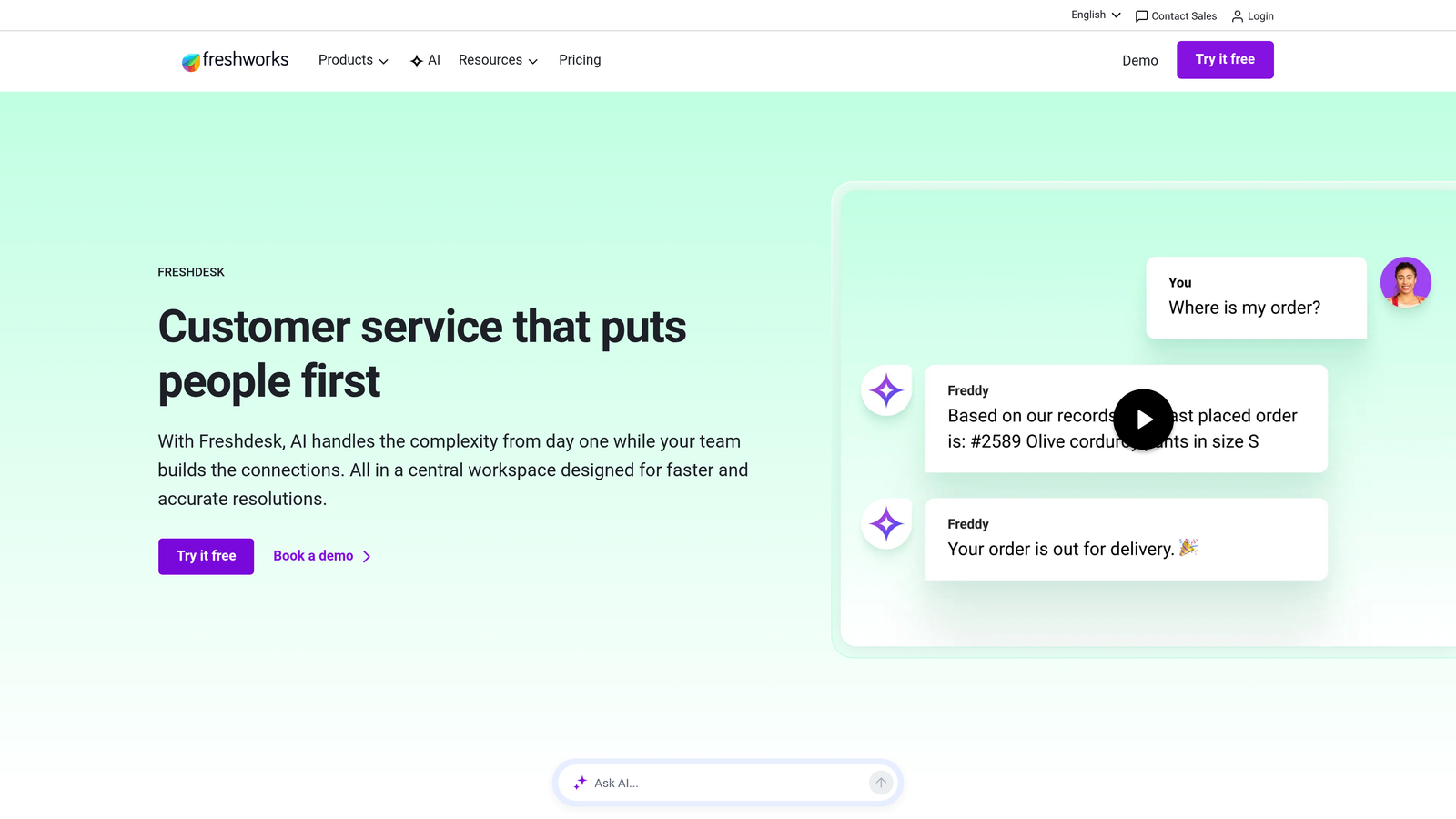
Freshdesk is a mid-market helpdesk with a straightforward Stripe integration that displays customer billing information, invoices, and subscription details within the ticket interface.
Where This Tool Shines
Freshdesk hits the sweet spot for teams that need solid Stripe integration without the overhead of enterprise platforms. The billing widget embeds cleanly in the ticket view, showing payment history and subscription status without cluttering the interface.
The platform offers strong automation capabilities triggered by Stripe events—like creating tickets when payments fail or sending follow-up emails after successful refunds. For smaller teams, the free tier provides surprising functionality, including basic Stripe integration features.
Key Features
Embedded Billing Widget: Clean interface showing customer payment history and subscription status directly in tickets.
Invoice Lookup: Quick access to Stripe invoices without leaving the helpdesk or asking customers for details.
Event-Based Automations: Create workflows triggered by Stripe payment events, subscription changes, or billing updates.
Generous Free Tier: Small teams can access core features including basic Stripe integration at no cost.
Multichannel Support: Handle email, chat, phone, and social media tickets with consistent billing context.
Best For
Growing companies that have outgrown basic tools but aren't ready for enterprise helpdesk pricing, particularly teams that value straightforward setup over extensive customization.
Pricing
Freshdesk offers a free tier for unlimited agents. Paid plans start at $15 per agent per month with expanded features.
5. Help Scout + Stripe
Best for: Small teams prioritizing relationship-focused support with minimal interface complexity.
Help Scout is a lightweight helpdesk built for small teams, offering a sidebar integration that shows Stripe payment history and customer details without overwhelming agents.

Where This Tool Shines
Help Scout's philosophy centers on treating support like email—simple, personal, and focused on relationships rather than ticket metrics. The Stripe integration follows this approach, presenting billing information in a clean sidebar that doesn't dominate the interface.
Setup takes minutes rather than hours. There's no complex configuration or extensive customization options—just straightforward access to the payment data your team needs most. This simplicity makes Help Scout ideal for teams that want billing context without becoming Stripe power users.
Key Features
Minimal Sidebar Design: Payment history and customer details displayed cleanly without visual clutter.
Customer Profile Integration: Stripe data appears alongside other customer information in a unified profile view.
Quick Setup: Connect Stripe in minutes with minimal configuration required to start seeing billing data.
Relationship Focus: Interface designed for personal, conversational support rather than high-volume ticket processing.
Collaborative Inbox: Team members can view the same Stripe context when collaborating on complex billing issues.
Best For
Small support teams (typically under 15 agents) who value simplicity and personal customer relationships over advanced automation or extensive customization options.
Pricing
Help Scout starts at $20 per user per month. The Stripe integration app is included with all plans.
6. Gorgias
Best for: E-commerce brands needing one-click billing actions and order-centric support workflows.
Gorgias is an e-commerce-focused helpdesk with deep Stripe integration that enables one-click refunds, subscription modifications, and order management directly from support tickets.

Where This Tool Shines
Gorgias treats billing actions as first-class features rather than read-only data. Agents can process refunds, modify subscriptions, and update payment methods with single clicks—no need to open Stripe in another tab or ask customers for additional verification.
The platform's macro system lets you insert dynamic Stripe data into responses, automatically pulling subscription renewal dates, payment amounts, or invoice links into templated replies. This combination of action capabilities and automation makes Gorgias particularly powerful for DTC brands handling high volumes of subscription support.
Key Features
One-Click Actions: Process refunds, pause subscriptions, or update payment methods directly from tickets without switching tools.
Unified Order View: See Shopify orders, Stripe payments, and subscription details in a single pane for complete transaction context.
Dynamic Macros: Auto-insert Stripe data like renewal dates or invoice amounts into templated responses.
E-Commerce Automations: Workflows specifically designed for subscription box, membership, and recurring revenue businesses.
Revenue Attribution: Track which support interactions lead to retained subscriptions or prevented cancellations.
Best For
Direct-to-consumer e-commerce brands and subscription businesses that need to take billing actions quickly, especially those already using Shopify or similar e-commerce platforms.
Pricing
Gorgias starts at $10 per month for 50 tickets, with pricing scaling based on monthly ticket volume rather than agent seats.
7. Kustomer
Best for: Omnichannel teams wanting unified customer timelines that include Stripe transactions across all touchpoints.
Kustomer is an omnichannel CRM platform that creates a unified customer timeline including Stripe transactions, enabling contextual support across chat, email, social media, and phone.

Where This Tool Shines
Kustomer's timeline view presents every customer interaction chronologically—support conversations, product usage events, and Stripe transactions all appear together. This unified view helps agents understand billing questions in the context of the customer's complete journey.
The platform's custom object system lets you model complex billing scenarios that don't fit standard Stripe data structures. If you have multi-entity billing, custom payment workflows, or unique subscription logic, Kustomer can surface that complexity in ways agents can actually understand and act on.
Key Features
Unified Timeline: Stripe transactions appear alongside support conversations, product events, and other customer activities.
Omnichannel Inbox: Handle billing questions consistently whether they arrive via chat, email, social media, or phone.
AI-Assisted Routing: Automatically route payment-related conversations to agents with billing expertise or specific permissions.
Custom Objects: Model complex billing data structures beyond standard Stripe fields for unique business requirements.
Conversation History: See previous billing discussions and resolutions when customers reach out about related issues.
Best For
Enterprise companies with complex omnichannel support operations who need deep customization for unique billing workflows and data structures.
Pricing
Kustomer uses enterprise pricing with custom quotes based on team size and requirements. Contact their sales team for specific pricing.
8. Zapier (Stripe + Support Tools)
Best for: Teams with niche support tools or custom workflows that need flexible Stripe connections.
Zapier is a no-code automation platform that connects Stripe to virtually any helpdesk or support tool, enabling custom workflows for teams with unique requirements.
Where This Tool Shines
When your support stack includes tools without native Stripe integrations, Zapier bridges the gap. You can connect Stripe to over 5,000 apps—from niche helpdesks to custom internal tools—without writing code or managing API credentials.
The real power comes from building workflows that match your exact support process. Create tickets automatically when payments fail, send Slack notifications for high-value refunds, or update customer records in your CRM when subscriptions change. If you can describe the workflow, Zapier can probably automate it.
Key Features
5,000+ App Connections: Connect Stripe to virtually any support tool, CRM, or communication platform.
Event-Based Triggers: Start workflows based on specific Stripe events like failed payments, new subscriptions, or refund requests.
Multi-Step Workflows: Chain multiple actions together—create a ticket, notify Slack, update a spreadsheet—all from one Stripe event.
No Coding Required: Build automations through a visual interface without touching API documentation.
Conditional Logic: Add filters and conditions to workflows based on payment amounts, customer properties, or subscription types.
Best For
Teams using support tools without native Stripe integrations, or those needing highly customized workflows that standard integrations don't support.
Pricing
Zapier offers a free tier with 100 tasks per month. Paid plans start at $19.99 per month with increased task limits and premium app access.
9. Stripe's Native Support Features
Best for: Low-volume teams wanting to handle billing support directly in Stripe without additional tools.
Stripe includes built-in customer portal, dispute management, and communication tools for teams who want to handle support directly within the Stripe dashboard.
Where This Tool Shines
Sometimes the simplest solution is no integration at all. Stripe's customer portal lets customers manage their own subscriptions, update payment methods, and download invoices without contacting support. For teams with modest support volume, this self-service approach eliminates many common billing tickets entirely.
When issues do require intervention, Stripe's dashboard provides everything needed to resolve disputes, process refunds, and communicate with customers. There's zero setup complexity—if you're already using Stripe for payments, these support features are immediately available.
Key Features
Self-Service Portal: Customers can manage subscriptions, update payment methods, and access invoices without agent involvement.
Dispute Management: Handle chargebacks and disputes directly in Stripe with built-in evidence submission workflows.
Automated Receipts: Email receipts and invoices sent automatically after payments, reducing "where's my receipt?" tickets.
Customer Communication: Send emails about subscription changes, payment issues, or upcoming renewals directly from Stripe.
Zero Integration Complexity: No setup, no additional tools, no learning curve beyond the Stripe dashboard you already use.
Best For
Early-stage companies or teams with low support volume who want to avoid additional tool complexity and costs while still providing basic billing support.
Pricing
Included with Stripe at no additional cost. Standard Stripe processing fees apply to transactions.
Making the Right Choice
The best Stripe support integration depends on where you are in your support journey and what you're trying to accomplish.
Choose Halo AI if you want AI agents that autonomously handle payment queries with full Stripe context, learning continuously to resolve billing issues faster over time. The page-aware intelligence and automatic escalation make it particularly valuable for teams drowning in repetitive subscription questions.
Go with Zendesk or Freshdesk for traditional helpdesk workflows with comprehensive billing visibility. These platforms excel when you need extensive customization, complex automation rules, or integration with a broader support ecosystem. Freshdesk's strong free tier makes it particularly attractive for growing teams watching costs.
Pick Gorgias if you're running an e-commerce or subscription business that needs one-click billing actions. The ability to process refunds and modify subscriptions without leaving tickets dramatically speeds up resolution times for high-volume support teams.
Use Zapier when your support stack includes niche tools without native Stripe integrations, or when you need highly customized workflows that standard integrations don't support. The flexibility comes at the cost of setup time, but it's worth it for unique requirements.
Consider Stripe's native features if your support volume is low and you want to avoid additional tools entirely. The customer portal handles most common scenarios through self-service, and what remains can be managed directly in the Stripe dashboard.
Your support team shouldn't scale linearly with your customer base. Let AI agents handle routine tickets, guide users through your product, and surface business intelligence while your team focuses on complex issues that need a human touch. See Halo in action and discover how continuous learning transforms every interaction into smarter, faster support.