7 Proven Strategies to Stop Support Agents Spending Time on Simple Issues
Discover seven proven strategies to stop support agents spending time on simple issues like password resets and order status checks, freeing your team to focus on complex, high-value tickets. This guide covers AI-powered workflow solutions for B2B SaaS teams using platforms like Zendesk, Freshdesk, and Intercom — helping reduce agent burnout, improve resolution times, and deliver better customer experiences without adding headcount.
 Grant CooperFounder13 min read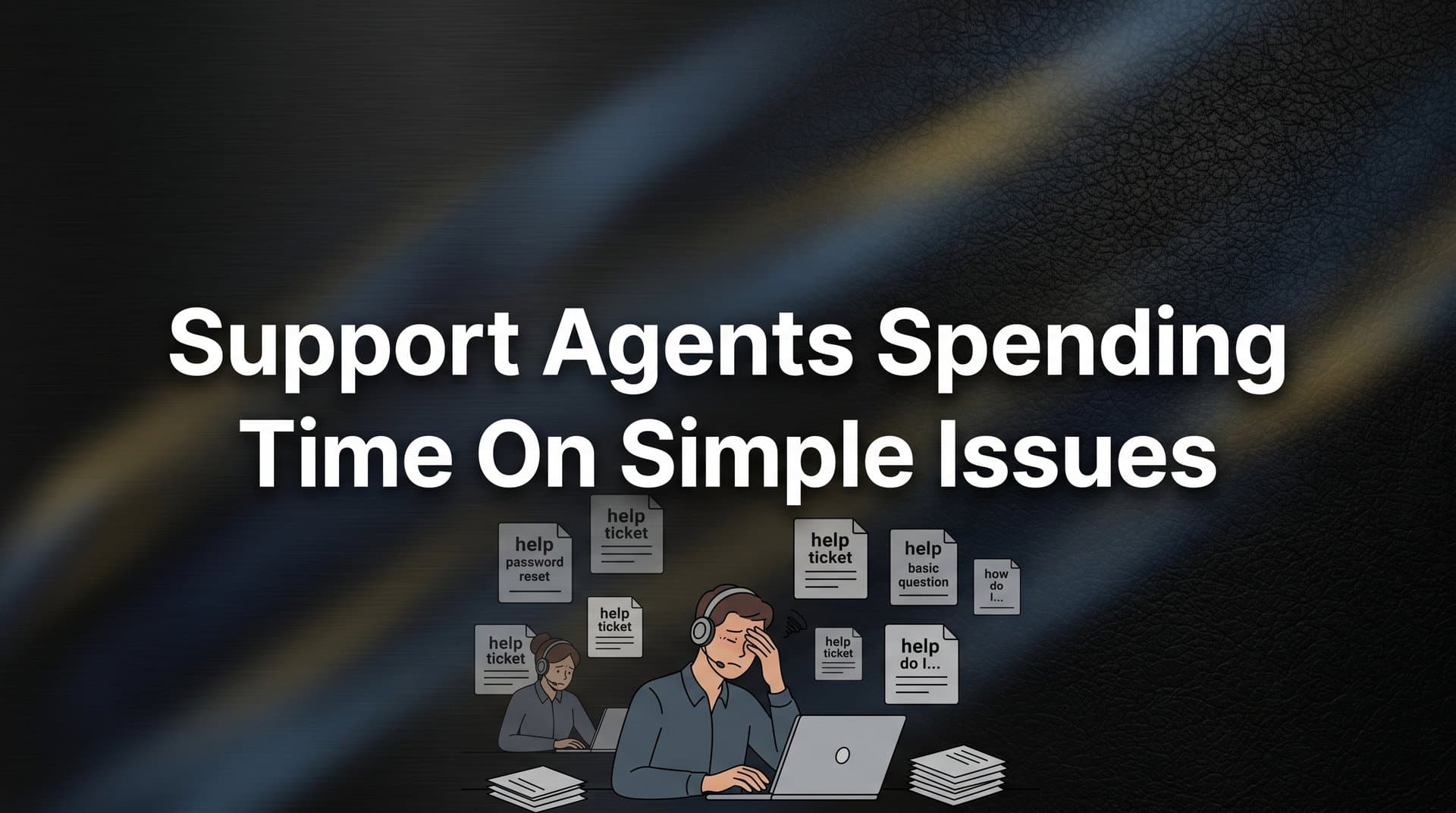
Every support team has felt it: your most experienced agents are buried in password resets, order status checks, and FAQ-level questions while complex, high-value tickets pile up unanswered. When support agents spend time on simple issues, the cost compounds quickly — slower resolution times, agent burnout, and customers waiting longer for help that actually requires human judgment.
This isn't a staffing problem. It's a workflow and tooling problem. And the good news is that modern AI-powered support infrastructure makes it entirely solvable without hiring more people or sacrificing quality.
In this guide, we'll walk through seven actionable strategies that B2B SaaS teams and product organizations use to redirect agent effort toward the work that actually matters: complex troubleshooting, relationship-building, and high-stakes escalations. Whether you're running support on Zendesk, Freshdesk, or Intercom, these approaches will help you reclaim your team's time and meaningfully improve both agent satisfaction and customer outcomes.
1. Deploy AI Agents to Handle Tier-1 Tickets Autonomously
The Challenge It Solves
Many B2B SaaS support teams find that a large share of their inbound ticket volume consists of questions that could be resolved without any human involvement. Password resets, billing inquiries, plan comparison questions, and basic how-to requests follow predictable patterns. When these land in a shared inbox, they consume agent time that should be reserved for work requiring genuine judgment.
The Strategy Explained
AI agents can be trained to fully resolve Tier-1 tickets from start to finish, without routing them to a human at all. Think of it like having a highly capable first-responder who never sleeps, never gets frustrated by repetition, and handles the hundredth password reset with the same quality as the first.
The key difference between basic chatbots and modern AI agents is resolution capability. A chatbot points users toward a help article. An AI agent reads the ticket, understands the context, executes the appropriate action (triggering a password reset, pulling order status from your CRM, generating a billing summary), and closes the ticket. No handoff required.
Halo AI's intelligent agents are built specifically for this: they resolve tickets autonomously, learn from every interaction, and escalate only when complexity genuinely warrants a human.
Implementation Steps
1. Audit your last 90 days of tickets and identify the top 10 request types by volume. Flag which ones follow a predictable resolution path.
2. Connect your AI agent to the systems it needs to act: your helpdesk, CRM, billing platform, and product database. Resolution requires access, not just conversation.
3. Define resolution criteria for each ticket type so the AI knows when a ticket is genuinely closed versus when it needs to escalate to a human agent.
4. Monitor AI resolution quality weekly for the first month and refine response logic based on customer satisfaction signals.
Pro Tips
Resist the urge to route every ticket through AI initially. Start with your two or three highest-volume, most predictable ticket types. Build confidence in the resolution quality before expanding scope. Agents who see AI handling repetitive work well become enthusiastic advocates, not skeptics.
2. Build a Self-Service Knowledge Base That Actually Gets Used
The Challenge It Solves
Most support teams already have a help center. The problem is that customers rarely find it at the right moment. They encounter a confusing UI element, can't locate the relevant article on their own, and default to submitting a ticket. The knowledge base exists, but it's not being surfaced where and when it's needed most.
The Strategy Explained
Effective self-service isn't about publishing more articles. It's about delivering the right article to the right user at the right moment. Page-aware chat widgets change the equation entirely by detecting where a user is in your product and proactively surfacing relevant help content before they reach for the support button.
When a user lands on your billing settings page and pauses, that's a signal. A well-designed system recognizes the context and offers relevant articles on plan upgrades, invoice downloads, or payment methods. The ticket never gets submitted because the question gets answered before it forms.
This is fundamentally different from a search box in a help center. It's contextual, proactive, and invisible when it's not needed. Teams that invest in this approach see meaningful reductions in repetitive support tickets over time.
Implementation Steps
1. Map your most common ticket types back to specific pages or workflows in your product. Where do users typically get stuck before submitting those tickets?
2. Ensure your knowledge base articles are tagged and categorized in a way that allows contextual matching. Vague article titles make matching harder.
3. Configure your chat widget to surface page-specific content automatically, not just a generic search interface.
4. Track deflection rates by page to understand which contextual prompts are working and which need better article coverage.
Pro Tips
Keep articles short and action-oriented. Users in the middle of a task want a quick answer, not a comprehensive guide. If an article consistently fails to deflect tickets on a given page, that's a signal the article needs rewriting, not that self-service doesn't work.
3. Use Intelligent Ticket Routing to Match Complexity to Capability
The Challenge It Solves
In many support operations, tickets land in a shared queue and get picked up based on availability rather than fit. A senior engineer ends up answering a basic API documentation question while a junior agent sits idle. Mismatched routing wastes expertise and creates unnecessary delays for customers with genuinely complex problems.
The Strategy Explained
Intelligent routing uses ticket content, customer context, and account data to make assignment decisions automatically. Rather than treating all tickets equally, the system reads signals: What is the customer asking? What is their account tier? Have they submitted similar tickets before? Is there urgency language in the message?
Simple tickets get routed to AI agents or junior team members instantly. Complex tickets, escalations, or requests from high-value accounts get prioritized and assigned to the agents best equipped to handle them. No manual triage required.
This creates a natural division of labor that respects the skill levels on your team and ensures customers with straightforward questions aren't waiting behind a queue of complex issues. Understanding how AI agents work in customer support helps teams design smarter routing logic from the start.
Implementation Steps
1. Define your routing criteria explicitly: what makes a ticket "simple" versus "complex"? Include factors like request type, customer tier, sentiment, and prior interaction history.
2. Build routing rules in your helpdesk that automatically tag and assign tickets based on those criteria. Most modern platforms support this natively.
3. Create a dedicated queue for AI-resolvable tickets so they never compete with human-required work for agent attention.
4. Review routing accuracy monthly. If complex tickets are being misclassified as simple (or vice versa), refine your criteria.
Pro Tips
Account tier is an underused routing signal. Enterprise customers often expect faster, more personalized responses regardless of ticket complexity. Build tier-based prioritization into your routing logic from the start rather than retrofitting it later.
4. Implement Proactive In-App Guidance to Prevent Tickets at the Source
The Challenge It Solves
Many support tickets aren't the result of product failures. They're the result of confusion: a user who can't find a feature, doesn't understand an error message, or gets stuck mid-workflow. These are entirely preventable if you can detect the confusion before the user gives up and opens a ticket.
The Strategy Explained
Proactive in-app guidance means using page-aware context to recognize when a user is struggling and surfacing help before they ask for it. Think of it as the difference between waiting for someone to get lost and handing them a map before they leave the path.
This goes beyond tooltips and onboarding flows. A system with genuine page context can detect behavioral signals: a user who has been on a configuration screen for an unusually long time, who has clicked the same button multiple times without success, or who has navigated back and forth between two pages repeatedly. Each of these is a signal that contextual guidance could resolve the friction right then.
Halo's page-aware chat widget sees what users see, allowing it to offer targeted guidance based on exactly where someone is in your product, not just a generic help prompt. This approach directly addresses customer support scalability issues by reducing inbound volume before it ever reaches your team.
Implementation Steps
1. Identify your top five "confusion points" by correlating ticket submission data with the pages users were on before submitting. These are your highest-priority targets for proactive guidance.
2. Create short, contextual help prompts or micro-guides for each of those pages. Keep them specific to the actions users are most likely attempting.
3. Configure your in-app widget to trigger contextual prompts based on page location and, where possible, behavioral signals like time-on-page or repeated actions.
4. Measure the reduction in tickets originating from those pages over the following 30 days as your baseline success metric.
Pro Tips
Avoid over-triggering guidance. If users are constantly interrupted by help prompts they didn't ask for, they'll dismiss them reflexively. Trigger on genuine friction signals, not just page visits, and always make it easy to dismiss without penalty.
5. Analyze Support Data to Eliminate Recurring Simple Issues
The Challenge It Solves
Deflecting and automating simple tickets is valuable, but it treats the symptom rather than the cause. If the same basic questions keep arriving month after month, something in your product, documentation, or onboarding experience is generating confusion at scale. That's a product problem masquerading as a support problem.
The Strategy Explained
Support data is one of the richest sources of product intelligence most teams underuse. High-volume simple tickets aren't just workflow inefficiencies. They're signals that a feature is confusing, a UI element is unclear, or a common workflow has a friction point that product hasn't addressed yet.
When support teams share this analysis with product teams, the result is often a meaningful reduction in recurring ticket categories over time. A confusing settings page gets redesigned. An error message gets rewritten to be actionable. An onboarding step gets added to address a question that was generating dozens of tickets per week.
The support inbox becomes a continuous feedback loop rather than a reactive cost center. Pairing ticket volume data with automated support sentiment analysis gives product teams a far more complete picture of where users are struggling most.
Implementation Steps
1. Use your helpdesk analytics to identify the top ticket categories by volume over a rolling 90-day window. Sort by frequency and look for patterns.
2. For each high-volume category, trace the root cause: Is this a documentation gap? A UI confusion point? A missing feature? A misleading error message?
3. Create a monthly "support signal" report for your product team that translates ticket volume into prioritized product feedback. Frame it in terms of user impact, not just ticket count.
4. Track whether product changes lead to measurable reductions in related ticket volume. This closes the loop and builds the cross-functional relationship over time.
Pro Tips
Sentiment data adds important nuance to volume data. A ticket category with moderate volume but high frustration signals a more urgent product issue than a high-volume category where users are patient. Layer sentiment analysis into your reporting to help product teams prioritize correctly.
6. Create Automated Response Workflows for Predictable Request Types
The Challenge It Solves
Not every simple ticket needs an AI agent to resolve it. Some request types follow such a predictable pattern that a well-designed automated workflow can handle them entirely: triggering an action, sending a confirmation, updating a record, and closing the ticket without any human or AI conversation required.
The Strategy Explained
Automated workflows are the infrastructure layer beneath AI agents. Where an AI agent handles nuanced, conversational resolution, automated workflows handle purely mechanical requests. A user submitting a receipt request, a data export, a subscription cancellation confirmation, or a standard compliance document doesn't need a conversation. They need the right action triggered reliably and quickly.
Mapping these workflows requires thinking about your ticket types as processes rather than conversations. What does "done" look like for this request? What systems need to be touched? What confirmation does the customer need? Once you've answered those questions, the workflow almost designs itself.
The best support stacks integrate these workflows with the broader business stack: your CRM, billing system, product database, and communication tools all working together without agent involvement. Teams exploring this path often find it helpful to review a realistic AI support implementation timeline before committing to a rollout plan.
Implementation Steps
1. List your ticket types that have a single, predictable resolution action with no variation. These are your automation candidates.
2. Map the full resolution process for each: what triggers the ticket, what action resolves it, what systems are involved, and what confirmation the customer needs.
3. Build the workflow using your helpdesk's automation tools or a connected platform, and test it thoroughly with internal users before enabling it for customers.
4. Add monitoring alerts so your team is notified if an automated workflow fails, ensuring no customer request falls through the cracks silently.
Pro Tips
Document every automated workflow clearly, including what it does and what conditions trigger it. As your team grows or changes, undocumented automation becomes a liability. A well-maintained workflow library also makes it easier to identify redundancies and improvement opportunities.
7. Establish Clear Escalation Protocols So Agents Focus Only on What Needs Them
The Challenge It Solves
Even with AI agents, intelligent routing, and automated workflows in place, some tickets will always need a human. The problem arises when escalation criteria are vague or inconsistently applied. Agents end up receiving tickets they shouldn't, or customers with genuinely urgent needs wait too long because the escalation signal wasn't recognized.
The Strategy Explained
Clear escalation protocols define, explicitly and in advance, what makes a ticket worthy of human attention. When these criteria are built into your system rather than left to individual judgment, agents receive only the tickets that genuinely require their expertise. Everything else is handled before it reaches them.
Escalation triggers typically fall into a few categories: sentiment signals (frustration or urgency language in the ticket), account tier (enterprise or high-value customers), complexity score (multi-system issues, security concerns, legal implications), and prior escalation history (customers who have had unresolved issues before).
The goal isn't to minimize escalations. It's to ensure that every escalation is warranted, and that agents can give those tickets their full attention knowing the queue behind them is being handled. Poor escalation design is one of the most common customer support handoff issues teams face when scaling AI-assisted workflows.
Implementation Steps
1. Define your escalation criteria as a written policy, not just a shared understanding. Include sentiment thresholds, account tier rules, complexity indicators, and any topic categories that always require human review.
2. Configure your AI agent and routing system to recognize these criteria and trigger escalation automatically when they're met.
3. Create a dedicated escalation queue that agents monitor separately from the general inbox. This ensures escalated tickets get the focused attention they deserve.
4. Review escalation patterns monthly. If the same ticket types keep escalating, that's a signal to improve your AI training or add a new automation workflow to handle them earlier.
Pro Tips
Give agents clear context when a ticket escalates. A brief handoff summary from the AI, including what was attempted and why escalation was triggered, dramatically reduces the time agents spend getting up to speed. The handoff should feel seamless to the customer and efficient for the agent.
Putting It All Together
Stopping your support agents from spending time on simple issues isn't about working harder. It's about designing smarter systems that route effort to where it creates the most value.
These strategies work best when layered together. AI handles Tier-1 tickets autonomously. Intelligent routing ensures the right tickets reach the right people. Proactive in-app guidance prevents tickets from forming in the first place. Automated workflows handle purely mechanical requests without conversation. And analytics close the loop by eliminating recurring friction at the product level.
Start with the strategy that addresses your biggest current pain point. If your agents are drowning in repetitive tickets, AI agent deployment is your fastest win. If your inbound volume keeps growing despite a stable user base, proactive guidance and root-cause analysis will have the most impact. If escalations feel inconsistent and unpredictable, clear escalation protocols will give your team immediate relief.
Your support team shouldn't scale linearly with your customer base. Let AI agents handle routine tickets, guide users through your product, and surface business intelligence while your team focuses on complex issues that need a human touch. See Halo in action and discover how continuous learning transforms every interaction into smarter, faster support.