9 Best Support Analytics and Insights Platforms in 2026
Choosing the right support analytics and insights platform transforms raw helpdesk data into actionable intelligence that surfaces churn signals, agent performance trends, and product friction before they escalate. This guide evaluates nine leading platforms—including Halo AI, Zendesk, and others—across AI capabilities, integration depth, and pricing to help support teams move from reactive ticket management to proactive, data-driven decision-making.
 Grant CooperFounder14 min read
Support teams today often find themselves buried in ticket queues while the insights that could actually improve their operations sit untouched in dashboards nobody checks. The real gap isn't ticket volume — it's the distance between raw support data and actionable intelligence that drives decisions.
The right support analytics platform closes that gap. It transforms your helpdesk from a reactive queue into a proactive intelligence layer that surfaces churn signals, product friction, and agent performance trends before they become problems.
To build this list, we evaluated platforms on depth of analytics, AI capabilities, integration breadth, ease of use, and pricing transparency. One important note: Halo AI is our own product, and we've placed it first because its smart inbox and business intelligence layer are directly built for this use case. We've tried to be honest about what it does well and where other tools may be a better fit depending on your stack and team size. Read the full list and weigh that context as you evaluate.
1. Halo AI
Best for: SaaS and B2B teams that want business intelligence embedded directly in their support workflow.
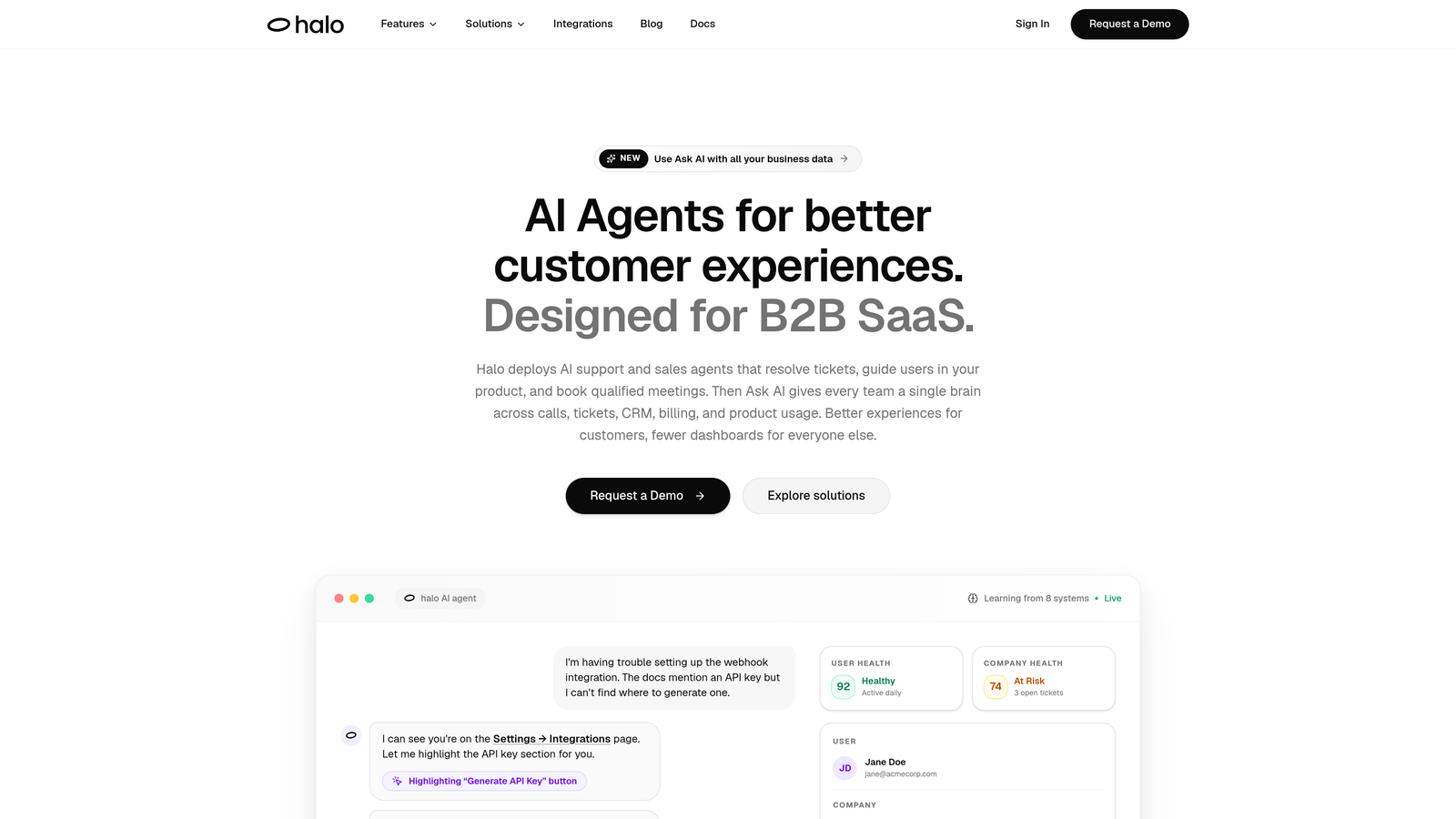
Halo AI is an AI-native customer support platform that layers business intelligence directly onto ticket resolution, surfacing customer health signals, revenue intelligence, and anomaly detection alongside every interaction.
Where This Tool Shines
Most support analytics platforms tell you what happened after the fact. Halo AI is built to surface signals while work is actually happening. The smart inbox doesn't just organize tickets — it reads patterns across conversations and connects them to business context: which customers are at risk, which issues are tied to revenue, and where product friction is clustering.
The page-aware AI agents add another layer that most analytics tools miss entirely. Because agents can see what users see in real time, the system generates contextual guidance and captures interaction data that reflects actual user behavior, not just what users typed into a form. That behavioral data feeds back into the intelligence layer continuously.
Key Features
Smart Inbox with Business Intelligence: Surfaces customer health signals, revenue intelligence, and anomaly detection alongside incoming tickets — so your team understands the business impact of each conversation, not just its category.
Page-Aware AI Agents: AI agents see the exact page and UI state a user is on, enabling contextual, visual guidance that goes beyond generic FAQ responses.
Auto Bug Ticket Creation: Detects recurring support patterns and automatically creates bug tickets in Linear, connecting support volume directly to your product team's workflow.
Full Business Stack Integrations: Connects to Slack, HubSpot, Intercom, Stripe, Zoom, PandaDoc, and Fathom — so support data flows into the tools your sales, product, and success teams already use.
Continuous Learning: The AI improves from every resolved interaction, meaning the system gets smarter about your specific product and customer base over time rather than relying on static rules.
Best For
SaaS companies and B2B product teams that want more than ticket metrics — particularly those looking to connect support patterns to churn risk, revenue signals, and product health without building a custom data pipeline. Teams already using Intercom, HubSpot, or Linear will find the integrations especially valuable.
Pricing
Contact haloagents.ai for current pricing details. Enterprise and growth plans are available depending on team size and integration requirements.
2. Zendesk Explore
Best for: Zendesk Suite customers who need deep, customizable reporting on ticket operations and SLA compliance.
Zendesk Explore is the native analytics module within the Zendesk Suite, offering pre-built and custom dashboards for ticket volume, SLA compliance, agent performance, and CSAT.
Where This Tool Shines
If your team is already operating inside Zendesk, Explore is the natural starting point for analytics. The pre-built dashboards cover the core metrics most support managers need out of the box: ticket volume trends, first-response times, resolution rates, and CSAT scores across channels.
Where Explore earns its reputation is in the custom report builder. Teams with more complex reporting needs — segmenting by product line, region, or customer tier — can build tailored views using a drag-and-drop interface. It does require meaningful setup time for advanced configurations, so plan accordingly if you're building beyond the defaults.
Key Features
Pre-Built Dashboards: Ready-to-use views for SLA compliance, CSAT, ticket volume, and individual agent performance require minimal configuration to get value from day one.
Custom Report Builder: Drag-and-drop interface for building tailored reports across any data point captured in Zendesk.
Cross-Channel Data Unification: Consolidates data from email, chat, and voice channels into a single reporting view.
Scheduled Report Delivery: Automated report distribution to stakeholders on a set cadence, reducing manual reporting overhead.
Native Suite Integration: Because it lives inside Zendesk, there's no data sync lag or API configuration required — everything is connected by default.
Best For
Support teams already committed to the Zendesk ecosystem who want robust descriptive analytics without adding a third-party tool. Particularly strong for teams with established SLA frameworks and compliance reporting requirements.
Pricing
Included in Zendesk Suite plans; Explore Pro is available as an add-on for advanced capabilities. Check zendesk.com for current pricing tiers.
3. Freshdesk Analytics
Best for: Small to mid-market support teams on Freshdesk looking for accessible, omnichannel reporting without a steep learning curve.
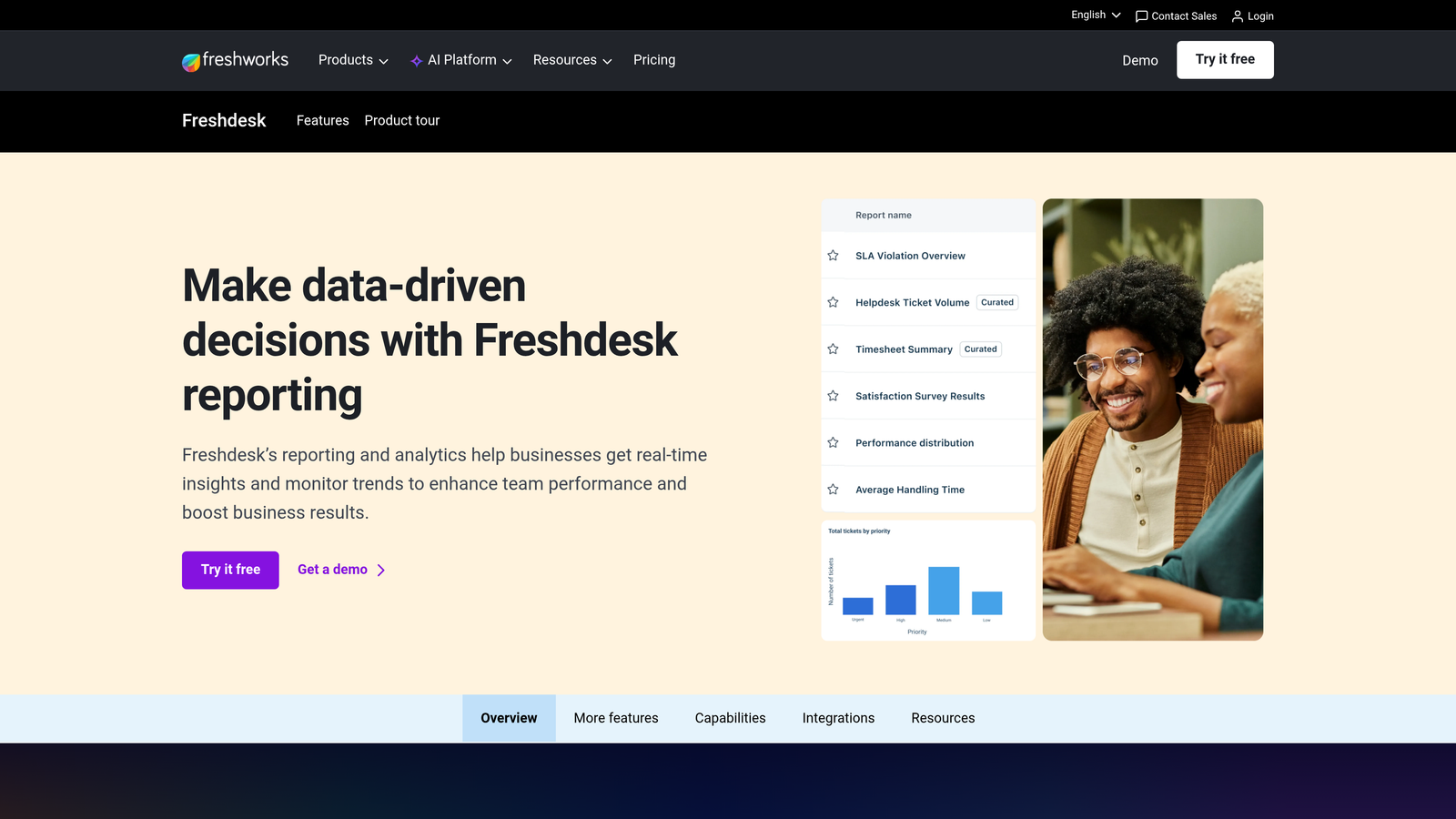
Freshdesk Analytics is the built-in reporting module for Freshdesk, offering omnichannel data unification, custom dashboards, and AI-assisted insights through Freddy AI.
Where This Tool Shines
Freshdesk Analytics is often cited as more approachable than Zendesk Explore for teams that don't have a dedicated analytics resource. The interface is designed for support managers who need answers quickly without building complex query logic. Pre-built dashboards for ticket trends, agent performance, and CSAT are ready immediately after setup.
The Freddy AI integration adds a layer of automated pattern detection, flagging trends in ticket data that might otherwise require manual analysis. For growing teams that are starting to outgrow spreadsheet-based reporting, this combination of accessibility and AI assistance makes Freshdesk Analytics a natural step forward.
Key Features
Pre-Built and Custom Dashboards: Covers ticket trends, agent performance, and CSAT with options to build custom views as reporting needs evolve.
Omnichannel Data: Unifies support data from email, phone, chat, and social channels in a single reporting environment.
Freddy AI Insights: Automated pattern detection that surfaces trends and anomalies without requiring manual analysis.
Scheduled Report Exports: Automated delivery and team sharing options reduce manual reporting work.
Accessible Interface: Designed for support managers rather than data analysts, lowering the barrier to consistent reporting.
Best For
Small and mid-market support teams running on Freshdesk who want meaningful analytics without significant configuration overhead. A strong fit for teams moving from manual reporting to structured dashboards for the first time.
Pricing
Included in Freshdesk plans; advanced analytics features are available on higher tiers. Check freshworks.com for current pricing details.
4. Intercom Reports
Best for: Product-led growth companies measuring AI deflection rates and messaging channel performance alongside human agent metrics.
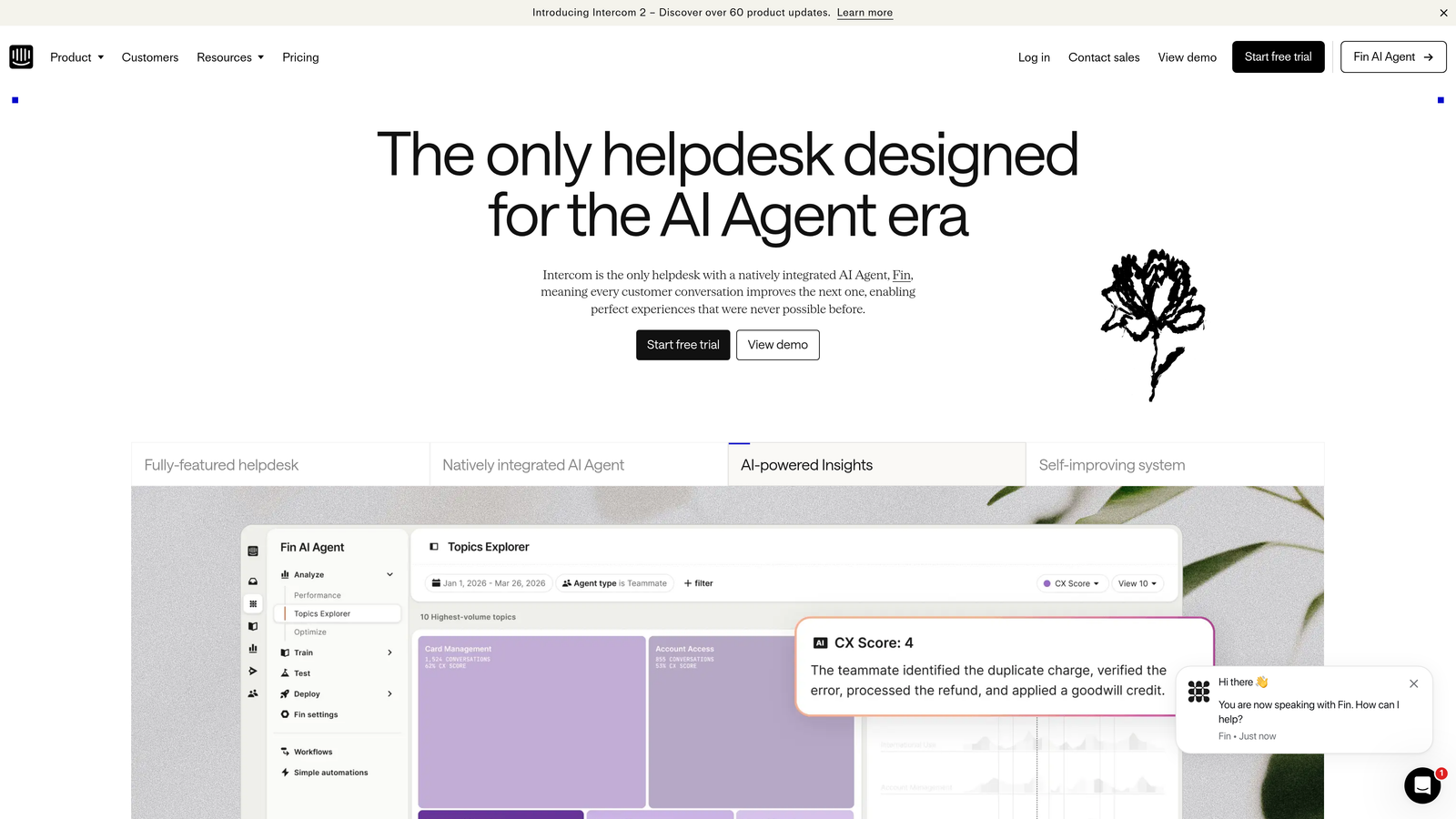
Intercom Reports is the built-in reporting suite within Intercom, tracking conversation volume, Fin AI resolution rates, team performance, and customer satisfaction across messaging channels.
Where This Tool Shines
Intercom's reporting is tightly integrated with its conversation model, which makes it particularly strong for teams where the line between bot and human support is a key operational metric. Fin AI resolution rate and deflection tracking give PLG teams a clear picture of how much their AI layer is actually handling — and where it's falling short.
For companies where support happens primarily through in-app messaging rather than email, Intercom Reports provides native visibility into the metrics that matter most: first-response times, conversation volume by channel, and CSAT trends over time. The tight integration with Intercom's automation suite means you can connect reporting directly to workflow changes without leaving the platform.
Key Features
Fin AI Resolution Tracking: Measures AI deflection rates and resolution success, giving clear visibility into bot performance alongside human agent metrics.
Conversation Volume and Response Time: Tracks first-response time and conversation volume across messaging channels in real time.
Team and Agent Performance Dashboards: Individual and team-level reporting for workload distribution and performance benchmarking.
CSAT Trend Reporting: Customer satisfaction tracking over time with trend visualization.
Native Automation Integration: Reporting connects directly to Intercom's workflow and automation tools for rapid iteration.
Best For
PLG and SaaS companies already using Intercom as their primary support channel, particularly those actively measuring the performance of AI-assisted support alongside human agents.
Pricing
Included in Intercom plans. Check intercom.com for current pricing tiers and plan details.
5. Gorgias Analytics
Best for: E-commerce and DTC brands that need to measure support's direct impact on revenue and order data.
Gorgias Analytics is a support analytics platform built specifically for e-commerce, connecting ticket data directly to Shopify and BigCommerce revenue metrics.

Where This Tool Shines
Gorgias occupies a unique position in the support analytics market: it's the only platform on this list that natively ties support conversations to order and purchase data. For e-commerce teams, this means you can see not just how fast a ticket was resolved, but whether the customer who contacted support went on to make a purchase — or didn't.
Revenue attribution changes how support is measured internally. Instead of defending the support function as a cost center, teams using Gorgias Analytics can demonstrate its direct contribution to revenue. That's a meaningful shift for DTC brands where every customer interaction has a measurable downstream effect on conversion and retention.
Key Features
Revenue Attribution: Ties support conversations directly to order and purchase data from Shopify and BigCommerce, showing support's measurable impact on revenue.
Native E-Commerce Integrations: Deep connections to Shopify and BigCommerce eliminate the need for manual data joins between support and order data.
CSAT and Resolution Dashboards: First-response time, resolution time, and CSAT metrics presented alongside revenue context.
Automation Performance Tracking: Measures the effectiveness of macros and automated rules, helping teams optimize their self-service layer.
Agent Workload Reporting: Tracks individual agent performance and workload distribution for capacity planning.
Best For
E-commerce and DTC brands running on Shopify or BigCommerce that want to move beyond cost-center reporting and demonstrate support's contribution to revenue and customer retention.
Pricing
Included in Gorgias plans starting at $10/month. Check gorgias.com for current plan details and feature availability by tier.
6. Kustomer IQ Analytics
Best for: Enterprise CX teams that need a unified view of customer lifetime value, purchase history, and support data in a single timeline.
Kustomer IQ Analytics is a CRM-native support analytics layer that surfaces customer lifetime value, purchase history, and support metrics in a unified customer timeline.
Where This Tool Shines
Kustomer's core differentiator is its CRM-first architecture. Rather than treating support tickets as isolated events, Kustomer builds a complete customer timeline that merges purchase history, lifetime value, and support interactions into a single view. For high-volume enterprise CX teams, this means every support interaction is understood in the context of the customer's full relationship with the business.
The AI-powered conversation insights add sentiment detection and theme analysis on top of that rich customer context, helping teams identify patterns across large interaction volumes that would be impossible to surface manually.
Key Features
360-Degree Customer Timeline: Merges CRM and support data into a unified view, showing each customer's full history alongside their current ticket.
Customer Lifetime Value Metrics: Surfaces CLV and purchase history alongside resolution data, enabling value-based prioritization.
AI Conversation Insights: Sentiment detection and theme analysis across high volumes of support interactions.
Cross-Channel Reporting: Unified analytics across email, chat, voice, and social support channels.
Enterprise Data Exports: Custom reporting and enterprise-grade export capabilities for teams with complex data requirements.
Best For
High-volume enterprise CX operations that need to understand support in the context of customer value, particularly those managing complex, multi-channel customer relationships at scale.
Pricing
Enterprise pricing. Contact Kustomer directly for a custom quote based on team size and requirements.
7. Playvox Workforce Analytics
Best for: Large support operations focused on agent quality management, performance coaching, and workforce scheduling optimization.
Playvox Workforce Analytics is a workforce optimization and quality management platform that provides QA scoring, agent performance analytics, and scheduling insights for enterprise support teams.
Where This Tool Shines
Playvox addresses a gap that most helpdesk-native analytics tools leave open: the agent-side of support operations. While platforms like Zendesk Explore track ticket metrics, Playvox goes deeper into the quality and development layer — automated QA scorecards, coaching workflows, and scheduling forecasts that help managers build better teams, not just measure existing ones.
For large support operations where agent quality variance directly impacts customer experience at scale, Playvox provides the structured framework to identify performance gaps and act on them systematically. It's typically deployed as an add-on alongside a primary helpdesk rather than as a standalone platform.
Key Features
QA Scorecards: Automated quality management workflows that evaluate interactions against defined criteria consistently across the team.
Agent Coaching Tracking: Development and performance coaching workflows that connect QA findings to actionable improvement plans.
Workforce Management: Scheduling and forecasting analytics that help managers align staffing with anticipated demand.
Helpdesk Integrations: Connects to Zendesk, Salesforce, and other major helpdesk platforms as an analytics and QA layer.
Real-Time and Historical Dashboards: Both live performance visibility and historical trend analysis for informed capacity and coaching decisions.
Best For
Enterprise support operations with large agent teams where quality consistency and workforce optimization are primary concerns. Best suited as a complement to an existing helpdesk rather than a standalone analytics solution.
Pricing
Contact Playvox for pricing. Typically sold as an add-on to existing helpdesk environments; pricing varies by team size and feature set.
8. Medallia Agent Connect
Best for: Enterprise organizations running formal Voice of Customer programs with real-time feedback loops and AI-powered text analytics.
Medallia Agent Connect is an enterprise VoC platform with real-time CSAT feedback collection, AI-powered text analytics, and sentiment and theme detection across support interactions.
Where This Tool Shines
Medallia operates at a different layer than most tools on this list. Rather than analyzing what's happening inside your helpdesk, it captures structured customer feedback immediately after support interactions and applies AI-driven text analytics to surface sentiment patterns, recurring themes, and emerging issues across large volumes of responses.
The agent-level feedback delivery is a particularly useful feature for coaching. Agents receive direct, specific feedback tied to their individual interactions rather than only seeing aggregated team scores. For enterprise CX programs with formal quality frameworks and compliance requirements, Medallia's data governance capabilities add meaningful infrastructure that consumer-grade tools can't match.
Key Features
Real-Time CSAT and NPS Feedback: Collects structured customer feedback immediately after support interactions while the experience is still fresh.
AI Text Analytics: Sentiment analysis and theme detection across large volumes of open-text feedback responses.
Agent-Level Feedback Delivery: Connects customer feedback directly to individual agents for targeted coaching and development conversations.
Cross-Channel VoC Unification: Aggregates Voice of Customer data across support channels into a unified analytics view.
Enterprise Compliance and Data Governance: Built for regulated industries and large organizations with strict data handling requirements.
Best For
Large enterprise CX organizations running formal VoC programs, particularly in regulated industries where data governance and compliance are non-negotiable requirements alongside analytics depth.
Pricing
Enterprise pricing. Contact Medallia for a custom quote based on organization size and program scope.
9. Datadog
Best for: Technical support teams at SaaS companies that need to correlate support ticket spikes with infrastructure events and product deployments.
Datadog is primarily an infrastructure monitoring platform, but technical support teams at SaaS companies use it to connect support volume patterns with system health data and deployment events.
Where This Tool Shines
Datadog earns its place on this list not as a traditional support analytics platform, but as a critical tool for a specific type of support operation: technical teams where ticket spikes are often symptoms of infrastructure or deployment issues. When a new release causes a surge in error reports, Datadog lets support teams correlate that spike with the specific deployment or infrastructure event that triggered it — in real time.
This correlation capability fundamentally changes how technical support teams triage. Instead of manually escalating to engineering based on pattern recognition, teams can surface objective data linking support volume to system events, accelerating root cause identification and reducing the time between incident and resolution.
Key Features
Real-Time Infrastructure Monitoring: Application and infrastructure performance data that can be viewed alongside support volume trends.
Custom Dashboards: Configurable views that surface support ticket volume and system health metrics in a unified interface.
Anomaly Detection and Alerting: Automated detection of correlated anomalies across support and infrastructure data streams.
Log Management: Detailed log analysis capabilities for technical support investigation and root cause identification.
Ticketing Integrations: Connects to ticketing systems via webhooks and APIs to pull support volume data into infrastructure monitoring views.
Best For
Technical support teams at SaaS companies where support issues frequently originate from infrastructure or product changes. Most valuable as a complement to a primary helpdesk rather than a standalone support analytics solution.
Pricing
Free tier available; paid plans start at $15/host/month. Check datadoghq.com for current pricing across monitoring and log management products.
Choosing the Right Platform for Your Team
The honest answer is that the best support analytics platform depends less on feature lists and more on where your current data gaps actually live. Before evaluating any tool, spend time auditing what you can and can't see today. Are you missing business context around tickets? Agent quality data? Revenue attribution? The answer shapes everything.
Here's a quick breakdown by use case to help narrow the field:
Already on Zendesk or Freshdesk: Start with Zendesk Explore or Freshdesk Analytics before adding a third-party tool. The native integrations eliminate data sync complexity, and both platforms have matured significantly in their reporting capabilities.
PLG or SaaS team wanting AI-driven business intelligence: Halo AI's smart inbox is built specifically for this — connecting support patterns to customer health signals, revenue intelligence, and product friction in a single workflow rather than a separate dashboard.
Enterprise Voice of Customer program: Medallia Agent Connect is the purpose-built choice for organizations that need real-time feedback loops, AI text analytics, and enterprise-grade data governance alongside support metrics.
E-commerce or DTC brand: Gorgias is the only platform that natively ties support conversations to order and revenue data, making it the clear fit for Shopify and BigCommerce operations.
Agent performance and quality management: Playvox fills the QA and workforce optimization gap that most helpdesk-native tools leave open, particularly for large teams where coaching consistency matters at scale.
Your support team shouldn't scale linearly with your customer base. Let AI agents handle routine tickets, guide users through your product, and surface business intelligence while your team focuses on complex issues that need a human touch. See Halo in action and discover how continuous learning transforms every interaction into smarter, faster support.