9 Best Support Analytics and Insights Tools in 2026
Choosing the right support analytics and insights tool can mean the difference between drowning in ticket data and uncovering actionable business intelligence. This guide evaluates nine leading platforms—from AI-native conversation analysis tools to enterprise BI solutions—based on insight depth, integration breadth, and ability to surface risks like customer churn and workload spikes that basic helpdesk reporting misses.
 Grant CooperFounder13 min read
Most support teams are drowning in data but starving for insight. They know how many tickets came in last week, but they can't tell you which customers are at risk of churning, where users consistently get stuck in the product, or whether the support team's workload is about to spike. That gap between operational metrics and real business intelligence is exactly what modern support analytics tools are designed to close.
The landscape has expanded well beyond basic helpdesk reporting. Today's tools range from AI-native platforms that surface business intelligence directly from support conversations, to native analytics modules built into helpdesks like Zendesk and Freshdesk, to enterprise BI tools like Tableau that can blend support data with revenue and product signals. Choosing the right one depends on what kind of insight you actually need.
To build this list, we evaluated tools on four criteria: depth of insight beyond volume metrics, integration breadth with the wider business stack, actionability of the data surfaced, and fit for B2B and SaaS support contexts. Whether you're running a lean support operation or scaling a complex multi-channel team, there's a tool here that fits your situation.
1. Halo AI
Best for: B2B SaaS teams that want support analytics connected to business outcomes, not just ticket metrics.
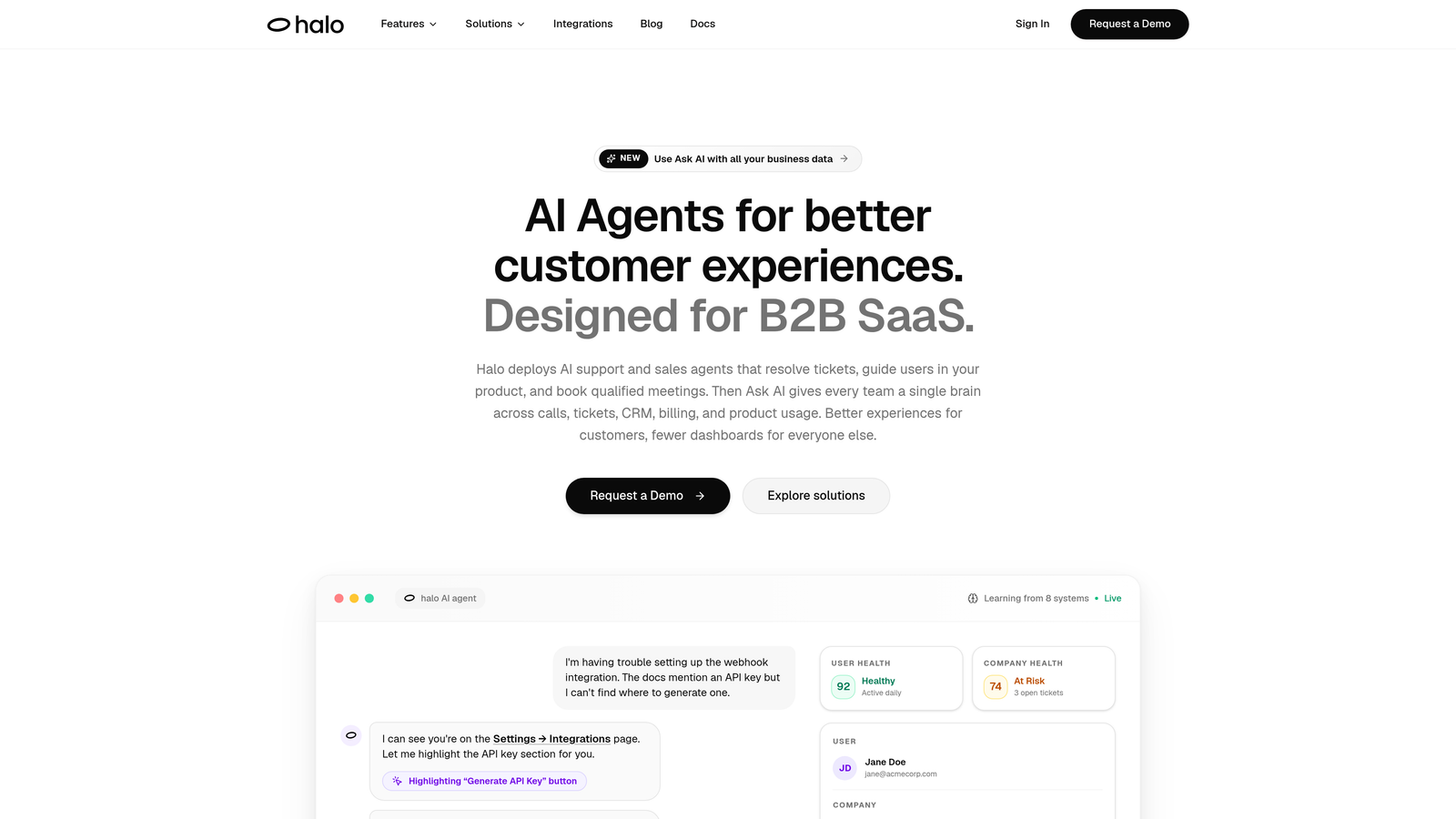
Halo AI is an AI-native customer support platform whose Smart Inbox delivers business intelligence analytics directly from support interactions.
Where This Tool Shines
Most support analytics tools tell you what happened operationally. Halo AI tells you what it means for the business. Its Smart Inbox surfaces customer health signals, revenue intelligence, and anomaly detection derived from actual support conversations, giving support leaders a view that connects directly to retention and growth.
What makes this genuinely different is the architecture. Because the AI agents are resolving tickets and guiding users through the product in real time, the analytics improve continuously as the system learns from every interaction. You're not reporting on the past; you're building a progressively smarter intelligence layer on top of your support operation.
Key Features
Smart Inbox with Business Intelligence: Surfaces customer health signals, revenue intelligence, and anomaly detection derived from support conversations, not just ticket counts.
Page-Aware AI Agents: Agents see what users see in the product, providing contextual insight into exactly where customers struggle most frequently.
Auto Bug Ticket Creation via Linear: Automatically converts recurring support patterns into bug tickets, turning support data into product intelligence without manual triage.
Multi-System Integrations: Connects to HubSpot, Slack, Stripe, Intercom, Zoom, PandaDoc, and Fathom, enabling cross-stack insight that links support signals to CRM, billing, and product data.
Continuous Learning: Analytics improve as the AI resolves more tickets, meaning the system gets smarter and more precise over time without manual reconfiguration.
Best For
B2B SaaS companies that want their support platform to do more than track tickets. Particularly well suited for product-led growth teams where understanding where users get stuck is as important as resolving their issues quickly. Also a strong fit for teams that want to connect support signals to churn risk or expansion opportunities.
Pricing
Contact for pricing via haloagents.ai. Custom pricing based on team size and integration requirements.
2. Zendesk Explore
Best for: Teams already on Zendesk who need flexible, customizable reporting within their existing platform.
Zendesk Explore is Zendesk's native analytics product, offering pre-built dashboards alongside a custom query builder for teams standardized on the Zendesk ecosystem.
Where This Tool Shines
If your support operation runs on Zendesk, Explore gives you deep access to your ticket data without any export or integration overhead. Pre-built dashboards cover the essentials immediately, and the Explore Query Language (EQL) lets experienced analysts build highly specific reports once they're comfortable with the syntax.
Live dashboards are a practical strength for team leads who want real-time visibility into queue depth and agent workload during high-volume periods. The cross-channel coverage across email, chat, voice, and social is also useful for teams managing multiple support channels from one place.
Key Features
Pre-Built Dashboards: Ready-to-use reports covering ticket volume, agent performance, and CSAT without any setup required.
Explore Query Language (EQL): A custom query builder for teams that need to go beyond pre-built reports and create tailored metrics.
Live Dashboards: Real-time monitoring of team performance and queue status for active management during busy periods.
Cross-Channel Analytics: Unified reporting across email, chat, voice, and social channels managed within Zendesk.
Best For
Support teams already committed to the Zendesk platform who want native analytics without adding another tool. Less suited for teams that need analytics to connect with data outside the Zendesk ecosystem, or for organizations that want AI-driven insight rather than analyst-driven reporting.
Pricing
Included in Zendesk Suite Professional and above. Also available as a standalone add-on for teams on lower-tier plans.
3. Freshdesk Analytics
Best for: Freshdesk users who want built-in reporting on ticket trends, agent performance, and SLA compliance.
Freshdesk Analytics is the native analytics module within Freshdesk, covering the core operational metrics that support managers rely on day to day.
Where This Tool Shines
Freshdesk Analytics earns its place by being genuinely accessible. The pre-built reports cover the metrics most support managers need without requiring any configuration, making it a practical starting point for teams that don't have a dedicated analytics function. SLA compliance monitoring with breach alerts is particularly useful for B2B teams with contractual response commitments.
The custom report builder adds flexibility for teams that want to track metrics beyond the defaults, though it's best suited for straightforward customizations rather than complex cross-system analysis.
Key Features
Pre-Built Operational Reports: Covers ticket volume, response times, and resolution rates out of the box with no configuration needed.
CSAT and NPS Tracking: Built-in customer satisfaction measurement integrated directly with ticket workflows.
SLA Compliance Monitoring: Tracks SLA adherence and surfaces breach alerts before or after they occur.
Custom Report Builder: Allows teams to create tailored reports for metrics specific to their support operation.
Best For
Support teams running on Freshdesk who want solid operational reporting without adding a separate analytics tool. A natural fit for mid-market B2B teams with SLA obligations and a need for clear agent performance visibility.
Pricing
Available across most Freshdesk plans; advanced analytics features are gated to higher tiers. Check Freshworks.com for current plan details.
4. Intercom Reports
Best for: Teams using Intercom's messenger-first support model who want analytics on both human and AI agent performance.
Intercom Reports is the built-in reporting suite within Intercom, designed around conversation-based support and tightly integrated with the Fin AI agent.
Where This Tool Shines
For teams using Intercom as their primary support channel, the reporting suite provides a unified view of how conversations are handled across both AI and human agents. The Fin AI performance analytics are particularly valuable for teams that have deployed Intercom's AI agent and want to understand resolution rates, escalation patterns, and where the bot hands off to humans.
CSAT trend reporting is well integrated into the conversation flow, making it easy to correlate satisfaction scores with specific conversation types or agent performance over time.
Key Features
Conversation Volume and Resolution Tracking: Monitors how conversations are handled, resolved, and escalated across the support team.
Fin AI Agent Performance Analytics: Specific reporting on AI agent resolution rates, deflection, and handoff patterns.
CSAT Trend Reporting: Tracks customer satisfaction over time with visibility into trends and outliers.
Team and Agent Performance Dashboards: Individual and team-level metrics for workload, response time, and resolution quality.
Best For
Support teams built around Intercom's messenger model, particularly those using Fin AI alongside human agents who want unified analytics across both. Less useful for teams that need analytics to connect with data outside the Intercom platform.
Pricing
Included with Intercom plans; advanced reporting features are available on higher tiers. Contact Intercom for current pricing.
5. Klaus (by Zendesk)
Best for: Support managers who want AI-assisted quality assurance and structured coaching workflows at scale.
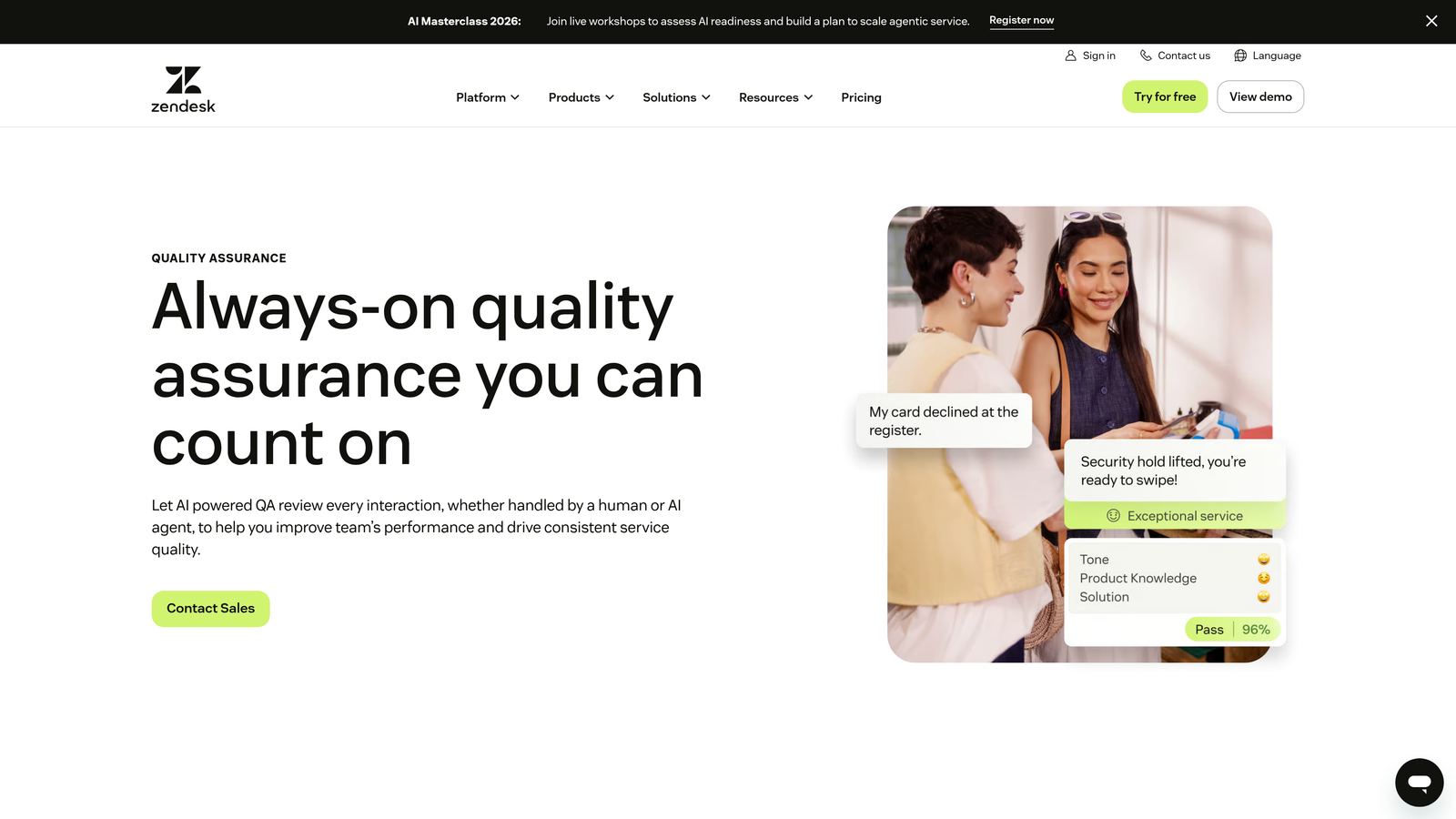
Klaus is an AI-powered quality assurance and conversation review tool acquired by Zendesk, focused on surfacing coaching opportunities and maintaining support quality consistency.
Where This Tool Shines
QA at scale is genuinely hard. Manually reviewing a meaningful sample of support conversations takes significant time, and the selection process is often biased toward recent or flagged tickets. Klaus solves this by using AI to identify which conversations are most worth reviewing, ensuring QA coverage is representative rather than reactive.
The automated quality scoring creates a consistent framework for evaluating agent performance, which is particularly valuable for teams managing large or distributed support operations where subjective evaluation tends to drift over time.
Key Features
AI-Assisted Conversation Selection: Identifies which conversations are most valuable for QA review rather than leaving selection to chance or manual judgment.
Automated Quality Scoring: Applies consistent scoring criteria across support interactions to surface performance trends.
Coaching and Feedback Workflows: Structured processes for delivering feedback to agents based on QA review findings.
Multi-Platform Integration: Connects with Zendesk, Intercom, Freshdesk, and other helpdesk platforms.
Best For
Support operations with enough conversation volume that manual QA review isn't feasible. Particularly well suited for teams with formal coaching programs and quality standards that need consistent, data-driven enforcement.
Pricing
Contact for pricing. Klaus was acquired by Zendesk in 2024 and is now part of the Zendesk product portfolio.
6. Playvox
Best for: Larger support operations that need workforce management analytics alongside QA scoring in a single platform.
Playvox is a workforce management and QA analytics platform that combines agent performance metrics, quality assurance scoring, and scheduling analytics for complex support operations.
Where This Tool Shines
Playvox sits at the intersection of workforce management and support quality, which makes it particularly useful for operations teams that need to optimize both staffing levels and interaction quality simultaneously. The scheduling and forecasting capabilities help support leaders anticipate volume and allocate resources accordingly, rather than reacting to backlogs after they form.
For teams managing large headcounts across multiple shifts or locations, having QA scoring and workforce analytics in the same platform reduces the fragmentation that comes from stitching together separate tools.
Key Features
QA Scoring and Conversation Review: Structured quality assurance workflows with scoring frameworks for evaluating agent interactions.
Agent Performance and Productivity Analytics: Tracks individual and team performance metrics over time.
Workforce Management with Scheduling and Forecasting: Capacity planning and scheduling tools to match staffing levels with anticipated demand.
Helpdesk Integrations: Connects with major helpdesk platforms to pull conversation data for analysis.
Best For
Larger support organizations with formal workforce management needs, particularly those running multiple teams or shifts. Less suited for smaller teams that primarily need analytics rather than workforce planning capabilities.
Pricing
Contact for pricing. Playvox typically serves mid-market to enterprise support operations; pricing reflects the breadth of workforce management features included.
7. Geckoboard
Best for: Teams that want real-time KPI visibility on shared team screens without building complex dashboards from scratch.
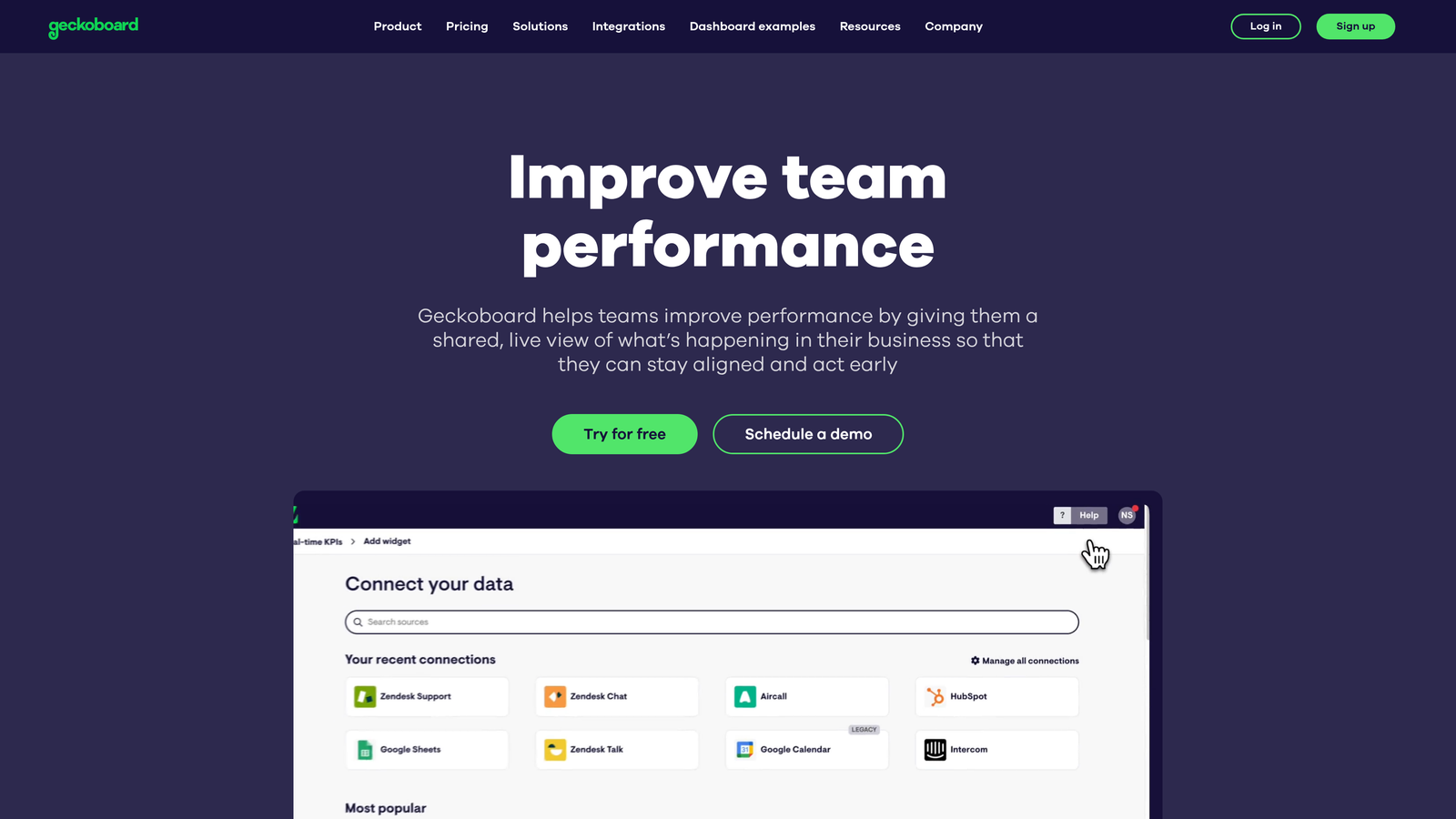
Geckoboard is a real-time KPI dashboard tool that pulls support metrics from Zendesk, Freshdesk, and other sources to create always-on visibility displays for support teams.
Where This Tool Shines
Geckoboard isn't a deep analytics platform, and it doesn't try to be. Its value is in making key support metrics immediately visible to the whole team in real time, which changes how teams respond to volume spikes and SLA risks. A well-configured Geckoboard display on a team wall or shared screen creates ambient awareness that doesn't require anyone to open a report.
The drag-and-drop builder makes it accessible to support managers without BI expertise, and native integrations with Zendesk, Freshdesk, and Intercom mean setup is relatively fast for teams already on those platforms.
Key Features
Real-Time Dashboard Displays: Live KPI feeds that update continuously rather than on a reporting schedule.
Native Helpdesk Integrations: Pre-built connectors for Zendesk, Freshdesk, Intercom, and other common support platforms.
TV Dashboard Mode: Optimized display format for wall-mounted screens in team environments.
Drag-and-Drop Dashboard Builder: No-code interface for building and customizing dashboard layouts.
Best For
Support teams that want ambient real-time visibility into queue depth, SLA status, and agent workload without investing in a full BI platform. Works well as a complement to deeper analytics tools rather than a replacement.
Pricing
Starts at approximately $49/month; pricing scales with the number of dashboards and users. A free trial is available.
8. Tableau
Best for: Enterprise teams that need to blend support data with revenue, product, and customer data in highly customized analytics environments.
Tableau is an enterprise business intelligence platform that can ingest support data from multiple helpdesk systems to create sophisticated cross-functional analytics dashboards.
Where This Tool Shines
When support analytics needs to connect with data from CRM, billing, product usage, and finance systems, Tableau is one of the most capable tools available. The ability to blend data sources means a support leader can build a dashboard that correlates ticket volume with churn risk, revenue tier, or product adoption signals in ways that native helpdesk reporting simply can't support.
The trade-off is complexity. Tableau requires meaningful BI expertise to set up and maintain effectively, and connecting it to helpdesk data typically involves data exports, API connectors, or a data warehouse layer. It's a powerful tool in the right hands, but not a quick-start solution.
Key Features
Universal Data Connectivity: Connects to virtually any data source including helpdesks, CRMs, product databases, and billing systems.
Advanced Visualization and Custom Dashboards: Highly flexible dashboard creation with sophisticated visualization options.
Cross-Functional Data Blending: Combines support data with revenue, product, and customer data for business-level insights.
Enterprise Governance and Sharing: Role-based access, version control, and enterprise-grade sharing capabilities for large organizations.
Best For
Enterprise support and operations teams with access to BI resources and a need to connect support data with broader business intelligence. Not well suited for teams that want out-of-the-box support analytics without significant setup investment.
Pricing
Starts at approximately $70/user/month for Tableau Creator. Enterprise pricing is available for larger deployments.
9. Survicate
Best for: Teams that want to complement helpdesk analytics with structured CSAT, NPS, and CES measurement.
Survicate is a survey and customer feedback analytics platform specializing in post-interaction sentiment measurement across CSAT, NPS, and Customer Effort Score.
Where This Tool Shines
Operational metrics tell you what happened; feedback analytics tell you how customers felt about it. Survicate fills that gap by enabling triggered surveys at key moments in the support journey, capturing sentiment data that sits alongside rather than inside your helpdesk reporting.
The feedback analytics dashboard tracks trends over time, making it possible to correlate changes in support processes with shifts in customer satisfaction scores. For B2B teams where a single account represents significant revenue, having granular visibility into satisfaction trends by customer segment is genuinely valuable.
Key Features
CSAT, NPS, and CES Survey Creation: Pre-built survey templates for the three most common support satisfaction metrics.
Triggered Post-Interaction Surveys: Automatically sends surveys following support interactions based on configurable triggers.
Feedback Analytics Dashboard: Tracks satisfaction trends over time with filtering and segmentation options.
Helpdesk and CRM Integrations: Connects with major helpdesk platforms and CRMs to link feedback data with operational records.
Best For
Support teams that want to add structured customer sentiment measurement to their existing analytics stack. Works well as a complement to native helpdesk reporting rather than a standalone analytics solution.
Pricing
Free plan available with limited features; paid plans start at approximately $99/month. Pricing scales with survey volume and feature access.
Which Tool Is Right for Your Team?
The right support analytics tool depends on one fundamental question: do you want analytics as a standalone reporting layer, or embedded directly into how your support operation actually works?
For B2B SaaS teams that want analytics connected to business outcomes, Halo AI stands apart. Its Smart Inbox surfaces customer health signals, revenue intelligence, and anomaly detection from real support conversations, and the continuous learning model means the intelligence improves over time. If you're running support and want it to do more than close tickets, this is where to start.
For teams already standardized on a specific helpdesk, the native options are the most practical starting point. Zendesk Explore and Freshdesk Analytics provide solid operational reporting within their respective platforms, while Intercom Reports covers both human and AI agent performance for messenger-first teams.
If support quality and coaching are the priority, Klaus brings AI-assisted QA review to teams with high conversation volume, and Playvox adds workforce management capabilities for larger operations that need to optimize staffing alongside quality.
For real-time team visibility without building complex dashboards, Geckoboard is the fastest path to ambient KPI awareness. For enterprise teams that need to blend support data with CRM, billing, and product signals, Tableau provides the flexibility to build exactly that. And for teams that want direct customer sentiment data to complement their operational metrics, Survicate fills that gap cleanly.
Your support team shouldn't scale linearly with your customer base. Let AI agents handle routine tickets, guide users through your product, and surface business intelligence while your team focuses on complex issues that need a human touch. See Halo in action and discover how continuous learning transforms every interaction into smarter, faster support.