Support Chatbot with Context Awareness: How Smarter AI Resolves Issues Faster
A support chatbot with context awareness eliminates the frustrating cycle of repeated explanations by retaining customer history, account details, and prior interactions throughout the conversation. Unlike traditional bots that treat every session as a blank slate, context-aware AI delivers faster, more accurate resolutions by understanding who the customer is and what they've already tried before responding.
 Grant CooperFounder12 min read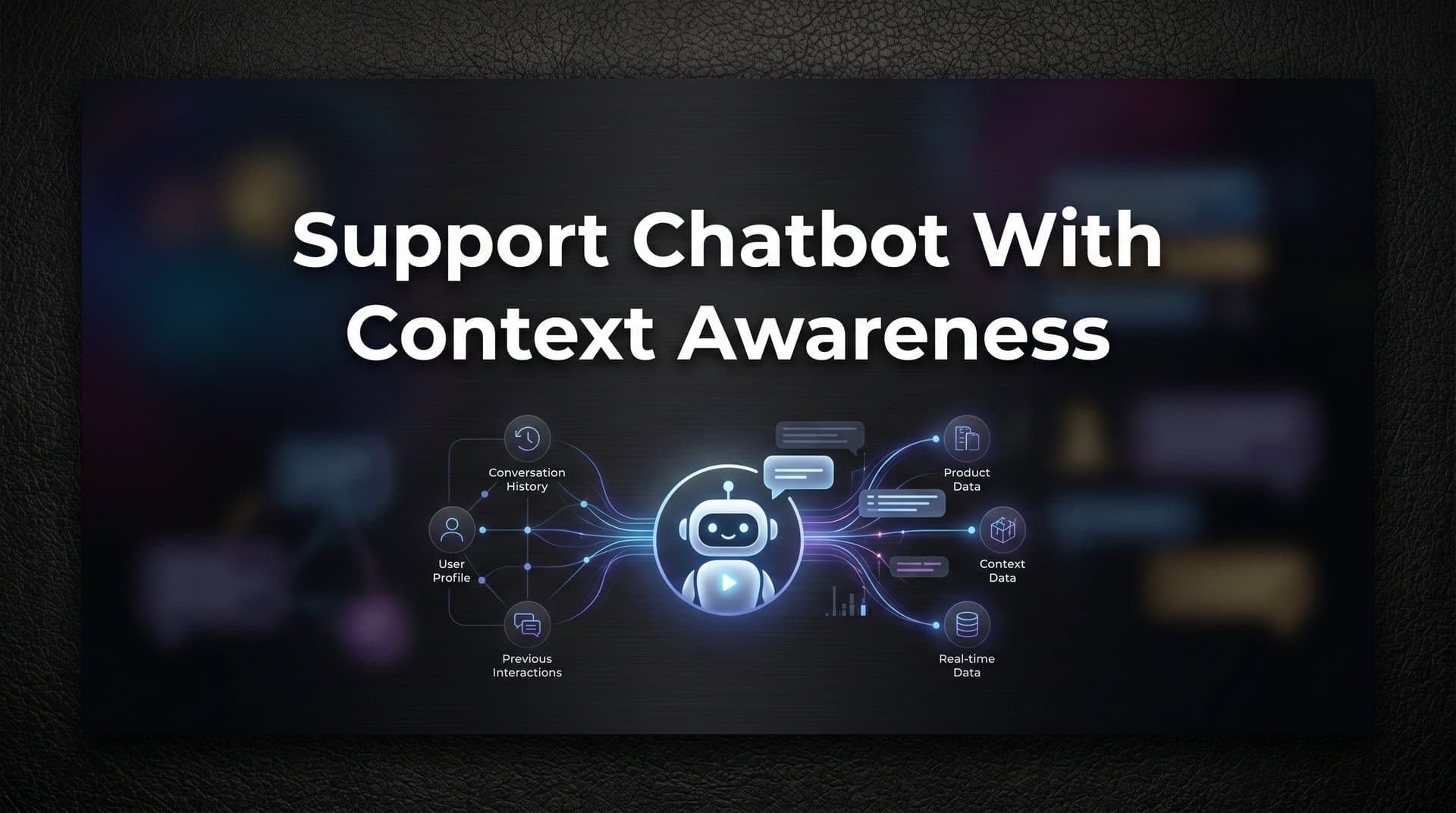
Picture this: a customer has been struggling with a billing issue for twenty minutes. They've navigated through your help center, found nothing useful, and finally opened the chat widget. They type out a detailed explanation of their situation. The bot responds with a generic FAQ link. They ask again. The bot asks them to "describe their issue." They describe it again. Then the session times out, or they get transferred to a live agent who has no idea what just happened, and the whole explanation starts over from scratch.
This experience is still shockingly common, even among companies that have invested in support automation. The problem isn't that chatbots exist. The problem is that most of them are operating blind, with no awareness of who the customer is, where they are in your product, what they've already tried, or what they're most likely struggling with.
A support chatbot with context awareness changes this entirely. Instead of treating every conversation as a blank slate, context-aware AI understands the full picture: the user's account history, their current location in your product, their past interactions, and the real-time signals that indicate what kind of help they actually need. The result is support that feels less like navigating an automated phone tree and more like talking to someone who already knows your situation.
This article is a practical explainer for B2B product teams and support leaders evaluating modern AI support tools. We'll break down why traditional chatbots keep falling short, what context awareness actually means technically, and what to look for when evaluating whether a platform is genuinely context-aware or just claiming to be.
Why Traditional Chatbots Keep Failing Your Customers
The frustration customers feel with most chatbots isn't irrational. It's a predictable outcome of how those systems are built. Traditional rule-based chatbots operate in isolation. They don't know who you are beyond maybe a login name, they have no memory of previous conversations, and they have no awareness of what you're doing in the product right now. Every conversation begins at zero.
This is the problem of statelessness. A stateless system treats each interaction as entirely independent, with no thread connecting it to anything that came before or anything happening around it. Ask a stateless chatbot a question on Monday, and if you come back on Tuesday with a follow-up, it has no idea you've spoken before. It certainly doesn't know that you've been on the billing page for the last five minutes or that your payment failed twice last week.
Without that state, the bot can only do one thing: pattern-match your words against a library of pre-written responses. If your question closely resembles a FAQ entry, you get that FAQ. If it doesn't, you get a generic "I'm not sure I understand, can you rephrase?" or an immediate escalation to a human agent. Neither outcome is useful, and both erode customer trust. These are well-documented customer support chatbot limitations that affect even well-resourced teams.
The deeper issue is that real support questions are rarely generic. A customer asking "why can't I access my dashboard?" might be locked out because of a billing issue, a permission setting, a recent product change, or a genuine bug. The right answer depends entirely on context: who they are, what their account status is, what changed recently, and what they've already tried. A bot with no context can't distinguish between these scenarios. So it defaults to the same scripted response for all of them.
This is why support teams often find that chatbot deployments increase escalation rates rather than reducing them. When a bot consistently fails to resolve issues, customers stop trying and go straight to a human. The automation that was supposed to reduce load ends up adding a frustrating extra step before the real support interaction begins.
The irony is that the information needed to give a genuinely helpful response often exists somewhere in the company's systems. The billing platform knows about the payment failure. The CRM knows about the customer's tier and history. The product logs know what the user was doing before they opened the chat. Traditional chatbots just can't access any of it, so they operate as if none of it exists.
The Layers of Context That Actually Matter
When people talk about "context-aware" AI, the term can mean very different things depending on the platform. It's worth being precise about what genuine context awareness looks like, because the difference between shallow and deep context is the difference between a marginally better FAQ bot and AI that can actually resolve issues.
There are three distinct layers of context that a modern support chatbot needs to work with effectively.
Session context is what's happening right now. Which page is the user on? Which feature are they actively using? How long have they been on this screen? Have they clicked through a specific workflow and stopped partway through? This real-time signal is enormously valuable because it tells the AI what the user is most likely trying to do, without requiring them to explain it. A user who opens the chat widget while on the API settings page is probably not asking about pricing. A user who's been on the checkout screen for four minutes and hasn't completed a purchase probably has a specific friction point right there. Understanding what contextual customer support really means starts with recognizing how much session-level data already exists.
Historical context is the record of what's happened before. Past support tickets, previous conversations, account activity, subscription changes, and known issues all belong here. If a customer contacted support about a payment failure last month, that's relevant when they reach out again about a billing question today. If they've submitted three tickets about the same feature in the past quarter, that's a signal worth acting on. Historical context turns a single interaction into a conversation that builds on itself.
Cross-system business context is where things get genuinely powerful. This is the layer that connects the support conversation to the rest of your business stack: billing status from Stripe, customer health score from HubSpot, open bug reports from Linear, subscription tier from your CRM. When a chatbot can pull live account-specific data from these systems, it stops making scripted assumptions and starts responding with real information. "Your invoice from June 10th is currently overdue, which may be causing access issues. Here's how to update your payment method" is a fundamentally different response than "please check your billing settings." Knowing how to connect support with product data is what makes this layer possible.
The distinction between shallow and deep context is worth making explicit. Shallow context means the bot knows your name because you're logged in. Deep context means the bot knows you've been on the billing page for three minutes, have an overdue invoice, and previously contacted support about a payment failure. The first is a minor personalization. The second is the foundation for actually resolving your issue on the first attempt.
The Technical Building Blocks Behind Contextual Support
Understanding what makes a chatbot genuinely context-aware requires a quick look under the hood. The capabilities that enable contextual support aren't magic. They're specific technical choices that either exist in a platform or don't.
Page-awareness is the ability to read the user's current location in the product: the URL they're on, the UI state, the active feature, and sometimes even the specific element they're interacting with. This goes well beyond knowing that someone is "in the app." A page-aware chatbot knows whether a user is on the onboarding flow, the API configuration screen, the team management settings, or the billing portal, and it tailors its guidance accordingly.
The most advanced implementations of page-awareness go further: the AI can visually guide users through steps on the exact screen they're viewing, pointing to specific UI elements rather than describing them abstractly. Instead of "navigate to Settings, then click Integrations," the bot can walk the user through the steps interactively, in context, on the page they're already on. This kind of visual product guidance in customer support is a meaningfully different capability from basic chatbot functionality, and it's relatively rare in the market.
Integration depth determines how much real account-specific information the AI can access. A chatbot connected to Stripe knows whether a customer has an active subscription, a failed payment, or a pending invoice. One connected to Linear knows whether a reported bug has already been filed and what its current status is. One connected to HubSpot knows a customer's tier, their health score, and their recent activity. These aren't nice-to-have features. They're what separates a bot that can give specific, accurate answers from one that can only offer generic guidance.
The integration question also matters for the handoff experience. When a live agent takes over a conversation, they should receive not just the chat transcript but the full account context that the AI was working with. That means the agent knows the customer's billing status, their recent tickets, and what the bot already tried, before typing a single word.
Continuous learning is the mechanism by which the AI improves its contextual understanding over time. By analyzing resolved tickets, successful interactions, and escalation patterns, a well-designed system gets better at recognizing which signals predict which issues, which responses lead to resolution, and which types of questions should be routed to humans immediately. This isn't a one-time training exercise. It's an ongoing process that makes the system incrementally smarter with every interaction it handles.
How Context Changes the Experience for Everyone Involved
The practical impact of context awareness plays out differently depending on who you're looking at: the customer, the support team, or the broader product and business organization.
For customers, the difference is immediately felt. Interactions feel efficient rather than exhausting. The bot already knows the relevant details, which means it asks fewer clarifying questions and gets to a useful answer faster. When the AI understands that a user is on a specific page, has a specific account status, and has a specific history, the response can be precise and actionable rather than a suggestion to "check the help center." Customers don't have to re-explain their situation at every step, and when they do need to speak with a human, they don't start from scratch.
For support teams, context-aware handoffs are a significant quality-of-life improvement. A cold transfer, where a live agent receives a customer with no background information, is one of the most frustrating experiences in support, for the agent and the customer alike. When the AI maintains full context and passes it along at handoff, agents can start from a position of understanding rather than spending the first few minutes gathering information the customer has already provided. Understanding how AI chatbot live agent handoff works in practice is essential for any team evaluating this transition. This lets human agents focus on what they're actually good at: handling the complex, nuanced, relationship-sensitive issues that genuinely require a person.
For product and business teams, contextual support data becomes a source of intelligence that goes beyond support metrics. When you can see which features consistently generate confusion, where users drop off in a workflow, and which customer segments are struggling most, you have actionable input for product decisions. Support conversations, when properly contextualized and analyzed, often surface patterns that user research and analytics miss entirely. A smart inbox with business intelligence capabilities can turn this data into signals about customer health, churn risk, and product gaps, making the support function a contributor to business intelligence rather than just a cost center.
What to Look for When Evaluating a Context-Aware Support Chatbot
The phrase "context-aware" has become common enough in vendor marketing that it's worth knowing how to evaluate whether a platform actually delivers on it. Here are the questions that cut through the noise.
Does the bot know which page or feature the user is on? This is a binary question. Either the platform has page-awareness built into its architecture or it doesn't. Ask vendors to demonstrate this specifically: can the bot give different responses to the same question depending on where in the product the user is located? Can it visually guide users through steps on the screen they're currently viewing? An AI chat widget with screen context should be able to demonstrate this capability concretely.
Can it access live account data from your CRM, billing, and product systems? Ask which integrations are native versus available through a generic API, and how current the data is. A bot that pulls account data once during onboarding and never refreshes it isn't truly context-aware. You want real-time or near-real-time access to billing status, subscription tier, and account health.
Does it retain context across sessions, or does every conversation reset? Many platforms maintain context within a single session but lose it entirely when the conversation ends. For recurring issues or multi-session support scenarios, cross-session memory is important. Ask vendors specifically how they handle this.
There are also red flags worth watching for. Be cautious of platforms that rely primarily on keyword matching, since this is a hallmark of stateless, rule-based architecture dressed up in modern language. Watch out for solutions that require manual tagging of every conversation to create context, which doesn't scale and defeats the purpose of AI. And be skeptical of helpdesk platforms that have added chatbot features as a bolt-on, since these are architecturally different from AI-first platforms built around context from the ground up.
The architectural distinction matters more than it might seem. A helpdesk with a chatbot feature is fundamentally a ticketing system with an automated front end. An AI-first platform built around context is designed to understand and act on signals from across your business stack, learn from every interaction, and operate autonomously while knowing when to escalate. These are not equivalent products, even if they appear similar in a feature comparison spreadsheet.
It's also worth asking about the learning mechanism. How does the platform improve over time? Is it manual retraining, continuous learning from resolved interactions, or something else? A system that gets smarter with every ticket it handles compounds in value over time in ways that a static rule-based system cannot.
Context Is the Foundation, Not a Feature
The through-line of everything we've covered is this: context isn't a premium add-on for sophisticated AI support deployments. It's the baseline requirement for support automation that actually works. Without context, a chatbot is just a slightly more interactive FAQ page. With it, you have a system that can understand, reason, and resolve.
If you're evaluating your current support tooling, the most useful audit question is a simple one: how much context does your existing chatbot actually have access to? Does it know which page a user is on? Can it see their billing status? Does it remember previous conversations? If the honest answer to most of those questions is "no," you're likely seeing the downstream effects in your escalation rates, your customer satisfaction scores, and the volume of repetitive tickets your human agents are handling.
The companies that get the most out of support AI are those that treat context depth as a primary evaluation criterion from the start, not something to revisit after deployment when the results disappoint.
Your support team shouldn't scale linearly with your customer base. AI agents can handle routine tickets, guide users through your product visually, surface business intelligence from support patterns, and hand off to humans with full context when complexity demands it. Every interaction becomes an opportunity to learn and improve. See Halo in action and discover how continuous learning and genuine context awareness transform support from a cost center into a competitive advantage.