8 Proven Support Deflection Strategies to Reduce Ticket Volume Without Sacrificing CX
Support deflection strategies help B2B SaaS companies reduce ticket volume on routine issues without compromising customer experience, freeing agents to focus on complex, high-value problems. This guide covers eight proven approaches—from self-service optimization to AI-powered resolution—that break the costly cycle of linear growth between customers and support headcount.
 Grant CooperFounder17 min read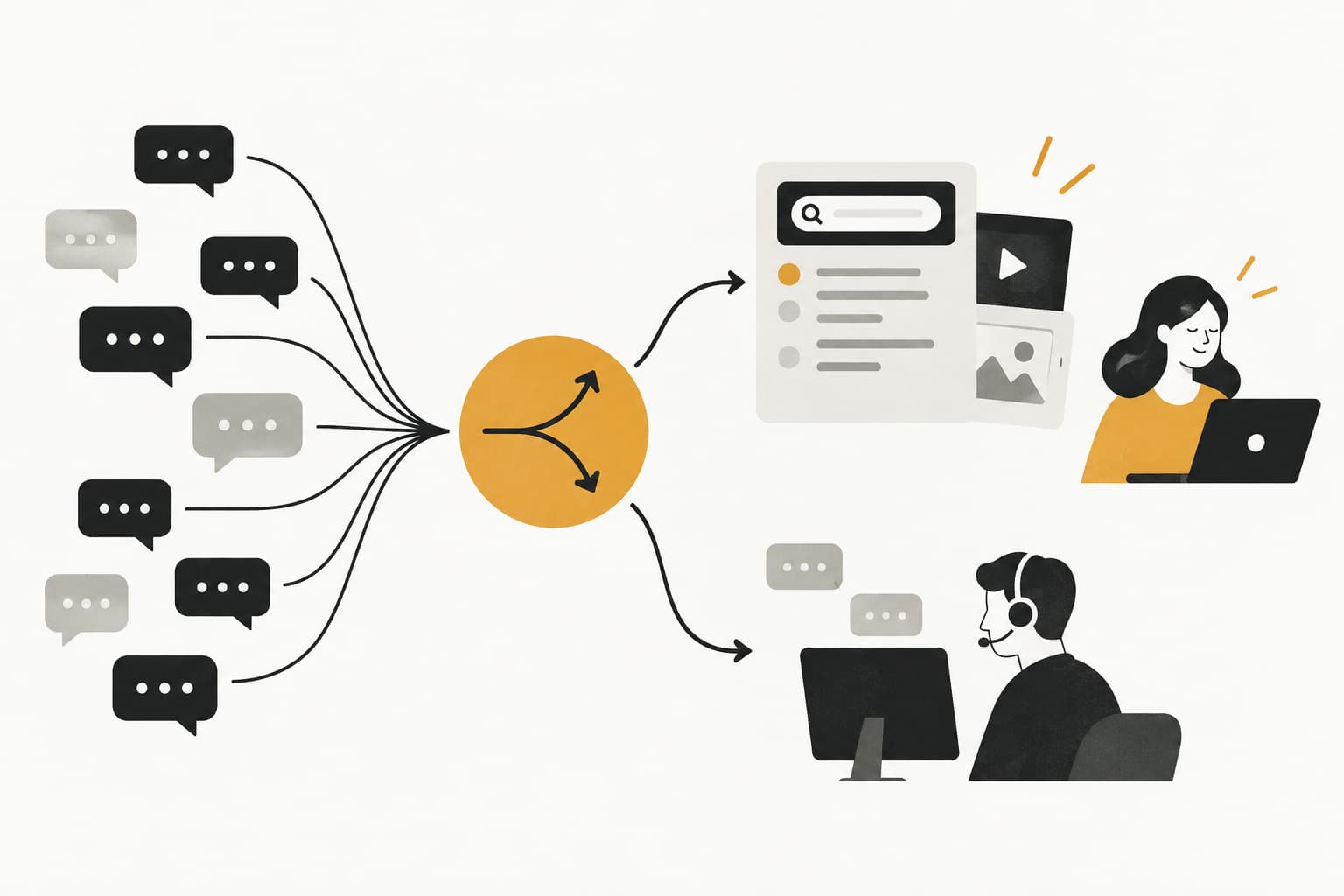
Every support ticket costs money. Whether it's a password reset, a billing question, or a feature walkthrough, each one pulls a human agent away from complex, high-value issues that actually require judgment and empathy. For B2B SaaS companies scaling quickly, this creates a painful paradox: growth means more customers, more customers mean more tickets, and more tickets mean either hiring aggressively or watching response times slip.
Support deflection strategies break that cycle. Done right, deflection doesn't mean abandoning customers. It means meeting them earlier in their journey with the right answer, before they ever need to open a ticket. The best deflection strategies reduce volume on routine issues while actually improving the customer experience for complex ones, because your team has the bandwidth to focus where it matters.
This guide covers eight proven approaches, from self-service optimization to AI-powered resolution, that B2B product teams can implement systematically. Whether you're running support on Zendesk, Freshdesk, or Intercom, or evaluating an AI-first alternative, these strategies give you a framework for deflecting intelligently, not just defensively.
1. Build a Self-Service Knowledge Base That Actually Gets Used
The Challenge It Solves
Most B2B SaaS teams have a knowledge base. Far fewer have one that customers can actually find, trust, and use independently. The gap between "we have documentation" and "customers resolve issues without contacting us" is enormous, and it's usually a content architecture problem, not a content volume problem. A sprawling knowledge base with outdated articles and poor search is worse than no knowledge base at all, because it erodes trust.
The Strategy Explained
Effective knowledge base deflection starts with structuring content around user intent rather than internal product categories. Customers search the way they think, not the way your engineering team organized features. That means writing articles with the language your customers actually use in tickets, surfacing related content proactively, and making search results feel immediately relevant.
Freshness matters just as much as structure. A feedback loop, where customers can flag outdated or unhelpful articles, creates a continuous improvement signal that keeps content accurate without requiring a dedicated documentation team to audit everything manually. Many support teams track deflection rate as a core efficiency metric, measuring how often customers find answers in the KB before submitting a ticket. That number should inform your content priority list for deflection directly.
Implementation Steps
1. Audit your top 20 ticket categories and check whether a KB article exists, is findable, and is accurate for each one. This gap analysis is your content priority list.
2. Rewrite article titles to match the exact language customers use in support requests, pulling phrasing directly from your ticket history.
3. Add a simple thumbs-up/thumbs-down feedback mechanism to every article, and route negative feedback into a weekly review queue.
4. Configure your support widget to surface relevant KB articles before the ticket form appears, so self-service is the path of least resistance.
Pro Tips
Short, scannable articles outperform long comprehensive ones for deflection. Customers in a moment of frustration want the answer to their specific question, not a full product tour. Break long guides into focused sub-articles and link them together. Video walkthroughs embedded in KB articles can significantly improve completion rates for complex how-to queries.
2. Deploy AI Agents for Instant, Contextual First Response
The Challenge It Solves
Response speed is one of the biggest variables in deflection success. When a customer submits a ticket and waits hours for a reply, they often submit a follow-up, ask a colleague, or churn quietly. An immediate, accurate response, even an automated one, changes the dynamic entirely. The challenge is that most "bot" responses feel generic and unhelpful, which trains customers to skip them and demand a human immediately.
The Strategy Explained
Modern AI agents resolve tickets rather than just acknowledging them. The distinction matters enormously. A well-configured AI agent can handle the full resolution of password resets, billing inquiries, how-to questions, and account status checks without any human involvement, while intelligently escalating complex or emotionally charged issues to a live agent with full context preserved.
Page-aware context is what separates genuinely helpful AI responses from generic ones. When an AI agent knows what page a user is on, what they've already tried, and what their account history looks like, it can provide guidance that feels specific rather than canned. Halo's AI agents, for example, are built with this kind of contextual awareness, seeing what users see and responding accordingly rather than delivering one-size-fits-all answers.
Configuring the right resolution versus escalation thresholds is critical. Too conservative, and the AI escalates everything to humans. Too aggressive, and it attempts to resolve issues it shouldn't, frustrating customers. Start with your most clearly defined, high-volume ticket types and expand the AI's resolution scope gradually as confidence builds. Teams evaluating their options should review AI customer support software for B2B to understand what modern platforms can handle out of the box.
Implementation Steps
1. Identify your five highest-volume, most clearly defined ticket categories — these are your AI agent's starting scope.
2. Map the resolution path for each category and configure the AI with the specific steps, data lookups, and responses required.
3. Define escalation triggers: sentiment signals, specific keywords, account tier, or issue complexity that should route to a human immediately.
4. Review AI resolution accuracy weekly for the first month, using failed resolutions to refine responses and expand coverage.
Pro Tips
AI agents that learn from every interaction compound in value over time. An AI-first support platform is designed around this continuous learning loop, so each resolved ticket makes the next resolution smarter. Avoid platforms where AI is a bolt-on feature, because those systems rarely improve without significant manual retraining.
3. Use In-App Guidance to Deflect Before the Ticket Is Created
The Challenge It Solves
By the time a customer opens a support ticket, they've already experienced friction. The ticket is a symptom of a moment of confusion that went unaddressed. For B2B SaaS products with complex workflows, these moments happen constantly, during onboarding, at feature adoption milestones, and whenever a UI update changes a familiar pattern. Deflecting at the ticket form is reactive; deflecting at the moment of confusion is proactive.
The Strategy Explained
In-app guidance intercepts support needs before they become tickets. Contextual tooltips, triggered product walkthroughs, and page-aware chat widgets that appear when users exhibit confusion signals, like spending too long on a single screen or repeatedly clicking a non-functional element, can resolve questions in the moment without requiring any support team involvement.
The page-aware chat widget is particularly powerful here. Rather than a generic "How can I help you?" prompt, a widget that understands the user's current context can proactively offer relevant guidance. If a user is on your billing settings page and appears stuck, the widget can surface the three most common billing questions before they even type anything. This kind of anticipatory support feels helpful rather than intrusive. Understanding how to reduce customer support response time through in-app intervention is one of the fastest wins available to product teams.
Halo's page-aware chat widget is built specifically for this use case, providing visual UI guidance that responds to where users are in your product, not just what they type into a chat box.
Implementation Steps
1. Identify your highest-friction product pages by correlating page visit data with ticket origin, where are tickets most commonly created after users visit a specific page?
2. Deploy contextual tooltips on the top three to five friction points identified, linking directly to relevant KB articles or triggering short walkthroughs.
3. Configure your chat widget to display proactive messages based on page context and time-on-page thresholds.
4. Measure ticket creation rate from high-friction pages before and after guidance implementation to quantify deflection impact.
Pro Tips
Less is more with in-app guidance. Overwhelming users with tooltips and popups creates its own friction. Prioritize the moments where confusion is most likely to convert into a ticket, and keep guidance content concise and actionable. A single well-placed tooltip that answers the right question outperforms a full onboarding tour that users dismiss.
4. Automate Responses to High-Volume, Repetitive Ticket Categories
The Challenge It Solves
In almost every B2B SaaS support operation, a small number of ticket categories account for a disproportionate share of total volume. Billing questions, status inquiries, password resets, and how-to requests for common features often represent the majority of inbound tickets. These are also the tickets that require the least human judgment, which makes them ideal candidates for automation. The challenge is building automated responses that feel genuinely helpful rather than dismissive.
The Strategy Explained
Effective automation starts with categorization. Before you can automate responses, you need a clear taxonomy of your ticket types and accurate data on which categories generate the most volume. Many support teams are surprised to discover how concentrated their ticket distribution is once they actually measure it.
Once you've identified your top deflectable categories, build response flows that are specific and actionable rather than generic. A billing inquiry automation that pulls the customer's actual account status, invoice history, and next billing date feels like a real answer. A generic "Please check your billing settings" response does not. The difference between these two outcomes is whether your automation is integrated with your broader business stack or operating in isolation. Teams looking to evaluate their options will find a thorough breakdown in this guide to best customer support automation tools.
Halo's integrations with tools like Stripe, HubSpot, and Intercom allow AI agents to pull live account data into responses, making automated answers feel personalized and accurate rather than templated.
Implementation Steps
1. Run a ticket categorization analysis across your last 90 days of volume to identify your top five highest-frequency ticket types.
2. For each category, map the data sources required to give a complete, accurate automated response, for example, billing status from Stripe, subscription tier from your CRM.
3. Build automated response flows that pull live data where available and include clear escalation paths for edge cases the automation can't handle.
4. A/B test automated responses against human-handled tickets in the same category to measure resolution satisfaction and identify gaps.
Pro Tips
Always give customers an easy path to a human if the automated response doesn't resolve their issue. Automation that traps customers in a loop destroys trust faster than slow human response times. A clear "This didn't help, connect me with someone" option preserves the customer experience while still capturing the deflection benefit for the majority of cases.
5. Implement Proactive Support Triggered by Customer Behavior
The Challenge It Solves
Reactive support is inherently inefficient. You're always responding to problems that have already occurred, often after the customer's frustration has already peaked. A common pattern in B2B SaaS support is that certain product behaviors, like repeated failed attempts at a specific action or stalling during a key workflow, reliably predict an incoming support ticket. If you can identify those signals and respond before the ticket arrives, you eliminate the ticket entirely while simultaneously improving the customer experience.
The Strategy Explained
Proactive support uses product usage signals to trigger outreach at known friction points. This might look like an automated in-app message when a user has attempted to complete an action three times without success, a triggered email when a customer's usage drops below their normal pattern, or a Slack notification to their account manager when health signals suggest they're struggling with a specific feature.
The dual benefit here is significant. Proactive support reduces inbound ticket volume while also reducing churn risk, because customers who feel supported before they have to ask are meaningfully more likely to renew. Industry experience suggests that proactive support, reaching customers before they file a ticket, can reduce inbound volume while improving satisfaction scores simultaneously. This approach is a cornerstone of effective customer support scalability strategies for growing SaaS teams.
Halo's business intelligence layer is designed to surface exactly these kinds of signals, identifying customer health indicators and anomalies in usage patterns that predict support needs before they materialize as tickets.
Implementation Steps
1. Map your known product friction points: where do customers most commonly get stuck, and what behaviors precede a support ticket in those areas?
2. Configure behavioral triggers in your product analytics or support platform to fire when those predictive signals appear.
3. Build automated outreach sequences for each trigger, ranging from in-app guidance to email check-ins depending on the severity of the signal.
4. Route high-priority signals, like enterprise accounts showing churn risk behaviors, to a human account manager rather than an automated message.
Pro Tips
Proactive outreach only works if it's timely and relevant. A check-in email sent three days after a user struggled with a feature is not proactive support, it's delayed reactive support. Aim for triggers that fire within minutes or hours of the friction event, and keep outreach messages short, specific, and directly actionable.
6. Leverage Community and Peer Support Channels
The Challenge It Solves
One of the most scalable deflection assets a B2B SaaS company can build is a community where customers help each other. Peer-to-peer resolution has a unique advantage: it scales without adding headcount, and it often produces answers that feel more credible to customers than official documentation because they come from people who've faced the same problem. The challenge is that community deflection requires investment to build and consistent moderation to maintain quality.
The Strategy Explained
An effective customer community deflects tickets in two ways. First, customers search the community before submitting a ticket and find answers from previous discussions. Second, active community members answer new questions before your support team needs to. Both mechanisms reduce ticket volume without requiring direct support team involvement in every interaction.
The key to making community deflection work is integration with your support workflow. Community answers should be surfaced in your knowledge base search, in your support widget, and in your AI agent's response pool. A great answer posted by a power user in your community forum is a deflection asset that should be discoverable across every channel, not siloed in a separate platform that customers have to know to visit. This kind of channel integration is what separates teams that can't scale support fast enough from those that build self-sustaining support ecosystems.
Moderation and quality control matter more in B2B communities than B2C ones, because incorrect peer advice in an enterprise context can have real downstream consequences. Build a clear escalation path from community threads to official support for issues that require verified answers.
Implementation Steps
1. Choose a community platform that integrates with your support stack, so community answers can be surfaced in your help widget and KB search results.
2. Seed the community with answers to your top 20 most common questions before launch, so early visitors find value immediately.
3. Identify and cultivate power users who are active and knowledgeable, consider a formal champion program with recognition or early access benefits.
4. Configure your support workflow to check for existing community answers before routing new tickets, and link customers to relevant threads where appropriate.
Pro Tips
Community deflection has a compounding return. Early investment in seeding content and cultivating active members creates a self-sustaining asset that grows more valuable over time. Many support teams find that community deflection becomes one of their highest-leverage channels after 12 to 18 months of consistent investment, even though it delivers modest results in the early months.
7. Optimize Ticket Triage and Routing to Accelerate Resolution
The Challenge It Solves
Poor routing inflates apparent ticket volume in a way that's easy to miss. When a ticket bounces between agents, requires multiple follow-up exchanges to clarify the issue, or sits in a queue waiting for the right specialist, it generates additional contacts that look like separate tickets but are actually the same unresolved issue multiplying. Misrouted tickets also consume significantly more agent time per resolution, which means your team's capacity shrinks even when volume stays flat.
The Strategy Explained
Intelligent triage and routing reduces the friction of resolution, which directly reduces the time-per-ticket and the likelihood of follow-up contacts. AI-powered categorization can tag incoming tickets by type, priority, and complexity before a human agent ever sees them, ensuring that simple issues go to automation, complex issues go to the right specialist, and bugs go directly to engineering workflows without manual handoff. A detailed walkthrough of how this works in practice is available in this complete guide to support ticket automation.
The bug-to-engineering pipeline is worth calling out specifically. In many B2B SaaS support operations, bug reports travel through a slow, manual process: support agent identifies a bug, writes it up in a Slack message, someone creates a Linear or Jira ticket, and the original support ticket sits waiting. Halo's auto bug ticket creation feature eliminates this friction by automatically generating structured bug reports in your engineering workflow the moment a support ticket is classified as a bug, with full context preserved.
Implementation Steps
1. Audit your current routing logic and identify the most common misrouting patterns: which ticket types most frequently bounce between agents or require reassignment?
2. Implement AI-powered categorization to tag tickets by type and complexity at the point of submission, before they enter any agent queue.
3. Build direct routing rules for your highest-confidence categories: billing tickets go to the billing specialist, bug reports trigger automatic engineering ticket creation, and how-to queries route to AI resolution first.
4. Track first-contact resolution rate as your primary routing quality metric, and use drops in that metric to identify new routing gaps as your product evolves.
Pro Tips
Routing optimization also improves the live agent handoff experience. When a ticket escalates from an AI agent to a human, the human should receive full context: what the customer asked, what the AI attempted, and why escalation was triggered. This eliminates the frustrating "please repeat your issue" experience that erodes customer trust in AI-assisted support.
8. Use Support Analytics to Find and Fix Root Causes
The Challenge It Solves
Every deflection strategy discussed so far addresses how to handle tickets more efficiently. This one addresses how to eliminate the conditions that create tickets in the first place. Support analytics used as business intelligence, rather than just a performance dashboard, reveal the product gaps, UX friction points, and communication failures that generate recurring ticket volume. Fixing root causes is the highest-leverage deflection strategy because it reduces volume permanently rather than managing it more efficiently.
The Strategy Explained
Most support teams track metrics like ticket volume, response time, and CSAT. Fewer use their support data to answer the question: why are customers contacting us about this, and what would have to change for them not to? That shift in framing transforms support analytics from a retrospective report into a product roadmap input. Teams that master this transition learn how to connect support data to business intelligence in ways that drive product decisions.
A common pattern in B2B SaaS is that a small number of recurring ticket themes point directly to fixable product or documentation issues. A spike in tickets about a specific feature after a UI update signals a design problem. Persistent confusion about a billing policy signals a communication gap. Repeated questions about an integration behavior signal missing documentation. Each of these is a root cause that, once fixed, eliminates an entire category of future tickets.
Halo's smart inbox provides business intelligence beyond standard support metrics, surfacing customer health signals, revenue intelligence, and anomaly detection that connect support patterns to broader product and business outcomes. This is what transforms support from a cost center into a strategic intelligence function.
Implementation Steps
1. Establish a monthly root cause review process where support leadership presents the top recurring ticket themes to product and engineering teams.
2. Tag tickets not just by category but by suspected root cause, distinguishing between tickets caused by a product gap, a documentation gap, or a customer behavior pattern.
3. Build a shared dashboard visible to product, engineering, and support that tracks ticket volume by root cause category, creating accountability for resolution.
4. Set deflection targets for each root cause fix: if a product improvement is expected to eliminate a specific ticket category, measure whether it actually does post-release.
Pro Tips
Support data is one of the richest sources of product intelligence available to a B2B SaaS company, but it's only valuable if it reaches the people who can act on it. Create a formal channel, whether a weekly Slack summary, a shared Linear project, or a monthly review meeting, that ensures support insights consistently reach product and engineering teams before they get buried in day-to-day queue management.
Putting It All Together: Your Implementation Roadmap
Support deflection isn't a cost-cutting shortcut. It's a customer experience upgrade when done thoughtfully. The eight strategies above work best as a layered system: self-service handles the basics, AI agents resolve the routine, in-app guidance prevents confusion before it starts, and analytics ensure you're fixing root causes rather than just managing symptoms.
For B2B product teams, the priority order matters. Start by categorizing your current ticket volume to identify your highest-deflection opportunities. That analysis will tell you where automation and AI will have the most immediate impact. Then layer in proactive and community strategies as your support operation matures and your deflection infrastructure becomes more sophisticated.
Where to start: Run a 90-day ticket categorization analysis and identify your top five ticket types by volume. Those five categories are your first automation targets and your first KB content priorities.
What to build next: Deploy AI agents for your highest-volume, most clearly defined ticket categories. Configure escalation thresholds conservatively at first, and expand AI resolution scope as confidence builds.
The long game: Invest in root cause analysis and proactive support. These strategies take longer to show results but deliver compounding returns because they reduce the underlying demand for support rather than just handling it more efficiently.
Your support team shouldn't scale linearly with your customer base. Let AI agents handle routine tickets, guide users through your product, and surface business intelligence while your team focuses on complex issues that need a human touch. See Halo in action and discover how continuous learning transforms every interaction into smarter, faster support.
How Halo helps
With Halo's Ask AI you can ask questions like “what drove ticket volume up last week?” in plain English and get instant, data-backed answers from your connected support, CRM, and product systems — no SQL or dashboards required. Learn more about Ask AI, Halo's business intelligence chat.