Support Escalation Delays: Why They Happen and How to Fix Them
Support escalation delays silently erode customer trust by creating frustrating handoff loops where issues go unresolved and context gets lost with every transfer. This guide examines why these delays occur across B2B SaaS support teams and offers practical fixes to streamline escalation workflows before customers start looking elsewhere.
 Matt PattoliFounder12 min read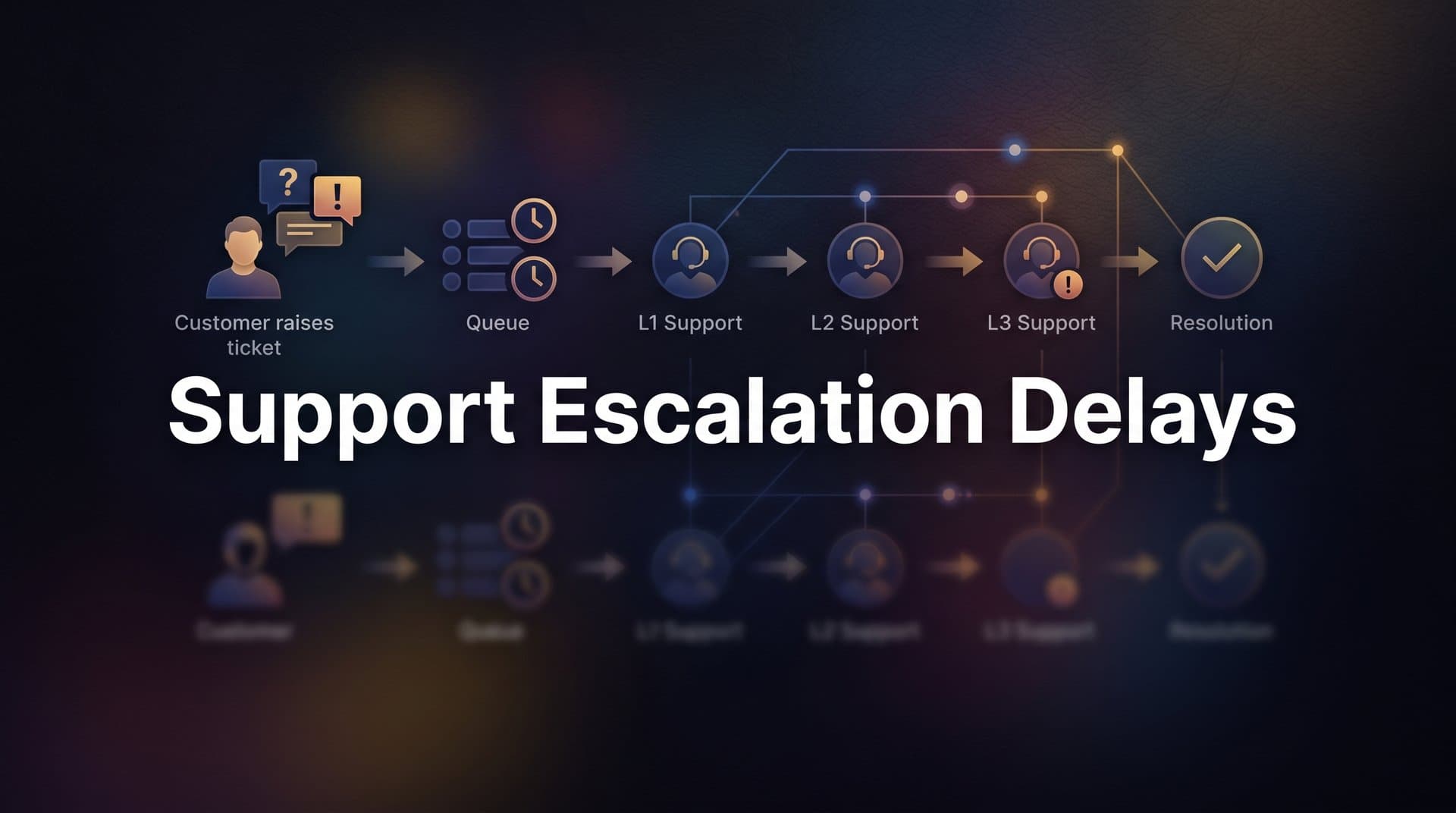
Picture this: a customer hits a billing error on a Friday afternoon. They submit a ticket, get an auto-reply, and wait. By Monday morning, they've been transferred twice, asked to re-explain their issue from scratch, and still don't have a resolution. They're not just frustrated. They're quietly evaluating your competitors.
This scenario plays out across B2B SaaS support teams every day. Support escalation delays are one of those problems that feel like an operational inconvenience from the inside but register as a trust-breaking failure from the outside. And the damage compounds: every hour a ticket sits unresolved in the wrong queue, every time a customer has to repeat themselves, every handoff that drops context adds weight to a decision the customer is already starting to make.
What makes escalation delays particularly insidious is that they're rarely caused by one thing. They're the predictable output of unclear processes, disconnected tools, and workflows that were designed for steady-state volume, not real-world complexity. That means fixing them requires more than hiring faster responders or adding more agents to a queue.
This article breaks down exactly what causes support escalation delays, how to recognize them before they become churn events, and what modern support teams are doing to reduce or eliminate them entirely. Whether you're running a lean support operation on Zendesk or managing a multi-tier team across Freshdesk and Intercom, the patterns here will look familiar, and the solutions are more accessible than you might think.
The Anatomy of a Slow Escalation
A support escalation happens the moment a ticket exceeds what a frontline agent can handle on their own. That might mean the issue requires specialized technical knowledge, involves a billing dispute that needs manager authority, or touches a system the first agent doesn't have access to. In theory, escalation is a feature of a well-designed support system. In practice, it's often where resolution time falls apart.
To understand why, it helps to trace the full journey of an escalated ticket. A customer submits a request. It enters a queue and gets triaged, either manually or by an automated rule. A frontline agent picks it up, attempts a response, and at some point determines they can't resolve it. That determination triggers a handoff: the ticket gets reassigned to a specialist, a senior agent, or a different team entirely. The receiving agent then re-triages the issue, reviews whatever context is available, and begins working toward a resolution.
Time gets lost at nearly every stage of that journey. Triage can be slow if it's manual or if routing rules are outdated. The first agent may hold the ticket longer than they should, hoping to resolve it themselves before escalating. The handoff itself often strips context. And the receiving agent may have a queue of their own to work through before they even open the newly escalated ticket.
It's worth distinguishing between two types of escalations, because they behave very differently. Planned escalations are built into workflows from the start. A complex onboarding issue, for example, might be automatically routed to a specialist team on creation. These tend to move faster because ownership and context are established upfront.
Unplanned escalations are the reactive kind. They happen when a ticket that was expected to resolve at Tier 1 turns out to be more complex than anticipated. These are the primary source of delays. They introduce uncertainty about ownership, require mid-flight context transfers, and often catch specialist teams without adequate notice or preparation. Most support teams experience far more unplanned escalations than they realize, and most of their escalation delay problems trace back to this category.
Six Root Causes Behind Escalation Delays
Escalation delays rarely have a single cause. More often, they're the result of several structural problems that interact and amplify each other. Here are the six most common culprits.
Poor triage and misrouting: When a ticket lands in the wrong queue from the start, it has to be manually re-routed before the right person even sees it. That re-routing step adds lag that's entirely avoidable. In teams relying on keyword-based rules or agent judgment for initial routing, misrouting is common, especially for tickets that don't fit neatly into predefined categories.
Context loss during handoffs: This is one of the most well-documented pain points in support. When an agent transfers a ticket without including the full conversation history, account details, and a clear summary of what's already been tried, the receiving agent has to investigate from scratch. Customers experience this as being asked to repeat themselves, which consistently ranks among the top frustrations in customer service. It also burns time that should go toward resolution.
Unclear escalation criteria and ownership gaps: Without defined thresholds for when and to whom a ticket should escalate, agents make judgment calls. One agent escalates after 30 minutes; another holds the ticket for two hours hoping to resolve it. One team assumes another team owns a particular issue type; neither acts decisively. These inconsistencies create delays that no amount of individual effort can consistently overcome, because the problem is in the process, not the people.
Tool fragmentation: Many support teams operate across a helpdesk, a CRM, a bug tracker, a Slack workspace, and sometimes additional tools for billing or account management. When these systems don't talk to each other, agents lose time switching between them, manually copying information, and hunting for context that should be automatically surfaced. Every context switch is a small delay, and they add up quickly across an escalation workflow.
Volume spikes and capacity mismatches: Escalation queues have no built-in elasticity. When ticket volume surges, whether from a product incident, a billing cycle, or a seasonal spike, the specialist bandwidth required to handle escalated tickets doesn't scale automatically. Delays compound because the people who can resolve complex issues are finite, and there's no mechanism to absorb overflow without adding headcount or extending resolution times.
Lack of real-time visibility: Managers can't intervene on stalled tickets they can't see. Without smart inbox analytics that surface escalation bottlenecks in real time, support leaders often discover problems after the damage is done: a customer has already churned, an SLA has already been breached, a pattern of repeated failures has already compounded. Reactive discovery is one of the most expensive characteristics of a poorly instrumented support operation.
The Ripple Effects of Delayed Escalations
It's tempting to measure escalation delays purely through CSAT scores. But the downstream effects extend well beyond satisfaction ratings, and some of them are significantly more costly.
The most direct risk is customer churn. Escalations tend to happen at the worst possible moments: a billing error during renewal, a broken feature during onboarding, an integration failure right before a key workflow runs. These are high-stakes moments for the customer. When resolution is slow or disjointed, the frustration lands harder than it would for a routine request. In B2B SaaS, where customers have contractual expectations and switching costs that are real but not insurmountable, a poorly handled escalation can tip the balance toward a cancellation conversation.
The impact on frontline agents is less visible but equally significant. When agents lack clear escalation paths, they get stuck holding tickets they genuinely cannot resolve. They spend time in limbo: not escalating because the criteria are unclear, not resolving because the issue is beyond their scope. This is a recipe for frustration, longer handle times, and eventually attrition. Agent burnout is frequently downstream of process failures, not workload alone, and unclear escalation ownership is one of the most demoralizing process failures a support team can experience.
There's also a less obvious cost: missed intelligence. Escalation patterns carry signal. If the same type of billing question keeps escalating, that's a pricing clarity problem. If a particular integration keeps generating Tier 2 tickets, that's an engineering signal. If onboarding-related tickets consistently escalate during the first 30 days, that's a product education gap. When escalations are delayed and poorly tracked, these patterns get buried in noise. The insights that could drive proactive fixes, in product, in documentation, in pricing, go undetected until the problem becomes much larger.
What Good Escalation Looks Like: The Modern Benchmark
If most escalation delays are structural, then the solution is structural too. Modern support teams that have reduced escalation delays share a few common practices that are worth examining as a benchmark.
Automatic triage and intelligent routing: In a well-designed support system, tickets are classified by intent, urgency, and topic at the moment of intake. A billing dispute gets routed to the billing specialist. A technical error with a specific error code gets routed to the engineering-adjacent support tier. This happens without manual sorting, which means the right person receives the ticket immediately rather than after a re-routing delay. The difference in time-to-first-meaningful-response between manual and automated routing can be substantial, particularly during high-volume periods.
Context-complete handoffs: Every escalation should carry a complete package: the full conversation thread, user account data, what the user was doing in the product when they hit the issue, and any prior interactions across channels. When a specialist receives a ticket with all of that context already assembled, they can act immediately. They don't need to ask the customer to repeat themselves. They don't need to hunt through a CRM for account history. The resolution clock starts the moment they open the ticket, not after a re-investigation phase.
Defined SLA triggers and escalation rules: Healthy teams replace agent discretion with explicit rules. A ticket with no response in two hours automatically escalates. A ticket where sentiment analysis detects high frustration gets flagged for senior review. A ticket tagged as a billing issue from a customer in their first 90 days gets prioritized automatically. These escalation rules remove the inconsistency that comes from individual judgment calls and ensure that escalation happens at the right time, not whenever an agent finally decides to let go of a ticket they can't resolve.
The common thread across all three practices is that they move escalation from a reactive, judgment-dependent process to a proactive, rule-driven one. That shift is what separates teams that consistently hit SLA targets from teams that are perpetually firefighting.
Where AI Changes the Escalation Equation
AI's most valuable contribution to escalation management isn't speeding up the escalation process itself. It's reducing the volume that reaches human escalation queues in the first place.
AI agents can handle a significant share of incoming tickets autonomously: answering common questions, guiding users through product workflows step by step, surfacing relevant documentation, and providing instant responses around the clock. Every ticket that resolves at the AI layer is a ticket that never enters the escalation pipeline. That reduction in volume directly relieves pressure on specialist queues, which means the tickets that do require human escalation get faster attention because the queue is shorter.
When escalation is necessary, AI can do something that manual handoffs rarely achieve consistently: prepare a complete, structured handoff summary. Conversation history, detected sentiment, identified issue category, relevant account data, and the page or feature the user was interacting with when they submitted the ticket. A human agent receiving that package can begin working toward resolution immediately, without the re-investigation phase that typically consumes the first portion of an escalated ticket's lifecycle. This is where a live chat to support agent handoff process becomes a genuine competitive advantage.
Page-aware AI is particularly valuable here. Knowing that a user submitted a ticket from the billing settings page, or from a specific integration configuration screen, provides context that transforms a vague complaint into a precise, actionable issue. That specificity speeds up both routing and resolution.
There's also a longer-term benefit that's easy to overlook. AI systems that analyze escalation patterns over time can surface insights that are invisible in day-to-day ticket management. Which issue types escalate most frequently? Which product areas generate the most Tier 2 tickets? Where do onboarding escalations cluster in the customer journey? These insights, surfaced automatically and consistently, enable support and product leaders to make proactive fixes rather than reactive patches. That's the difference between a support operation that gets smarter over time and one that simply processes volume.
The important caveat: AI works best as a force multiplier, not a replacement for human judgment on genuinely complex issues. The goal is to ensure that human escalation capacity is reserved for the tickets that actually need it, not consumed by volume that could have been resolved earlier in the pipeline.
Building an Escalation Strategy That Scales
Understanding the root causes of escalation delays is the first step. Building a system that addresses them requires a more deliberate approach. Here's a practical framework for getting started.
Audit your current escalation flow: Before making any changes, map every step from ticket creation to resolution for escalated tickets. Where does average time get lost? How long does triage take? How long do tickets sit before escalation is triggered? How much time passes between escalation and first action by the receiving agent? Establishing this baseline is essential, because without it, you can't measure whether changes are actually working. Most teams that do this audit for the first time discover that the biggest delays are in places they didn't expect.
Establish tiered escalation ownership with documented criteria: Define your tiers explicitly. Tier 1 handles routine questions and common issues, whether through AI agents or frontline human agents. Tier 2 handles specialized technical issues, billing disputes, and anything requiring account-level authority. Tier 3 handles engineering escalations, executive-level concerns, and issues that require cross-functional coordination. For each tier, document the specific criteria that trigger escalation to the next level, and assign clear ownership for each handoff. When everyone knows the rules, judgment calls become consistent rather than variable.
Instrument your escalation pipeline with analytics: Track the metrics that matter: escalation rate, time-to-escalation, time-in-escalation, and resolution rate by tier. Monitor these consistently, not just when something goes wrong. Use the data to refine routing rules, identify knowledge base gaps that could deflect common escalations, and make staffing decisions based on actual escalation volume patterns rather than intuition. A support operation that measures its escalation pipeline can improve it continuously. One that doesn't is flying blind.
Turning Escalation From a Liability Into a System
Support escalation delays are rarely the result of bad intentions or insufficient effort. They're the predictable output of unclear processes, disconnected tools, and workflows that weren't designed with escalation complexity in mind. That's actually good news, because it means the problem is solvable through design rather than through heroics.
The teams that consistently reduce escalation delays do it by combining three things: clear escalation criteria that remove ambiguity about when and to whom tickets should move, context-rich handoffs that ensure receiving agents can act immediately, and intelligent automation that handles volume before it ever reaches human queues. None of these require a complete overhaul of your support operation. They require deliberate architecture and the right tools.
AI-first support platforms are making fast, context-aware escalation the new baseline. When an AI agent can resolve routine tickets autonomously, prepare structured handoff summaries for complex ones, and surface escalation patterns as actionable intelligence, the entire escalation pipeline becomes faster, more consistent, and more informative.
Your support team shouldn't scale linearly with your customer base. AI agents should handle routine tickets, guide users through your product, and surface business intelligence while your team focuses on complex issues that genuinely need a human touch. See Halo in action and discover how continuous learning transforms every interaction into smarter, faster support.