9 Best Support Ticket Analytics Platforms in 2026
This guide evaluates nine leading support ticket analytics platforms for 2026, ranging from AI-native tools that enable autonomous resolution to native helpdesk reporting layers and flexible BI solutions. Whether you're a support leader looking to reduce ticket volume, identify recurring issue patterns, or build a business case for investment, the list covers options suited to different team sizes and technical needs.
 Grant CooperFounder13 min read
If your support team is drowning in tickets without a clear picture of why, you're flying blind. Raw ticket counts tell you something is wrong; they don't tell you what to fix or what's coming next. Support ticket analytics platforms close that gap by turning helpdesk data into actionable intelligence: recurring issue patterns, resolution time bottlenecks, product friction signals, and more.
This list covers nine platforms worth evaluating in 2026. The range is intentional. Some are AI-native platforms that go beyond analytics into autonomous resolution. Others are native reporting layers built into the helpdesks you already use. A few are flexible BI tools that let you combine support data with the rest of your business stack. Whether you're a SaaS team trying to reduce ticket volume or a support leader building a business case for investment, there's a fit here.
Selection criteria: depth of analytics, ease of integration, AI capabilities, scalability for B2B SaaS teams, and value relative to pricing.
1. Halo AI
Best for: B2B SaaS teams that want analytics and autonomous ticket resolution in one AI-native platform.
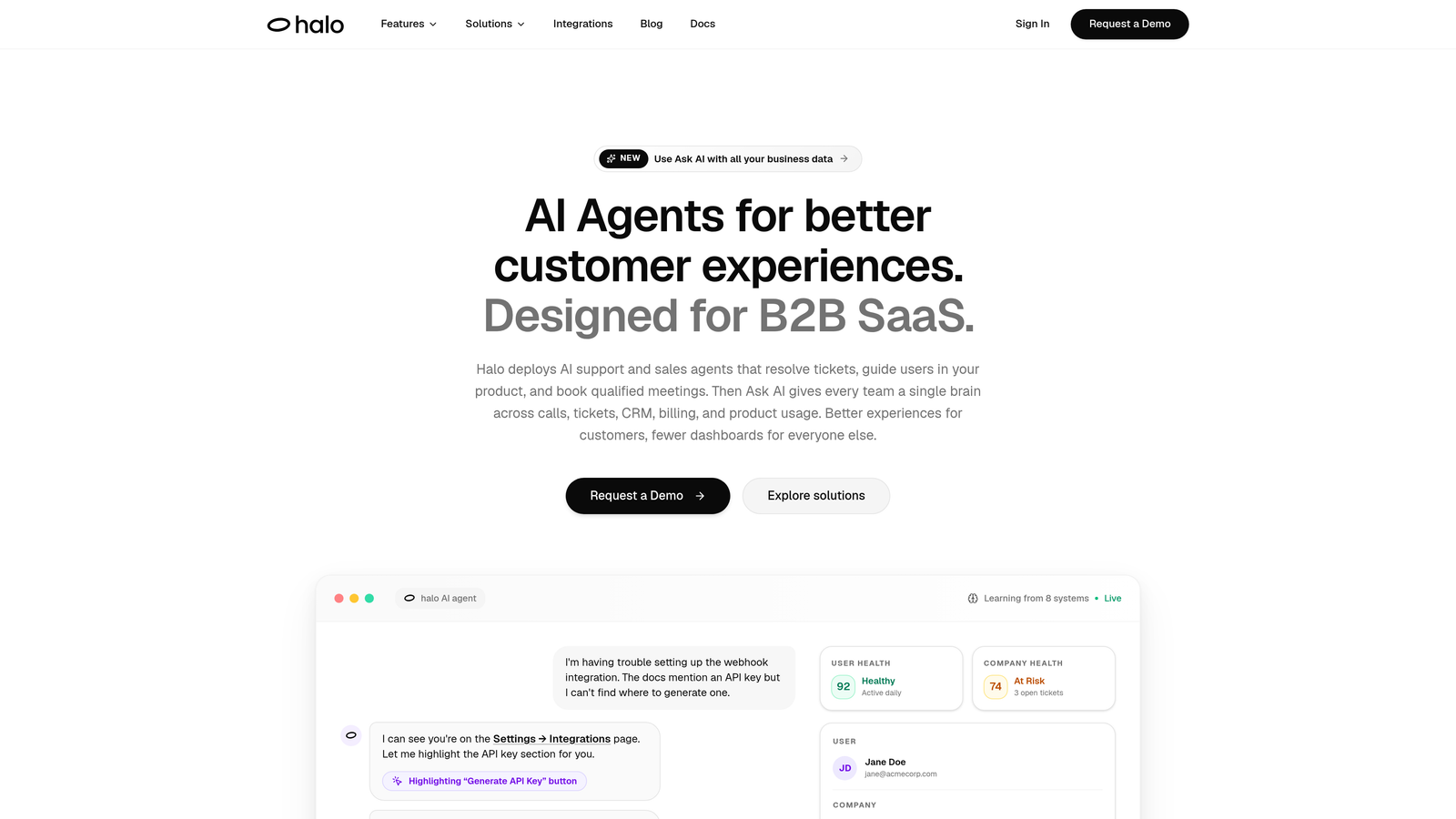
Halo AI is an AI-native customer support platform that combines a smart inbox with business intelligence analytics and autonomous ticket resolution.
Where This Tool Shines
Most support analytics tools tell you what happened. Halo AI tells you what it means and then acts on it. The smart inbox surfaces customer health signals, revenue risk indicators, and product friction patterns alongside your standard support queue, giving support leaders and product teams a layer of intelligence that native helpdesk reporting simply doesn't provide.
What genuinely differentiates Halo is the combination of analytics with action. AI agents resolve tickets autonomously, learn from every interaction, and escalate complex issues to human agents with full conversation context preserved. The page-aware context engine understands what users are experiencing in-product, not just what they type, which makes both the analytics and the resolutions more accurate over time.
Key Features
Smart Inbox with Business Intelligence: Surfaces customer health signals, anomaly detection, and revenue intelligence alongside your standard ticket queue.
Autonomous AI Agents: Resolve tickets without human intervention and continuously improve through every interaction.
Page-Aware Context: Understands what users are experiencing in-product at the moment they reach out, enabling more precise responses and richer analytics.
Auto Bug Ticket Creation: Automatically routes bug reports to Linear or your engineering workflow, closing the loop between support and product.
Deep Integrations: Connects with Slack, HubSpot, Stripe, Intercom, Zoom, PandaDoc, and Fathom for cross-platform intelligence.
Best For
SaaS teams that have outgrown reactive reporting and want a platform that combines analytics with resolution. Particularly valuable for product teams mining support data for roadmap signals and support leaders who need to demonstrate business impact beyond ticket counts.
Pricing
Contact for pricing at haloagents.ai. Designed for B2B SaaS teams; pricing reflects the platform's AI-native architecture and multi-system integration depth.
2. Zendesk Explore
Best for: Teams already committed to the Zendesk ecosystem who need robust native reporting.
Zendesk Explore is Zendesk's native analytics product, built directly into the Zendesk Suite with pre-built dashboards and a custom query builder.
Where This Tool Shines
Because Explore lives inside the same system generating your tickets, data fidelity is excellent. You're not dealing with sync delays or integration gaps. Pre-built dashboards cover the most common support KPIs out of the box, and the Zendesk Query Language gives analysts the ability to build bespoke reports without leaving the platform.
For larger support organizations already standardized on Zendesk, Explore is the path of least resistance. The tradeoff is that it doesn't provide visibility into data outside the Zendesk ecosystem, which matters if you want to correlate support trends with billing, product usage, or CRM data.
Key Features
Pre-Built Dashboards: Ready-to-use views for ticket volume, response times, and agent performance.
Custom Query Builder: Zendesk Query Language enables bespoke report creation without SQL knowledge.
CSAT and NPS Tracking: Customer satisfaction data tied directly to ticket and agent records.
Agent Performance Breakdowns: Individual and team-level metrics for workload and productivity analysis.
Scheduled Report Delivery: Automated email delivery of reports on a set cadence.
Best For
Support teams standardized on Zendesk who want deep reporting without adding another vendor. Scales well for mid-market and enterprise teams with complex agent hierarchies and SLA requirements.
Pricing
Included in Zendesk Suite Professional and above; Suite Professional starts around $115 per agent per month. Verify current pricing at zendesk.com as rates change frequently.
3. Freshdesk Analytics
Best for: Freshdesk users who want actionable reporting without switching tools or adding cost.
Freshdesk Analytics is the native reporting layer within Freshdesk, offering canned reports and a drag-and-drop custom report builder.
Where This Tool Shines
Freshdesk Analytics makes a strong case for staying native. The drag-and-drop report builder lowers the barrier for non-technical support managers who need custom views without involving a data analyst. SLA compliance tracking with breach alerts is particularly useful for teams with contractual response time commitments.
Multi-channel reporting across email, chat, and phone tickets in a single view is a practical advantage for teams running blended support operations. The limitation, similar to Zendesk Explore, is that insights stay within the Freshdesk data universe.
Key Features
Canned Reports: Pre-built views for ticket trends, agent productivity, and CSAT without any configuration.
Drag-and-Drop Report Builder: Custom reports accessible to non-technical users.
SLA Compliance Tracking: Monitors adherence and flags breaches before they escalate.
Multi-Channel Reporting: Unified analytics across email, chat, and phone in one dashboard.
Scheduled Exports: Automated report delivery via email on your preferred schedule.
Best For
Growing SaaS teams and SMBs using Freshdesk who want to move beyond manual reporting without the cost of a dedicated analytics tool. Strong fit for support managers who need daily visibility without technical overhead.
Pricing
Available on the Freshdesk Growth plan and above; plans start around $15 per agent per month. Verify current pricing at freshworks.com.
4. Intercom Reports
Best for: Teams using Intercom for both support and customer engagement who want unified conversation analytics.
Intercom Reports is the built-in reporting suite for Intercom users, blending conversation analytics with customer engagement data in a single view.
Where This Tool Shines
Intercom's reporting strength comes from the fact that it captures the full customer communication lifecycle, not just support tickets. When your team uses Intercom for onboarding, proactive messaging, and support in the same platform, the reporting reflects that full picture. Bot and automation resolution rate tracking is particularly useful for teams investing in self-service.
The inbox and workload distribution insights help managers balance team capacity in real time. The tradeoff is that Intercom Reports is purpose-built for Intercom workflows. If you need to correlate conversation data with external billing or product usage data, you'll need additional tooling.
Key Features
Conversation Volume Tracking: Response time and volume metrics across all channels in one view.
Bot Resolution Rate Reporting: Tracks automation performance and self-service deflection rates.
CSAT Trend Analysis: Customer satisfaction collection and trending over time.
Team Performance Metrics: Individual and team-level productivity and response data.
Workload Distribution Insights: Inbox load balancing visibility for managers.
Best For
Product-led growth companies and SaaS teams that use Intercom as their primary customer communication layer. Particularly valuable when support and customer engagement live in the same platform.
Pricing
Included in Intercom plans; entry-level pricing starts around $39 per month for small teams and scales significantly for larger organizations. Verify current pricing at intercom.com.
5. Gorgias Analytics
Best for: E-commerce brands that want to connect support ticket data directly to order and revenue outcomes.
Gorgias Analytics is a support analytics solution built specifically for e-commerce, uniquely linking ticket interactions to Shopify order data.
Where This Tool Shines
Gorgias does something no other platform on this list does by default: it connects support tickets to revenue. Revenue-per-ticket reporting lets e-commerce teams see which support interactions lead to purchases, returns, or churn. For a DTC brand trying to justify support investment to finance, that's a compelling data point.
It's worth noting that Gorgias is purpose-built for e-commerce and is less relevant for pure B2B SaaS teams. If your support operation revolves around order inquiries, returns, and shipping issues, the Shopify integration depth is genuinely useful. If it doesn't, this probably isn't your tool.
Key Features
Revenue-Per-Ticket Reporting: Connects support interactions to Shopify order data to show direct revenue impact.
Multi-Channel Volume Tracking: First response time and ticket volume by channel.
CSAT Scoring: Customer satisfaction collection and trend visualization.
Deflection Rate Reporting: Automation and self-service performance metrics.
Agent Performance Dashboards: Workload and productivity tracking at the individual and team level.
Best For
E-commerce and DTC brands running support on Shopify who need to demonstrate the revenue impact of their support team. Less suited for B2B SaaS or non-commerce environments.
Pricing
Plans start around $10 per month for small ticket volumes and scale by ticket count. Verify current pricing at gorgias.com.
6. Zoho Desk Reports
Best for: Cost-conscious SMBs and growing teams that need solid multi-channel analytics without enterprise pricing.
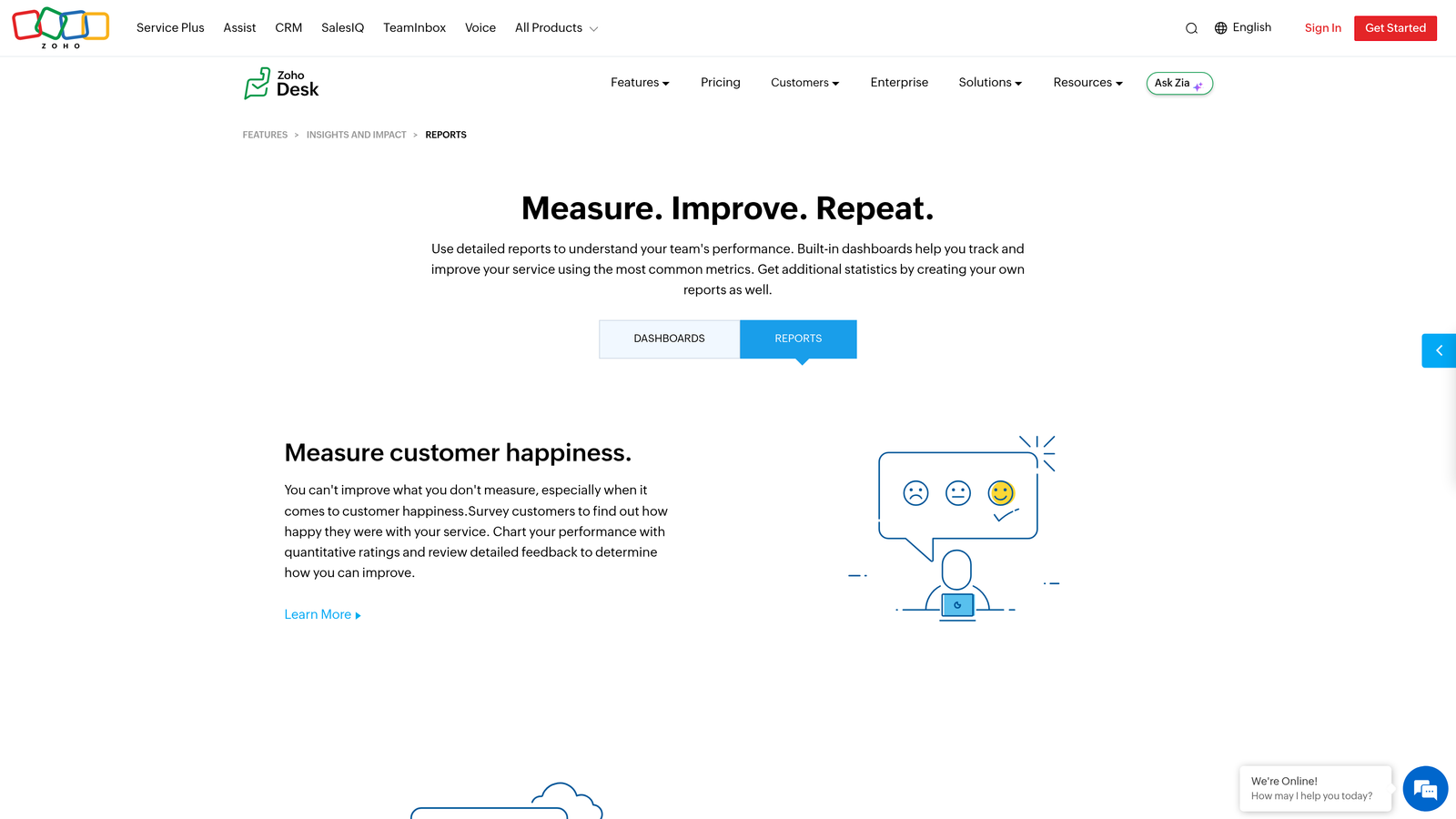
Zoho Desk Reports is the reporting module within Zoho Desk, covering standard support KPIs across multiple channels at accessible price points.
Where This Tool Shines
Zoho Desk Reports punches above its weight for teams on a budget. Multi-channel reporting across email, chat, phone, and social in a single module is functionality that competing platforms charge significantly more for. The agent and team performance scorecards give managers the visibility they need without requiring a dedicated analytics stack.
The ticket lifecycle and resolution time analysis is well-suited for teams tracking SLA compliance across different customer tiers. For organizations already in the Zoho ecosystem using CRM, billing, or project tools, the native connectivity adds additional value.
Key Features
Multi-Channel Reporting: Unified analytics across email, chat, phone, and social channels.
Agent Performance Scorecards: Individual and team productivity metrics in a clean format.
Ticket Lifecycle Analysis: Resolution time tracking and bottleneck identification.
CSAT Reporting: Customer happiness scores with trend visualization.
Scheduled Exports: Automated report delivery and export options for stakeholder sharing.
Best For
SMBs and mid-market teams looking for strong native analytics at a competitive price point. Particularly attractive for organizations already using other Zoho products who want ecosystem cohesion.
Pricing
Available on the Zoho Desk Standard plan and above; plans start around $14 per agent per month. Verify current pricing at zoho.com.
7. Helpshift Analytics
Best for: Mobile and gaming companies where support happens primarily inside a native app.
Helpshift Analytics is the reporting suite built into Helpshift's mobile-first support platform, offering SDK-level data granularity alongside standard support metrics.

Where This Tool Shines
Helpshift's differentiation is the mobile SDK. Because it captures in-app events alongside support interactions, the analytics reflect what users were actually doing in the app before and during a support session. That level of context is difficult to replicate with web-based helpdesks and is genuinely valuable for mobile product teams debugging issues at scale.
Bot and automation performance reporting is well-developed, reflecting Helpshift's investment in conversational AI for mobile support. For web-based B2B SaaS teams, Helpshift's mobile-first focus may feel like a poor fit. This is a niche tool that excels in its niche.
Key Features
In-App Event Tracking: Mobile SDK captures user behavior alongside support ticket data for richer context.
Bot Performance Reporting: Automation resolution rate and conversation flow analytics.
Issue Category Trends: Topic and category analysis to identify recurring problem areas.
Agent Productivity Metrics: Queue management and individual performance tracking.
Custom Dashboard Builder: Configurable dashboards tailored to mobile-specific KPIs.
Best For
Mobile app companies, gaming studios, and consumer tech teams where in-app support is the primary channel. Not the right fit for web-based B2B SaaS teams.
Pricing
Contact Helpshift for pricing; typically positioned at the enterprise tier. Verify current pricing at helpshift.com.
8. Geckoboard
Best for: Teams that want always-visible, real-time support KPI dashboards displayed on office screens or shared with stakeholders.
Geckoboard is a real-time KPI dashboard tool that pulls support data from platforms like Zendesk and Freshdesk and displays it on live, shareable dashboards.
Where This Tool Shines
Geckoboard's strength is visibility, not depth. The TV dashboard use case is where it genuinely shines: a live view of queue size, response times, and CSAT scores visible to the entire support floor creates team awareness and accountability without anyone needing to pull a report. Setup is fast, and no SQL knowledge is required.
The tradeoff is analytical depth. Geckoboard is a display layer, not an analytics engine. It surfaces metrics you've already defined elsewhere; it doesn't help you discover patterns or surface anomalies. Pair it with a deeper analytics tool if you need both visibility and insight.
Key Features
Pre-Built Integrations: Native connectors for Zendesk, Freshdesk, Intercom, and other support platforms.
Live TV Dashboard Display: Real-time metrics optimized for large screen visibility across your team.
Drag-and-Drop Builder: No SQL or technical knowledge required to build and customize dashboards.
Real-Time Metric Updates: Configurable refresh rates keep dashboards current throughout the day.
Shareable Dashboard Links: Easy stakeholder reporting without requiring platform access.
Best For
Support teams that want real-time KPI visibility for the whole team or for leadership stakeholders. Works well as a complement to a deeper analytics tool rather than a standalone solution.
Pricing
Plans start around $49 per month for up to three dashboards. Verify current pricing at geckoboard.com.
9. Klipfolio PowerMetrics
Best for: Analytics-forward ops teams that need to combine support data with CRM, billing, and product data in custom dashboards.
Klipfolio PowerMetrics is a flexible BI and metrics platform that lets teams build cross-platform support dashboards by connecting ticket data to other business data sources.
Where This Tool Shines
Klipfolio's value proposition is flexibility. If you want to correlate ticket volume with MRR trends, churn signals, or product usage data in a single view, native helpdesk analytics won't get you there. PowerMetrics will. Custom metric definitions with full control over calculations appeal to ops teams who need consistent definitions across departments.
The configuration burden is real. Klipfolio rewards teams with dedicated analytics resources and punishes those who want quick out-of-the-box insights. Think of it as the high-ceiling, high-effort option on this list. If your team has the capacity to configure it well, the cross-platform visibility is genuinely powerful.
Key Features
Cross-Platform Data Connections: Combine support ticket data with CRM, billing, and product analytics in one view.
Custom Metric Definitions: Full control over calculations and metric logic for consistent reporting.
Shareable Dashboards: Scheduled reporting and shareable links for stakeholder distribution.
Metric Governance: Centralized metric definitions to prevent inconsistencies across teams and reports.
Best For
Revenue operations, support operations, and analytics teams that need cross-platform visibility and have the resources to configure a BI tool properly. Not ideal for teams looking for quick setup.
Pricing
Plans start around $99 per month and scale with data volume and users. Verify current pricing at klipfolio.com.
Which Platform Is Right for You
The honest answer is that the best support ticket analytics platform depends on what you're actually trying to accomplish. Measuring ticket volume is a different problem from predicting churn risk. Real-time team visibility is a different problem from cross-functional business intelligence.
Here's a quick decision framework to cut through the noise.
Analytics plus autonomous resolution in one AI-native platform: Start with Halo AI. It's the only tool on this list that combines business intelligence analytics with AI agents that actually resolve tickets, learn from every interaction, and surface signals like customer health and revenue risk alongside your queue.
Deep in the Zendesk ecosystem: Zendesk Explore is the natural fit. Strong data fidelity, no integration complexity, and solid query capabilities for teams already standardized on Zendesk.
Using Freshdesk or Intercom: Exhaust your native reporting options before adding a third-party tool. Both platforms offer meaningful analytics at the tiers most teams are already on.
E-commerce brand needing revenue correlation: Gorgias is the clear choice for connecting support interactions to Shopify order data in a way no other tool replicates.
Budget-conscious team needing multi-channel coverage: Zoho Desk Reports delivers strong value at a competitive price point, especially for teams already in the Zoho ecosystem.
Mobile or gaming company: Helpshift's SDK-level data granularity is purpose-built for in-app support and difficult to replicate with web-first tools.
Real-time visibility for the team or leadership: Geckoboard gets you there fast, with minimal configuration and a strong TV dashboard use case.
Custom cross-platform analytics combining support, CRM, and billing data: Klipfolio PowerMetrics gives you the most control, provided you have the analytics resources to configure it properly.
Before committing to any platform, ask one clarifying question: does this tool tell me why tickets happen, or just how many? The best analytics platforms surface patterns that help you reduce ticket volume, not just measure it. Halo AI's smart inbox goes a step further, turning those signals into autonomous action so your team spends less time on routine tickets and more time on work that actually requires human judgment.
Your support team shouldn't scale linearly with your customer base. See Halo in action and discover how continuous learning transforms every interaction into smarter, faster support.