8 Support Ticket Categorization Best Practices That Actually Scale
This guide breaks down eight actionable support ticket categorization best practices designed to help B2B SaaS teams build scalable, insight-driven helpdesk taxonomies. From structuring your category hierarchy to leveraging AI-powered automation, each practice is built to improve agent efficiency, surface product patterns, and elevate the customer experience.
 Matt PattoliFounder14 min read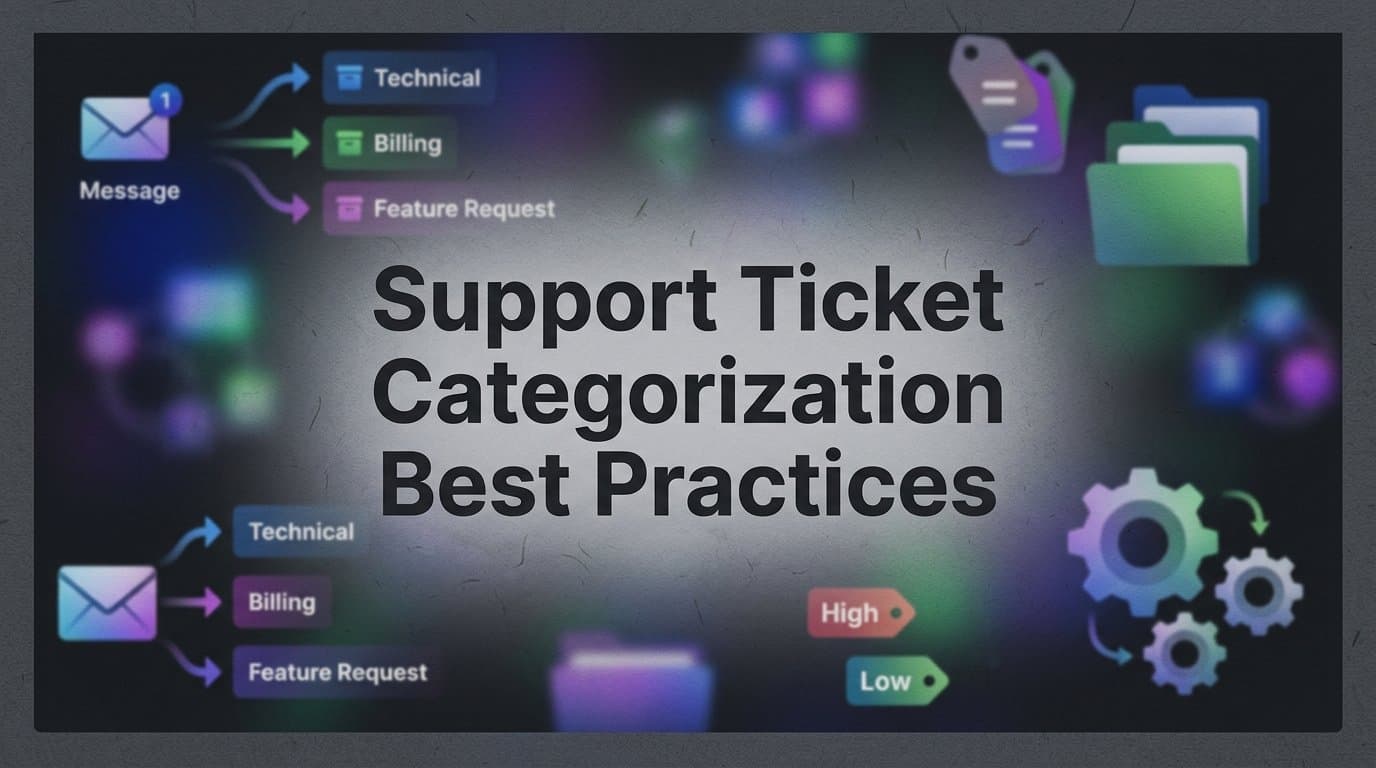
Support ticket categorization sounds like a housekeeping task — something you set up once and forget. But for B2B SaaS teams managing hundreds or thousands of tickets per month, how you categorize incoming requests directly shapes your team's efficiency, your product roadmap visibility, and your customers' experience.
A poorly structured taxonomy creates noise. Agents waste time triaging, product teams miss patterns, and leadership can't see what's actually driving support volume. A well-designed categorization system, on the other hand, becomes a strategic asset. It surfaces which features are confusing, which customer segments need more onboarding support, and where automation can safely deflect tickets without sacrificing quality.
This guide covers eight actionable best practices for building and maintaining a support ticket categorization system that scales with your product and your team — whether you're running a lean support operation or managing a high-volume helpdesk across multiple channels. Each practice is designed to be implementable in tools like Zendesk, Freshdesk, or Intercom, and many can be significantly accelerated with AI-powered categorization.
By the end, you'll have a clear framework for auditing your current system and a prioritized roadmap for improving it.
1. Design a Two-Level Taxonomy (Category + Subcategory)
The Challenge It Solves
Flat categorization systems — where every ticket gets a single label like "Bug" or "Question" — tell you almost nothing actionable. But going too deep in the other direction creates its own problems. Taxonomies with three or more levels tend to overwhelm agents, leading to inconsistent application and data you can't trust. The goal is structured specificity without complexity overload.
The Strategy Explained
A two-level taxonomy uses broad parent categories aligned to business outcomes, paired with subcategories specific enough to route and report on meaningfully. Think of it as the difference between knowing a customer had a "Billing" issue versus knowing they had a "Billing: Failed Upgrade" issue. The parent tells you the domain; the subcategory tells you what to do about it.
Industry practitioners in communities like Support Driven commonly recommend the two-level structure as the sweet spot between granularity and usability. It gives you enough resolution for meaningful reporting without creating the cognitive load that causes agents to guess or default to a catch-all category.
Implementation Steps
1. Audit your current categories and group them into no more than six to eight parent categories that map to your core business domains (e.g., Billing, Onboarding, Product Feature, Integration, Account Management).
2. For each parent category, define three to five subcategories based on the most common issue patterns you see in your existing ticket history.
3. Create a "taxonomy dictionary" — a shared document that defines each category with examples and edge case guidance, so agents apply them consistently.
4. Build the taxonomy into your helpdesk with required fields at the parent level and optional subcategory selection, then review usage after 30 days to identify gaps.
Pro Tips
Resist the urge to create subcategories for every edge case you can imagine. Start lean and add subcategories only when you see a pattern repeating in an "Other" bucket. A living taxonomy that grows deliberately is far more useful than an exhaustive one that agents ignore.
2. Align Categories to Your Product Surface Area
The Challenge It Solves
Generic category structures — "Bug," "Feature Request," "How-To Question" — are easy to set up but nearly useless for product intelligence. When your engineering team asks "where are users struggling most?" a generic taxonomy can't answer that question. You end up with support data that doesn't connect to your product, and a disconnect between your support team and your product roadmap.
The Strategy Explained
Map your ticket categories directly to your product's feature areas or modules. If your platform has a reporting dashboard, an API integration layer, and a user management module, those should appear in your taxonomy. Teams using product-aligned taxonomies often find it significantly easier to route tickets to the right specialist and surface product feedback to engineering in a format that's immediately actionable.
This approach transforms your support queue into a continuous product feedback loop. Every ticket becomes a data point about where your product is working and where it isn't — without any extra effort from your agents or your product team.
Implementation Steps
1. Pull your product's feature list or module map from your internal documentation or product roadmap tool.
2. Cross-reference it with your top ticket drivers over the last 90 days to identify which product areas generate the most support volume.
3. Restructure your parent categories to mirror your product surface area, and map subcategories to specific issue types within each feature area.
4. Share the updated taxonomy with your product and engineering leads to confirm it aligns with how they think about the product, and establish a shared Slack channel or recurring sync to review category trends together.
Pro Tips
When your product ships a major new feature, update your taxonomy before the launch — not after. Waiting until tickets start rolling in means you'll spend weeks with an "Other" bucket full of uncategorized feedback that's impossible to analyze retroactively.
3. Separate Issue Type from Priority and Channel
The Challenge It Solves
A common mistake in helpdesk configuration is conflating multiple dimensions into a single category field. When "Urgent Bug" and "Billing Question" live in the same taxonomy, you're mixing issue type with urgency — and your reporting becomes ambiguous. You can't cleanly answer "how many billing issues did we receive this month?" without also filtering out urgency levels that got bundled into the label.
The Strategy Explained
Treat issue type, priority, and incoming channel as three independent tagging dimensions. This is a standard data modeling best practice, and it's reflected in how Zendesk and Freshdesk structure their native ticket fields. Each dimension answers a different question: issue type tells you what the problem is, priority tells you how urgent it is, and channel tells you where it came from.
Keeping these dimensions separate enables cleaner routing logic, more precise SLA assignment, and reporting that actually answers the questions your leadership team is asking. It also makes automation far more reliable — your rules can trigger on specific combinations without ambiguity.
Implementation Steps
1. Audit your current ticket fields and identify any fields where multiple dimensions are blended into a single value.
2. Create separate fields for issue type (your two-level taxonomy), priority (P1 through P4 or equivalent), and channel (email, chat, in-app, phone).
3. Update your routing and SLA rules to reference the appropriate field for each condition — routing based on issue type, SLA escalation based on priority.
4. Review your existing reports and rebuild any that were pulling from blended fields to ensure your historical data is being interpreted correctly going forward.
Pro Tips
Channel data is particularly valuable for understanding where customers prefer to reach out for different issue types. If you notice that billing questions predominantly come through email while feature questions come through in-app chat, that's a signal about how to design your self-service content and where to deploy AI deflection most effectively.
4. Use Mandatory Fields Strategically, Not Excessively
The Challenge It Solves
Overloading agents with required fields at ticket intake is a well-documented cause of categorization shortcuts and data quality degradation. When friction is too high, agents find workarounds — defaulting to the first option in a dropdown, selecting a catch-all category, or skipping fields entirely when the system allows it. The result is a database full of technically categorized tickets that don't reflect reality.
The Strategy Explained
Apply the minimum viable categorization principle: require only the fields that are genuinely essential at intake, and use AI auto-population to fill in the rest without adding agent burden. The question to ask for every mandatory field is: "Would a ticket be unroutable or unreportable without this information?" If the answer is no, make it optional or automate it.
For most support teams, the only truly mandatory fields at intake are issue category and priority. Everything else — subcategory, product area, customer segment — can often be inferred from context or populated by AI classification, then reviewed by the agent rather than entered from scratch.
Implementation Steps
1. List every mandatory field in your current helpdesk configuration and evaluate each one against the "unroutable or unreportable" test.
2. Move any non-essential fields to optional status, and document which fields are expected to be completed before ticket resolution versus at intake.
3. Identify which fields could be auto-populated using AI classification or rule-based logic based on ticket content, customer attributes, or incoming channel.
4. Set up a data quality review cadence to monitor field completion rates and catch any gaps where auto-population is missing the mark.
Pro Tips
Consider using conditional fields that only appear when relevant. If an agent selects "Integration" as the parent category, surface a follow-up field asking which integration. This keeps the form clean for most tickets while capturing the specificity you need for complex ones.
5. Implement Consistent Agent Training and Calibration
The Challenge It Solves
Even a well-designed taxonomy degrades over time if agents apply it inconsistently. Without regular calibration, it's common to see the same issue type categorized differently by different agents — or even by the same agent on different days. This is known as categorization drift, and it silently corrupts your reporting data, making trends unreliable and automation logic unpredictable.
The Strategy Explained
Periodic calibration sessions — where your team reviews a set of real tickets together and discusses how they should be categorized — are a standard QA practice in mature support organizations. The goal isn't to catch agents making mistakes; it's to surface ambiguities in the taxonomy itself and build shared understanding of edge cases that the taxonomy dictionary doesn't fully address.
Calibration also creates a feedback loop for taxonomy improvement. When agents consistently disagree about how to categorize a certain issue type, that's a signal that a subcategory needs to be split, merged, or better defined — not that agents need more training.
Implementation Steps
1. Schedule a monthly calibration session of 30 to 45 minutes, pulling a random sample of 10 to 15 recently closed tickets for group review.
2. Have each agent categorize the sample tickets independently before the session, then compare results and discuss any discrepancies as a group.
3. Document the decisions made in each session and update your taxonomy dictionary with new edge case guidance.
4. Track inter-rater reliability over time — if disagreement rates are falling, your taxonomy is maturing. If they're stable or rising, your taxonomy needs structural work.
Pro Tips
Include new agents in calibration sessions from their first week. Onboarding is the highest-risk period for categorization inconsistency, and early calibration exposure sets the right habits before bad ones form. Pair new agents with experienced ones for their first 30 days of live ticket categorization.
6. Leverage AI to Auto-Categorize Incoming Tickets
The Challenge It Solves
Manual categorization at scale is a bottleneck. Every second an agent spends reading, interpreting, and categorizing a ticket is a second not spent resolving it. At high volume, this adds up to a meaningful portion of your team's capacity being consumed by administrative work rather than customer-facing value. And manual categorization, as we've seen, is also prone to drift and inconsistency.
The Strategy Explained
Modern AI support platforms use natural language processing and intent detection to classify tickets at intake, without agent effort. This is meaningfully different from rule-based tagging — keyword matching that routes any ticket containing "invoice" to the billing queue. ML-based classification understands semantic meaning, so it can correctly categorize a ticket that says "I can't access my payment history" even if it doesn't contain the word "billing."
Platforms like Halo AI go further by incorporating contextual signals — including which page a user was on when they submitted the ticket — to improve classification accuracy. A ticket submitted from your API documentation page is far more likely to be an integration question than a billing one, and that context meaningfully improves auto-categorization precision.
The most effective implementation treats AI categorization as a first-pass suggestion that agents can review and correct, rather than a fully autonomous system. This keeps humans in the loop while dramatically reducing the cognitive load of categorization.
Implementation Steps
1. Audit your current ticket volume to identify which categories receive the highest volume and are most amenable to pattern-based classification.
2. Select an AI platform that supports intent-based classification and can be trained on your existing categorized ticket history.
3. Run a parallel period where AI suggestions are shown to agents alongside the manual categorization field, so you can measure agreement rates before fully automating.
4. Set confidence thresholds — auto-apply the AI classification when confidence is high, and flag for agent review when it's ambiguous.
Pro Tips
Use AI miscategorization patterns as a taxonomy signal. If the AI consistently struggles to distinguish between two subcategories, there's a good chance your human agents are having the same difficulty. That ambiguity is worth resolving at the taxonomy level, not just the model level.
7. Close the Loop: Use Category Data to Drive Product and CS Decisions
The Challenge It Solves
Many support teams invest heavily in building a clean categorization system and then stop there. The data sits in the helpdesk, accessible in principle but rarely surfaced to the people who could act on it. Product managers don't know which features are generating the most confusion. Customer success managers don't see early warning signs of churn hiding in support trends. The categorization work becomes an operational exercise rather than a strategic one.
The Strategy Explained
Ticket category trends are a leading indicator of product friction, churn risk, and feature gaps — and this is well-established in customer success and product management practice. Teams at companies like Intercom and Atlassian have publicly discussed using support data to inform roadmap decisions. The key is building the reporting infrastructure and cross-functional habits that make this data visible and actionable on a regular cadence.
Think of your smart inbox not just as a queue management tool but as a business intelligence layer. When you can see that a specific product area has seen a spike in support volume over the last two weeks, that's a signal worth escalating to engineering before it becomes a churn event. Halo AI's smart inbox surfaces exactly these kinds of patterns — customer health signals, anomaly detection, and revenue intelligence — so your team isn't manually mining ticket data to find insights.
Implementation Steps
1. Build a weekly support digest that surfaces the top five category trends by volume, any categories showing week-over-week spikes, and a breakdown of new versus returning customers by issue type.
2. Share this digest with your product, engineering, and customer success leads automatically — don't wait for them to pull the data themselves.
3. Establish a monthly cross-functional review where support category data is presented alongside product usage metrics and customer health scores.
4. Create escalation triggers for specific category thresholds — if "Data Export: Error" tickets exceed a defined volume in a 48-hour window, automatically alert your engineering team via Slack or Linear.
Pro Tips
Segment your category trends by customer tier or contract value. A spike in a specific issue type among your enterprise accounts is far more urgent than the same spike across your free tier — and your response should reflect that. Category data without segmentation can flatten signals that should be treated as alarms.
8. Audit and Prune Your Taxonomy Quarterly
The Challenge It Solves
Taxonomies have a natural tendency to accumulate. New categories get added when edge cases arise, subcategories get created for features that later get deprecated, and over time your taxonomy becomes a graveyard of rarely-used labels that clutter the agent experience and dilute your reporting. Category usage decay — where categories exist but rarely receive tickets — is a common operational problem in support teams that have been running the same taxonomy for more than a year.
The Strategy Explained
A structured quarterly audit keeps your taxonomy synchronized with your product's evolution and your team's actual categorization behavior. The goal is to identify categories that are underused, overlapping, or no longer relevant, and to make deliberate decisions about merging, renaming, or retiring them. This isn't just about cleanliness — it directly affects your reporting accuracy and your AI classification model's performance.
Quarterly audits also create a natural opportunity to add new categories for features that have launched since your last review, ensuring your taxonomy stays current without becoming reactive.
Implementation Steps
1. Pull a usage report for every category and subcategory in your taxonomy, showing ticket volume for the past 90 days. Flag any category receiving fewer than a defined minimum threshold of tickets.
2. For each flagged category, determine whether it represents a genuine edge case worth preserving, an overlap with another category that should be merged, or a deprecated product area that should be retired.
3. For any categories you plan to merge or retire, reclassify existing open tickets before making the change, and update your historical data mapping so trend reports remain consistent.
4. Document every change in your taxonomy change log with the date, rationale, and the agent or team lead who approved it — this is essential for interpreting historical reporting correctly.
Pro Tips
Schedule your quarterly taxonomy audit to align with your product's release cycle rather than the calendar quarter. If your product ships major updates in January and July, audit your taxonomy shortly after each release when the gap between your current taxonomy and your current product is most visible.
Your Implementation Roadmap
Building a categorization system that actually scales isn't a single project — it's a sequence of decisions that compound over time. The good news is that you don't have to tackle all eight practices simultaneously.
Start with the foundation: design your two-level taxonomy aligned to your product surface area, separate your tagging dimensions, and get your mandatory fields down to the minimum viable set. These structural decisions are the hardest to change later, so getting them right early pays dividends across everything else.
Once your taxonomy is solid, layer in agent calibration to keep it consistent, and begin exploring AI auto-categorization to reduce the manual burden at intake. This is where the efficiency gains become most visible — agents spend less time on administrative triage and more time on resolution.
Finally, close the loop. Build the reporting infrastructure that makes your category data visible to product, engineering, and customer success. Run your first quarterly audit to prune what isn't working. At this point, your categorization system stops being a support operations tool and becomes a strategic intelligence layer for your entire business.
Your support team shouldn't scale linearly with your customer base. Let AI agents handle routine tickets, guide users through your product, and surface business intelligence while your team focuses on complex issues that need a human touch. See Halo in action and discover how continuous learning transforms every interaction into smarter, faster support.