9 Best AI Support Analytics Platforms in 2026
Discover the 9 best AI support analytics platforms in 2026, evaluated across analytics depth, AI capabilities, and B2B value to help support teams move beyond basic ticket reporting and gain actionable intelligence that surfaces churn signals, identifies product gaps, and connects support operations directly to business outcomes.
 Grant CooperFounder13 min read
Support analytics used to mean pulling a weekly ticket volume report and calling it a day. But modern B2B teams need something fundamentally different: platforms that don't just count tickets but understand them, connect them to business outcomes, and actively help resolve them faster.
The best AI support analytics platforms in 2026 combine intelligent resolution with deep business intelligence. They surface churn signals, identify product gaps, forecast demand, and give your team the context to act, not just observe.
To build this list, we evaluated platforms across five criteria: analytics depth, AI capabilities, integration ecosystem, ease of setup, and value specifically for B2B teams. Whether you're running a lean support team at a growing SaaS company or managing enterprise-scale operations, there's a platform here built for your situation.
Here are the top AI support analytics platforms worth your attention this year.
1. Halo AI
Best for: B2B SaaS teams that want analytics and AI resolution built into a single, intelligent engine.
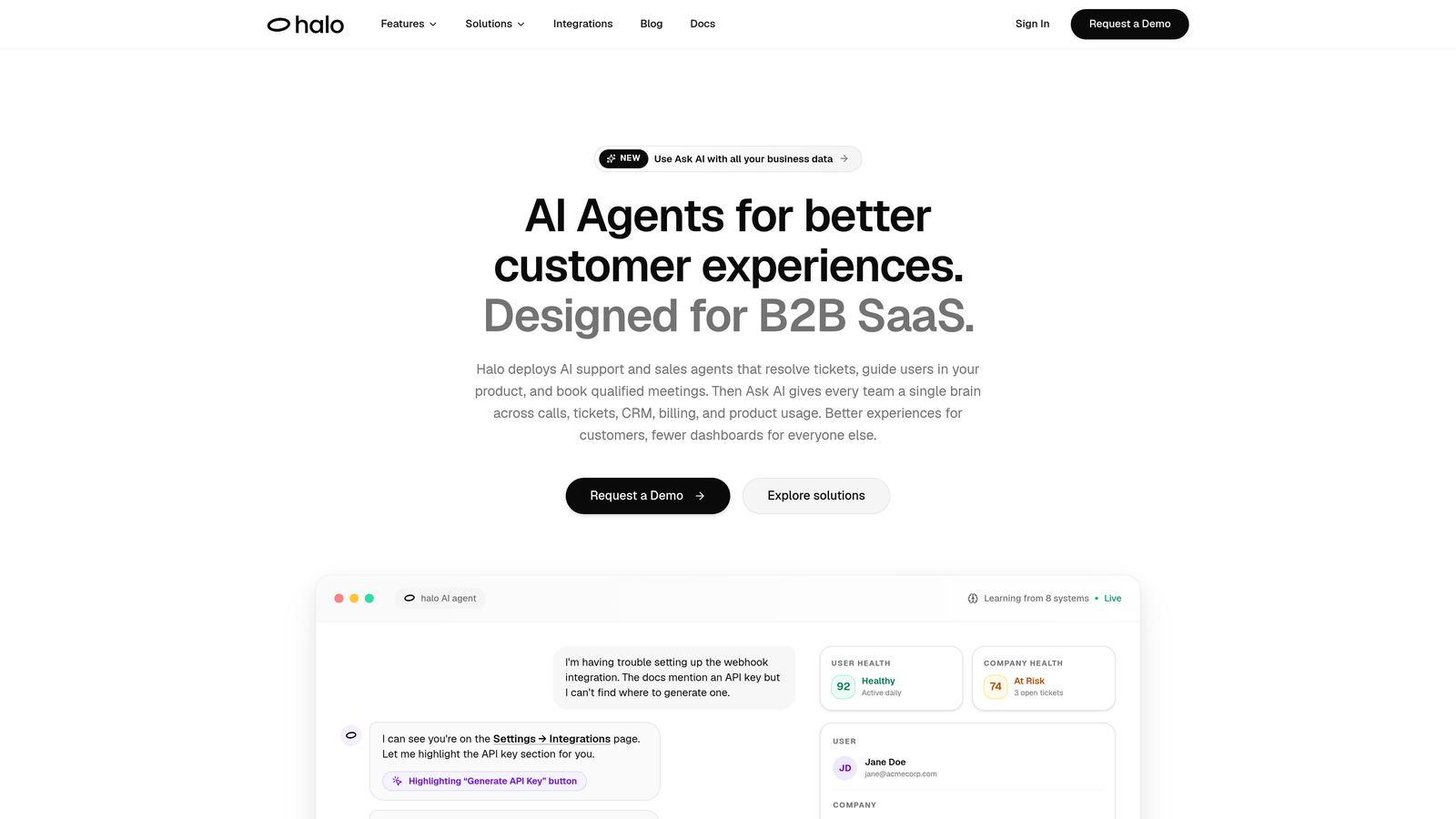
Halo AI is an AI-native support platform where analytics and autonomous ticket resolution are the same system, not separate layers.
Where This Tool Shines
Most platforms treat analytics as a reporting add-on: the AI resolves tickets, and then a dashboard counts what happened. Halo takes a different approach. Its Smart Inbox functions as a business intelligence layer, surfacing customer health signals, revenue indicators, and anomaly detection alongside your standard support queue. You're not just seeing what customers are asking; you're seeing what it means for your business.
The page-aware chat widget is another standout. It understands the context of where a user is in your product, which means both the AI responses and the analytics tied to those conversations are grounded in actual user behavior rather than abstract ticket categories. Every interaction feeds back into the system, making resolution smarter and analytics richer over time.
Key Features
Smart Inbox with Business Intelligence: Goes beyond ticket counts to surface customer health scores, revenue signals, and anomaly detection directly in your support workflow.
Page-Aware Chat Widget: Sees what users see in your product, enabling contextual AI guidance and more meaningful conversation analytics.
Auto Bug Ticket Creation: Automatically identifies and routes bug reports to Linear, Slack, HubSpot, and other connected tools without manual intervention.
Continuous Learning Engine: Every resolved interaction improves both the AI's resolution accuracy and the quality of analytics over time.
Live Agent Handoff: Escalates complex issues to human agents with full conversation context preserved, maintaining continuity and accurate performance tracking.
Best For
B2B SaaS companies and product teams that want their support analytics to function as genuine business intelligence, not just operational reporting. Particularly well-suited for teams using Intercom, Zendesk, or Freshdesk who want an AI-first alternative that connects to their broader stack including Linear, Slack, HubSpot, Stripe, Zoom, and PandaDoc.
Pricing
Contact for pricing. Plans are designed to scale with support volume, making it relevant for growing teams as well as established operations.
2. Zendesk Explore
Best for: Teams already on Zendesk Suite who need robust omnichannel reporting without adding a new tool.
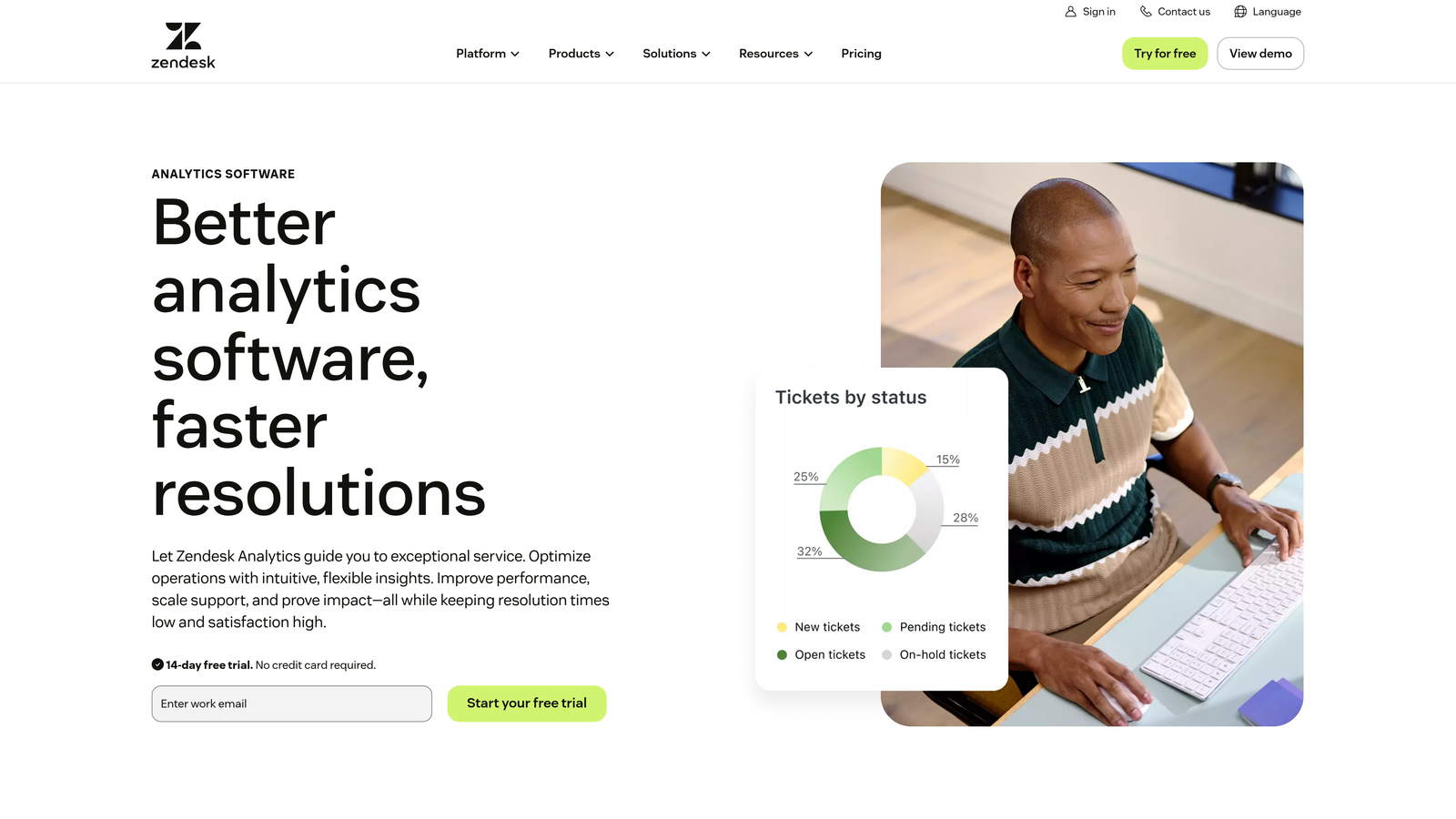
Zendesk Explore is the native analytics module within the Zendesk ecosystem, built to report across every channel Zendesk touches.
Where This Tool Shines
If your team lives in Zendesk, Explore is the path of least resistance for analytics. Pre-built dashboards cover tickets, chat, talk, and messaging out of the box, and the custom report builder is genuinely flexible without requiring technical expertise. The omnichannel visibility is a real strength: you can see performance across every support channel in one unified view.
The AI-driven insights layer adds trend detection and agent performance signals on top of the core reporting, though it's worth noting that Explore is fundamentally a reporting tool rather than a resolution intelligence platform. The analytics describe what happened; they don't actively drive better outcomes.
Key Features
Pre-Built Dashboards: Ready-to-use reporting for tickets, live chat, phone, and messaging channels without custom configuration.
Drag-and-Drop Report Builder: Custom report creation accessible to non-technical users, with flexible filtering and visualization options.
Omnichannel Analytics: Unified performance view across the entire Zendesk Suite in a single dashboard.
Scheduled Report Delivery: Automated report sharing to stakeholders on custom schedules.
AI-Driven Trend Insights: Automated identification of ticket volume patterns and agent performance shifts.
Best For
Support teams already using Zendesk Suite who want solid, reliable analytics without onboarding a separate platform. Best suited for teams with established Zendesk workflows looking to deepen their reporting.
Pricing
Included with Zendesk Suite plans starting around $55 per agent per month, with advanced analytics features available in higher-tier plans.
3. Intercom Fin Analytics
Best for: Intercom users who want unified visibility across their AI agent and human agent performance.
Intercom Fin Analytics provides reporting built specifically around the Fin AI agent, giving teams a clear picture of AI-assisted support performance alongside human metrics.
Where This Tool Shines
The strength here is unified reporting across AI and human interactions. Rather than treating Fin AI conversations and human agent conversations as separate data streams, the analytics layer brings them together so you can compare resolution rates, CSAT scores, and conversation quality in a consistent framework. Conversation topic clustering is particularly useful for spotting emerging issues before they become widespread.
The connection to product engagement data is another differentiator. Because Intercom also handles in-app messaging, the analytics can tie support conversations to product behavior, giving teams a richer view of where users struggle.
Key Features
Unified Performance Dashboards: Side-by-side reporting on AI agent and human agent resolution rates, response times, and CSAT.
Resolution Rate Tracking: Granular metrics on Fin AI conversation outcomes, including escalation rates and deflection success.
Conversation Topic Clustering: AI-driven grouping of conversations by theme to identify trending issues and knowledge gaps.
Custom Reporting: Filterable attributes and custom report building for teams with specific KPI requirements.
In-App Messaging Analytics: Support conversation data connected to product engagement signals.
Best For
Teams already using Intercom as their primary support and messaging platform who want to measure the impact of Fin AI alongside their human team without adding a separate analytics tool.
Pricing
Included with Intercom plans; Fin AI usage is billed per resolution starting at $0.99 per resolution, making cost predictability important to model at scale.
4. Klaus (Zendesk QA)
Best for: Teams that need AI-powered quality assurance analytics across every support conversation, not just sampled ones.
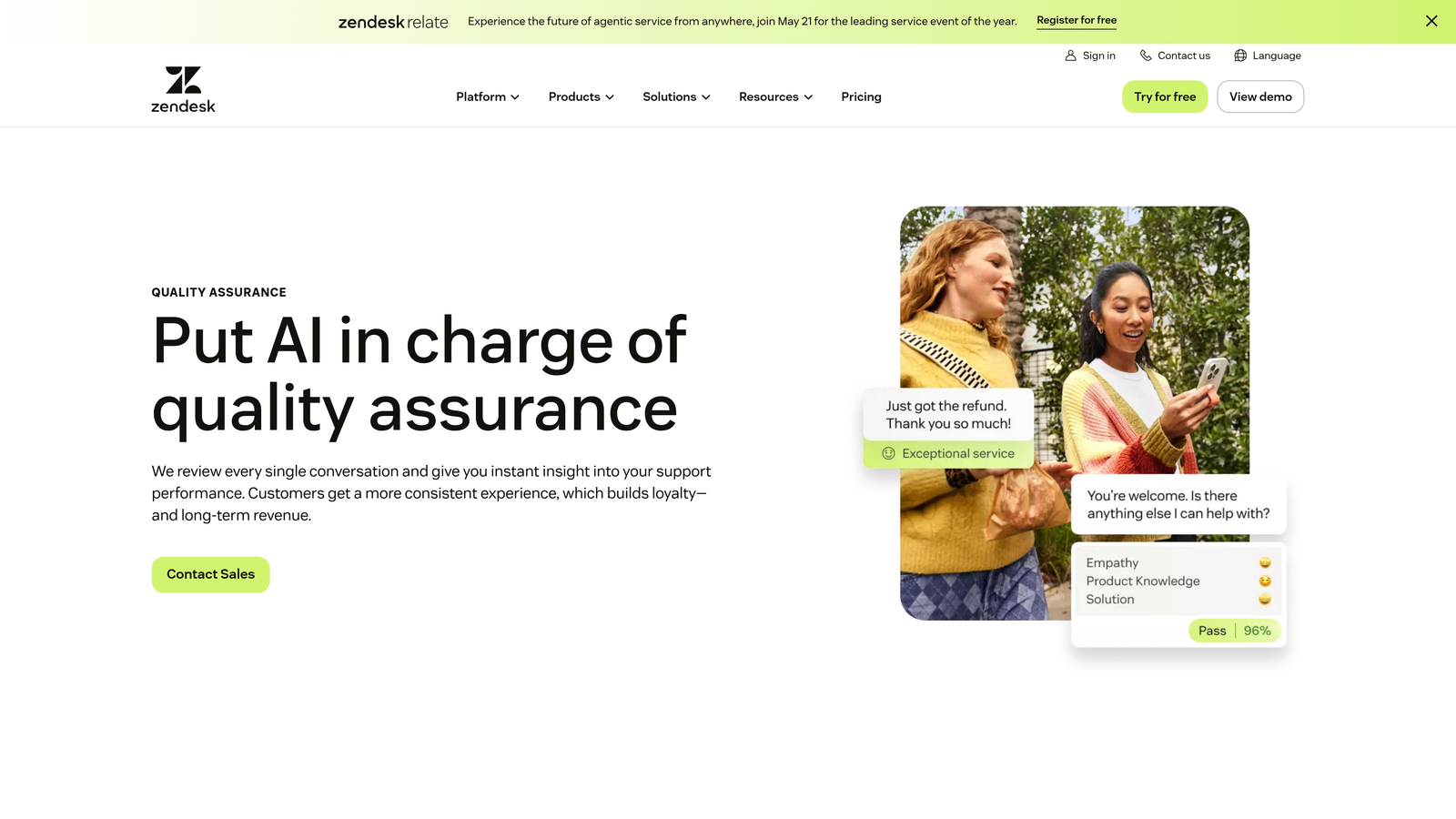
Klaus, now part of Zendesk QA, automatically scores and reviews support conversations at scale using AI, turning quality assurance from a manual sampling exercise into a comprehensive analytics layer.
Where This Tool Shines
Traditional QA involves a manager reviewing a fraction of conversations and hoping the sample is representative. Klaus flips that model by automatically scoring every conversation using AI. The result is analytics that reflect actual service quality across your entire team, not a curated slice. Sentiment analysis and root cause categorization add another dimension, helping managers understand not just whether quality is slipping but why.
The coaching insights feature connects analytics to action. Rather than surfacing a performance score and leaving managers to figure out next steps, Klaus provides specific coaching recommendations tied to the quality data.
Key Features
AutoQA Scoring: AI automatically reviews and scores every conversation, eliminating manual sampling and coverage gaps.
Sentiment Analysis: Conversation-level sentiment tracking with root cause categorization to understand quality drivers.
Agent Performance Benchmarking: Team and individual performance comparisons with trend tracking over time.
Helpdesk Integrations: Native connections to Zendesk, Intercom, Freshdesk, and Salesforce Service Cloud.
Customizable Scorecards: Flexible quality rubrics that can be tailored to your team's specific standards and workflows.
Best For
Support teams with multiple agents where manual QA is no longer practical, and managers who want data-driven coaching rather than subjective performance reviews.
Pricing
Contact for pricing. Klaus is now part of Zendesk's QA product suite, so pricing is typically bundled with Zendesk enterprise discussions.
5. Freshdesk Analytics (Freshworks)
Best for: Growing teams that need capable AI-powered analytics at an accessible price point.
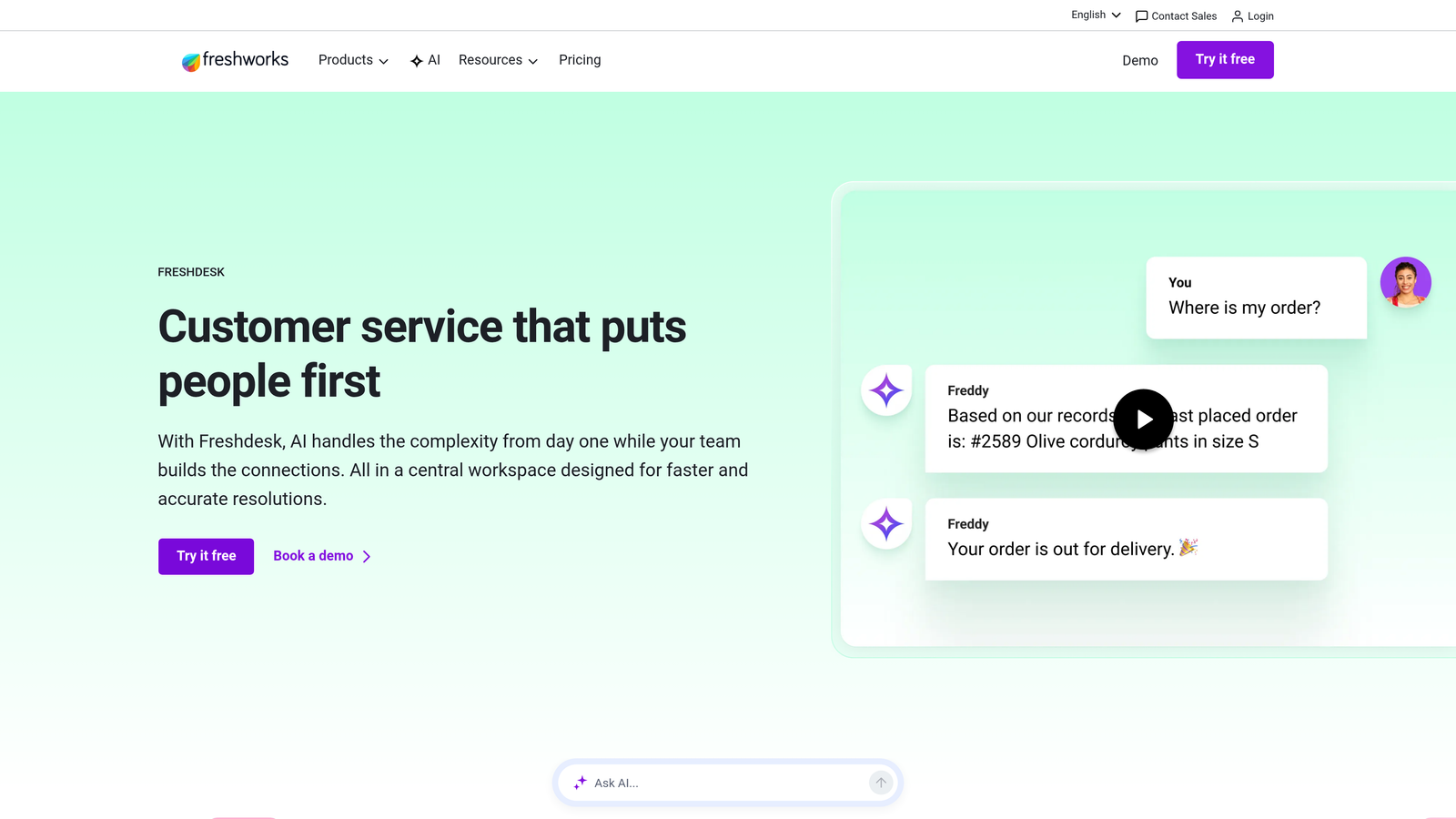
Freshdesk Analytics is the built-in reporting layer within Freshdesk, enhanced by Freddy AI for predictive insights and automated categorization.
Where This Tool Shines
Freshdesk Analytics punches above its price point. The Freddy AI layer adds ticket categorization and volume forecasting that you'd typically expect from more expensive platforms, and the pre-built dashboard templates mean teams can get meaningful reporting running quickly without a dedicated analytics resource. SLA compliance monitoring is particularly well-implemented, with alerting that catches at-risk tickets before they breach.
For teams that are growing but not yet at enterprise scale, Freshdesk Analytics offers a practical middle ground: more intelligence than basic helpdesk reporting, without the complexity or cost of a standalone analytics platform.
Key Features
Freddy AI Categorization: Automatic ticket classification and volume forecasting powered by Freshworks' native AI layer.
Customizable Dashboards: Pre-built templates alongside flexible custom dashboard building for team-specific reporting needs.
Agent Workload Tracking: Individual and team-level performance metrics with workload distribution visibility.
SLA Monitoring and Alerting: Real-time SLA compliance tracking with proactive alerts on at-risk tickets.
Curated Report Templates: Ready-to-use reports for common support KPIs, reducing setup time for new teams.
Best For
Small to mid-sized support teams using Freshdesk who want AI-enhanced analytics without a significant additional investment. Also a strong choice for teams evaluating Freshworks as an all-in-one support platform.
Pricing
Free tier available; paid plans start at $15 per agent per month, with analytics features unlocking in the Pro tier and above.
6. Medallia
Best for: Enterprise organizations that need AI-driven experience analytics across every customer touchpoint, not just support tickets.
Medallia is an enterprise experience management platform that applies AI text and speech analytics across support interactions, surveys, social channels, and the full customer journey.
Where This Tool Shines
Medallia's differentiation is breadth. Where most support analytics platforms focus on helpdesk data, Medallia ingests signals from every channel where customers interact with your brand: support tickets, NPS surveys, social media, call recordings, and more. The cross-channel journey analytics give enterprise teams a genuinely unified view of customer experience that point solutions simply can't match.
The real-time alerting on experience anomalies is particularly valuable at enterprise scale, where a spike in negative sentiment in one channel might not be visible until it's already a significant problem. Medallia surfaces those signals early, with role-based dashboards that surface the right data to executives, managers, and frontline teams respectively.
Key Features
AI Text and Speech Analytics: Natural language processing across written and spoken customer interactions for theme and sentiment detection.
Cross-Channel Journey Analytics: Unified experience scoring across support, surveys, social, and other customer touchpoints.
Real-Time Anomaly Alerting: Proactive alerts when experience signals deviate from established patterns.
Role-Based Dashboards: Tailored views for executives, operations managers, and frontline team members.
Advanced NLP Theme Detection: Automated identification of emerging topics and sentiment trends across large conversation volumes.
Best For
Large enterprises with complex, multi-channel customer experience programs where support analytics is one component of a broader experience management strategy. Less suited for teams that need a focused support-specific solution.
Pricing
Enterprise pricing with custom quotes. Medallia is typically positioned for large organizations with significant analytics budgets and cross-functional experience programs.
7. Forethought
Best for: Teams that want AI analytics layered on top of their existing helpdesk to identify automation opportunities and knowledge gaps.
Forethought is an AI-first support platform focused on intelligent triage, ticket deflection, and analytics that reveal where automation can have the most impact.
Where This Tool Shines
Forethought's overlay architecture is its key advantage for teams that aren't ready to replace their helpdesk but want AI intelligence on top of it. The platform analyzes your existing ticket data to identify intent patterns, knowledge gaps, and the specific workflows where automation would save the most time. That makes the analytics immediately actionable rather than just descriptive.
The deflection rate analytics are particularly useful for teams building a business case for AI investment. Forethought shows not just how many tickets were deflected but which categories of issues are most automatable, giving support leaders concrete data to guide their automation roadmap.
Key Features
AI Ticket Classification: Automatic categorization and intelligent routing based on detected customer intent.
Deflection and Automation Analytics: Metrics on ticket deflection rates and identification of the highest-value automation opportunities.
Intent Trend Tracking: Longitudinal analysis of customer intent patterns to surface emerging issues and knowledge gaps.
Overlay Architecture: Adds AI intelligence on top of existing helpdesks without requiring a platform migration.
Workflow Analytics: Visibility into where automation is saving the most agent time across different ticket categories.
Best For
Support teams using established helpdesks like Zendesk or Salesforce who want to add AI analytics and automation intelligence without migrating their core system. Strong fit for teams actively building an automation strategy.
Pricing
Contact for pricing. Forethought uses a usage-based model tied to ticket volume, which scales with team size and support demand.
8. Assembled
Best for: Support operations teams that need AI-powered workforce analytics and demand forecasting alongside their support tools.
Assembled is a workforce management and analytics platform that uses AI to forecast support demand, optimize staffing, and track real-time team performance.
Where This Tool Shines
Assembled occupies a specific niche: the operational analytics layer that sits between your support platform and your staffing decisions. The AI-powered forecasting ingests historical ticket volume data and generates staffing recommendations, which means support leaders can plan headcount and scheduling with data rather than intuition. For teams that experience significant volume fluctuations, this kind of predictive capacity planning is genuinely difficult to replicate with spreadsheets.
The real-time queue monitoring adds an operational intelligence layer that's particularly valuable during high-volume periods. Managers can see agent utilization, queue depth, and performance metrics in real time, enabling in-the-moment adjustments rather than post-incident analysis.
Key Features
AI Volume Forecasting: Predictive ticket volume modeling that generates data-driven staffing recommendations.
Real-Time Queue Monitoring: Live visibility into queue depth, agent utilization, and team performance during active support periods.
Schedule Optimization: Automated shift scheduling suggestions based on forecasted demand and agent availability.
Helpdesk Integrations: Native connections to Zendesk, Salesforce, Intercom, and other major support platforms.
Capacity Planning Analytics: Long-range planning tools for scaling support teams ahead of anticipated growth.
Best For
Mid-to-large support teams where workforce management and scheduling complexity has become a real operational challenge. Particularly valuable for teams with variable demand patterns or multiple support tiers.
Pricing
Contact for pricing. Plans are based on team size, making Assembled more relevant as support organizations grow beyond a handful of agents.
9. Idiomatic
Best for: Product and support teams that want to turn support conversations into structured voice-of-customer intelligence.
Idiomatic uses AI to label, categorize, and analyze every support conversation, transforming raw ticket data into product insights and customer sentiment trends that product and leadership teams can act on.
Where This Tool Shines
Idiomatic's core value proposition is bridging the gap between support and product. Most analytics platforms tell you what customers are complaining about in support terms. Idiomatic translates that into product language: feature requests, usability issues, churn signals, and emerging problem categories organized by a custom taxonomy built around your specific product and customer base.
The executive-ready reporting layer makes it practical to share support intelligence with stakeholders who don't live in helpdesk dashboards. Product managers, heads of customer success, and executives can see customer sentiment trends and product feedback without needing to interpret raw support metrics.
Key Features
AI-Driven Custom Taxonomy: Every ticket labeled by topic and sentiment using a taxonomy built around your product and customer categories.
Trend Detection: Automated identification of emerging issues, rising feature requests, and early churn signals across your ticket data.
Product Feedback Analytics: Support conversation data translated into structured product intelligence for roadmap and prioritization decisions.
Helpdesk and CRM Integrations: Connections to major helpdesks and CRMs to ingest conversation data at scale.
Executive Reporting: Stakeholder-ready dashboards showing customer sentiment shifts and product feedback trends over time.
Best For
Product-led companies and customer success teams that want to systematically extract product and business intelligence from support conversations. Strong fit for organizations where the product and support teams collaborate closely on roadmap decisions.
Pricing
Contact for pricing. Pricing is typically based on the volume of tickets analyzed, scaling with the size of your support operation.
Which Platform Is Right for Your Team?
The right choice depends on what you actually need analytics to do for you. There's a meaningful difference between platforms that describe your support operation and platforms that actively improve it.
If you're a B2B SaaS team that wants analytics embedded in your resolution engine rather than bolted on as a reporting layer, Halo AI is the strongest starting point. The combination of autonomous ticket resolution, business intelligence signals, and continuous learning makes it the platform most aligned with where support analytics is heading: not just operational reporting, but genuine business intelligence that informs decisions beyond the support queue.
For teams already committed to Zendesk or Freshdesk, their native analytics modules (Explore and Freshdesk Analytics respectively) offer solid reporting without adding platform complexity. If quality assurance is your primary gap, Klaus fills that role with AI-powered conversation scoring that scales beyond manual sampling.
Intercom Fin Analytics makes sense if you're already on Intercom and want unified visibility across your AI and human agents. Forethought and Idiomatic are strong overlay choices for teams that want AI intelligence on top of their existing helpdesk without migrating. Assembled addresses a different problem entirely: workforce planning and demand forecasting rather than conversation analytics. And Medallia is the right call for enterprise organizations that need experience analytics spanning every customer channel, not just support tickets.
The broader shift in 2026 is clear: the most valuable support analytics platforms are those that connect ticket data to business outcomes. Your support team shouldn't scale linearly with your customer base. Let AI agents handle routine tickets, guide users through your product, and surface business intelligence while your team focuses on complex issues that need a human touch. See Halo in action and discover how continuous learning transforms every interaction into smarter, faster support.