Automated Email Replies: A Guide for Support Teams
Learn how to use automated email replies to scale support. This guide covers AI vs. rule-based systems, best practices, and how to prove ROI for your business.
 Grant CooperFounder13 min read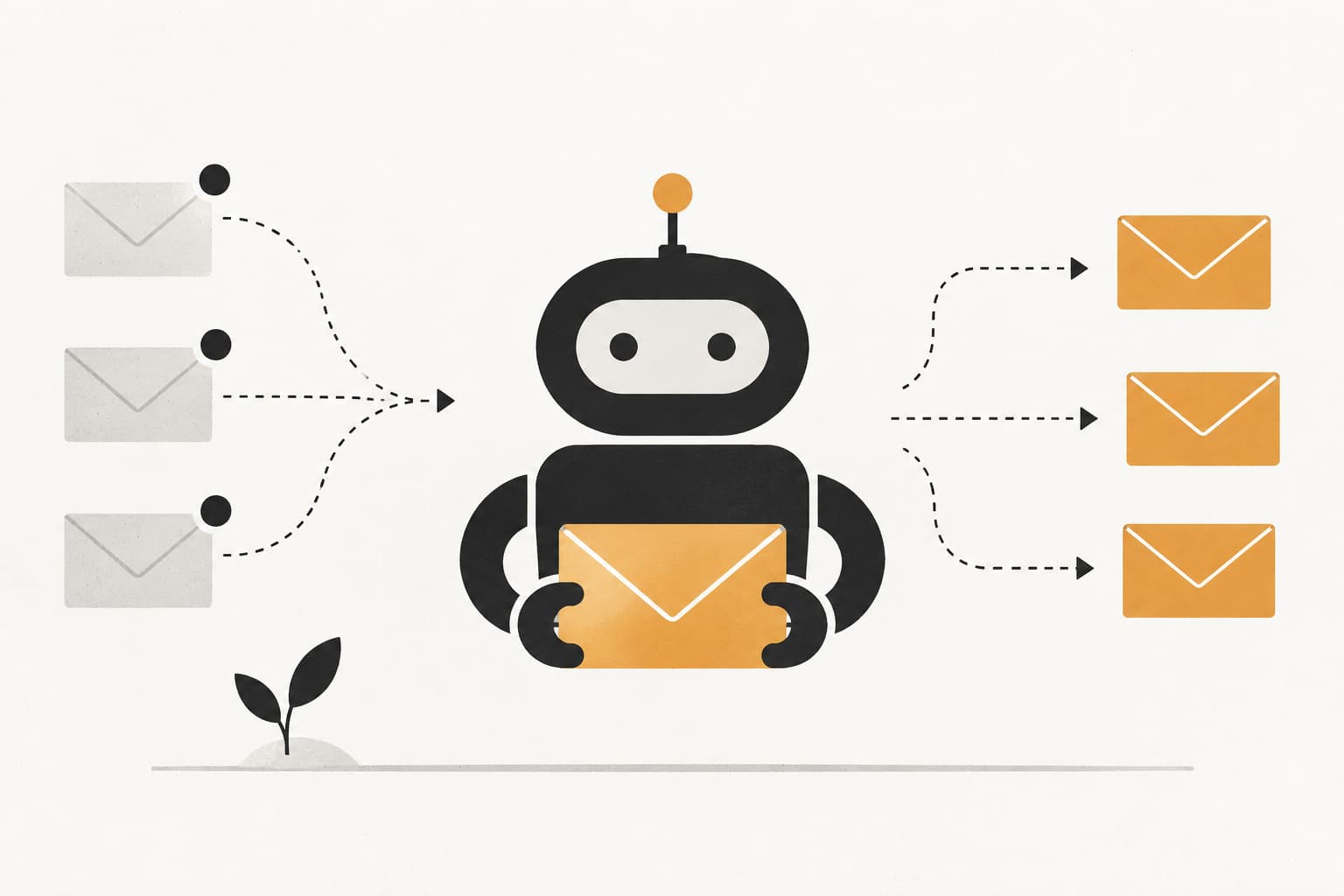
Your inbox usually doesn’t break all at once. It slips. A few more “quick questions” from trial users. A cluster of billing emails after an invoice run. Product confusion after a feature release. Then support starts spending its day acknowledging messages instead of solving them.
This situation often leads teams to first think about automated email replies. They want breathing room. They want customers to know someone saw the message. They want fewer repetitive actions.
But basic auto-responders only solve the smallest part of the problem. The significant shift happens when email automation stops being a courtesy layer and becomes an autonomous support system that can understand intent, pull context, take action, and escalate cleanly when needed.
Why Automated Email Replies Are Your Next Competitive Edge
Most support teams start with automated email replies because response volume outgrows headcount. That’s a sensible trigger, but it’s too narrow. Email automation isn’t just a queue management tool. It changes how fast your company recognizes intent, how consistently it responds, and how much work humans can reserve for edge cases.
That matters because speed and relevance shape the customer’s perception immediately. If a customer sends a billing question, an onboarding issue, or a product bug, silence feels like risk. A good automated reply lowers that risk. A great one starts solving the problem.
The business case is bigger than many support leaders assume. Automated email sequences generate 320% more revenue than non-automated emails, with 52% higher open rates and 332% higher click rates, according to Landbase’s roundup of email sequence statistics. In practice, that tells you something important. Automated communication performs better when it’s timely, triggered, and relevant.
Support leaders should read that as a strategic signal, not just a marketing stat. The same mechanics apply in service workflows. Triggered replies arrive when intent is highest. Structured follow-up keeps people moving. Clear next steps reduce drop-off.
That’s why modern support organizations are moving beyond old-school acknowledgments and toward systems that can triage, draft, route, and resolve. The primary advantage isn’t merely sending an instant message. It’s building a support operation that scales without turning every customer conversation into a ticket backlog.
Teams exploring that shift usually see the same pattern described in AI-powered customer service strategies. The winner isn’t the team with the most macros. It’s the team that gives automation enough context to act intelligently.
Rule-Based vs AI-Driven Automated Replies
The easiest way to understand the difference is this. Rule-based automation behaves like a vending machine. Push the right button, get the preset output. AI-driven automation behaves more like a skilled barista. It listens, interprets, adapts the response, and handles imperfect input without breaking the experience.
Both have a place. They just solve different problems.
The vending machine problem
Rule-based systems are useful when the input is structured and the acceptable output is narrow. If an email contains “password reset,” send a reset article. If the subject contains “invoice,” assign the conversation to finance. If a contact fills a form, send a confirmation.
That works well for:
- Acknowledgments: “We received your message.”
- Simple routing: Billing goes one way, bugs go another.
- Predictable workflows: Trial signup emails, receipt confirmations, renewal reminders.
It breaks down when people write like humans do. Customers mix topics. They sound frustrated without using obvious keywords. They ask two questions in one message. They reply to an old thread with a new issue. A rigid rules engine often misfires in those moments.
What AI changes
AI-driven automated email replies use intent detection and sentiment analysis to decide when to respond and how. The most practical improvement is confidence-based triggering. The system doesn’t have to answer everything. It only needs to answer the messages it understands well enough.
According to Instantly’s overview of AI autoresponder tools, intent detection and sentiment analysis can reduce irrelevant responses by up to 80% while achieving sub-5-minute first replies. That’s the right model for support. Fast where confidence is high. Careful where ambiguity is high.
That opens up capabilities rule-based systems can’t handle well:
- Nuance: “I’m trying to upgrade but your pricing page and invoice don’t match.”
- Emotion: A refund request written with visible frustration.
- Thread awareness: Knowing whether this is a first contact, a follow-up, or a reopened issue.
- Contextual drafting: Pulling account, CRM, and product data into the reply.
Practical rule: Use rules for certainty and AI for interpretation. Don’t ask a keyword trigger to understand context it was never designed to read.

Rule-Based vs. AI-Driven Email Automation
| Feature | Rule-Based Automation | AI-Driven Automation |
|---|---|---|
| Complexity | Low to medium | High |
| Flexibility | Limited | High |
| Context understanding | Basic | Advanced |
| Learning capability | None | Continuous |
| Ideal use case | Standard FAQs and confirmations | Complex queries and personalization |
The trade-off is operational, not philosophical. Rule-based systems are easier to predict and simpler to audit. AI systems need better training material, stronger guardrails, and clear escalation paths. But once ticket volume grows and issue types diversify, AI is what keeps automation useful instead of annoying.
Common Use Cases for Automated Email Replies
The strongest automated email replies don’t look like generic “thank you” messages. They move work forward. In B2B SaaS, that usually means routing, onboarding, qualification, and feedback collection.
Support triage that buys time and trust
A customer writes in with “Our admin can’t access SSO after the update.” A basic auto-response says the team will reply soon. A better workflow tags the issue, detects urgency, routes it to the right queue, and sends a reply that confirms the category and asks for the missing details only if needed.
That kind of triage reduces the back-and-forth that slows resolution.
For teams evaluating where to start, these customer support AI use cases show why triage is usually the first high-impact workflow. It’s repetitive enough to automate, but important enough that quality matters.
Onboarding and activation sequences
When a new user signs up, their first few emails carry unusual weight. They’re looking for reassurance, direction, and proof that setup won’t become a project.
That’s why welcome emails still stand out. They achieve average open rates of around 50% in 2025 benchmarks, generate up to 240% ROI, and outperform regular emails by 3x in engagement, according to CodeCrew’s email marketing benchmark roundup.
In support terms, that translates into practical onboarding automations such as:
- First-login guidance: Send setup steps after account creation.
- Feature discovery: Trigger product education after a user reaches a milestone.
- Stalled onboarding recovery: Follow up when a user gets stuck or goes inactive.
Lead qualification and lifecycle routing
Not every inbound email belongs in support. Some belong in sales, customer success, or finance. Automated email replies can classify incoming interest and route the thread without forcing the customer to choose the right inbox.
A message asking about security documentation, pricing, or procurement shouldn’t sit in a general queue. It should move to the right team with enough context that the recipient can continue the conversation without re-asking the basics.
Feedback loops that don’t die in the inbox
Product feedback often gets acknowledged and forgotten. That’s usually a process failure, not a prioritization decision.
A useful automation can thank the sender, categorize the feedback, log it against the right product area, and create a clean path for follow-up. Customers don’t need a promise that every idea will ship. They need evidence that someone understood the request and captured it properly.
Good automated replies reduce work for both sides. They don’t just confirm receipt. They remove the next avoidable step.
Best Practices for Effective Email Automation
Most bad automation fails for a simple reason. It optimizes for send speed instead of customer clarity. Effective automated email replies do the opposite. They use speed to improve clarity.

Teams that want automation without customer friction usually follow the same support automation best practices described in this guide to customer support automation best practices. The details vary by stack, but the operating principles stay consistent.
Write for the next step, not the acknowledgment
A reply should answer one question immediately: what happens now?
If the system can resolve the issue, say so clearly. If it needs more information, ask for only the minimum. If a human is taking over, explain what that handoff means.
Use these rules:
- Name the issue category: Customers relax when the reply shows the system understood the topic.
- State the next action: “We’ve logged this for billing review” is better than “We’ll get back to you.”
- Keep requests narrow: Don’t dump a long checklist unless the case requires it.
Build escalation into the message itself
The fastest way to ruin trust is to trap someone in automation. Every automated reply needs an obvious path to a person.
That doesn’t mean adding “reply if you still need help” to everything. It means defining when the system should stop trying to be clever.
A few strong escalation triggers:
- High-friction account issues
- Repeated replies in the same unresolved thread
- Negative sentiment or signs of urgency
- Messages that mention revenue, cancellation, or legal review
If your automated reply can’t confidently move the case forward, it should get out of the way fast.
Use templates as guardrails, not scripts
Templates still matter. They give operations teams consistency and brand control. But they should be modular, not frozen.
Here are three practical examples.
Support ticket received
Thanks for reaching out. We’ve received your message and classified it as a product support request. If we need anything else to investigate, we’ll ask in this thread. If your issue is blocking work, reply with the impact and urgency so we can route it appropriately.
Feature request noted
Thanks for sharing this. We’ve logged your request with the product team and attached the context from your message so it isn’t lost in translation. If there’s a specific workflow you’re trying to complete, reply with that detail and we’ll suggest the best current workaround.
Your feedback is valuable
We appreciate the note. Your feedback helps us improve the product and the support experience around it. If you’re open to it, reply with the exact step where friction showed up so we can pass along something actionable.
Treat tone as a system setting
Many teams treat tone as copy polish. It is an operating choice. Automated email replies need to sound human, but not vague. Calm, but not robotic. Respectful, but not padded with unnecessary language.
That gets more important for global teams. Research on auto-replies rooted in politeness theory points out that greetings, closings, and signatures act as placeholders that reassure the sender that a fuller response is coming, while also raising questions about cultural fit in different professional contexts, as discussed in this Indiana University publication on auto-reply politeness.
For practical support operations, that means:
- US and UK business contexts: Directness usually helps.
- Many Asia-Pacific contexts: A slightly more indirect and deferential tone may land better.
- Executive or procurement conversations: Precision matters more than cheerfulness.
Tone should be reviewed like any other system behavior. Not once, but continuously.
How to Implement an Autonomous Email Reply System
Buying an AI tool isn’t the same as implementing autonomous email replies. The quality of the system depends on what context it can access, what actions it’s allowed to take, and how safely it fails.

Start with context, not copy
Many teams begin by writing templates. That’s fine for acknowledgments, but autonomous systems need deeper inputs.
The system should be able to draw from sources like:
- Help center and docs: So replies reflect current product behavior.
- CRM records: To distinguish prospects, active customers, and at-risk accounts.
- Billing and subscription data: To handle plan, invoice, and renewal questions accurately.
- Internal notes and prior conversations: To avoid making the customer repeat context.
Here, workflow automation becomes materially different from autoresponders. According to Wizr’s overview of automated customer service email responses, workflow automation can extend across categorization, prioritization, and integrations to resolve 30-50% more issues autonomously. That’s the difference between “message sent” and “issue progressed.”
Design handoffs before launch
A strong autonomous system isn’t the one that answers everything. It’s the one that knows when not to.
Define handoff logic before rollout:
- Confidence threshold: Low-confidence cases go to a human.
- Risk threshold: Sensitive topics bypass automation or use draft-only mode.
- Ownership rules: Finance, support, product, and success need clear routing logic.
- Thread behavior: Decide when the system can continue an ongoing thread and when it must stop.
One useful test is to review a week of inbound conversations and mark which ones should be automated, partially automated, or always human. That exercise usually exposes edge cases before customers do.
A practical walkthrough helps when teams are mapping these decisions into actual workflows.
Add safety controls that operations can manage
Operations teams need controls they can edit without waiting on engineering.
That usually includes:
- Approved knowledge sources: Restrict what the system can cite or use.
- Action permissions: Separate drafting, replying, tagging, and ticket creation.
- Escalation fallbacks: If the system fails, the conversation still lands in the right queue.
- Quality review loops: Use resolved threads to improve prompts, routing logic, and reply policies.
The safest launch model is narrow autonomy first. Start with a limited set of categories where the team already has high process discipline, then expand as confidence grows.
Autonomy works best when the process is explicit. If your team can’t explain how a billing exception should move through support, automation won’t fix that confusion. It will expose it faster.
Measuring the Impact of Your Automated Replies
A lot of teams still judge automated email replies by open rates and basic send volume. Those are easy to find, but they rarely tell you whether support improved.
Stop relying on vanity metrics
Attribution is the hard part. You can see that an automated reply was delivered. It’s harder to prove whether it reduced churn risk, shortened resolution time, or prevented escalation.
That gap is common. Gmelius notes the attribution problem in automated email response measurement, including that 71% of marketers rate automation as highly effective, while support teams often still lack benchmarks that prove ROI beyond open rates.
The practical problem is familiar. A customer received an instant reply, then resolved their issue later. What drove the outcome: the first email, the follow-up sequence, a human handoff, or the product fix itself?
What to measure instead
For support leaders, better metrics are operational:
- First response time: Did automation reduce waiting time?
- Autonomous resolution rate: How often did the system solve the issue?
- Escalation quality: When a case moved to a human, was the context complete?
- Deflection quality: Did fewer tickets require manual work without creating customer confusion?
- Customer satisfaction trends: Are customers responding better to the experience?
If you want a strong measurement model, tie each automated workflow to one intended business outcome. The reporting gets clearer when each sequence has a job.
Teams building that discipline usually benefit from a framework like this guide on how to measure support automation success, especially when they need to connect support activity to retention and expansion signals.
Deploying Autonomous Replies with Halo AI
At some point, the distinction becomes simple. You can keep layering rules and templates onto a crowded inbox, or you can deploy a system built to resolve support work with live context.
That’s where Halo AI fits. Instead of treating automated email replies as a thin acknowledgment layer, Halo AI uses autonomous agents that connect to your support stack, product knowledge, internal notes, CRM data, and operational systems. That allows the agent to do more than draft polite messages. It can classify the request, respond with relevant context, guide the user, create detailed bug reports, and hand off with the full thread history intact.

That matters because the hardest part of automation isn’t sending the first reply. It’s everything around it. Data access. workflow orchestration. confidence-based escalation. measurable outcomes.
Halo AI is designed for that operating model. Its autonomous agents can work across support conversations, product navigation, and bug reporting, while integrations with systems like Slack, Intercom, HubSpot, Stripe, and Zoom give the agent current business context instead of static training data. You can explore those capabilities on the Halo AI automation features page.
If your team wants automated email replies that reduce queue pressure and improve customer outcomes, the next step isn’t another canned response library. It’s an autonomous support system.
Halo AI helps B2B SaaS teams move from basic auto-responders to autonomous support. If you want email replies that understand context, resolve more issues, and hand off cleanly when needed, explore Halo AI.
How Halo helps
Halo's AI-first inbox unifies support email and chat, drafts replies grounded in your knowledge and customer context, and lets HaloPilot handle the repetitive threads so your team handles the judgment calls. Learn more about how Halo handles AI email at scale.