9 Best Contextual Help Widgets for SaaS in 2026
Contextual help widgets deliver in-app assistance exactly where users need it, reducing support tickets and accelerating onboarding by providing guidance at the moment of confusion. This evaluation of the top contextual help widget for SaaS solutions examines page awareness, AI capabilities, customization options, and integration depth to help you choose tools that keep users productive without leaving their workflow.
 Grant CooperFounder13 min read
Your users shouldn't need to leave what they're doing to find help. When someone gets stuck in your product, opening a new tab to search through documentation or waiting for an email response means they've already lost momentum. Contextual help widgets solve this by delivering assistance exactly where users need it—right on the page they're viewing, based on what they're trying to accomplish.
For SaaS products, this approach transforms the support experience. Fewer tickets land in your queue because users get answers before they need to ask. Onboarding accelerates because guidance appears at the exact moment of confusion. Most importantly, users actually complete their workflows instead of abandoning them in frustration.
We've evaluated the leading contextual help solutions based on page awareness, AI capabilities, customization options, and integration depth. Here are the tools that stand out for delivering in-app guidance that actually helps.
1. Halo AI
Best for: AI-powered support that understands what users see and learns from every interaction
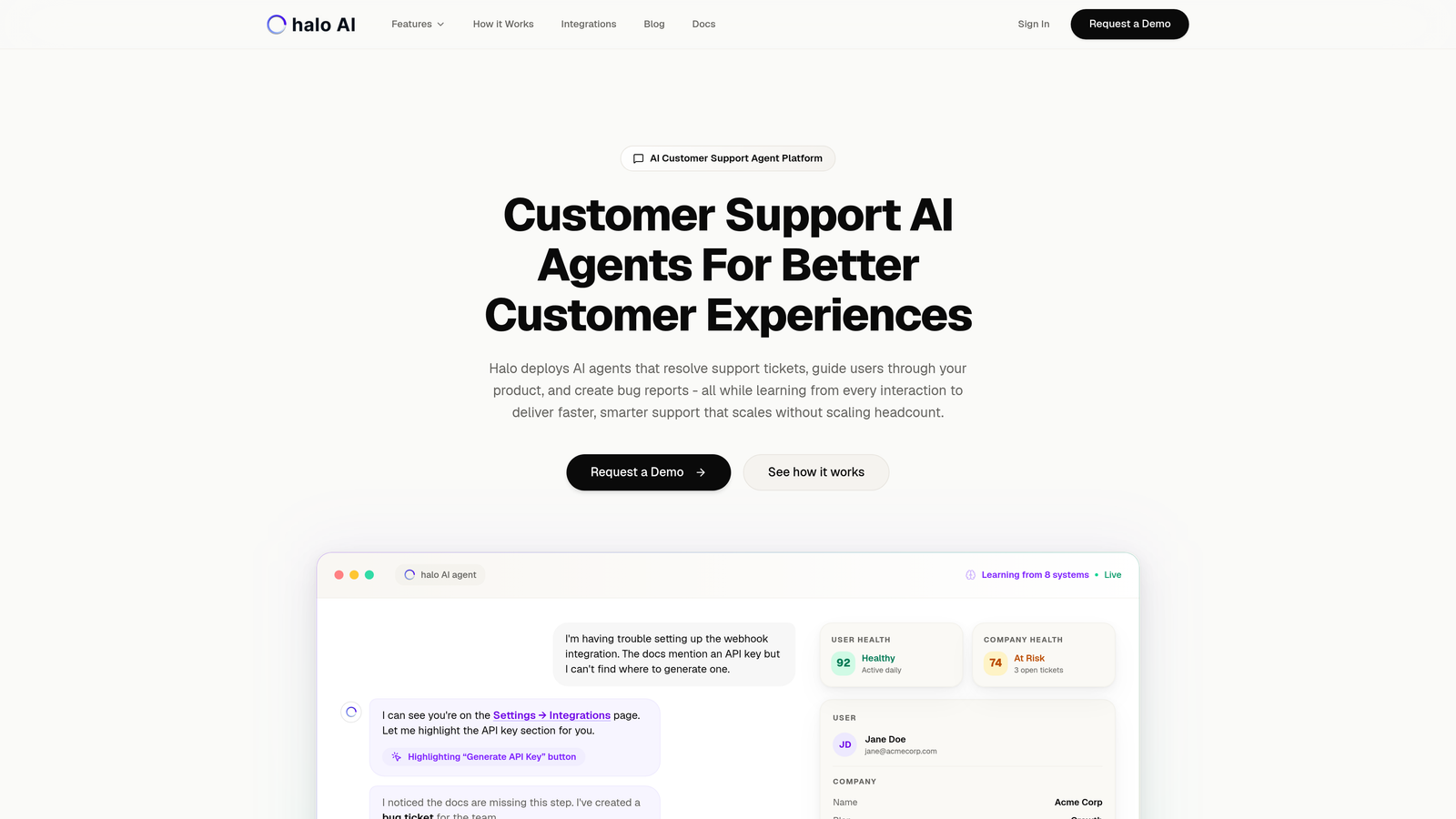
Halo AI is an AI-powered customer support platform with a page-aware chat widget that provides visual UI guidance based on what users are actually viewing and doing in your product.
Where This Tool Shines
The platform's page awareness goes beyond simple URL detection. Halo's widget sees exactly what users see on their screen, allowing it to reference specific UI elements, highlight buttons or fields causing confusion, and provide guidance that maps directly to the visual context. This eliminates the disconnect that happens when support says "click the blue button" but the user is looking at a different screen state.
What sets Halo apart is continuous learning. Every interaction—whether resolved by AI or escalated to a human agent—feeds back into the system's knowledge base. The AI doesn't just follow scripts; it learns which explanations work, which workflows cause confusion, and how to guide users more effectively over time.
Key Features
Page-Aware Context: The widget sees exactly what users see, enabling precise guidance tied to specific UI elements and screen states.
Visual UI Guidance: On-screen element highlighting draws attention to the exact buttons, fields, or areas users need to interact with.
Continuous Learning: Every interaction improves the AI's understanding, making future support faster and more accurate.
Auto Bug Ticket Creation: When the AI detects genuine product issues, it automatically creates detailed bug reports for your engineering team.
Live Agent Handoff: Complex issues seamlessly escalate to human agents with full context preserved, so users never repeat themselves.
Best For
B2B SaaS companies that want their support to scale without scaling headcount. Particularly valuable for products with complex workflows where traditional chatbots struggle because they lack visual context. Teams already using helpdesk systems like Zendesk or Intercom will find Halo's integrations maintain their existing workflows while adding AI capabilities.
Pricing
Contact for pricing. Implementation includes integration with your existing support stack and customization to your product's specific workflows.
2. Pendo
Best for: Combining product analytics with behavioral in-app guidance
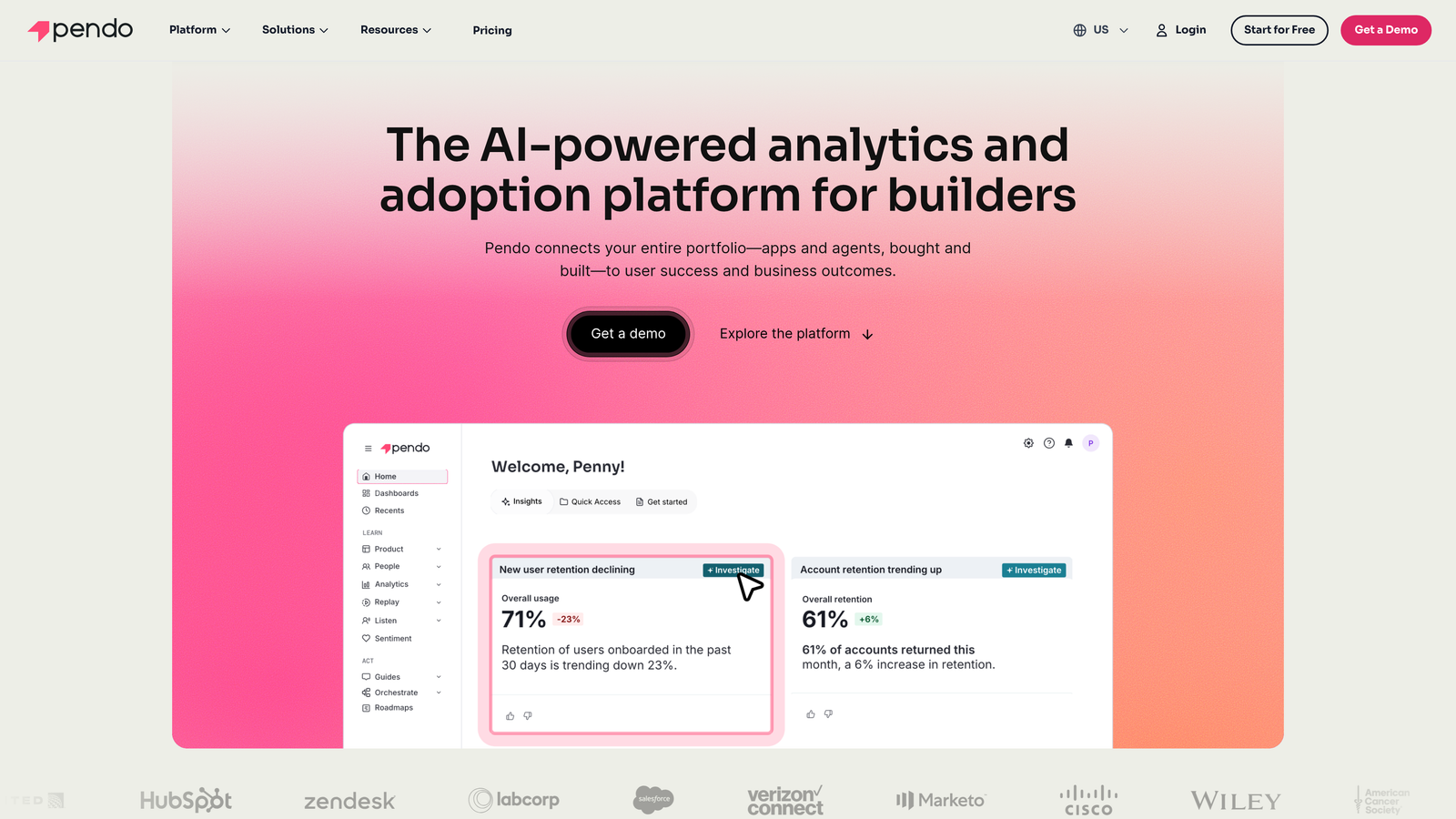
Pendo is a product experience platform that combines analytics with in-app guidance, allowing teams to deliver contextual help based on user behavior and product usage patterns.
Where This Tool Shines
Pendo's strength lies in connecting what users do with what guidance they receive. Because the platform tracks product analytics, you can trigger contextual help based on actual behavior patterns—not just page visits. If users repeatedly click a feature but never complete the workflow, Pendo can automatically surface guidance the next time they attempt it.
The resource center functionality creates a centralized hub for help content without forcing users to leave your product. Users access walkthroughs, announcements, and documentation through a widget that feels native to your application, with content relevance determined by their current context and usage history.
Key Features
Behavior-Triggered Guides: In-app guidance appears based on what users actually do, not just where they navigate.
Product Analytics Integration: Deep usage data informs which segments receive which guidance, improving relevance and completion rates.
Resource Center: A customizable widget provides on-demand access to contextual help content without leaving the application.
Feedback Collection: Capture user sentiment and feature requests within the context of their current workflow.
Segment-Based Delivery: Target guidance to specific user groups based on role, usage patterns, or account characteristics.
Best For
Product teams that want analytics and guidance in a single platform. Companies that need to understand not just what help users need, but why they need it and whether guidance actually improves outcomes. Works well for SaaS products with diverse user segments requiring different onboarding paths.
Pricing
Free tier available for basic features. Paid plans typically start around $7,000 per year, scaling with user count and feature requirements.
3. WalkMe
Best for: Enterprise-grade digital adoption with complex workflow automation
WalkMe is an enterprise digital adoption platform providing contextual walkthroughs, smart tips, and guidance overlays for complex software workflows.
Where This Tool Shines
WalkMe excels at guiding users through multi-step enterprise workflows that span different systems and applications. The platform's Smart Walk-Thrus use conditional logic to adapt guidance based on user actions, system state, and business rules. If a user takes an unexpected path or encounters an error, the walkthrough adjusts dynamically rather than breaking.
For large organizations with complex tech stacks, WalkMe's enterprise features matter. The platform handles single sign-on, role-based access controls, and compliance requirements that smaller tools often overlook. Analytics track not just completion rates but also where users deviate from intended workflows, revealing process bottlenecks.
Key Features
Smart Walk-Thrus: Conditional logic adapts guidance in real-time based on user actions and system responses.
ShoutOuts: Contextual announcements appear at relevant moments without interrupting workflows.
Launchers: On-demand help menus provide access to guidance, resources, and support exactly when users need them.
Completion Analytics: Track which guidance users complete, where they drop off, and how walkthroughs impact business metrics.
Enterprise Security: SSO, compliance certifications, and role-based controls meet corporate IT requirements.
Best For
Enterprise organizations with complex workflows spanning multiple systems. Companies undergoing digital transformation where employees need guidance across unfamiliar applications. IT teams that require robust security, compliance, and governance features alongside adoption capabilities.
Pricing
Custom enterprise pricing based on user count and deployment complexity. Implementations typically start around $10,000 per year with costs scaling for larger organizations.
4. Whatfix
Best for: Self-service knowledge delivery with interactive guidance
Whatfix is a digital adoption platform with in-app self-help widgets that surface relevant knowledge base content and interactive guides based on user context.
Where This Tool Shines
Whatfix prioritizes self-service discovery. The platform's widget includes contextual search that understands where users are in your application and surfaces the most relevant help content for that specific page or workflow. Users don't need to know the exact terminology to find answers—the search interprets intent and context together.
The multi-format content support means you're not locked into a single type of guidance. Create interactive walkthroughs for complex processes, quick tooltips for simple features, task lists for onboarding sequences, and video tutorials for visual learners. All formats live within the same contextual widget, letting users choose their preferred learning style.
Key Features
Self-Help Widget: Contextual search understands both user location and search intent to surface the most relevant help content.
Interactive Walkthroughs: Step-by-step flows guide users through processes with validation at each step.
Task Lists: Guided workflows with progress tracking help users complete multi-step processes without getting lost.
Multi-Format Content: Support different learning styles with tooltips, videos, articles, and interactive guides in one widget.
Content Effectiveness Analytics: Track which help content users actually find useful and where gaps exist.
Best For
SaaS companies with extensive knowledge bases who want to surface that content contextually. Teams that need to support diverse learning preferences with multiple content formats. Organizations where self-service adoption directly impacts support costs.
Pricing
Custom pricing based on user count and feature requirements. Contact Whatfix for quotes specific to your organization size and needs.
5. Chameleon
Best for: Highly customizable in-app experiences that match your product design
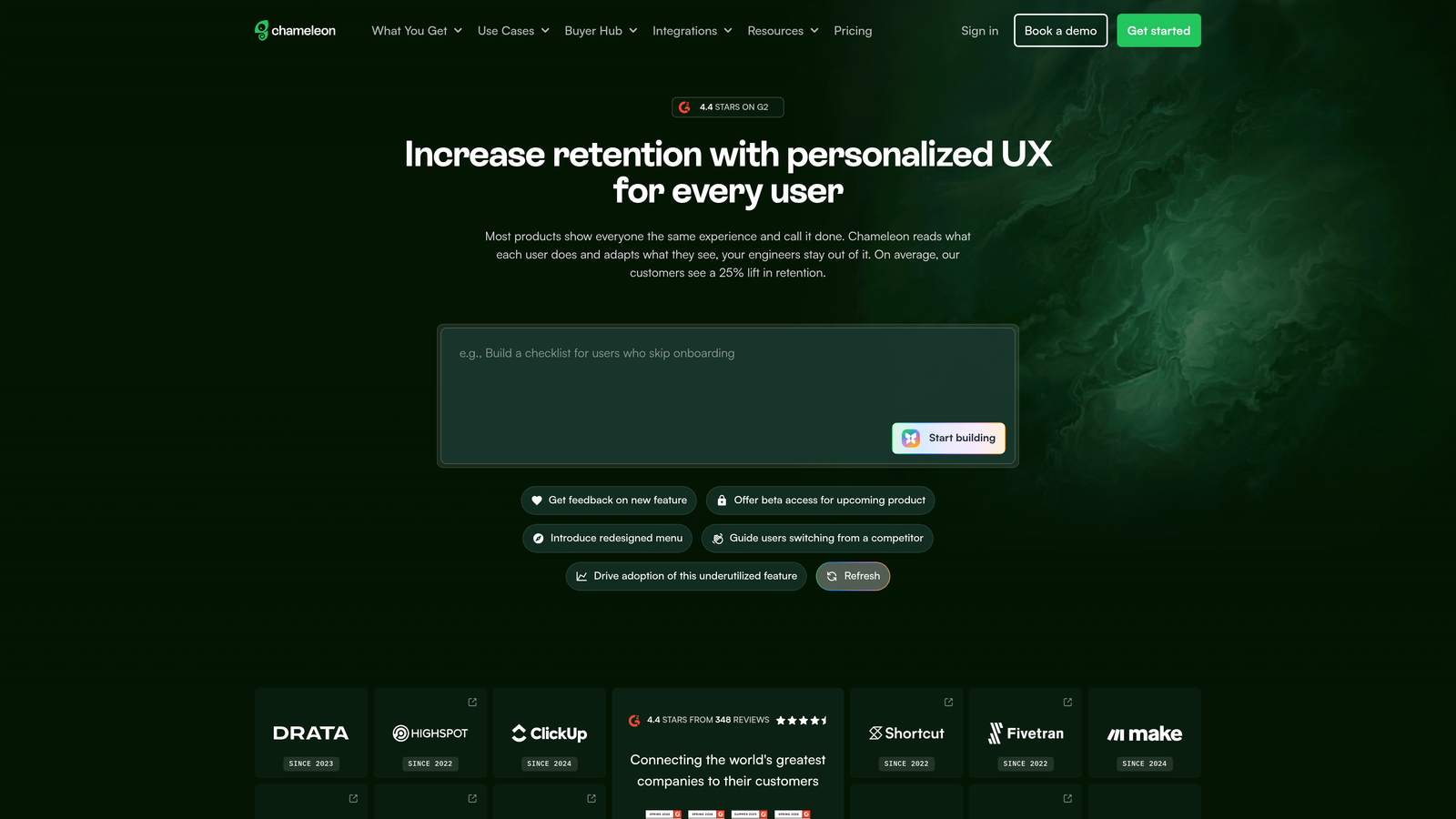
Chameleon is a product-led growth platform offering highly customizable in-app experiences including tooltips, tours, and contextual launchers that match your product's design.
Where This Tool Shines
Design consistency matters for user trust. Chameleon provides deep styling customization that lets you match tooltips, tours, and help widgets precisely to your product's visual language. Instead of obviously third-party widgets that break immersion, Chameleon's experiences feel like native parts of your application.
The launcher functionality creates a persistent help menu that users can access from anywhere in your product. You control what appears in that launcher based on user segment, current page, or behavior patterns. One user might see onboarding checklists while another sees advanced feature tutorials—all from the same widget.
Key Features
Deep Styling Customization: Match every aspect of guidance UI to your product's design system, maintaining visual consistency.
Contextual Launchers: Create persistent help menus with content that adapts based on user context and segment.
Microsurveys: Collect in-context feedback at the exact moment users form opinions about features or workflows.
URL and Element Targeting: Trigger experiences based on specific pages or even individual UI elements users interact with.
A/B Testing: Optimize guidance effectiveness by testing different approaches and measuring completion rates.
Best For
Product teams with strong design standards who need guidance that doesn't compromise visual consistency. Growth-focused SaaS companies that want to test and optimize in-app experiences. Teams comfortable with some technical implementation for maximum customization.
Pricing
Starts at $279 per month for the Startup plan. Higher tiers add advanced targeting, A/B testing, and increased user limits.
6. Appcues
Best for: Fast implementation by non-technical teams
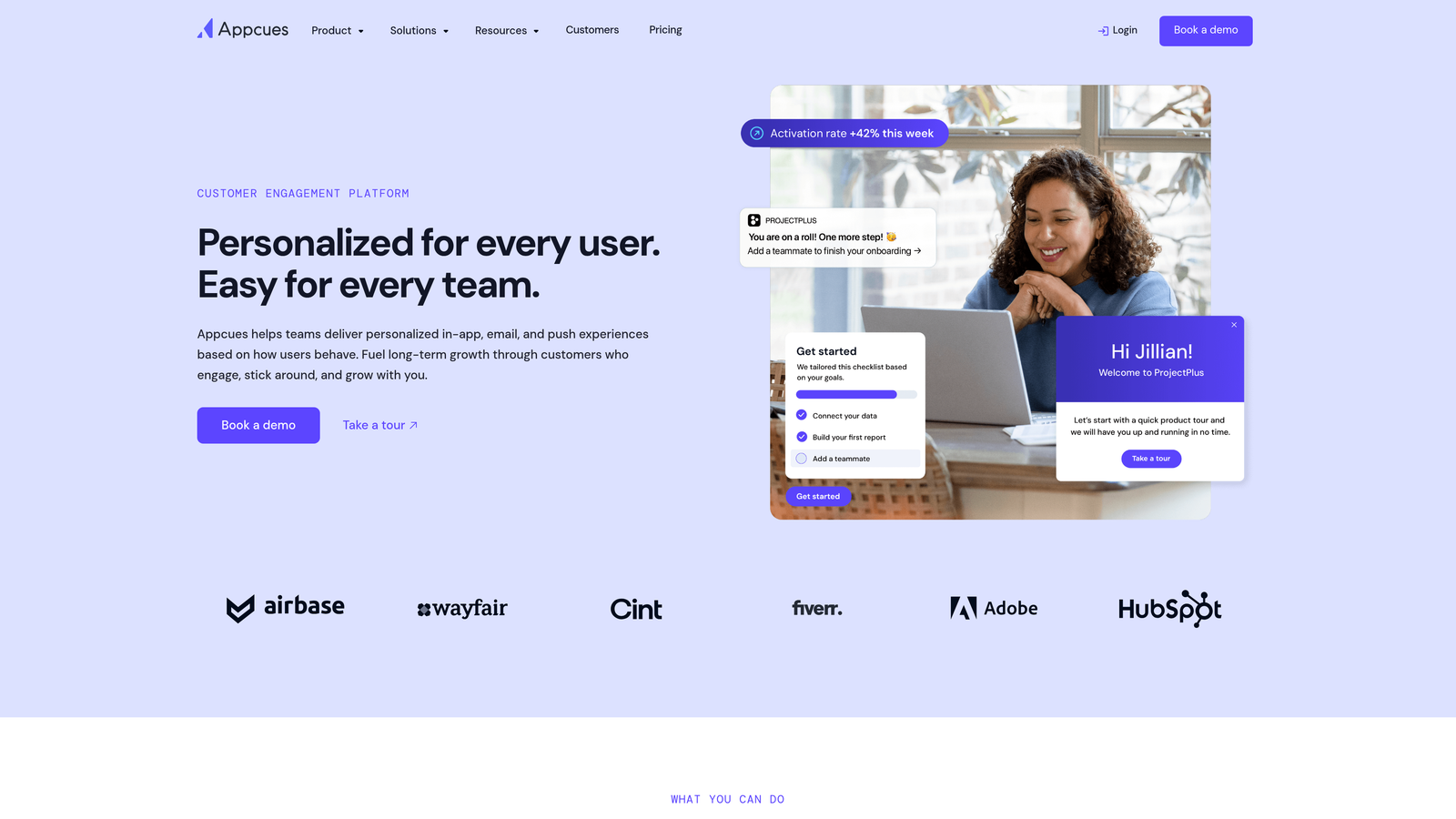
Appcues is a user onboarding platform with contextual in-app messaging, tooltips, and flows designed for quick implementation by non-technical teams.
Where This Tool Shines
Appcues removes technical barriers to creating in-app guidance. The no-code flow builder lets product managers and marketers create tooltips, tours, and announcements without engineering involvement. Point, click, and publish—guidance goes live in minutes rather than sprint cycles.
The event-based targeting connects with your existing analytics, letting you trigger guidance based on user actions tracked in tools like Segment or Amplitude. Someone completes their profile? Show them the next onboarding step. A user explores a premium feature? Surface a contextual upgrade message. The logic is simple but effective.
Key Features
No-Code Flow Builder: Create and publish in-app guidance without writing code or waiting for developer availability.
Tooltips and Hotspots: Contextual hints appear exactly where users need them, highlighting specific UI elements.
Checklists: Guided task completion with progress tracking keeps users moving through onboarding sequences.
Event-Based Targeting: Trigger experiences based on user actions tracked in your analytics platform.
Analytics Integration: Connect with Segment, Amplitude, and other tools to leverage existing user data.
Best For
Product and growth teams that need to move fast without engineering dependencies. Startups and mid-market SaaS companies where non-technical team members own onboarding. Organizations with straightforward guidance needs that don't require complex conditional logic.
Pricing
Starts at $249 per month for the Essentials plan. Pricing scales with user count and feature requirements.
7. Userflow
Best for: Developer-friendly implementation with minimal performance impact
Userflow is a developer-friendly onboarding tool with resource centers and contextual checklists, known for lightweight implementation and fast performance.
Where This Tool Shines
Performance-conscious teams appreciate Userflow's lightweight script. The platform loads fast and doesn't bog down your application with heavy JavaScript. For products where every millisecond of load time matters, Userflow delivers guidance capabilities without the performance penalty some competitors introduce.
The version control system treats flows like code, letting you create branches, test changes, and roll back if needed. Developers familiar with Git workflows will recognize the pattern. This approach prevents the chaos that happens when multiple team members edit guidance simultaneously, and it makes auditing changes straightforward.
Key Features
Resource Center: Smart content search surfaces relevant help articles and guides based on user context.
Branching Logic: In-app flows adapt based on user responses and actions, creating personalized guidance paths.
Progress Tracking: Checklists show users exactly where they are in onboarding or feature adoption sequences.
Lightweight Script: Minimal performance impact keeps your application fast even with active guidance running.
Version Control: Manage flow changes like code with branching, testing, and rollback capabilities.
Best For
Developer-led product teams that value clean implementation and performance. SaaS applications where load time directly impacts conversion or user satisfaction. Teams that want to manage guidance with the same rigor they apply to code.
Pricing
Starts at $240 per month for the Startup plan. Higher tiers add team collaboration features and increased user limits.
8. Intercom
Best for: Unified messaging and guidance in a single customer communication platform
Intercom is a customer messaging platform that combines conversational support with product tours, tooltips, and contextual help articles surfaced through its messenger widget.
Where This Tool Shines
Intercom unifies multiple communication channels into one widget. Users access live chat, help articles, product tours, and announcements from the same messenger interface. This consolidation reduces widget fatigue—you're not asking users to learn multiple help systems or cluttering your UI with competing widgets.
The AI-powered article suggestions analyze conversation context to surface relevant help content during support interactions. When a user asks about a feature, the AI can automatically suggest articles or tours that answer their question, often resolving issues before a human agent needs to respond.
Key Features
Product Tours: Guided walkthroughs integrate directly with the messenger, creating a seamless help experience.
Contextual Tooltips: Feature education appears at relevant moments without requiring users to open the messenger.
AI Article Suggestions: Intelligent content surfacing during chat conversations reduces resolution time and ticket volume.
Behavioral Messaging: Outbound messages trigger based on user actions, engagement patterns, or account characteristics.
Unified Inbox: Support teams handle conversations, guidance, and feedback from a single interface.
Best For
SaaS companies that want customer communication and product guidance in one platform. Teams already using Intercom for support who want to add contextual help without introducing another tool. Organizations that value conversation-first support augmented by self-service resources.
Pricing
Starts at $39 per seat per month for the Essential plan. Pricing increases with advanced features and higher message volumes.
9. Userpilot
Best for: Continuous engagement beyond initial onboarding
Userpilot is a product growth platform with behavior-triggered experiences, in-app resource centers, and contextual tooltips designed for continuous user engagement.
Where This Tool Shines
Userpilot treats guidance as an ongoing conversation, not just an onboarding checklist. The platform excels at re-engagement—bringing dormant users back with contextual prompts, introducing power users to advanced features they haven't discovered, and adapting guidance as user needs evolve over their lifecycle.
The resource center functionality includes contextual content filtering that shows different resources based on user segment, feature usage, or account tier. A free trial user sees getting-started content while an enterprise customer sees advanced integration guides. Same widget, personalized experience.
Key Features
Resource Center: Contextual content filtering ensures users see help materials relevant to their segment and usage patterns.
Behavior-Triggered Experiences: Guidance appears based on what users do, enabling re-engagement and feature discovery.
Native Tooltips: Driven actions combine tooltips with automatic UI interactions, guiding users through complex workflows.
Built-In A/B Testing: Test different guidance approaches and measure impact on activation, retention, and feature adoption.
Product Analytics: Integrated analytics show how guidance affects user behavior and business metrics.
Best For
Product-led growth companies focused on continuous user engagement and feature adoption. SaaS products with freemium models where contextual guidance drives conversion. Teams that need to personalize experiences across different user segments and lifecycle stages.
Pricing
Starts at $249 per month for the Starter plan. Higher tiers add advanced analytics, A/B testing, and increased user limits.
Matching Your Needs to the Right Widget
The right contextual help widget depends on what you're trying to solve. If your support team drowns in repetitive questions that could be answered with visual context, AI-powered solutions like Halo AI eliminate tickets by understanding exactly what users see. For product teams that want analytics and guidance unified, Pendo connects user behavior with contextual experiences.
Implementation speed matters too. Non-technical teams moving fast will appreciate Appcues' no-code approach, while developer-led organizations might prefer Userflow's lightweight, version-controlled implementation. Design-conscious companies should look at Chameleon's deep customization, and enterprises with complex workflows spanning multiple systems need WalkMe's conditional logic and security features.
Budget plays a role, but focus on value rather than sticker price. A tool that costs $7,000 annually but reduces support tickets by 40% pays for itself quickly. Similarly, faster onboarding that improves trial-to-paid conversion can justify premium pricing. Calculate the cost of your current support load and onboarding friction before dismissing higher-priced solutions.
Consider your existing tech stack. If you're already using Intercom for support, adding their product tours creates a unified experience. Teams with robust analytics in Segment or Amplitude should choose tools with strong integration capabilities. The best widget isn't the one with the most features—it's the one that fits your workflow and actually gets used.
Your support team shouldn't scale linearly with your customer base. Let AI agents handle routine tickets, guide users through your product, and surface business intelligence while your team focuses on complex issues that need a human touch. See Halo in action and discover how continuous learning transforms every interaction into smarter, faster support.