9 Best Helpdesk Automation Software Options and What They Actually Cost in 2026
Helpdesk automation software pricing is rarely straightforward, with hidden per-agent fees, AI add-ons, and integration tiers that only surface deep in a sales cycle. This guide maps out nine of the most capable helpdesk automation platforms available in 2026 — what they do, who they're built for, and what you'll realistically pay — giving support teams an honest, no-fluff starting point for their evaluation.
 Matt PattoliFounder15 min read
Helpdesk automation software pricing is rarely straightforward. Most vendors bury their real costs behind per-agent fees, AI add-ons, and integration tiers that only become visible once you're deep into a sales conversation. This guide cuts through that noise.
We've mapped out nine of the most capable helpdesk automation platforms available in 2026: what they do, who they're built for, and what you'll realistically pay. Whether you're a lean B2B SaaS team trying to scale support without scaling headcount, or a growing product company evaluating your first serious automation investment, this comparison gives you an honest starting point.
We'll cover everything from AI-first platforms that resolve tickets autonomously to traditional helpdesks with bolt-on automation features. Pricing ranges from free tiers to enterprise contracts, and we'll flag where vendors are transparent and where they're not. If you're also evaluating Zendesk alternatives or comparing modern AI support tools against legacy systems, our Zendesk vs modern support automation breakdown and automation tools comparison are worth reading alongside this guide.
1. Halo AI
Best for: B2B SaaS teams that want AI-first autonomous ticket resolution with business intelligence built in.
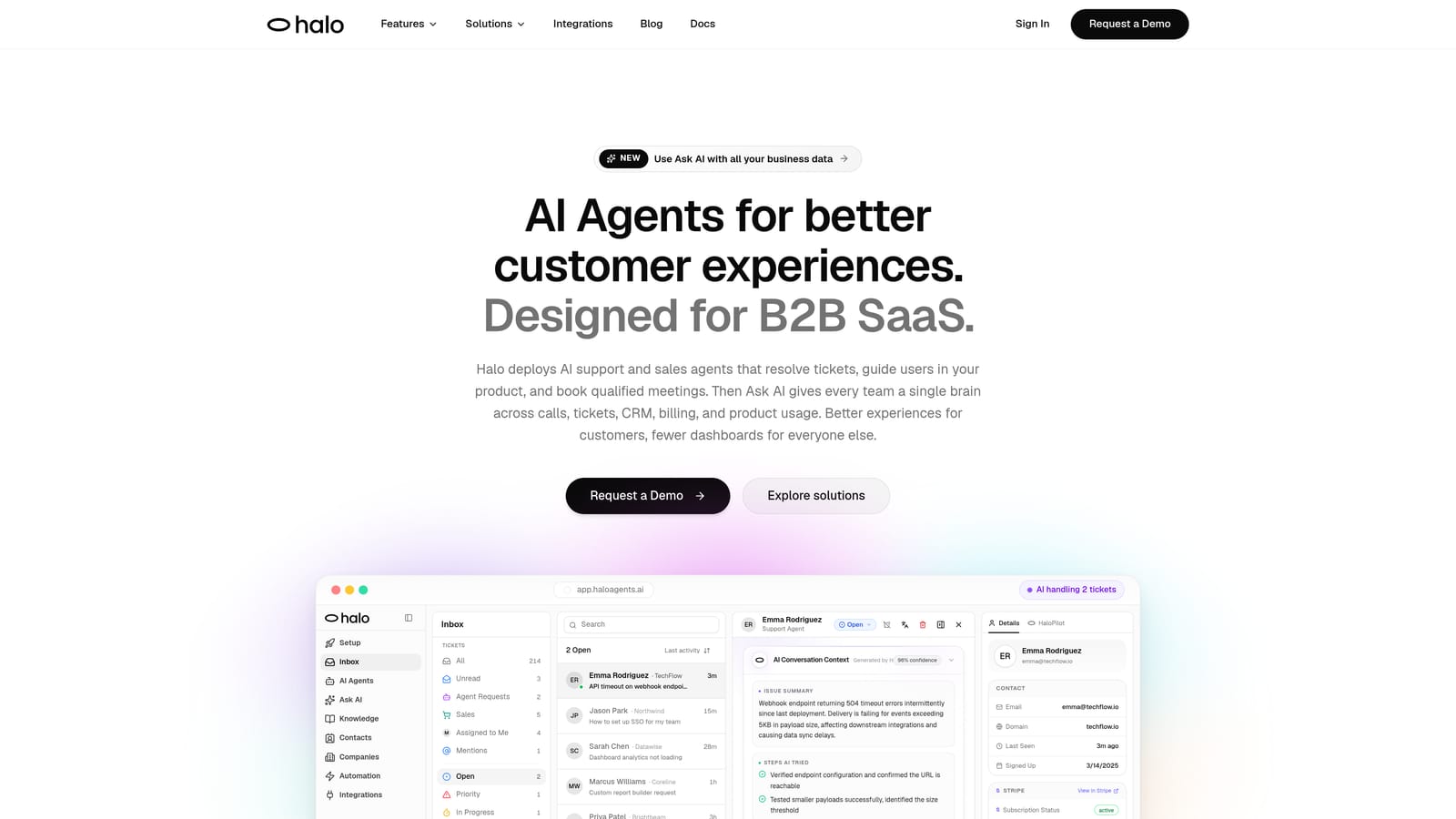
Halo AI is an AI-first customer support platform that deploys intelligent agents to resolve tickets autonomously, guide users through your product with page-aware context, and surface business intelligence—all while learning from every interaction.
Where This Tool Shines
What separates Halo from most tools on this list is the architecture. This isn't a traditional helpdesk with AI layered on top. The entire platform is built around autonomous AI agents that handle tickets from start to finish, without requiring human intervention for routine issues. That means your support capacity scales with your customer base, not with your headcount.
The page-aware chat widget is a genuinely distinctive capability. The AI sees what your user sees on screen, allowing it to provide contextual, step-by-step guidance rather than generic responses. Add a smart inbox that surfaces customer health signals and revenue anomalies, and you're getting business intelligence that most support platforms don't even attempt to deliver.
Key Features
Autonomous AI Agents: Resolve support tickets end-to-end without human intervention, learning from every interaction to improve over time.
Page-Aware Chat Widget: Understands the exact page and UI state a user is on, enabling precise, contextual guidance rather than generic answers.
Smart Inbox with Business Intelligence: Surfaces customer health signals, churn indicators, and revenue anomalies directly from support interactions.
Auto Bug Ticket Creation: Automatically generates and routes bug reports to Linear or your existing dev workflow when issues are detected.
Live Agent Handoff and Deep Integrations: Escalates complex issues to human agents and connects to Slack, HubSpot, Intercom, Stripe, Zoom, PandaDoc, and Fathom.
Best For
Halo is built for B2B SaaS companies and product teams that want to automate the majority of their support volume without sacrificing quality. It's particularly well-suited for teams that need their support platform to connect meaningfully with their CRM, billing, and development workflows rather than operating in isolation.
Pricing
Visit haloagents.ai for current pricing details. The platform is designed to scale support capacity without requiring proportional increases in headcount.
2. Zendesk
Best for: Enterprise teams needing a mature, highly configurable helpdesk with a large integration ecosystem.
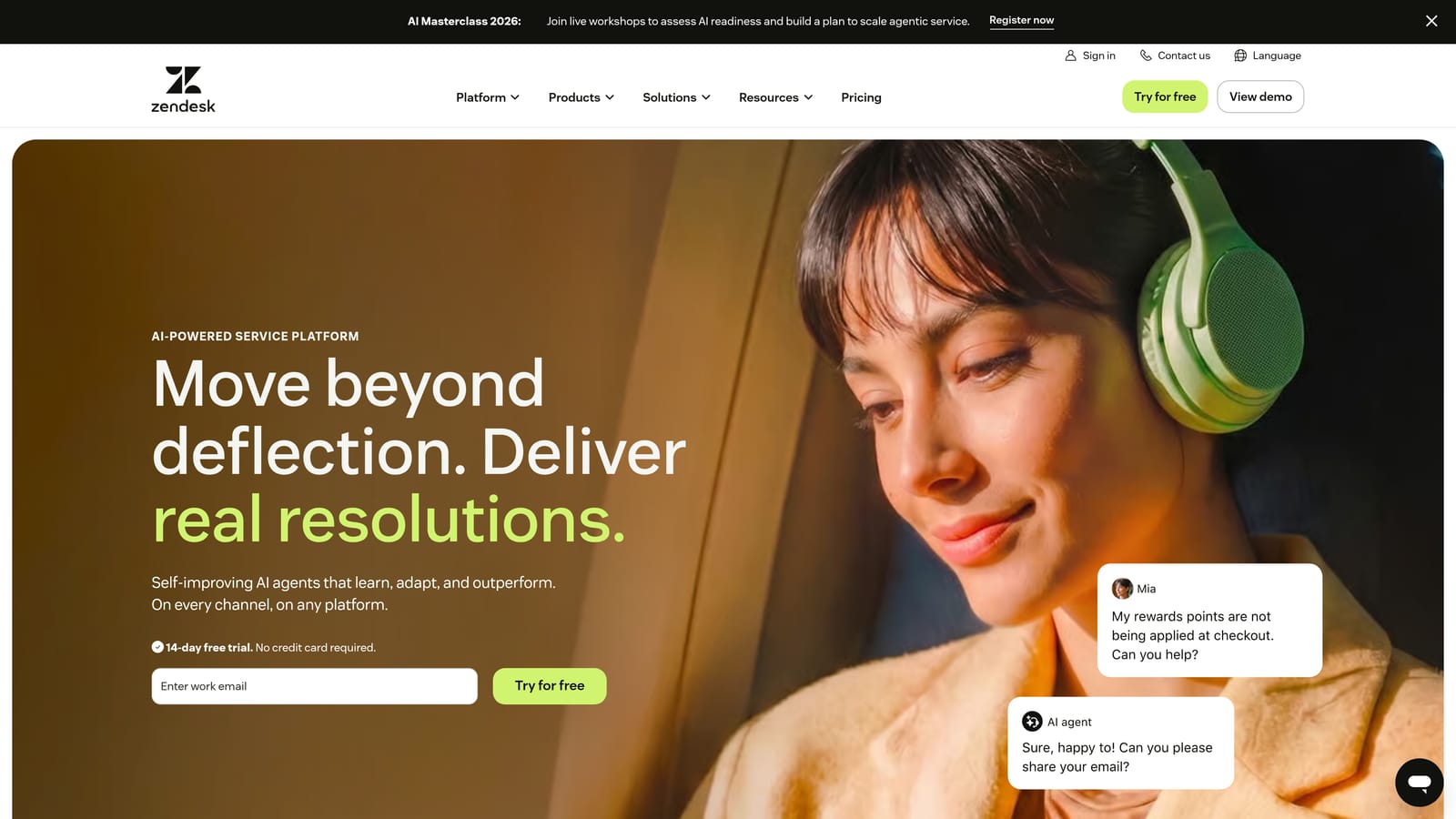
Zendesk is one of the most established names in customer support, offering broad automation capabilities, a massive app marketplace, and AI features across its Suite plans.
Where This Tool Shines
Zendesk's strength is depth and ecosystem maturity. Triggers, macros, and workflow automations give operations teams granular control over ticket routing, SLA management, and escalation logic. For enterprise organizations with complex support structures, that configurability is genuinely valuable.
The platform's AI capabilities have expanded significantly, with intelligent triage and conversational AI available on higher Suite tiers. The caveat is that meaningful AI functionality typically lives behind higher-tier plans or separate add-ons, which can make the effective per-agent cost considerably higher than the base rate suggests.
Key Features
Triggers, Macros, and Workflow Automation: Granular control over ticket routing, SLA tracking, and escalation rules for complex support operations.
Zendesk AI: Conversational AI and intelligent triage available on Suite plans, with capabilities expanding at higher tiers.
Extensive App Marketplace: Hundreds of integrations covering CRM, billing, analytics, and collaboration tools.
Advanced Reporting and Analytics: Detailed dashboards for ticket volume, agent performance, SLA compliance, and customer satisfaction.
Enterprise-Grade Compliance: Security certifications and compliance features suited to regulated industries and large organizations.
Best For
Zendesk is best suited for mid-market to enterprise companies with dedicated support operations teams, complex routing requirements, and the administrative bandwidth to manage a feature-rich platform. Smaller teams may find the overhead disproportionate to their needs.
Pricing
Suite plans are priced per agent per month across Team, Growth, Professional, and Enterprise tiers. AI features and advanced capabilities typically require higher tiers or separate add-ons. Enterprise pricing is quote-based. Check zendesk.com for current rates.
3. Freshdesk
Best for: Growing teams that want solid helpdesk automation with a generous free plan and a path to AI on higher tiers.
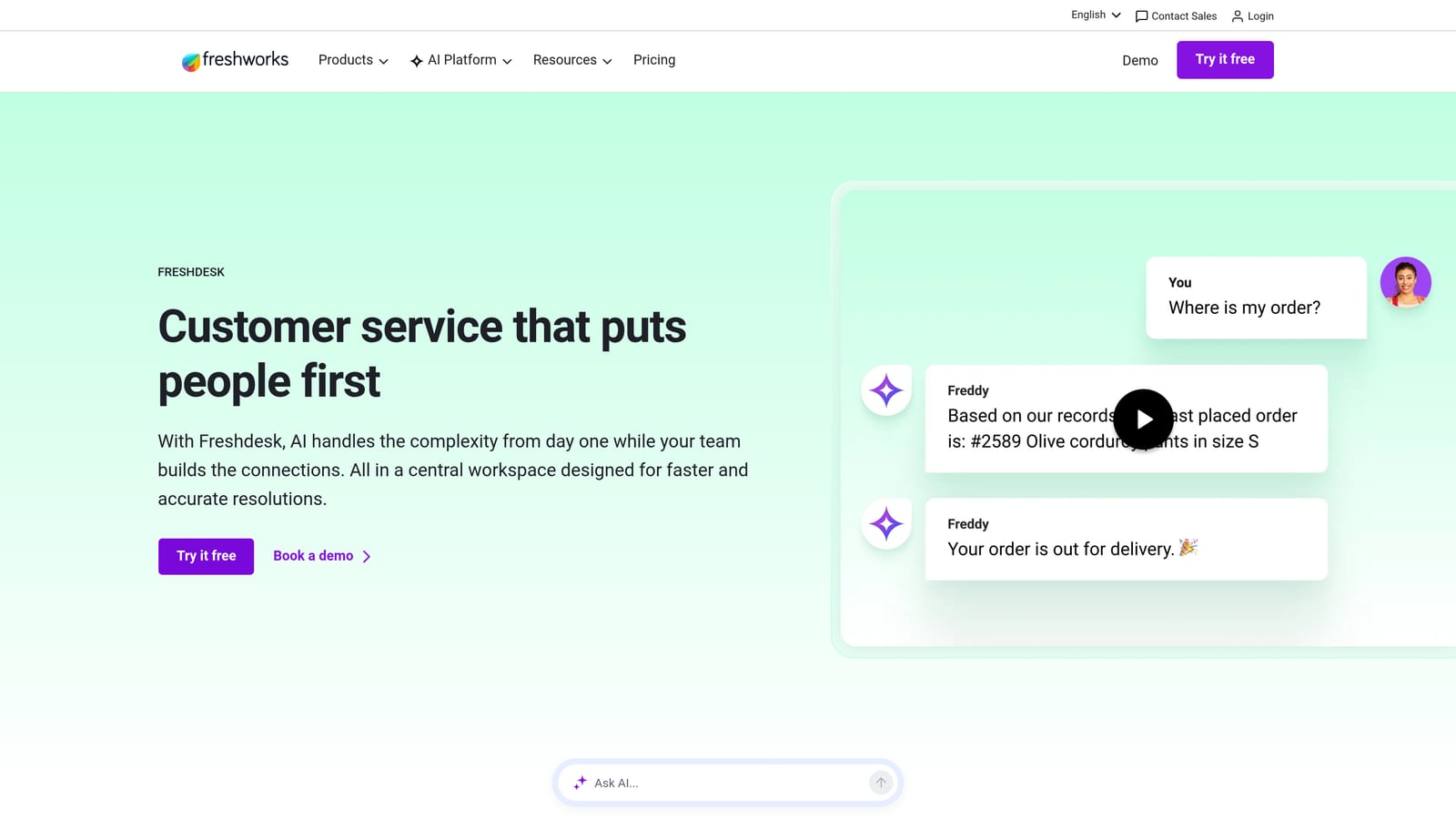
Freshdesk is a Freshworks product offering reliable helpdesk automation, a free entry point, and Freddy AI on higher-tier plans—generally positioned as a more accessible alternative to Zendesk.
Where This Tool Shines
Freshdesk's free plan (the Sprout tier) is one of the more genuinely useful free offerings in the market, covering core ticketing without arbitrary feature restrictions that force an immediate upgrade. For teams just getting started with structured support, that's a meaningful advantage.
As teams grow, Freddy AI adds ticket triage, response suggestions, and self-service capabilities. The Freshworks ecosystem also means native integration with Freshsales CRM, which can simplify the stack for teams that don't want to manage multiple vendor relationships.
Key Features
Freddy AI: Handles ticket triage, suggests responses to agents, and powers self-service capabilities on higher-tier plans.
Workflow Automations: Routing, escalation, and SLA tracking automation with a visual rule builder.
Free Plan (Sprout Tier): Core ticketing features at no cost, with a clear upgrade path as needs grow.
Omnichannel Support: Handles email, chat, phone, and social channels from a unified inbox.
Native Freshworks Integration: Connects directly with Freshsales CRM and other Freshworks products for teams using the broader ecosystem.
Best For
Freshdesk suits small to mid-size teams that want a proven helpdesk with room to grow into AI features. It's especially compelling for companies already using or considering other Freshworks products, where the native integrations reduce setup friction.
Pricing
Free plan available; paid tiers (Growth, Pro, Enterprise) are priced per agent per month. Freddy AI availability varies by plan tier. Check freshdesk.com for current pricing.
4. Intercom
Best for: SaaS companies that blend customer support with proactive onboarding, messaging, and product-led growth motions.
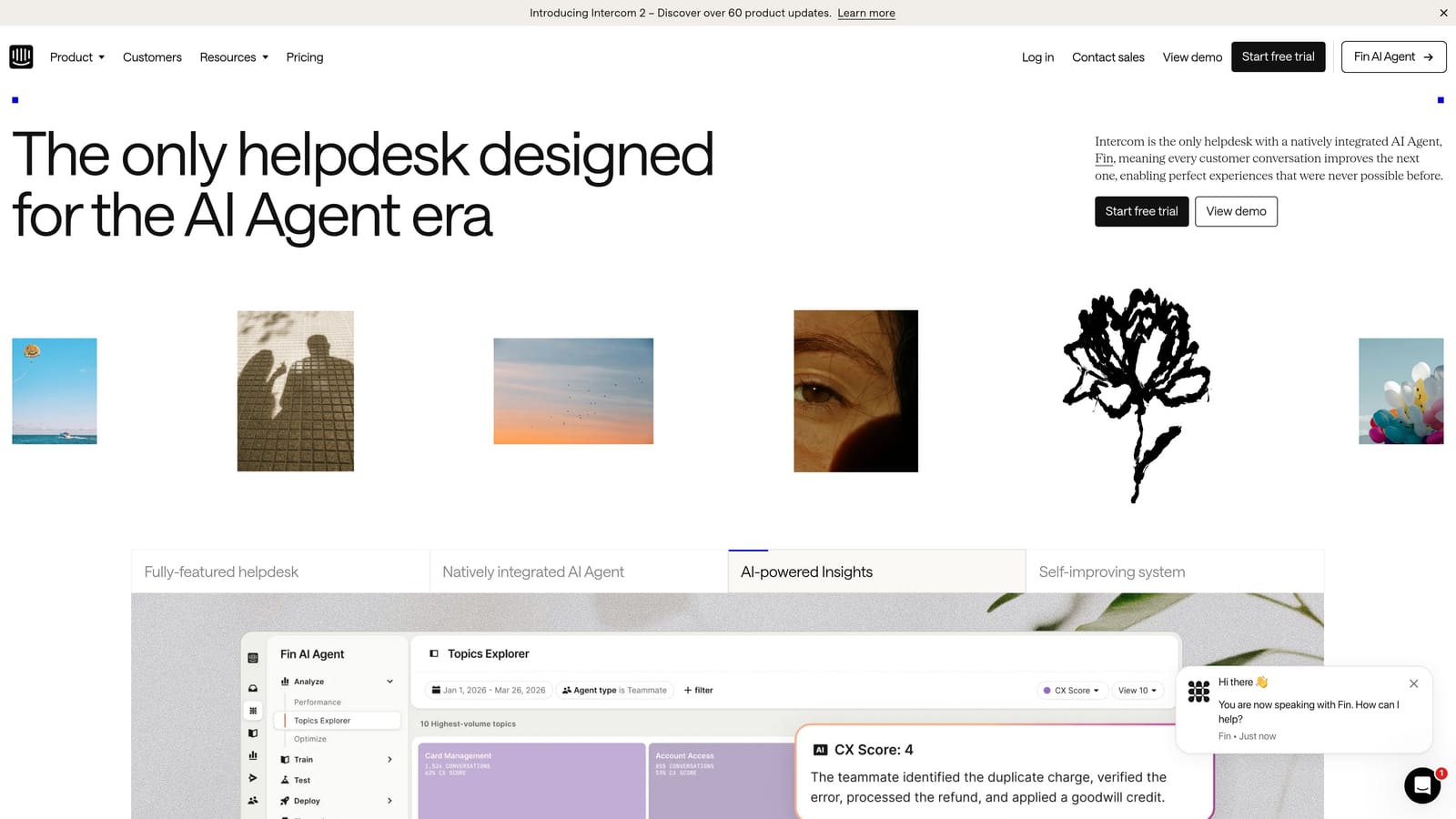
Intercom is a customer communications platform that combines support automation with proactive messaging; its Fin AI agent is now priced per successful resolution rather than per seat.
Where This Tool Shines
Intercom's differentiation has always been the blend of support and proactive engagement. Product tours, onboarding flows, and targeted messaging sit alongside the support inbox in a way that few pure helpdesk tools can match. For SaaS companies where support and customer success overlap, that's a genuine advantage.
The per-resolution pricing model for Fin AI is worth understanding carefully before committing. It can be cost-effective for teams with high AI resolution rates, but costs can become unpredictable as volume grows. Teams with lower automation rates may find the model less favorable than a flat per-seat structure.
Key Features
Fin AI Agent: Handles conversations autonomously and charges per successful resolution rather than per seat or per month.
Proactive Messaging and Product Tours: Onboarding flows, in-app messages, and targeted campaigns built directly into the platform.
AI-Assisted Inbox: Drafts, summaries, and suggested responses to help human agents work faster on complex tickets.
Conversation Analytics: Reporting on volume, CSAT scores, resolution rates, and AI performance.
CRM and Billing Integrations: Connects with common CRM, billing, and data tools to surface customer context during conversations.
Best For
Intercom is a strong fit for SaaS companies that want support, onboarding, and proactive messaging in a single platform. The per-resolution AI pricing suits teams confident in their automation rates. Teams with unpredictable or low resolution rates should model costs carefully before committing.
Pricing
Base platform fee plus per-resolution charges for Fin AI. Costs vary significantly by usage volume. Check intercom.com for current pricing and model your expected resolution volume before signing.
5. HubSpot Service Hub
Best for: Teams already using HubSpot for CRM, sales, or marketing who want support tightly integrated with existing customer data.
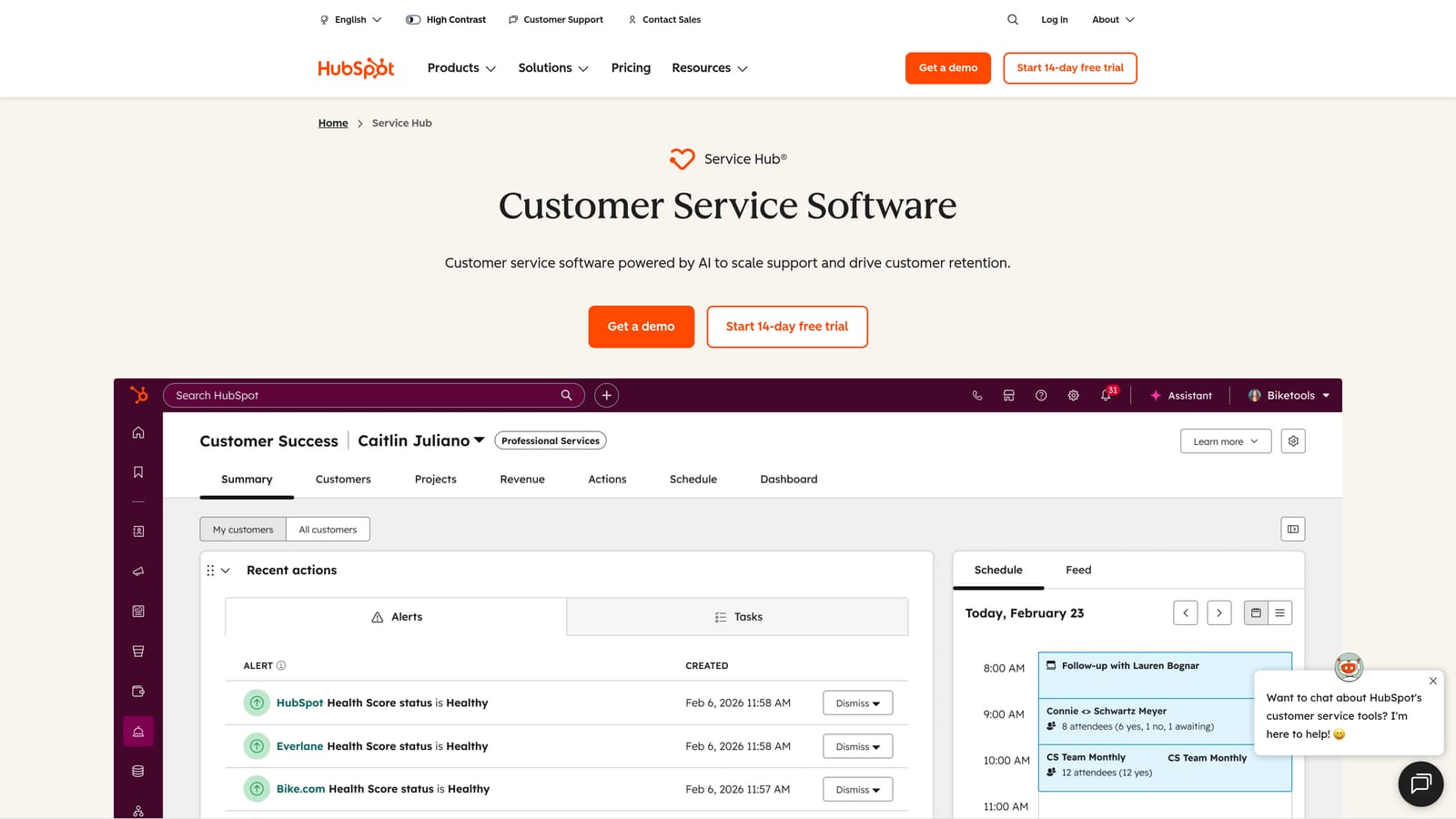
HubSpot Service Hub is HubSpot's customer service product, built to work natively with HubSpot CRM and sharing automation workflows across the marketing, sales, and service ecosystem.
Where This Tool Shines
The core value proposition is context. When a support ticket comes in, agents immediately see the full HubSpot CRM record: deal history, marketing interactions, sales notes, and contact details. For teams where support conversations often touch on billing, renewals, or expansion, that context is genuinely useful without requiring manual data lookups.
The shared automation infrastructure across HubSpot's hubs is also a meaningful efficiency gain. Workflows built for marketing or sales can trigger support actions, and vice versa, reducing the need to maintain parallel automation logic in separate tools.
Key Features
Native CRM Ticketing: Every ticket connects directly to HubSpot CRM contact and deal records, giving agents full customer context without switching tools.
AI Drafts and ChatSpot Assist: AI-assisted response drafting and summarization available on Professional and Enterprise tiers.
Customer Portal: Self-service portal where customers can track and manage their own tickets.
Knowledge Base Builder: Create and maintain self-service documentation with built-in SEO optimization tools.
Cross-Hub Automation: Workflows shared across HubSpot's marketing, sales, and service products for unified automation logic.
Best For
HubSpot Service Hub is the natural choice for teams already invested in the HubSpot ecosystem. It's less compelling as a standalone support tool, but for companies using HubSpot CRM as their system of record, the native integration eliminates a significant category of data synchronization problems.
Pricing
Free tier available with basic ticketing; Starter, Professional, and Enterprise tiers are priced per seat per month. Full AI features require Professional tier or above. Check hubspot.com for current pricing.
6. Zoho Desk
Best for: Budget-conscious teams, particularly those already using Zoho CRM or the Zoho One suite, who want AI features without enterprise-level pricing.
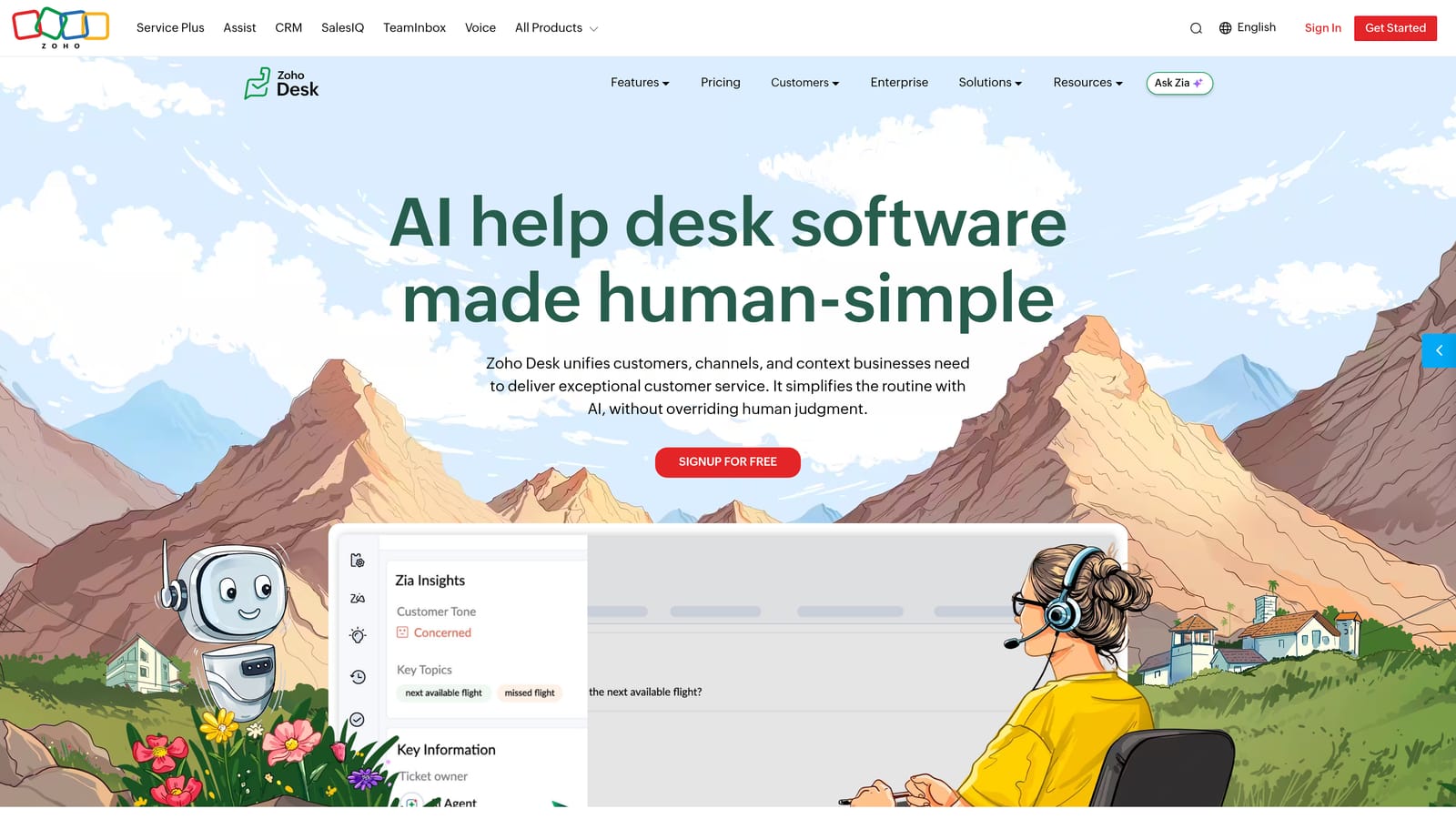
Zoho Desk is a feature-rich helpdesk from the Zoho ecosystem, offering AI-assisted automation through its Zia AI assistant at price points that consistently undercut comparable competitors.
Where This Tool Shines
Zoho Desk's pricing relative to its feature depth is genuinely hard to match. Zia AI brings sentiment analysis, ticket tagging, anomaly detection, and response suggestions at tiers where competitors are still charging for basic automation. For cost-conscious teams that need real AI capability without a large budget, it's one of the most compelling options in the market.
The Blueprint workflow tool is worth highlighting specifically. It enables multi-step, conditional support processes with approval gates and role-based actions, which is typically enterprise-tier functionality elsewhere. Combined with native Zoho CRM integration, it gives teams a surprisingly capable stack at accessible price points.
Key Features
Zia AI: Sentiment analysis, automatic ticket tagging, anomaly detection, and response suggestions built into the platform.
Blueprint Workflow Automation: Visual, multi-step workflow builder for complex support processes with conditional logic and approval gates.
Competitive Pricing with Free Plan: One of the most affordable options with genuine AI features; free plan available for small teams.
Native Zoho CRM Integration: Full customer context from Zoho CRM surfaced directly within support tickets.
Multi-Channel Support: Handles email, chat, phone, social media, and community forums from a single platform.
Best For
Zoho Desk is ideal for small to mid-size teams that want strong automation and AI features without the pricing of Zendesk or Intercom. The value multiplies for companies already using Zoho CRM or Zoho One, where the native integrations eliminate setup complexity.
Pricing
Free plan available; Standard, Professional, and Enterprise tiers are priced per agent per month. Consistently among the most affordable options in this comparison. Check zoho.com/desk for current pricing.
7. Help Scout
Best for: Teams that prioritize a clean, transparent support experience with AI features included in the base plan, no per-resolution fees attached.
Help Scout is a human-first support platform with an email-like interface, built-in AI features, and a pricing model that doesn't charge separately for AI usage on core plans.
Where This Tool Shines
Help Scout's clearest differentiator in 2026 is pricing transparency. AI Drafts, AI Summarize, and AI Assist are included in core plans without per-resolution fees or AI add-on tiers. For teams burned by surprise AI usage charges on other platforms, that predictability has real value.
The platform's email-like interface also reduces onboarding friction significantly. Support agents who are comfortable with email can typically get productive in Help Scout quickly, without the learning curve that more complex platforms require. It's a deliberate design choice that suits teams where support is handled by generalists rather than dedicated operations specialists.
Key Features
AI Drafts, Summarize, and Assist: Core AI features included in base plans without additional per-resolution or per-use charges.
Shared Inbox with Collision Detection: Prevents duplicate replies by showing agents when a colleague is already working on a ticket.
Docs Knowledge Base: Self-service documentation builder with a Beacon widget for in-app access.
Transparent Per-User Pricing: Simple, predictable pricing without hidden AI add-on tiers on core plans.
Beacon Chat Widget: Proactive support and self-service widget for in-product deployment.
Best For
Help Scout suits small to mid-size teams that want solid AI-assisted support without the complexity or unpredictable AI billing of larger platforms. It's a strong fit for companies where support culture emphasizes genuine human connection, with AI handling efficiency rather than replacing interaction.
Pricing
Per-user per month pricing across Standard, Plus, and Pro tiers. Transparent pricing page with no resolution-based AI fees on core plans. Check helpscout.com for current rates.
8. Gorgias
Best for: E-commerce brands running on Shopify, Magento, or BigCommerce that need deep order data integration in every support ticket.
Gorgias is a helpdesk built specifically for e-commerce operations, with native platform integrations and a per-ticket pricing model that scales with conversation volume rather than team size.
Where This Tool Shines
Gorgias solves a specific problem very well: e-commerce support where order data is central to almost every conversation. Native Shopify, Magento, and BigCommerce integrations pull order details, shipping status, and return history directly into the ticket view, eliminating the constant tab-switching that slows down e-commerce support teams.
The per-ticket pricing model is genuinely different from most tools on this list. Costs scale with conversation volume rather than headcount, which works well for e-commerce brands with seasonal spikes or lean teams handling high volumes. It's worth noting clearly: Gorgias is purpose-built for e-commerce and is not a natural fit for pure B2B SaaS support operations.
Key Features
Native E-Commerce Integrations: Deep Shopify, Magento, and BigCommerce connections with order data surfaced directly in every ticket.
Per-Ticket Pricing Model: Costs scale with conversation volume, not team size, which suits e-commerce operations with variable support demand.
AI Autoclose: Automatically resolves common e-commerce queries like order status, return requests, and shipping updates.
Intent Detection: Routes tickets automatically based on detected customer intent before an agent touches them.
Revenue Statistics: Links support interactions to sales impact, helping teams understand the revenue value of support quality.
Best For
Gorgias is the right choice for e-commerce brands where Shopify or Magento is central to the business. It's not designed for B2B SaaS support and would be an awkward fit outside of e-commerce contexts. Within its target use case, it's one of the most purpose-built tools available.
Pricing
Priced per ticket or conversation across Starter, Basic, Pro, and Advanced tiers rather than per agent. Best value for high-volume e-commerce operations. Check gorgias.com for current pricing.
9. Tidio
Best for: Small businesses and early-stage teams that need fast-to-deploy live chat and AI chatbot capabilities with minimal technical setup.
Tidio is an accessible live chat and AI chatbot platform featuring Lyro AI, designed for quick deployment and priced to suit smaller teams with straightforward support needs.
Where This Tool Shines
Tidio's primary advantage is speed to value. Most teams can deploy a functional live chat widget with Lyro AI handling common queries within hours, not days. There's no complex configuration required, no dedicated implementation team needed, and the free plan provides a genuine starting point rather than a feature-stripped trial.
For small businesses or early-stage SaaS teams that aren't yet dealing with high ticket volumes or complex support workflows, Tidio covers the essentials cleanly. As needs grow more complex, the platform's capabilities may eventually become a constraint, but for teams at the right stage, it's a highly practical starting point.
Key Features
Lyro AI Chatbot: Handles common customer queries with conversational responses, learning from your existing support content.
Live Chat with Human Handoff: Seamlessly escalates to human agents when Lyro reaches the limits of its knowledge or confidence.
Accessible Free Plan: Functional free tier that provides a real starting point for small teams before committing to paid plans.
Fast Deployment: Widget setup requires minimal technical expertise; integrates with Shopify, WordPress, and major e-commerce platforms.
Simple Operator-Based Pricing: Paid plans scale per operator per month, with Lyro AI conversations potentially priced separately above included limits.
Best For
Tidio is best suited for small businesses, early-stage startups, or e-commerce teams that need a quick, affordable entry point into live chat and AI-assisted support. Teams with growing complexity or B2B SaaS support workflows will likely outgrow it, but it's an excellent starting point for the right stage of growth.
Pricing
Free plan available; paid tiers are priced per operator per month. Lyro AI conversations may be priced separately above included limits on some plans. Check tidio.com for current pricing structure.
Which Tool Is Right for Your Team?
The honest answer is that the best helpdesk automation software depends heavily on where you are, what you're already using, and how you think about AI in your support stack.
If you're a B2B SaaS team that wants AI to genuinely resolve tickets rather than just assist agents, Halo AI is built for that from the ground up. The page-aware context, business intelligence layer, and deep integrations with tools like Linear, Stripe, and HubSpot make it a meaningful step beyond traditional helpdesks with AI bolted on.
For enterprise teams with complex routing requirements and a need for ecosystem maturity, Zendesk remains the established choice, though pricing transparency is a known friction point. Freshdesk and Zoho Desk offer strong value for teams that want proven automation and AI features at more accessible price points. Help Scout stands out for teams that want predictable AI pricing without per-resolution surprises.
If your team is already deep in HubSpot, Service Hub is the natural extension. For e-commerce operations, Gorgias is purpose-built in a way that general helpdesks can't match. And for teams just getting started, Tidio offers a fast, low-friction entry point.
One thing worth flagging regardless of which platform you evaluate: always map out the full cost picture. Base per-agent rates rarely reflect what you'll actually pay once AI add-ons, integrations, and enterprise tiers are factored in.
Your support team shouldn't scale linearly with your customer base. Let AI agents handle routine tickets, guide users through your product, and surface business intelligence while your team focuses on complex issues that need a human touch. See Halo in action and discover how continuous learning transforms every interaction into smarter, faster support.