9 Best Support Operations Optimization Tools in 2026
This guide reviews the 9 best support operations optimization tools in 2026, covering AI-powered automation, helpdesk management, knowledge base optimization, and business intelligence. Whether you run a lean SaaS support team or a scaled multi-channel operation, it identifies the right tooling to reduce ticket volume, improve response times, and grow team capacity without linear headcount increases.
 Grant CooperFounder14 min read
Support operations teams are under constant pressure: more tickets, higher customer expectations, and headcount budgets that don't scale linearly with volume. The right tooling changes that equation entirely, shifting your team from reactive firefighting to proactive, intelligence-driven support.
But "support ops tools" covers a wide spectrum. Some platforms automate ticket resolution. Others surface analytics, streamline agent workflows, or connect your support data to the rest of your business stack. This list cuts through the noise.
We've selected nine tools that genuinely move the needle on support efficiency, response times, and team capacity, covering AI-powered automation, helpdesk management, knowledge base optimization, and business intelligence. Whether you're running a lean support team at a growth-stage SaaS company or managing a scaled operation across multiple channels, there's a tool here built for your situation.
1. Halo AI
Best for: B2B SaaS teams wanting AI-first support automation with built-in business intelligence
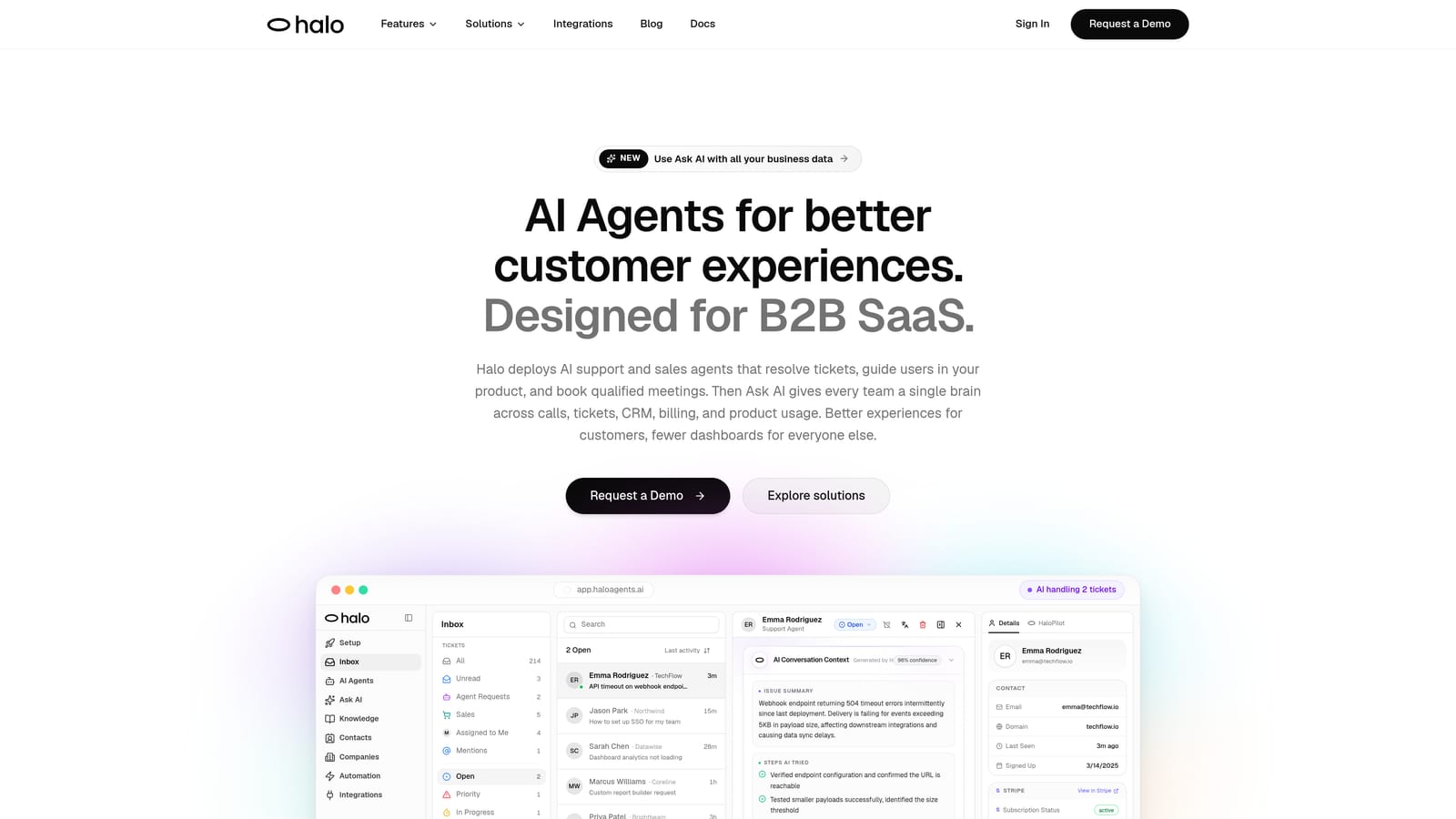
Halo AI is an AI-first customer support platform that deploys intelligent agents to resolve tickets, guide users through your product, and surface revenue-level insights from every support interaction.
Where This Tool Shines
Most AI support tools bolt automation onto an existing helpdesk architecture. Halo is built AI-first from the ground up, which means the intelligence isn't an add-on layer — it's the foundation. The standout capability is page-aware context: Halo's agents can see exactly what a user is currently viewing in your product, enabling them to deliver visual, step-by-step guidance that's actually relevant to where the user is stuck.
Beyond resolution, Halo's smart inbox surfaces business intelligence that most support platforms don't touch: customer health signals, revenue anomalies, and trend detection. For B2B SaaS teams where a single churned account can represent significant ARR, this kind of signal from the support layer is genuinely valuable. It also auto-creates bug tickets routed directly to Linear or your issue tracker, closing the loop between customer friction and engineering response.
Key Features
Page-Aware AI Agents: Agents see what users see in real time, enabling contextual visual guidance that resolves issues faster and more accurately.
Autonomous Ticket Resolution: Handles routine tickets end-to-end with intelligent escalation to human agents when complexity warrants it.
Auto Bug Ticket Creation: Automatically generates and routes bug reports to Linear or your preferred issue tracker based on support interactions.
Smart Inbox with Business Intelligence: Surfaces customer health signals, revenue anomalies, and emerging trends directly from your support data.
Continuous Learning: Gets smarter with your specific product over time, improving resolution accuracy as it processes more interactions.
Native Integrations: Connects out of the box with Linear, Slack, HubSpot, Intercom, Stripe, Zoom, PandaDoc, and Fathom.
Best For
B2B SaaS teams that want a single platform to handle AI resolution, product guidance, bug detection, and support intelligence without stitching together multiple point solutions. Particularly well-suited for growth-stage companies where support data has direct revenue implications.
Pricing
Contact for pricing; Halo operates on a demo-first sales model. Reach out via their website to discuss your team's specific needs and volume.
2. Zendesk
Best for: Enterprise and mid-market teams needing a mature, deeply customizable helpdesk platform
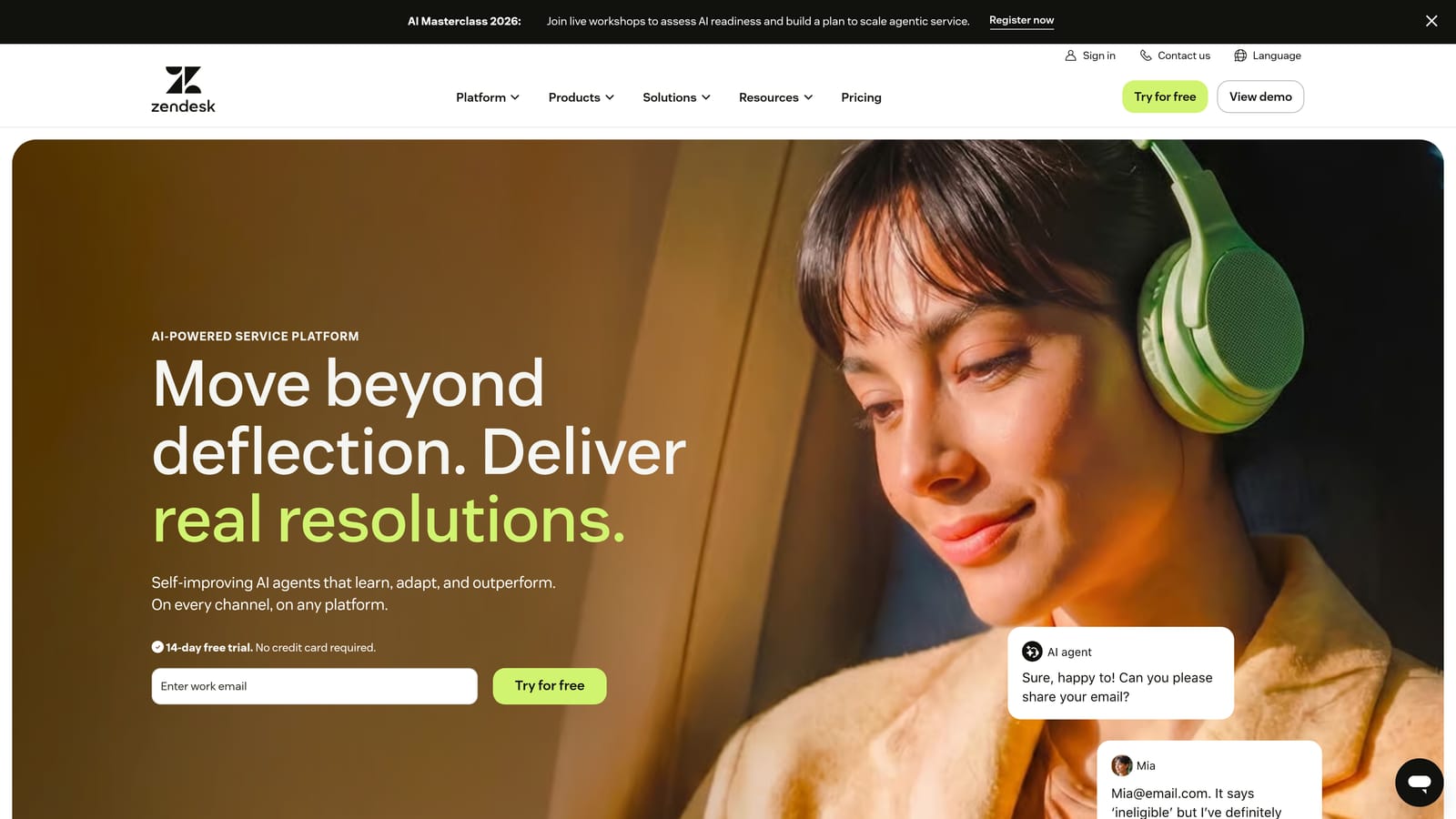
Zendesk is one of the most widely adopted helpdesk platforms, offering a comprehensive suite of ticketing, messaging, and analytics tools backed by a large ecosystem of integrations.
Where This Tool Shines
Zendesk's strength is breadth. It handles omnichannel ticketing across email, chat, voice, and social, and its marketplace of third-party integrations is extensive enough to connect with almost any tool in your stack. For teams with complex routing logic, custom workflows, or multiple support tiers, Zendesk's configurability is genuinely hard to match.
The platform has added AI capabilities through Zendesk AI, though these are priced as add-ons rather than native features. Teams that have already built their operations around Zendesk will find the AI layer a natural extension; teams evaluating fresh may want to weigh the total cost carefully.
Key Features
Omnichannel Ticketing: Unified inbox across email, chat, voice, and social media channels.
Zendesk AI: Add-on capabilities for intelligent triage, suggested replies, and automated resolution.
Custom Dashboards: Robust reporting with flexible, role-specific dashboard creation.
Workflow Automation: Triggers, macros, and automations to reduce manual agent effort on repetitive tasks.
App Marketplace: Hundreds of third-party integrations across CRM, billing, project management, and analytics tools.
Best For
Mid-market to enterprise support teams with complex workflows, multiple channels, and a need for deep customization. Also the natural choice if you're planning to layer on Klaus QA or Workforce by Zendesk from the same ecosystem.
Pricing
Suite Team starts at approximately $55 per agent per month. AI features are priced separately as add-ons. Enterprise plans are available with custom pricing.
3. Intercom
Best for: Product-led growth companies wanting conversational support with proactive customer engagement
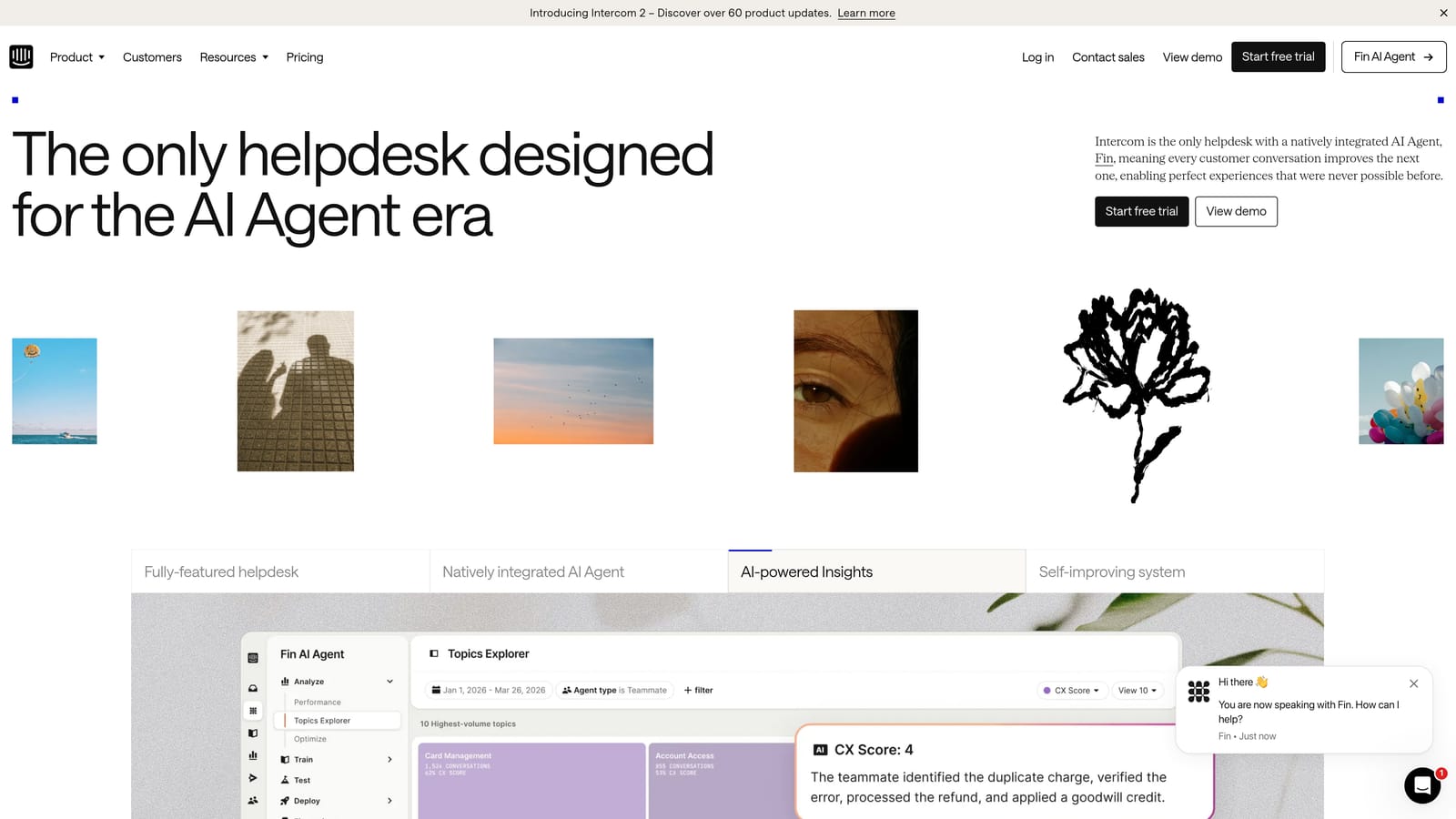
Intercom is a customer communications platform that combines conversational support, AI-powered resolution via Fin AI, and proactive customer engagement in a single workspace.
Where This Tool Shines
Intercom's Fin AI agent is one of the more capable AI resolution products on the market, handling tickets across channels with a conversational approach that feels natural rather than robotic. Where Intercom particularly excels is in proactive engagement: product tours, targeted messages, and onboarding flows that reduce inbound support volume before it starts.
The platform is especially well-suited for product-led growth companies where the line between sales, onboarding, and support is intentionally blurry. If your support team doubles as a user success function, Intercom's unified workspace makes that easier to manage.
Key Features
Fin AI Agent: Automated ticket resolution across channels using Intercom's AI, trained on your help content.
Unified Inbox: Manages live chat, email, and in-app messaging in a single agent workspace.
Proactive Outreach: Product tours and targeted messages for onboarding and feature adoption.
Conversation Analytics: Detailed reporting on resolution rates, CSAT scores, and conversation trends.
Messenger Customization: Targeting and personalization by user segment, plan, or behavior.
Best For
SaaS companies with a product-led growth motion where support, onboarding, and proactive engagement overlap. Strong fit for teams that want AI resolution alongside customer lifecycle messaging in one tool.
Pricing
Essential plan starts at approximately $39 per seat per month. Fin AI resolution is priced per resolution rather than per seat, which can be cost-effective at scale depending on your resolution volume.
4. Freshdesk
Best for: SMB and mid-market teams wanting full-featured helpdesk capabilities at competitive pricing
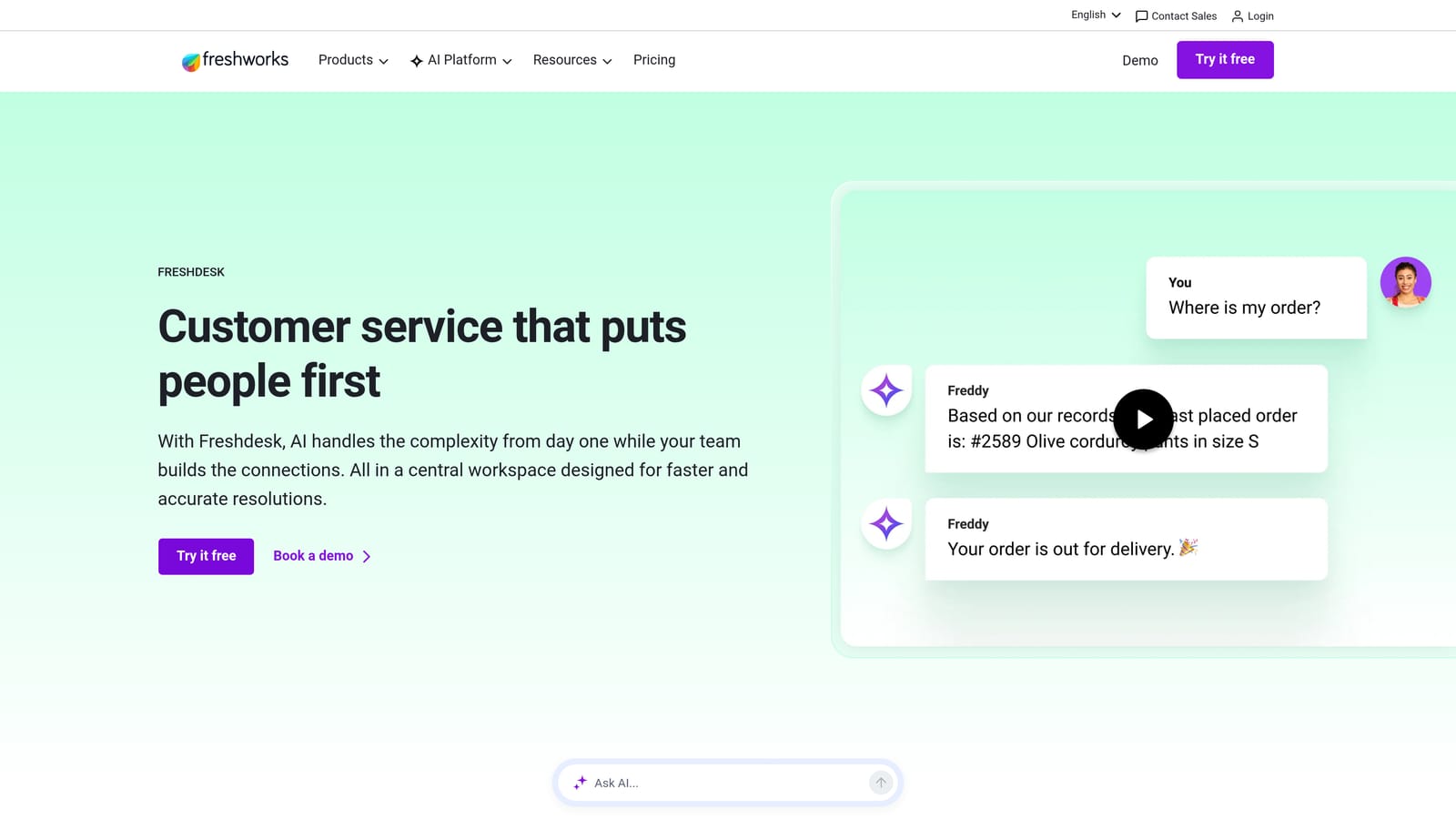
Freshdesk is a full-featured helpdesk platform from Freshworks offering omnichannel support, automation, and AI-assist capabilities designed to be accessible without sacrificing capability.
Where This Tool Shines
Freshdesk occupies a smart position in the market: more capable than lightweight tools, more affordable than Zendesk at comparable feature levels. Its Freddy AI layer handles suggested responses, auto-triage, and sentiment analysis without requiring a separate add-on purchase at most tiers. Collision detection, which prevents two agents from working the same ticket simultaneously, is a small feature that saves real frustration on busy teams.
The free plan makes Freshdesk a legitimate starting point for early-stage teams, and the Growth plan's pricing allows small teams to access solid omnichannel support without a significant budget commitment.
Key Features
Omnichannel Ticketing: Handles email, chat, phone, social, and customer portal in a unified inbox.
Freddy AI: Provides suggested responses, automatic ticket triage, and sentiment analysis for agents.
Collision Detection: Alerts agents when another team member is already working on the same ticket.
SLA Management: Automated escalation rules tied to response and resolution time commitments.
Free Plan: Functional entry-level tier for small teams getting started with structured support operations.
Best For
SMB and mid-market support teams that need solid omnichannel helpdesk functionality without Zendesk's price tag or complexity. Also a strong fit for teams graduating from email-only support who want a structured platform fast.
Pricing
Free plan available for unlimited agents with limited features. Growth plan starts at approximately $15 per agent per month. Pro and Enterprise tiers available at higher price points.
5. Klaus (by Zendesk)
Best for: Support managers who need to scale quality assurance without manually reviewing every conversation
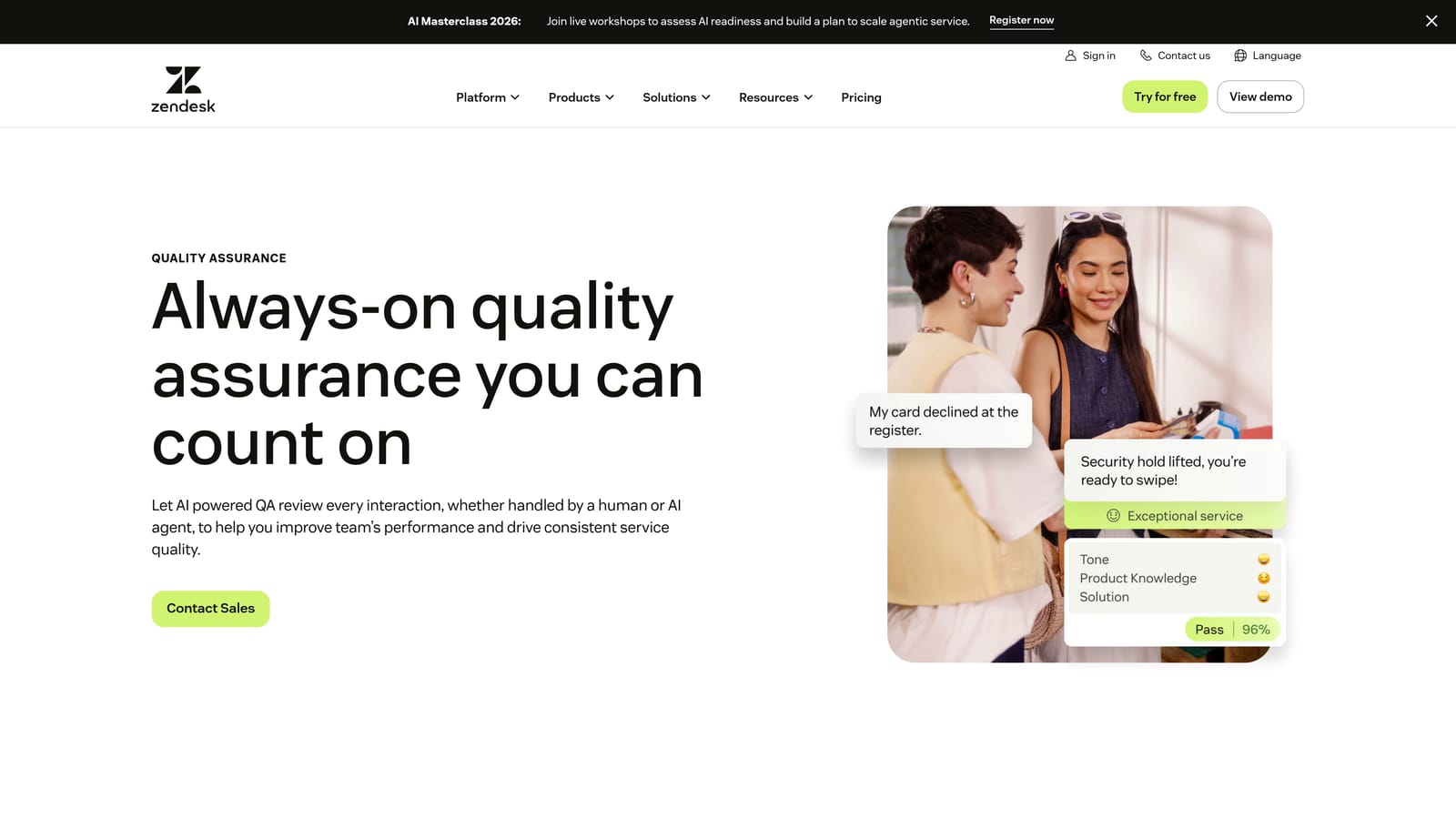
Klaus is a conversation quality management platform that uses AI to automatically review support interactions, score agent performance, and surface coaching opportunities at scale.
Where This Tool Shines
Manual QA reviews are a bottleneck for most support operations: managers can realistically review a small fraction of total conversations, which means quality problems often go undetected until they show up in CSAT scores. Klaus's AutoQA changes that by scoring 100% of conversations automatically, giving managers a complete picture rather than a sampled one.
The CSAT correlation analysis is particularly useful, connecting quality scores to actual customer satisfaction outcomes so you can identify which agent behaviors and interaction patterns actually drive positive results versus which ones just look good on a scorecard.
Key Features
AutoQA: AI-powered automatic scoring of 100% of support conversations against your quality standards.
Customizable Scorecards: Build scoring criteria aligned to your team's specific quality definitions and values.
Coaching Workflows: Structured feedback delivery with agent acknowledgment tracking built in.
CSAT Correlation Analysis: Identifies which quality factors most strongly predict customer satisfaction outcomes.
Helpdesk Integrations: Connects with Zendesk, Intercom, Freshdesk, and other major helpdesk platforms.
Best For
Support teams of any size where quality consistency is a priority, but especially valuable for teams with 10 or more agents where manual review coverage becomes impractical. Now part of the Zendesk ecosystem following acquisition.
Pricing
Contact for pricing. Klaus was acquired by Zendesk and is now offered as part of the Zendesk QA suite. Existing Klaus customers and Zendesk customers should contact sales for current packaging details.
6. Assembled
Best for: Support teams with 20+ agents needing sophisticated workforce forecasting and scheduling
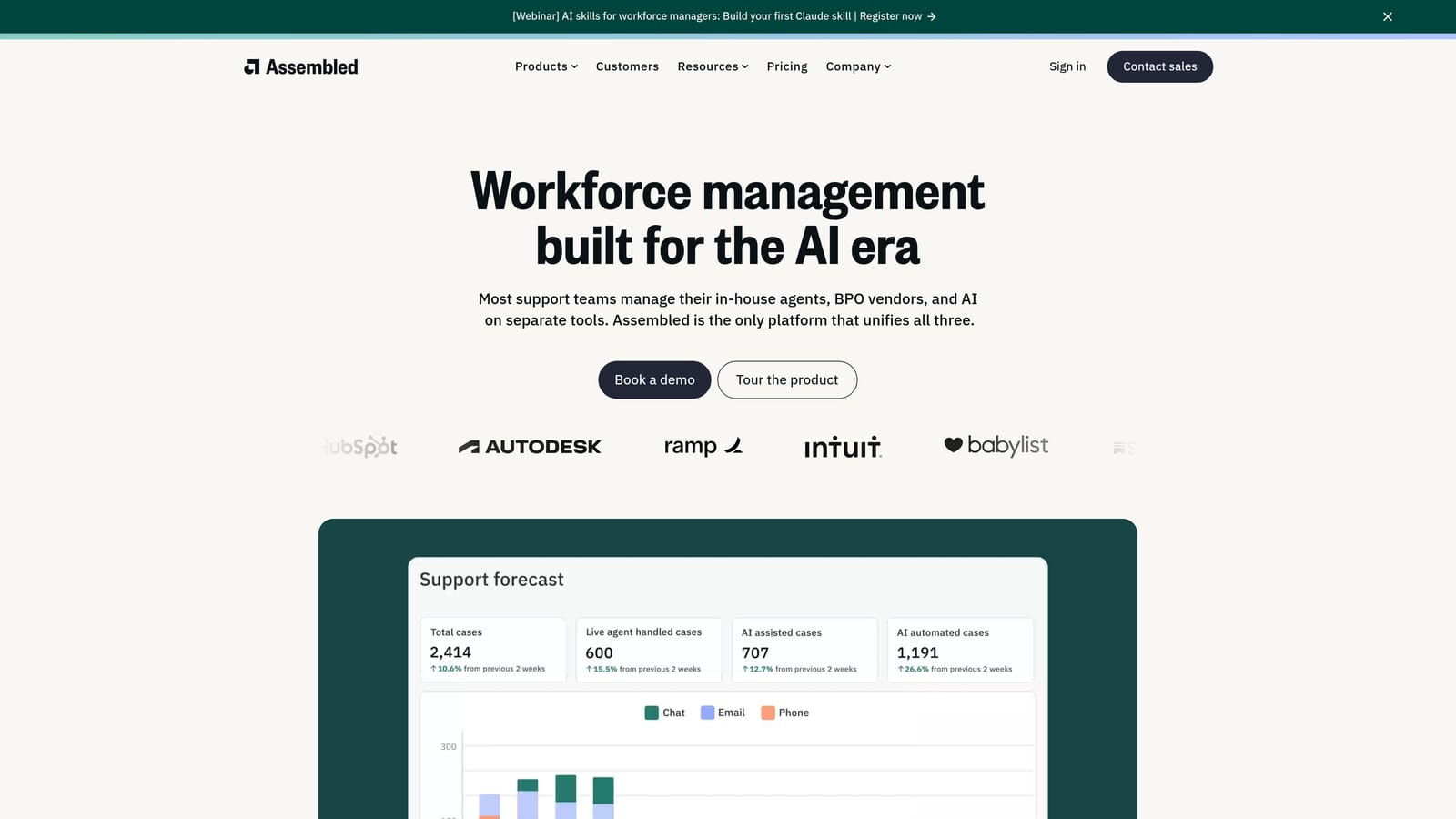
Assembled is a workforce management platform purpose-built for support teams, providing forecasting, scheduling, and real-time adherence tracking to optimize agent capacity and meet SLA commitments.
Where This Tool Shines
Workforce management is one of the most underinvested areas in support operations until teams hit a scaling wall. Assembled's volume forecasting uses historical ticket data and trend modeling to predict staffing needs accurately, which means fewer situations where you're either overwhelmed or overstaffed. The real-time adherence monitoring gives managers immediate visibility into whether agents are on task versus off schedule, without requiring manual check-ins.
Scenario planning for hiring decisions is a genuinely useful feature for support ops leaders who need to make headcount cases to finance. Being able to model "if volume grows 20%, here's when we need to hire" with data behind it changes the conversation.
Key Features
Volume Forecasting: Uses historical ticket data and trend modeling to predict future staffing requirements accurately.
Schedule Builder: Drag-and-drop scheduling with time-off management, shift assignments, and coverage visualization.
Real-Time Adherence: Monitors agent activity against their scheduled tasks and flags deviations in real time.
Scenario Planning: Models capacity gaps and hiring timelines based on projected volume growth.
Helpdesk Integrations: Connects with Zendesk, Salesforce, Intercom, and major HRIS platforms.
Best For
Support operations teams with 20 or more agents, variable inbound volume, and SLA commitments that require precise staffing. Particularly valuable for teams that have outgrown spreadsheet-based scheduling.
Pricing
Contact for pricing. Assembled is typically positioned for teams of 20 or more agents, and pricing is customized based on team size and feature requirements.
7. Guru
Best for: Support teams where inconsistent agent answers and slow information retrieval are driving handle time up
Guru is an AI-powered knowledge management platform that helps support agents find accurate answers instantly, with a browser extension that surfaces relevant knowledge cards directly inside their existing workflows.
Where This Tool Shines
The core problem Guru solves is the knowledge hunt: agents switching between tabs, Slack channels, and internal wikis trying to find the right answer while a customer waits. Guru's browser extension surfaces relevant knowledge cards inside whatever tool the agent is already using, which means the information comes to the agent rather than the agent going to find it.
The knowledge gap analytics are equally useful from an ops perspective. Knowing what agents search for but can't find tells you exactly where your documentation has holes, which turns Guru into a continuous improvement engine for your knowledge base rather than a static repository.
Key Features
AI Search: Surfaces relevant knowledge cards contextually from within any tool the agent is using.
Browser Extension: Delivers in-workflow knowledge access without requiring agents to switch tabs or applications.
Verification Workflows: Keeps knowledge cards accurate with scheduled review cycles and expert ownership assignments.
Knowledge Gap Analytics: Tracks what agents search for but fail to find, highlighting documentation gaps.
Integrations: Connects with Zendesk, Slack, Salesforce, and Chrome for broad workflow coverage.
Best For
Support teams where answer inconsistency, long handle times, or high new-agent ramp time are identified problems. Also strong for teams with distributed or remote agents who can't easily tap a colleague for quick answers.
Pricing
Free plan available for up to three users. Paid plans start at approximately $10 per user per month, making it one of the more accessible tools on this list for smaller teams.
8. Workforce by Zendesk (formerly Tymeshift)
Best for: Zendesk-native teams wanting workforce management without leaving their existing environment
Workforce by Zendesk is a native workforce management tool built into the Zendesk ecosystem, providing real-time agent activity tracking, scheduling, and productivity analytics without requiring a separate login or data sync.
Where This Tool Shines
The primary advantage here is native integration. Because Workforce by Zendesk lives inside the Zendesk environment, it pulls ticket data automatically without any configuration overhead. Time tracking is based directly on actual ticket interactions rather than manual agent input, which means the data is more accurate and the process creates no additional friction for agents.
For teams already committed to Zendesk as their core platform, this is the most frictionless path to workforce management capabilities. Teams evaluating standalone WFM tools like Assembled should weigh the native integration advantage against Assembled's more specialized forecasting depth.
Key Features
Real-Time Agent Tracking: Monitors agent status and activity within the Zendesk environment continuously.
Automated Time Tracking: Logs time based on actual ticket interactions, eliminating manual agent timekeeping.
Shift Scheduling: Forecasting and scheduling powered directly by Zendesk ticket volume data.
Productivity Dashboards: Team and individual performance analytics accessible within the Zendesk interface.
Zero-Friction Integration: No separate login, data sync, or configuration required for Zendesk users.
Best For
Support teams running their operations on Zendesk who want workforce management capabilities without adding another vendor or integration to manage. Best suited for teams that prioritize simplicity and ecosystem consolidation.
Pricing
Available as an add-on to Zendesk Suite plans. Contact Zendesk sales for current pricing, as packaging may vary based on your existing plan tier.
9. Chargebee Retention
Best for: SaaS support ops teams whose scope includes churn prevention and cancel-flow management
Chargebee Retention is a specialized tool that automates the cancel-flow experience, routing at-risk customers to personalized retention offers and pause options before they churn.
Where This Tool Shines
This one sits at an interesting intersection: it's not a traditional support tool, but for SaaS support ops teams whose responsibilities include churn prevention, it fills a gap that no standard helpdesk covers. The cancel flow is often the last touchpoint before a customer leaves, and Chargebee Retention turns that moment into a structured, personalized experience rather than a dead-end form.
The A/B testing of retention offers is what elevates this beyond a simple deflection widget. Over time, you build a data-driven picture of which offers resonate with which customer segments, turning the cancel flow into an optimized retention engine. The cancellation reason capture also feeds valuable signal back to product and support teams about why customers are leaving.
Key Features
Automated Cancel Flow: Routes customers to personalized deflection offers, pause options, or downgrade paths based on their segment.
A/B Testing: Tests retention offers against each other to optimize save rates over time.
Cancellation Reason Capture: Collects structured churn reasons for product and support intelligence.
Billing Integrations: Connects with Chargebee, Stripe, and major subscription billing platforms.
Retention Analytics: Dashboard showing save rates, revenue retained, and churn reason breakdowns.
Best For
SaaS companies where the support ops team owns or influences churn prevention, particularly those with self-serve cancel flows where customers can leave without ever speaking to a human. Strong fit for subscription businesses with multiple plan tiers that can offer meaningful pause or downgrade alternatives.
Pricing
Contact for pricing. Chargebee Retention typically uses a model based on a percentage of retained revenue or a flat subscription, depending on your volume and configuration.
Which Tool Is Right for Your Team
No single tool solves every support ops challenge. The most effective teams typically layer their tooling intentionally: a core helpdesk or AI resolution platform, a quality and analytics layer, and a knowledge management layer working together rather than in isolation.
Here's a practical way to think about where to start based on your primary bottleneck:
If ticket volume and resolution speed are your biggest problems: Start with an AI-first platform. Halo AI or Intercom's Fin AI are the strongest options here, with Halo offering the additional advantage of page-aware context and business intelligence that extends well beyond basic deflection.
If scheduling complexity and SLA adherence are the pain points: Workforce management tooling pays off quickly. Assembled is the stronger choice for teams that need deep forecasting; Workforce by Zendesk is the right call if you want native integration without adding a vendor.
If agent quality is inconsistent: Klaus creates immediate coaching leverage by scoring 100% of conversations automatically, surfacing problems that manual review would miss entirely.
If agents are spending too long hunting for answers: Guru's in-workflow knowledge surfacing reduces handle time and improves answer consistency without requiring agents to change how they work.
For B2B SaaS teams specifically, Halo AI addresses the broadest surface area from a single platform: autonomous resolution, page-aware product guidance, automatic bug detection, and business intelligence signals that connect support to revenue. That's a stack that would otherwise require several point solutions working in concert.
Your support team shouldn't scale linearly with your customer base. Let AI agents handle routine tickets, guide users through your product, and surface business intelligence while your team focuses on complex issues that need a human touch. See Halo in action and discover how continuous learning transforms every interaction into smarter, faster support.