User Onboarding Automation Guide for B2B SaaS
Learn how user onboarding automation cuts time-to-value, lifts activation, and scales B2B SaaS growth with proven patterns, metrics, and architecture tips.
 Grant CooperFounder13 min read
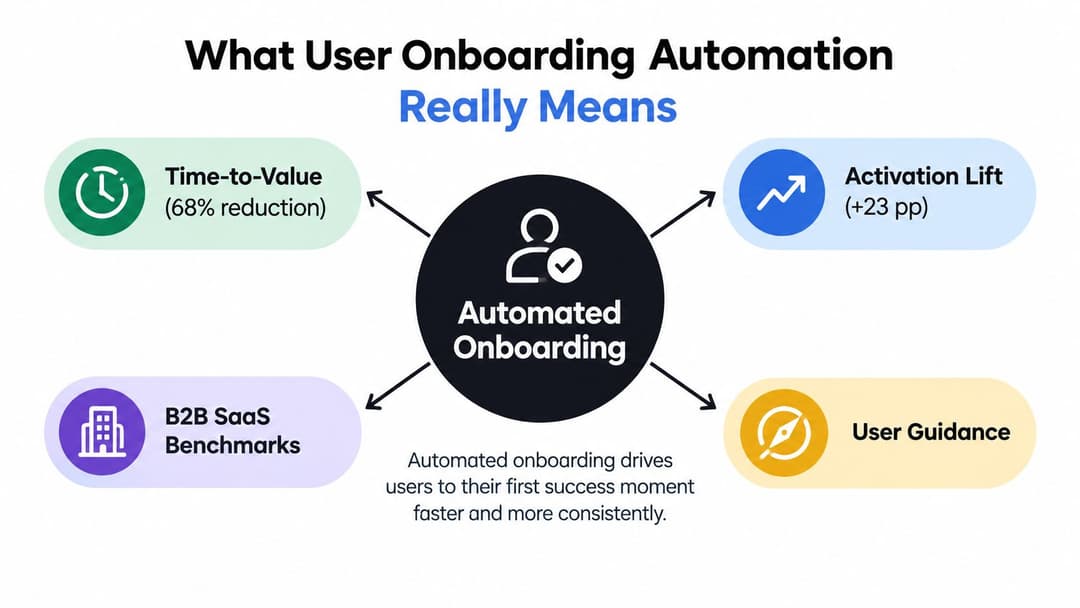
Automated onboarding reduced median time-to-value from 44 days to 14 days, a 68% improvement, while completion increased from 61% to 84% in a 2024 customer onboarding study. The same result included a 23-percentage-point activation lift, showing that automation can move users to value faster when it responds to behavior instead of sending everyone the same sequence.
That result is compelling, but it doesn't mean every onboarding flow needs more emails, more tours, or an AI chatbot. The difficult work is building a system that sees where users stall, resolves routine exceptions, and recognizes when the bottleneck is missing customer information rather than product confusion.
For B2B SaaS teams, effective user onboarding automation connects product telemetry, decision logic, and human escalation. It helps each user reach a meaningful outcome while giving customer success, product, and revenue teams a reliable view of what happened and what needs attention.
What User Onboarding Automation Really Means
The 2024 study's numbers provide a useful north star: automated onboarding reduced median time-to-value from 44 days to 14 days, while onboarding completion rose from 61% to 84%. The study also reported a 52% reduction in first-30-day support ticket volume and a 38% increase in customer satisfaction. Those results support a practical definition of user onboarding automation, but only when automation is treated as a system rather than a message schedule. (2024 customer onboarding automation study)
User onboarding automation is a closed-loop system that captures product behavior, decides what should happen next, delivers relevant guidance, and records the outcome for the next decision. A welcome email is one-way communication. A closed-loop flow notices whether the recipient created a workspace, branches if they haven't, and stops reminding them about a completed task.
The three connected layers
A dependable stack has three components:
- Telemetry: Product analytics captures events such as signup, first login, data import, permission completion, and the first meaningful value moment.
- Decision layer: Rules or AI interpret those signals, segment users by role, plan, use case, and behavior, then select the next best action.
- Delivery surfaces: In-app guidance, email, chat, and AI agents reach users in the context where they can act.
Legacy onboarding usually has a static checklist, a welcome sequence, and a handoff to a CSM when something goes wrong. That model can support a small customer base, but it gives teams limited feedback about silent failures and makes personalization expensive.
Practical rule: Automate the decision and the follow-up, not just the send.
The best flows also account for the difference between a guided product experience and an operational workflow. Teams evaluating designing AI onboarding flows should ask how the design handles branching, incomplete data, and escalation, not only how quickly it creates screens. A useful reference for the broader operating model is Halo's automated user guidance system, particularly when in-product help must connect with support context.
The Onboarding Funnel Before and After Automation
A 2019 SaaS workflow analysis shows why automation has the greatest impact near the start of the journey. Of all signups, 5% were discarded as duplicates or spam, 78% connected a CRM and were technically eligible, 42% configured the product enough to use it, 31.7% actively engaged with key features, and 16% of all signups converted from trial to paid after reaching the most engaged stage. (2019 SaaS onboarding workflow analysis)
The dataset doesn't provide a complete manual-versus-automated conversion percentage for every named stage, so the comparison below keeps the verified funnel values tied to the stages it describes rather than manufacturing a false precision.
| Funnel Stage | Manual Conversion | Automated Conversion | Lift |
|---|---|---|---|
| Signup quality | 95% remain after duplicate or spam removal | 95% remain after automated filtering | Removes invalid records early |
| CRM connection | 78% | 78% | Eligibility is not activation |
| Product configuration | 42% | 42% | Automation focuses help at the setup barrier |
| Key feature engagement | 31.7% | 31.7% | Contextual prompts support discovery |
| Trial to paid after high engagement | 16% of all signups | 16% of all signups | Depends on reaching the engaged stage |
The lesson is less about adding content and more about removing ambiguity. A user who receives a prompt after importing data gets guidance at the moment of need. A standard account can move through routine qualification without waiting for manual CSM triage. An adaptive checklist can show an administrator configuration tasks while showing an end user the actions relevant to daily work.
Where the funnel changes
Automation compresses the front of the funnel. It can filter poor-quality records, identify technical eligibility, prompt configuration, and respond to stalled feature discovery. It doesn't automatically solve customer-side delays, unclear ownership, integration complexity, or the internal business case for expansion.
That distinction matters when moving from white glove to scalable workflow. The scalable version isn't a human process with every task copied into software. It's a redesigned flow that reserves human effort for ambiguity, risk, and strategic value. Teams can map the detailed path in customer journey mapping, then decide which stage needs automation and which needs a person.
Core Automation Patterns That Drive Activation
Four patterns repeatedly form the operating foundation for B2B SaaS onboarding. They work best together, but each solves a different kind of friction.
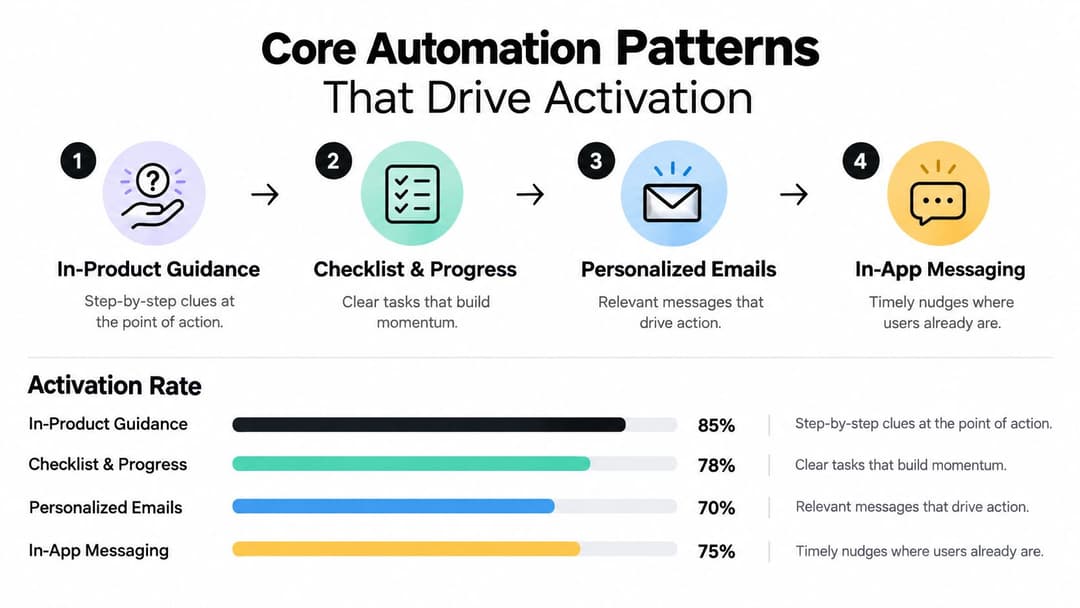
In-product guidance
Tooltips, hotspots, checklists, and role-based tours help users act while they're already inside the product. Segmentation should reflect the user's role, use case, and goal. A finance administrator may need permissions and billing setup, while an analyst needs to connect data and publish a report.
Static tours often fail because they explain the interface before the user has a reason to use it. Behavior-triggered guidance is more useful. A checklist can reveal the next task after the user completes an import, hide irrelevant steps, and escalate when the user repeatedly opens the same help panel without completing the action.
Email and drip flows
Email remains important in multi-stakeholder implementations. The buyer may need a progress summary, the administrator may need setup instructions, and end users may need reminders to complete invitations or use a key feature.
A useful flow branches from events rather than calendar dates:
- Trial signup sends expectations and the first recommended action.
- Workspace creation sends setup guidance to the administrator.
- Stalled usage sends a focused recovery message or creates a CSM task.
- Completed activation stops setup reminders and introduces the next adoption opportunity.
Each message needs one purpose. A long email that combines setup, training, documentation, and expansion creates more reading than action.
Autonomous agents
An AI onboarding assistant can answer setup questions in natural language, retrieve relevant product documentation, and route uncertainty to a human. The important design choice is the fallback. An agent should know when it lacks enough context, when a policy decision is required, and when a repeated failed attempt signals product confusion.
Use an AI workflow automation guide to think through permissions, context retrieval, and escalation boundaries before deploying an agent. For practical guidance on message placement and timing, review in-app messaging best practices.
Event-driven triggers
Event-driven orchestration connects product behavior to the rest of the customer stack. A first data import can trigger an invitation prompt. A seat count crossing a defined threshold can prompt SSO setup. A usage drop can flag an account for review.
The trigger should represent a meaningful state change, not a convenient timestamp. Perspective's 2026 benchmark notes that self-triggered tours can double engagement versus blanket-triggered automated tours, reinforcing the value of contextual intervention. (2026 onboarding activation benchmark)
These patterns compound when connected. Product events feed guidance, guidance outcomes update email branches, agents handle routine questions, and exceptions reach CSMs with the context needed to act.
Implementation Checklist and Data Requirements
The safest implementation sequence is to build the data foundation before authoring a large library of messages. A five-phase plan keeps the work testable.
Phase one, instrument events
Define the events that describe progress:
- Signup: Record account creation, acquisition context, and stated goal.
- First session: Capture the first authenticated product visit.
- Key feature use: Track the action that indicates meaningful exploration.
- Value moment: Define the event that proves the user has achieved an outcome.
Store an event name, account identifier, user identifier, timestamp, source, and relevant properties. Product analytics should send these events to a warehouse or customer data platform within five minutes of occurrence, so a user isn't shown guidance for a state they've already completed.
Phase two, unify identity
Anonymous browser activity, authenticated users, accounts, and CRM records need a durable identity model. Without that connection, the product can trigger an in-app guide while the sales owner remains unaware that an account is stalled.
Document the source of truth for each identity field and define how conflicts are resolved. Your data model should support at least role, plan, industry, account owner, lifecycle stage, and implementation status. Teams working through customer data integration should treat identity resolution as an operating requirement, not an optional enhancement.
Phase three, author flows
Start with the highest-friction path, not every possible persona. Write the activation event first, then define the prerequisite tasks, the success branch, the stall branch, and the escalation branch.
Phase four, wire delivery
Connect the product analytics SDK, messaging provider, in-product guidance engine, CRM, and support system. Test suppression logic so completed users don't receive obsolete reminders.
Phase five, close the loop
Create an exception queue for dropped events, misfired triggers, unsynced identities, and failed deliveries. Assign owners and review the queue weekly before expanding traffic. IBM's onboarding guidance emphasizes aggregating account data and tracking activation and completion KPIs, which supports this closed-loop operating model. (IBM onboarding automation guidance)
Key Metrics That Prove Automation Is Working
A dashboard doesn't prove onboarding works because it contains many charts. It proves value when each metric has a defined event, denominator, owner, and decision cadence.
Activation
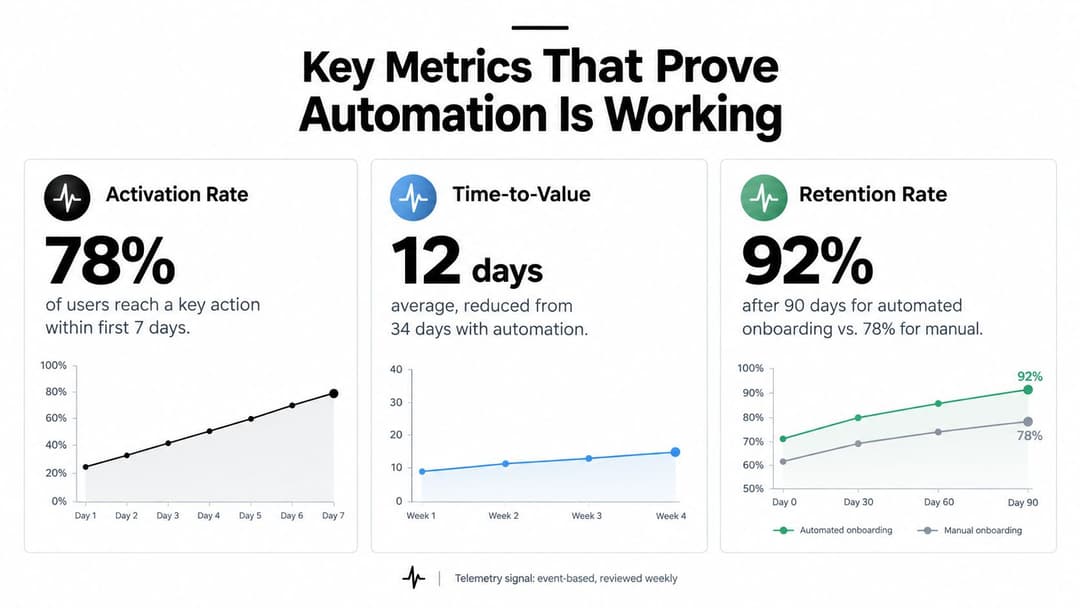
Activation is activated users divided by total new users, multiplied by 100. The activation event should represent a real value moment, such as publishing a workflow, inviting a teammate, or completing a first data-backed task. It shouldn't be a login count or a tour completion unless those actions predict value. (Appcues onboarding metrics guidance)
Set a fixed window, such as seven days, and segment the result by role, plan, acquisition channel, and product path. A single aggregate rate can hide a serious problem for administrators or integration-heavy accounts.
Time-to-value
Track the median time from signup to the first value moment. Segment it by role and acquisition channel so the team can distinguish a flow problem from an audience-fit problem. A large SaaS benchmark measured average time-to-value at 1 day, 12 hours, and 23 minutes across 547 SaaS companies, confirming that teams can manage this as an operational metric rather than a vague aspiration. (Userpilot onboarding metrics benchmark)
Retention and review ownership
Read retention by cohort rather than by individual anecdotes. Compare the treatment cohort with the pre-automation baseline and review downstream retention with customer success leadership. Growth and product should review activation and time-to-value weekly, while customer success leadership reviews retention monthly.
Measurement rule: If a metric doesn't change a flow, a staffing decision, or an escalation policy, it isn't yet an operational KPI.
Drop-off rate belongs beside activation. Calculate it for each step as the percentage of users who start that step but don't complete it, using that step's denominator. This reveals whether a low activation result begins at import, permissions, configuration, or the value action itself.
Common Pitfalls and How to Mitigate Them
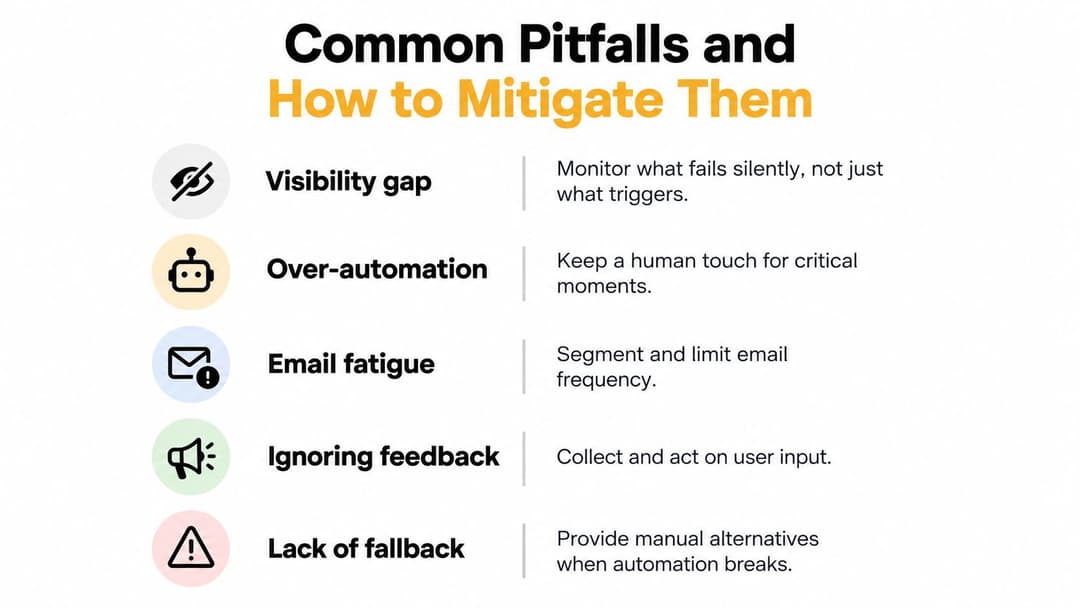
Automation can remove visible manual work while creating invisible failure. A 2026 onboarding survey found that 62% of CS leaders lacked real-time visibility into customer progress, while only 26% of SaaS companies were actively investing in onboarding automation. The gap suggests that many teams automate task handling without building monitoring, escalation, and recovery. (2026 onboarding survey)
The visibility gap
A dashboard may show that a trigger fired without showing that the email was suppressed, the feature flag blocked the guide, or the identity record failed to sync. Build an event dead-letter table, an exception queue, and an owner rota. Monitor failures as carefully as successful sends.
The customer-input bottleneck
Automation can't manufacture a missing data export, an unresolved approval, or an answer from the customer's security team. Independent onboarding research found that 86% of businesses still depend on email, 56% experience onboarding delays, and waiting on client information is the leading cause at 64%. (Customer onboarding delay research)
Mitigation starts with reducing the amount of information required before value. Defer non-blocking questions, pre-fill known fields from CRM and enrichment data, and let an agent infer answers only where policy allows. Manual software environment preparation and manual error resolution or data formatting were recurring challenges reported by every CSM interviewed in the related academic research, so exception handling needs explicit ownership rather than optimistic automation.
Fatigue and false success
Over-orchestration creates too many touches. Apply frequency limits, suppress completed steps, and combine related prompts. Metrics theater is another risk. Teams sometimes redefine activation to flatter performance instead of measuring the product outcome that matters.
Build vs Buy and Vendor Architecture Choices
The right architecture depends on your event model, onboarding urgency, and capacity to maintain identity resolution and content variants. Native builds offer control, best-of-breed tools launch faster, and hybrid models retain existing systems while adding a decision layer.
| Dimension | Build In-House | Best-of-Breed, e.g. Pendo, Appcues | Hybrid with AI-Native Layer, e.g. Halo AI |
|---|---|---|---|
| Time to launch | Slower, because product and data teams own the foundation | Faster for standard guidance and messaging | Moderate, with existing systems retained |
| Flexibility | High, if engineering maintains the model | Strong within vendor capabilities | High across rules, context, and escalation |
| Maintenance | Internal ownership of schemas, identity, and variants | Vendor platform plus integration upkeep | Shared ownership across the data stack and AI layer |
| Exception handling | Must be designed and staffed internally | Often requires custom workflows | Can route context-rich exceptions to humans |
| Governance | Full control, higher operating burden | Vendor controls plus internal policies | Requires clear AI guardrails and approval paths |
| Cost of ownership | Engineering time and infrastructure | Subscription and integration costs | Platform, integration, and oversight costs |
A native build fits when onboarding logic is part of the product and the company already maintains a mature analytics stack. Point solutions suit immediate needs such as in-app guidance, checklists, or campaign orchestration. Their weakness appears when several systems use different event names, identity records, or completion states. That inconsistency makes real-time visibility harder and turns exception handling into manual reconciliation.
For teams with Segment or RudderStack, a CRM, a product data warehouse, and reverse-ETL, a hybrid model can preserve existing investments. A rules engine coordinates systems, while an AI-native layer summarizes onboarding signals, routes exceptions, and reduces the content production bottleneck. Halo AI can use product and customer context to guide users, answer support questions, and hand complex cases to people. This does not remove the customer-input bottleneck. Missing exports, approvals, and security answers still require a customer or an operator.
Review customer onboarding automation tools by the operating problem they solve, not by feature count. Compare event coverage, identity handling, governance, AI guardrails, escalation quality, integration depth, and total cost of ownership over a 12-month horizon. A polished demo can hide failed events, stale identity mappings, and unclear ownership when a workflow stops.
Ask vendors to show failure logs, replay and recovery options, audit trails, and the handoff path for unresolved cases. Test whether operators can change a flow without engineering support, and whether those changes remain governed. The strongest architecture makes successful journeys visible while giving people a clear queue for exceptions and customer-dependent work.
Turning Automation Into a Continuous Loop
A mature onboarding program treats activation, time-to-value, retention, and exception handling as inputs to one monitoring loop. The loop combines product usage events, support tickets, qualitative feedback, and account health scores. Product owns event quality, customer success owns account context, support owns recurring issue themes, and operations owns the change log.
Use a cadence that matches the speed of failure:
- Daily anomaly checks: Look for missing events, unusual stalls, and delivery failures.
- Weekly flow tuning: Adjust prompts, branches, and escalation rules based on observed behavior.
- Monthly cohort retrospectives: Compare activation, time-to-value, and retention across cohorts.
- Quarterly strategy resets: Revisit the activation definition, coverage model, and investment priorities.
Document every change, its reason, its owner, and the expected metric movement. That prevents teams from changing copy or branching logic without knowing whether the result improved the journey.
A practical rollout can follow a 30-60-90 day sequence. During the first month, instrument the core events and unify identity. During the second, ship two priority flows focused on the largest activation barriers. By day 90, stand up a review board that owns anomalies, experiments, exceptions, and escalation policy.
Halo AI provides autonomous agents that can guide users through the product, answer onboarding questions using connected documentation and operational context, and hand complex issues to human teams with session details. Visit Halo AI to evaluate whether its page-aware guidance and cross-system context fit your onboarding automation architecture.
How Halo helps
Halo gives customer success teams one AI brain across tickets, calls, CRM, and product usage — so churn signals surface before renewal conversations, not after. Learn more about Halo for customer success teams.