Customer Service Automation: The Complete Guide to Scaling Support Without Scaling Headcount
Customer service automation enables B2B companies to handle growing ticket volumes without proportionally increasing headcount by automating repetitive inquiries like password resets and order tracking. This approach frees support teams to focus on complex, high-value customer issues while maintaining the instant, personalized service that customers expect in 2026.
 Matt PattoliFounder19 min read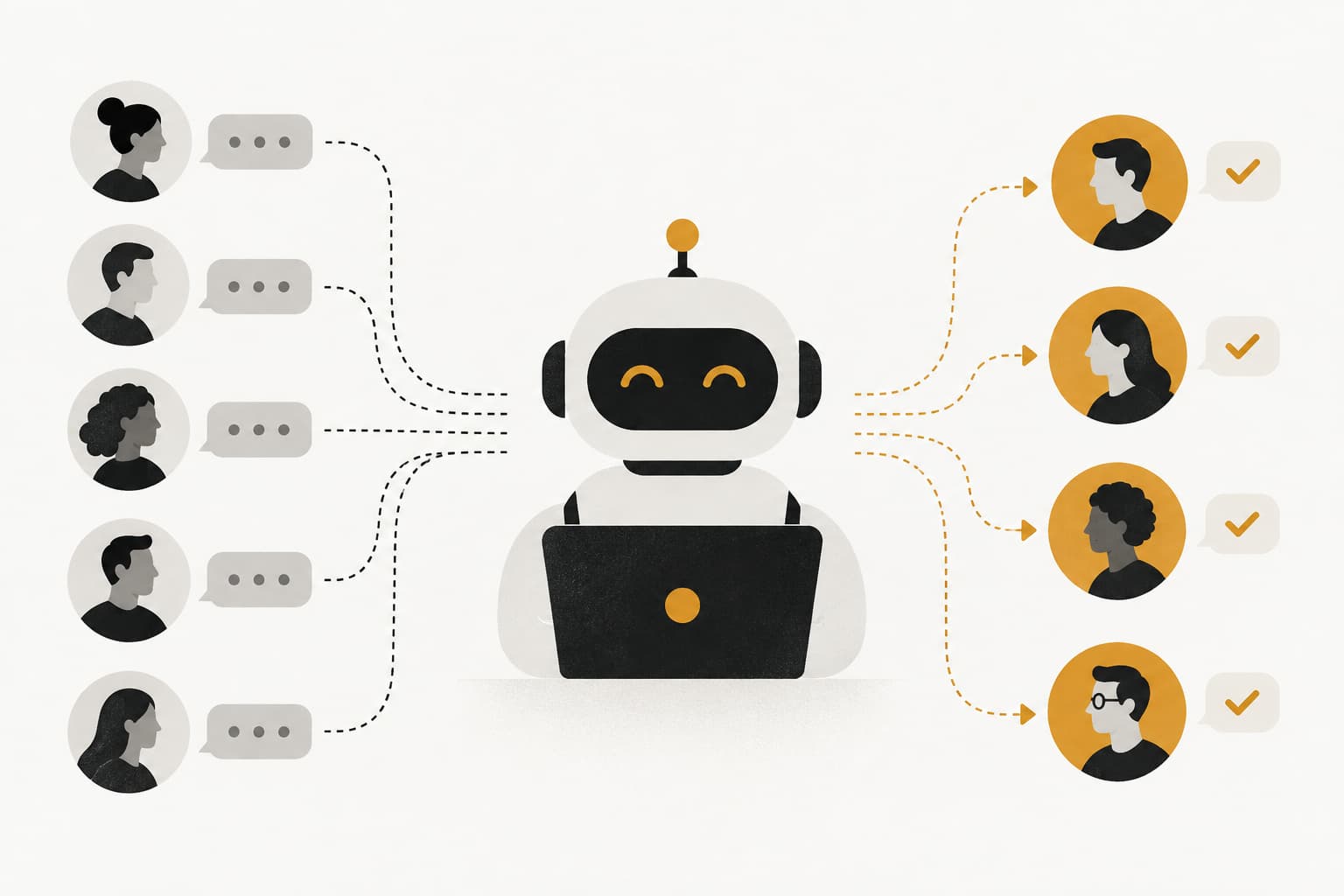
Your support inbox hits 500 tickets on Monday morning. By Tuesday, it's 800. Your team is drowning in "How do I reset my password?" and "Where's my order?" while critical customer issues wait hours for attention. You hire another support agent, then another, but ticket volume grows faster than headcount ever could.
Sound familiar?
Here's the tension every B2B company faces in 2026: customer expectations have never been higher, while support teams have never been more stretched. Customers expect instant responses, personalized help, and seamless experiences across every touchpoint. Meanwhile, your agents are copy-pasting the same answers to the same questions, watching their queue grow longer by the hour.
Customer service automation promises a way out of this cycle. But let's be clear about what we're talking about. This isn't about replacing your support team with robotic responses that frustrate customers. It's about amplifying what your team can do—letting AI handle the predictable so humans can focus on the complex, relationship-building work that actually moves the needle.
The challenge? Separating signal from noise. The market is flooded with solutions claiming to "revolutionize" support, from basic chatbots that barely understand user questions to sophisticated AI agents that learn from every interaction. Some automation genuinely resolves issues and improves customer experience. Other automation just deflects tickets without solving problems, creating a worse experience than waiting for a human agent.
This guide cuts through the hype. We'll explore what customer service automation actually looks like in 2026, break down how modern systems work, identify where automation excels (and where it falls short), and give you a practical framework for evaluating whether—and how—to implement it in your business. By the end, you'll understand the full landscape and have a clear path forward for scaling support without scaling headcount.
Beyond Chatbots: What Modern Customer Service Automation Actually Looks Like
Let's start by clearing up what customer service automation actually means, because the term covers a surprisingly wide spectrum of capabilities.
At the simplest level, you have rule-based workflows. Think of these as "if-this-then-that" logic applied to support tickets. A customer emails about billing, the system automatically tags it "billing" and routes it to your finance team. Someone submits a password reset request, the system sends a templated response with instructions. These workflows are predictable, reliable, and limited to exactly what you program them to do.
Next up the sophistication ladder: AI-powered responses. These systems use natural language processing to understand what customers are asking and generate contextually relevant answers by pulling from your knowledge base or past ticket resolutions. They can handle variations in how people phrase questions and provide more nuanced responses than rigid templates. But they're still fundamentally reactive—responding to questions without necessarily understanding the broader context of who's asking or why.
At the cutting edge: fully autonomous AI agents. These systems don't just respond to tickets—they understand user intent, recognize what page of your product someone is viewing, recall conversation history, and take meaningful action to resolve issues. They learn from every interaction, improving their responses over time without manual retraining. They know when they're confident enough to resolve an issue autonomously and when to escalate to a human agent. Understanding how an AI support agent operates is essential for evaluating modern automation solutions.
Here's the key difference that matters for your business: the first two approaches deflect tickets. The third approach actually resolves them.
The evolution from scripted chatbots to context-aware AI represents a fundamental shift in what automation can accomplish. Early chatbots frustrated customers because they operated on keyword matching and rigid conversation flows. Ask a question slightly differently than expected, and you'd hit a dead end. The bot couldn't understand intent, couldn't see what you were trying to do in the product, and couldn't adapt its response to your specific situation.
Modern AI agents operate differently. They understand that "I can't log in," "login broken," and "authentication not working" all describe the same problem. They recognize whether you're a new trial user or a paying customer with 50 seats. They see that you're stuck on the billing page versus the onboarding flow. They pull relevant context from your previous tickets, your account status, and your product usage patterns.
This context awareness transforms automation from a frustrating roadblock into a genuinely helpful experience. When an AI agent can see what you see, understand what you're trying to accomplish, and provide guidance that actually moves you forward, automation stops feeling like automation. It just feels like good support.
The distinction between deflection and resolution matters enormously for customer satisfaction. Deflection-focused automation measures success by how many tickets it prevents from reaching human agents. Resolution-focused automation measures success by how many customer problems it actually solves. The first approach optimizes for company efficiency at the expense of customer experience. The second approach improves both simultaneously.
The Anatomy of an Automated Support System
Understanding how modern support automation actually works helps you evaluate solutions and design effective implementations. Let's break down the core components that make these systems function.
First, ticket classification. When a support request arrives—whether through email, chat, or in-app messaging—the system needs to understand what it's dealing with. Is this a billing question? A technical bug? A feature request? Classification happens through AI models trained on your historical tickets, learning to recognize patterns in how customers describe different types of issues. Accurate classification is crucial because it determines everything that happens next.
Next comes intelligent routing. Based on classification, the system decides where this ticket should go. Simple routing sends billing questions to the billing team. Intelligent routing considers additional factors: customer priority level, agent expertise and current workload, issue complexity and urgency, and whether automation can handle this autonomously. The best routing systems learn from outcomes—if tickets routed to Agent A consistently get resolved faster than those routed to Agent B for a specific issue type, the system adjusts accordingly.
Then we have automated responses. For issues the system can handle confidently, it generates and sends resolutions without human intervention. This isn't just pulling templated text—it's constructing contextually appropriate responses that address the specific customer situation. The AI draws from your knowledge base, past successful resolutions, product documentation, and real-time context about what the customer is experiencing. Exploring AI powered chat capabilities reveals how these systems generate intelligent responses at scale.
Equally important: escalation triggers. Sophisticated automation knows its own limitations. It monitors confidence levels in its responses, recognizes when a conversation is going in circles, detects frustration in customer language, and identifies issues that require human judgment or empathy. When these triggers fire, the system hands off seamlessly to a human agent, providing full context about what's already been tried and discussed.
Finally, feedback loops enable continuous improvement. Every resolution—whether automated or human-handled—generates data. Did the customer mark the response as helpful? Did they come back with a follow-up question? How long did resolution take? This feedback trains the AI to improve its classification accuracy, response quality, and escalation decisions over time.
Now, here's where integration architecture becomes critical. None of these components work in isolation. The most effective automated support systems connect deeply with your entire business stack.
Integration with your helpdesk platform provides ticket history and customer communication threads. Connection to your CRM surfaces account details, subscription status, and relationship history. Links to your product analytics show what features customers are using and where they're getting stuck. Integration with development tools like Linear or Jira enables automatic bug ticket creation when patterns emerge. Connections to communication platforms like Slack keep your team informed about critical issues requiring attention. A comprehensive chatbot integration strategy ensures all these systems work together seamlessly.
This integration depth is what enables truly context-rich automation. When the AI can see that a customer asking about a feature is on your Enterprise plan, has been a customer for two years, and is currently viewing your settings page, it can provide a dramatically more relevant response than a system working with just the ticket text.
Knowledge bases play a special role in this ecosystem. They're not just repositories of articles for customers to search—they're training data for AI systems. The AI learns from your documentation, past ticket resolutions, and product guides to understand how your team explains concepts and solves problems. As your knowledge base grows and improves, so does the AI's ability to provide accurate, helpful responses.
Where Automation Excels (And Where It Doesn't)
Let's get practical about what customer service automation can actually handle well, and where it still falls short. Understanding these boundaries helps you implement automation strategically rather than expecting it to solve every support challenge.
Automation excels at high-volume, pattern-based issues. Password resets are the classic example—customers need them constantly, the solution is always the same, and there's no ambiguity about what success looks like. Send the reset link, confirm it worked, done. Similarly, order status inquiries follow predictable patterns. Customers want to know where their order is, when it will arrive, or if there's a delay. Automation can pull this information from your systems and present it clearly without human intervention.
Feature questions represent another sweet spot. When customers ask "How do I export data?" or "Can I customize my dashboard?" they're looking for information that exists in your documentation. AI agents can not only retrieve this information but explain it in context of what the customer is trying to accomplish. Even better, they can provide visual guidance—showing users exactly where to click and what to expect. The benefits of chatbot automation become most apparent when handling these repetitive inquiries.
Billing inquiries often follow predictable patterns too. Questions about invoice dates, payment methods, subscription changes, and refund policies can be handled autonomously when the AI has access to your billing system. The key is providing specific, account-relevant information rather than generic policy statements.
Bug report creation is an underrated automation opportunity. When customers describe issues, AI can recognize technical problems, gather relevant diagnostic information, categorize the severity, and create properly formatted tickets in your development tools. This ensures bugs get documented consistently and reach your engineering team faster.
But automation has clear limitations, and acknowledging them honestly is crucial for maintaining customer trust.
Complex technical issues that require troubleshooting across multiple systems or investigating unique edge cases still need human expertise. When a customer reports that "sometimes the dashboard doesn't load, but only on Tuesdays, and only for certain user roles," you need an agent who can dig into logs, test hypotheses, and think creatively about root causes.
Emotionally charged situations demand human empathy and judgment. A frustrated customer who's been dealing with a problem for days doesn't want to talk to a bot, no matter how sophisticated. A customer threatening to churn needs a human who can understand their concerns, make judgment calls about accommodations, and rebuild the relationship.
Novel problems that don't match historical patterns challenge even advanced AI. When customers encounter issues you've never seen before, or ask questions about newly launched features, automation may lack the context and examples needed to provide confident responses.
This is where intelligent handoff becomes critical. The best automated systems recognize their own limitations. They monitor confidence levels in their responses, watching for signs they're not actually helping. They detect frustration in customer language—repeated questions, negative sentiment, explicit requests to speak with a human. They identify issues requiring judgment calls, policy exceptions, or relationship management.
When these signals appear, sophisticated systems don't just dump the ticket into a general queue. They escalate gracefully, providing the human agent with full context: what the customer has already tried, what the AI has already explained, why the escalation happened, and what the customer's emotional state seems to be. This seamless handoff means customers never feel like they're starting over or talking to a system that doesn't understand their situation.
The goal isn't to automate everything. It's to automate what can be automated well, and ensure humans focus their time on issues where they add unique value—complex problem-solving, relationship building, and situations requiring empathy and judgment.
Measuring What Matters: Automation ROI Beyond Ticket Deflection
Most companies measure automation success with a single metric: ticket deflection rate. How many tickets did the bot handle without human involvement? While this number matters, it's dangerously incomplete. It tells you about efficiency but nothing about effectiveness. It measures what didn't happen, not what value was created.
Let's talk about metrics that actually matter for your business.
Resolution quality comes first. Did the automated response actually solve the customer's problem? You can measure this through follow-up questions—if customers come back asking the same thing differently, the initial resolution failed. Customer satisfaction scores on automated interactions provide direct feedback. Resolution permanence matters too—did this customer encounter the same issue again within a week?
Customer effort score reveals how hard customers had to work to get help. Automation should reduce effort, not increase it. Track metrics like number of messages exchanged before resolution, time from initial contact to problem solved, and whether customers had to repeat information or context. Low-effort resolutions indicate automation that genuinely helps. High-effort resolutions suggest automation that creates friction. Setting up proper chatbot analytics is essential for tracking these performance indicators.
Time-to-resolution shows how quickly customers get unstuck. This matters more than ticket deflection because customers care about getting help fast, not about whether a human or AI provided that help. Compare automated resolution times against human-handled tickets for similar issues. If automation resolves password resets in 30 seconds versus 2 hours in the queue for a human agent, that's meaningful value.
Agent satisfaction is often overlooked but crucial for sustainable automation. Are your human agents happy that routine tickets are handled automatically, freeing them for more interesting work? Or are they frustrated by poor handoffs and customers who arrive angry after failed automation attempts? Survey your team regularly about automation quality and handoff effectiveness.
But here's where automation delivers value that goes far beyond traditional support metrics: business intelligence.
Customer health signals emerge from support interactions. When a customer who normally submits one ticket per quarter suddenly submits five in a week, that's a churn risk signal. When enterprise customers start asking basic questions about features they've used for months, they might be onboarding new team members—an expansion opportunity. Advanced automation systems surface these patterns to your customer success team before small issues become big problems. Understanding how AI customer engagement works reveals how these insights drive business outcomes.
Feature request patterns reveal product priorities. When automation handles hundreds of conversations daily, it can identify emerging themes in what customers want. Maybe 30 customers this month asked about exporting to a specific file format. That's signal your product team needs. Traditional support tickets might capture these requests, but they're buried in individual conversations. AI systems can aggregate and surface these patterns automatically.
Revenue intelligence comes from connecting support data with billing information. Which issues are affecting your highest-value customers? Are certain problems concentrated in specific pricing tiers? When customers mention competitors or express pricing concerns, that's valuable intelligence for your sales and product teams. Automation that connects across your business stack can surface these insights in real-time.
Anomaly detection identifies problems before they escalate. If ticket volume for a specific feature suddenly spikes, something's wrong. If resolution times for a certain issue type are increasing, your documentation might be outdated or the problem is getting more complex. AI systems can detect these anomalies and alert your team proactively.
The compounding value of continuous learning separates sophisticated automation from static systems. Rule-based workflows deliver the same output forever unless you manually update them. AI systems that learn from every interaction improve over time. Each resolved ticket makes the system slightly better at handling similar issues. Each escalation teaches it to recognize edge cases earlier. Each customer satisfaction rating refines its understanding of what constitutes a good resolution. Measuring chatbot ROI requires accounting for this compounding improvement over time.
This means automation ROI isn't static—it compounds. A system that resolves 60% of tickets in month one might resolve 70% in month six and 80% in month twelve, without additional development work. The quality of those resolutions improves too, as the AI learns more nuanced ways to explain concepts and address different customer situations.
When you measure automation this way—looking at resolution quality, customer effort, business intelligence, and continuous improvement—you get a complete picture of value created. Ticket deflection becomes one data point among many, not the sole measure of success.
Building Your Automation Strategy: A Practical Framework
Let's talk about how to actually implement customer service automation in your business. The companies that succeed with automation don't try to automate everything at once. They follow a methodical approach that starts with data, prioritizes quick wins, and scales based on results.
Start with ticket analysis. Before you automate anything, understand what you're currently handling manually. Export three months of support tickets and categorize them by type. How many are password resets? How many are billing questions? Feature inquiries? Bug reports? Calculate the volume and average handling time for each category. This analysis reveals your highest-impact automation opportunities—the issues that consume significant agent time but follow predictable patterns.
Look for the sweet spot: high volume, low complexity, and clear success criteria. If you handle 200 password reset requests per month and each takes an agent 5 minutes, that's 16+ hours of agent time you could reclaim. If those requests follow a standard pattern (verify identity, send reset link, confirm success), automation can handle them confidently. Following a structured chatbot implementation guide helps ensure you capture these quick wins effectively.
Now prioritize based on customer impact, not just efficiency. Yes, automating password resets saves agent time. But does it improve customer experience? If customers currently wait 2 hours for a reset because tickets queue up, automation that delivers instant resets is a massive customer win. If your team already responds to resets within 5 minutes, automation might not move the needle much on satisfaction.
Next, plan your integration architecture. This is where many automation projects stumble. Effective automation requires deep connections across your tech stack, and bolting AI onto a disconnected helpdesk creates mediocre results.
Map out what systems your automation needs to access. For basic ticket resolution, you need your helpdesk and knowledge base. For context-rich responses, you need your CRM for customer data, your product analytics to see user behavior, and your billing system for subscription information. For truly intelligent automation, connect to your development tools for bug tracking, your communication platforms for team coordination, and any other systems that hold relevant customer context.
Evaluate solutions based on integration depth, not just feature lists. A platform that offers 50 integrations but only pulls surface-level data from each one won't deliver the contextual intelligence you need. Look for systems designed with an integration-first architecture, where deep connections across your stack are core to how the platform operates. Comparing options across a conversational AI platform landscape helps identify which solutions offer the deepest integrations.
Design for iteration from day one. Don't try to automate perfectly on launch. Instead, start with high-confidence automations where you're certain the AI can deliver good results, then expand systematically as the system learns from real interactions.
Begin with a pilot phase focused on one or two issue types. Maybe you start with password resets and basic feature questions. Set clear success criteria: resolution rate above 85%, customer satisfaction above 4/5, and zero complaints about unhelpful automation. Monitor these metrics daily in the first weeks, weekly after that.
Build feedback loops into everything. After every automated resolution, ask customers if it helped. When agents handle escalations, have them note why automation failed and what would have helped. Use this feedback to refine the AI's responses, adjust escalation triggers, and identify gaps in your knowledge base.
Expand based on data, not assumptions. Once your initial automation is performing well, analyze which other ticket types show similar patterns. Maybe billing questions are the next logical target, or maybe you discover that feature questions about a specific part of your product are particularly well-suited to automation. Let performance guide your roadmap.
Communicate transparently with your team throughout this process. Your support agents are the ones who understand customer pain points most deeply, and they'll be working alongside automation daily. Involve them in selecting what to automate, get their input on response quality, and make sure they see automation as a tool that helps them do better work, not a threat to their roles.
Remember that automation implementation is a journey, not a destination. The companies seeing the best results treat automation as an evolving capability that grows with their business. They continuously identify new automation opportunities, refine existing automations based on performance data, and expand integrations as their tech stack evolves.
The Future-Ready Support Stack
We've covered a lot of ground—from understanding what modern automation actually is to building a practical implementation strategy. Let's synthesize the key principles that separate effective automation from systems that frustrate customers and waste resources.
First principle: automation should enhance customer experience, not just reduce costs. Yes, automation saves money by reducing the agent headcount needed to handle your ticket volume. But if you optimize purely for cost reduction, you'll end up with automation that deflects tickets without solving problems. Customers will get frustrated, satisfaction scores will drop, and you'll damage relationships with the people who pay your bills.
The best automation improves both efficiency and experience simultaneously. It resolves issues faster than humans could, provides 24/7 availability, delivers consistent quality, and frees human agents to focus on complex, high-value interactions. When you design automation with customer experience as the primary goal and cost reduction as a beneficial side effect, you build systems that actually work.
Second principle: choose AI-first platforms designed for autonomous operation, not legacy systems with AI bolted on. This distinction matters enormously for long-term success. Many traditional helpdesk platforms have added AI features in recent years—chatbots, suggested responses, basic ticket routing. But these capabilities are add-ons to systems fundamentally designed for human agents.
AI-first platforms work differently. They're architected from the ground up around autonomous AI agents that learn continuously from every interaction. They're designed to connect deeply across your entire business stack, not just integrate with a few common tools. They treat intelligent escalation and human collaboration as core features, not afterthoughts. They provide business intelligence and customer health signals as native capabilities, not reporting add-ons.
The difference shows up in results. Legacy systems with AI features might deflect some tickets and provide basic automation. AI-first platforms genuinely resolve issues, improve continuously, and deliver value that compounds over time.
Third principle: start now, but start smart. Customer service automation isn't something to implement "someday when we have time." Your competitors are already using AI to deliver faster, better support. Customer expectations are rising every month. The gap between what your customers expect and what manual support can deliver is widening.
But starting smart means being strategic. Don't try to automate everything at once. Don't expect perfection on day one. Do identify three processes in your current support workflow that are ready for intelligent automation—high-volume, pattern-based issues where automation can deliver clear customer value.
Audit your support data this week. Calculate how many hours your team spends on repetitive issues that follow predictable patterns. Estimate what your team could accomplish if they reclaimed those hours for complex problem-solving and relationship building. That's your automation opportunity.
The future of customer support isn't choosing between AI and humans. It's creating systems where AI handles the predictable while humans focus on the complex and relationship-building work that actually moves the needle for your business. It's automation that learns from every interaction, continuously improving its ability to resolve issues and surface insights. It's support that scales with your business growth without scaling headcount linearly.
Your support team shouldn't scale linearly with your customer base. Let AI agents handle routine tickets, guide users through your product, and surface business intelligence while your team focuses on complex issues that need a human touch. See Halo in action and discover how continuous learning transforms every interaction into smarter, faster support.
The companies that implement intelligent automation now will have a significant competitive advantage in 2026 and beyond. They'll deliver better customer experiences at lower costs. They'll surface business insights that drive product and revenue decisions. They'll attract and retain better support talent because agents can focus on interesting, impactful work instead of repetitive tickets.
The question isn't whether to implement customer service automation. It's whether you'll lead or follow in the shift toward AI-powered support that actually works.
How Halo helps
Halo automates the full support loop: its AI agent resolves routine tickets autonomously, drafts replies for the rest, and routes what needs a human — with escalation rules your team controls. Learn more about how Halo resolves tickets autonomously.