How to Set Up Automated Bug Reporting from Support Tickets: A Complete Implementation Guide
Automated bug reporting from support tickets eliminates the costly disconnect between customer support and engineering teams by instantly converting bug-related tickets into properly formatted issue tracker entries. This implementation guide shows you how to build a system that captures critical context consistently, prevents duplicate reports, and ensures product issues reach developers immediately—transforming what used to take days of manual copying and Slack messages into an instant, reliable workflow that reduces customer frustration and revenue loss.
 Grant CooperFounder17 min read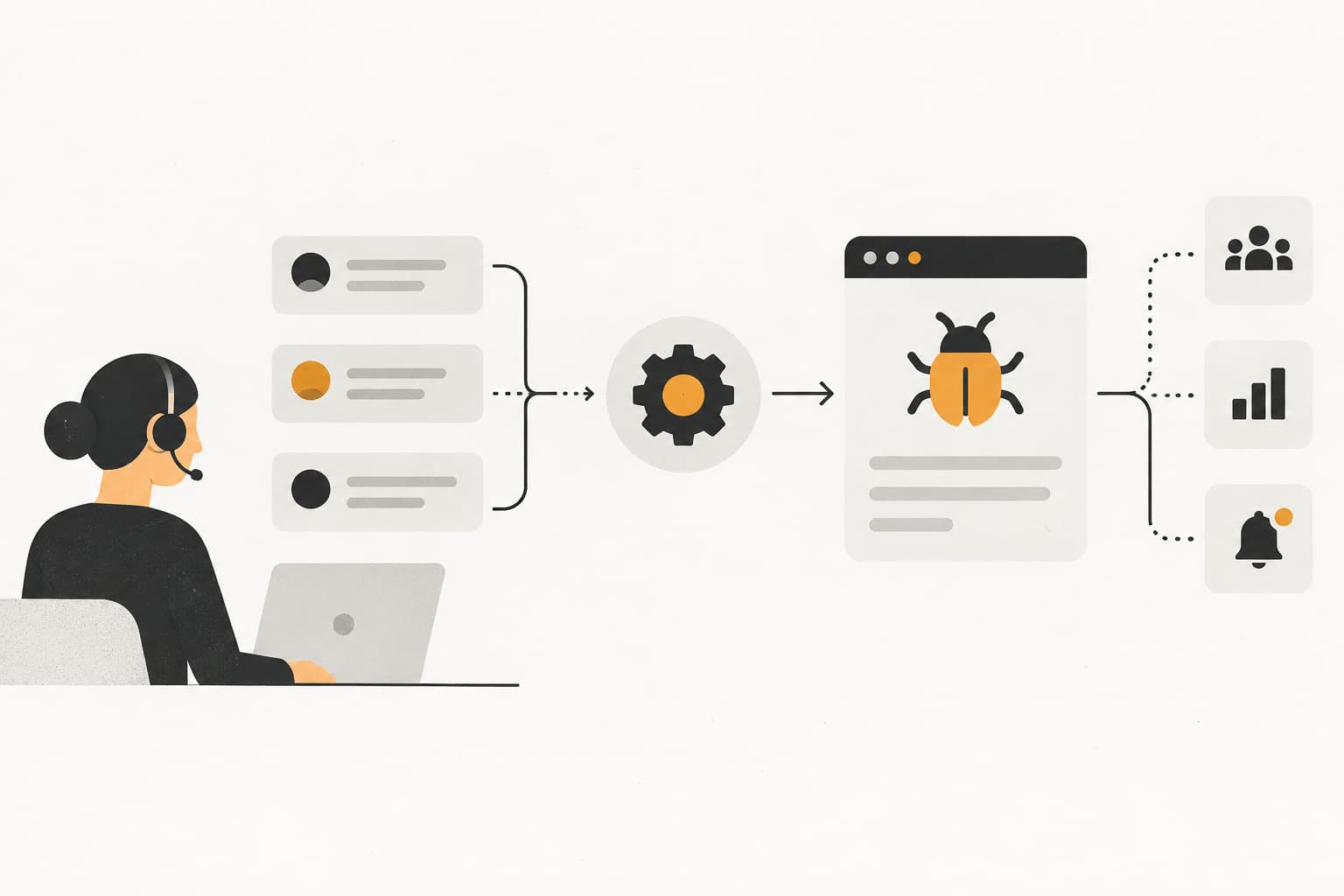
Every support ticket describing a bug represents two problems: a frustrated customer waiting for resolution, and a product issue that may be affecting dozens of other users silently. The disconnect between support teams fielding these reports and engineering teams who need to fix them creates costly delays that compound over time.
Picture this: A customer reports that their payment screen freezes during checkout. Your support agent logs the issue, maybe sends a screenshot to the engineering Slack channel, and hopes someone sees it. Three days later, five more customers report the same problem. Engineering finally investigates and discovers it's been broken for a week, costing you thousands in lost revenue.
Manual bug reporting processes—where support agents copy details into separate issue trackers—are slow, inconsistent, and prone to missing critical context. An agent might remember to include the browser version for one ticket but forget for the next. Steps to reproduce get paraphrased and lose crucial details. Screenshots sit in email attachments that never make it to the engineering ticket.
Automated bug reporting from support tickets bridges this gap by instantly converting customer-reported issues into actionable engineering tickets, complete with technical context, user environment details, and priority signals. When a customer describes a bug, the system immediately creates a properly formatted issue in Linear or Jira, tagged with the right severity, assigned to the appropriate team, and populated with all the technical data engineers need to investigate.
This guide walks you through implementing an automated bug reporting system that connects your support workflow directly to your development pipeline, reducing resolution times and ensuring no bug slips through the cracks. You'll learn how to map your current process, choose the right integration architecture, configure intelligent classification rules, and build a system that keeps getting smarter over time.
Step 1: Map Your Current Bug Reporting Workflow
Before you automate anything, you need to understand exactly how bugs flow through your organization today. This diagnostic step reveals where time gets wasted and information gets lost.
Start by documenting the complete journey of a bug report. When a customer describes a bug in a support ticket, what happens next? Does the support agent manually create a Jira ticket? Send a Slack message to the engineering channel? Email the product manager? Many companies discover they have multiple competing processes, with different agents following different protocols.
Track the timeline carefully. How long does it take from the moment a customer reports a bug until an engineer becomes aware of it? In many organizations, this ranges from hours to days, depending on how quickly someone notices the support ticket and manually creates an engineering issue. This baseline metric becomes your benchmark for improvement.
Now identify what information consistently gets lost in translation. Support agents often focus on the customer's emotional state and immediate needs, but they may not capture technical details that engineers desperately need. Browser versions, operating systems, exact error messages, and precise steps to reproduce frequently go missing during manual bug ticket creation.
Interview both your support team and engineering team separately. Ask support agents what frustrates them about the current process. They'll likely mention the time it takes to manually create bug tickets and uncertainty about whether engineering actually saw their report. Ask engineers what information they wish they had when investigating bugs. They'll probably request more technical context, better reproduction steps, and clearer priority signals.
Document specific examples of bugs that took too long to reach engineering or were fixed slowly because critical context was missing. These real scenarios will help you configure your automated system to prevent similar failures.
Finally, define your success metrics before you build anything. What's your target time from customer report to engineering awareness? Five minutes? Instant? What fields are absolutely mandatory in every bug ticket? What triggers should escalate a bug to urgent priority? Having these criteria established upfront ensures your automation solves real problems rather than just moving inefficiency to a different system.
Step 2: Choose Your Integration Architecture
Your automation architecture determines how flexible, maintainable, and intelligent your bug reporting system will be. The right choice depends on your technical resources, existing tool stack, and how sophisticated you need the classification to be.
The simplest approach uses direct API connections between your helpdesk and issue tracker. If you're using Zendesk and Linear, for example, you can set up webhooks that trigger when a ticket receives a specific tag like "bug." The webhook sends ticket data directly to Linear's API, creating an issue automatically. This works well when your bug classification is straightforward and you have clear tagging protocols.
However, direct integrations have limitations. They typically require support agents to manually tag tickets as bugs, which reintroduces human bottlenecks and inconsistency. They also struggle with nuanced classification—distinguishing between bugs, feature requests, and user errors requires more intelligence than simple tag-based triggers provide.
AI-powered middleware represents the next evolution. These systems sit between your helpdesk and issue tracker, analyzing ticket content to automatically detect bugs, classify severity, and enrich tickets with additional context. When a customer writes "the app crashes every time I try to upload a file," the AI recognizes bug indicators, extracts the key action (file upload), identifies the severity (complete feature failure), and creates a properly structured engineering ticket without any manual intervention.
Modern AI support platforms can even capture page-aware context—seeing exactly what the user was looking at when they reported the issue, including their browser, device type, and the specific URL where the problem occurred. This environmental data gets automatically appended to the engineering ticket, giving developers everything they need to reproduce the issue.
You'll also need to decide between one-way sync and bidirectional updates. One-way sync means support tickets create engineering issues, but the two systems don't communicate after that. Bidirectional sync keeps them connected—when engineering marks a bug as fixed, the support ticket updates automatically, and the customer can be notified. This closed-loop communication prevents customers from wondering if their bug report disappeared into a void.
Consider your technical resources honestly. Native integrations from platforms like Zapier or Make require minimal coding but offer less customization. Custom webhooks and API integrations give you complete control but require ongoing developer maintenance. Platforms offering Linear bug integration support provide sophisticated automation without requiring you to build and maintain the intelligence layer yourself.
The best architecture balances automation depth with implementation complexity. Start with what you can realistically deploy and maintain, knowing you can always add sophistication later as you prove the value.
Step 3: Configure Bug Detection and Classification Rules
Accurate bug detection separates useful automation from a system that creates noise and false positives. Your classification rules need to distinguish genuine bugs from feature requests, user questions, and complaints about intended behavior.
Start by analyzing your historical support tickets to identify patterns in how customers describe bugs. Certain keywords appear consistently: "broken," "not working," "error," "crash," "freeze," "stuck," "can't," "won't load." But context matters—"this feature isn't working how I expected" might be a feature request, while "this feature stopped working today" is likely a bug.
Build your initial keyword triggers around high-confidence bug indicators. Phrases like "error message," "page won't load," "app crashes," and "data disappeared" almost always indicate genuine bugs. Test these triggers against a sample of past tickets to measure precision—what percentage of flagged tickets were actually bugs versus false positives?
Create severity classification logic based on impact indicators. Words like "crash," "data loss," "cannot access," and "completely broken" suggest high severity. Phrases like "sometimes," "minor issue," or "cosmetic problem" indicate lower priority. Customer tier matters too—a bug affecting an enterprise customer should automatically receive higher priority than the same issue reported by a free trial user.
Consider temporal patterns as well. If multiple customers report similar issues within a short timeframe, that's a strong signal of a newly introduced bug that needs immediate attention. Your system should recognize these clusters and automatically escalate priority through automated support escalation rules.
Set confidence thresholds for automatic ticket creation. If your AI is 95% confident something is a bug, create the engineering ticket immediately. If confidence sits between 70-95%, flag it for quick human review before creating the ticket. Below 70%, route it through normal support channels. This prevents your engineering team from being flooded with false positives while still catching the vast majority of real bugs.
Build rules that distinguish bugs from feature requests by looking for the presence of "should" versus "doesn't." A customer saying "the export button should include CSV format" is requesting a feature. A customer saying "the export button doesn't work" is reporting a bug. These linguistic patterns train your classification system to route issues correctly.
Before going live, test your classification rules against at least 100 historical tickets where you know the correct classification. Measure both false positives (non-bugs classified as bugs) and false negatives (real bugs that weren't detected). Aim for at least 90% accuracy before deploying to production. You can tune and improve from there, but starting with poor accuracy will erode trust in the system.
Step 4: Define the Bug Ticket Template and Required Fields
A well-structured bug ticket template ensures engineers get consistent, actionable information every time. The template needs to capture everything necessary for investigation while avoiding overwhelming detail that obscures the core issue.
Establish your mandatory fields first. Every bug ticket should include steps to reproduce—the exact sequence of actions that triggers the problem. Without this, engineers waste time trying to recreate the issue. Your template should prompt for: What did the user do? What did they expect to happen? What actually happened instead?
Expected versus actual behavior clarifies whether something is truly broken or working as designed but confusing to users. When a customer says "the search doesn't work," that could mean it returns no results, wrong results, or results in an unexpected format. The template should force clarity on what "doesn't work" actually means.
Environment details are critical but often missing from manual bug reports. Your automated system should capture these automatically from ticket metadata: user account ID, browser type and version, operating system, device type (mobile/desktop/tablet), and the specific page URL where the issue occurred. Support agents shouldn't have to ask customers for this information—the system should extract it from session data.
Configure automatic field population wherever possible. If your support platform tracks user accounts, automatically populate the affected user field. If you have page-aware context, include the exact URL and any relevant page state. If the customer included screenshots or screen recordings, automatically attach them to the engineering ticket rather than requiring manual file transfers.
Create a linking structure that connects engineering tickets back to the original support conversation. Engineers should be able to click through to read the full customer description, see follow-up questions the support agent asked, and understand the customer's technical sophistication level. This context helps them write appropriate responses and understand impact.
Include fields for business context that helps with prioritization. Which customer tier reported this? How many other customers have reported similar issues? What's the revenue impact if this affects a critical workflow? This business intelligence helps engineering teams make informed decisions about what to fix first.
Build in space for support agent notes. Even with automation, agents may have gathered additional context during their conversation—workarounds they suggested, related issues the customer mentioned, or their assessment of customer frustration level. This qualitative data complements the structured technical fields.
Keep your template focused. More fields don't automatically mean better tickets. Every field should serve a clear purpose in helping engineers investigate and resolve the bug. If a field is frequently left empty or ignored, remove it. The goal is actionable clarity, not exhaustive documentation. For guidance on structuring effective reports, explore automated bug report creation best practices.
Step 5: Build the Automation Pipeline
With your classification rules defined and template ready, it's time to build the actual automation that connects your support workflow to your development pipeline. This is where your planning becomes operational reality.
Start by connecting your helpdesk to your issue tracker. If you're using native integrations, this typically involves authorizing API access between the two platforms. For Zendesk to Linear, you'd generate an API key in Linear, provide it to your integration platform, and configure which Linear workspace and team should receive the automated tickets.
Set up your trigger condition carefully. The most common approach uses tag-based triggers—when a ticket receives the tag "bug" (either manually applied by an agent or automatically added by your AI classification), the automation fires. More sophisticated systems trigger based on AI confidence scores, automatically creating tickets when bug probability exceeds your threshold without requiring any tagging step.
Configure the action that occurs when your trigger fires. This typically involves mapping fields from your support ticket to your engineering ticket template. The support ticket's subject line becomes the bug title. The description gets formatted according to your template structure. Automatically captured environment data populates the technical fields. Attachments transfer over. Customer information links to the user account.
Add notification routing so the right engineering team gets alerted immediately. If your bug relates to payment processing, it should notify the payments team specifically rather than creating noise for the entire engineering organization. Use labels, project assignments, or team tags to ensure bugs land in the right queue through an intelligent support routing platform.
Build in error handling for edge cases. What happens if the API connection fails? If a required field is missing? If the customer account can't be found in your system? Your automation should gracefully handle these scenarios—perhaps creating a partial ticket with a flag for manual review rather than failing silently and losing the bug report entirely.
Consider rate limiting and batch processing for high-volume scenarios. If a major outage generates 50 identical bug reports in 10 minutes, you don't want 50 duplicate engineering tickets. Your system should recognize similar issues reported in close succession and consolidate them into a single ticket with a note about the number of affected customers.
Set up logging and monitoring from day one. You need visibility into which tickets trigger automation, which engineering tickets get created, and where failures occur. This audit trail helps you troubleshoot issues and provides data for optimizing your classification rules over time.
Test your pipeline end-to-end before going live. Create a test support ticket that should trigger automation, verify the engineering ticket gets created with all expected fields populated correctly, and confirm the right team receives notifications. Run through several scenarios—high severity bugs, low priority bugs, edge cases with missing data—to ensure your automation handles them appropriately.
Step 6: Implement Bidirectional Status Sync
Creating engineering tickets automatically is valuable, but closing the loop with bidirectional communication multiplies that value by keeping everyone informed and customers updated without manual status checks.
Configure updates to flow back from your issue tracker to your helpdesk. When an engineer marks a bug as "in progress," the corresponding support ticket should update automatically with that status. When the bug is marked as fixed, the support ticket should reflect that resolution. This visibility prevents support agents from having to constantly check engineering systems to answer customer questions about bug status.
Set up customer notification triggers tied to bug resolution status. When engineering deploys a fix, your system can automatically notify the customer who reported the issue. This proactive communication transforms a frustrating bug report experience into a positive one—customers see that their feedback directly led to improvements and they're kept informed throughout the process.
Create escalation paths for bugs that exceed SLA thresholds without engineering response. If a high-priority bug sits untouched for 24 hours, your system should automatically escalate—perhaps by notifying a team lead, increasing the priority level, or creating a Slack alert. This ensures urgent issues don't fall through the cracks even when engineering teams are overwhelmed. Learn more about building an effective automated support escalation workflow.
Enable support agents to view engineering ticket status without leaving their helpdesk interface. When an agent opens a support ticket that has an associated bug, they should see a linked panel showing the current engineering status, who's assigned to fix it, and any comments from the development team. This embedded visibility eliminates context switching and makes it easy for agents to provide accurate updates to customers.
Build in comment synchronization for deeper collaboration. If an engineer has questions about how to reproduce the bug, they should be able to comment on the engineering ticket and have that question surface to the support agent handling the original ticket. The agent can then ask the customer for clarification, and their response flows back to the engineering ticket. This creates a seamless conversation across systems.
Consider resolution verification workflows. When engineering marks a bug as fixed, your system could automatically re-open the original support ticket and ask the customer to verify the fix works for them. This quality assurance step catches regressions and ensures fixes actually resolve the reported problem rather than just addressing what engineers thought the problem was.
Set up analytics dashboards that show the complete lifecycle. How long from customer report to engineering awareness? From engineering awareness to fix deployment? From deployment to customer verification? These metrics reveal bottlenecks and help you continuously improve your bug resolution process. Teams that can see their performance tend to improve it.
Step 7: Test, Monitor, and Refine Your System
Launching your automated bug reporting system is just the beginning. Continuous monitoring and refinement ensure it keeps delivering value and adapts as your product and processes evolve.
Run a pilot phase with a subset of tickets before rolling out to your entire support volume. Choose a specific product area or customer segment to test with, allowing you to validate accuracy and completeness without risking widespread issues. During this pilot, manually review every automatically created engineering ticket to verify the classification was correct and all necessary context was captured.
Monitor your false positive rate closely. What percentage of automatically created engineering tickets turn out not to be bugs? If more than 10% of automated tickets are misclassified, you need to refine your detection rules. Look for patterns in the false positives—are certain phrases consistently triggering incorrect classification? Are feature requests being mistaken for bugs? Use these insights to tune your keyword triggers and confidence thresholds.
Track false negatives as well, though they're harder to measure. Periodically sample tickets that weren't automatically classified as bugs and verify they were correctly routed. If you find genuine bugs slipping through, analyze what they had in common. Did customers describe them using unusual language? Were they subtle issues that lacked obvious bug keywords? Expand your classification rules to catch these edge cases.
Measure your time-to-ticket metrics against the baseline you established in Step 1. If you previously averaged 6 hours from customer report to engineering awareness, and you're now averaging 5 minutes, that's a massive win worth celebrating. Understanding how to measure support automation success helps you share these metrics with both support and engineering teams to build confidence in the system.
Establish a regular review cadence—monthly is often appropriate—to analyze system performance and make adjustments. Bring together representatives from support, engineering, and product to review: classification accuracy, ticket quality, resolution times, and any recurring issues. This cross-functional review ensures the system serves everyone's needs and catches problems before they become entrenched.
Watch for drift over time. As your product evolves and new features launch, customers may describe issues using different language. Your classification rules need to evolve too. When a new feature ships, analyze the support tickets it generates and update your detection rules to recognize bugs specific to that feature.
Collect feedback from both teams actively. Ask support agents if the automation is saving them time or creating new work. Ask engineers if automatically created tickets contain the information they need or if critical details are consistently missing. This qualitative feedback often reveals improvement opportunities that metrics alone won't show.
Don't be afraid to experiment with your confidence thresholds and classification rules. Try lowering the auto-creation threshold slightly and measure whether false positives increase unacceptably. Try adding new keyword patterns and see if you catch more genuine bugs. Treat your automation as a living system that gets smarter through iteration rather than a static configuration you set once and forget.
Putting It All Together
Your automated bug reporting system transforms support tickets from isolated customer complaints into actionable engineering intelligence. Here's your quick-start checklist to deploy this system effectively:
First, audit your current workflow and set baseline metrics. Document exactly how long bugs currently take to reach engineering and what information consistently gets lost. These numbers become your before-and-after comparison.
Second, select an integration approach that matches your tech stack and technical resources. Direct API connections work for simple scenarios, while AI-powered middleware handles sophisticated classification without requiring you to build the intelligence layer yourself.
Third, configure detection rules and test them against historical data. Aim for at least 90% accuracy before going live, and don't be afraid to start with high-confidence triggers and expand coverage gradually.
Fourth, build a template with auto-populated fields that gives engineers everything they need. Steps to reproduce, expected versus actual behavior, and environment details should flow automatically from your support system.
Fifth, deploy your automation with comprehensive monitoring. Track false positives, false negatives, and time-to-ticket metrics from day one so you can measure success and identify issues quickly.
Sixth, enable bidirectional sync for closed-loop communication. When engineering fixes bugs, customers should know about it automatically. When engineers have questions, support agents should see them without switching systems.
Seventh, review and optimize monthly. Bring together support, engineering, and product teams to analyze performance, share feedback, and tune the system based on real-world usage patterns.
With automated bug reporting in place, your support team becomes a real-time bug detection network feeding directly into your development pipeline. Your engineering team gets actionable tickets with complete context instead of playing telephone through Slack channels. Your customers experience faster resolutions because bugs reach the people who can fix them immediately rather than languishing in support queues.
Start with a single bug category to prove the system works—maybe payment issues or login problems—then expand coverage as you refine your classification rules and build confidence. The goal isn't to automate everything on day one, but to create a foundation that continuously improves.
Your support team shouldn't scale linearly with your customer base. Let AI agents handle routine tickets, guide users through your product, and surface business intelligence while your team focuses on complex issues that need a human touch. See Halo in action and discover how continuous learning transforms every interaction into smarter, faster support.
How Halo helps
When Halo's AI agent hits a real product issue, it doesn't just escalate — it files the bug in Linear, flags it in Slack, and hands your team the full conversation context automatically. Learn more about Halo's AI-first inbox.