10 Best Autonomous AI Agents for B2B Support
Compare the best autonomous ai agents for B2B support, including features, limitations, integrations, security, ROI signals, and vendor-fit guidance.
 Grant CooperFounder19 min read
The strongest autonomous AI agents don't just answer support questions. They retrieve trusted product and customer context, execute approved actions, understand when confidence is too low, and hand complex cases to people with the evidence intact. That distinction matters because enterprise adoption has already moved beyond isolated experiments. A 2026 industry report found that 65% of enterprises were using AI agents, while 81% had fully adopted or were actively scaling agentic AI across teams, and every organization surveyed planned to expand adoption during 2026. The same report found that agentic AI had automated 31% of workflows on average, with another 33% expected to be added in 2026 (industry report on agentic AI adoption).
This roundup evaluates the best autonomous AI agents through the less glamorous realities of B2B support: context depth, action execution, integrations, escalation quality, governance, implementation effort, pricing exposure, limitations, and measurable ROI signals. Halo AI receives a fair assessment alongside CX-native platforms and developer-oriented stacks. Healthcare and health-related use cases are outside this comparison.
The practical test is simple. Can an agent resolve a request safely, guide a user through the right interface, create an actionable bug report, preserve context during handoff, and show support leaders what improved? Teams investigating adjacent automation can also compare the category with an autonomous penetration testing engine, but the tools below are assessed specifically for B2B customer support and operational workflows.
1. Halo AI
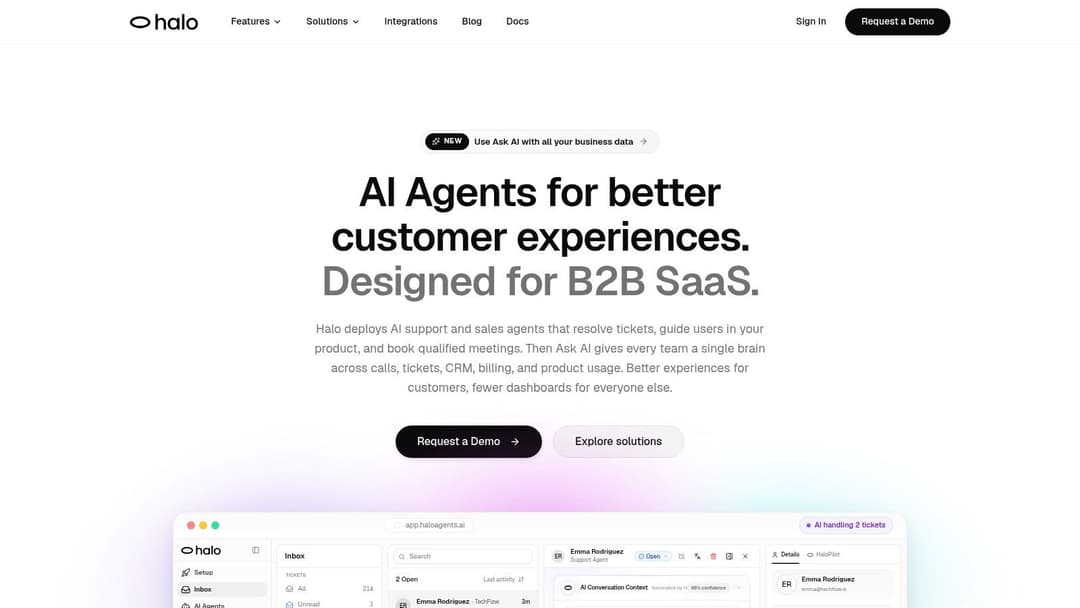
Halo AI is the strongest fit here for B2B SaaS teams whose support problems depend on live product context, not just a searchable help center. It connects emails, documentation, call recordings, CRM records, billing data, and operational systems so its agents can work from a fuller view of the customer and the product state. Its AI-first customer support platform is designed to turn that connected stack into a continuously improving support and intelligence layer.
The differentiator is the page-aware chat widget. Halo can recognize the user's current screen and UI state, move to the relevant page or setting, highlight precise interface elements, and create Linear bug tickets with session context. That makes it more useful for onboarding, configuration help, and product troubleshooting than a conventional question-and-answer bot. Its escalation path also preserves the work already completed instead of forcing a human agent to reconstruct the conversation.
Halo's site shows customer-facing examples including 148 AI-resolved tickets out of 214 in an inbox sample and an example of 3x faster first responses. Those are in-product examples rather than independently verified benchmark results, so buyers should validate the same measures against their own ticket data. The platform also promotes continuous improvement from interactions without manual retraining, plus Ask AI for querying support, product, sales, customer success, and revenue data in plain English.
Best fit and trade-offs
Operational test: Ask Halo to resolve a real UI question, file a bug from the session, and show exactly what a human receives at handoff.
- Deep context: Connected documentation, conversations, CRM, billing, and recordings can give the agent more useful grounding than an isolated knowledge base.
- Action-oriented guidance: Screen awareness, UI navigation, element highlighting, and structured Linear tickets address the actual work behind many SaaS support cases.
- Cross-team value: Ask AI extends the platform beyond ticket resolution into churn signals, adoption patterns, revenue questions, and anomaly investigation.
- Integration dependency: Value depends on the quality and breadth of connected systems. Teams may need engineering effort to prepare data access and permissions.
- Commercial diligence: Halo doesn't publish a public price list or list certifications on its site. Expect a demo-led evaluation and direct questions about privacy, security, and compliance requirements.
For a deeper explanation of how Halo structures these workflows, see what is an agentic workflow. Halo is the best choice when the support experience must understand both what the customer is asking and what the customer is currently seeing.
2. OpenAI Agents Platform
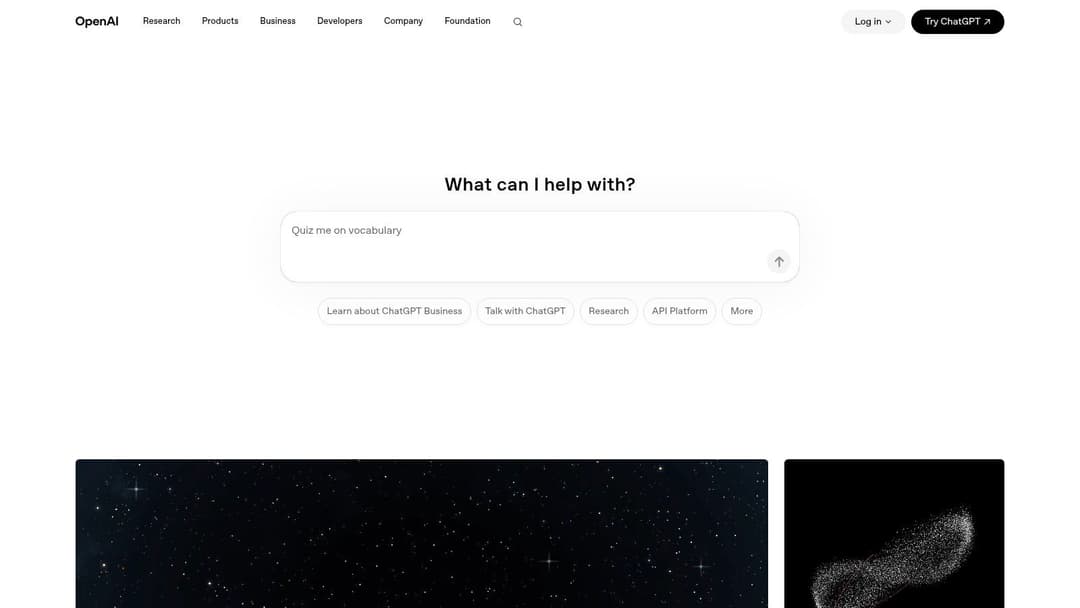
OpenAI's Responses API and Agents SDK are better understood as a production toolkit than as a ready-made customer support department. The platform combines a unified Responses API with web search, file search, computer use, sandboxed code execution, MCP tool connectors, and tracing. That gives engineering teams the components to build agents that retrieve information, operate remote interfaces, and complete multi-step tasks.
For B2B support, computer use is particularly relevant when customers work inside legacy web applications or when an internal support agent must use software without a clean modern API. File search can ground responses in product documentation, while tool connectors can expose controlled actions such as ticket creation, account lookup, or workflow initiation. The engineering team still has to decide which actions are permitted, how identity is verified, and where the agent must stop.
The platform's strength is flexibility. Its weakness is that flexibility moves responsibility toward the buyer. Token consumption, tool usage, retries, tracing, and multi-step execution can make costs harder to forecast than a simple per-resolution model. OpenAI's platform is also evolving as teams transition from earlier APIs toward Responses and Agents, so implementation plans should account for changing interfaces and migration work.
Best fit and trade-offs
Teams building bespoke support automation should evaluate OpenAI against a narrow workflow first, such as reproducing a UI issue or creating a structured escalation. Read the practical distinction between a workflow and what is an autonomous agent before choosing an architecture.
- Best capability: Computer use and first-party tools support complex, tool-using workflows across web and internal systems.
- Best for: Engineering-led teams that need control over prompts, tools, routing, evaluation, and deployment.
- Main cost risk: Token and tool-based usage can expand with long context, repeated attempts, and multi-step tasks.
- Implementation burden: Buyers must build the support application, permission model, escalation logic, and operational dashboards around the platform.
OpenAI is a strong foundation for custom agents, but it isn't the shortest path to page-aware SaaS support. Choose it when your team wants to own the agent system rather than buy a finished CX operating layer.
3. Anthropic Claude for Work and Enterprise
Anthropic's enterprise offering stands out when auditability, safety controls, and long-running tool use matter as much as answer quality. Claude Code supports autonomous coding and terminal work, while managed and sandboxed agent options provide a more controlled environment for sessions, tools, and execution. Enterprise identity controls, audit features, connectors, and deployment choices are important for organizations that need a clear record of agent activity.
Support teams can use Claude-based agents for technical triage, code-aware investigation, documentation analysis, and internal escalation preparation. The large context options are useful when a case spans product documentation, previous conversations, logs, release notes, and customer-specific details. However, context capacity alone doesn't create reliable support. Teams still need retrieval rules, action permissions, structured outputs, and a clear policy for handing off uncertain cases.
Governance before autonomy
Anthropic's safety emphasis is an advantage for companies that expect the agent to touch sensitive internal systems. It also means buyers should examine which capabilities are available under their plan and how rollout support affects the deployment timeline. Some specialized agent features may require Enterprise arrangements, and usage-based token pricing can vary by model, tier, and workload.
A useful governance reference is responsible AI guardrails, especially for teams designing approval gates and escalation policies.
Claude is a strong choice for technical B2B support, internal service desks, and organizations that want multiple deployment options. It's less turnkey than a CX platform, so the buyer must supply the helpdesk experience, customer-facing channel design, and much of the workflow orchestration.
4. Google Cloud Vertex AI Agent Builder
Vertex AI Agent Builder and Agent Engine suit organizations that already operate on Google Cloud and want agents managed within an established cloud environment. The platform combines a no-code or low-code builder with a managed runtime, Gemini models, tool governance, and OpenTelemetry-based tracing and observability. Integrations with Google Search, conversational services, and Vertex AI data products expand the possible retrieval and orchestration patterns.
For B2B support, the important question isn't whether Google can produce a capable agent. It's whether the company can connect the agent to the systems that determine a customer's actual answer. A support deployment may need CRM data, subscription status, product documentation, incident records, and controlled write actions. Vertex gives cloud teams a governed place to build that system, but it doesn't remove the data modeling and integration work.
Best fit and trade-offs
Google Cloud's governance and monitoring are valuable for organizations that need traceability across agent calls, tools, and model behavior. The commercial model is less simple. Agent Engine and Gemini usage can involve tokens, compute, and memory, so forecasting requires a workload model rather than a single seat or resolution assumption.
Teams exploring the integration layer should review AI agent integration and then map each proposed tool call to an owner, permission, and failure path.
Vertex is strongest for governed custom development on GCP. It's not the obvious choice for a support leader seeking immediate ticket deflection without cloud engineering support.
5. Microsoft Copilot Studio
Microsoft Copilot Studio is a practical choice for companies whose employees and customers already live in Microsoft's ecosystem. Its no-code and low-code tools support agent flows, policies, and multi-channel deployment across Microsoft 365, Teams, and external channels. Power Platform connectors and Power Automate add process execution, while Purview and Power Platform administration provide centralized governance.
That combination makes Copilot Studio especially useful for internal support, customer operations connected to Microsoft systems, and workflows where approvals already run through Power Platform. A support agent might retrieve account information, start a Power Automate process, route a case, or provide assistance inside Teams. External customer support is possible, but the licensing and publishing details deserve close review.
The platform's commercial flexibility can help large Microsoft customers choose between pay-as-you-go, pre-purchase arrangements, and enterprise plans using Copilot Credits. At the same time, Azure setup, credit accounting, connector permissions, and advanced external publishing can create operational complexity. Employee-facing usage may be included for some Microsoft 365 Copilot users, but that shouldn't be assumed for every customer-facing scenario.
Where it fits
Microsoft positions Copilot Studio as a broad agent builder rather than a specialized B2B SaaS support product. Its advantage is ecosystem integration, not page-aware product guidance. Teams should compare its workflow controls with their existing Power Platform governance and calculate customer-facing usage separately from employee use.
Customer-support leaders can also use customer service AI agents as a useful frame for separating simple answers from authenticated actions and escalation workflows.
Copilot Studio is a good fit when Microsoft identity, Teams, Power Automate, and administrative controls already define the operating environment. It's less attractive when the core challenge is understanding a SaaS user's exact screen and product state.
6. Zendesk Autonomous Service Workforce
Zendesk's Autonomous Service Workforce is the most natural option for support organizations already invested in Zendesk Suite. It brings together an Agent Builder, autonomous agents, copilots, workflows, and governance for messaging, email, and voice. Shared context across channels is important because customers often begin in one channel and continue in another, while agents need the full history to avoid repeating questions.
The platform's most distinctive commercial idea is outcome-based pricing tied to verified resolutions. That aligns spending with completed support work more directly than token-based pricing, although buyers need to understand how Zendesk defines and verifies a resolution. Seat-based costs for broader Suite functionality may still apply, so the agent price shouldn't be evaluated in isolation.
Zendesk also describes a Resolution Learning Loop for ongoing improvement. That can help teams refine answers and workflows from actual outcomes, but autonomous behavior still depends on the quality of source content, escalation rules, and connected business actions.
Deployment reality
Agent Builder availability is rolling out through an early access program, so current access and feature scope should be confirmed during procurement. Zendesk customers may benefit from familiar data structures and operations, while companies outside the ecosystem may face migration or integration work before the platform reaches its full value.
Zendesk is a strong candidate for omnichannel CX teams that want autonomous resolution inside their existing helpdesk. It's less differentiated for product guidance that requires screen awareness, deep SaaS telemetry, or cross-functional intelligence outside the support system.
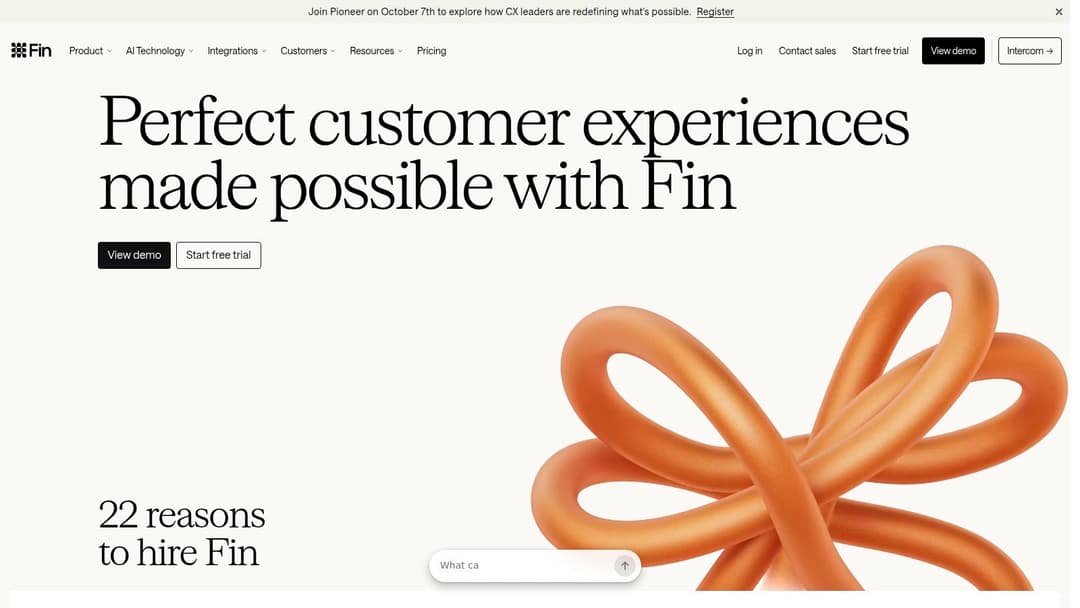
7. Intercom Fin AI Agent
Intercom Fin AI Agent prioritizes fast deployment and broad channel coverage. It can resolve customer issues across web and in-app chat, email, WhatsApp, SMS, Facebook, and Instagram, with procedures and workflows for more structured support behavior. Fin can run within Intercom or connect with external helpdesks such as Salesforce and HubSpot, which reduces the pressure to migrate the entire support operation.
Its outcome-based pricing is easier to connect to resolved work than a pure token model. Intercom lists an example of $0.99 per outcome for chat and email on its Fin materials (Intercom Fin pricing and product details). Because that is a published product example, buyers should still confirm the current commercial terms, channel definitions, minimums, and plan requirements for their specific deployment.
The external-helpdesk option is strategically important for B2B teams that want to add autonomous resolution without replacing their existing system of record. However, the option can require minimum commitments, and voice pricing or advanced capabilities may involve sales engagement or higher plans.
The practical choice
Fin is best for teams that value time to value, multichannel coverage, and a familiar support interface. It's less suitable when support depends on deep operational context across billing, call recordings, product telemetry, and UI state. The platform can execute workflows, but teams should test whether those workflows preserve enough context for complex technical cases.
Evaluate Fin on resolution quality, escalation completeness, and the percentage of conversations that still require a human to repeat diagnostic work. A low per-outcome cost won't produce ROI if the handoff remains expensive.
8. Ada AI Agent
Ada is designed for customer experiences where an agent must do something in a backend system, not merely generate a response. Its Actions provide authenticated API calls, while Playbooks and Processes define multi-step procedures. A reasoning engine helps choose between knowledge retrieval, an action, or a workflow, and voice capabilities extend those patterns into phone support and CRM-connected operations.
That action orientation makes Ada a strong candidate for account changes, transactional requests, status checks, and repeatable service procedures. The agent can follow a defined operating path while guardrails and observability help teams monitor what happened. For B2B support, this can be more valuable than a polished conversational layer if the main source of customer effort is waiting for an internal action.
Ada's trade-off is configuration depth. Teams need to design Actions and Playbooks carefully, define authentication requirements, test failure paths, and decide which actions require approval. Advanced integrations or capabilities may also require subscription add-ons.
The best autonomous agent isn't the one with the broadest action catalog. It's the one whose actions are narrow enough to audit and useful enough to remove real support work.
Ada fits enterprise CX operations with established process ownership and backend APIs. It may take longer to optimize than a lighter helpdesk add-on, but it offers a clear path from knowledge answers to authenticated workflow execution. Buyers should measure not only successful completion, but also recovery when an API returns incomplete or conflicting information.
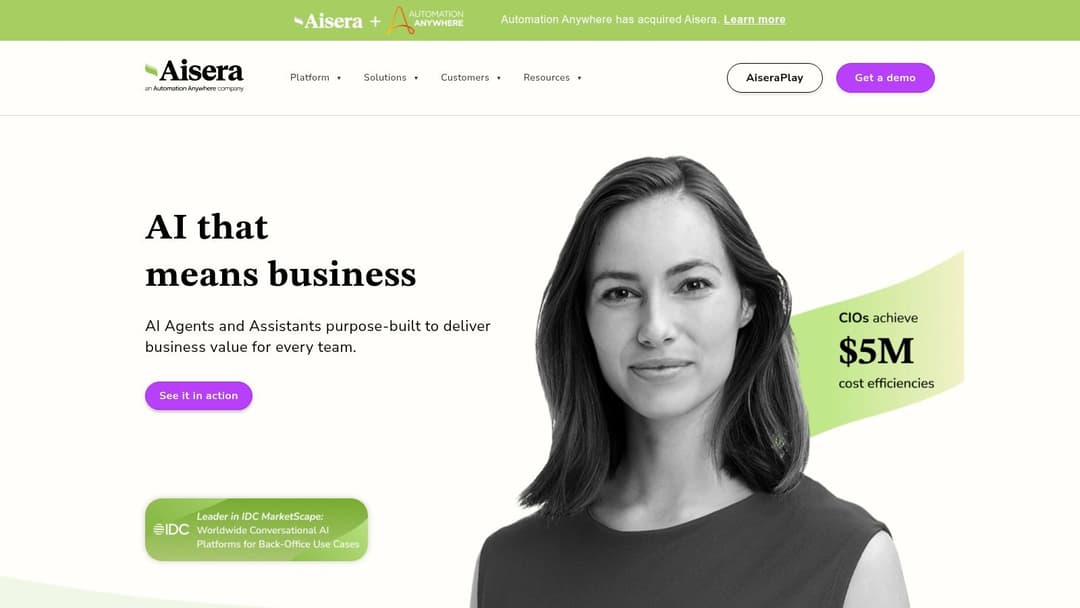
9. Aisera
Aisera takes a horizontal approach across customer service, IT service management, HR, operations, AIOps, and voice. AiseraGPT combines a Universal Bot with LLM, Event, and Workflow Studios for low-code action flows. Neural search and generative answers are grounded in enterprise data, while integrations include Zendesk, Salesforce, ServiceNow, Genesys, and Five9.
That breadth makes Aisera attractive for organizations trying to standardize agentic automation across customer and employee service rather than buying separate tools for each function. A support team could use the same broad platform approach for CX workflows, internal IT requests, and operational events. The benefit is a shared automation strategy. The cost is a larger enablement surface.
Aisera's emphasis on proactive action execution is relevant to B2B support teams that want agents to respond to events rather than wait for a customer message. Yet public pricing isn't listed, so procurement follows an enterprise sales process. Buyers should request a workflow-level proposal that separates implementation, platform access, integrations, usage, and ongoing optimization.
Best fit and trade-offs
Aisera is strongest for large organizations that need one agentic framework across several service domains. It's less compelling for a focused SaaS support team that primarily needs product-aware guidance, page-aware assistance, or rapid ticket deployment. Platform breadth can also lengthen enablement compared with a specialized point tool.
Test one customer-support workflow and one internal-service workflow separately. If the same governance and integration model supports both, Aisera's breadth may justify the additional deployment effort.
10. Cohere Agents
Cohere is a developer-oriented option for teams that want to build bespoke agents with strong control over data and deployment. Its Chat API supports tool use, function calling, multi-step planning, and citations. Cookbooks and templates cover agentic retrieval-augmented generation, data analysis, and workflow patterns, while private deployment and Model Vault options address stricter data-control requirements.
For B2B support, Cohere is useful when the desired agent is tightly integrated into a proprietary knowledge system or internal application. A development team can decide how retrieval works, how citations appear, which functions the model may call, and how a support workflow records its reasoning and outputs. Integrations with LangChain and major cloud providers can also fit existing engineering practices.
The limitation is application completeness. Cohere offers the building blocks for an agent system, but it provides a smaller out-of-the-box CX layer than Zendesk, Intercom, Ada, or Halo. Your team will likely need to build the customer-facing interface, ticket orchestration, identity layer, analytics, and human handoff experience.
Best fit and trade-offs
Cohere works best for engineering-led organizations with private deployment requirements or highly differentiated workflows. Public pricing is primarily token-based guidance, while enterprise terms go through sales, so forecasting requires realistic assumptions about context, tool calls, and interaction volume.
Don't compare Cohere with a finished CX platform on a feature checklist. Compare the cost and flexibility of building your own support operating layer against the convenience, specialization, and constraints of buying one.
Top 10 Autonomous AI Agents, Feature Comparison
| Product | Core features | Quality & outcomes (★) | Pricing & value (💰) | Target audience (👥) | Standout (✨) |
|---|---|---|---|---|---|
| 🏆 Halo AI | Autonomous agents, page‑aware chat widget, live data ingestion (CRM, calls, billing), Ask AI | ★★★★★ 24/7 coverage; 3x faster first response; high autonomous resolution | 💰 Demo/sales‑led, no public list; ROI via ticket/time reduction | 👥 B2B SaaS support, CS, product & revenue teams | ✨ Page‑aware UI navigation, session‑rich bug tickets, compounding intelligence |
| OpenAI Agents (Responses API + SDK) | Responses API, Agents SDK, web/file search, sandboxed code execution, tool connectors | ★★★★ Mature dev experience; strong observability/tracing | 💰 Token + tool usage, cost controls needed | 👥 Developers & platform teams building custom agents | ✨ Deep first‑party computer‑use & multi‑tool orchestration |
| Anthropic Claude for Work | Managed agents, Claude Code, very large context windows, enterprise controls | ★★★★ Emphasis on safety, auditability, long‑running agents | 💰 Token‑based; enterprise tiers for features | 👥 Regulated enterprises, security‑sensitive teams | ✨ Safety/audit-first design with 200k–500k context windows |
| Google Vertex AI Agent Builder | No/low‑code Agent Builder, Agent Engine runtime, tool governance, observability | ★★★★ GCP observability & scaling for regulated deployments | 💰 Pay‑as‑you‑go (tokens + compute), forecasting complex | 👥 GCP customers & large enterprises | ✨ Integrated with Google Search, Vertex AI data & telemetry |
| Microsoft Copilot Studio | No/low‑code flows, Power Platform connectors, governance via Purview | ★★★★ Deep M365 integration; strong enterprise governance | 💰 Flexible licensing (PAYG, credits, enterprise) | 👥 Microsoft 365/Teams enterprises & IT teams | ✨ Native M365 embedding and Power Automate orchestration |
| Zendesk Autonomous Service Workforce | Agent Builder, omnichannel agents, Resolution Learning Loop, outcome pricing | ★★★★ Outcome‑verified resolutions; native Zendesk context | 💰 Outcome‑based pricing tied to verified resolutions | 👥 Zendesk CX teams & support orgs | ✨ Outcome pricing + seamless Zendesk Suite integration |
| Intercom Fin AI Agent | Outcome pricing, omnichannel (chat/email/voice), works with external helpdesks | ★★★★ Transparent per‑outcome billing; fast time‑to‑value | 💰 💵 Example per‑outcome pricing (e.g., $0.99) + minimums | 👥 SMBs to midmarket using Intercom or existing helpdesks | ✨ Easy integration without migrating helpdesk; simple outcome model |
| Ada AI Agent | Authenticated Actions, multi‑step Playbooks, voice AI, reasoning engine | ★★★★ Strong transaction execution & observability | 💰 Sales‑led; advanced features may need add‑ons | 👥 Brands needing transaction execution across digital & voice | ✨ Actions (API calls) + Playbooks for SOP automation |
| Aisera (AiseraGPT) | Universal Bot, low‑code workflow studios, neural search, voice & ops coverage | ★★★★ Broad horizontal automation across CX, ITSM, AIOps | 💰 Enterprise sales cycle, pricing not public | 👥 Large enterprises needing CX + IT/HR automation | ✨ Unified tooling for CX, ITSM, AIOps with proactive action bots |
| Cohere Agents | Chat API with tool use, cookbooks/templates, private deployment & Model Vault | ★★★★ Developer‑friendly; templates for agent patterns | 💰 Token guidance public; enterprise pricing via sales | 👥 Dev teams building custom/private agents | ✨ Private model vaults, cookbooks & LangChain integrations |
How to Choose and Launch the Right Agent
Start with the support problem, not the model. Separate repetitive knowledge requests from tasks that require authenticated actions, UI guidance, account data, bug reproduction, or judgment. Then define escalation boundaries in operational terms. For example, the agent may explain a setting and guide a customer to it, but a human may need to approve a destructive account change or investigate conflicting billing records.
Next, map the data and actions the workflow needs. List documentation, CRM records, billing systems, call transcripts, product telemetry, ticket history, and internal notes. For every write action, identify the API, identity check, permission scope, approval requirement, and recovery path. Halo AI is strongest when those sources need to come together around a live SaaS product experience. Zendesk and Intercom are more natural when the helpdesk already contains the critical context. Google Cloud, Microsoft, OpenAI, Anthropic, and Cohere make more sense when engineering owns the architecture and governance layer.
A practical rollout sequence
- Define the baseline: Record first-response time, autonomous resolution, handoff quality, time-to-resolution, reopened cases, and the amount of human work after escalation.
- Choose representative conversations: Include routine questions, incomplete requests, ambiguous cases, UI problems, authentication failures, and requests that should always reach a person.
- Verify governance: Review identity, access permissions, data retention, audit logs, approval gates, regional requirements, and vendor security documentation.
- Test action execution: Don't stop at a correct answer. Confirm that the agent updates the right system, records the evidence, handles errors, and avoids unauthorized changes.
- Compare commercial exposure: Match token, tool, seat, credit, commitment, or verified-resolution pricing against expected resolved-work volume and human review costs.
- Expand by evidence: Increase scope only when the agent meets the team's quality and escalation thresholds on its own ticket data.
Benchmark scores can help with narrow technical tasks, but they don't identify a universal winner. SWE-bench Verified remains a widely used coding-agent benchmark, with 2026 scores including Claude Sonnet 4 at 77.2%, GPT-5 at 74.9%, and Gemini 2.5 at 73.1% (2026 agent market overview and benchmark data). Those results support the use of agents for constrained, objectively testable work, but support buyers should care more about resolution, recovery, handoff, and integration depth.
A 2026 review also argues that only a handful of agent benchmarks meaningfully predict real utility, while benchmarking can cost about $40,000 for nine benchmarks (Stanford AI Index technical chapter). That makes a workflow-specific evaluation more sensible for most B2B teams. Bug-report research points in the same direction, finding that useful AI-generated reports are concrete, executable, and well-localized, while natural-language reproduction steps and readability alone may not predict success (research on AI-generated bug reports).
Before signing, ask each vendor to demonstrate a real ticket set, show the source context used for each answer, execute a safe action, trigger a deliberate handoff, expose the audit trail, explain pricing under retries and escalations, and provide export or rollback options. Also ask which claims are based on customer-specific examples, product telemetry, or independent evaluation. Teams looking beyond support can explore how to automate Google Ads with AI agents, but the evaluation discipline remains the same.
Validate every promise against your own ticket data. The right platform is the one that reduces resolved-work cost while preserving customer trust, not the one with the most impressive autonomous-agent label.
Halo AI combines deep B2B SaaS context, page-aware product guidance, autonomous ticket resolution, detailed Linear bug creation, and human handoffs in one support platform. Visit Halo AI to see how your connected documentation, conversations, CRM, billing, and product systems can support a measurable autonomous-agent rollout.
How Halo helps
Halo is built for B2B SaaS teams that want AI to resolve tickets end to end — not just deflect them — with agents grounded in your real product and customer data. Learn more about how Halo approaches customer support for B2B SaaS.