Intercom vs Chatbase: 7 Key Strategies for Choosing the Right Support Platform
When evaluating Intercom vs Chatbase for your support platform, the decision goes beyond feature counts—it's about strategic fit with your team's capabilities and growth plans. Intercom offers a comprehensive customer communication platform with enterprise-grade CRM integrations and sophisticated workflows, while Chatbase specializes in rapid AI chatbot deployment using custom data sources for teams prioritizing quick implementation.
 Matt PattoliFounder15 min read
Choosing between Intercom and Chatbase isn't just another software comparison—it's a strategic decision that will shape how your support team operates for years to come. Both platforms promise AI-powered automation, but they approach customer support from fundamentally different angles. Intercom has evolved into a comprehensive customer communication platform with deep CRM integrations, sophisticated workflows, and enterprise-grade capabilities. Chatbase, on the other hand, focuses on rapid chatbot deployment using custom data sources, appealing to teams that want quick implementation without extensive infrastructure.
The challenge isn't determining which platform has more features. It's matching the right tool to your specific support challenges, team capabilities, and growth trajectory.
Many B2B companies approach this decision by creating feature comparison spreadsheets, counting checkmarks, and choosing the platform with more green cells. This approach misses the critical nuance: a feature you can't properly implement or maintain delivers zero value. Similarly, paying for enterprise capabilities when you need focused chatbot functionality wastes resources that could accelerate other parts of your business.
The seven strategies below will help you evaluate these platforms against your actual requirements, not just their marketing promises. We'll explore integration complexity, team readiness, AI training approaches, true costs, use case alignment, escalation workflows, and long-term platform considerations. By the end, you'll have a framework for making this decision based on your organization's reality, not theoretical feature parity.
1. Assess Your Integration Complexity Requirements
The Challenge It Solves
Your support platform doesn't exist in isolation. It needs to communicate with your CRM, pull data from your product analytics, sync with your ticketing system, and potentially connect to your billing platform. The gap between "we have an API" and "this actually works with our stack" can represent months of development work and thousands in engineering costs.
Teams often underestimate integration complexity until they're deep into implementation, discovering that their specific use case requires custom development even with platforms that claim extensive integration libraries.
The Strategy Explained
Start by mapping your critical data flows. Where does customer context currently live? Which systems need to share information with your support platform? What workflows require cross-platform automation?
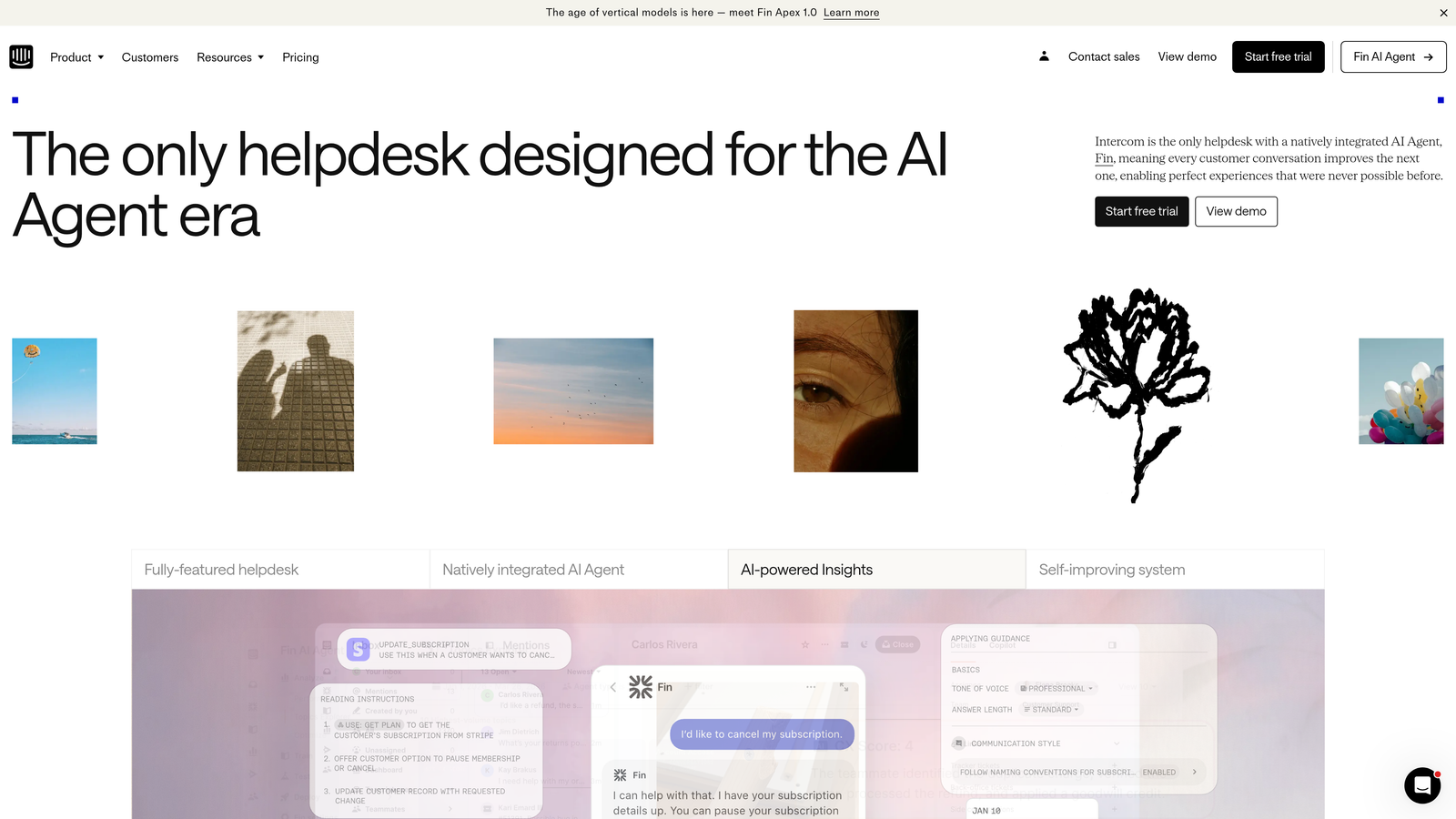
Intercom maintains native integrations with major business tools including Salesforce, HubSpot, Slack, and Zendesk. These integrations typically offer deeper functionality than API connections because they're actively maintained by Intercom's partnership team. If your stack centers around these mainstream tools, Intercom's integration ecosystem can significantly reduce implementation complexity.
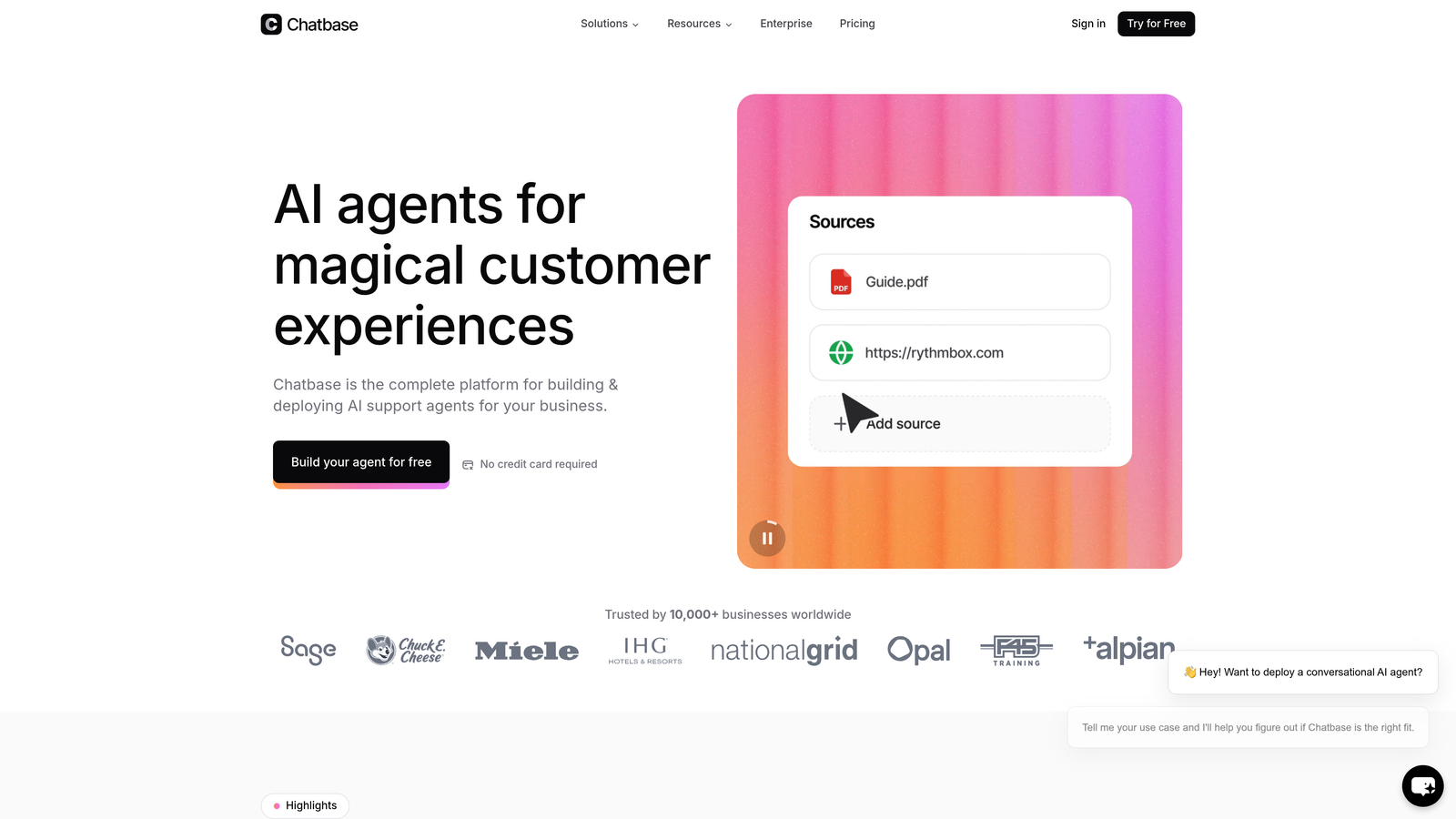
Chatbase provides API access and some integrations, but complex workflows often require custom development. This isn't necessarily a disadvantage if you have engineering resources and need flexibility. Custom integrations give you precise control over data flow and behavior, but they also create maintenance obligations. For teams evaluating their options, understanding the full chatbot integration process helps set realistic expectations.
The real question: does your team have the technical capacity to build and maintain custom integrations, or do you need pre-built connectors that work out of the box?
Implementation Steps
1. Document every system that needs to exchange data with your support platform, including the specific data points that must flow between them
2. Research whether each platform offers native integrations for your critical tools, and review documentation to understand what those integrations actually enable versus what requires custom work
3. Calculate the engineering time required for custom integration work, including initial build, testing, and ongoing maintenance as APIs evolve
4. Factor integration complexity into your total cost of ownership, recognizing that "we have developers" doesn't mean their time is free or unlimited
Pro Tips
Request integration documentation before committing to demos. Marketing materials often oversimplify integration capabilities. The technical docs reveal whether an integration truly supports your use case or just offers basic connectivity. Also, talk to current customers with similar tech stacks—they'll share the integration challenges that never make it into sales presentations.
2. Match Platform Maturity to Your Team's Technical Capacity
The Challenge It Solves
Sophisticated platforms deliver sophisticated results, but only when your team can actually leverage their capabilities. Many companies purchase enterprise-grade tools and then use 20% of their functionality because the learning curve exceeds their team's bandwidth. Meanwhile, simpler platforms might lack features you'll eventually need, forcing a costly migration later.
This mismatch between platform complexity and team capacity creates a specific type of waste: paying for capabilities you can't operationalize while your team struggles with basic implementation.
The Strategy Explained
Honestly assess your team's technical sophistication and available time for platform management. Intercom's comprehensive feature set requires dedicated administration. You'll need someone who understands workflow automation, can configure routing rules, manages help center content, and optimizes AI training. This typically means a full-time or near-full-time role as your support volume scales.
Chatbase offers a more focused toolset, which can mean faster time-to-value for teams without dedicated support operations specialists. You can deploy a functional chatbot in days rather than weeks. However, this simplicity has limits—when you need sophisticated routing, CRM integration, or multi-channel coordination, you'll hit Chatbase's ceiling faster than Intercom's. Teams exploring alternatives should review the best Chatbase alternatives to understand the competitive landscape.
Consider your 18-month trajectory. Are you building a support team that will include operations specialists and technical administrators? Or do you need your existing team to add support platform management to their current responsibilities?
Implementation Steps
1. Audit your current team's technical skills and available bandwidth for platform administration, being realistic about competing priorities
2. Review each platform's admin interface and configuration requirements during demos, asking yourself whether your team would actually use these features or find them overwhelming
3. Estimate the learning curve by reviewing training resources and calculating how long it would take your team to reach operational proficiency
4. Project your team structure 18 months out—will you have dedicated support operations roles, or will platform management remain a secondary responsibility?
Pro Tips
During platform demos, ask to see the admin panel and configuration screens, not just the polished customer-facing interface. The complexity of routine administrative tasks reveals whether your team can realistically manage the platform. Also, request access to the platform's community forum or support documentation—the questions other customers ask indicate common pain points and complexity challenges.
3. Evaluate AI Training and Knowledge Base Approaches
The Challenge It Solves
AI accuracy determines whether your chatbot becomes a valuable support asset or a source of customer frustration. Different platforms take fundamentally different approaches to training their AI, which directly impacts how much effort you'll invest in maintaining accuracy and how quickly the AI adapts to your evolving product.
Teams often discover after implementation that their chosen platform's AI training method doesn't align with how their knowledge actually exists within the organization.
The Strategy Explained
Intercom's Fin AI primarily trains on structured help center articles. This approach works well if you already maintain comprehensive, well-organized documentation. The AI pulls from your existing help center, which means your investment in documentation directly improves AI performance. However, if your knowledge lives in scattered documents, Slack conversations, or tribal knowledge, you'll need to invest significant time structuring it into help center format before Fin can leverage it.
Chatbase allows training on various document types, URLs, and unstructured data. You can upload PDFs, point it at documentation sites, or paste in text content. This flexibility helps teams get started quickly without restructuring their existing knowledge. The tradeoff comes in maintenance—as your product evolves, you need to remember to update the training data, which can become scattered across multiple sources. Understanding how to build a custom chatbot helps clarify these training considerations.
Consider where your support knowledge currently lives and how it evolves. Do you have a single source of truth that's actively maintained? Or is knowledge distributed across multiple formats and locations?
Implementation Steps
1. Audit where your current support knowledge exists—help center, internal wikis, documentation sites, product guides, or team members' heads
2. Evaluate how much work would be required to structure this knowledge for each platform's preferred training method
3. Map your knowledge update workflow—when product features change, how quickly can you update the AI's training data in each platform?
4. Test AI accuracy during trials by asking questions about edge cases, recent product changes, and nuanced scenarios that reveal how well the AI actually understands your domain
Pro Tips
During evaluation, feed each platform the same complex customer question and compare the responses. Don't just test happy path scenarios—ask about feature limitations, pricing edge cases, and situations requiring nuanced judgment. The quality of these responses reveals whether the AI truly understands your product or just pattern-matches keywords. Also, ask vendors how their AI handles conflicting information across training sources.
4. Calculate True Cost of Ownership Beyond Subscription Pricing
The Challenge It Solves
Subscription pricing represents the visible portion of platform costs, but implementation expenses, training time, integration development, and scaling costs often exceed the monthly fees. Companies frequently choose based on advertised pricing only to discover that total cost of ownership tells a very different story.
This financial blind spot leads to budget overruns and sometimes forces companies to underutilize platforms they've already paid for because they can't afford the full implementation.
The Strategy Explained
Intercom uses seat-based pricing with different tiers, and AI features often require higher-tier plans. As your support team grows, per-seat costs scale linearly. You'll also need to factor in implementation costs for a platform with Intercom's complexity—many companies engage consultants or dedicate internal resources for several weeks to properly configure workflows, integrations, and automation rules.
Chatbase offers plans based on message credits and number of chatbots, with lower entry price points. This consumption-based model can be more predictable for teams with stable support volumes but may spike unexpectedly if usage increases. Implementation costs are typically lower because the platform's scope is more focused, but custom integration work can add significantly to total cost. For a deeper dive into cost structures, explore our guide on chatbot pricing strategies.
Build a complete financial model that includes subscription costs, implementation services, integration development, training time, ongoing administration, and projected scaling costs as your team and volume grow.
Implementation Steps
1. Request detailed pricing for your projected usage at current scale, 6 months out, and 18 months out—many platforms have pricing tiers that jump significantly at certain volume thresholds
2. Estimate implementation costs including any required consulting services, internal engineering time for integrations, and team training hours
3. Calculate ongoing administrative costs by determining how many hours per week platform management will require and at what labor cost
4. Model scaling scenarios to understand when you'll hit pricing tier changes or need to upgrade plans, and what those transitions will cost
Pro Tips
Ask vendors about customers who started at your scale and have grown significantly—what did their cost trajectory look like? Also, clarify what happens when you exceed plan limits. Some platforms throttle service, others automatically upgrade you, and some charge overage fees. Understanding these mechanisms prevents billing surprises when you experience support volume spikes.
5. Prioritize Based on Your Primary Use Case
The Challenge It Solves
Platforms that try to do everything often excel at nothing. Conversely, focused tools that do one thing exceptionally well may leave you needing additional platforms to cover other requirements. The key is identifying your primary use case and choosing the platform that solves that specific problem most effectively, even if it means accepting limitations in secondary areas.
Teams often choose platforms based on comprehensive feature lists rather than excellence in their most critical use case, leading to mediocre performance in the areas that actually matter.
The Strategy Explained
If your primary need is deploying a chatbot that can answer common questions using your existing documentation, Chatbase's focused approach may deliver faster results with less complexity. You can have a functional bot running in days, trained on your content, handling routine inquiries without building out an entire customer communication infrastructure.
If you need a unified customer communication platform that coordinates chat, email, help center, and ticketing while maintaining context across channels, Intercom's comprehensive approach becomes essential. The platform serves as your central hub for all customer interactions, with AI as one component of a broader customer service automation strategy that includes help center, ticketing, and multi-channel coordination.
The distinction matters because trying to force a focused tool into a comprehensive use case creates frustration, while implementing a comprehensive platform for a focused need wastes resources and complexity.
Implementation Steps
1. Define your primary use case in one sentence—this clarity prevents feature creep from diluting your evaluation criteria
2. Rank your requirements into must-have, nice-to-have, and future considerations, being honest about what you actually need now versus what sounds appealing
3. Evaluate each platform specifically against your must-have requirements, ignoring features that address nice-to-have or future needs
4. Test your primary workflow during trials, spending 80% of evaluation time on your core use case rather than exploring peripheral features
Pro Tips
Create a realistic test scenario that mirrors your actual support challenges, then run it through both platforms. Don't use the vendor's demo scenarios—they're designed to showcase strengths while avoiding weaknesses. Your real-world test will reveal which platform actually solves your specific problem versus which one has more features in general.
6. Test Handoff and Escalation Workflows
The Challenge It Solves
AI handles routine questions effectively, but complex issues requiring human judgment, empathy, or creative problem-solving need smooth escalation to live agents. Poor handoff experiences frustrate customers who must repeat information and frustrate agents who lack context about what the AI already attempted. The quality of this transition often determines whether AI enhances or degrades customer experience.
Many platforms excel at AI automation but treat human escalation as an afterthought, creating a disjointed experience that undermines the value of the AI capabilities.
The Strategy Explained
Intercom's unified platform approach means handoffs occur within the same system. When AI escalates to a human agent, the conversation history, customer context, and previous AI responses remain visible in a single thread. Agents can see exactly what the customer asked and how the AI responded before taking over, enabling informed continuation rather than starting from scratch.
Chatbase's handoff capabilities depend on how you've architected your support stack. If you're using Chatbase alongside a separate ticketing system, you'll need to configure how context transfers between systems. This can work well with proper integration, but it requires intentional design and testing to ensure information doesn't get lost in the handoff. The debate around chatbot vs live chat often centers on these escalation dynamics.
The critical factor is whether your team will have the context they need to provide seamless support when AI escalates a conversation.
Implementation Steps
1. Map your current escalation scenarios—what types of questions require human intervention, and what information do agents need to resolve them effectively?
2. Test handoff workflows during platform trials by deliberately creating scenarios that should escalate, then evaluating what context carries over to the human agent
3. Interview your support team about what information they need when taking over from AI, ensuring the platform provides this context automatically
4. Measure handoff friction by tracking how often agents must ask customers to repeat information that was already provided to the AI
Pro Tips
During trials, intentionally ask questions the AI can't answer and observe the escalation experience from both customer and agent perspectives. Does the customer know they're being transferred? Does the agent receive adequate context? How many clicks does the handoff require? Also, test what happens when agents are unavailable—does the platform gracefully handle after-hours escalations or does it create dead ends?
7. Consider Long-Term Platform Evolution and Lock-In
The Challenge It Solves
Your support platform becomes deeply embedded in your operations, making migration costly and disruptive. Vendor stability, product roadmap alignment, and data portability determine whether you're making a strategic investment or creating future technical debt. Companies often focus on current capabilities while ignoring long-term platform risks that could force expensive migrations later.
This short-term thinking leads to situations where companies outgrow their platform's roadmap or discover they can't extract their data when they need to migrate.
The Strategy Explained
Intercom has established market presence and financial stability, with a clear roadmap toward expanding AI capabilities while maintaining their core customer communication platform. Their evolution suggests continued investment in enterprise features, deeper integrations, and more sophisticated automation. However, this also means increasing complexity and potentially higher costs as they add capabilities.
Chatbase represents a newer entrant focused specifically on custom chatbot deployment. The platform's future direction depends on market adoption and competitive dynamics in the rapidly evolving AI space. Smaller, focused vendors can innovate quickly but also face sustainability questions if market conditions shift. When evaluating long-term viability, reviewing enterprise chatbot solutions provides context on market maturity.
Beyond vendor stability, consider data portability. Can you export your conversation history, training data, and customer interactions if you need to migrate? What format does the data export use, and how difficult would it be to import into another platform?
Implementation Steps
1. Research each vendor's product roadmap and assess whether their planned evolution aligns with your anticipated needs over the next 2-3 years
2. Request information about data export capabilities, including what data you can extract, in what format, and whether there are any restrictions or fees
3. Evaluate vendor lock-in by identifying which aspects of your implementation would be difficult to recreate on another platform if you needed to migrate
4. Review the platform's API documentation to understand whether you could build migration tools if needed, or whether proprietary formats would make extraction difficult
Pro Tips
Talk to customers who have migrated away from each platform—they'll share insights about data portability and migration challenges that vendors won't volunteer. Also, test the data export functionality during your trial period. Don't just ask if export is possible—actually export sample data and evaluate whether it's in a usable format. Some platforms technically offer data export but in formats that require significant transformation to be useful elsewhere.
Making Your Decision With Confidence
The Intercom vs Chatbase decision ultimately hinges on where you are in your support maturity journey and what you're optimizing for. Chatbase excels for teams needing fast, focused chatbot deployment without heavy infrastructure investment. You can deploy a functional AI assistant quickly, train it on your existing content, and start handling routine inquiries within days. This approach works well when chatbot functionality is your primary need and you either have technical resources for custom integrations or can work within the platform's native capabilities.
Intercom delivers when you require a unified customer communication platform with sophisticated automation layered on top of comprehensive support infrastructure. The platform becomes your central hub for all customer interactions, with AI as one component of a broader support strategy that includes help center, ticketing, and multi-channel coordination.
Start by auditing your current integration needs and honestly assessing your team's technical bandwidth. Map your primary use case and test it thoroughly during trials. Calculate true cost of ownership including implementation, training, and scaling expenses. Evaluate handoff workflows to ensure seamless escalation from AI to human agents. And consider long-term platform evolution to avoid costly migrations when your needs outgrow your chosen platform.
For organizations finding neither platform perfectly fits—particularly those wanting AI-first architecture without the complexity overhead of comprehensive communication platforms or the limitations of focused chatbot tools—exploring purpose-built AI support solutions may be worth investigating. See Halo in action and discover how continuous learning transforms every interaction into smarter, faster support. Your support team shouldn't scale linearly with your customer base. Let AI agents handle routine tickets, guide users through your product, and surface business intelligence while your team focuses on complex issues that need a human touch.
The right platform isn't the one with the most features or the lowest price—it's the one that aligns with your team's capabilities, solves your primary use case effectively, and supports your growth trajectory without creating unsustainable complexity or cost. Make this decision based on your organization's reality, and you'll build a support operation that scales efficiently while maintaining the quality your customers expect.