AI Support Ticket Classification: How It Works and Why It Matters for Your Support Team
AI support ticket classification automatically analyzes and categorizes incoming support requests in real-time, eliminating the manual sorting chaos that buries urgent issues and slows response times. By intelligently determining ticket type, priority, and routing before human review, it transforms overwhelmed support inboxes into organized, prioritized workflows that prevent escalations and reduce customer churn.
 Grant CooperFounder16 min read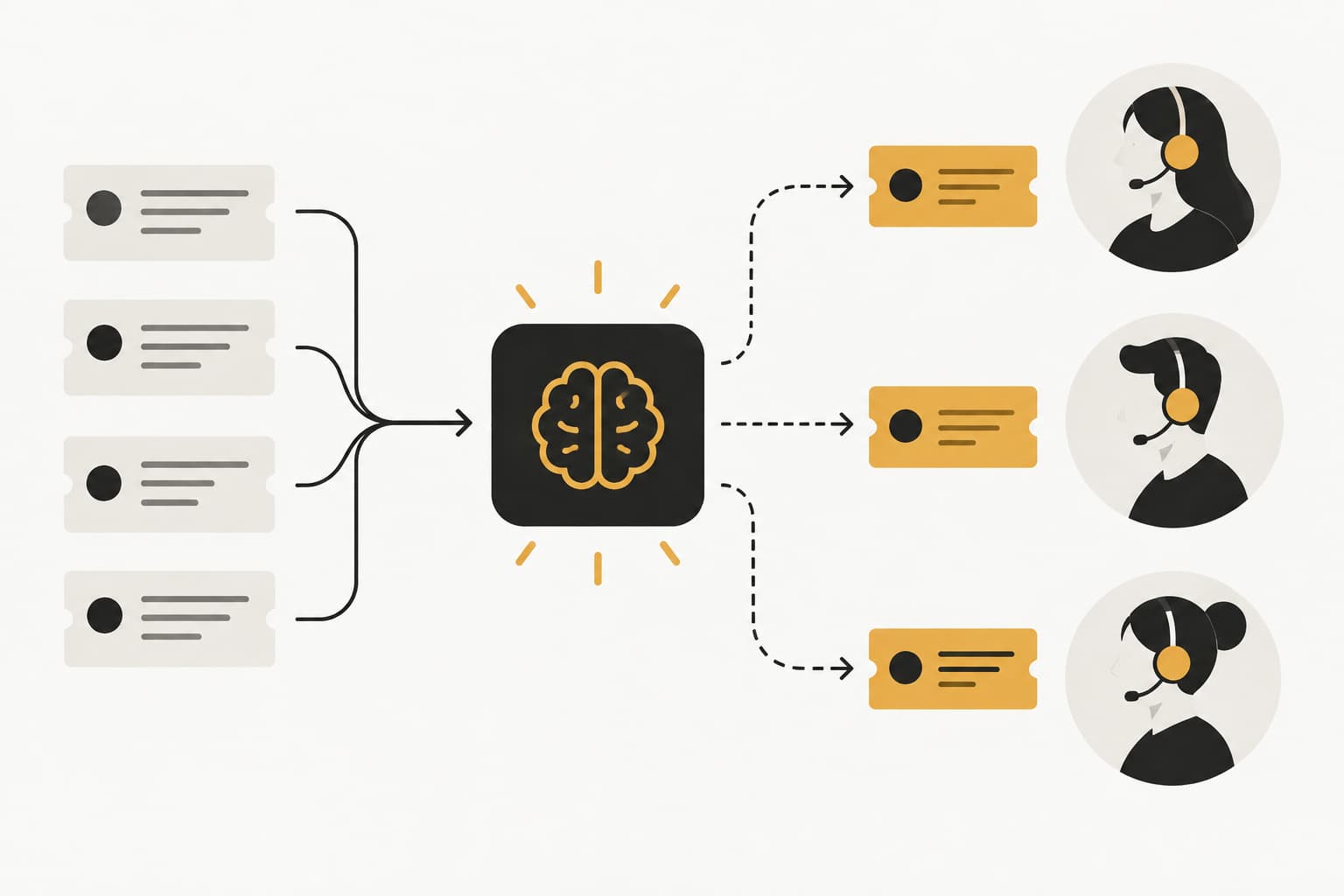
Your support inbox at 9 AM Monday morning: 147 unread tickets. A billing question from an enterprise customer sits at position 83. An urgent bug report affecting multiple users is buried at position 52. Three feature requests are scattered throughout. And somewhere in there, a frustrated user who's been waiting since Friday afternoon is about to churn.
This isn't a triage problem. It's a sorting problem that compounds into everything else—slow response times, misrouted tickets, missed escalations, and support teams spending their first two hours of every day just figuring out what needs attention first.
AI support ticket classification transforms this daily chaos into organized, prioritized workflows by automatically analyzing and categorizing every incoming request the moment it arrives. It's the intelligent sorting layer that determines what each ticket is about, how urgent it is, who should handle it, and what actions to trigger—before any human even sees it.
For B2B support teams evaluating automation solutions, understanding how classification works and what it enables is essential. Because accurate classification isn't just about cleaner inboxes. It's the foundation for everything else: intelligent routing, automated responses, resource allocation, and the business intelligence that helps you spot problems before they escalate.
The Mechanics Behind Intelligent Ticket Sorting
Think of AI ticket classification as reading comprehension at scale. When a ticket arrives, natural language processing analyzes the entire content—subject line, body text, any attachments or screenshots—to understand what the customer is actually asking for, not just what keywords they used.
The system examines semantic meaning, not surface-level patterns. A customer writing "I can't get in" and another saying "login keeps failing" are describing the same authentication issue, even though they share no common words. Modern classification models understand this equivalence because they've learned the underlying concepts, not just vocabulary matches.
Context matters enormously here. The same phrase "it's not working" means something completely different when it comes from a new trial user versus an enterprise customer three years into their contract. Classification systems analyze sender information, account history, product usage patterns, and even the tone of the message to make accurate categorization decisions.
This is where machine learning diverges sharply from rule-based approaches. Traditional systems rely on if-then logic: if the subject contains "billing" then categorize as Finance. These rules break down immediately when customers use natural language. "Why am I being charged twice?" doesn't contain the word "billing" but clearly belongs in that category.
Machine learning models, by contrast, learn patterns from thousands of previously resolved tickets. They recognize that questions about charges, invoices, payment failures, and subscription changes all relate to billing concerns, even when phrased in completely different ways. The model builds a conceptual understanding of what constitutes a billing issue rather than following rigid keyword rules.
The real power emerges in the feedback loop. When a support agent corrects a misclassified ticket or resolves an issue, that action becomes training data. The system learns: "When customers describe this problem in this way, it's actually a Product Bug, not a Feature Request." Over time, classification accuracy improves automatically, adapting to your evolving product, new features, and the specific language your customers use.
This continuous learning means classification gets smarter the longer you use it. The model that starts at 85% accuracy in month one might reach 94% by month six, simply by learning from your team's daily work. No manual retraining required, no new rules to write—the system observes and adapts. This is why support ticket auto categorization has become essential for scaling teams.
Classification Categories That Actually Move the Needle
The categories you choose determine whether classification becomes a powerful operational tool or just another metadata field nobody uses. Effective taxonomies align directly with how your team actually works and what actions you need to trigger.
Issue Type Classification: The foundational layer that determines what the ticket is fundamentally about. Common categories include Bug Reports, Feature Requests, How-To Questions, Account/Billing Issues, Integration Problems, and Performance Concerns. These categories map to different resolution workflows—bugs need engineering triage, billing questions route to finance, how-to inquiries might trigger knowledge base suggestions.
Product Area Tagging: For companies with multiple products or complex feature sets, knowing which part of your platform the ticket concerns is critical. A ticket about "data export failing" needs to reach the team that owns export functionality, not the general support queue. Product area classification enables specialized routing to teams with domain expertise. Implementing intelligent support ticket tagging ensures tickets carry the right metadata from the start.
Urgency and Priority Levels: Not all tickets are created equal. Classification systems can identify urgent issues through language cues ("production is down," "can't process payments," "all users affected") and customer signals (enterprise accounts, recent escalations, contract renewal approaching). This automated priority assignment ensures critical issues surface immediately rather than waiting for manual review.
Customer Segment Labels: A question from a trial user evaluating your product requires a different response than the same question from a paying enterprise customer. Classification can automatically tag tickets by customer tier, contract value, lifecycle stage, or account health, enabling response strategies that match customer importance and context.
Here's where multi-label classification becomes essential. Real support tickets rarely fit into single, neat categories. A customer might report a bug, request a workaround, and ask about billing implications—all in the same message. Single-category systems force artificial choices that lose information.
Multi-label classification allows tickets to carry multiple tags simultaneously: [Bug Report] + [Billing Impact] + [High Priority] + [Enterprise Customer]. This rich categorization enables more sophisticated automation. The ticket routes to engineering for the bug fix, triggers a billing team notification about potential refund requests, and gets flagged for account management follow-up—all from one accurate classification.
Building your classification schema requires balancing granularity with usability. Too few categories and everything gets lumped into generic buckets that don't enable meaningful automation. Too many categories and you create overlap, confusion, and classification accuracy problems. The sweet spot typically involves 8-12 primary issue types, 5-8 product areas, 3-4 priority levels, and 4-6 customer segments.
Your schema should also evolve with your product. When you launch a new feature, add it to your product area taxonomy. When a particular issue type starts generating significant volume, consider whether it deserves its own category rather than being lumped with related issues. The classification system adapts to these changes through the same learning mechanisms that improve accuracy over time.
From Sorted Inbox to Faster Resolution
Accurate classification is worthless if it just creates prettier labels in your inbox. The real value emerges when classification triggers intelligent actions that accelerate resolution and eliminate manual work.
Intelligent Routing: The moment a ticket is classified, routing rules can direct it to the right person or team automatically. Bug reports flow to engineering triage. Billing questions reach the finance team. Integration issues route to the technical specialists who handle API support. No manual sorting, no tickets sitting in a general queue waiting for someone to figure out where they belong. Effective automated support ticket routing depends entirely on accurate classification upstream.
This specialization dramatically improves resolution speed. A developer handling bug reports all day builds pattern recognition for common issues, knows the codebase intimately, and can diagnose problems faster than a generalist bouncing between unrelated ticket types. When classification ensures each agent works within their domain of expertise, average resolution time drops naturally.
Routing can incorporate multiple classification dimensions simultaneously. A high-priority billing issue from an enterprise customer might bypass the standard billing queue entirely and route directly to a senior account manager who can handle both the billing correction and relationship management in one interaction. The classification data enables this sophisticated decision-making without human intervention.
Automated Response Workflows: Many classified tickets can trigger immediate automated actions while still being reviewed by an agent. A "Password Reset" ticket might automatically send reset instructions and mark itself as resolved if the customer doesn't reply. A "Feature Request" could trigger an auto-response acknowledging the suggestion and linking to your product roadmap, then route to product management for consideration.
These automated responses don't replace human support—they handle the mechanical parts so agents can focus on the actual problem-solving. A customer gets an immediate acknowledgment with relevant information while the ticket simultaneously routes to the appropriate specialist. First-response time drops to seconds instead of hours, even if full resolution still requires human attention.
Knowledge base suggestions become far more relevant when driven by classification. Instead of generic "here are our top articles" responses, classification-powered systems can surface the specific documentation for the exact issue detected. A ticket classified as "Mobile App Login Issue" triggers suggestions for the mobile authentication troubleshooting guide, not the general login documentation that covers web and API authentication too.
Eliminating Triage Bottlenecks: Traditional support workflows include a manual triage step where someone reads every ticket and decides what to do with it. This creates a bottleneck—triage capacity limits how many tickets you can process, regardless of how many agents you have available to actually resolve issues.
AI classification eliminates this bottleneck entirely. Every ticket is automatically categorized, prioritized, and routed the moment it arrives. Your team's capacity is determined by resolution capability, not sorting capability. During volume spikes, tickets still get organized and routed correctly even when inboxes are overflowing.
The time savings compound across your team. If each agent spends 15 minutes per day manually sorting and routing tickets, that's over 60 hours per month for a team of 20. Classification reclaims that time for actual customer support, effectively increasing your team's capacity without hiring.
Training Your Classification System for Accuracy
Building an effective classification model starts with your historical ticket data—the thousands of conversations your team has already had with customers. This archive contains the patterns that teach the system what different issue types look like in your specific context.
The model learns by analyzing tickets where the outcome is known. It studies tickets that were ultimately resolved as bugs, feature requests, billing issues, and how-to questions, learning the linguistic patterns and contextual signals that distinguish each category. "Here's what a bug report from our customers typically looks like, here's how feature requests are phrased, here's the language pattern for billing confusion."
Quality matters more than quantity here. Ten thousand accurately categorized tickets provide better training data than fifty thousand inconsistently labeled ones. If your historical classification was haphazard—different agents using different category names, tickets miscategorized and never corrected—the model learns those inconsistencies and replicates them.
This is why many effective implementations start with a classification audit. Review a sample of historical tickets, standardize category names, correct obvious misclassifications, and use this cleaned dataset as your training foundation. The upfront investment in data quality pays dividends in initial accuracy.
Handling Edge Cases: Even well-trained models encounter tickets that don't fit neatly into established patterns. Ambiguous tickets where the customer's question isn't clear, multi-issue requests that span several categories, and tickets using new terminology that didn't exist when the model was trained.
Effective classification systems handle ambiguity through confidence scoring. Rather than forcing every ticket into a category, the model can flag low-confidence classifications for human review. A ticket that's 95% likely to be a bug report gets automatically routed. A ticket that's 60% bug report, 40% feature request gets tagged as uncertain and queued for an agent to review and correctly classify. Understanding support ticket complexity analysis helps you design systems that handle these edge cases gracefully.
This human-in-the-loop approach serves dual purposes: it prevents misrouting of genuinely ambiguous tickets, and it generates training data that teaches the model how to handle similar edge cases in the future. When an agent reviews an ambiguous ticket and classifies it correctly, that becomes a new training example.
Product evolution creates another classification challenge. When you launch a new feature, customers will start asking questions about it using terminology the model has never seen. "The new dashboard widget isn't loading" references a feature that didn't exist in your training data. Classification systems need mechanisms to recognize and adapt to this vocabulary expansion.
Continuous learning solves this naturally. As agents handle tickets about new features and classify them correctly, the model learns the new terminology and its relationship to existing categories. Within days of a feature launch, the classification system understands that "dashboard widget" questions belong in the UI category, even though that specific phrase never appeared in training data.
Creating Effective Feedback Loops: The most accurate classification systems are those where agent corrections flow back into model training automatically. When an agent reclassifies a ticket from "Feature Request" to "Bug Report," that correction should update the model's understanding immediately.
This requires classification to be integrated into your team's daily workflow, not a separate system they interact with occasionally. If correcting misclassifications requires extra steps or separate tools, agents won't do it consistently. But if reclassifying is as simple as changing a dropdown in their normal ticket interface, corrections happen naturally and the model improves continuously.
Some teams implement periodic model retraining where corrections accumulate and get processed in batches. Others use real-time learning where each correction immediately influences future classifications. The right approach depends on your ticket volume and how quickly your product and customer base evolve.
Beyond Sorting: Business Intelligence from Classification Data
Once every ticket is accurately classified, you're sitting on a goldmine of structured data that reveals patterns invisible in unorganized inboxes. Classification transforms support from a reactive cost center into a strategic intelligence source.
Early Warning System for Product Issues: A sudden spike in tickets classified as "Login Failure" or "Payment Processing Error" often indicates a product bug before your monitoring systems detect it. Many bugs manifest as customer-facing issues before they trigger technical alerts, especially edge cases that only affect certain user segments or usage patterns.
Classification trend analysis can spot these spikes in real-time. When bug report volume for a specific feature jumps 300% in two hours, that's a signal to investigate immediately. Your support team becomes an early detection system, surfacing issues while they're still affecting dozens of users rather than thousands. A robust support ticket analytics dashboard makes these patterns visible at a glance.
The same pattern recognition works for emerging customer needs. A gradual increase in feature requests for API rate limit increases might indicate that your customer base is growing more sophisticated and needs enterprise-grade capabilities. Classification data quantifies this demand, providing product teams with evidence to prioritize roadmap decisions.
Resource Allocation Intelligence: Classification volumes reveal where your support effort is actually going. If 40% of tickets are classified as "How-To Questions" about the same three features, that's a documentation problem, not a support problem. Those tickets represent opportunities to create better onboarding content, in-app guidance, or video tutorials that prevent the questions from being asked.
Staffing decisions become data-driven when you understand category volumes and their fluctuation patterns. If billing questions spike predictably at month-end when invoices go out, you can schedule additional billing specialists during those periods rather than maintaining excess capacity year-round. Accurate support ticket volume forecasting depends on having clean classification data to analyze.
Training priorities emerge clearly from classification analysis. If new agents struggle with tickets classified as "Integration Issues" but handle "Billing Questions" efficiently, that indicates where to focus onboarding and skill development. You're training based on actual performance patterns rather than assumptions about what's difficult.
Customer Health Signals: Classification patterns at the account level reveal customer health in ways that usage metrics alone cannot. An enterprise customer suddenly submitting multiple bug reports and feature requests after months of quiet satisfaction might indicate growing frustration or expanding use cases that your product doesn't fully support.
The shift from how-to questions to bug reports often signals a customer moving from learning your product to encountering its limitations. Early in the relationship, tickets are typically "How do I...?" questions. As customers become more sophisticated, tickets shift to "This should work but doesn't" bug reports and "I need it to do X" feature requests. This evolution is normal, but the speed and sentiment of the transition can indicate satisfaction or frustration.
Churn indicators hide in classification data. Customers who stop submitting tickets entirely might seem like success stories—they've learned the product and don't need help. But sudden silence can also indicate disengagement. Combined with other signals, classification patterns contribute to customer health scoring that identifies at-risk accounts before they churn. Adding support ticket sentiment analysis to your classification workflow reveals emotional context that pure categorization misses.
Revenue intelligence emerges when you connect classification to customer value. If your highest-value customers are disproportionately requesting the same feature, that's a retention risk and a product priority. If enterprise accounts generate more bug reports per user than small business customers, that might indicate the product isn't scaling well for sophisticated use cases.
Putting Classification to Work in Your Support Stack
Evaluating AI classification capabilities requires looking beyond accuracy percentages to understand how classification integrates with your broader support operations and what it enables downstream.
Integration Architecture: Classification is most powerful when it's not a standalone tool but a foundational capability that connects to everything else in your support stack. The classification system needs to talk to your helpdesk for routing, your knowledge base for automated suggestions, your CRM for customer context, your product analytics for usage patterns, and your business intelligence tools for reporting.
Look for platforms where classification is native rather than bolted on. Systems built with AI-first architecture treat classification as a core capability that other features depend on, not an optional add-on. This architectural difference determines whether classification can drive sophisticated automation or just adds metadata to tickets. When evaluating options, review support ticket automation platforms to understand how different vendors approach this integration challenge.
API access matters for custom integrations. You might want to send classification data to your data warehouse for analysis, trigger Slack notifications for specific categories, or update customer records in your CRM based on support patterns. Flexible integration capabilities let classification insights flow throughout your business systems.
Continuous Learning vs. Static Models: Some classification systems require periodic manual retraining—you accumulate new tickets, process them in batches, and update the model quarterly or annually. Others learn continuously from every agent interaction, improving automatically without manual intervention.
Continuous learning systems adapt faster to product changes, new features, and evolving customer language. They're particularly valuable for fast-growing companies where the product and customer base change significantly quarter over quarter. Static models work adequately for stable products with consistent ticket patterns but require more maintenance as things evolve.
Ask vendors about their learning mechanisms. How does agent feedback improve the model? How quickly do corrections influence future classifications? What happens when you launch a new product feature—does the system recognize and adapt to new terminology automatically?
Measuring Success: Classification accuracy is the obvious metric, but it's not the only one that matters. A system that's 95% accurate but takes three seconds to classify each ticket might be worse than a 92% accurate system that classifies instantly, if speed enables real-time routing.
Time savings metrics reveal operational impact. Measure how much time agents spent on manual triage before classification versus after. Track first-response time improvements when tickets route automatically to the right specialist. Monitor resolution time changes when agents work within their areas of expertise rather than handling random ticket types.
Downstream metrics matter most. Classification is successful when it improves customer experience, not when it generates impressive accuracy scores in isolation. Track customer satisfaction scores, resolution rates, escalation frequency, and repeat contact rates. These outcomes reveal whether accurate classification is translating into better support. Monitoring support ticket resolution metrics helps you connect classification accuracy to actual business outcomes.
Business intelligence value is harder to quantify but equally important. Has classification data helped you identify product issues earlier? Have you made staffing or training decisions based on category volume analysis? Have you spotted customer health patterns that informed retention efforts? The strategic value of classification often exceeds the operational efficiency gains.
The Foundation for Intelligent Support
AI support ticket classification isn't just about organizing your inbox—it's the foundational layer that makes everything else possible. Accurate classification enables intelligent routing that gets tickets to the right specialist immediately. It triggers automated workflows that provide instant responses while queueing for human review. It surfaces business intelligence that helps you spot product issues, allocate resources effectively, and identify at-risk customers before they churn.
The support teams that scale efficiently aren't the ones that hire proportionally to customer growth. They're the teams that deploy intelligent automation to handle the mechanical work—sorting, routing, categorizing, triggering initial responses—so human agents can focus on the complex problem-solving and relationship building that actually requires human judgment.
If your team is still manually triaging tickets, you're not just wasting time on administrative work. You're missing the intelligence hiding in your support data. Every misrouted ticket, every delayed response, every pattern you fail to notice because the data isn't structured—these are opportunities slipping away.
Evaluate your current triage process honestly. How much time does your team spend sorting tickets versus solving problems? How many tickets get misrouted before reaching the right specialist? How often do product issues surface through customer complaints before your team recognizes the pattern? These gaps are where AI classification delivers immediate, measurable value.
Your support team shouldn't scale linearly with your customer base. Let AI agents handle routine tickets, guide users through your product, and surface business intelligence while your team focuses on complex issues that need a human touch. See Halo in action and discover how continuous learning transforms every interaction into smarter, faster support.
How Halo helps
Halo deploys an AI support agent that resolves tickets across chat, email, and in-app messaging, guides users through your product with page-aware UI guidance, and escalates to your team with full context when a human is needed. Learn more about Halo's AI customer support agent.